

Description
Paisaify for UPI adds a UPI checkout to WooCommerce. The customer pays your own UPI ID straight into your own bank account. There is no payment gateway, no percentage fee and no one holding your money.
How it knows you were paid
Your phone receives the bank’s “money received” text. A small rule on that phone (the free MacroDroid app on Android, or an Apple Shortcuts automation on iPhone) passes the text to your site. Paisaify reads the amount and marks the order paid.
What you get
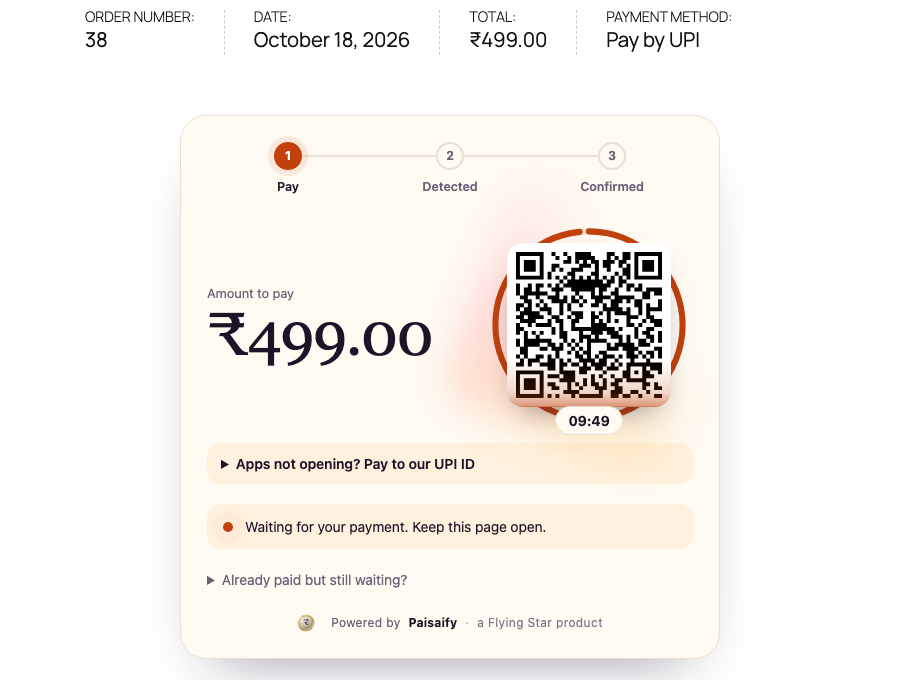
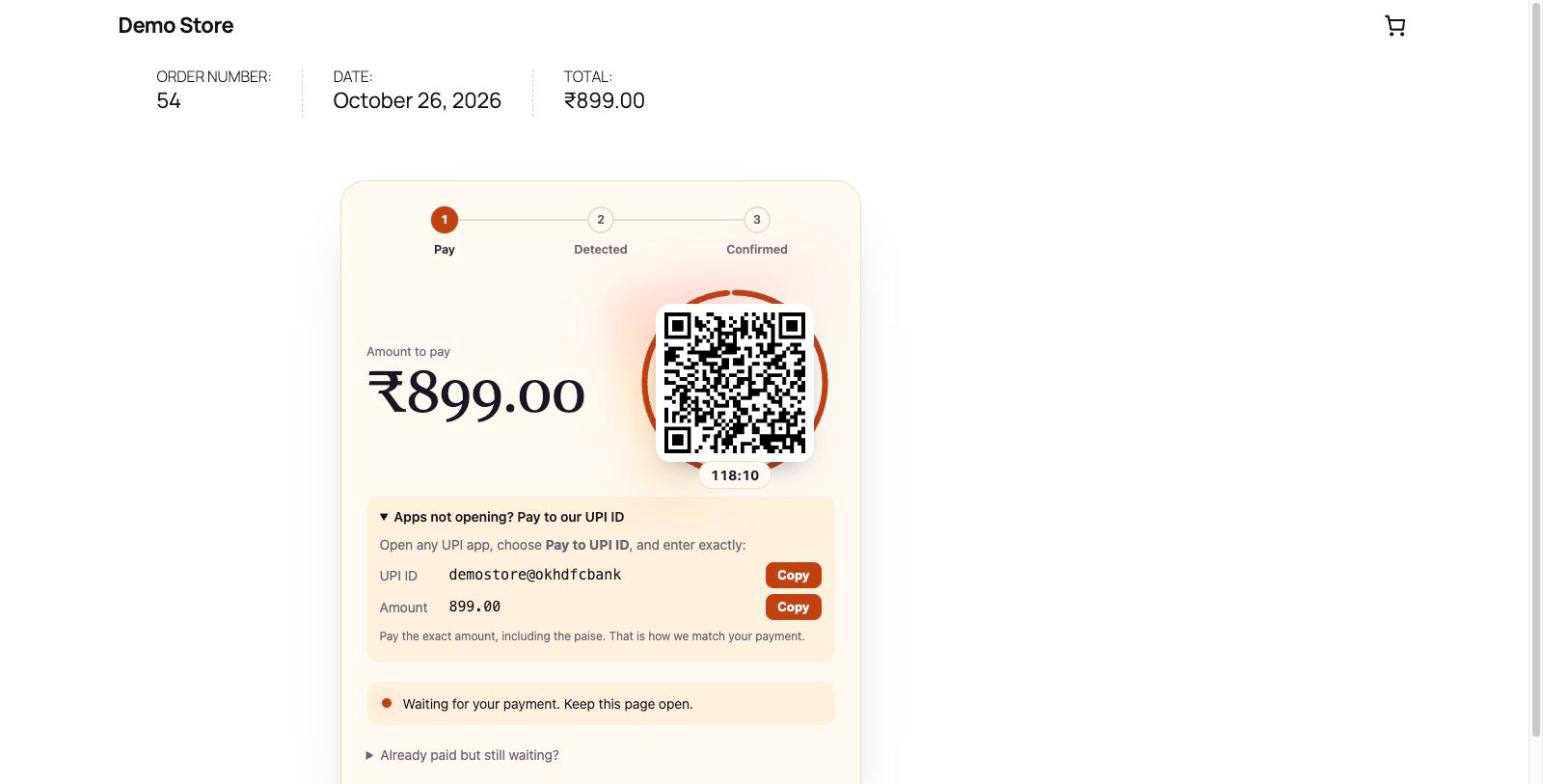
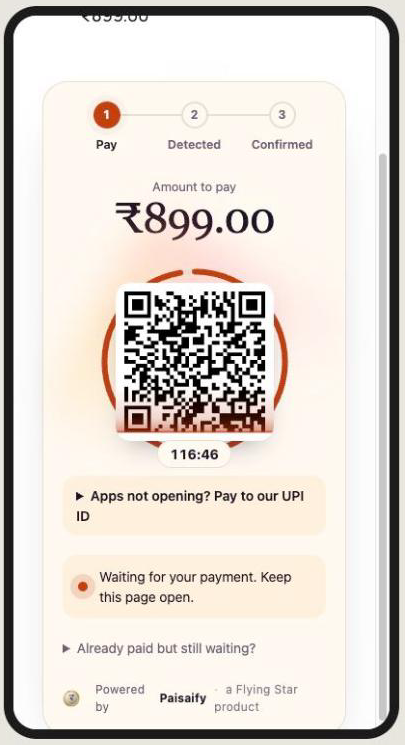
- A UPI checkout for WooCommerce with a QR code, a “pay to UPI ID” fallback, and a pay-in-app link (the link works only when your UPI ID is an online merchant ID from a payment gateway).
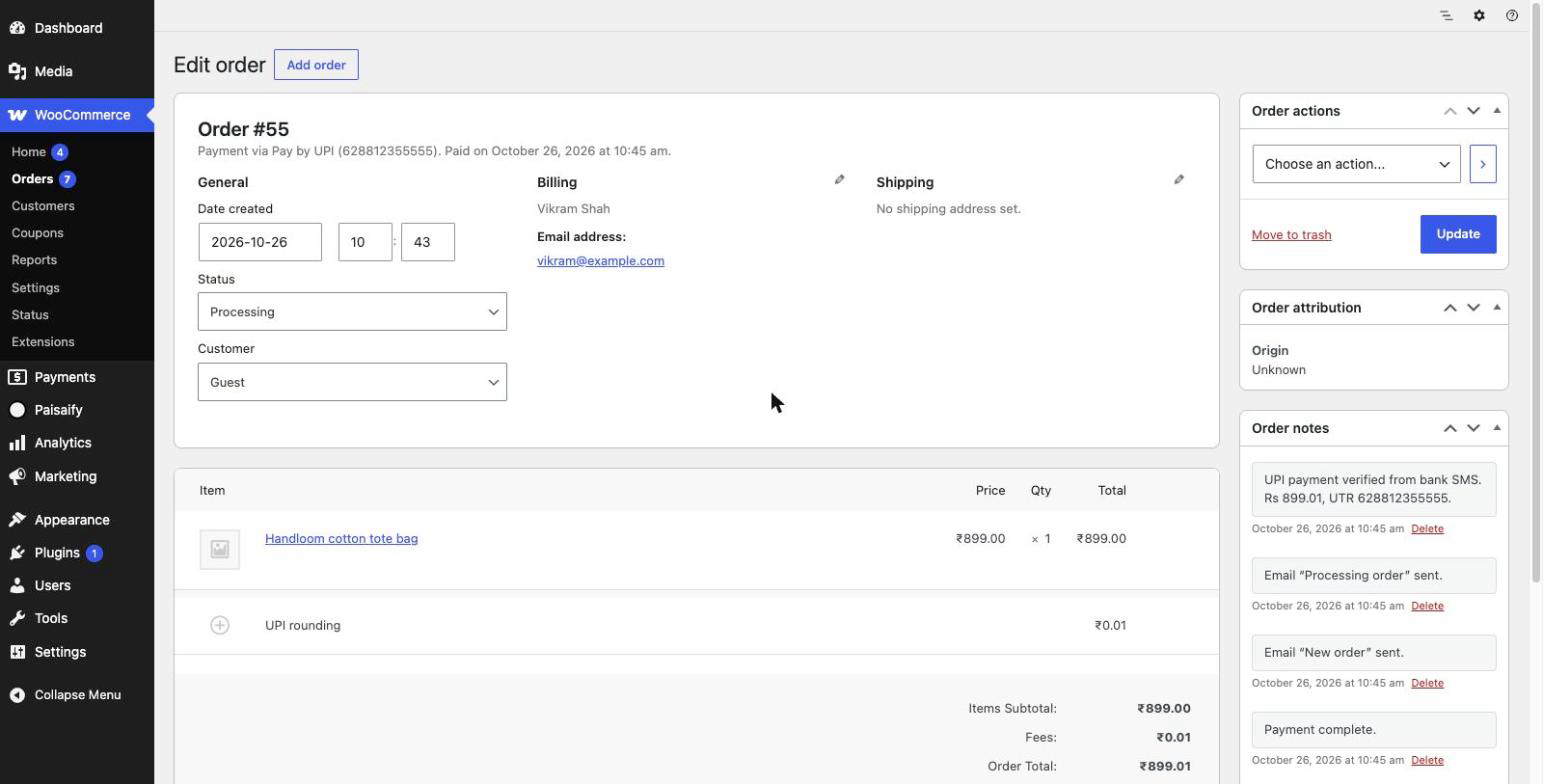
- Exact-amount matching. Each waiting order gets a unique amount of up to 99 paise extra, so two orders of the same price never get mixed up.
- A payment window that closes by itself, and a “I already paid” claim form with the UPI reference.
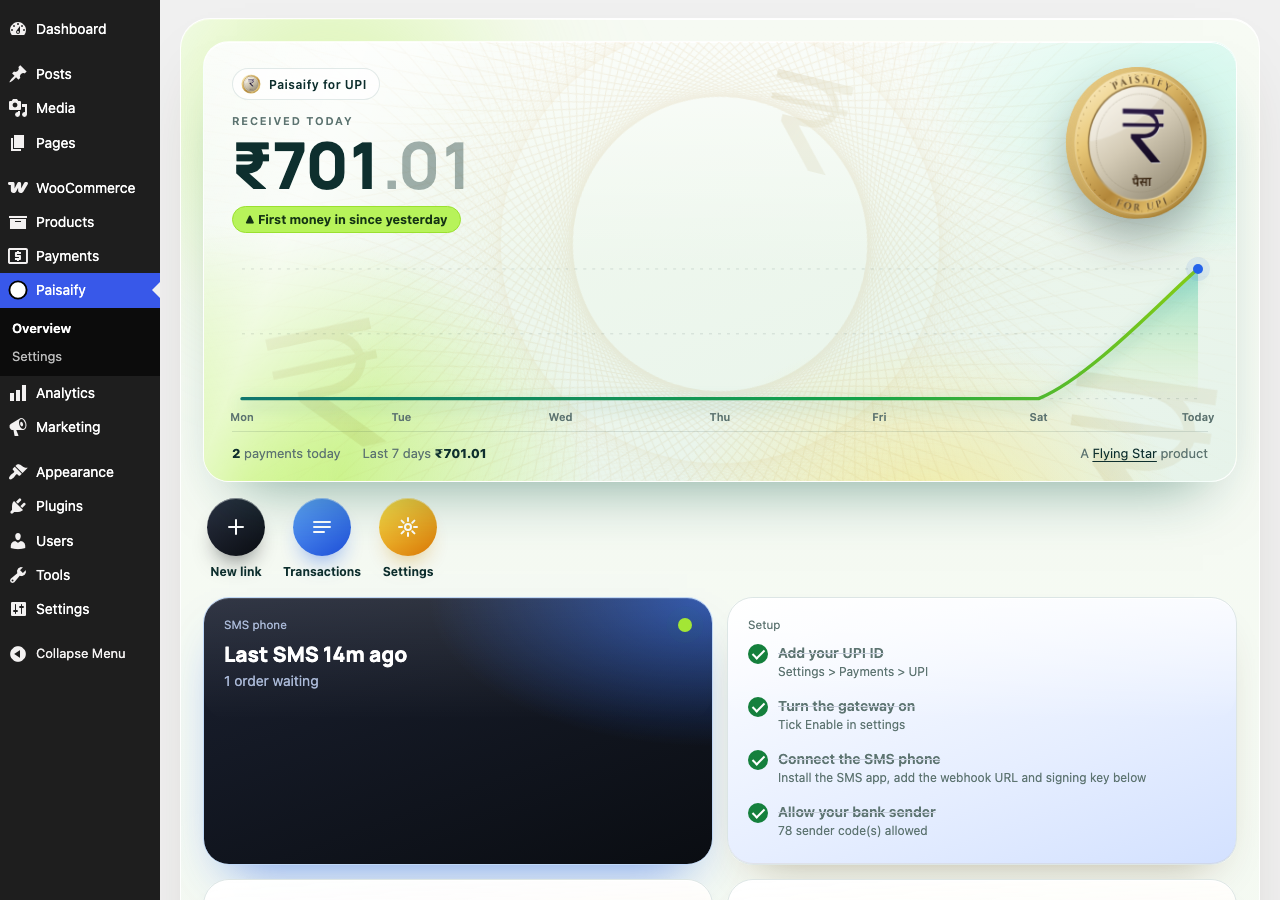
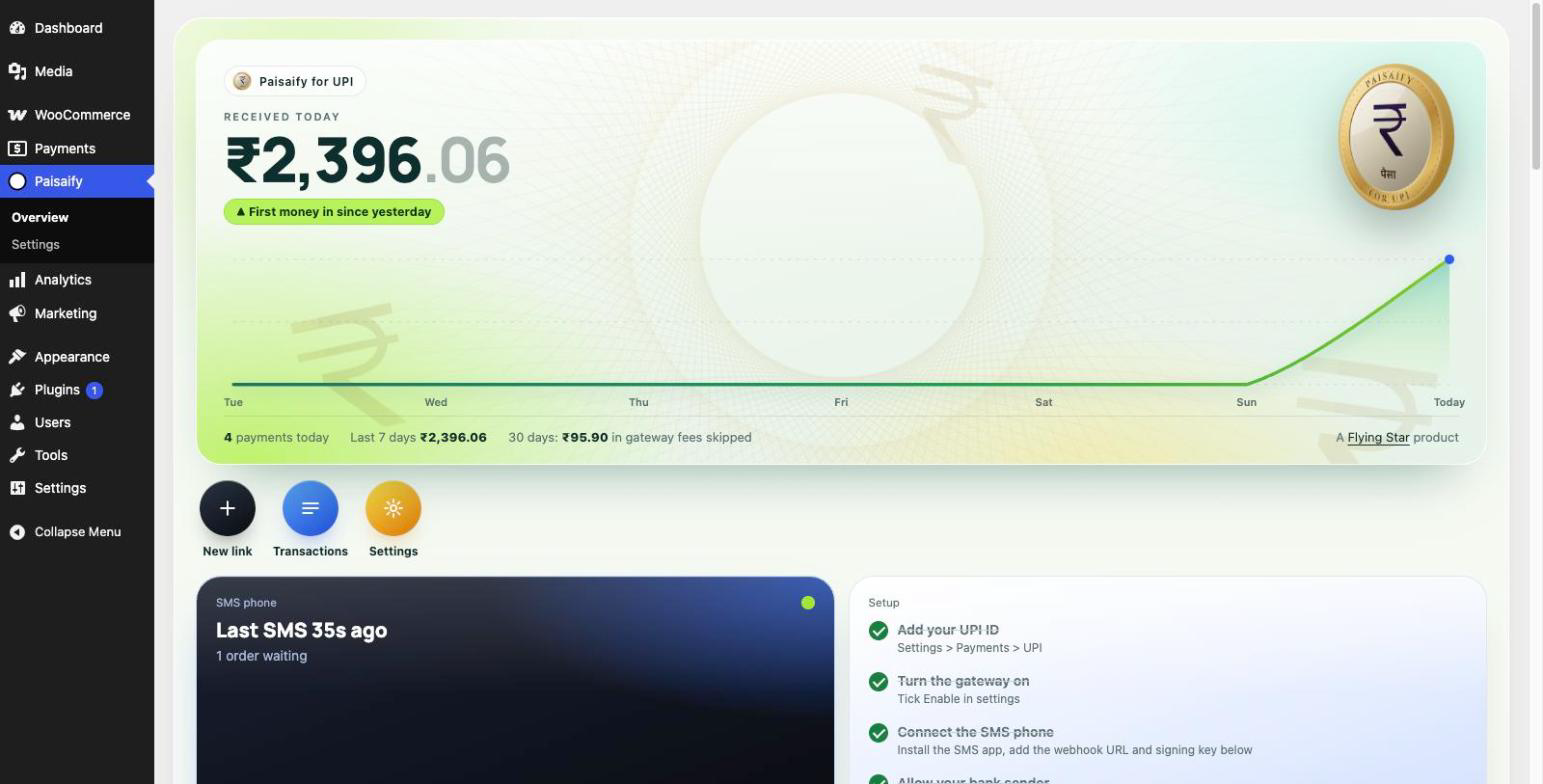
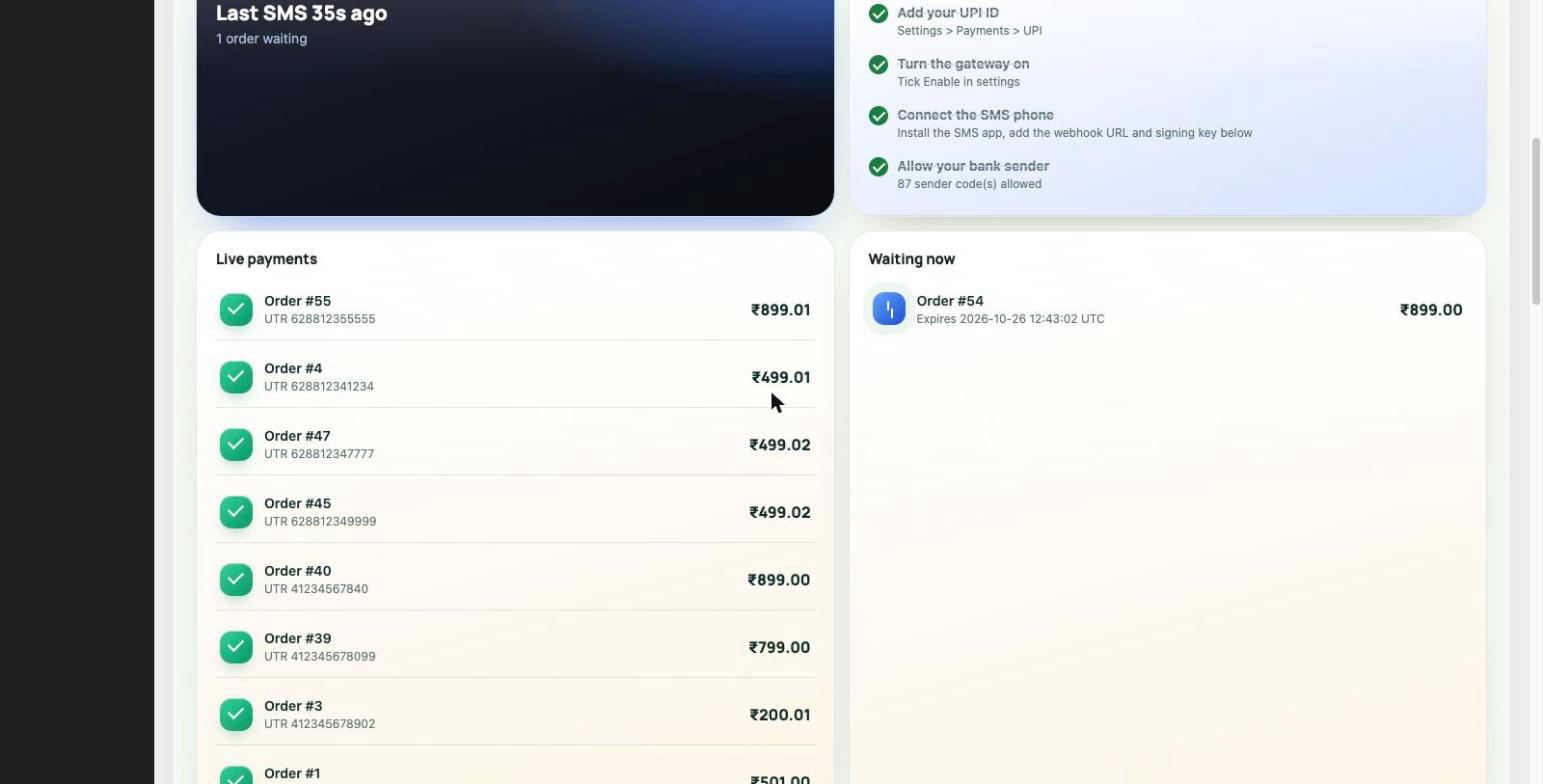
- A live dashboard with today’s total, waiting orders, phone status and a step-by-step setup for your phone.
- Support for all major Indian banks (87 sender codes built in).
- An email to the shop admin for every payment, unmatched credit and silent phone.
- Health and Security cards, automatic clean-up of old message records, and WordPress Site Health checks.
- Works with the WooCommerce block checkout and the classic checkout, and with High-Performance Order Storage.
Privacy
- Payment data stays in your own WordPress database. This plugin does not contact any Flying Star server and sends nothing to any third party.
- The phone forwards every text it receives, so Paisaify stores nothing from messages that are not bank credits, and deletes old rows daily.
- The optional “Powered by Paisaify” credit under the payment box is off by default.
Good to know
- This is not a payment gateway. It confirms payments by reading your bank’s credit SMS, so the connected phone must stay on and online.
- A personal or shop QR UPI ID (PhonePe Business, Paytm Business, YES PAY Biz, SmartHub Vyapar, Google Pay Business) takes QR scans and typed UPI ID payments, with no gateway fee. “Pay by app” on the buyer’s own phone only works with an online merchant ID from a payment gateway.
- UPI limits still apply, usually Rs 1,00,000 per payment.
- Paisaify for UPI is not affiliated with NPCI. “UPI” is a trademark of NPCI.
Need donations with 80G receipts, payment links, PDF and email receipts, WhatsApp and Telegram alerts, or a full ledger? See Paisaify Pro at https://flyingstar.in.
Installation
- Install and activate the plugin. WooCommerce should be active for the shop checkout.
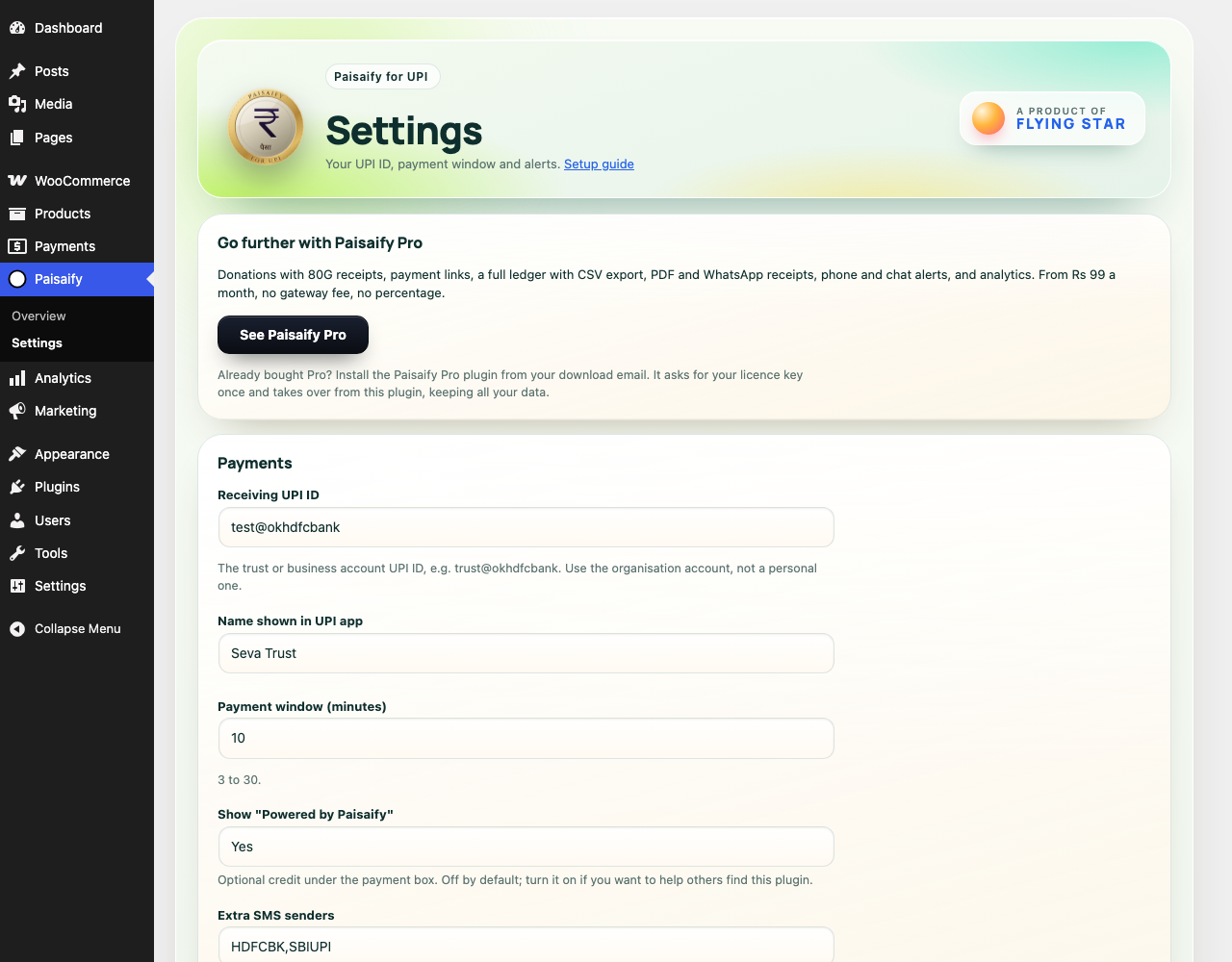
- Open Paisaify, Settings. Enter your UPI ID and payee name.
- Open WooCommerce, Settings, Payments and switch on “Paisaify for UPI (zero fee)”.
- Open the Paisaify dashboard and follow “Connect your phone”.
- Place a small test order and pay it from a UPI app.
FAQ
Does money pass through you?
No. The customer pays your UPI ID and the money lands in your bank account. This plugin only reads the bank’s credit SMS.
Does it work on iPhone?
The plugin works for any shop. For reading the bank SMS, an iPhone can use an Apple Shortcuts automation. The dashboard shows the steps. The Android helper apps do not run on iPhone.
A customer says GPay refused the payment.
Google Pay and PhonePe refuse the pay-in-app link for a personal or shop QR UPI ID. Ask the customer to scan the QR code, or to copy your UPI ID and the exact amount from the pay page and pay with “Pay to UPI ID”.
Why does Google Pay or PhonePe refuse the Pay by app button?
UPI apps only accept a payment link that opens the app from a website or another app when the payee is a merchant registered for online payments (checked 2 Nov 2026).
- Personal UPI ID (for example name@okhdfcbank): QR scan and typed UPI ID work. The link is refused as a possible scam; Google Pay shows “exceeded the bank limit”.
- Shop or business QR ID (YES PAY Biz, PhonePe Business, Paytm Business, Google Pay Business, SmartHub Vyapar): QR scan and typed UPI ID work. The link is refused with “UPI ID not available”, because these IDs are registered for offline payments only.
- Online merchant through a payment gateway (Paytm PG, PhonePe PG, Cashfree, Razorpay, PayU): QR scan and typed UPI ID work. Pay by app works only in the gateway’s own checkout. Paisaify does not connect to gateways yet.
If a buyer’s app refuses Pay by app, that is the UPI app’s rule, not a Paisaify fault. The buyer scans the QR or pays to your UPI ID with the exact amount, and the order still turns Paid by itself.
A buyer on a phone can copy the UPI ID and exact amount from the pay page and pay with “Pay to UPI ID”, or save the QR and use “scan from gallery”. PhonePe says scan from gallery works up to Rs 2,000 per payment. Paisaify confirms these payments from the bank SMS with no fee.
Where do I get a QR and a UPI ID?
Personal: your bank or UPI app. Shop QR ID: free in the PhonePe for Business, Paytm for Business or a similar app, which gives you a QR and a UPI ID. Payment gateway: sign-up gives API keys and a hosted checkout, not a QR or a UPI ID, so there is nothing from it to paste into Paisaify.
How do I get Pay by app?
Register as an online merchant with a payment gateway and use that UPI ID. UPI fees as shown on each gateway’s own pricing page, checked 2 Nov 2026. Check again before you sign up, it changes.
- Paytm Payment Gateway: 0.00% on UPI for small merchants (previous year turnover under Rs 20 lakh). No setup or yearly fee.
- PhonePe Payment Gateway: zero gateway fee during a limited period offer, no end date given. No setup or yearly fee.
- Cashfree: 0% on the first Rs 20 lakh for new merchants, offer until 31 March 2027, then about 1.95%.
- Razorpay: 2% platform fee plus 18% GST. No setup or yearly fee.
- PayU: depends on business type and volume. No setup or yearly fee.
Sign-up needs PAN, address proof, two business documents (Udyam registration is free online), a bank account, and a live website with Privacy, Terms, Refund and Contact pages. Approval usually takes 1 to 3 working days.
Why does the amount have extra paise?
That is how each order is told apart. Two waiting orders of Rs 499 become 499.00 and 499.07, and the payment that arrives is matched to the exact one.
What if my phone is off?
Payments wait as “unmatched” until the phone is back, and you can attach a credit to an order by hand from the dashboard.
Screenshots

Changelog
0.4.3
- New table of what works with each type of UPI ID, and where to get a QR and UPI ID (bank, shop app or gateway).
- The pay page and settings now say a refused Pay by app button is the UPI app’s rule, not a fault, and the order still turns Paid after a QR scan.
0.4.2
- Clearer advice on which UPI ID to use. A personal or shop QR UPI ID takes QR scans and typed UPI ID payments. The Pay by app button on the buyer’s phone needs an online merchant ID from a payment gateway, because Google Pay and PhonePe refuse it for other IDs.
- The pay page now tells phone buyers to copy the UPI ID and amount if their app refuses.
- New FAQs: why apps refuse Pay by app, and how to get it.
0.4.1
- When a buyer taps “I have paid”, you get an alert with a one-tap Confirm link. Check your Paytm, PhonePe or bank alert for the exact amount, tap Confirm, and the order is paid. The link only works for a logged-in shop manager.
- Settings now suggest a free Paytm Business or PhonePe Business UPI ID, which alerts you for every payment.
0.4.0
- New “I have paid” button on the UPI pay page. The buyer sees the thank-you page at once and the order moves to On hold; the bank alert then completes it as usual. No reference number to type.
- Bank credit alerts that say “reference number is …” (HDFC) now give the UTR.
- Ready for the Paisaify Android app: the phone setup card gets a one-scan pairing option once the app is on Google Play.
0.3.1
- Security: a bank SMS sent to the forwarder link a second time is no longer counted as a new payment, so it cannot pay a later order of the same amount.
- The forwarder link now accepts at most 120 messages a minute.
0.3.0
- A buyer whose UPI payment is still waiting gets one reminder email halfway through the payment window, with a link back to the pay page. On by default, with a setting in Paisaify > Settings.
- WooCommerce emails to a buyer whose UPI payment is still open (for example the invoice email) now carry a Pay now link.
- The overview shows an estimate of the gateway fees skipped in the last 30 days, at about 2%.
0.2.0
- The bank SMS reader is stricter: loan, card, promo and statement texts are no longer read as payments, and many more bank formats are recognised.
0.1.0
- First release.