


Description
Merry Christmas & Happy New Year 2026! 🎄🎉
Thank you for using and supporting this free plugin! If you have any questions or need assistance, please ask on the WordPress support forum. We’re here to help!
Update to v2.2.3 to get the new Thermal Invoice feature and many more improvements!
**Ultimate Invoice plugin for WooCommerce!**
Create customizable PDF/HTML invoices for WooCommerce, attach to Email, Packing Slips, Shipping Labels, Shipping Tracking, Single-shop feature and …
This plugin lets you to Generate Awesome Invoices for WooCommerce orders and:
- Download PDF invoices
- Email Styled Invoices
- Attach PDF to WC Emails
- Attach PDF to Invoices Emails
- Restrict Invoices Options
- Full Invoice Customizations
- Make your own Invoice Template
- Make your own PDF Invoice Template
- Make your own Inventory Report Template
- Make your own Packing Slips Template
- Alter plugins via Action/Filter hooks
- and …..
Hot Features since Version 1.4 🔥
- Bulk Download Invoices PDF as ZIP Archive
- Bulk Print Invoices Inventory Reports
- Bulk Print Invoices Shipping Slips
- Export/Import Settings as JSON/PHP!
- Developers 😍 Bundle your PDF/HTML Invoice Template with your Theme/Plugin (read more)
- Added: Fully Compatibility with PeproDev Ultimate Profile Solutions
- Added: Fully Compatibility with WPC Product Bundles by WPClever
- Added: Fully Compatibility with WooCommerce Extra Product Options by ThemeComplete
- Added: Fully Compatibility with Any Standard plugins that adds and shows Order item metas
- Added: Added Integration Section in Settings
Made by Developers for Developers
- Github Wiki
- Over 190 Filter Hook
- Over 15 Action Hook
- Fully Translatable
- Nice and Human Readable Variable Names
- Separated Classes for Different purposes
- Templates for HTML Invoice (tpl, css)
- Templates for PDF Invoice (tpl, css)
- Templates for Email Invoice (tpl, css)
- Templates for Inventory Report (tpl, css)
- Templates for Packing Slips(tpl, css)
- Change Email Sending Settings (from, name, and …)
- Preserve email template style even in Gmail!
- and ….
Invoice Items filtering
- Show / Hide Store National Id
- Show / Hide Store Registration Number
- Show / Hide Store Economical Number
- Show / Hide Customer Address
- Show / Hide Customer Phone
- Show / Hide Customer E-mail
- Show / Hide Order Date
- Show / Hide Payment method
- Show / Hide Shipping method
- Show / Hide Transaction Ref. ID
- Show / Hide Product Image
- Show / Hide Product Purchase note
- Show / Hide Order Items
- Show / Hide Order Total
- Show / Hide Product Weight
- Show / Hide Product Dimensions
- Show / Hide Product SKU
- Show / Hide Order Note
- and ….
Extras
- Quick Shop Feature ( Purchase all products in one page )
- Visual Composer Widget
- Pre-order Invoices Status
- Built in DARK MODE Support (Auto, Manual)
- Disable WC Modern Dashboard
- Date parsing templates
- Jalali/Shamsi Date formats numbers?
- English, Eastern Arabic and Persian Numbers style
- RTL-ready
- Automated Email sending system
- Fully Woo-commerce integration
- and …
How can I report security bugs?
You can report security bugs through the Patchstack Vulnerability Disclosure Program. The Patchstack team help validate, triage and handle any security vulnerabilities. Report a security vulnerability.
Made by love in Pepro Development Center.
Pepro Dev is a registered trademark of Pepro Co.
External services
This plugin can show news and offers from peprodev.com on its own dashboard panel.
When that panel is open, and at most once a day, it requests a public JSON file at
https://peprodev.com/api/plugin-news.json and shows the titles and links it returns.
No data about your site, your shop or your customers is sent with the request. The
panel can be turned off in Ultimate Invoice > Misc, which stops the request entirely.
Service terms: https://peprodev.com/terms Privacy: https://peprodev.com/privacy
About Us
PEPRO DEV is a premium supplier of quality WordPress plugins, services and support.
Join us at https://peprodev.com/ and also don’t forget to check our free offerings, we hope you enjoy them!
Installation
-
Upload the plugin files to the
/wp-content/pluginsdirectory, or install the plugin through the WordPress plugins screen directly. -
Activate the plugin through the ‘Plugins’ screen in WordPress
-
Navigate to
yoursite.com/wp-admin/admin.php?page=wc-settings&tab=pepro_ultimate_invoiceto change settings.
FAQ
How can I report security bugs?
You can report security bugs through the Patchstack Vulnerability Disclosure Program. The Patchstack team help validate, triage and handle any security vulnerabilities. Report a security vulnerability.
How can I show compact total order in PDF invoices?
Use hook below and add it into your plugin or theme’s function.php
add_filter( “puiw_return_pdf_total_prices_as_single_price”,”__return_true”);`
How can I contribute to this plugin?
You can help us improve our works by committing your changes to our Github repository: github.com/peprodev/ultimate-invoice
Screenshots

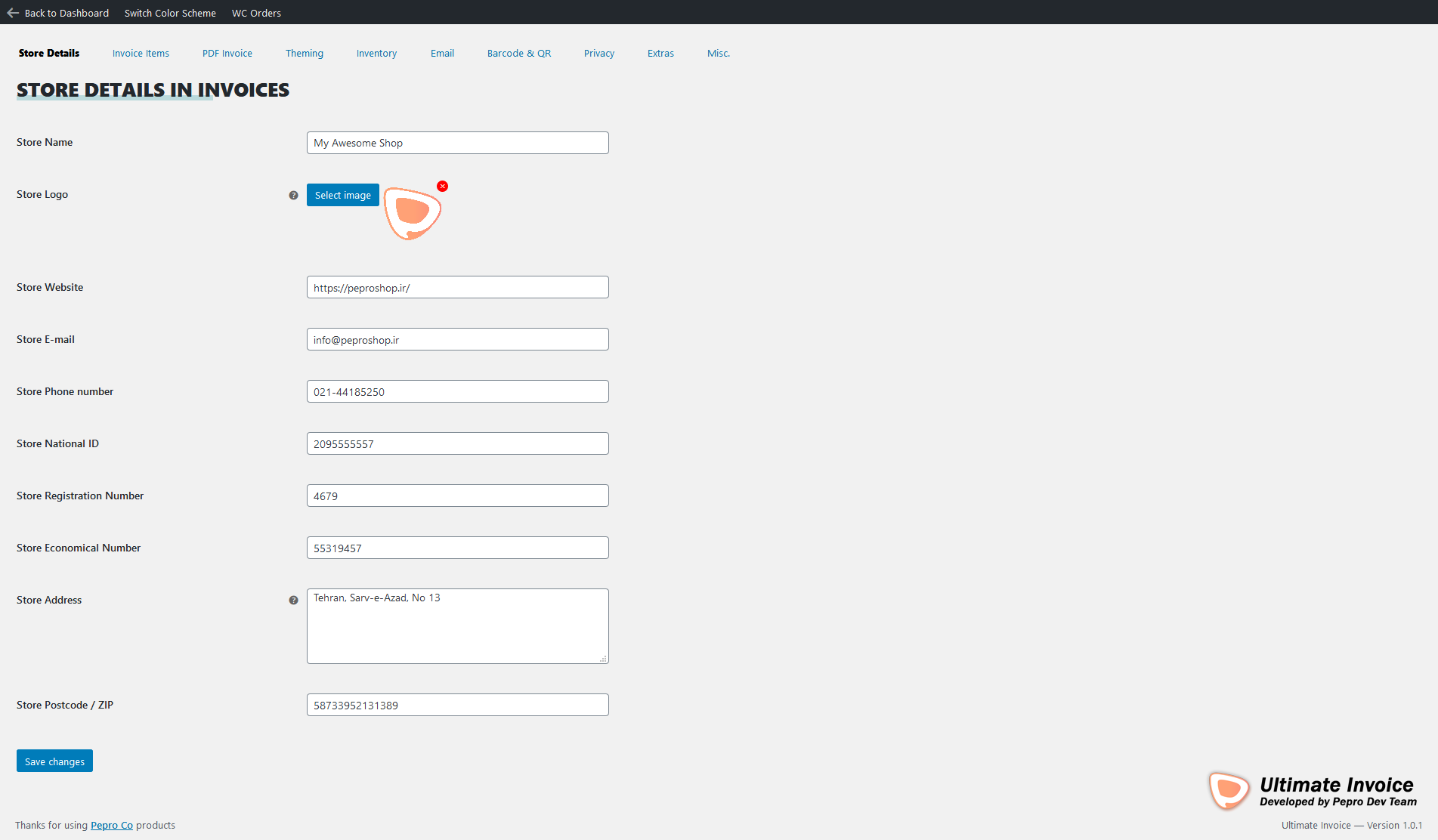


Changelog
Merry Christmas & Happy New Year 2026! 🎄🎉
Thank you for using and supporting this free plugin! If you have any questions or need assistance, please ask on the WordPress support forum. We’re here to help!
For full changelog please view Github Repo.
v3.2.50 | 2026-11-17 | 1405-08-26
- New: Migrate/Backup keeps saved copies of every setting, taken automatically before each plugin update and before an import, reset or restore, plus a button to save one by hand
- New: each copy can be downloaded as JSON (readable by Import JSON of older versions), restored in one click, or deleted
- Copies are kept in uploads/pepro-ultimate-invoice/settings-backups (the plugin folder is replaced on every update), blocked from direct access; the newest 15 are kept
v3.2.49 | 2026-11-09 | 1405-08-18
- Fixed: picking a colour scheme (order box and Theming) filled in the hex values but left the colour swatches showing the old colours
v3.2.48 | 2026-11-09 | 1405-08-18
- Security: images in a PDF are fetched with TLS verification and WordPress’s safe request (no private, loopback or cloud-metadata addresses, on any redirect), capped at 8 MB
- Security: a local image path is embedded only when it is an image file inside the WordPress install, so an image URL with ../ cannot pull other files into a PDF
- Removed an unused raw cURL download helper
v3.2.47 | 2026-11-09 | 1405-08-18
- New: “Invoice language” can force one language on every invoice, slip, receipt and email printout: Automatic, the order’s language, or any language installed in WordPress. Forcing a language now switches even when Polylang or WPML does not list it
- Fixed: with Page direction on Normal, the direction now comes from the template alone (an LTR template prints left to right, an RTL template right to left) instead of from the site or admin language
- Fixed: a template part missing from a left-to-right template was taken from Default RTL on Persian sites
- Fixed: hidden columns and signatures carried Persian digits inside their inline styles (“width:۰”), which is not valid CSS
v3.2.46 | 2026-11-09 | 1405-08-18
- New: “Page direction” switch under Theming next to the template picker: Normal (the template and language decide), Force left to right, or Force right to left. It sets the page and every table cell for all outputs, web and PDF invoices, POS receipts, packing slips and inventory, whatever direction the template’s own stylesheet sets
v3.2.45 | 2026-11-09 | 1405-08-18
- Fixed: the Default and Pre Invoice templates, and the packing slips and inventory pages of every bundled left-to-right template, printed mirrored right-to-left on English and other left-to-right sites (most visibly in the PDF). A left-to-right template now prints left to right whenever the invoice language is left to right
v3.2.44 | 2026-11-09 | 1405-08-18
- New: “Invoice language” under Misc. By default a left-to-right template on a Persian (or any right-to-left) site now prints in English: English labels and title, left-to-right slips and inventory, English digits, Gregorian dates and the Latin-digit PDF font. It can also be set to always the order’s language, or always English (which also switches an RTL template to its LTR twin)
- Fixed: order box icons could show at full width when the orders stylesheet did not load (an optimiser, or HPOS order screens); the stylesheet is now added in the page head and every icon has a 1em size of its own
v3.2.43 | 2026-10-20 | 1405-07-28
- Fixed: “Show Order Note?” and “Address on Invoices” saved as yes/no switches (by an import or an older tool) showed up in the update check as choices that no longer exist; the check now converts them on its own (yes becomes both notes, and the billing address)
v3.2.42 | 2026-10-20 | 1405-07-28
- New: “All settings” under Dashboard lists every setting of every panel with one search box; a click opens the panel and tab and brings the field into view
- New: Custom CSS has one stylesheet per output (web invoice, PDF invoice, POS receipt, packing slips, packing slips PDF, inventory) on sub-tabs, each a code editor with CSS lint, autocomplete and snippets, started only when its tab is opened. Saving with lint errors asks first
- Fixed: CSS saved from a textarea lost every child selector (“a > b” became “a > b”); stylesheets are now stored as written
- Fixed: the packing slips PDF never got a custom stylesheet (the placeholder was passed to mPDF as text); slips and the POS receipt now use their own stylesheets instead of the invoice’s
- Changed: Translations has a tab per part (template and settings, invoice, packing slips, inventory) with sticky file headings and a search box; each text is listed once, and labels of the newer templates can be reworded per language
- Changed: Colour schemes look like the scheme cards under Theming, are saved by the main Save button (the separate button is gone), redraw the Theming cards at once, and the built-in schemes can no longer be edited or deleted
- Changed: Migrate/Backup runs export, import and the three reset actions in place over ajax instead of opening bare pages in a new tab; Export PHP keeps arrays and quotes intact
- Changed: the settings page grows with its content instead of scrolling inside a fixed-height box; the sidebar stretches with it and keeps its menu in view
- Fixed: a translation pack downloaded from translate.wordpress.org could replace the bundled Persian translation and show every newer string in English
v3.2.41 | 2026-10-19 | 1405-07-27
- Dev: the PDF page footer is built from three cells passed through “puiw_pdf_footer_cells” (start, middle, end), and the POS receipt’s last line through “puiw_receipt_credit”; with all three cells empty no page footer is printed. PRO uses them for its white-label footer
- Fixed: the PDF footer row was never closed ( instead of )
v3.2.40 | 2026-10-19 | 1405-07-27
- Fixed: “Mail invoice to shop managers” and “Mail invoice to a custom list” in the order box did nothing (and “Mail to customer” stopped after Yes): they called loading functions the new dialog did not have; the dialog now shows a spinner while sending and reports a failed request instead of spinning forever
- Fixed: the address field of “Mail to a custom list” overflowed the dialog; addresses are chips inside one field with the add button beside it
v3.2.39 | 2026-10-19 | 1405-07-27
- Fixed: the colour fields in the order box wrapped into a broken three-column grid with the hex codes reversed (A6D5FC#); each colour is now one row with its name, swatch and a left-to-right hex field
v3.2.38 | 2026-10-19 | 1405-07-27
- Fixed: with no colour schemes left, the “No Color Scheme Found!” message was a huge heading squeezed into one grid cell, its lines running into each other; it is one quiet centred line across the box now
v3.2.37 | 2026-10-19 | 1405-07-27
- Changed: a setting with more than four choice cards puts its label on top and gives the cards the full width, instead of squeezing them into four-line boxes
v3.2.36 | 2026-10-19 | 1405-07-27
- Fixed: “Show Invoices Number Barcode” had no effect on the newer templates; turning it off now hides the barcode and the number under it
v3.2.35 | 2026-10-19 | 1405-07-27
- Fixed: the “access denied” page for an invoice the visitor may not open was sent as 200 OK; it is a 403 now and is never cached
v3.2.34 | 2026-10-19 | 1405-07-27
- Fixed: with Persian or Arabic digits on, the template’s font urls were rewritten too (a port like :8088 became Persian digits), so the web invoice never loaded its font; style and script blocks, urls and colours keep their digits now
- Fixed: “Date parsing template” only applied to Jalali dates; Gregorian dates use it too
- Fixed: the store’s website, email and national ID were never printed by the newer templates; they show in the seller block when filled in (the national ID follows its show/hide switch)
- Fixed: the newer templates ignored “Font size” and the watermark on the web invoice; the item rows follow the font size and the watermark is drawn on the page
v3.2.33 | 2026-10-19 | 1405-07-27
- Fixed: the POS receipt was measured on an A4 page and spilled onto a second roll page; it now prints as one roll as long as its content
v3.2.32 | 2026-10-19 | 1405-07-27
- Fixed: opening a colour scheme for editing was slow, because closing the previous one reset and re-fired every colour field of every scheme; edit, discard and apply now work on the one scheme
- Fixed: applying or discarding a scheme edit left its colour picker open
- Changed: picking a scheme on Theming repaints the template previews once instead of once per colour, and the show-if rules only rerun for the fields they read
v3.2.31 | 2026-10-19 | 1405-07-27
- Fixed: an invoice link for an order that no longer exists showed an empty white page; it now says the invoice was not found (404). A PDF that fails to build says so as well
- Fixed: a tall PDF footer (signatures, thank-you note) was drawn over the last item rows; the page margins now grow to fit the header and footer
v3.2.30 | 2026-10-19 | 1405-07-27
- Fixed: the template picked under Theming did not reach PDF or web invoices. Leaving a language on “use the template from Theming” under Translations saved the Default template for that language, which then won over the picked one; the empty choice is now kept empty, and the update clears the stored Default
- Fixed: a language template that only repeats the main template is no longer stored, and one that followed the old main template follows the new one when it changes
- Fixed: editing a colour scheme showed squashed, overflowing fields; the edit card now lays out the name and the three colours in rows
- Changed: single choice lists are plain selects styled like the other fields, replacing the narrow search dropdown
- Changed: dialogs and toasts use the settings screen’s font
v3.2.28 | 2026-10-19 | 1405-07-27
- Changed: confirmations and messages use the plugin’s own dialog instead of the old popup
- Changed: Colour Schemes has one toolbar, at the bottom, built from the plugin’s buttons
- Changed: diagnostics show every value on the same edge
- Changed: on the order screen the tracking code has a clear Save button inside its field, and saved messages are shown as a small card
- Changed: all bundled layouts fit a full order on one page; closing lines move into the page footer
- Fixed: editing a colour scheme did nothing, because two settings scripts shared one variable
v3.2.27 | 2026-10-19 | 1405-07-27
- Changed: Aurora, Slate and the four PRO templates have their own layouts: a colour band, a typographic Swiss sheet, a sidebar, a ruled formal form, a centred letterhead and a dark amount-first design
- Fixed: order notes were squeezed into a zero width column in some templates, and each total line carried an extra blank line, which spread short invoices over two or three pages
v3.2.26 | 2026-10-19 | 1405-07-27
- Added: the dashboard shows sales, paid orders and the average order for the last 30 days, each compared with the 30 days before
- Added: a sales chart for the last 30 days and a breakdown of orders by status
- Changed: plugin status is laid out as a grid of cards, with warnings and errors tinted
v3.2.25 | 2026-10-19 | 1405-07-27
- Changed: Theming offers the colour schemes only; schemes are added and edited under Colour Schemes, which now uses the Alwan picker
- Fixed: the edit, delete, apply and discard buttons of a colour scheme showed broken icon glyphs
- Fixed: template previews kept showing an old screenshot after the template was updated
- Changed: the template picker and its search box use the full width of the panel
v3.2.24 | 2026-10-19 | 1405-07-27
- Changed: notes in the settings take the full width of their panel instead of sitting in the control column
v3.2.23 | 2026-10-19 | 1405-07-27
- Changed: colour pickers use the Alwan picker, with the hex value editable beside the swatch
- Changed: colour schemes run across the whole Theming tab, as larger cards
- Added: a warning above the template picker when a language has its own template under Translations, with a one click way to use the picked template for every language
- Fixed: the labels of the generated templates (Aurora, Slate, thermal and the PRO templates) were fixed in English or Persian; they now follow the invoice’s language
- Fixed: the PDF footer, the error page and a few other invoice texts were never translated
- Fixed: the English bundled templates, Default included, printed their labels in English on a Persian shop; they now follow the invoice’s language
- Changed: template screenshots retaken in the invoice’s language
v3.2.22 | 2026-10-19 | 1405-07-27
- Changed: Invoice Items is split into tabs: Store and customer, Order details, Item rows, Prices and totals
v3.2.21 | 2026-10-19 | 1405-07-27
- Fixed: the primary, secondary and tertiary names above the colour pickers were hidden
v3.2.20 | 2026-10-19 | 1405-07-27
- Changed: Theming is split into tabs: Invoice, Pre-invoice, Title and numbering, Signature and watermark, Custom CSS
- Changed: in each of the Invoice and Pre-invoice tabs the colours come first, above the template picker
- Changed: the template picker runs to the edges of the panel
v3.2.19 | 2026-10-19 | 1405-07-27
- Fixed: the PDF invoice failed to generate when Persian or Arabic digits were on, because digits inside the markup itself were converted too; now only visible text is converted
- Fixed: the web invoice of Aurora, Slate, the thermal templates and the four PRO templates looked like Default; each now has a screen view built from its own design
- Changed: template screenshots are taken from those screen views
- Changed: choice cards fill the control column in equal columns, and the image picker ends on the same edge as the fields around it
- Changed: shorter labels on choice cards, for example the QR code, notes, tax, discount and digit options
- Changed: switch boards, fields and pickers in a panel all end on the same edge
v3.2.18 | 2026-10-19 | 1405-07-27
- Fixed: the settings screen stopped with a script error when it drew the colour scheme cards
v3.2.17 | 2026-10-19 | 1405-07-27
- Added: colour schemes are cards with their three colours, next to labelled primary, secondary and tertiary pickers
- Added: template previews take on the chosen colours and show them as a small strip
- Changed: the PRO crown on a template card moved to the other corner so the selected tick no longer covers it
- Changed: every search box on the settings screen has the same size, corners and focus ring
- Removed: the Show/hide descriptions toolbar switch
v3.2.16 | 2026-10-19 | 1405-07-27
- Changed: in the image pickers the preview, address field, choose button and clear button are one height, and clear is a full size button
v3.2.15 | 2026-10-19 | 1405-07-27
- Removed: the Show IDs toolbar switch
- Changed: the toolbar no longer prints the version; it shows a PRO badge when PRO is active and a Get PRO link when it is not
- Fixed: the hint under each switch on the show/hide board is back
v3.2.13 | 2026-10-19 | 1405-07-27
- Changed: the search boxes on the show/hide board and in the value picker say “Search…”
v3.2.12 | 2026-10-19 | 1405-07-27
- Added: a setup wizard for the store details, the look, what to print and delivery; it opens after a fresh install or an update from an older major version and can be run again from the dashboard
- Added: settings saved by version 2 are converted on update: e-mail and access status lists stored as one value become lists, the QR code choice and the Persian digits choice are mapped to their new names, and a template folder that moved is found again
- Added: a “Check after an update” card in Migrate/Backup runs the same conversion on demand
- Added: a value picker under text fields that take placeholders, grouped and searchable, and used for the address template, the date format and the extra product data keys
- Changed: a short multiple choice list, such as order statuses, is shown as ticked cards instead of a tag box
- Changed: every setting now reads label then control at one consistent width
- Changed: on the show/hide board the repeated “Show” is dropped from each name
- Changed: the switch knob is centred and the board filter is smaller
- Fixed: a fresh RTL install stored a value for Persian digits that the invoice did not recognise, so digits were not converted
v3.2.11 | 2026-10-19 | 1405-07-27
- Fixed: after saving the settings, leaving or reloading the page still warned that changes might be lost
- Changed: setting labels sit level with a one-line field instead of at its top edge
v3.2.10 | 2026-10-19 | 1405-07-27
- Fixed: the colour scheme list in the order screen box showed “undefined” when the saved schemes were in an older format; unreadable entries are skipped and the built in schemes are used instead
- Fixed: buttons inside a settings panel that point to another panel, such as Change template on the dashboard, did nothing
- Changed: smaller template previews in the order screen template list
- Changed: colour schemes are checked when saved, so only complete schemes with a name and three colours are kept
v3.2.9 | 2026-10-19 | 1405-07-27
- Fixed: with High-Performance Order Storage on, the shipped date was read from the old posts table and could be missing from the invoice
v3.2.8 | 2026-10-19 | 1405-07-27
- Added: a POS invoice button in the order screen box
- Changed: the order screen box is redesigned, with the documents as a grid of tiles and the e-mail and order detail actions as compact grouped rows
- Changed: the order details rows show what is already filled in, such as the tracking code or the customer ID number
- Changed: the orders list shows three links for the HTML, PDF and POS invoices, each opening in a new tab; the options menu is now a setting under Extras and is off by default
v3.2.7 | 2026-10-19 | 1405-07-27
- Fixed: a panel added by an add-on was handed the Store Details fields instead of its own, so it printed the wrong settings twice
- Fixed: a thermal template could not produce a PDF on a right to left shop, because a zero font size in its stylesheet divided by zero inside the PDF engine
- Changed: the sheet templates reserve enough room at the foot of the page for the signature block, which used to print over the last rows of the item table
v3.2.6 | 2026-10-19 | 1405-07-27
- Added: Aurora, Slate and the two thermal templates now have their own PDF layout and stylesheet, so a PDF looks like the template you picked instead of like Default
- Added: a template can set its own page size, and a roll receipt is cut to the length of its content rather than printed on A4
- Added: every template carries its reading direction and a few tags, and the picker has a search box and filters for RTL, LTR, sheet, thermal, POS and PRO
- Added: fresh screenshots for all twelve templates, taken from what each one really renders
- Added: news and offers from peprodev.com on the plugin dashboard, asked for once a day and switchable off in Misc
- Changed: templates renamed so the POS counter layout is no longer called Thermal 80mm
- Fixed: a template kept in your uploads folder showed a broken preview image in the picker
- Fixed: an invoice could not be generated for a refund, and an unrecognised item sorting value stopped every invoice from rendering
v3.2.5 | 2026-10-18 | 1405-07-26
- Fixed: the Save changes button did not tell WooCommerce to save, so on a page without working JavaScript every change was discarded without a word
- Fixed: one unguarded reference in the settings script stopped the whole screen from starting when another plugin dropped our localised data, which is what left the Save button doing nothing
- Fixed: a settings page with many fields, such as a shop with several languages, was truncated by the server’s max_input_vars and saved only in part, silently. The save now checks first and says so instead
- Fixed: a radio, a dropdown or a template whose stored value was no longer one of the choices was overwritten with an empty value on the next save. A template folder that had been moved or renamed could empty the template setting entirely
- Fixed: colour schemes edited in the panel were lost when you pressed Save changes
- Fixed: importing a settings backup blanked every multi-choice setting, including allowed roles and the e-mail status lists
- Fixed: an invoice template that had moved is now found again by its folder name instead of silently falling back to Default
- Fixed: the PDF took its stylesheet and page margins from the saved template rather than the template the invoice is actually rendered with, so a per-order template, a pre-invoice or an advanced e-mail send came out with the default styling
- Added: a template can declare its own page size in default.cfg, so a roll receipt prints on a roll instead of on A4
- Fixed: generating an invoice for a refund stopped with a fatal error
- Fixed: an unrecognised item sorting value stopped every invoice from rendering
- Fixed: the Dashboard kept its figures’ labels in whichever language was active when they were first cached
v3.2.4 | 2026-10-10 | 1405-07-18
- Changed: tested against WooCommerce 11.2
v3.2.3 | 2026-10-10 | 1405-07-18
- Changed: the Dashboard signs off with the logo in its bottom corner, linked to the plugin on wordpress.org, instead of carrying it above the heading
- Added: a link to the plugin page sits in the settings header
v3.2.2 | 2026-10-10 | 1405-07-18
- Changed: the settings header shows the plugin mark and the full plugin name, and the changelog, developer and documentation links left it, they are in the sidebar
- Added: the full Ultimate Invoice lock-up heads the Dashboard and the Changelog
- Fixed: on an RTL admin the load warning is set in the same face as the rest of the screen
- Added: when the admin queue has been tampered with, Diagnostics also names the plugins that touch it after WooCommerce, so a support report points somewhere
v3.2.1 | 2026-10-10 | 1405-07-18
- Fixed: a dropped WooCommerce localisation threw “woocommerce_admin is not defined” before its own guard could run and took the rest of the admin scripts with it, the settings screen now puts the global back before anything else loads
- Added: the settings screen says so when it cannot run, with the first script error, where it came from and a button to copy it, instead of showing a page that silently does nothing
- Added: Diagnostics reports when another plugin re-registers the admin scripts and drops the data attached to them, with the version string it found
v3.2.0 | 2026-10-10 | 1405-07-18
- Added: a Dashboard, the first panel of the settings screen, with order counts, the value of paid orders, a health check of everything invoices depend on, and the active template
- Added: Diagnostics replaces the old Debug screen, with a one click support report listing versions, PHP extensions, templates and the render settings, and nothing about your customers
- Added: the developer reference gives each hook a ready to paste example with the right number of arguments and a link to the exact line on GitHub
- Changed: the settings url is back to ?page=wc-settings&tab=pepro_ultimate_invoice, the plugin no longer forces a ?section= on it, and a link from an older release lands on the right panel
- Changed: the screen fills the window, the sidebar and the panel scroll on their own, and the save button moved into the sticky header instead of a bar across the bottom
- Changed: a dropdown of four choices or fewer is a row of cards with radio buttons, and so is every radio group
- Changed: a field with sample chips or a long description puts its label above a full width control, and textareas are full width with the description underneath
- Changed: on an RTL admin the switch sits on the reading side of its card, and the settings screen uses Estedad, loaded only on this screen
- Changed: the toolbar entry and the settings tab read Ultimate Invoice, in Persian فاکتورساز
- Fixed: the template editor silently did nothing after Duplicate or Import because the page reloaded onto the first panel, and its error messages were written into a box that was still hidden
- Fixed: the changelog is written in English and now renders left to right whatever the admin language is
- Fixed: every stylesheet and script carries the plugin version, so a release no longer needs a hard refresh to take effect
- Added: Aurora, an invoice built around a coloured rail down the side that carries the logo, the invoice number, the QR code and the dates, with a borderless sheet beside it
- Added: Slate, a typographic invoice with no boxes at all, the number set as the headline and the grand total as the only thing printed large
- Added: Thermal 58mm and Thermal 80mm Slim, real roll receipts where each item is stacked as a name, a qty by price line and its total, with dashed rules and the codes at the foot
- Added: all four come in an LTR and an RTL build, twelve templates in total, each with its own screenshot and its own PDF styling
- Removed: Modern and Compact, which were the default template restyled rather than designs of their own
v3.1.0 | 2026-10-09 | 1405-07-17
- Added: four invoice templates, later replaced in 3.2.0
v3.0.0 | 2026-10-09 | 1405-07-17
A new settings experience and an editable template system.
– Added: Template Editor. Duplicate any template into wp-content/uploads/puiw-templates, edit its HTML and CSS in a real code editor with syntax highlighting and linting, set its name, author and version, then export it as a zip or import somebody else’s
– Added: templates are plain .html files now. A template written for an older release keeps its .tpl files and renders exactly as before, and a duplicate converts them on the way in
– Added: Changelog screen, this file rendered release by release with a search box and the installed version marked
– Added: Developers screen, every action and filter the plugin fires, read out of the source so the list cannot go stale, with a search box
– Added: PRO & Add-ons screen with what is being built, and a FREE or PRO badge with the version at the top of the settings page
– Added: on/off settings are cards now, each with its own description, searchable, and an enabled card is clearly different from a disabled one
– Added: the template pickers are cards with the template screenshot, author and version instead of a dropdown
– Added: the media fields are a real picker, the url, a Choose image button and the preview sit side by side and nothing opens in a lightbox
– Added: sample values are offered as chips under the date format and address format fields, clicking one inserts it at the cursor
– Changed: the settings sections are grouped in the sidebar as Invoice, Workflow, System, Help and Upgrade, in the order a shop is actually set up
– Changed: the whole settings screen has a stylesheet of its own, written for this layout, replacing the styles that had accumulated over the years
– Changed: our own dialog replaces WordPress thickbox for the date format reference
– Changed: the colour palette screen is a card grid
– Removed: dark mode on the settings screen, the toolbar switch and the setting that went with it
– Removed: the watermark drawn over the whole admin and the webfont that was forced onto every label on an RTL admin, which is what made the text look heavy
– Fixed: the settings page painted unstyled on first load because its assets were enqueued while the page was already rendering
– Fixed: the PDF section opened a second group without closing the first, which nested every later section inside a hidden one
v2.5.0 | 2026-10-09 | 1405-07-17
- Added: a Translations screen. Every text the active template prints is listed per language, so invoices can be issued in the language the order was placed in
- Added: a template and a set of texts (invoice title, store name, footer, e-mail subject and the rest) can now differ per language
- Added: Polylang is read for the language list and for the language of an order, a shop without it falls back to the locales installed in WordPress
- Changed: the settings tab is one page now, the sections moved into …