


Description
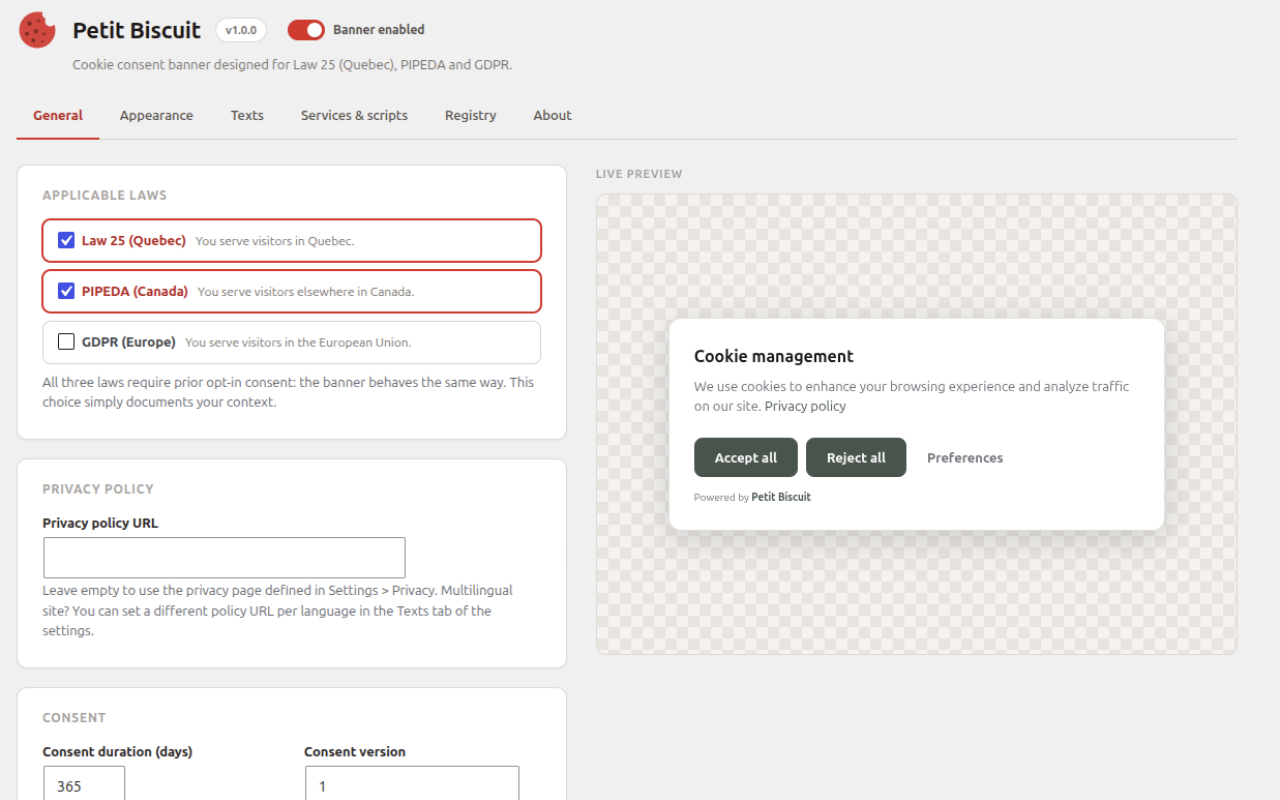
Petit Biscuit is a lightweight cookie consent banner built in Quebec, designed first for Law 25 (the Quebec privacy law) and equally at home with PIPEDA and the GDPR.
It does the one thing a consent tool must actually do: block trackers before consent, not just display a banner.
What it does
- Automatic tracker blocking: known analytics and marketing scripts (Google Analytics, GA4, Meta Pixel, Hotjar, Clarity, LinkedIn, TikTok and many more) are stopped from executing until the visitor consents. No configuration needed.
- Network safety net: beacons, fetch and XHR requests aimed at known tracker hosts are also neutralized until consent. (Image-tag pixels can be guarded too via a one-line filter; off by default because it touches every image on the page.)
- Granular categories: essential, functional (optional), analytics, marketing. Accept all, reject all, or pick and choose.
- Equal buttons: “Reject all” gets the same prominence as “Accept all” by default. No dark patterns.
- Google Consent Mode v2: consent signals are sent to Google tags (GA4, Google Ads) automatically.
- Consent registry: each consent choice the banner manages to send is recorded in your own database (random identifier, choices, policy version, date), a log of the choices made on your site that helps you demonstrate consent, as Law 25 (Loi 25) and the GDPR require. No IP address, no name. The identifier is shown to the visitor in the banner preferences, and the registry is searchable and paginated in the admin. If the site turns an event away for a moment (rate limit, server error) or the network fails, the banner keeps it in the visitor’s browser and sends it again: up to three attempts while the page stays open, then once per later page load, for up to 24 hours. Only the visitor’s latest choice is kept for sending.
- Consent versioning: bump the version after a policy change and every visitor is asked again.
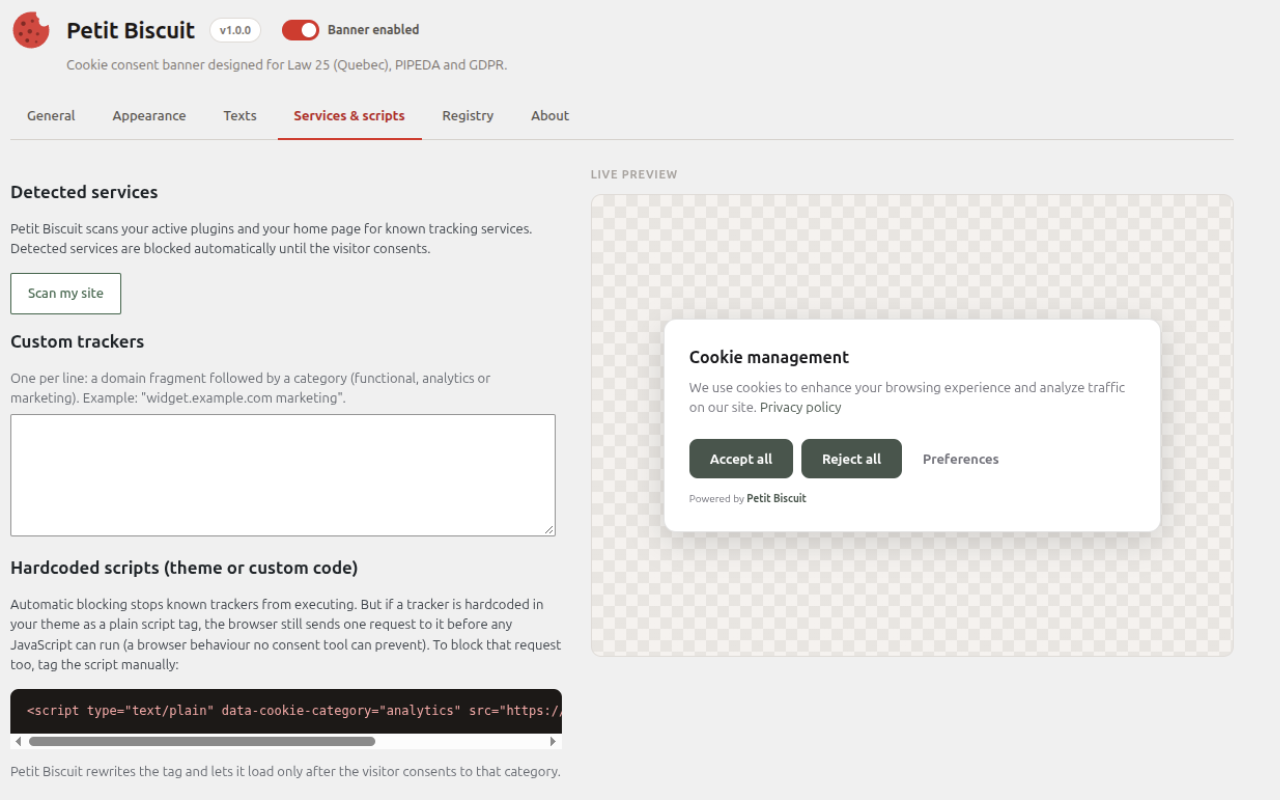
- Service scanner: the plugin scans your active plugins and your home page and tells you which tracking services it found.
Customization
Three layouts (card, full-width bar, centered modal), light / dark / fully custom colors, accent color, corner radius, banner width, page dimming, animations, theme or system font, floating reopen button (or your own “Manage cookies” link with the pbcc-open CSS class).
Bilingual and multilingual
At launch the banner and the settings screen are in English. French will come through the WordPress.org translations (translate.wordpress.org) once they are published; until then, type your French texts in the Texts tab. The banner follows the language of each page, so it works with WPML, Polylang and bilingual themes without any configuration. The main banner texts (title, description, privacy policy link and URL, Accept all, Reject all, Preferences and Save buttons) can be overridden per language.
Private by design
- No account, no signup, no license key.
- No external requests: the banner script is bundled with the plugin.
- No data leaves your site. Consents are stored in the visitor’s own browser, and the consent registry lives in your own database with a random identifier (never an IP address or a name).
Honest limits
If a tracker is hardcoded in your theme after the wp_head() call, as a plain script tag, the browser sends one initial request to it before any JavaScript can run. This is a browser behavior no JS consent tool can prevent. Petit Biscuit still blocks it from executing and collecting data, and the Services tab shows you how to tag such scripts manually to block the request too. If it is written before wp_head(), it cannot be blocked at all, and the Services tab warns you if its scan finds it on your home page.
Other ways of starting a tracker are out of the banner’s reach. They are listed in the FAQ entry “What the banner cannot hold”, with what to do when there is something to do.
Who makes this
Petit Biscuit is free software maintained by RapideWP, a Quebec team specialized in WordPress performance, security and maintenance.
Installation
- Install and activate the plugin.
- Follow the quick-start checklist: link your privacy policy, customize the appearance, scan your site for tracking services.
- That’s it. The banner is live and known trackers are blocked until consent.
FAQ
Does it really block cookies before consent?
Yes. Known tracking scripts are prevented from executing before the visitor consents, and beacon, fetch and XHR requests to known tracker hosts are dropped (image pixels too, with the opt-in pbcc_guard_image_src filter). Manually tagged scripts (type="text/plain" with data-cookie-category) are not even fetched by the browser until their category is allowed. The category is functional, analytics, marketing or necessary. necessary runs without waiting for a choice, as does functional when that category is not offered. A script tagged necessary whose URL matches a known tracker is treated as that tracker’s category.
Is this enough to be compliant with Law 25 / GDPR?
The banner covers the cookie consent part: prior opt-in, granular categories, easy withdrawal, no dark patterns, and a consent registry that helps you demonstrate consent. Full compliance also involves your privacy policy, your data handling practices and, under Law 25 (Loi 25 au Québec), a designated privacy officer. This plugin is a tool, not legal advice.
How do I demonstrate that a visitor consented?
Open Settings > Petit Biscuit > Registry. Each consent choice the site accepts is recorded with a random identifier, the choices, the policy version and the date. The visitor sees their own identifier in the banner preferences panel, so they can reference it in a request, and you can search the registry for it. No IP address or name is ever stored.
The registry is a log of what visitors’ browsers sent, not tamper-proof evidence: the recording endpoint is public and anonymous, so anyone who knows an identifier can add an entry for it.
Does it work with WPML / Polylang?
Yes. The banner follows the locale of the page being displayed, and you can override the main banner texts per language.
Does the plugin send any data to your servers?
No. There are no external calls, no telemetry, no account. The optional “Powered by Petit Biscuit” link is disabled by default.
Does the plugin connect to any external service?
No. Petit Biscuit is fully self-contained and makes no external connections: no API, no account, no analytics, no “phone home”. The banner script is bundled with the plugin.
The third-party domains you can see in the source (includes/pbcc-trackers.php and assets/js/cookie-consent.js, such as google-analytics.com or connect.facebook.net) are detection signatures, not endpoints the plugin contacts. They are the blocklist of known trackers the plugin recognizes on your site in order to stop them from running until the visitor consents. The plugin never sends a request to any of them; it only prevents your own third-party scripts from doing so before consent.
Does the plugin store visitor IP addresses?
No. The consent registry never stores an IP address or a name, only a random identifier. To keep the public consent endpoint from being flooded with fake records, the plugin uses a salted hash of the visitor’s IP as a rate-limit key for about one minute. The IP itself is never stored and the hash is never linked to a consent record. Without a persistent object cache, that expired key can stay in the options table until WordPress clears expired transients.
How do I add a “Manage cookies” link in my footer?
Add any link with the CSS class pbcc-open (or the attribute data-pbcc-open). Clicking it reopens the preferences panel.
A tracker I use is not detected.
Add its domain in Settings > Petit Biscuit > Services & scripts > Custom trackers, one per line, with its category. An entry needs a dot and at least four characters. Developers can also block more hosts with the JS API PetitBiscuit.addTrackers(). The pbcc_tracker_signatures filter only adds services to the scanner’s report; it does not block anything.
A tracker served from your own domain (self-hosted Fathom, a server-side Tag Manager container on a custom host) cannot be recognized by its host, and an entry that names only your site’s own host is ignored. Add the host followed by a path, for example yoursite.com/path-of-the-script, or tag the script with type="text/plain" and data-cookie-category. Self-hosted Matomo and Piwik are recognized by their file name.
What the banner cannot hold
Known gaps, with what to do instead when there is something to do.
Scripts and modules
- A script written in the theme before its call to
wp_head()runs before the banner and cannot be blocked. - A tracker loaded by a module or by
import()from a script the banner lets through, or by name through an import map, is not held. Forimport(), tag the classic script that calls it withtype="text/plain"anddata-cookie-category. A tagged script runs as a classic script after consent, so a module cannot be tagged. - A blocked external tracker script fires an
errorevent, as under a content blocker, andloadonce the visitor consents. A site that shows a fallback when a script fails shows it, at least until the visitor consents. - Until the visitor accepts every category, a script loaded from a
blob:URL whose code the banner cannot read at once is read first, then run: it may run after scripts inserted later. - Until the visitor accepts every category, a tag that a script starts with
document.writeand does not finish by the end of that script is dropped, and so is a lone<or a cut closing tag left at the end. - A tracker started inside a web worker is not seen by the banner.
- On a site that requires Trusted Types, the banner works and held external scripts run after consent. A held inline script does not run unless the site has a default policy: give it a
src, or add a default policy. Markup passed asTrustedHTMLis not rewritten before it is parsed.
Frames and shadow roots
- A frame,
objectorembedwhose document comes from ajavascript:,data:orblob:address, or a page or frame that a script sends to such an address, builds its document before the banner can act. Load such content from a page of your site that runs the plugin. - A page of your site shown in a frame,
objectorembedmust run the plugin too: without it, that page loads its trackers freely. Prefer aniframe: the banner of the page that holds it does not watch anobjectorembed. - Scripts inside a closed declarative shadow root written in the page (
<template shadowrootmode="closed">) are out of reach. They run without waiting for consent. Tagging them does not help: a tagged script there never runs, even after consent. Keep trackers out of such a root.
Calls to tracker functions
- Before consent, a site script that calls a tracker function without its loader can stop at that call. The banner stands in for
gtag,fbq,ga,hj,clarity,plausible,lintrk,twq,pintrk,snaptr,rdt,ttqandfathom, but onlyttq.page()andttq.track()are covered forttq, and onlyfathom()andfathom.trackEvent()forfathom. Any other tracker function, such asuetq,_hsq,ym,mixpanel,heap,analytics,amplitude,FS,_uxaor_mfq, raises an error. Protect the call, for exampleif (window.uetq). - After consent, until its loader has run,
twq,pintrk,snaptr,rdtandttqexist onwindowwith the valueundefined, and so doesfathomif the page did not call it before consent. A call then raises an error, and code that tests'twq' in windowinstead of the value sees them as defined. - If the X, Pinterest, Snap or Reddit snippet runs before the visitor allows marketing (it is served from your site’s own files, or tagged with a category that runs first, such as
functionalwhen that category is not offered), it does not load on the page where marketing is allowed. It loads from the next page on. Tag these snippets withdata-cookie-category="marketing"so they wait for that category. - While analytics is refused or not yet chosen,
ga(function (tracker) {...})calls your function once, with an empty tracker whoseget()returns nothing, andga.getAll()does not exist. After consent it is not called again on the same page, so do not rely ontracker.get('clientId'). - While analytics is refused or not yet chosen, the banner calls back, once and without sending anything, only these callbacks:
eventCallbackandevent_callbackof aneventpushed todataLayer(under that name, including bygtag('event', ...)),ga(function)andhitCallback, and thecallbackoption ofplausible.gtag('config', ..., {event_callback}),_gaq.push(function),_paq,hj,clarityandlintrknever call back, so a link that waits for them stays on the page while the tracker is held, and for good if the visitor refuses it. - If the Meta pixel snippet is served by Partytown (
type="text/partytown") and the page callsfbq('init', ...), the banner loadsfbevents.jsin the main thread after consent.
Screenshots



Changelog
1.0.1
- Wider plugin title.
- Fix: default texts for a language other than French or English no longer fill in using the administrator’s language.
- The consent registry is no longer described as anonymous.
1.0.0
- Initial release.