
Description
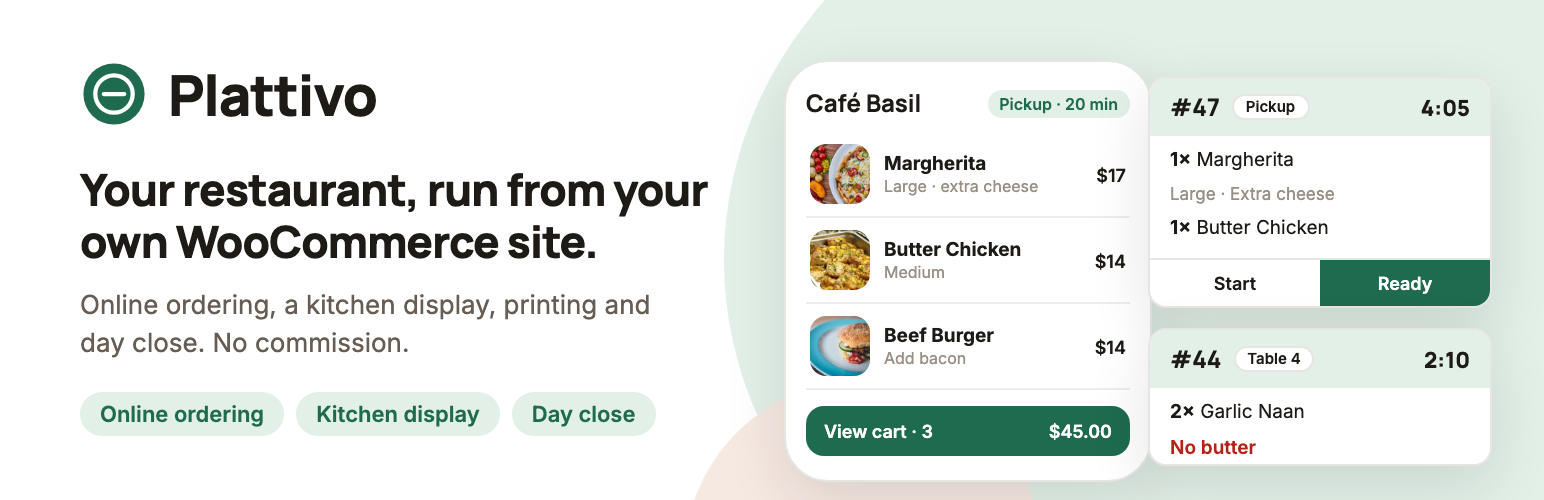
Plattivo turns a WooCommerce store into a restaurant: customers order from a fast, phone-first menu, and your staff run the orders, the kitchen and the day from an app that works on any phone or tablet.
Your products, prices, taxes, payment gateways and emails stay in WooCommerce. Plattivo adds what a restaurant needs on top of them.
Watch the full setup, from installing the plugin to an online order, the kitchen display, a counter order and closing the day (11 minutes):
Try the live demo · plattivo.com
For your customers
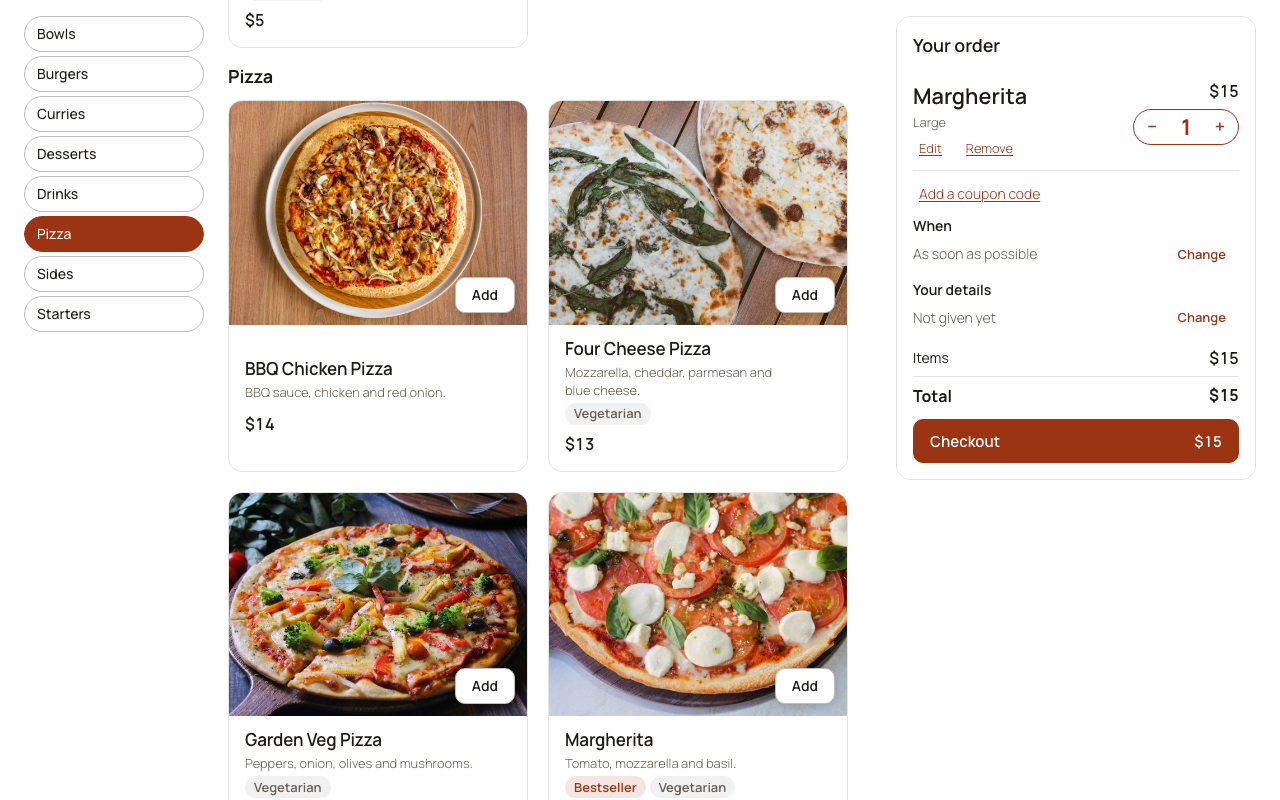
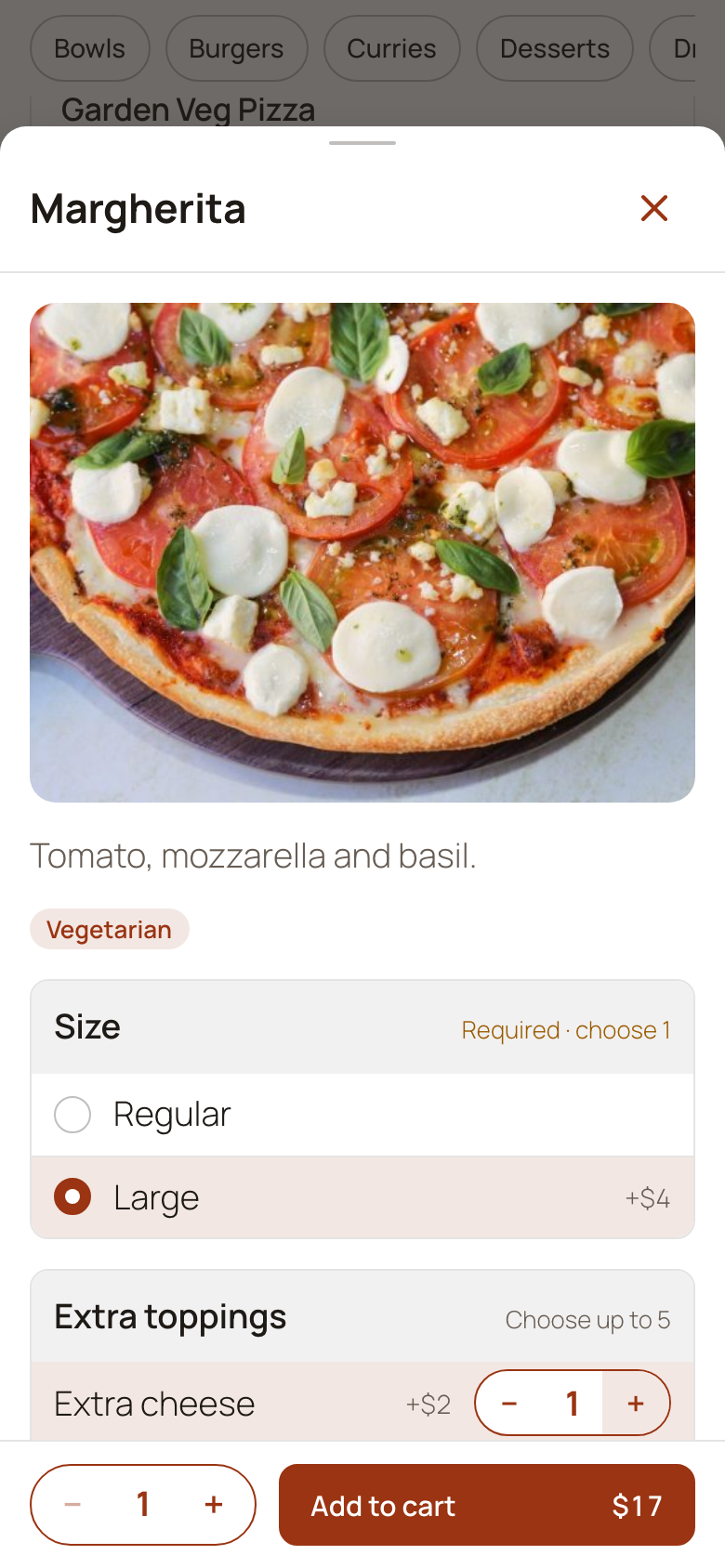
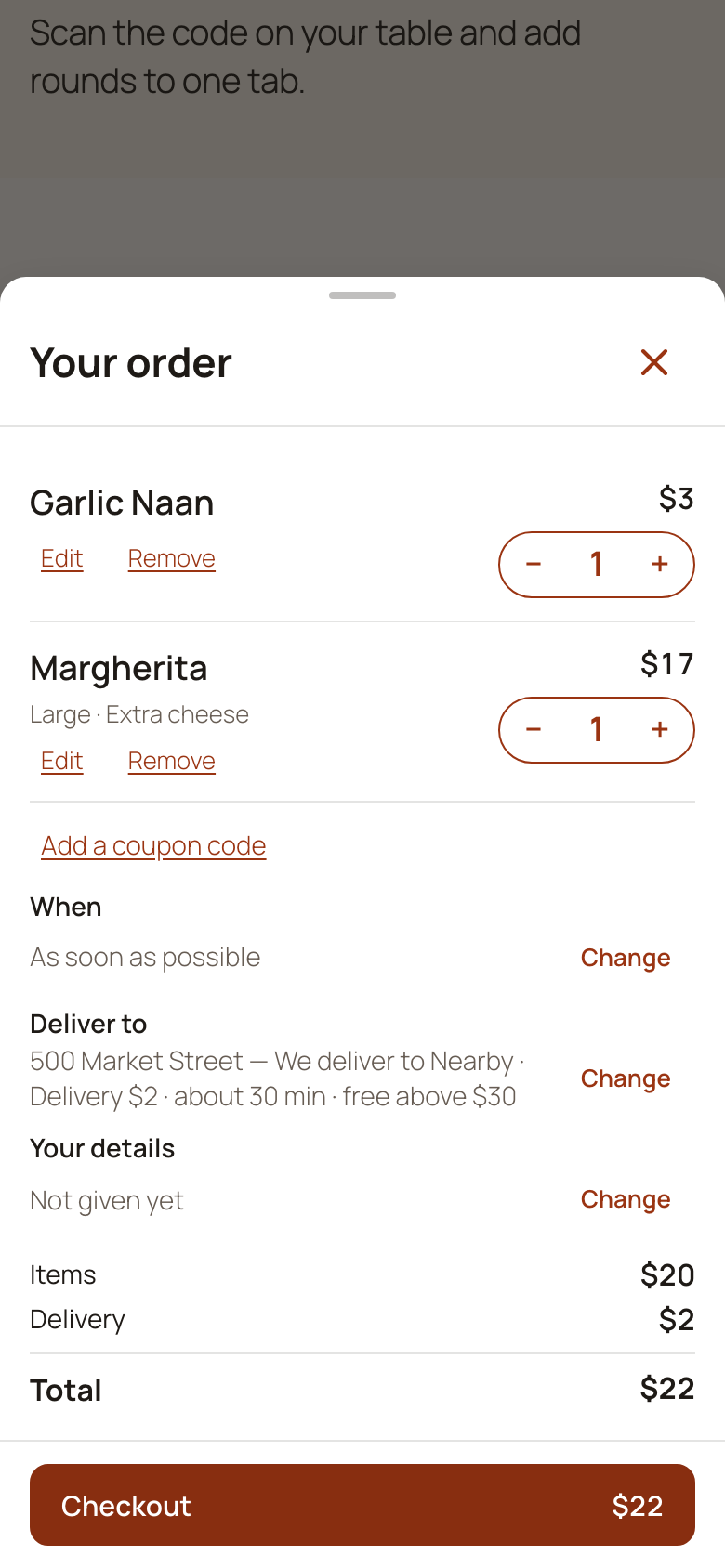
- A menu built for phones. Categories, photos, veg/non-veg marks, allergens and badges. Choices and add-ons (“Size”, “Extra cheese”) with included selections, percentage prices and choices that appear only after another, combos, items offered only at set times (a breakfast or lunch menu), and notes for the kitchen.
- Pickup, delivery and dine-in. Delivery zones by postcode or distance from the restaurant, with fees and minimums, opening hours and closures, and ordering ahead for a later time.
- WooCommerce checkout. Works with the Checkout block and the classic checkout, and with your WooCommerce payment gateways (cash on delivery included).
- Order tracking. A tracking page shows each step, from confirmed to ready to on the way, and a one-tap reorder brings back the last order.
- Emails. WooCommerce’s order emails gain the order type, time, table or address and a tracking link. Plattivo adds three emails of its own: “Ready for pickup”, “On the way” and “Order not accepted”, each managed under WooCommerce → Settings → Emails.
For your staff: the Plattivo app
Open yoursite.com/restaurant-app/ on a phone or tablet and add it to the home screen. Staff sign in with their WordPress account and see only what their role allows.
- Today: sales, orders and the live state of the kitchen at a glance, with an Action Center for late orders, printing problems and days left open.
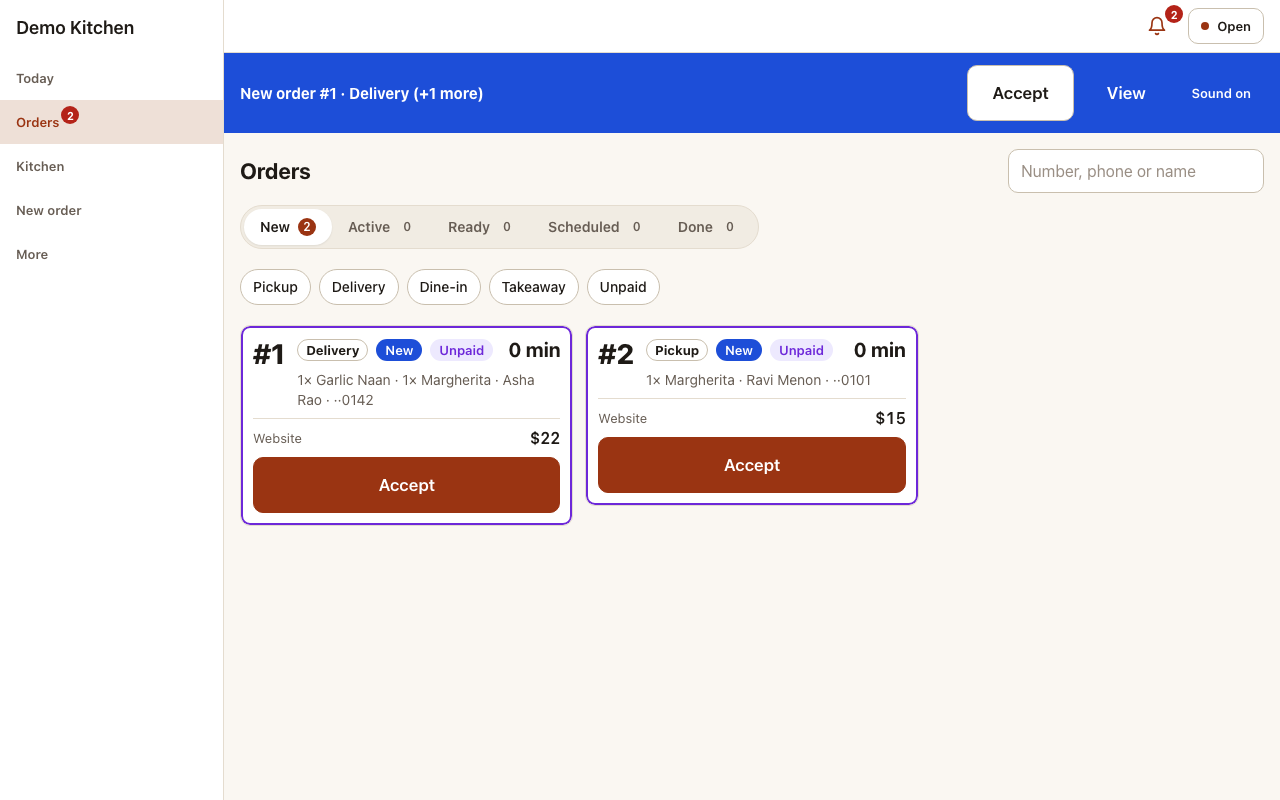
- Orders board: accept or reject new orders with a reason, follow them to ready and hand them over or dispatch them, and change the ready time. A chime announces each new order.
- Kitchen display: tickets for one or several stations on a tablet, with an elapsed timer coloured against each station’s target time, notes in red, Start, Ready, Recall and Reprint. A paused station’s tickets go to its fallback station. It works through short Wi-Fi drops, keeps the screen awake and runs full screen.
- Counter orders (POS): takeaway orders, and phone orders for pickup or delivery, from a touch menu with favourites, categories and search. Take cash with the change worked out, card on your own terminal, or a QR payment.
- Cash drawer: open it with a float, record cash in and out with a reason, and close it with a count and a printable drawer report.
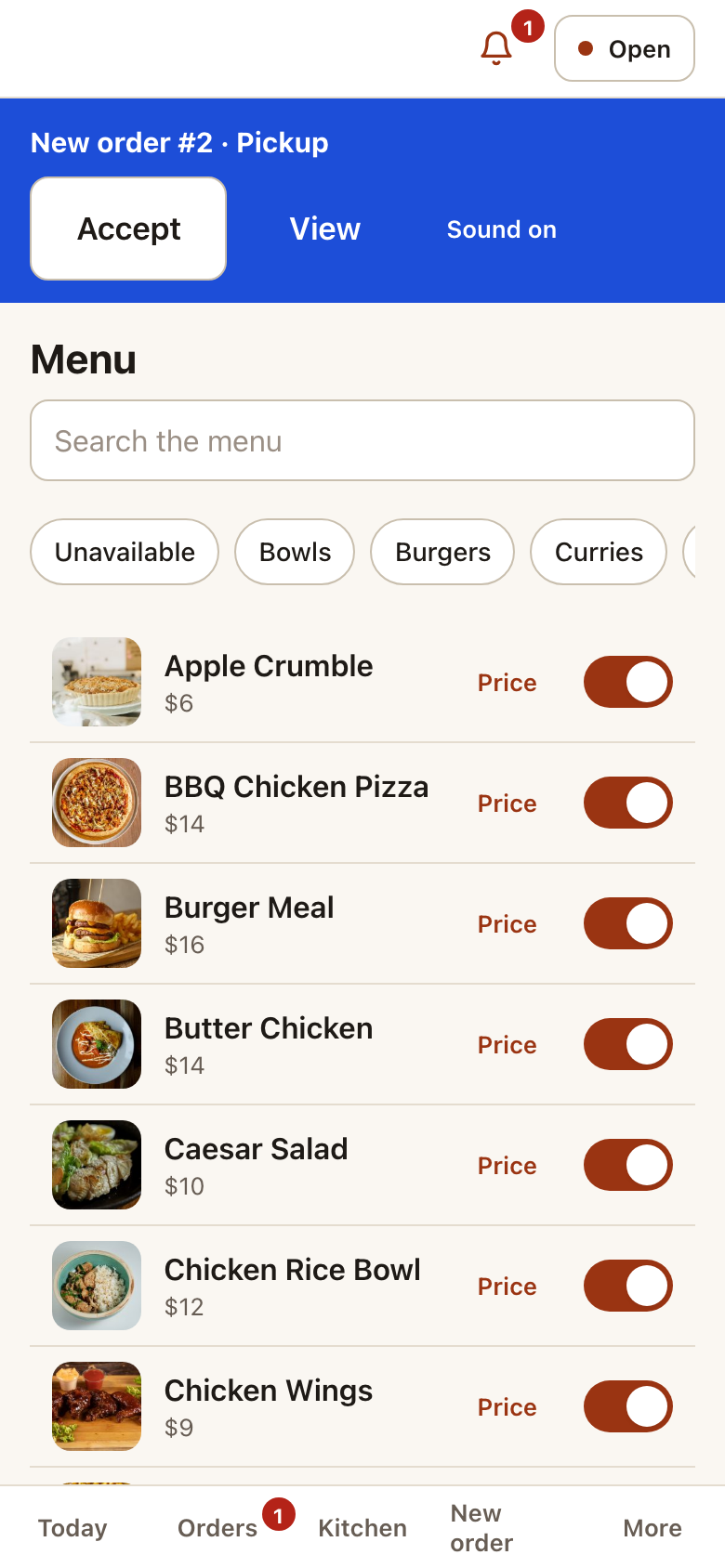
- Menu on/off (“86”): switch an item, a choice or a whole category off when it runs out, for an hour or until tomorrow, and the menu updates for customers.
- Busy and pause: add waiting time when the kitchen is busy, or pause delivery, pickup or all online orders.
- Printing: kitchen tickets, receipts and packing slips from the app’s own browser printing or as PDF files. Failed prints are retried and listed until someone prints or handles them, so no ticket is lost.
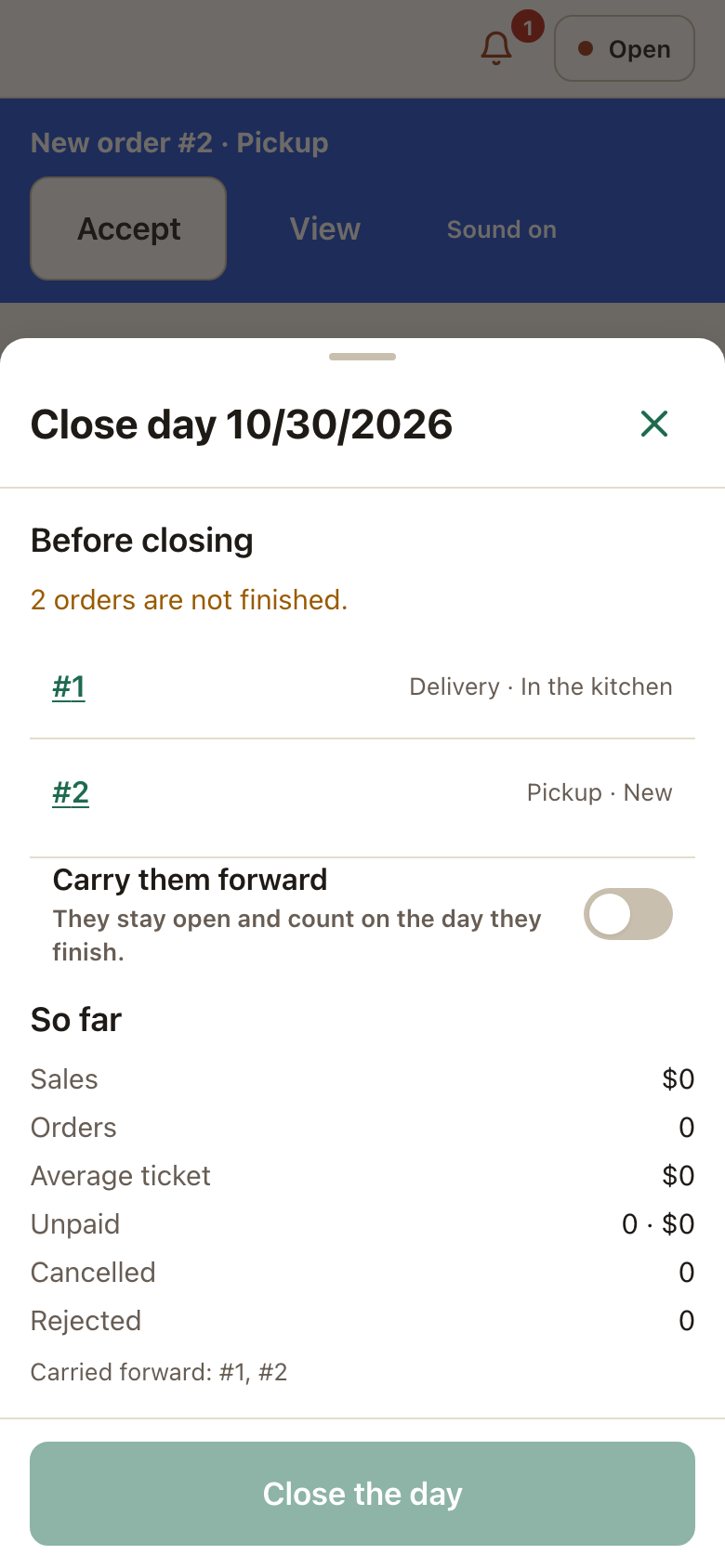
- Close the day: a closing summary with sales by type and payment method, cancellations, refunds, kitchen times and top items, and a printable closing report. Unfinished orders can be carried to the next day.
Made for restaurants
- Tables by area with seats, each with a printable QR code.
- Restaurant roles: owner, manager, cashier, waiter, kitchen and driver, each with its own permissions.
- A setup wizard and a demo restaurant to try everything in minutes.
- Translation-ready, with right-to-left support.
- Compatible with WooCommerce’s High-Performance Order Storage (HPOS).
Plattivo Pro
Plattivo Pro is a separate plugin for busier restaurants, sold at logicweft.com. It adds split payments and tips at the counter, manager approvals with a PIN, a kitchen expo screen and bump bar, QR tabs and pay at table, delivery areas drawn on a map with fees by distance and a drivers’ board, network and cloud printers, WhatsApp and SMS order updates, promotions, and reports for any range up to a year (this plugin’s reports cover today, yesterday and the last 7 days). Everything described above stays free.
External services
Plattivo does not send data to any outside service by default: it makes no requests to third-party servers, and its scripts, styles, fonts and icons are bundled with the plugin. “Use my location” uses the browser’s own location, and the point goes only to your site.
Map tiles (off by default). When a restaurant turns on “Show maps” in Restaurant → Settings → Delivery, the delivery address sheet and the Delivery zones screen show a map. The visitor’s browser then loads map images from the tile server set in “Map tiles URL”, by default OpenStreetMap (https://tile.openstreetmap.org). Each image request sends the visitor’s IP address and the map area being shown. See the OpenStreetMap Foundation’s tile usage policy (https://operations.osmfoundation.org/policies/tiles/) and privacy policy (https://osmfoundation.org/wiki/Privacy_Policy). If you set another tile server, its terms apply.
GloriaFood menu import (only when an admin uses it). Restaurant → Import from GloriaFood reads a restaurant’s menu from GloriaFood, a service of Oracle, so it can be added to WooCommerce. When an administrator pastes their GloriaFood “Fetch Menu” key and clicks “Preview import”, the site sends one request to https://pos.globalfoodsoft.com/pos/menu. It sends only that key (in the Authorization header) and the plugin’s name and version; the key is not saved. Nothing is sent if the menu file is uploaded instead, or if the import is not used. Terms of use, privacy policy.
Two kinds of links in the staff app open an outside service, only when a staff member taps them:
- WhatsApp (wa.me), provided by WhatsApp LLC. “WhatsApp” on an order opens a chat with the customer’s phone number. On devices without a share sheet, “Send receipt” on the counter screen opens a chat with the customer’s phone number and a ready-made message with the order number and its tracking link. The phone number and message reach WhatsApp only when the staff member taps the link and sends the message. Terms of service, privacy policy.
- Google Maps, provided by Google LLC. “Open in maps” on a delivery order opens Google Maps searching for the delivery address. The address reaches Google only when the staff member taps the link. Terms of service, Google Maps terms, privacy policy.
Source code
The JavaScript and CSS in assets/ are compiled. Their human-readable source ships with the plugin in apps/: the staff app (apps/operator), the ordering page (apps/customer), the WordPress admin screens (apps/admin) and the shared components (apps/ui), written in TypeScript and React.
To rebuild assets/ from that source, use Node.js 22.12 or newer in the plugin folder:
npm install && npm run build
The build uses Vite, TypeScript, React, Tailwind CSS and vite-plugin-pwa, as listed in the package.json files. The PHP code is not compiled.
Third-party libraries
PHP, in vendor-prefixed/ with prefixed namespaces so they cannot clash with another plugin’s copy:
- dompdf 3.1 (LGPL-2.1-or-later), used to make PDF tickets, receipts and reports, with php-font-lib (LGPL-2.1-or-later), php-svg-lib (LGPL-3.0-or-later), masterminds/html5 (MIT) and sabberworm/php-css-parser (MIT). dompdf includes the DejaVu fonts (Bitstream Vera and DejaVu licence).
JavaScript, compiled into assets/ (source in apps/):
- Leaflet 1.9.4 (BSD-2-Clause), for the optional delivery maps; it loads only when maps are shown.
- React, React Router, TanStack Query, Zustand, dnd-kit, Workbox and qrcode-generator (MIT), lucide-react (ISC), Dexie (Apache-2.0) and @wordpress/i18n (GPL-2.0-or-later).
Fonts and images:
- Inter and Manrope variable fonts (SIL Open Font License 1.1), bundled; their licences are in
licenses/. - The staff app’s icons were made for Plattivo and are GPLv2 or later, like the plugin.
Installation
- Install and activate WooCommerce.
- Install Plattivo from Plugins → Add New, or upload the zip, and activate it.
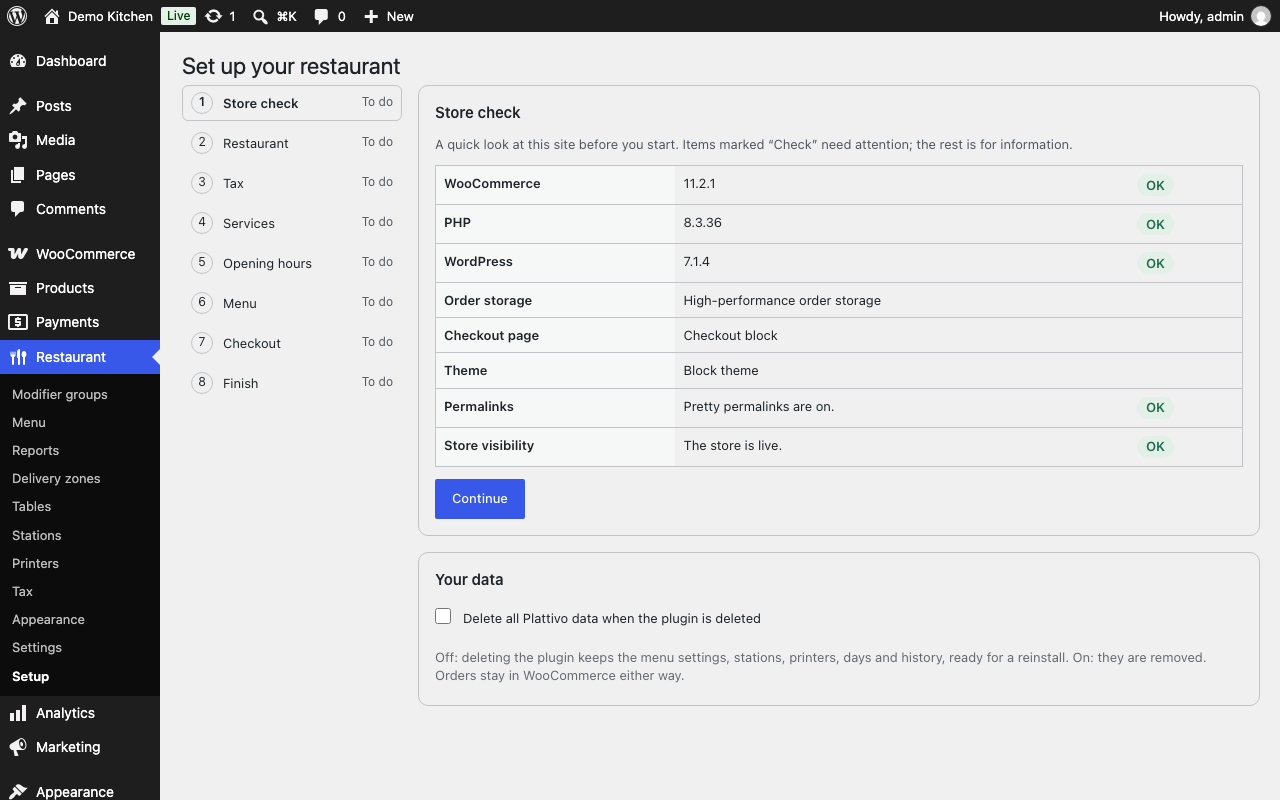
- Go to Restaurant → Setup and follow the steps: your restaurant, tax, the ways you serve, hours, menu and checkout. “Load the demo restaurant” fills in a sample menu to try first.
- Add the Restaurant ordering block (or the
[plattivo_ordering]shortcode) to a page. The setup wizard can create an “Order Online” page for you. - Open
yoursite.com/restaurant-app/on your staff phones and tablets. Users with a restaurant role, or administrators, can sign in.
FAQ
Is there a demo I can try?
Yes: demo.plattivo.com is a sample restaurant to order from. It runs Plattivo with the Pro features turned on, so some of what it shows is not in this plugin. Inside your own site, Restaurant → Setup can also load a demo restaurant.
Switching from GloriaFood?
GloriaFood reaches end of life on April 30, 2027. Plattivo takes pickup, delivery and dine-in orders on your own WordPress site, with no commission per order. Your menu comes over in one step: Restaurant → Import from GloriaFood reads it with a “Fetch Menu” key from your GloriaFood admin panel, with its categories, dishes, sizes and choices (see the next question). Our guide covers the rest of the move step by step: Switching from GloriaFood.
Can I import my menu from GloriaFood?
Yes. Under Restaurant → Import from GloriaFood, paste the key of a “Fetch Menu” integration from your GloriaFood admin panel (or upload the menu file), check the preview and import. Categories, dishes, prices, descriptions, sizes and choice groups come over in GloriaFood’s order. Importing again updates the same dishes instead of adding copies, and nothing is deleted. Taxes are not imported: set them in WooCommerce.
Does Plattivo take a commission or charge per order?
No. Payments go through your own WooCommerce payment gateways, and Plattivo charges nothing per order.
Do I need special hardware?
No. The staff app runs in the browser of any recent phone, tablet or computer. For printed kitchen tickets, the app prints through the device’s normal print dialog, or makes PDF files.
Can tickets print without the print dialog?
Browsers always show a print dialog unless the device is set up for silent printing, which only computers allow: Chrome on Windows or Mac started with --kiosk-printing. Phones and tablets always show the print screen (on Android, the printer also needs a print service). With silent printing in place, turn on “Print automatically” under More → Printing on that device.
What happens if a printer is offline?
The kitchen display never depends on printing. Failed prints are retried, then listed under More → Printing (and in the Action Center), where staff can retry, print on another device or mark them handled.
Which checkout does it use?
Both. Plattivo works with the WooCommerce Checkout block and with the classic checkout shortcode, and it detects which payment gateways can be used inside the ordering page.
Does it work with High-Performance Order Storage?
Yes. Plattivo supports both HPOS and the older post storage.
Is my data deleted when I delete the plugin?
Not by default: a reinstall finds the menu settings, stations, printers and history where they were. To remove everything, turn on “Delete all Plattivo data when the plugin is deleted” under Restaurant → Setup before deleting the plugin. Orders always stay in WooCommerce.
Does it work on multisite?
Yes. Activate it on each site that is a restaurant; each one keeps its own menu, orders and staff. Network activation is not supported and is refused with a message.
Screenshots




Changelog
1.3.0
- New: Restaurant → Import from GloriaFood brings a GloriaFood menu over in one step, with its categories, dishes, sizes and choice groups, using the restaurant’s own “Fetch Menu” key or the menu file. A preview shows what will be added and what needs checking, and importing again updates the same dishes instead of adding copies.
1.2.3
- The staff app, the ordering page and the admin screens now run on React 19, the version WordPress is moving to. They keep their own copy of React, so they work the same before and after WordPress’s own React changes. Plugin Check no longer reports a bundled older React.
- Each app’s first load is about 22 KB larger (gzipped), React 19 being bigger.
1.2.2
- Translations: the staff app, the ordering page and the admin screens can now be translated on translate.wordpress.org, and translations from WordPress.org language packs show in them. Before, only the emails, documents and PHP-rendered pages were translated.
- The order page a dine-in guest sees now says “Order received, waiting for the restaurant to confirm” until staff accept the order, and “Sent to the kitchen” only once they do. Before, it said “Sent to the kitchen” straight away, even though the kitchen gets the order when it is accepted. Open tabs (Pro) show “Waiting for the restaurant” for those dishes.
- A guest scanning a table’s old QR code, after New QR code was used, now reads “This QR code is no longer valid. Please ask a member of staff.” instead of a bare “Not found.”. It doesn’t reveal whether the code ever existed.
- Restaurant → Printers warns when there are printers but no station prints kitchen tickets on one, with a link to Restaurant → Stations.
- Printing guide: kitchen tickets print only through a station’s Prints on printer and are made when an order is accepted; Accept paid orders automatically is off by default; a browser printer’s Online only means its device was seen in the last two minutes; and each staff login in each browser is its own device.
- FAQ: how translations reach the plugin.
1.2.1
- New Action Center alert: “N prints waiting” when a browser printer’s prints have waited more than 2 minutes for their device. It names the device and says when it is offline. Before, a print nobody printed waited without any warning.
- More → Printing → Needs attention lists those waiting prints too, with Print here and Handled.
- More → Printing → This device: when prints are waiting and Print automatically is off, a notice says so, with a button to turn it on. On phones and tablets it explains that the print screen opens for every print and that Android needs a print service for the printer.
- Restaurant → Printers: the hint for browser printers says to check that the device can print a web page to the printer, because pairing it alone is not enough.
- FAQ: only computers can print without the print dialog; phones and tablets always show the print screen.
- Plugins screen: a Settings link, and a link to Plattivo Pro.
- New page Restaurant → Plattivo Pro compares this plugin with Plattivo Pro. The setup wizard’s last step, Reports and Delivery zones each have one line on what Pro adds. There are no notices, and nothing in this plugin is disabled.
1.2.0
- When two staff accept, bump or change the same order at the same moment, the second now sees that someone else changed it, with the order as it is now. Before, the staff app could show the old state with a misleading “not allowed” message.
- The setup wizard, demo restaurant, day close, input checks and the staff app now run on a shared, bundled foundation library. Nothing changes in how they work, and your settings and data are kept.
- Long reason texts on day close and audit entries are cut to 255 characters.
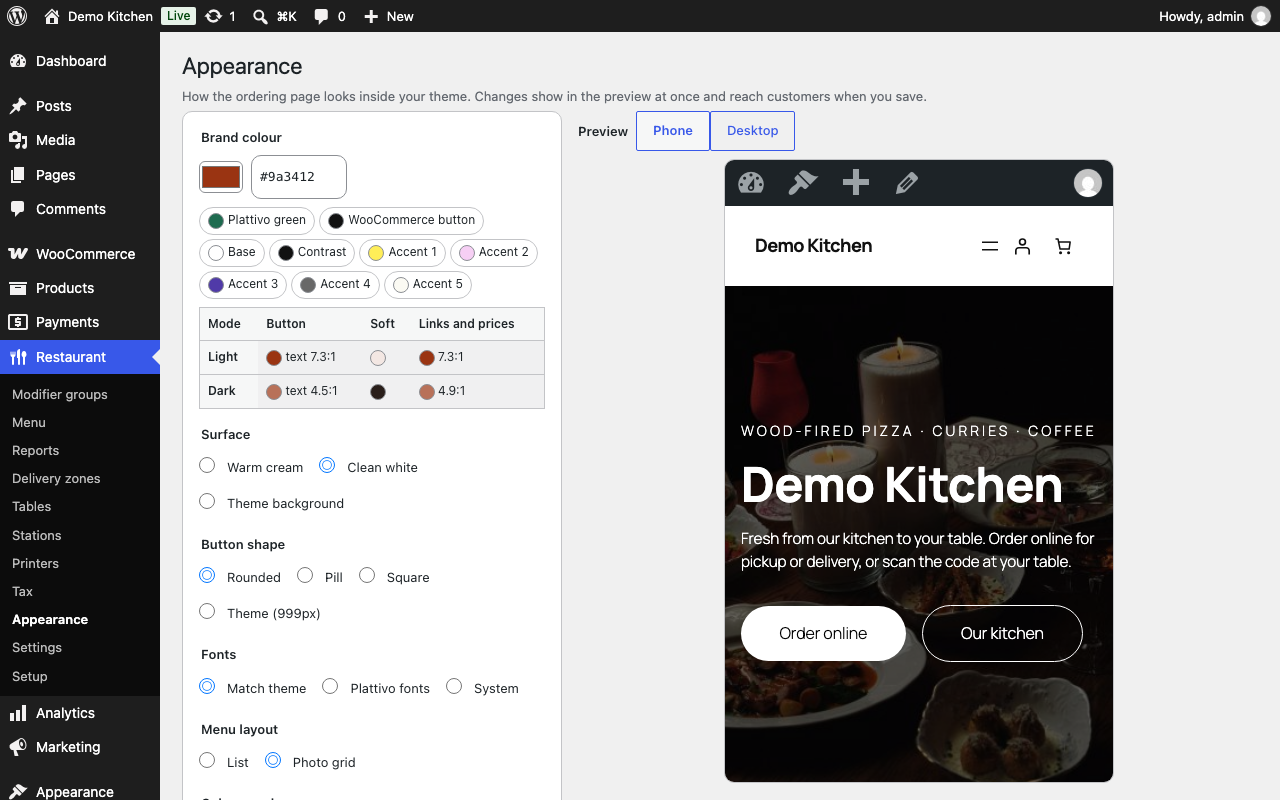
- New screenshots of the photo menu and the restaurant website.
1.1.0
- New: Restaurant → Appearance → Menu layout. “Photo grid” shows dishes as cards with a large photo, as many columns as fit; “List” (the default) is unchanged.
- The ordering block set to Full width now runs edge to edge without its frame and lines up with your theme’s header and wide blocks.
- Requires WordPress 7.0 and WooCommerce 11.0, the oldest versions it is tested on; tested up to WooCommerce 11.2.
- Delivery checkout on WooCommerce 11: the delivery zone and minimum order are checked against the address being ordered to, not the customer’s previous one.
- Page caches, LiteSpeed Cache included, no longer cache the staff app or the order-tracking page.
- Multisite: activate Plattivo on each site; network activation is refused with an explanation.
- The staff app opens faster: screens other than the Orders board load when first opened.
- Printers on a device check for new jobs with a quick “nothing changed” reply, and opening the day’s cash summary loads its orders in one query.
- Order numbers above 999 print without a thousands separator.
- Public endpoints: rate limits count reliably under load and treat an IPv6 /64 as one visitor; every text the API accepts has a length limit.
- If two copies of Plattivo are active, one stands aside with a notice, and deleting one never removes the data while the other is active.
1.0.4
- Admin forms read each field on its own with a sanitizer for its type, and every admin action checks the user’s capability.
- The plugin no longer carries the one-time rename from its development name.
- Names the plugin stores in the browser, and the checkout nonce, use the
plattivoprefix. - The setup reminder shows only on the Dashboard, Plugins, WooCommerce and Restaurant screens.
- Font licences ship in
licenses/; third-party development scripts are left out of the plugin. - Works reliably on MariaDB 11.6 and later: when two requests change the same order at once, staff actions no longer lose changes or save them only in part, and the app shows “someone else changed this” instead of an error.
1.0.3
- Sites upgrading from the plugin’s earlier “Restaurant OS” names have their roles and capabilities renamed through the WordPress roles API.
1.0.2
wp plattivo seedno longer switches to an administrator: run it with WP-CLI’s--userflag as a user who can manage Plattivo settings.
1.0.1
- Every feature in this plugin is now available to everyone: availability schedules, included selections and percentage prices for choices, conditional choices, several kitchen stations on one screen with target-time colours, fallback stations and whole-category “86”.
- The staff app’s styles and scripts, the receipt styles and the menu colours are loaded through WordPress.
- Choices posted with an item are sanitized field by field, and stored markup is escaped where it is printed.
1.0.0
- First public release: online ordering (pickup, delivery, dine-in), delivery zones, hours and closures, order tracking, the staff app (Today, orders board, kitchen display, menu availability, printing, day close), restaurant roles, customer emails, the setup wizard and the demo restaurant.