

Description
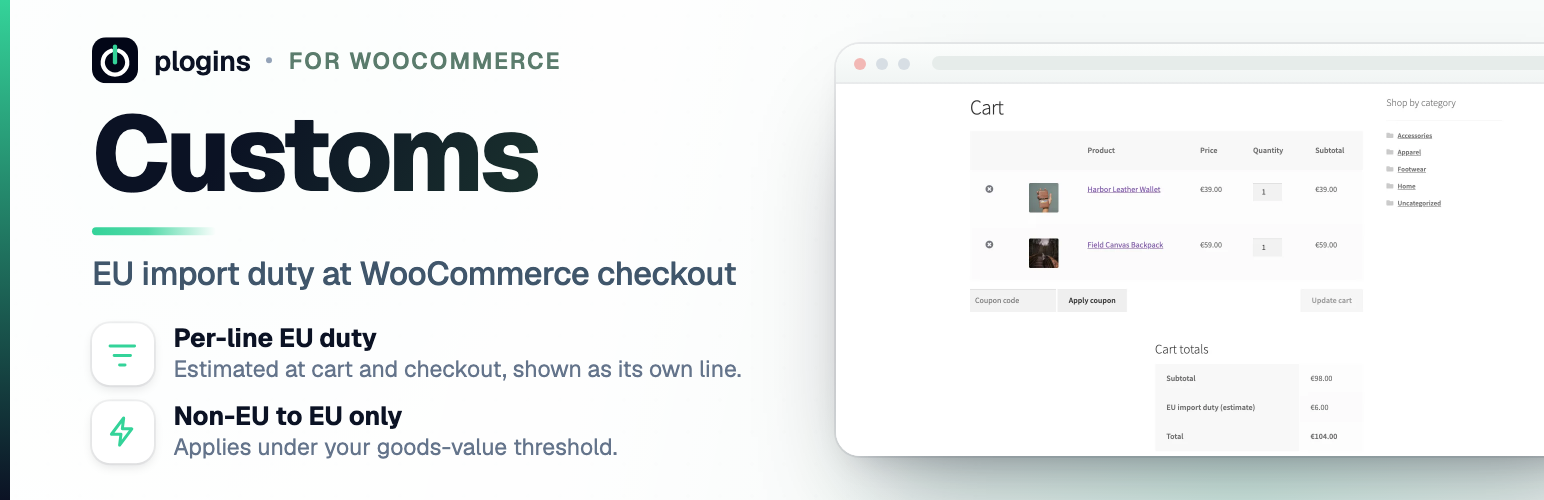
From 1 July 2026 the EU removes the 150 EUR customs duty relief for low-value imports (Council Regulation (EU) 2026/382, Article 1). Until 1 July 2028 it charges instead a temporary customs duty of 3 EUR per item in a consignment with an intrinsic value up to 150 EUR, where the goods are imported under the IOSS scheme or are goods in postal consignment (Article 2). Since 1 July 2026 that term means goods in a consignment up to 150 EUR sold in a distance sale to an EU customer, excluding IOSS goods and goods that benefit from preferential measures (Delegated Regulation (EU) 2015/2446, Article 1(24), as replaced by Delegated Regulation (EU) 2026/1022). Together the two cover every distance sale up to 150 EUR, with or without IOSS; it turns on the sale, not on who carries the parcel. Customs estimates that duty and shows it to the shopper as its own line at cart and checkout, so there are no surprise charges on delivery.
It only adds the duty when all of these are true: the feature is enabled, the date is inside the legal period, the store ships from outside the EU, the destination is an EU country, and the cart goods value is at or below your threshold. Intra-EU orders and orders over the threshold are left untouched.
The plugin cannot see how a parcel will be declared, so it assumes a distance sale to a consumer. Goods imported without IOSS that claim a preferential tariff, for example under a trade agreement with their country of origin, are outside the 3 EUR rule; tick “Outside the 3 EUR duty” on those products and they add no duty line, while the rest of the catalogue is still charged. Their value still counts toward the goods-value threshold.
The duty is only added between 1 July 2026 and 1 July 2028, the period Article 2 sets. If that period is extended, untick “Only apply the duty between 1 July 2026 and 1 July 2028” in the settings.
Ceuta and Melilla are outside the customs territory of the Union (Regulation (EU) No 952/2013, Article 4(1)), although WooCommerce files them under Spain. A Spanish address in the province of Ceuta or Melilla, or with a postcode starting 51 (Ceuta) or 52 (Melilla), is treated as outside the EU: a parcel shipped there is not charged, and a store whose WooCommerce address is in Ceuta or Melilla is charged on parcels to mainland Spain and the rest of the EU.
Separately, from 1 November 2026 customs charge a Union handling fee of 2 EUR per item on goods sold in distance sales, at any consignment value (Regulation (EU) 2026/2108, Article 20(2); Delegated Regulation (EU) 2026/2152, Articles 1 and 2). Customs does not add this fee.
What it does:
- Adds an “EU import duty (estimate)” fee at cart and checkout using the native WooCommerce fees API
- Calculates the duty as the number of distinct tariff lines in the cart multiplied by your per-line amount
- Counts tariff lines from a per-product tariff code, falling back to the product category, then the product
- Works in the classic checkout and the Cart and Checkout Blocks, and is HPOS compatible
- Per-line amount, threshold, store origin country, EUR conversion rate, tariff-line basis, fee label and taxable flag are all configurable
- Adds taxes on top: the duty is shown as its own line in addition to VAT
- Who pays the duty is your choice: charge it at checkout (DDP), show it as an estimate outside the total because the carrier collects it on delivery (DAP), or absorb it and only record the amount on the order
- Counts the same tariff line from two countries of origin as two lines, with a country of origin per product and a store default
- Customs paperwork: generate printable Commercial Invoice and Customs Declaration (CN22/CN23) slips, carrier CSV export with formula injection defense, merchant EORI setting, customs product descriptions, and REST API order endpoint
This is the WooCommerce equivalent of the import duty handling that hosted platforms add at checkout, without a monthly subscription.
Documentation and links
- Documentation – plogins.com/plogins-customs/docs/
- Plugin page – plogins.com/plogins-customs/
- Source code – github.com/wppoland/plogins-customs
- Bug reports and feature requests – GitHub issues
Reporting a security issue: email hello@wppoland.com, and under our coordinated disclosure policy we confirm within two business days, assess within five, and patch a critical issue within seven days of confirming it.
Translations
Customs is fully translatable and ships the plogins-customs.pot template. Translations are delivered by WordPress.org language packs from translate.wordpress.org, which is where Polish, German and Spanish are being contributed; the package itself carries no compiled translation files.
Installation
- Install and activate WooCommerce.
- Install Customs and activate it.
- Open WooCommerce and then EU Import Duty, set your per-line amount and threshold, and confirm your store origin country.
- Assign tariff codes to products if you want finer control, otherwise each distinct product category counts as one line. If your subcategories are variations on one thing, tick “Count a subcategory under the category it sits in” and Books > Health and Books > Self improvement become one line instead of two.
FAQ
When does the duty apply?
From 1 July 2026 until 1 July 2028, only for orders shipping to an EU country from a store based outside the EU, with a goods value at or below your threshold (150 EUR by default). Intra-EU orders are excluded.
How is the duty calculated?
The number of distinct tariff lines in the cart multiplied by your per-line amount (3 EUR by default). A parcel of one product type is one line; a parcel spanning several distinct categories counts as several lines. Whether a subcategory counts on its own or under its parent is a setting, and a tariff code overrides both.
An item is one or more goods in a consignment sharing the same tariff classification, description and, where the declaration requires it, origin (Delegated Regulation (EU) 2015/2446, Article 1(61), added by Delegated Regulation (EU) 2026/1022; Regulation (EU) 2026/2108, Article 5(78)). Several units of one product are therefore one item. The plugin counts one item per distinct tariff code, or per category or product when no code is set, and per country of origin when one is set on the product or as the store default. That matches the tariff classification and origin parts of the definition: two products with the same code and origin but a different description are two items at customs and one line here, so the estimate can be lower than the duty charged. It is the plugin’s working assumption, not legal advice.
Does it work with the Cart and Checkout Blocks?
Yes. The duty is added through the native WooCommerce fees API, so it appears in both the classic checkout and the Blocks checkout, and it is HPOS compatible.
My carrier collects the duty on delivery. Will the shopper pay it twice?
No, if you set “Who pays the duty” to “Show it as an estimate only”. The duty is then not added to the total. The classic cart and checkout show it as a row below the total, and the order confirmation, My account and the order emails show it on the order, in the Blocks checkout too. “Absorb it” charges and shows nothing to the shopper and records the amount on the order for you.
Is the amount exact?
It is an estimate based on your settings. Final duties are determined by customs at import, and the 2 EUR per item Union handling fee from 1 November 2026 is not included. Keep your per-line amount and threshold up to date with current rules.
Can I sell in a currency other than EUR?
Yes. Set the EUR to store-currency rate in the settings and the duty is converted before it is added.
Does this plugin work on WordPress Multisite?
Yes. This plugin is compatible with WordPress Multisite. Network activate it or activate it on individual sites; each site keeps its own settings and data.
Screenshots


Changelog
1.3.1
- Changed: tested with WooCommerce 11.2.
1.3.0
- Added: Customs Paperwork. Generate printable Commercial Invoice and Customs Declaration (CN22/CN23) slips directly from the WooCommerce order edit screen and order list.
- Added: Store EORI number setting under WooCommerce > EU Import Duty (Union Customs Code, Reg. (EU) No 952/2013, Art. 9), automatically printed on declarations and carrier export documents.
- Added: Customs description field on the product Shipping tab, allowing granular goods descriptions on declarations with fallback to the product title.
- Added: Carrier CSV export for single orders and bulk orders in the orders list, with built-in spreadsheet formula injection defense (CWE-1236).
- Added: REST API endpoint (GET /wp-json/customs/v1/orders/) providing structured order customs data for external ERP, 3PL, and warehouse integrations.
1.2.0
- Added: “Who pays the duty” setting. Charge it at checkout (the old behaviour and the default), show it as an estimate that is not added to the total for parcels where the carrier collects the duty on delivery, or absorb it. In the last two modes the amount is recorded on the order and shown on the order screen.
- Added: a “Country of origin” field on the product’s Shipping tab and a default country of origin in the settings. The same tariff line made in two countries now counts as two lines, as an item is goods sharing the same tariff classification, description and origin (Delegated Regulation (EU) 2015/2446, Article 1(61)). Shops that set no origin count exactly as before.
1.1.0
- Added: the duty is only added between 1 July 2026 and 1 July 2028 (Council Regulation (EU) 2026/382, Article 2), Brussels time. Before, it would have kept charging after the duty ends. A new setting switches the check off in case the period is extended.
- Added: an “Outside the 3 EUR duty” checkbox on the product’s Shipping tab, for goods that claim a preferential tariff and are not imported under IOSS. Flagged products, and variations of a flagged product, add no duty line, so a mixed catalogue no longer has to switch the whole estimate off.
- Added: Ceuta and Melilla are treated as outside the EU customs territory (Regulation (EU) No 952/2013, Article 4(1)). A Spanish destination in the province of Ceuta or Melilla, or with a postcode starting 51 or 52, is not charged, and a store with a Ceuta or Melilla address in WooCommerce is charged on parcels to the EU, mainland Spain included.
1.0.21
- Changed: the description and settings now follow the primary texts. Since 1 July 2026 the 3 EUR duty covers every distance sale to an EU customer in a consignment up to 150 EUR, with or without IOSS, except non-IOSS goods that claim a preferential tariff (Delegated Regulation (EU) 2026/1022). A courier parcel is no longer described as outside the rule. The legal definition of an item is quoted, with what the tariff-line count matches and what it misses, and the readme notes the 2 EUR Union handling fee from 1 November 2026, which the plugin does not add.
1.0.20
- Changed: the description and settings now say what Regulation (EU) 2026/382 actually covers: 3 EUR per item until 1 July 2028, only for IOSS or postal consignments. Counting one item per tariff line is labelled as the plugin’s reading of Commission guidance, since the regulation does not define an item.
1.0.19
- Fixed: the 150 EUR threshold now compares the goods value after coupon discounts, as the customs value is the price actually paid. A cart pushed under 150 EUR by a coupon was still treated as over it and charged no duty.
- New:
customs/intrinsic_goods_valuefilter to adjust the goods value before the threshold check.
1.0.18
- Fixed: a cart holding only virtual or downloadable products, with nothing to ship, was charged the EU import duty. Products that do not need shipping are no longer counted as tariff lines, so they add no duty line of their own.
1.0.17
- Added: a
customs/eur_ratefilter on the store-currency rate per 1 EUR, and acustoms/settings_after_formaction below the settings form, so an add-on can supply a live exchange rate and show it on the same screen. Nothing changes for a shop without one.
1.0.16
- Hardening: the tariff code field in the product editor is now sanitised at the moment it is read, instead of being read raw and sanitised on the next line.
- The tariff code save verifies the product editor nonce itself instead of relying on WooCommerce having done it.
1.0.15
- Fixed: the checkout line label was stuck in English. The packaged default “EU import duty (estimate)” lived in a config array rather than in a translation call, so it never reached the translation catalogue and no language pack could touch it, and the moment you saved the settings screen that English text was written into your database for good. The default is now a translatable string, so it follows the site language as soon as a translation for it exists. Translations come from WordPress.org language packs and are not bundled here, so the line stays English until a pack is published. If your stored label is still the untouched English default, this update clears it so the translated one takes over; a label you wrote yourself, including your own translation of that sentence, is left exactly as you typed it. The field on the settings screen now shows the translated default as a placeholder, and leaving it empty is what keeps it translated.
1.0.14
- Fixed: the package no longer ships its own translation files. WordPress.org builds language packs from translate.wordpress.org, and a bundled catalogue shadows that pack, so a translation corrected upstream could not reach you until the next release. Your language now comes from the language pack, which is the copy that stays current.
1.0.13
- Fixed: the subcategory grouping checkbox added in 1.0.12 could not be saved. The field was drawn on the settings screen but its name was missing from the list the save routine reads, so ticking it and pressing save left it unticked, every time. If you tried to use it after updating to 1.0.12 and concluded it did nothing, it really did nothing, and this release is the one that makes it work.
- Fixed: with grouping off, 1.0.12 did not behave like 1.0.10 as its changelog claimed. It picked the category with the lowest internal id instead of the first one WooCommerce returns, which is a different answer for any product filed in more than one category, and could merge two tariff lines into one and halve the duty on a shop that never touched the new setting. The old behaviour is back.
- Fixed: the tariff-code coverage line on the settings screen counted a code consisting only of spaces as present, while the duty calculation trims it and ignores it. The two now agree.
1.0.12
- Fixed: 1.0.11 made every subcategory count under its parent, which was wrong for as many shops as it was right for. A shop selling Books > Health and Books > Self improvement wants one tariff line; a shop selling Other Products > Beads and Other Products > Pictures wants two. The category tree carries nothing that tells those two apart, so 1.0.11 quietly halved the second shop’s duty. Grouping is now a setting, off by default, which restores what 1.0.10 did for anyone who did not want it.
- Added: the settings screen now reports how many published products carry a tariff code the plugin can actually read. Entering codes and seeing nothing change is otherwise indistinguishable from the plugin not seeing them: the field sits on the product’s Shipping tab, which WooCommerce hides for virtual products, and a code held in another plugin’s field is not read here.
1.0.11
- Fixed: subcategories were counted as separate tariff lines. A cart holding a book from Books > Health and a book from Books > Self improvement was charged two lines instead of one, because the count used whichever category WooCommerce returned first and never looked at the category it sits under. Every assigned category is now resolved to its own top-level parent, so the charge no longer depends on how deep a shop’s categories go or on whether the parent category was ticked as well.
- Fixed: the plugin reported 1.0.9 as its own version while its header said 1.0.10. The build now refuses to package when the header, the version constant and the readme’s stable tag disagree.
- Added: a
customs/tariff_line_keyfilter, for classifying a product by something the plugin does not know about, such as a real HS heading held in another plugin’s meta.
1.0.10
- Declared compatibility with WooCommerce 11.0.
1.0.9
- Removed the PRO notice from the settings screen. It advertised an edition that does not exist yet, so there was nothing behind it to click through to.
- Added an uninstall routine: deleting the plugin now removes its settings, and the dismissal flag the removed notice left on user accounts.
1.0.8
- Fix: the PRO notice in the admin linked to a page that does not exist yet and returned a 404. It now points at the plugin page, and its wording no longer says the plans wait on a WordPress.org approval that has already happened.
1.0.6
- Declared compatibility with WooCommerce 10.9.
1.0.5
- Documentation: readme links are now labelled links.
1.0.4
- Shortened display name (dropped the Plogins prefix; slug unchanged).
1.0.3
- Added bundled Polish, German and Spanish translations for the plugin interface.
1.0.2
- Corrected the Polish, German and Spanish translations (customs terminology: Einfuhrzoll, Zolltarifnummer, cło importowe, arancel).
1.0.1
- First stable release.
0.1.4
- Added bundled Polish, German and Spanish translations for the plugin interface.
- Refreshed the translation template for the current text domain and settings strings.
0.1.3
- Added a settings-screen overview of upcoming PRO features (live exchange rates, HS-code classification). No change to the free duty calculation.
0.1.2
- Text domain now matches the plugin slug (plogins-customs) across all strings and the translation template, so wp.org language packs work.
0.1.1
- Restored the wp.org-aligned bootstrap file name, text domain and translation template for the
customsslug.
0.1.0
- Initial release: EU flat import duty estimated and added as a cart and checkout fee, with configurable per-line amount, threshold, store origin, currency rate, tariff-line basis, label and taxable flag.