

Description
Add a chat window that helps visitors choose products or services and get answers about your business. The advisor works only with your content: your website, WooCommerce products and the topics you allow. It politely deflects everything else.
Features
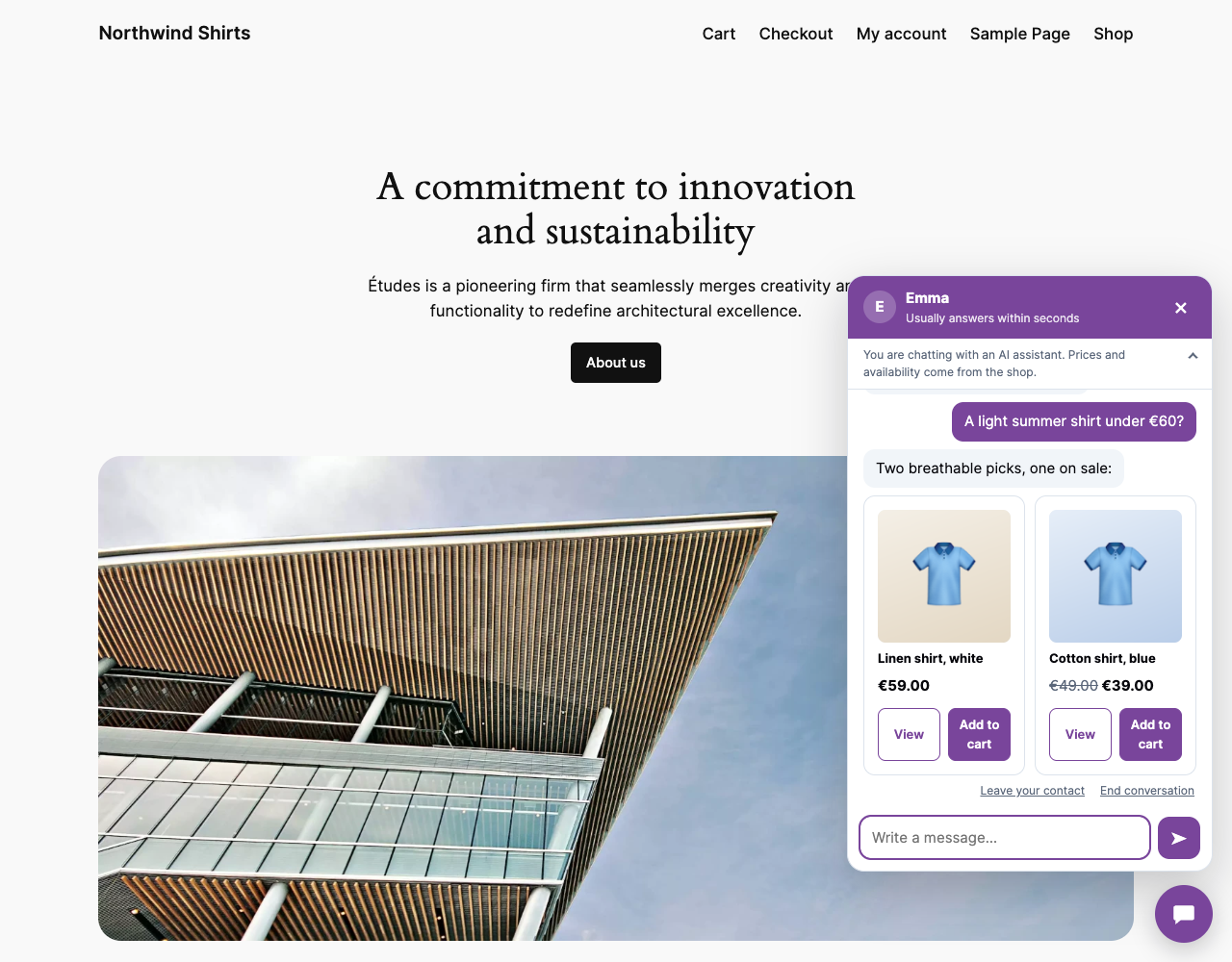
- Product recommendations from your WooCommerce catalogue, with live prices, stock, variants and product cards.
- Learns your whole website automatically: pages, services, portfolio and courses as visitors see them (page builders included), plus your contact, booking and quote forms. New and edited pages are learned right after you save them.
- Points visitors to the right service, page or form with clickable links.
- Topic guard: homework, maths, programming, general knowledge and attempts to change the rules are refused or deflected.
- Warnings for abuse; the third attempt ends the conversation.
- Budget limits per conversation, day and month, with alerts before your provider balance runs out.
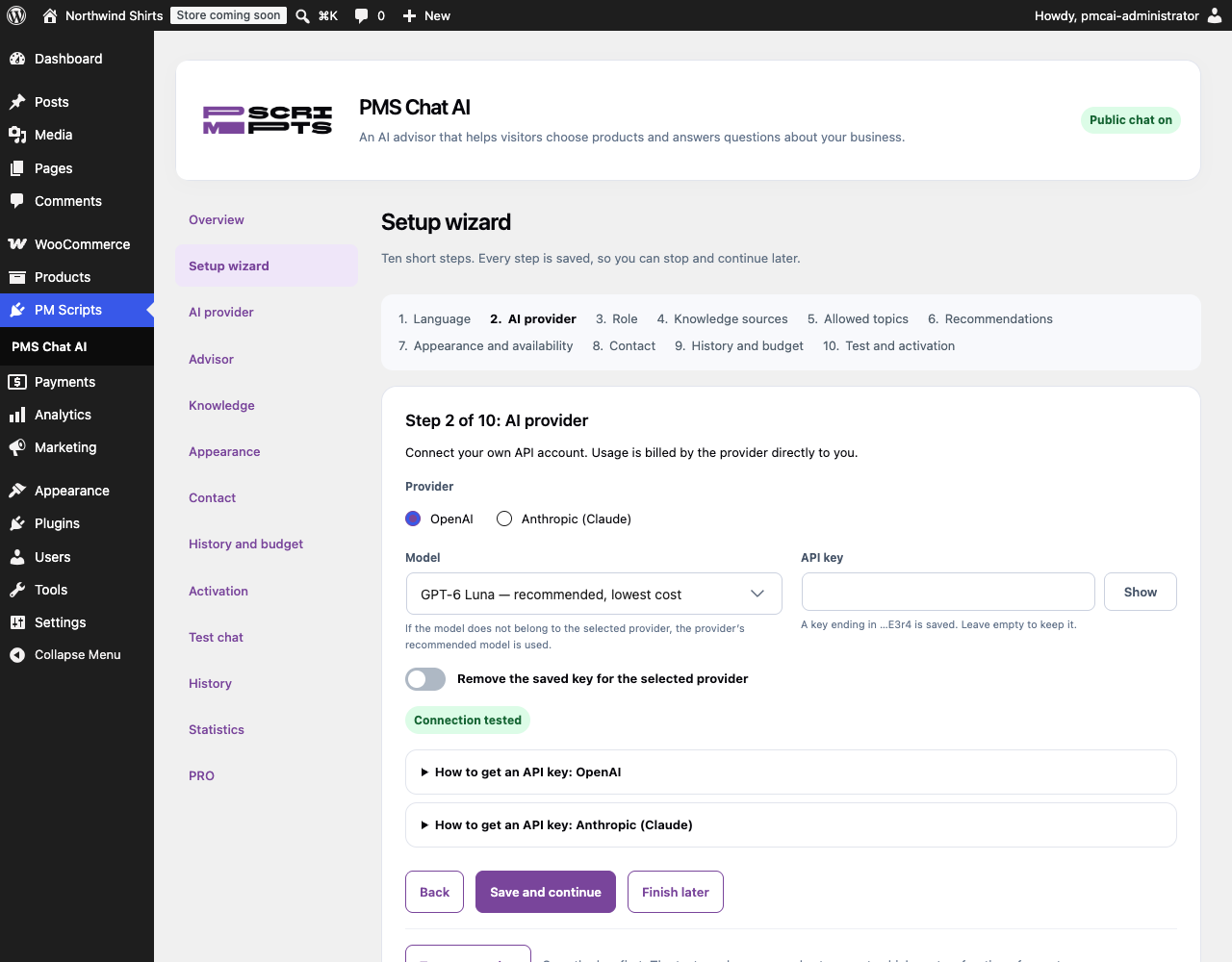
- Setup wizard, test chat in the admin panel and a live preview of the chat window.
- Greeting, suggested questions, tone, colours, font, position, layer (z-index), opening hours and pages where the chat appears.
- Six entrance animations for the chat button and optional short messages next to it, such as “How can we help you?”, that take turns and can show every time on the home page.
- Contact form with consent, conversation history, statistics and automatic deletion of old conversations.
- Call-back requests: when a visitor leaves a phone number or an email in the chat and agrees to be contacted, your team gets an email with a short summary.
- Conversations and messages with contact details are marked in the history.
- Optional Google reCAPTCHA v3 against bots.
- Optional weekly email with the questions your site doesn’t answer yet, grouped and counted, with links to the conversations.
- Lower API costs with automatic prompt caching; the statistics show how much input came from the cache.
- Admin panel in English, Polish and Swedish; chat in English, Polish or Swedish.
Why PMS Chat AI Lite?
You pay your AI provider directly at their prices, with the cheapest suitable model selected by default. The plugin checks prices and availability in WooCommerce every time, so the advisor does not invent products, prices or discounts. Your API key is encrypted on your server and never sent to the browser.
The public chat stays off until you test the connection and turn it on.
Need more tools?
PMS Chat AI Pro is a separate add-on from PMScripts.com that works together with this plugin:
- Order status in the chat for WooCommerce customers (order number and billing email, or signed in).
- Cart suggestions while the visitor shops, and answers from your own documents such as a menu, an allergen list or a price list.
- Matching sets and higher-priced alternatives from WooCommerce cross-sells and upsells.
- Priority and excluded categories.
- Conversation statuses, notes, filters and CSV export.
- Product clicks, add-to-cart and orders started from the chat.
- Quotes in the chat: saved step by step in online quote configurators and emailed to your team when the visitor is happy.
- Replies in each visitor’s own language (for example Arabic), with translations into your language in the history.
- Extra chat templates and a quality check.
See features and plans.
Privacy
This WordPress.org version updates through WordPress.org and contains no external updater, licence manager or telemetry. Conversations, contacts and usage records are stored in your WordPress database and deleted after the period you choose (90 days by default). The plugin adds suggested text to your privacy policy and supports the WordPress personal data export and erasure tools. The optional weekly report is sent by your own site’s email; it lists visitors’ questions with email addresses and phone numbers removed.
You must inform your visitors that the chat uses an AI provider. The chat window always shows a short AI notice.
External services
This plugin connects to the AI provider you choose. Nothing is sent until you save an API key and test the connection or a visitor writes in the enabled chat.
OpenAI API (when OpenAI is selected): https://api.openai.com/v1/responses. Sent: the visitor’s messages, recent conversation history, matching excerpts from your selected pages, product data found by the plugin and the advisor instructions. Requests use store: false and a cache key that is a hash of your site address and the advisor instructions (no visitor data), so repeated instructions are billed at the cheaper cached rate. Terms, privacy policy.
Anthropic API (when Claude is selected): https://api.anthropic.com/v1/messages. Sent: the same data as above; the advisor instructions are marked for Anthropic’s short-lived prompt cache. Terms, privacy policy.
Google reCAPTCHA v3 (optional, off by default): when enabled and a visitor opens the chat, the browser loads https://www.google.com/recaptcha/api.js, and your server checks the resulting token at https://www.google.com/recaptcha/api/siteverify. Google receives the visitor’s browser data and IP address through its script. Terms, privacy policy.
The optional “Powered by PMS” credit is a plain link to PMScripts.com and is off by default. Read our privacy policy and service terms.
Installation
- Install and activate PMS Chat AI Lite on WordPress 6.9 or later with PHP 7.4 or later.
- Open PM Scripts > PMS Chat AI and follow the setup wizard.
- Create an API key with OpenAI or Anthropic, set a spending limit there and paste the key in the AI provider step.
- Test the connection and try the test chat.
- Turn on the public chat in the Activation step.
FAQ
How much does it cost to run?
The plugin is free. You pay your AI provider for usage. With the default model a typical answer costs a fraction of a cent; the panel shows the estimated cost of every conversation and enforces the limits you set.
Do I need WooCommerce?
No. Without WooCommerce the advisor answers questions about your business from the pages you select.
Can visitors use it as a free ChatGPT?
No. A separate topic check runs before every answer. Questions outside your topics get a short deflection, made-up calculations are refused, and repeated attempts end the conversation.
Where is my API key stored?
Encrypted in your WordPress database. It is never shown in the browser, in exports or in logs. Anyone with full access to your server can still read site secrets, so use a key with a spending limit.
Can I see the conversations?
Yes, in the History tab, with 10 conversations per page and deletion of selected conversations. Shop managers can get read access to history and statistics.
Does it work with page caching?
Yes. The chat loads its data through the REST API. With full-page caching, a change of opening hours may appear after the cache is cleared.
Screenshots

Changelog
0.2.42
- Maintenance release.