


Description
BizPrint is a WooCommerce plugin and cloud print service by BizSwoop that automatically prints orders to the printers you already own: kitchen tickets for restaurants, packing slips and shipping labels for warehouses, and receipts and invoices for the front counter. Orders print on a station, a Windows, Mac or Linux computer or an Android device at your business, connected to your receipt, label or office printers.
New accounts start with free prints, no credit card required. See plans and pricing and the full BizPrint documentation.
Create your free BizPrint account
How It Works
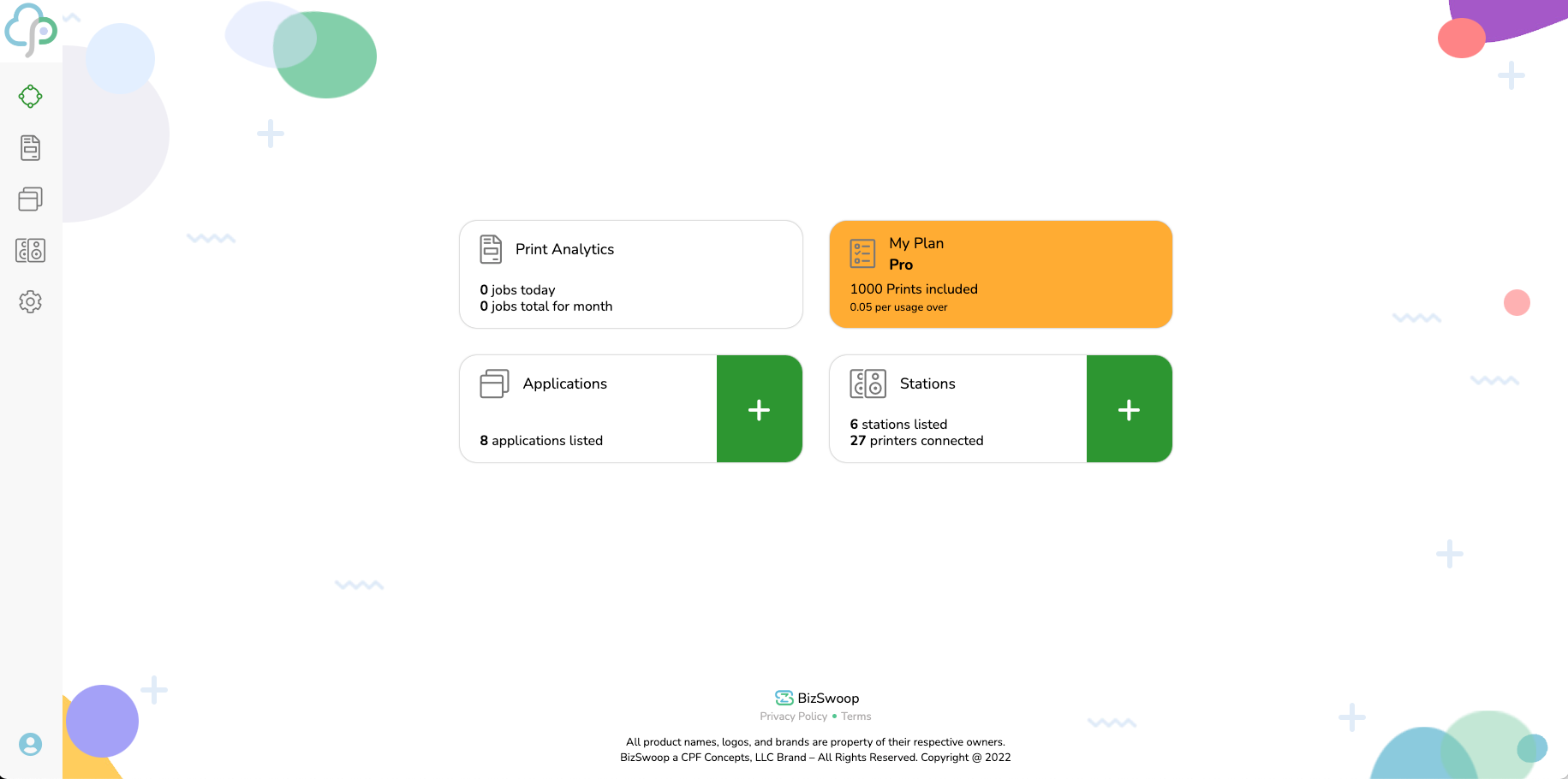
- Create a free BizPrint account and a station: install the BizPrint desktop app on a computer, or the BizPrint Android app on a phone or tablet, and add your printers.
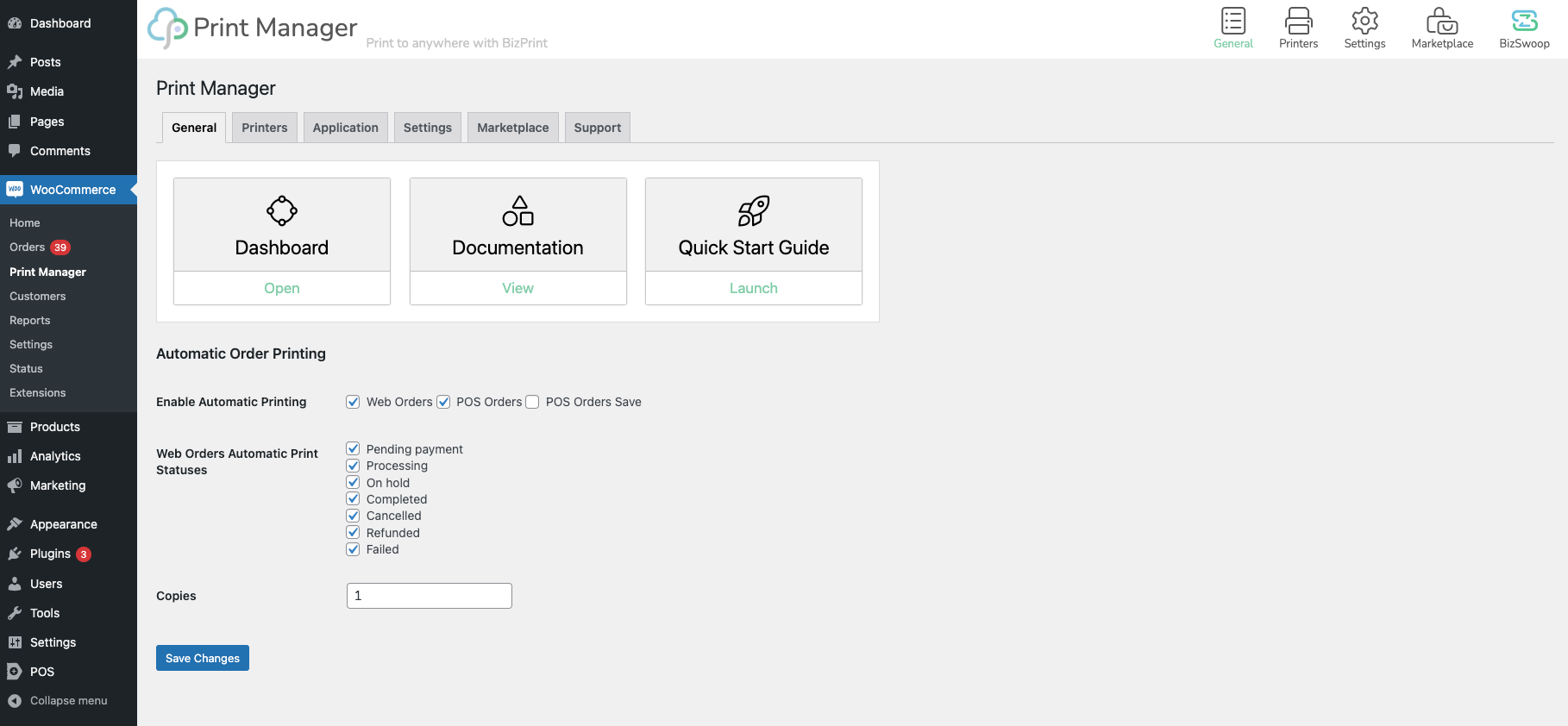
- Install this plugin and connect it to your BizPrint account. Its settings appear under WooCommerce > Print Manager.
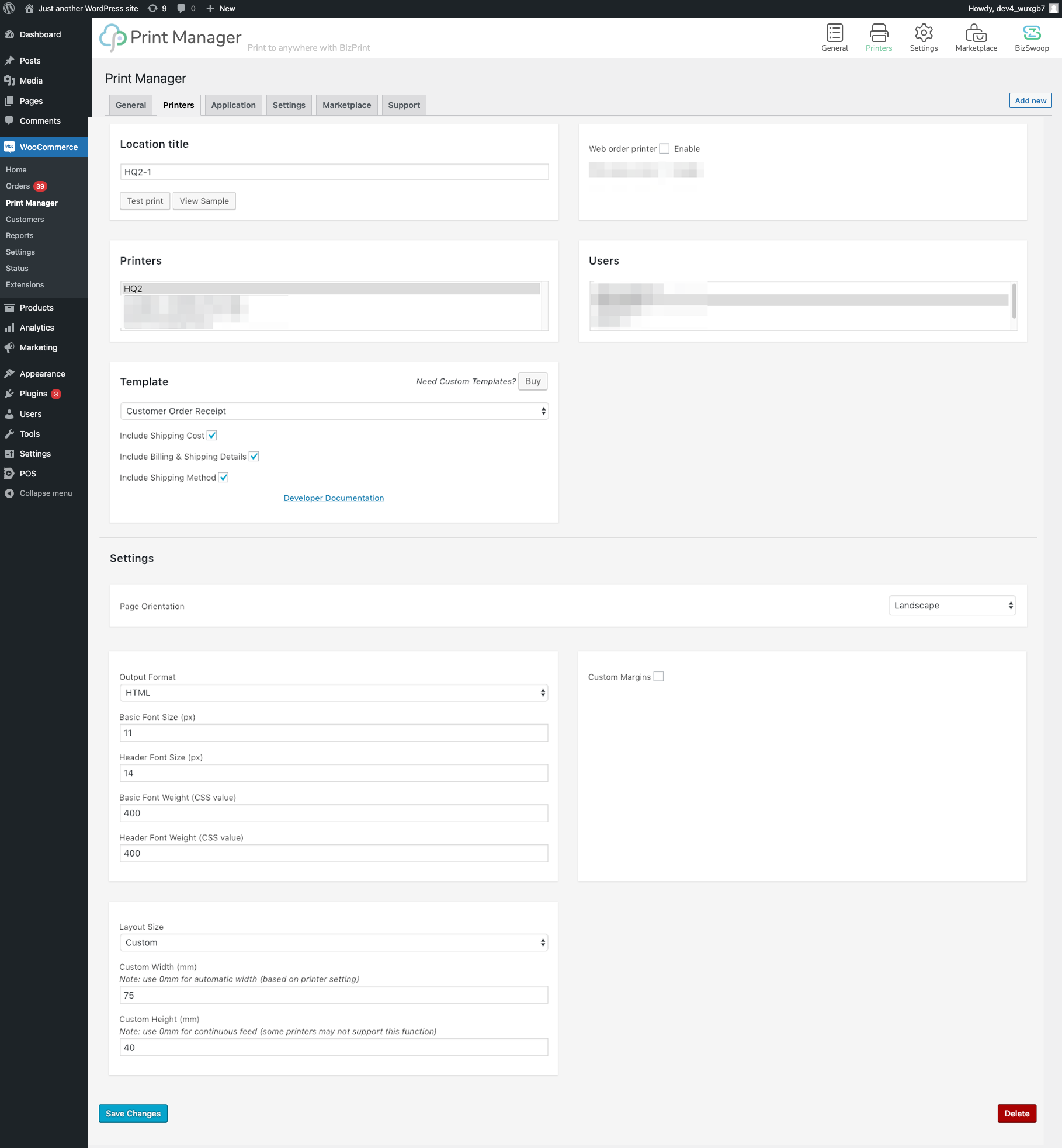
- Create a printer location for each printer, choose a template, and turn on automatic printing. New orders now print on their own.
Follow the step-by-step guide in Choose your BizPrint setup path.
Auto-Print WooCommerce Orders to Your Kitchen Printer
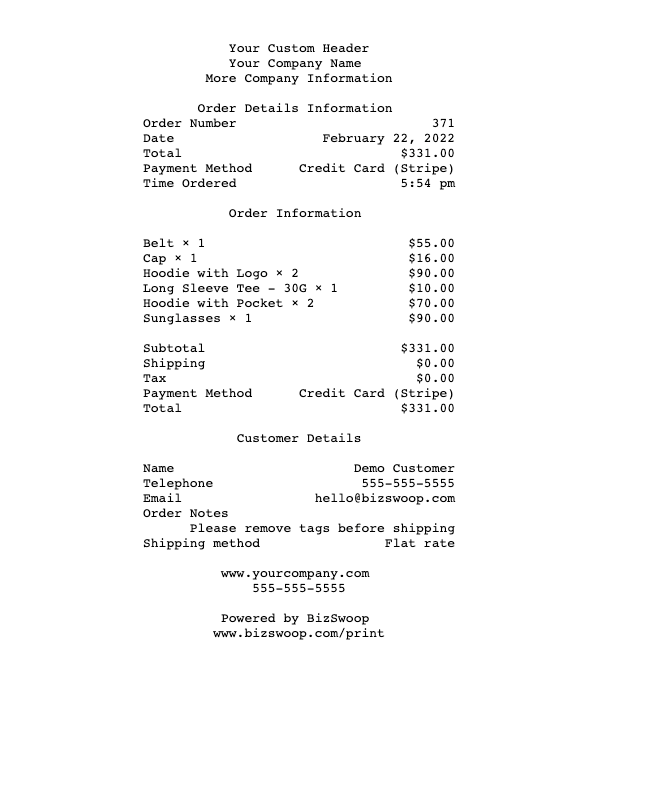
Restaurants, cafés, food trucks and ghost kitchens get every online order on paper the moment it is placed, so the kitchen starts cooking without anyone watching a screen. Print a ticket without prices for the line and a customer receipt at the counter from the same order, each from its own printer location. See Print kitchen tickets.
“We started taking orders online and printing them with BizPrint, and it has been game changing. BizPrint improves the customer experience, reduces kitchen downtime, and frees up my time. My staff are 30% more productive. I can outperform our competitors (including on UberEats, Deliveroo, etc.) whilst having lower costs, better quality, and lower prices. If you own a restaurant, getting BizPrint is a no-brainer.”
— Chris L., Owner, Kyoto Sushi Restaurant
Print Packing Slips and Shipping Labels for Fulfillment
Warehouses and fulfillment teams automatically print packing slips, pick lists with product images and SKUs, and shipping and address labels, so pickers and packers work from paper instead of wp-admin. Map printers by shipping zone or method to send each order to the right location or station.
“One of the strengths to us was the ability to support multiple printers in different locations. We’re using BizPrint to automatically print customer receipts at our ordering station and simultaneously print in the kitchen to fulfill the order. The impact is improved kitchen times, increased sales, and happier customers. I’d highly recommend BizPrint to other small businesses for in-store Point of Sale orders or orders placed online by your customers.”
— Chris R., Co-Owner, Mighty Moose Marts
Receipts, Invoices and PDFs for Customers
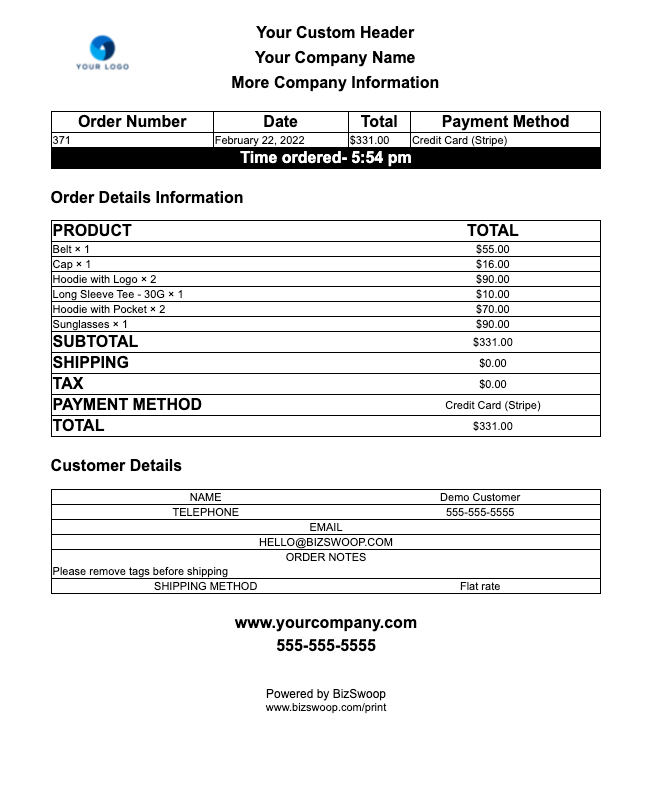
Customers often need proof of purchase for returns, employer reimbursement or taxes. BizPrint turns WooCommerce order data into branded receipts, invoices, delivery notes and dispatch labels, printed at the counter or saved as PDF files with the desktop app’s Save to PDF printer.
“I can create a customizable receipt for the customer that’s easy to read. If you need to use WooCommerce in-person, want to save money by emailing your receipts, or just need great looking receipts (I receive compliments about our receipts), I’d highly recommend BizPrint. The team and software are excellent, and easy to work with.”
— Tiffany W., Owner, Swatty Creek Mill
Print WooCommerce Orders on Sunmi POS Devices
Sunmi handheld and countertop POS devices run Android and have a built-in receipt printer. Install the BizPrint Android app on a Sunmi device and it becomes your station: new WooCommerce orders print automatically on the Sunmi built-in printer, with no separate receipt printer, computer or cables. Use it at the counter, in the kitchen, or for curbside and delivery handoffs. The Sunmi device needs Android 8.0 or later. See Install the BizPrint Android app.
Features
- Automatic printing by order status
- Print button on WooCommerce orders, plus bulk printing of several orders at once
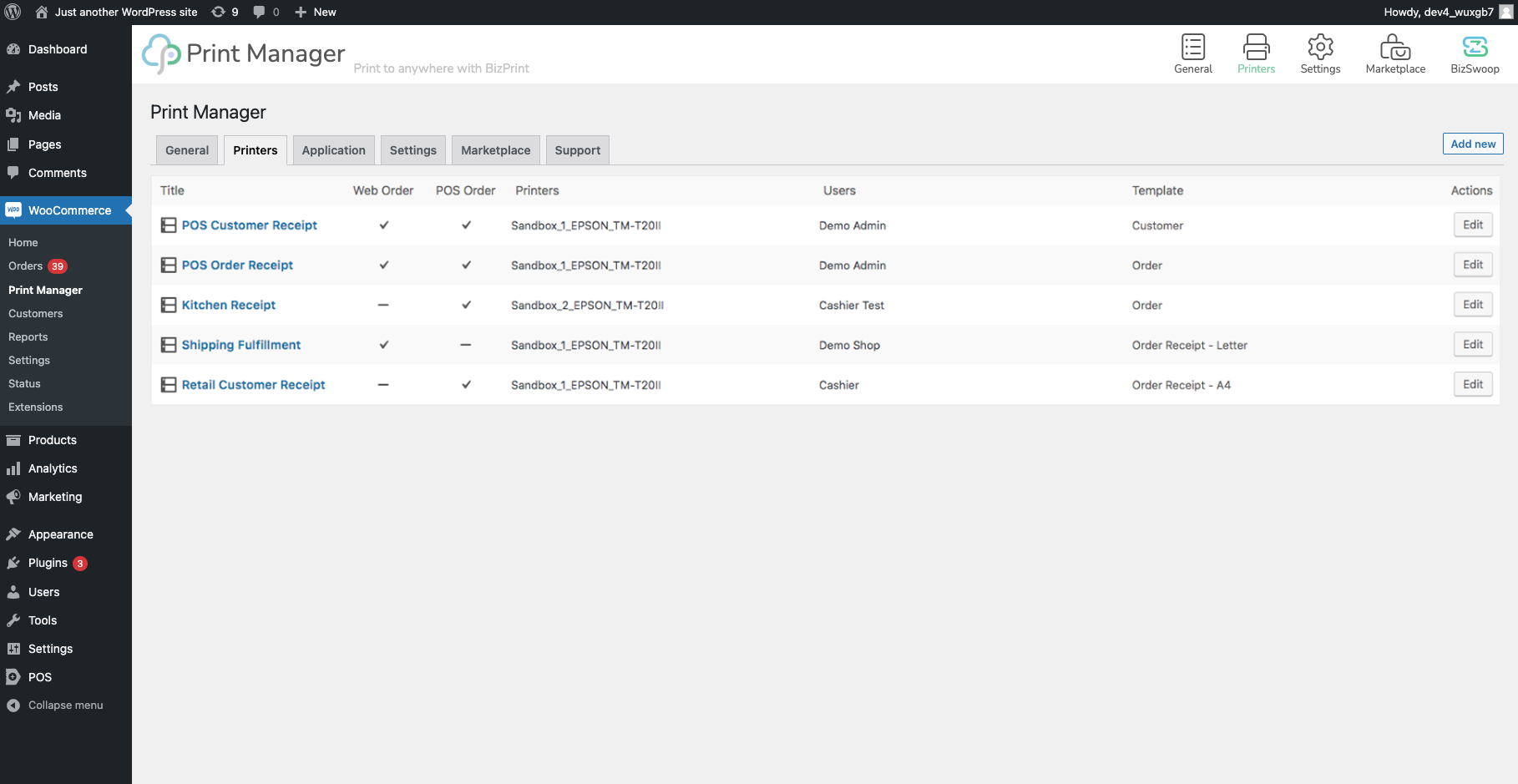
- Multiple printers, stations and printer locations, each with its own template
- Print one copy or several at once
- 10 built-in templates: Customer Receipt, Customer Order Receipt, Order Receipt (kitchen and packing tickets without prices), Invoice, Packing Slip, Pick List, Delivery Note, Dispatch Label, Shipping Label and Address Labels
- HTML and plain-text layouts for receipt, label and office printers
- Send print jobs from any device, including iPhone and iPad, to a desktop or Android station
- Print to the built-in receipt printer on Sunmi POS devices
- Your logo and store details on printouts, with page size, margins and fonts you control
- Print each printer location in its own language
- Save printouts as PDF files with the desktop app
- Reprint any job from the BizPrint dashboard, with a print log and job queue in WordPress
- Prints orders taken in Jovvie Point of Sale
Add-ons included with some plans:
- Product & category mapping: send selected items to specific stations, like drinks to the bar and food to the kitchen
- Shipping zone & method mapping: route orders by location or fulfillment type
- Status triggers: print when an order changes status, for example a packing slip when it moves to Completed
- Barcode scan: scan a printed receipt to update the order’s status
- QR codes and metadata mapping
Supported Printers and Stations
A station is the device that receives print jobs and sends them to your printers. It must stay on, with the BizPrint app running, whenever you want orders to print.
- BizPrint desktop app (Windows, Mac, and Linux including ARM devices such as Raspberry Pi): prints to any printer the computer can use, such as receipt, label and office printers from Star, Epson, Brother, HP, Dymo, Canon and more, connected by USB, over the network or shared. Prints formatted HTML layouts and PDFs.
- BizPrint Android app (Android 8.0 or later): prints HTML receipts, PDFs, full pages on office printers, shipping labels on Zebra (ZPL) and TSPL label printers, and plain-text tickets on ESC/POS or StarPRNT receipt printers, over your network or Bluetooth. Also prints to the built-in printers on Sunmi devices.
You can send print jobs from any device, including an iPhone or iPad; the printing itself runs on a desktop or Android station.
Not sure which to use? See Desktop app or Android app?
Works With
BizSwoop plugins:
Product add-ons:
- WooCommerce Product Add-Ons
- YITH WooCommerce Product Add-Ons
- Extra Product Options (Product Addons) for WooCommerce
Delivery, pickup and restaurant ordering:
- Delivery & Pickup Date Time for WooCommerce
- Order Delivery Date for WooCommerce
- WooCommerce Local Pickup Plus
- WooCommerce Delivery Slots
- Order Delivery, Order Pickup, Order Date, Order Time
- Food Store – Online Food Delivery & Pickup
- WooCommerce Food – Restaurant Menu & Food Ordering
New template integrations are added regularly. Browse the template store or ask our team to add yours.
Print API and AI Agents
BizPrint is also a print platform for developers and AI agents. Send PDF documents to your printers from any app with the BizPrint Print API, or let an AI assistant such as Claude Desktop list your printers, print a document and check a job’s status with the BizPrint MCP server.
For Developers
Build your own WooCommerce receipt, invoice, packing slip and other layouts with custom templates, and pass third-party plugin data into printouts with WooCommerce hooks. The developer docs cover API keys, print jobs, webhooks and the Node SDK, and the full documentation is available to AI tools at docs.getbizprint.com/llms.txt.
Guides
- How to Print Order Receipts in WooCommerce
- How to Automatically Print Packing Slips from WooCommerce
- Print Receipts on a Thermal Printer with WooCommerce
- How to Print an Order List in WooCommerce (Automatically)
- Generate a Simple Invoice in WooCommerce (for Email and Print)
Documentation and Support
- Set up: Choose your setup path
- Not printing? Orders are not printing automatically
- All docs: docs.getbizprint.com
- Help: contact our support team
More from BizSwoop
BizPrint is built by BizSwoop, a US-based team making WooCommerce tools since 2016.
- Jovvie Point of Sale – A fast, complete point of sale for WooCommerce. Run it on any device and sell anywhere.
- Flow Notify – Custom order statuses with automated SMS, WhatsApp and email notifications for WooCommerce.
- Product Manager Add-ons – Product add-ons, upsells, product tables, samples and bundles.
- Store Order Hours – Turn WooCommerce checkout on and off on a schedule, with a store hours widget.
- Pickup Delivery Agent – Pickup, takeout, curbside and local delivery scheduling with time slots and cut-off times.
- Store Plus B2B Wholesale – Wholesale and B2B accounts with customer-level pricing.
Installation
- Create a free BizPrint account and a station: install the BizPrint desktop app or Android app and add your printers.
- In the BizPrint dashboard, create a WooCommerce application to get your connection details.
- In WordPress, go to Plugins > Add New, search for “BizPrint”, then install and activate it.
- Go to WooCommerce > Print Manager and connect the plugin to your BizPrint application.
- On the Printers tab, create a printer location: choose a printer, a template and an output format.
- Turn on automatic printing for the order statuses you want, then send a test print.
Full instructions: Choose your BizPrint setup path. Need help? Contact support.
FAQ
How do I get started?
To get started with BizPrint, create a free BizPrint account, set up a station with the desktop or Android app, then install and connect this plugin. Choose your BizPrint setup path walks through every step.
Is BizPrint free?
The BizPrint plugin is free, and every new BizPrint account starts with free prints, no credit card required. After that, printing runs on a paid BizPrint plan. See current plans and pricing at GetBizPrint.com/pricing and how prints are counted in Plans, print limits and usage.
Do I need an account to print?
Yes, BizPrint requires a free account, created on BizSwoop, to connect your store to your printers. Create one here.
Which printers does BizPrint work with?
BizPrint works with any printer your Windows, Mac or Linux computer can already print to, using the BizPrint desktop app, including receipt, label and office printers connected by USB, network or sharing. With the BizPrint Android app, it prints to ESC/POS and StarPRNT receipt printers, Zebra (ZPL) and TSPL label printers, office printers and the built-in printers on Sunmi devices, over the network or Bluetooth. See What you need to use BizPrint.
Does a computer need to stay on to print?
Yes, for automatic printing the station must stay on with the BizPrint app running. A station is the Windows, Mac or Linux computer or Android phone or tablet connected to your printers. Your WooCommerce store must also be online, because the station loads each printout from it.
Does BizPrint work with Sunmi POS printers?
Yes, BizPrint prints WooCommerce orders to the built-in printers on Sunmi POS devices. Install the BizPrint Android app on the Sunmi device (Android 8.0 or later), add its built-in printer, and choose it in a printer location in WooCommerce > Print Manager. Orders then print automatically on the Sunmi device, with no separate printer needed.
Can I print from an iPhone or iPad?
Yes, you can send BizPrint print jobs from an iPhone or iPad, for example by printing an order from WooCommerce or Jovvie Point of Sale. The printing itself runs on a station: the BizPrint desktop app on a Windows, Mac or Linux computer, or the BizPrint Android app on an Android device. BizPrint has no station app for iPhone or iPad.
Will orders print automatically, or do I click Print?
BizPrint does both. It prints orders automatically when they reach the order statuses you choose, and it adds a Print button to every WooCommerce order for printing on demand.
Can I send different orders or products to different printers?
Yes, BizPrint supports multiple printers and printer locations. Product & category mapping and shipping zone & method mapping route each order, or each item, to the right station; mapping is included on select plans, listed on the pricing page.
Do I need technical skills to set it up?
No, BizPrint needs no coding. Create an account, install the app on your station, connect the plugin and choose your settings. The setup guide covers each step.
How is BizPrint different from a PDF invoice plugin?
PDF invoice plugins create documents that you download, email or print by hand. BizPrint prints orders automatically to the right printer the moment they arrive, with layouts for thermal receipt and kitchen printers, routing by product or shipping method, and multiple stations. The BizPrint desktop app can also save printouts as PDF files.
Can I print from my own app or an AI assistant?
Yes, the BizPrint Print API sends PDF documents to your printers from any app, and the BizPrint MCP server lets AI assistants such as Claude Desktop list printers, print documents and check print jobs. See BizPrint for developers.
An order did not print. What should I check?
BizPrint’s troubleshooting guides cover the common causes, such as a station that is offline, a paused print service or an automatic printing setting. Start with Orders are not printing automatically, and check the order’s print job before printing it again so nothing prints twice.
Do you provide support?
Yes, BizSwoop actively develops and supports the BizPrint plugin and cloud service. Read the BizPrint documentation or contact support to get help, report a bug or request a feature.
Will you support Order Receipt Print version 3.0.16 and older?
No, BizPrint does not support Order Receipt Print 3.0.16 and older. Those versions were built for Google Cloud Print, which shut down on December 31, 2020. Update to the latest version of BizPrint to keep printing.
Screenshots
Changelog
4.10.0
- New: Print a File – drag and drop a PDF or HTML file to print it on any BizPrint printer, from the Print a File button in the admin bar
- Security: tighten permission and request checks on admin actions (reported by buiih, coordinated by VulnCheck)
- Security: protect plugin log files from direct web access
- Security: stricter validation of signed print requests and webhooks
- Bug fixes and performance improvements
- WC 11.3.0 compatibility
- WP 7.1.4 compatibility
4.9.5
- Bug fixes and performance improvements
- WC 11.1.0 compatibility
- WP 7.1 compatibility
4.9.2
- Add webhook cleanup functionality
- Add Jovvie drawer kick
- Bug fixes and performance improvements
- WC 10.6.2 compatibility
- WP 6.9.4 compatibility
4.9.1
- New look and design
- Moved Advanced network settings to support
- Add Jovvie app printing
- Bug fixes and performance improvements
- WC 10.6.1 compatibility
- WP 6.9.4 compatibility
4.8.1
- Add advanced host and network configuration settings
- Add background print queue
- Optimize role print modal functionality
- Bug fixes and performance improvements
- WC 10.3.4 compatibility
- WP 6.9 compatibility
4.7.1
- Add multiple user POS mapping support
- Broken Access Control fix reported by daroo (Thank you for reporting)
- Bug fixes and performance improvements
- WC 10.3.4 compatibility
- WP 6.9.0 compatibility
4.6.7
- Order Board support and compability: https://www.bizswoop.com/product/order-board/
- Bug fixes and performance improvements
- WC 10.2.1 compatibility
- WP 6.8.2 compatibility
4.6.6
- Bug fixes and performance improvements
- WC 10.0.3 compatibility
- WP 6.8.2 compatibility
4.6.5
- Add support tool using Development Assistant
- WC 9.7.1 compatibility
- WP 6.7.2 compatibility
4.6.4
- PHP8 compatibility improvements
- WC 9.6.1 compatibility
- WP 6.7.2 compatibility
4.6.3
- Add product mapping per product support
- WC 9.5.1 compatibility
- WP 6.7.1 compatibility
4.6.1
- Add 7 new templates: Address labels, Delivery note, Dispatch label, Invoice, Packing Slip, Pick list and Shipping label
- WC 9.4.1 compatibility
- WP 6.6.2 compatibility
4.5.15
- Add Greek language support
- WC 9.1.4 compatibility
- WP 6.6.1 compatibility
4.5.14
- Add Traditional Chinese language support
- Add Simplified Chinese language support
- WC 9.1.2 compatibility
- WP 6.6.0 compatibility
4.5.13
- PHP 8 compatibility
- Bug fixes and performance improvements
- WC 9.0.2 compatibility
- WP 6.5.5 compatibility
4.5.12
- Add URL Hash improvements
- Bug fixes and performance improvements
- WC 8.9.1 compatibility
- WP 6.5.3 compatibility
4.5.11
- Add Tamil language support
- Bug fixes and performance improvements
- WC 8.7.0 compatibility
- WP 6.5.2 compatibility
4.5.8
- Patch to price management template add-on
4.5.6
- Patch to Cross Site Request Forgery (CSRF) printer management fix
- WC 8.6.1 compatibility
4.5.5
- Improve html symantics for templates
- WC 8.5.3 compatibility
- WP 6.4.3 compatibility
4.5.4
* New print dialog window
* New Browser Print workflow
* Add filter for disallowed query args
* Fix broken access control preview view
* Fix Cross Site Request Forgery (CSRF) printer management
* WC 8.5.1 compatibility
* WP 6.4.2 compatibility
4.5.1
* New print dialog window
* New Browser Print workflow
* Add filter for disallowed query args
* WC 8.5.1 compatibility
* WP 6.4.2 compatibility
4.3.39
* WC 8.3.1 compatibility
* WP 6.4.1 compatibility
4.3.38
* Compatibility with HPOS
* Bug fixes and performance improvements
4.3.37
* Backwards Compatibility with Older WC versioning
* Bug fixes and performance improvements
4.3.36
* Table Compatibility with HPOS
* Bug fixes and performance improvements
4.3.35
* Hook for price settings
* Compatibility with HPOS
* Bug fixes and performance improvements
* WC 8.1.1 compatibility
4.3.32
* Compatibility with Order Scheduler Pro
* Compatibility with HPOS
* Bug fixes and performance improvements
* WC 8.0.3 compatibility
* WP 6.3.1 compatibility
4.3.31
* Print connection optimizations
* Bug fixes and performance improvements
* WC 7.6.1 compatibility
* WP 6.2.0 compatibility
4.3.30
* UI/UX string improvements for connection issues
* Bug fixes and performance improvements
* WC 7.6.0 compatibility
* WP 6.2.0 compatibility
4.3.29
* UI/UX string improvements
* Bug fixes and performance improvements
* WC 7.5.0 compatibility
4.3.26
* Bug fixes and performance improvements
* WC 7.4.1 compatibility
4.3.25
* Add fix for Zprint-POS and headers PHP logging
* Bug fixes and performance improvements
4.3.24
* Add fix for Zprint-POS PHP logging
* Bug fixes and performance improvements
* WC 7.4.0 compatibility
4.3.23
* Add support for PHP +
* Bug fixes and performance improvements
* WC 7.3.0 compatibility
4.3.22
* Add Hungarian as a supported language
* WP 6.1.1 compatibility
* WC 7.2.0 compatibility
4.3.21
* Bug fix for plain text template rendering
* WP 6.0.3 compatibility
* WC 7.0.0 compatibility
4.3.19
* Readme updates
* WC 6.8.2 compatibility
4.3.18
* WC 6.8.2 compatibility
4.3.16
* Fix permission access restrictons
* Bug fixes and performance improvements
4.3.15
* Fix empty printer list
* Bug fixes and performance improvements
* WP 6.0.1 compatibility
* WC 6.7.0 compatibility
4.3.14
* Set error warning message log
* Bug fixes
4.3.12
* Set undefined status for shipping mapping
* Bug fixes
* WC 6.5.1 compatibility
4.3.11
* Plugin reset data functionality
4.3.9
* Webhooks connection optimizations
* Performance Improvements
* Bug fixes
* WC 6.4.1 compatibility
4.3.6
* New development hooks
* Performance Improvements
* Bug fixes
* WP 5.9.3 compatibility
4.3.1
* New activation workflow
* New layout of plugin UI/UX
* Performance Improvements
* Bug fixes
* WP 5.9.2 compatibility
4.2.1
* Bulk print functionality
* Performance Improvements
* Bug fixes
* WP 5.9.1 compatibility
* WC 6.3.1 compatibility
4.1.20
* Performance Improvements
* Bug fixes
* WP 5.9.0 compatibility
* WC 6.1.1 compatibility
4.1.18
* I18n input encoding for location fields
* Bug fixes
4.1.17
* Improvements for location save functionality
* Bug fixes
4.1.16
* Add translation support for Swedish language and dialect variants
* WC 5.9.0 compatibility
4.1.14
* Add translation support for Swedish language and dialect variants
* WC 5.8.0 compatibility
4.1.13
* PHP compatibility support fix
* WC 5.7.1 compatibility
4.1.11
* WP 5.8.1 compatibility
4.1.10
* Improvements for Order ID mapping
* Bug fixes
* WC 5.7.0 compatibility
4.1.7
* Add location language support for selecting receipt languages
* Performance improvements
* Bug fixes
* WC 5.6.0 compatibility
4.1.2
* Add access role management for plugin settings
* ![TRANSLATION SUPPORT]! Added support for 28 languages
* ![SAAS SERVICE]! Cloud Print Service BizPrint solution, learn more at https://www.bizswoop.com/wp/print/
* ![REQUIRED]! Setup new BizPrint Cloud Print SaaS service at https://www.bizswoop.com/print-setup/
* WP 5.8.0 compatibility
* WC 5.5.2 compatibility
4.1.1
* ![TRANSLATION SUPPORT]! Added support for 28 languages
* Add filter and hooks support for 3rd part templates
* Modify filter on sample print jobs
* Database table check logic and behavior
* ![SAAS SERVICE]! Cloud Print Service BizPrint solution, learn more at https://www.bizswoop.com/wp/print/
* ![REQUIRED]! Setup new BizPrint Cloud Print SaaS service at https://www.bizswoop.com/print-setup/
4.1.0
* ![TRANSLATION SUPPORT]! Added support for 28 languages
* Add filter and hooks support for 3rd part templates
* Modify filter on sample print jobs
* ![SAAS SERVICE]! Cloud Print Service BizPrint solution, learn more at https://www.bizswoop.com/wp/print/
* ![REQUIRED]! Setup new BizPrint Cloud Print SaaS service at https://www.bizswoop.com/print-setup/
4.0.21
* Add custom margin support for thermal printers connected to Windows
* ![NEW]! Cloud Print Service BizPrint solution, learn more at https://www.bizswoop.com/wp/print/
* ![REQUIRED]! Setup new BizPrint Cloud Print SaaS service at https://www.bizswoop.com/print-setup/
4.0.20
* Add beforeFooter and end hooks to print template strucutre
* ![NEW]! Cloud Print Service BizPrint solution, learn more at https://www.bizswoop.com/wp/print/
* ![REQUIRED]! Setup new BizPrint Cloud Print SaaS service at https://www.bizswoop.com/print-setup/
4.0.19
* Revert printer model template improvements for print layout optimizations due to conflicts
* ![NEW]! Cloud Print Service BizPrint solution, learn more at https://www.bizswoop.com/wp/print/
* ![REQUIRED]! Setup new BizPrint Cloud Print SaaS service at https://www.bizswoop.com/print-setup/
4.0.18
* Printer model template improvements for print layout optimizations
* ![NEW]! Cloud Print Service BizPrint solution, learn more at https://www.bizswoop.com/wp/print/
* ![REQUIRED]! Setup new BizPrint Cloud Print SaaS service at https://www.bizswoop.com/print-setup/
4.0.17
* ![NEW]! Print dialog UX improvements
* ![NEW]! Print order actions button
* Improvement to Print UI strings for usability
* Debug and log data functionality
* WP 5.7.2 compatibility
* ![NEW]! Cloud Print Service BizPrint solution, learn more at https://www.bizswoop.com/wp/print/
* ![REQUIRED]! Setup new BizPrint Cloud Print SaaS service at https://www.bizswoop.com/print-setup/
4.0.12
* Print template store compatibility and hooks
* POS save compatibility optimizations
* Debug and log data functionality
* WC 5.3.0 compatibility
* ![NEW]! Cloud Print Service BizPrint solution, learn more at https://www.bizswoop.com/wp/print/
* ![REQUIRED]! Setup new BizPrint Cloud Print SaaS service at https://www.bizswoop.com/print-setup/
4.0.10
* Print call optimizations
* Debug and log data functionality
* Print Manager Add-ons compatibility
* WP 5.7.1 compatibility
* WC 5.2.2 compatibility
* ![NEW]! Cloud Print Service BizPrint solution, learn more at https://www.bizswoop.com/wp/print/
* ![REQUIRED]! Setup new BizPrint Cloud Print SaaS service at https://www.bizswoop.com/print-setup/
4.0.6
* Multiple copies support
* ![NEW]! Cloud Print Service BizPrint solution, learn more at https://www.bizswoop.com/wp/print/
* ![REQUIRED]! Setup new BizPrint Cloud Print SaaS service at https://www.bizswoop.com/print-setup/
* WP 5.7.0 compatibility
* WC 5.1.0 compatibility
4.0.1
* !IMPORTANT! Google Cloud Print is shutting down, effective December 31, 2020.
* ![NEW]! Cloud Print Service BizPrint solution, learn more at https://www.bizswoop.com/wp/print/
* ![REQUIRED]! Setup new BizPrint Cloud Print SaaS service at https://www.bizswoop.com/print-setup/
* Add BizPrint Cloud Print code infrastructure
* Remove Google Cloud Print code infrastructure
* WP 5.6.0 compatibility
* WC 4.8.0 compatibility
3.1.5
* !IMPORTANT! Google Cloud Print is shutting down, effective December 31, 2020.
* ![NEW]! Cloud Print Service BizPrint solution, learn more at https://www.bizswoop.com/wp/print/
* WP 5.6.0 compatibility
* WC 4.8.0 compatibility
3.0.16
* !IMPORTANT! Google Cloud Print is shutting down, effective December 31, 2020.
* ![NEW]! Cloud Print Service BizPrint solution schedule for release, learn more at https://www.bizswoop.com/wp/print/
* Manual print support for BizSwoop POS plugin
* WP 5.5.3 compatibility
* WC 4.7.1 compatibility
3.0.15
* Google Cloud Print is shutting down. New features and functionality will be on hold until replacement to GCP is released.
* WP 5.5.1 compatibility
* WC 4.5.2 compatibility
3.0.14
* Google Cloud Print is shutting down. New features and functionality will be on hold until replacement to GCP is released.
* WP 5.5 compatibility
* WC 4.4.1 compatibility
3.0.13
* WP 5.2 and WC 4.3.0 compatibility
* Performance improvements
* Bug fixes
3.0.12
* Print template modifications for Take-Out and Delivery
* Performance improvements
* Bug fixes
3.0.11
* Support for Checkout Add-ons plugin
    * Support for Take-Out and Delivery plugin
    * Performance improvements
* Bug fixes
3.0.5
* Change default print templates to use general settings for Local Timezone for time ordered value
* Bug fixes
3.0.4
* Bug fix to custom logo and headers displaying on default templates
* Bug fix location saving for existing locations
* Hide _reduced_stock on default templates for inventory management of products
* Print API performance improvements
3.0.3
* Modifications to zPrint API for product & category mapping on locations
* New template option "Include Order Cost" to hide or show order total amounts
* Bug fixes and performance improvements
* WP 5.1 and WC 3.5.5 compatibility
3.0.2
* Added wp hook to zPrint API for custom templates loading
* Bug fixes to print order status
3.0.1
* Major release will not provide backwards compatibility to print templates
* Customizations on header, footer & content for templates on each location
* Add support for automatic print to all WooCommerce order status types
* Add support for custom templates output type selection on templates
* Bug fixes to print stability and scalability
2.1.2
* Tweak to Text Domain string to fix for localization support
2.1.1
* Bug fix to Domain path for localization support
2.1.0
* Added Location Mapping to Users based on User Roles
* Added Localization Support for String Translations
* Added New Layout Styling for Location Settings
* Added New Shipping & Customer Settings for Default Templates
* Added Support for Custom Templates
* Bug Fixes
2.0.5
* Added Shipping Method Section to Customer Order Receipt & Order Receipt Template
* Added Support for Local Pickup Shipping Method
* Bug Fixes
2.0.4
* Added Shipping Method to Customer Order Receipt Template
* Bug Fixes
2.0.3
* Bug Fixes
2.0.2
* Major upgrade release
* Added Support for Custom Margins
* Added Support for Page Orientation
* Add New Template for Customer Order Receipt
* Added Support for Custom Layout Size of Paper
* Added Templates for Order Receipt, Customer Receipt & Customer Order Receipt with Letter, A4 & Thermal Printers
* Fixes to Bugs
1.0.13
* Feature Support for Enabling & Disabling Automatic Printing
* Added Plug-in Version & Automatic Printing Status Information to Log File
1.0.12
* Feature Support for Automatic Printing based on WooCommerce Statuses
* Hide POS Label, if POS not Installed
1.0.11
* Bug Fixes for Deleting Locations
1.0.10
* Bug Fixes
1.0.9
* Optimizing for background print jobs
* Bug Fixes
1.0.7
* Fixes for background print jobs
* Template Bug Fixes
1.0.5
* Bug Fixes and WooCommerce Load Order
1.0
* First version released for Print Google Cloud Print WooCommerce.