

Description
When using WowStore Pro, install the matching Pro update alongside this update to retain custom styling for Pro blocks.
🥇 WooCommerce Builder for Gutenberg
📈 Build professional eCommerce stores and boost earnings
😲 Free Demo | 🔥 WowStore Pro | 📃 Documentation
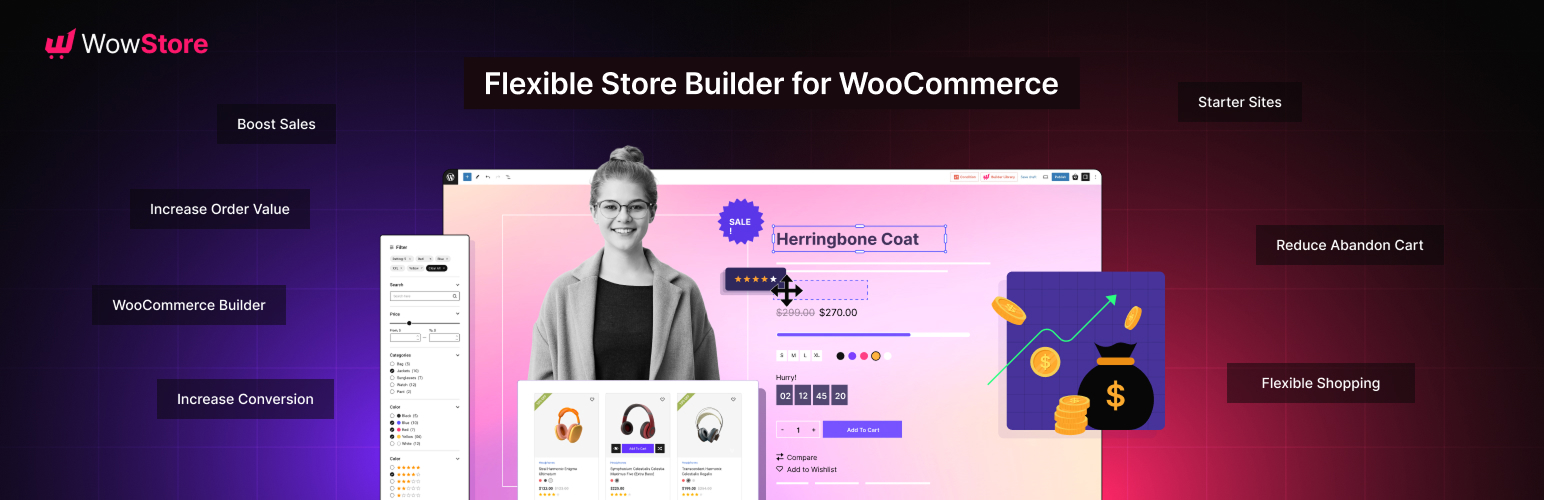
WowStore – WooCommerce Builder & Blocks Plugin with Sales Boosting Features!
WowStore comes with numerous features to expand the default WooCommerce functionality. So you can give your eCommerce site a professional look. On top of that, its additional features help you to get more sales, boost conversions, and increase the average order value.
✅ Gutenberg Product Blocks
✅ Store Builder
✅ Product Grid Layout
✅ Product List Layout
✅ Product Slider and Carousel
✅ Wishlist
✅ Product Compare
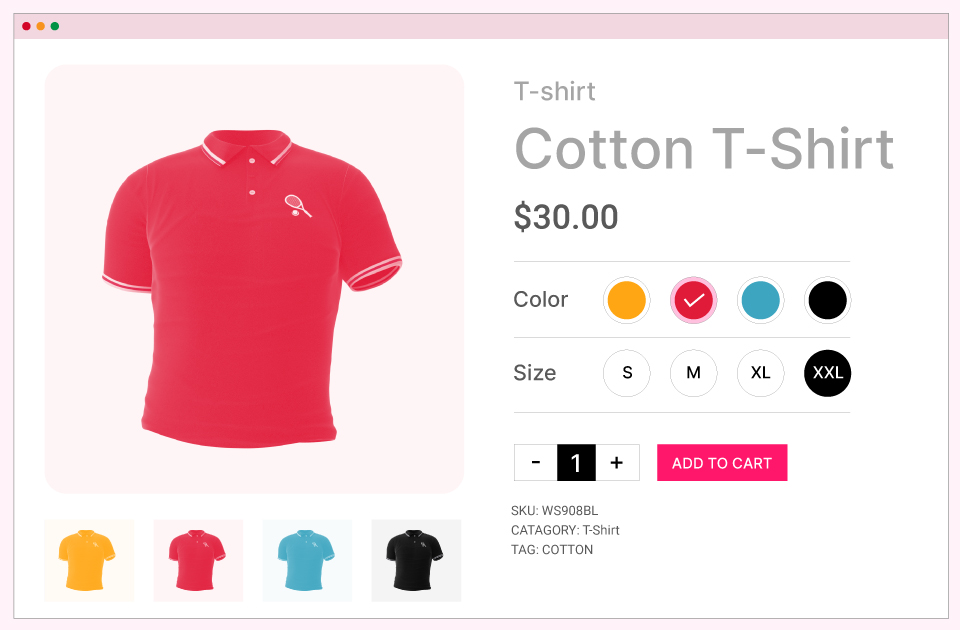
✅ Variation Swatches
✅ Quick View
✅ Quick Social Share, including Mail, WhatsApp and Messenger
✅ Product Video
✅ Size Chart
✅ Preorder
✅ Backorder
✅ Call for Price
✅ Name Your Price
✅ Animated Add to Cart
✅ Add to Cart Text
✅ Sales Push Notification
✅ Cart Reserved Timer
✅ Up-Selling
✅ Cross-Selling
✅ Free Shipping Bar
WooCommerce blocks help you to display the products in an organized and professional way. WowStore has the following blocks.
✔ Product Grid Blocks
✔ Product List Blocks
✔ Product Slider Blocks
✔ Product Category Blocks
✔ List Blocks
✔ Button Group Blocks
✔ Row and Column Blocks
✔ Banner Maker Blocks
Pro Features and Blocks
The features below are not part of this free plugin. They are included in the separate WowStore Pro plugin, which requires a license. Without it, these blocks and features are not available.
Pro blocks
✨ Product Filter Block (advanced product filter by category, color, price, rating, and more)
✨ Product Search Block
✨ Product Category 3 Block
✨ Currency Switcher Block
Pro add-ons
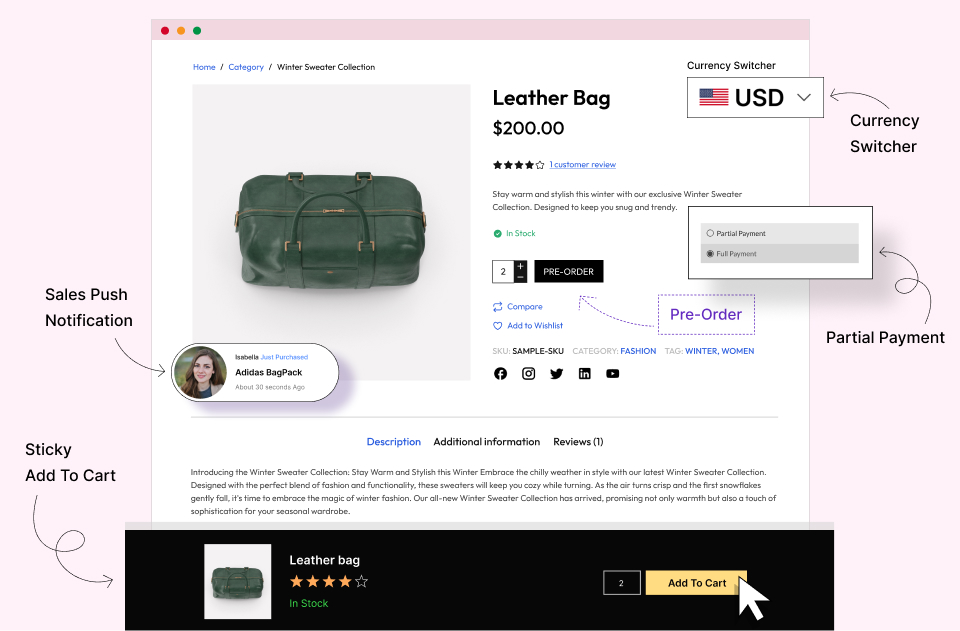
✨ Partial Payments: Split product prices into two parts and let shoppers book products with a deposit amount.
✨ Currency Switcher: Let customers pay with their local currencies.
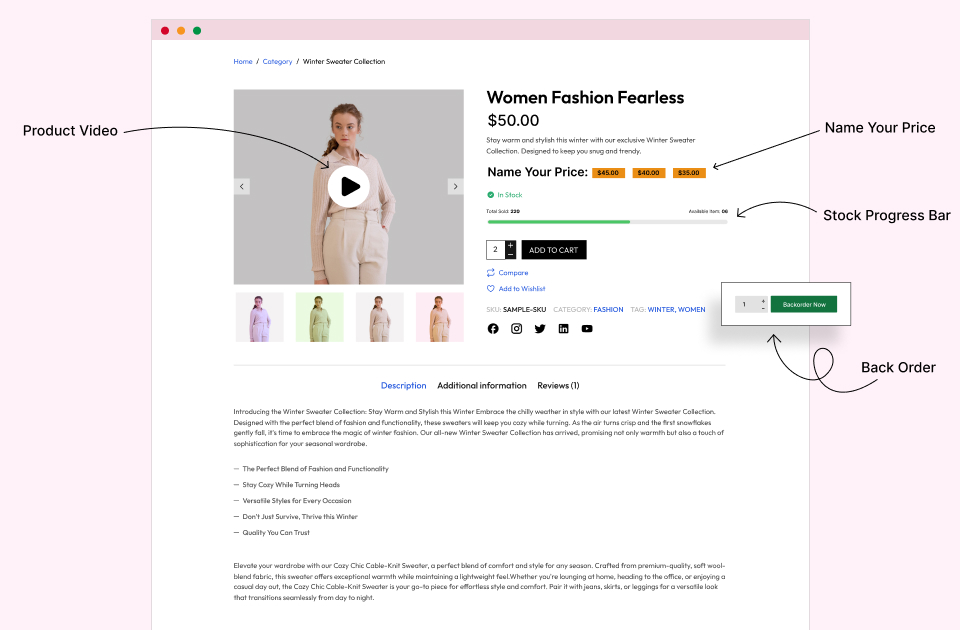
✨ Stock Progress Bar: Visually highlight the total and remaining quantity of products.
✨ Sticky Add to Cart: Keep the Add to Cart button sticky while scrolling the product pages.
Pro options in the free features
✨ Call for Price: WhatsApp, Email and custom link buttons
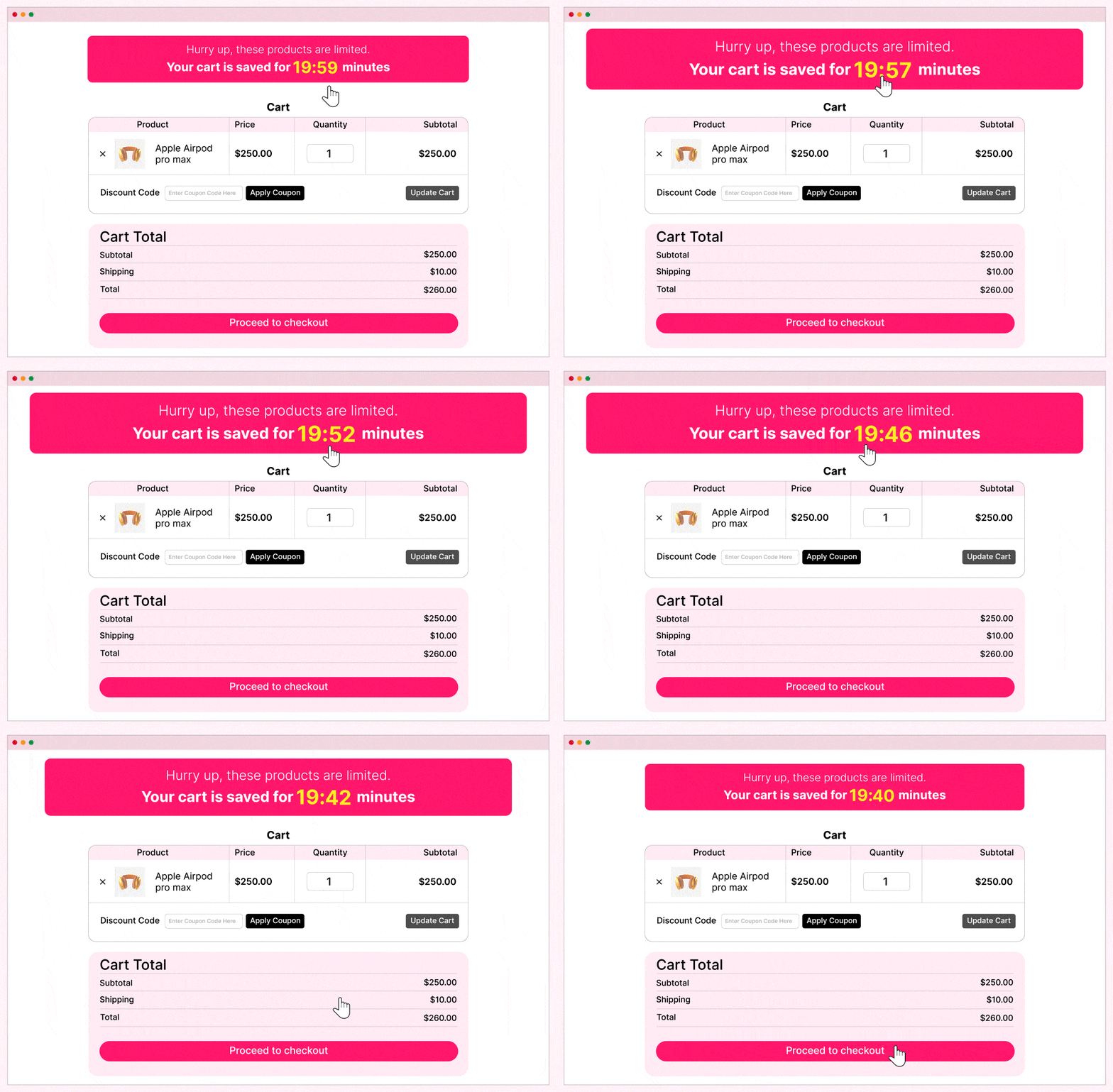
✨ Cart Reserved Timer: clear the cart when the timer expires
✨ Wishlist: require login, and empty the wishlist after adding to the cart
✨ Size Chart: product tab, chart image and choosing the products a chart applies to
✨ Variation Swatches: variation image swatches
✨ Product Video: videos on archive pages, autoplay, repeat and play on hover
✨ Backorder: available date and availability message
✨ Pre-Order: release date, auto convert, custom price, countdown, availability message and pre-order for variations
✨ Advanced product query: the extra Order By choices “Popular By Sales”, “Popular By View” and “Top Rated”, extra time periods for Most Viewed and Random (such as Last 24hr and 90 Days), stock status filter, author include/exclude and multi-taxonomy queries. Free already includes picking specific products with Include Products, Exclude Product, Most Sales (last 24hr, 7 days, 1 month, 3 months and all time), Top Rated, Most Rated, Most Viewed (all time), Random (7 days, 30 days and all time), related-product sorting, and the Order By choices Menu Order, Date, Title, Price, SKU, Random, Last Modified Date and Stock Status.
✨ Extra layouts for the Product Category 2 and Archive Title blocks, and the Product Slider title hover effects
✨ Template library: additional Pro starter packs, templates and patterns (shown in the library with a Pro badge, see “Pro designs in the library” below)
The Ultimate WooCommerce Builder for Gutenberg
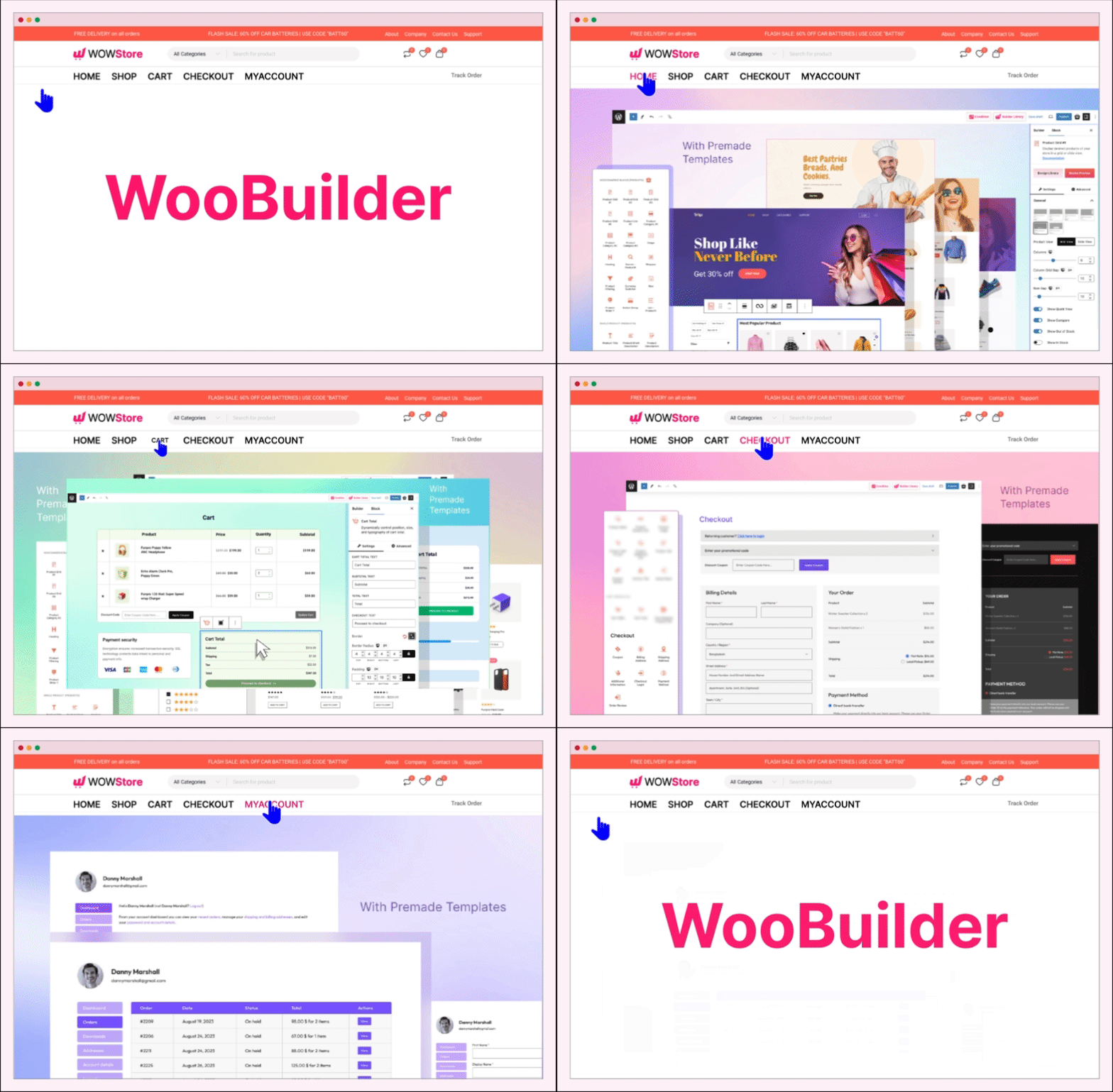
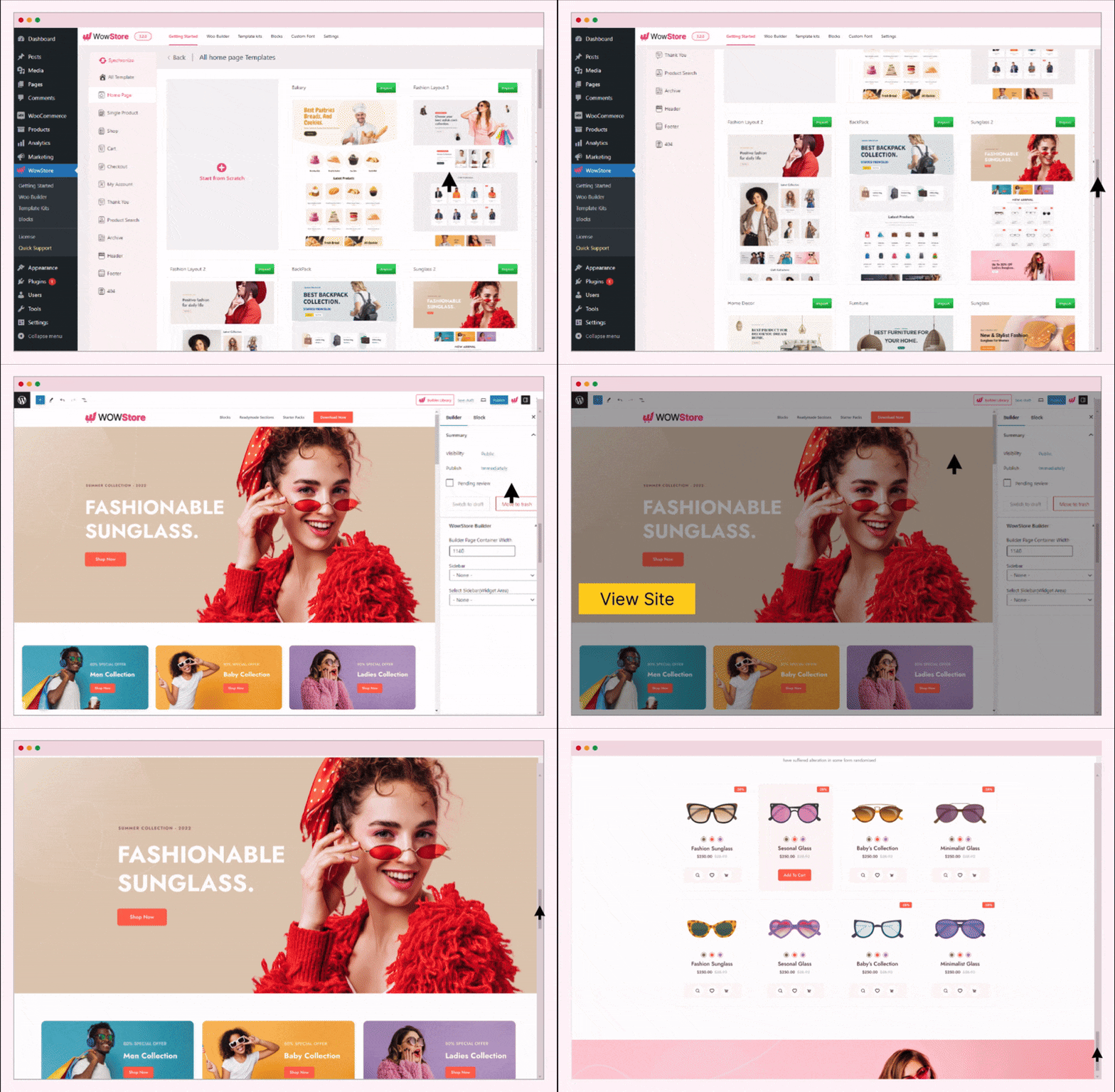
WowStore helps you build store pages without leaving the Gutenberg ecosystem. It also comes with professionally designed templates for:
✔ Home Page
✔ Shop Page
✔ Product Archive Pages
✔ Product Category Pages
✔ Single Product Page
✔ Product Search Pages
✔ Cart Page
✔ Checkout Page
✔ My Account Page
✔ Thank You Page
✔ 404 Page
✔ And, Headers & Footers
Shopping Experience
After having a good-looking eCommerce website, the next step is to ensure a better shopping experience for the customers. And, WowStore has the right features for that.
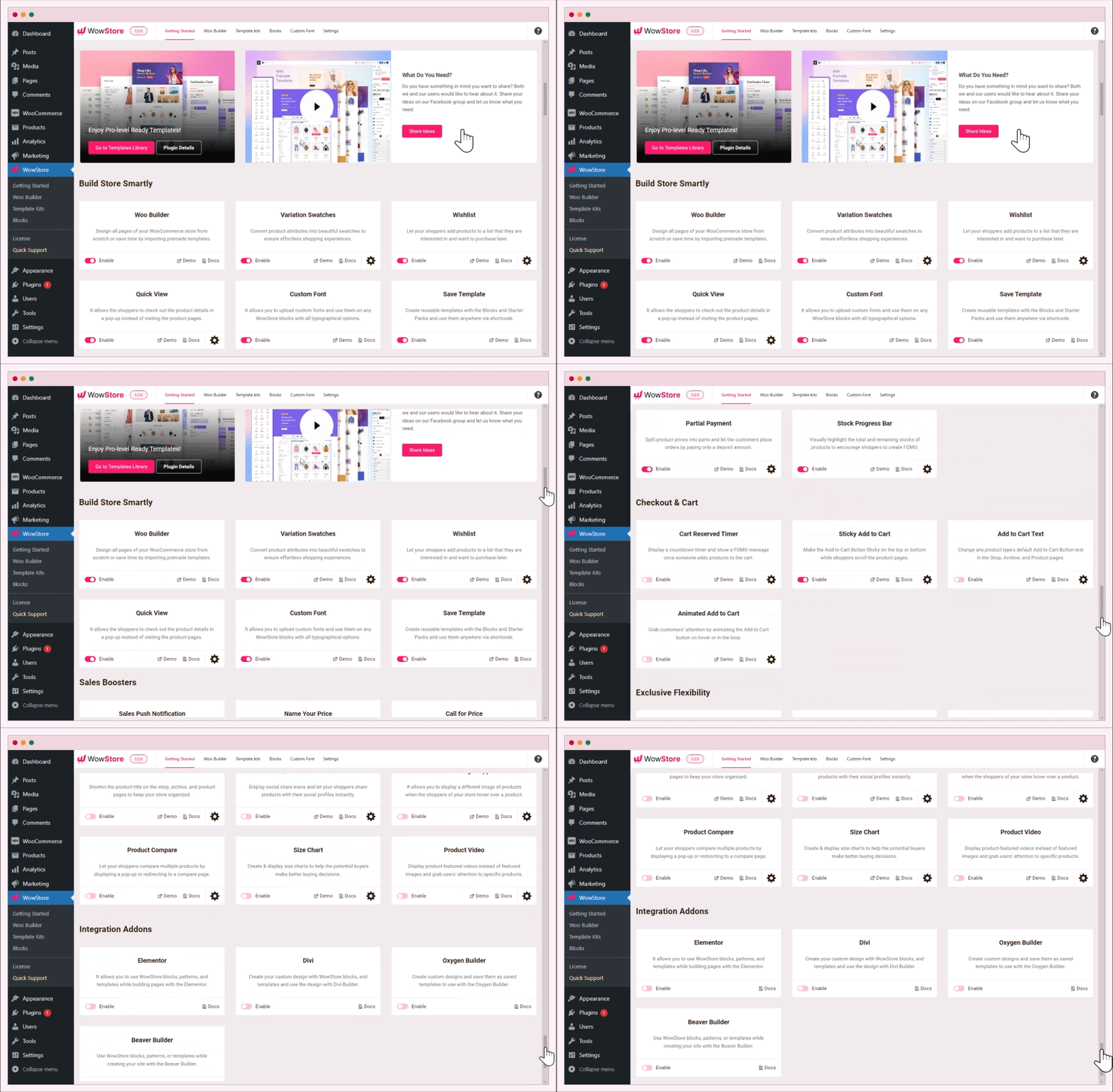
Variation Swatches: Convert product variations to variation swatches to help shoppers select the right colors.
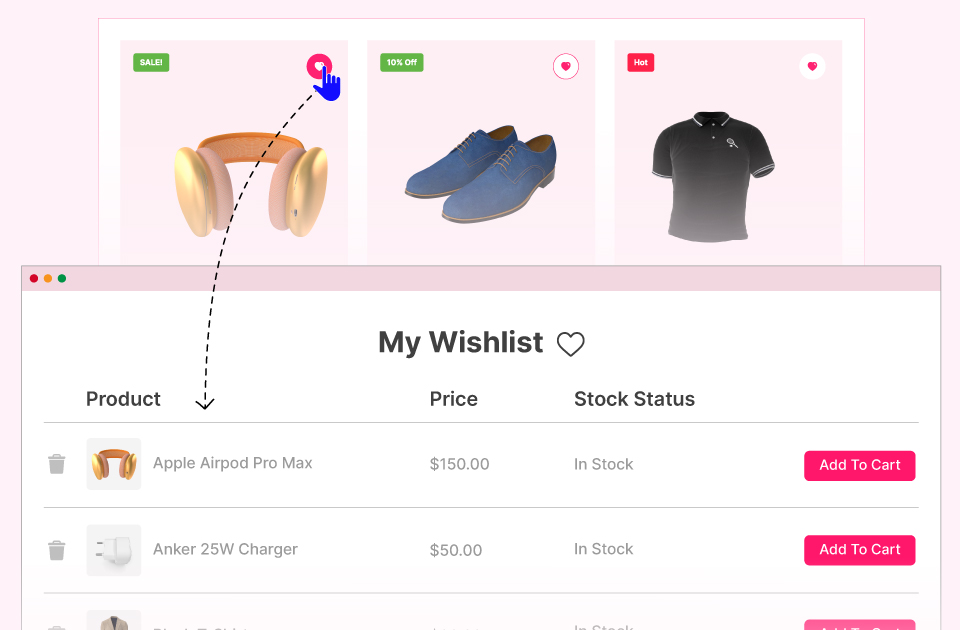
Wishlist: Let the potential buyers create a wishlist of interested products. So they can decide later whether they want to buy them or not.
Quick View: It helps customers to instantly view the product details in a pop-up without visiting the specific product pages.
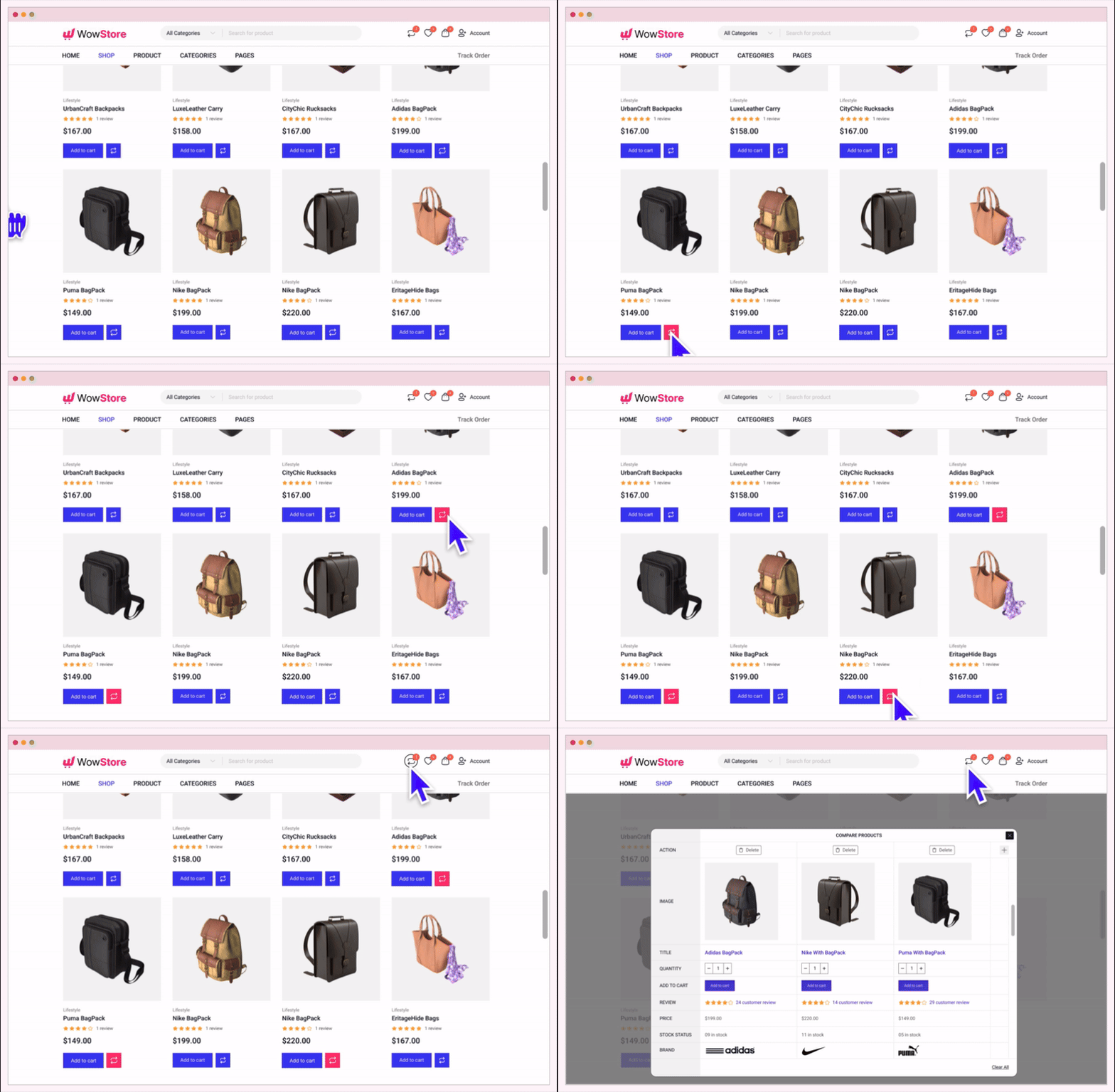
Compare: Help customers make the buying decisions faster by letting them compare multiple products side by side.
Product Video: Replace featured images with product videos. The videos can be played upon clicking.
Size Chart: Create and add Size Charts to product pages. So the shoppers will be able to choose the right sizes.
Boost Your Sales
WowStore has multiple effective features to increase sales. Explore and implement them all to see major improvements in your sales!
Pre-Order: Showcase upcoming products in your store with a pre-release message, and let shoppers pre-order them within the quantity you make available.
Backorder: Enable backorder to keep taking orders for the products that are currently not available in stock but will be available soon.
Call for Price: Hide product prices and the Add to Cart button with a “Call for Price” button. It encourages shoppers to call you to know the prices.
Increase Conversion
Getting customers to your WooCommerce store is challenging and not being able to convert them is frustrating. Don’t worry, WowStore WooCommerce Builder has multiple features that help you to ensure better conversion rates.
Name Your Price: Empower your shoppers to purchase products with their desired price. You can add some suggested prices with minimum and maximum price restrictions.
Animated Add to Cart: Animate the Add to Cart buttons to encourage shoppers to buy sooner rather than later.
Add to Cart Button Text: Replace the text of the Add to Cart buttons effortlessly. You can add your desired text for all types of products including Simple, Variable, Grouped, and External products.
Sales Push Notification: Highlight recently purchased products in a notification popup, with an option to show or hide the buyer’s name, to give your store’s visitors confidence to place orders.
Reduce Cart Abandonment
WowStore also has solutions to reduce Cart Abandonment rates. Check out the features below:
Smart Cart Page: WowStore’s WooCommerce Builder gives you the control to make cart pages from scratch to ensure the process is simpler for the shoppers.
Cart Reserved Timer: It allows you to display a countdown timer and a FOMO message. So you can create an urgency among the customers to complete the buying process faster.
Increase Average Order Value
Increasing the average value can help you to increase revenue with the same number of sales that you usually get. WowStore has the right features for that as well.
Upsell Products: Showcase higher price alternatives as related products. Shoppers may choose a pricier alternative, which earns you more per sale.
Cross Selling: Displaying related supplementary products to the cart pages increases the chances of cross-selling.
Free Shipping Progress Bar: If you are offering free shipping based on purchase amount try adding the progress bar to the cart page. It highlights how much the customers need to spend to enjoy free shipping.
Other Wow Plugins by WPXPO
We are glad that you are considering WowStore. Please have a look at our other plugins that can also improve your WordPress and WooCommerce sites.
📄 WowInvoice 🔥: A powerful PDF invoices & packing slips plugin for WooCommerce that helps you automate essential order documents with ease.
🚚 WowShipping 🔥: An all-in-one table rate shipping plugin for WooCommerce, featuring 30+ shipping rates and seamless integrations with popular carriers including UPS, USPS, DHL, Sendle, and more.
➕ WowAddons 🔥: Start selling highly customizable products with 25+ extra product options, addons, and custom fields, helping you increase order value while making your customer happy.
💲 WowRevenue: The all-in-one revenue-boosting plugin with various features like WooCommerce product bundles, mix-and-match product bundles, and more.
📦 WholesaleX: The ultimate dynamic pricing and discount solution with additional features to manage both B2B and B2C customers in the same store.
🧲 WowOptin: The most advanced and futuristic Optin plugin that helps to collect leads, increase sales, boost conversions, and reduce abandoned carts.
📃 PostX: WordPress plugin to create complete News, Magazine, and Blogging sites. It helps you make your site ready in just three simple steps.
Author
Developed by WPXPO. Contribute to Gutenberg WooCommerce Blocks on Bitbucket and join the party.
Plugin Source
The plugin source code and build tools are publicly available. Contributions are welcome. Source Code
External services
WowStore uses these external services, including services operated by WPXPO. Browser requests expose IP address, browser details, and potentially referrer and service cookies; server requests expose the server IP and normal HTTP details.
Free library content requires no WPXPO account. Pro library content requires the separate licensed WowStore Pro plugin. Public fonts and avatars require no provider account. Video and social services may require an account depending on the content or action. Configure external media and fonts only if you accept the provider’s terms and privacy policy; use locally hosted media and system fonts to avoid those provider requests.
- WPXPO template and design library: Provides remote catalogs, preview images, and selected block content for Template Kits and editor template libraries. Opening a library loads catalogs and previews before you click Import. Catalogs are cached locally for 5 days; a missing or expired cache triggers requests to https://wopb.wpxpo.com/wp-json/restapi/v2/wopbdata. Synchronize explicitly refreshes the catalogs. Free activation, Add-ons, and Overview do not load this service.
Catalog requests send the catalog type (design, premade, or template). Selected imports send the content ID to https://wopb.wpxpo.com/wp-json/restapi/v2/ endpoints, plus a license key when supplied by the separate Pro plugin. Server requests expose the server IP address; WordPress’s default HTTP User-Agent also includes the WordPress version and site URL. Free catalog requests do not send administrator names or email addresses, customer data, or orders.
Displaying a preview contacts the image host listed by the catalog, even when the catalog is cached and no import is selected. Those browser requests expose the administrator’s IP address and browser details, and may include a referrer or service cookies depending on browser policy. To avoid these library requests, do not open Template Kits or editor template libraries, synchronize catalogs, or import remote designs. Terms | Privacy Policy
-
Gravatar (Automattic): Off by default. WowStore’s My Account and Archive Title (author archive) blocks load Gravatar avatars only when you turn on “Load Gravatar Avatars” in WowStore > Settings > General Settings and Settings > Discussion > Show Avatars is on; otherwise they show a local placeholder, or no avatar when Show Avatars is off. When enabled, each displayed avatar makes the visitor’s browser request an image from gravatar.com, sending an MD5 or SHA-256 hash of the user’s email address (not the plain address), the image size and default-image settings, and the visitor’s IP address. Avatars from another local avatar provider are not affected. Terms | Privacy Policy
-
Google Fonts (optional, off by default): Enable Google Fonts in WowStore > Settings > General Settings to allow selected fonts to load from fonts.googleapis.com and fonts.gstatic.com in editor previews and on your site. Requests send the visitor’s IP address, font families and styles to Google, without customer account or order data. Saved and imported designs do not enable this service. Turn the setting off and save to stop WowStore generating Google Fonts imports; reload open editors after changing it. System fonts and uploaded custom fonts remain available without this service. Terms | Privacy Policy
-
YouTube (Google): Displays tutorials and configured video embeds from youtube.com when the player is rendered. The Overview tutorial opens its video on youtube.com in a new browser tab only after you click its video card; no YouTube player is embedded in the dashboard. For a Product Video add-on URL, WordPress also requests embed code from YouTube on your server when the product media renders. The add-on does not cache that embed response itself. Requests include the video URL or ID and player settings; YouTube may use cookies and process playback interactions. Terms | Privacy Policy
-
Vimeo: Displays Product Video add-on embeds and editor video previews from player.vimeo.com when the player is rendered. For a Vimeo URL, WordPress also requests embed code from vimeo.com on your server when the product media renders. The add-on does not cache that embed response itself. Requests include the video URL or ID and player settings; Vimeo may use cookies and process playback interactions. Terms | Privacy Policy
-
Other configured video and media hosts: Product Video passes the merchant’s configured URL to WordPress oEmbed, which may contact another supported provider or the URL’s discovered embed endpoint to request player HTML. If no embed is available, the visitor’s browser loads the configured MP4 URL; a configured remote fallback image also contacts its image host. These requests occur when the product media renders and can expose the configured URL, server or visitor IP address, browser details, and referrer to that host. Hosting files on your own site avoids a separate media provider. Provider availability follows your WordPress configuration; review the chosen host’s Terms and Privacy Policy before configuring its URL. WordPress embed providers
Social Share links contact the chosen service only when clicked, sending the product/page URL to open its sharing interface. No social tracking SDK is loaded and displaying links does not submit messages or posts.
- Facebook and Messenger (Meta): facebook.com sharing and Messenger send dialogs. Messenger also receives a fixed Facebook application ID built into WowStore (not configurable), and the page URL as the redirect URL. Terms | Privacy Policy.
- X (Twitter): twitter.com sharing URL; Terms | Privacy Policy.
- LinkedIn: linkedin.com; Terms | Privacy Policy.
- Pinterest: pinterest.com; Terms | Privacy Policy.
- Reddit: reddit.com; Terms | Privacy Policy.
- WhatsApp (Meta): api.whatsapp.com; Terms | Privacy Policy.
-
Skype (Microsoft): the legacy web.skype.com sharing link sends the page URL when opened. Call for Price can also hand a configured Skype identifier to an installed application using a skype: link. Availability depends on Microsoft’s current service support; Terms | Privacy Policy.
-
Telephone: Call for Price links open the visitor’s chosen app with the configured number. WowStore does not place calls itself.
-
Email sharing: A mailto: share link opens the visitor’s chosen email app with the product/page URL. WowStore does not send the email itself.
Pro designs in the library
The WowStore template library is a content catalog that WPXPO hosts and updates remotely (see External services). Some of its designs belong to the separate WowStore Pro plugin. WowStore shows them next to the others with a “Pro” badge and a link to the WowStore Pro page, so you can see what the paid plugin adds. This is a preview for promotion only.
- Nothing …
Installation
Minimum Requirements
- WordPress 6.8 or greater
- PHP version 7.4 or greater
- MySQL version 5.6 or greater
Automatic installation
Automatic installation is the easiest option as WordPress handles the file transfers itself and you don’t even need to leave your web browser.
- Go to your WordPress Plugin installation menu (Dashboard > Plugins > Add New)
- In the search field type “WowStore” and press enter.
- Click “Install Now” and then “Activate”
FAQ
Is WowStore a Gutenberg Blocks plugin?
Yes, but it is a Gutenberg WooCommerce Blocks plugin. It displays the products in a grid, listing, and slider blocks.
Where can I request new features?
You can share your feature request by clicking here, or directly contact us.
Where can I report bugs and contribute to the project?
Bugs can be reported on the WordPress support forum.
Which WordPress version does it need?
WowStore needs WordPress 6.8 or newer, PHP 7.4 or newer and WooCommerce (see Minimum Requirements).
Screenshots
Changelog
4.6.4 – 12 November 2026
- Update: The readme separates the advanced product query options included in Free from the options added by the separate WowStore Pro plugin.
- Fix: Compare button in the shop loop no longer drops the content added by earlier callbacks.
4.6.3 – 10 November 2026
- Update: Redesigned the WowStore dashboard (Overview, Settings, Add-ons, Blocks, Template Kits, Size Chart, Custom Font and Saved Templates) with WordPress components.
- Update: Quick Social Share includes Mail, WhatsApp and Messenger.
- Update: Google Fonts are off by default and load only after you enable them in the settings.
- Update: Gravatar avatars in the My Account and Archive Title blocks are off by default and load only after you enable “Load Gravatar Avatars” in the settings; the blocks also follow the Show Avatars setting in Settings > Discussion.
- Update: Block styles are generated only from structured block settings; stored custom CSS is no longer printed.
- Fix: Backorder add to cart and available quantity on products on backorder.
- Fix: Global settings validation no longer saves invalid CSS values.
- Fix: Sales Notification never shows a guest buyer’s billing name; guest orders show “Someone”.
- Fix: Sales Notification never shows a customer’s login name; the Username option shows the display name, and a nickname or display name equal to the login shows the first name or “Someone”.
- Fix: Security hardening: the editor search only lists posts, pages and products the user can edit, and builder template creation requires permission to create templates.
- Fix: The plugin checks for PHP 7.4 and WordPress 6.8 before loading and shows a notice instead of failing.
- Fix: Replaced PHP 8-only functions so the plugin runs on PHP 7.4.
- Fix: Backorder, Pre-Order and option scripts load only on the screens that use them.
- Update: The dashboard tutorial video opens on YouTube in a new tab instead of an embedded player.
4.6.2 – 02 November 2026
- Fix: Fatal error in the Compare popup when clearing the list or when a compared product can no longer be loaded.
- Fix: Compare table showed the last product’s short description in every column.
4.6.1 – 30 October 2026
- Fix: Security hardening: output escaping across blocks, shortcodes and templates, and nonce and permission checks on WooCommerce product data saves (product video, Name Your Price, Pre-Order, Backorder, Size Chart, Variation Swatches).
- Fix: Security hardening of block CSS saving, preview and inline CSS output, and add-on style settings validation.
- Fix: Checkout Login block used an undefined redirect value.
- Fix: Compare shortcode now keeps the saved “added action”, and the “Additional” column prints again.
- Fix: Product Review and Product Tab blocks keep the comment form working for users who can post unfiltered HTML.
- Fix: Fatal error in pagination when the filter attributes are not an array.
4.6.0 – 22 October 2026
- Update: Product Filter, Product Search, Product Category 3 and Currency Switcher blocks, the Partial Payments, Currency Switcher, Stock Progress Bar and Sticky Add to Cart add-ons, and the advanced options of several add-ons and blocks are now part of WowStore Pro.
- Update: Sales Push Notification shows recently purchased products; the Name setting picks the buyer name shown, or No Name (default).
- Fix: Security hardening of the Social Share output.
4.5.8 – 06 October 2026
- Update: Performance improvements.
4.5.7 – 18 September 2026
- Fix: Temporarily disabled setup wizard redirect on plugin activation.
4.5.6 – 09 September 2026
- Fix: Minor bug fixes and performance improved.
4.5.5 – 30 August 2026
- Fix: Minor bug fixes and performance improved.
4.5.4 – 27 August 2026
- Fix: WordPress 7.1 compatibility issue causing text color visibility problem in the Slider block editor
- Fix: Security improvement in Product Search block to prevent HTML injection in highlighted search results
4.5.3 – 25 August 2026
- Fix: Security hardening for Quick View, Compare and Wishlist to prevent unauthorized access to private, draft, and password protected product data
4.5.2 – 11 August 2026
- Fix: WP Rocket caching plugin compatibility with WordPress blocks
4.5.1 – 03 August 2026
- Fix: Bridge theme slider compatibility
4.5.0 – 28 July 2026
- New: Brand option in the Product Meta block, with label and styling controls in the block editor.
- New: New ‘wopb_filter_max_price’ filter to override the Filter block’s maximum price value.
- Fix: Security improvements in Product Grid and Product List filter tabs
- Fix: Security improvements in Product Filter, Product Search, Pagination and Load More
- Improvement: Refactored code for better maintainability.
4.4.24 – 07 July 2026
- Fix: Loop off now works correctly for self hosted videos
- Fix: Start and End time now works correctly for self hosted videos
- New: Brand option in all grid block
- New: Brand and Category option in List Block
4.4.23 – 02 July 2026
- Fix: Performance Imroved
4.4.22 – 18 June 2026
- Fix: Dashboard banner system updated
4.4.21 – 15 June 2026
- Fix: changelog structure updated
4.4.20 – 15 June 2026
- Fix: Security hardening for REST API setup actions
- Fix: Setup Wizard plugin installation permission validation
4.4.19 – 14 June 2026
- Fix: Setup wizard improved
- Fix: Product grid filter issue
4.4.18 – 11 June 2026
- Fix: Performance Improved
4.4.17 – 8 June 2026
- Fix: WordPress 7 compatibility issue
4.4.16 – 8 June 2026
- Fix: Addition tabs are now compatible with all themes.
- Fix: Last compare product from compare list now removes without fail.
- Fix: Filter tabs now translate and show properly for all languages (e.g. Hebrew, Arabic)
4.4.15 – 19 May 2026
- Fix: Builder dashboard video tutorials added
4.4.14 – 18 May 2026
- Fix: Filter Tabs duplication
- Fix: Filter Tabs more popup now displays correctly
- Fix: Mobile version filter label clicks now work properly
- Fix: Search slug now appears after load correctly from cookies
- Fix: Filters are now consistent across all device types
- Fix: Improved conditions for ajax and non ajax function calls across all product grids and lists
- Fix: Ensured value available on rest api to remove undefined warnings
4.4.13 – 11 May 2026
- Fix: Filter $noAjax Undefined issue fixed
4.4.12 – 6 May 2026
- Fix: Wishlist addons redirection improved
4.4.11 – 27 April 2026
- Fix: Filter & non ajax pagination issues
- Fix: Shop page non ajax pagination 404 issue
4.4.10 – 22 April 2026
- Fix: Button block layout issue
- Fix: Blocks Setting Panel improved
- Fix: Currency switcher block improved
- Fix: Advanced list settings ux improved
- Fix: Image & Product category 3 block attribute issue
- Fix: Mini Cart and WowStore add to cart block sync issue
4.4.9 – 15 April 2026
- Fix: Product Compare Addon translation issue
- Fix: Product Category 3 block image placeholder issue
4.4.8 – 09 April 2026
- Fix: Dashboard Support team issue
4.4.7 – 08 April 2026
- Fix: Product Filter block Sub category double click issue
- Fix: Single Product Free shipping bar hidden issue
4.4.6 – 31 March 2026
- New: Product grid, list block add to cart full width option
4.4.5 – 12 March 2026
- Fix: Dashboard Notice banners design update
4.4.4 – 11 March 2026
- New: Sticky row for header templates
- New: Germanized Support through shortcode
- Fix: Checkout login translation issue
- Fix: Variation swatches dependency issue
- Fix: Filter block Search result forbidden issue
- Fix: Search block product search vulnerability issue
4.4.3 – 25 February 2026
- New: Product tab custom label.
- Fix: Heading style image renamed
4.4.2 – 22 February 2026
- Fix: Name Your Price first variation of a variable product settings saving issue.
- Fix: Single Product template in child product categories condition issue.
4.4.1 – 17 February 2026
- Fix: Product Filter block translation issue
- Fix: Sales push notification addon user name issue
- Fix: WowStore Builder and Spectra CSS conflict
- Fix: Product Gallery block video rendering issue
- Fix: WowStore CSS exclusion option for WP Rocket
- Fix: Pagination nonce conflict with cache plugins
- Fix: Product Slider block title compatibility issue
- Fix: Variation Swatches and Image Flipper addons issue
4.4.0 – 19 January 2026
- Fix: WordPress 6.9 compatibility.
- Fix: license validation improved
- Fix: Pagination background color issue
- Fix: Product short description HTML support
- Update: Sales push notifications support specific pages
4.3.9 – 31 December 2025
- Update: Addons settings visibility improved
4.3.8 – 29 October 2025
- Fix: Product Filter block
- Fix: Neve theme compatibility issue with Product Gallery Block
4.3.7 – 29 October 2025
- Fix: Cart Filter block taxonomy result issue
4.3.6 – 24 September 2025
- Fix: Grid Block content alignment issue
- Fix: Variable product stock status issue
- Fix: Gutenberg Customer Account Block Compatibility issue
4.3.5 – 31 August 2025
- Fix: WowStore builder pagination issue
- Fix: Product Image flipper addon issue
- Fix: Filter Block product sorting result issue
- Fix: WowStore Archive builder query reset issue
- Fix: Dynamic Placeholder text added in Filter Block search field
4.3.4 – 24 August 2025
- Fix: Compare addon issue
- Fix: Builder content broken issue
- Fix: Block overlay background color issue
- Fix: WowRevenue Campaign count query improved
- Fix: Free shipping broken issue in single product
4.3.3 – 13 August 2025
- Fix: Product Compare addon issue
4.3.2 – 10 August 2025
- Fix: Trademark Violation issue
4.3.1 – 5 August 2025
- Fix: WowStore notice updated
4.3.0 – 15 July 2025
- Fix: license page user experience improved
4.2.9 – 1 July 2025
- Fix: Variation Swatches Addon optimized
- Fix: WowStore Block pagination issue on the Search page.
4.2.8 – 18 June 2025
- Fix: Product Block Query issue in Search Page
4.2.7 – 28 May 2025
- Fix: Product Grid block image width issue
- Fix: Partial Payment subtotal price issue
- Fix: Add to Cart button layout issue in Product Quick View
- Fix: Quick View compatibility issue with Product Addon plugin
4.2.6 – 22 April 2025
- Fix: Search Block result duplicate issue
- Fix: Variation Swatches color field issue
- Fix: Dynamic label issue for Product Stock block
- Fix: Product SKU meta issue with Variable product
- Fix: Product Short Description block rendering issue on backend
- Fix: Compatibility issue with Elementor and WowStore Header builder
4.2.5 – 9 April 2025
- Fix: Additional Plugin installation issue
4.2.4 – 25 March 2025
- Fix: WooCommerce plugin installation access control issue
4.2.3 – 16 March 2025
- Fix: RTL support issue
- Fix: Ajax and non ajax Pagination issue
- Fix: Product Slider block add to cart and mini cart sync. issue
4.2.2 – 27 February 2025
- Fix: WowRevenue compatibility issue
4.2.1 – 23 February 2025
- Fix: Product Tab block navigation typography issue
- Fix: Product Tab block information and design visibility control issue
4.2.0 – 30 January 2025
- Fix: Add to cart css issue for Product Grid 2 block
- Fix: Setup Wizard CSS issue
4.1.8 – 29 January 2025
- Fix: Css issue for WowRevenue page
4.1.7 – 29 January 2025
- New: WowRevenue Integration
- Update: First Name showing in Sales Push Notification addons
- Fix: Child taxonomy not showing if parent taxonomy has no product
- Fix: Add to Cart icon not showing on hover in grid
4.1.6 – 20 January 2025
- Update: Search block placeholder dynamic
- Update: Free Shipping Progressbar text dynamic
- Compatibility: Variation Swatches for WooCommerce plugin compatibility with WowStore plugin
- Fix: Category image warning when image not found
- Fix: Search by SKU in Product Filtering and Product Search block
- Fix: Onsale query issue with Wholesalex
- Fix: Short description broken for description limit
- Fix: Single product image not showing in mobile view for specific user
- Fix: Product Slider block broken for short description
4.1.5 – 24 December 2024
- Fix: Quickview CSS issue fix
4.1.4 – 02 December 2024
- Compatibility: Germanized for WooCommerce plugin for compatibility in the Product Slider block
- Update: Buy Now button added to the Add to Cart block in the Single Product builder
- Update: Nofollow can be enabled or disabled for the Add to Cart button in the Product Grid block for SEO purposes
- Update: Username and Nickname options added to the Sales Push Notification
- Fix: Product image warning displayed if no image is found in the Single Product builder
- Fix: Variation dropdown is broken in Quickview for a specific theme
- Fix: Currency Switcher warning displayed if data is not found
- Fix: Product description does not render HTML tags in the Product Grid block
- Fix: Equal content height is not working properly in the Product Grid block
- Fix: Divi header conflict occurring for a specific user
- Fix: CSS for the dimension field type is removed when no value is provided
4.1.3 – 14 November 2024
- Fix: Product Filtering block is not displaying properly on the iPad device
- Fix: Category hide conflict with WholesaleX in Product Filtering block
- Fix: Product image gallery broken issue
- Fix: Checkout field broken for Grevo theme in Checkout Builder
4.1.2 – 10 November 2024
- Update: Video position added to the image gallery on the single product page
- Fix: Quantity input is broken in the Compare table with the Avada theme
- Fix: Header logo appears enlarged for the Flip Image effect
4.1.1 – 05 November 2024
- Update: Plus/Minus control added to the Cart Table block in the Cart Builder
- Update: Product Grid/List block overlay meta(Wishlist, Compare, Quickview) show only on hover option added
- Update: Flip Image no animation option
- Improvement: Product Filtering block query optimize
- Fix: Single Product template conflict with Oxygen builder
- Fix: Product Slider block broken issue with Avada theme
- Fix: Image settings popup not displaying in the Row/Column block
- Fix: “Add to Cart” action is not prevented when the “Login to See Price” option is enabled in WholesaleX
- Fix: Buy Now not working in Quickview
- Fix: Flip Image not working for first product
- Fix: Add To Cart button conflict with Bricks theme
- Fix: Product image preview not working for default image after changing product in Product Image block of the Single Product Builder
- Fix: Banner maker block Shape 2 badge broken issue
4.1.0 – 21 October 2024
- Update: Pagination gap option has been added to the Product Grid/List block
- Update: Category before/after title option has been added to the Product Grid 2 block
- Update: Background color option has been added to the image in the Product Grid block
- Improvement: Single product image compatibility added for the Organic Food theme
- Fix: Compare and Wishlist buttons aligned on the same line in Quickview popup.
- Fix: Translation issue in Compare and Product Filtering blocks.
- Fix: Deprecated issue in Quickview.
- Fix: PHP warning issue related to enabling Quickview on mobile in Forum.
- Fix: Pagination dots appearing in the wrong place in the Product Grid/List block.
- Fix: Click actions not working in the Product Grid block after a filter is applied via the Product Filtering block on iPhone.
- Fix: Currency Switcher input value now prevents negative values.
- Fix: Padding for navigation items not working in the Product Tab block of the Single Product builder.
- Fix: Undefined array key issue in Variation Swatches
- Fix: Hide Desktop issue in Row block