

Description
Prosopo Procaptcha is a GDPR-compliant CAPTCHA that stops bots submitting your forms. Most visitors see nothing to solve: Procaptcha only shows a challenge to visitors who look like bots.
Key Features of Procaptcha
- Private & GDPR Friendly – No cookies and no tracking.
- Invisible by default – Most visitors see nothing to solve. Visitors who look like bots get a Proof of Work, image or jigsaw puzzle challenge. On paid plans you can pick a single challenge type in the Prosopo portal.
- Drop-in replacement – Replaces reCAPTCHA and hCaptcha, and takes a few minutes to set up.
- Free tier – 10,000 requests a month free. See pricing for higher limits.
- Honeypot and abusive networks – A hidden honeypot trap and blocking of known abusive networks are included on the free plan.
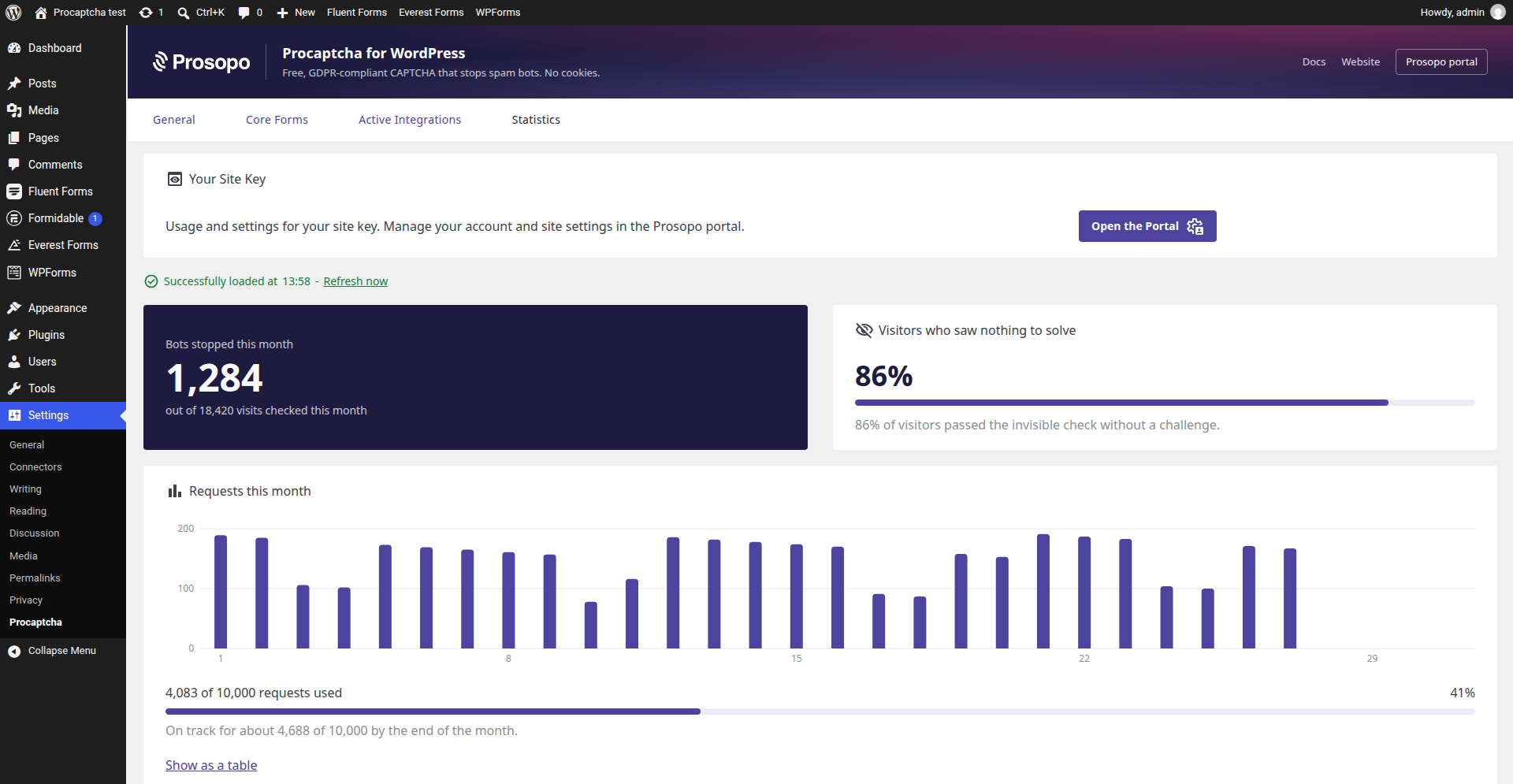
- Statistics – See your monthly captcha counts and traffic without leaving WordPress.
Why Use Procaptcha in WordPress?
- Official WordPress Plugin – Built and maintained by Prosopo.
- Multiple Built-In Integrations – Protects the WordPress core forms and 21 form plugins, page builders and themes. The full list is below.
- Multilingual – Translated into German (DE), Spanish (ES), French (FR), Italian (IT), and Portuguese (PT).
- Documentation – Plugin documentation is available to help you get the most out of the plugin.
Getting Started
- Sign up for a free Prosopo account and copy your Site Key and Secret Key from the Prosopo portal.
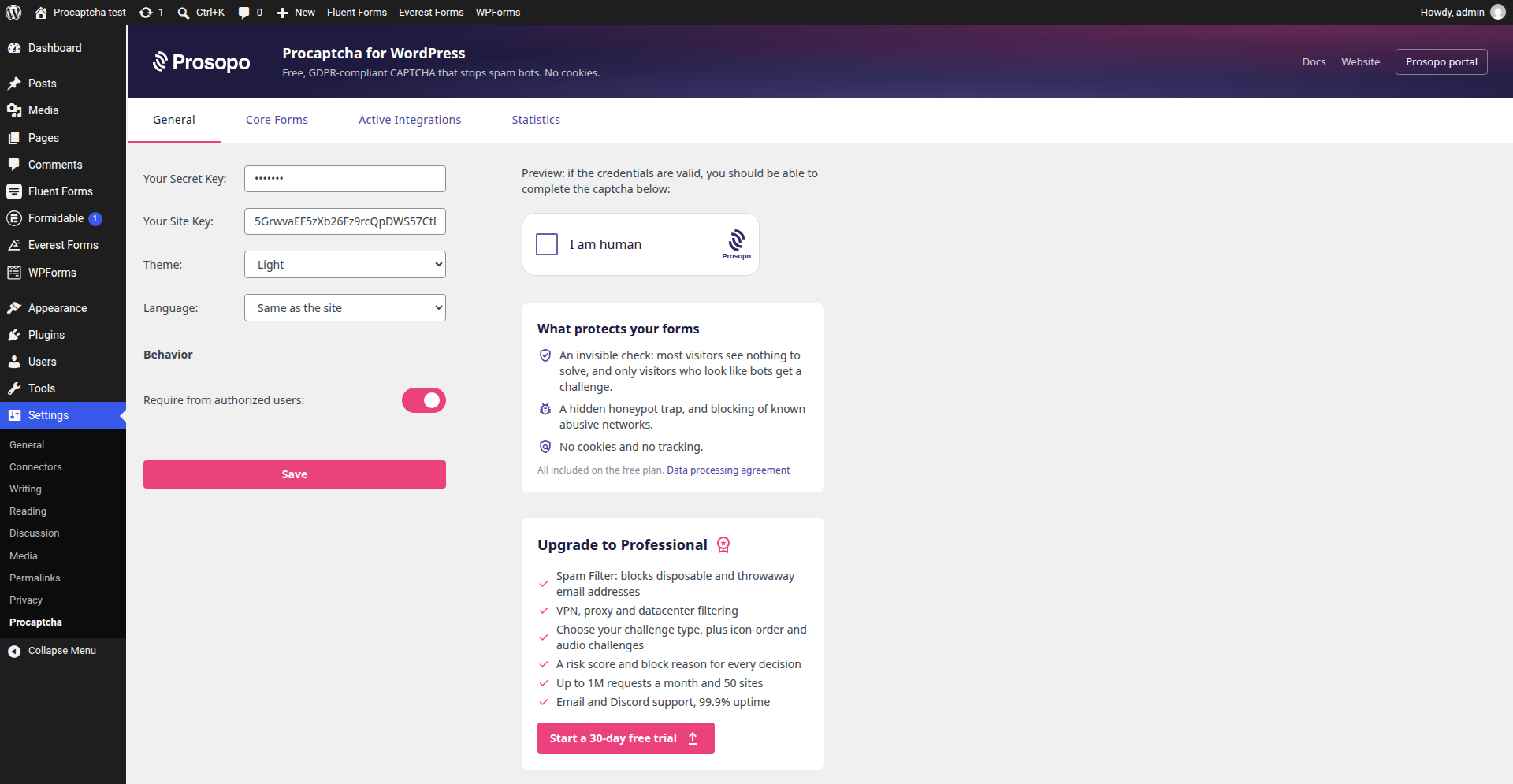
- In WordPress, go to Settings -> Procaptcha and paste both keys.
- Turn on protection for the forms you want, using the steps for each plugin below.
Third-Party Service Notice
For proper functionality, the plugin loads the Prosopo Procaptcha JavaScript on your chosen forms to display the CAPTCHA on the client side.
Upon form submission, the plugin communicates with the Prosopo Procaptcha API server-side to verify the CAPTCHA response.
The plugin’s settings and statistics pages request your account details and usage figures from the Prosopo Procaptcha API (api.prosopo.io), using the keys you entered.
Please review the Prosopo Privacy Policy and Terms and Conditions to fully understand data handling practices.
Supported forms
Form Plugins:
- Contact Form 7 – Add the
[prosopo_procaptcha]field to your form. - Everest Forms – Add the
Prosopo Procaptchafield to your form (theAdvanced Fieldsgroup). - Fluent Forms – Add the
Prosopo Procaptchafield to your form (theAdvanced Fieldsgroup). - Formidable Forms – Add the
Prosopo Procaptchafield to your form. - Gravity Forms – Add the
Prosopo Procaptchafield to your form (theAdvanced Fieldsgroup). - Ninja Forms – Add the
Prosopo Procaptchafield to your form (theMiscellaneousgroup). - JetFormBuilder – Open the form settings and pick
Prosopo Procaptchaas theCaptcha Provider. - User Registration – Add the
Prosopo Procaptchafield to your form (theExtra Fieldsgroup). - WP Forms – Add the
Prosopo Procaptchafield to your form (theStandard Fieldsgroup).
WordPress Core Forms:
- Login
- Registration
- Lost Password
- Comments
- Post/Page password protection
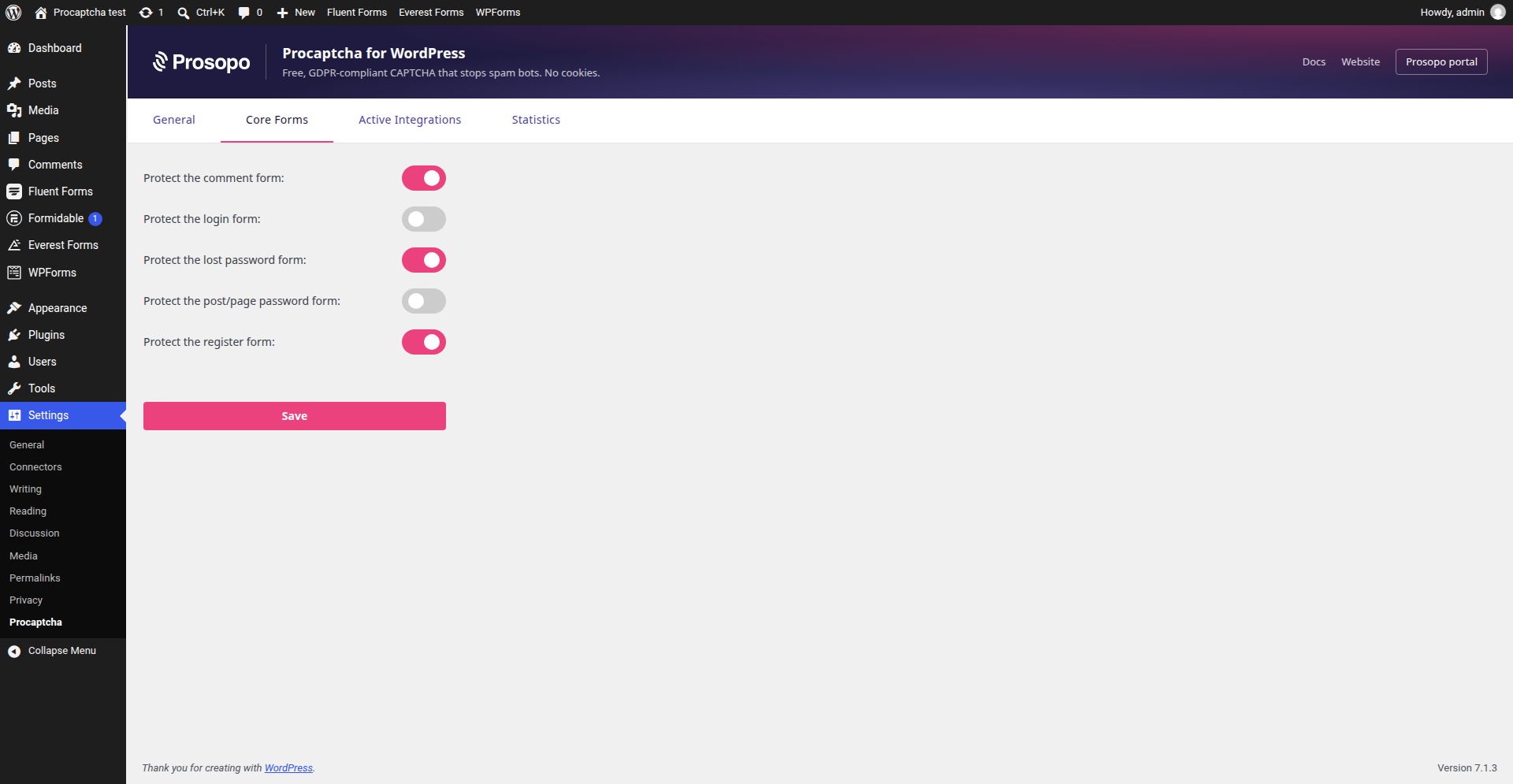
Visit the plugin settings to enable protection for these forms.
Account Plugins:
The Procaptcha plugin is officially compatible with the following plugins, that extend the WordPress account features:
Security:
1. All-In-One Security (Hide backend feature)
2. LWS Hide Login (Hide backend feature)
3. Login With Ajax (AJAXify Login Forms feature)
4. Security Optimizer (Hide backend feature)
5. Solid Security (Hide backend feature)
6. WPS Hide Login
Branding:
1. Branda White Labeling
2. Custom Login
3. Login Customizer
4. Login Designer
5. Login Page Customizer by Colorlib
6. Loginpress
7. Theme My Login
8. Ultimate Dashboard
9. White label
10. YITH Custom Login
Account-related:
1. Simple Membership
2. User Registration
3. Memberpress – Login, Reset password: via Procaptcha plugin settings -> Core forms. Membership register – via on-membership settings
4. LearnDash LMS – Registration form: enabled automatically. Login, Reset password: via Procaptcha plugin settings -> Core forms
Themes:
1. Blocksy – Account modal (Login, Register, Lost password): via Procaptcha plugin settings -> Core forms
2. Astra and Zakra – Account forms: via Procaptcha plugin settings -> Core forms
While only the items above are tested, overall, the Procaptcha plugin supports all the plugins and themes with custom account forms that use the native WordPress account hooks.
Other Integrations:
- BBPress – Account forms from the shortcodes; Forum forms: Open the target forum settings to enable topic and reply forms protection.
- Elementor Pro – Form widgets: use the
Prosopo Procaptchafield. Login widgets: use theProsopo Procaptchacheckbox in theForm Fieldstab (Login must be enabled in the Procaptcha plugin settings->Core forms). - JetPack (Forms) – Gutenberg form block: Add the Group block with the
prosopo_procaptchashortcode inside the target form block. - WooCommerce – My Account forms; Classic Checkout, Blocks Checkout, Order Tracking forms: enable protection in the
WooCommercetab of the plugin settings. - Spectra – Form block: add hidden input with the
prosopo_procaptchaname - Beaver Builder – Contact, Subscribe forms: enabled protection in the target form settings; Login form: Procaptcha plugin settings->Core forms.
- Divi – Contact Form module: enable the built-in
Use Basic Captchaoption of the target module, and Procaptcha replaces the Divi arithmetic captcha; Login module: Procaptcha plugin settings->Core forms. - Bricks (2.0+) – Form element: add a
Hiddenfield with theprosopo_procaptchalabel. - Blocksy – Newsletter subscribe block and shortcode: enabled automatically.
Built-In Integrations:
Some of the plugins have Procaptcha support in its core, so you don’t need this plugin to use Procaptcha with them:
More integrations coming soon!
FAQ
Where is the plugin Docs?
You can access the plugin documentation in the official Prosopo Procaptcha documentation.
My form plugin is missing. Can you add it?
Please start a thread in the support forum. We’ll review your request and consider adding support for your form plugin.
The plugin is not available in my language. Can you translate it?
Please start a thread in the support forum. We’ll review your request and consider adding support for your language.
Can I contribute?
Absolutely! The plugin has a public GitHub repository, and we would be excited to have your contribution 🤝
Screenshots
Changelog
1.24.1 (2026-10-29)
- Fix: the “Visitor IP matching” setting explains that it only has an effect when IP validation is turned on for the site key in the Prosopo portal (Professional plan and above), and its first option is now just “Off”
1.24.0 (2026-10-29)
- Fix: the visitor’s IP address is no longer sent for verification by default. Version 1.23.0 sent the server’s REMOTE_ADDR, which on sites behind Cloudflare or another proxy is the proxy’s address; on sites with IP validation turned on in the Prosopo portal (Professional plan and above) that could reject real visitors. Sending the IP is now the “Visitor IP matching” setting on the General tab, off by default, with a choice of where the IP comes from: Cloudflare, another proxy (X-Forwarded-For) or a direct connection. The
prosopo/procaptcha/visitor_ipfilter now receives the IP from that setting (empty when off) and REMOTE_ADDR - Fix: forms that submit without reloading the page get a fresh captcha after each submission, as a solved captcha can be verified only once. Previously, resubmitting after another field failed validation was rejected. Covers Contact Form 7, WPForms, Fluent Forms, Formidable Forms, Ninja Forms, Elementor Pro, Everest Forms, JetFormBuilder, User Registration, Beaver Builder, WooCommerce checkout and the Blocksy newsletter form
- Fix: User Registration login forms with the “AJAX login” option on now send the captcha token, so logins are no longer rejected
- Fix: Spectra forms send their own captcha token when a page has several Spectra forms, or a Spectra hidden field before the captcha
- Fix: a widget error, such as a failed background request to Prosopo, no longer clears a token the visitor already has from JavaScript-driven forms
- Feature: public JavaScript events –
prosopo-procaptcha:filled(with the token) andprosopo-procaptcha:clearedare dispatched on the widget, and dispatchingprosopo-procaptcha:reseton a form resets its captcha - Feature: failed verifications are written to the debug log when WP_DEBUG is on, with the API’s status and reason, and the new
prosopo/procaptcha/verification_resultaction receives every verification response, including the score
1.23.0 (2026-10-29)
- Fix: when a solved captcha expires, errors or is reset, the token is now cleared from Ninja Forms, WooCommerce block checkout, Beaver Builder and other JavaScript-driven forms, so visitors are asked to solve it again instead of seeing a failed submission
- Fix: pages with several captchas keep each widget’s token in its own form after a reset
- Feature: the visitor’s IP address is sent with the verification request, improving bot detection. Sites behind a proxy can supply the real IP with the new
prosopo/procaptcha/visitor_ipfilter - Fix: a
callbackset through theprosopo/procaptcha/captcha_attributesfilter now runs; previously the plugin’s own callback replaced it
1.22.0 (2026-10-27)
- Feature: settings pages restyled in Prosopo’s colours
- Feature: a “Get your free site key” panel when no keys are set, and a summary of what the free plan protects against
- Feature: widget language setting – match the site’s language (default) or the visitor’s browser
- Feature: statistics show jigsaw puzzle, icon-order and audio challenges, and the site key’s challenge type
- Feature: statistics dashboard – bots stopped this month, the share of visitors with nothing to solve, requests per day with a month-end forecast, and a setup check that warns when solved captchas aren’t being verified by your server
- Feature: traffic analytics link shown on every plan, Free included
- Fix: removed the “Type” setting, which had no effect – the challenge type is set per site key in the Prosopo portal
- Fix: upgrade banner lists what the Professional plan actually adds, and offers the 30-day free trial
- Maintenance: German, Spanish, French, Italian and Portuguese translations completed for every string
- Maintenance: tested with WordPress 7.1
1.21.1 (2026-10-23)
- Maintenance: links from the settings and statistics pages to prosopo.io and the Prosopo portal now carry UTM parameters
1.21.0 (2026-09-01)
- Feature: JetFormBuilder integration – Procaptcha is selectable as a form’s Captcha Provider
- Feature: LearnDash LMS integration – registration, login and password recovery forms
- Feature: Divi integration – Contact Form and Login modules
- Feature: Bricks integration – form element
- Feature: Blocksy integration – newsletter subscribe form
- Maintenance: documented that the Blocksy, Astra and Zakra account forms are covered by the WordPress Core Forms integration
1.20.6 (2026-08-31)
- Maintenance: simplify the statistics page to the monthly captcha counts and the traffic chart
1.20.5 (2026-08-31)
- Feature: show the frictionless score ladder’s image challenge threshold on the statistics page
1.20.4 (2026-08-10)
- Fix: fatal error on load when using Gravity Forms 3.0.2+ (get_field_label signature mismatch)
1.20.3 (2026-01-20)
- Maintenance: compatibility with the latest Procaptcha statistics API
1.20.2 (2025-11-11)
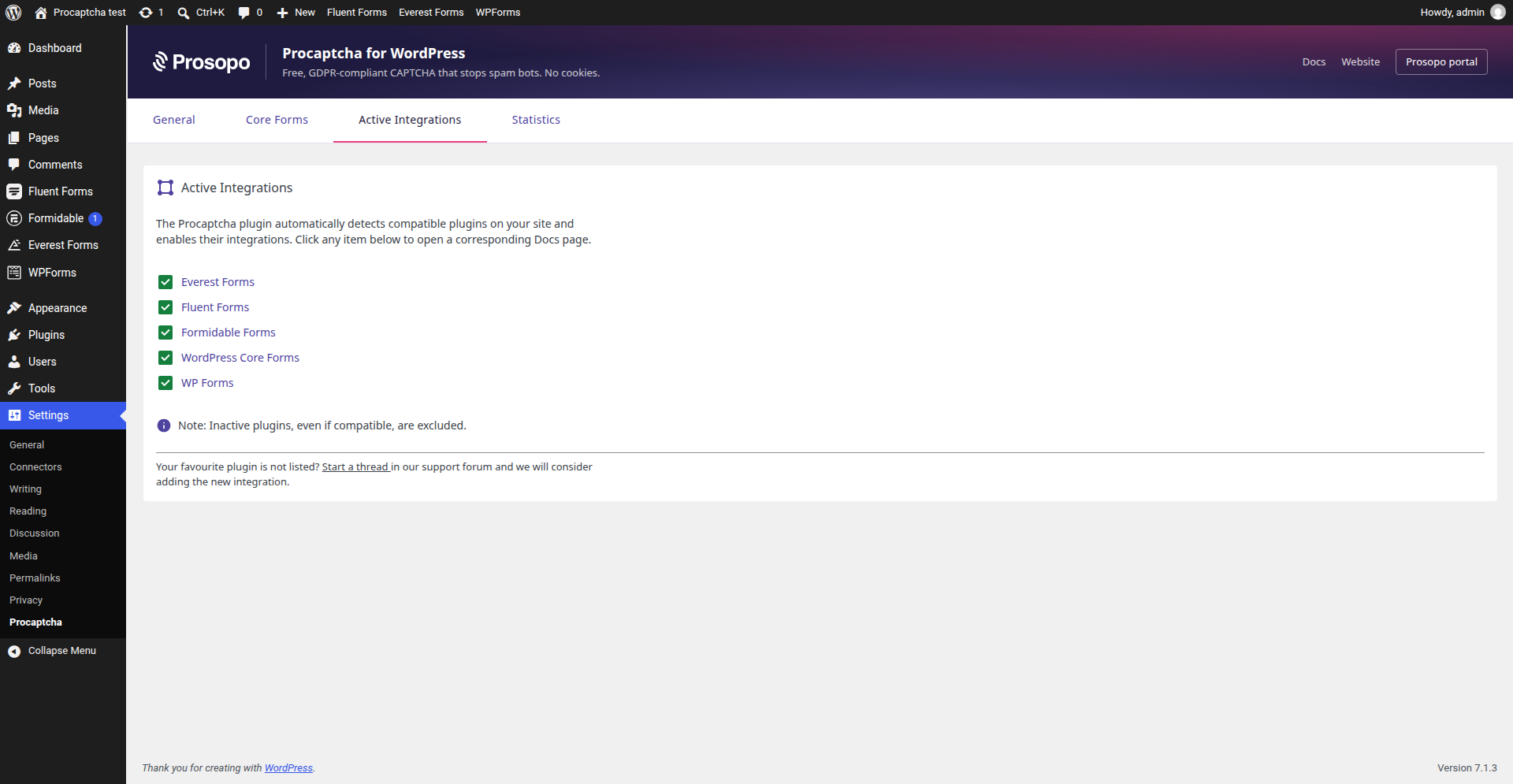
- Feature: new “Active Integrations” admin page
- Maintenance: compatibility with the latest JetPack version
1.20.1 (2025-08-21)
Enhancement: compatibility with the latest WPForms version
1.20.0 (2025-06-03)
Fix: Procaptcha option in the Beaver builder modules
1.19.0 (2025-05-28)
- Memberpress forms integration
1.18.0 (2025-04-24)
- Feature: Beaver builder integration
1.17.0 (2025-04-16)
- Enhancement – WPForms Stripe addon integration
- Maintenance – Compatibility with WordPress 6.8
1.16.0 (2025-04-10)
- Fix – plugin deactivation-related bug
- Enhancement – WooCommerce 9.8 block checkout integration
1.15.0 (2025-03-18)
- Settings page enhancements
1.14.0 (2025-03-13)
- Readme update
1.13.0 (2025-03-11)
- Added support for Spectra
1.12.0 (2025-03-06)
- Updated Statistics page to use the new API
1.11.0 (2025-02-18)
- Updated JetPack integration to support the latest JetPack form changes
1.10.0 (2025-01-16)
- Added support for Simple Membership register, login and reset password forms
1.9.0 (2024-12-10)
- Removed the local Shadow DOM from the widget (in favor of the global one)
- Added support for Elementor Forms and Login widgets
1.8.1 (2024-12-02)
- Introduced Statistics page
1.8.0 (2024-11-25)
- Improved the settings page
- Added support for WooCommerce
1.7.0 (2024-11-13)
- Added support for User Registration plugin
1.6.0 (2024-11-11)
- Added support for Everest Forms
1.5.0 (2024-11-07)
- Added support for Jetpack (forms)
1.4.0 (2024-11-06)
- Wrapped widget into WebComponent with Shadow DOM to prevent style conflicts
- Added ‘require from authorized’ UI setting
- Added support for WPForms
1.3.0 (2024-10-30)
- Added support for bbPress
- Added support for Gravity Forms
1.2.0 (2024-10-24)
- Added support for Formidable Forms
1.1.0 (2024-10-22)
- Added support for Ninja Forms
- Added support for Fluent Forms
1.0.1 (2024-10-16)
- Screenshots and readme updates
1.0.0 (2024-10-16)
- Initial release