

Description
QBitFlow for WooCommerce lets you accept cryptocurrency payments directly in your WooCommerce store. Powered by smart contracts, payments go straight to your wallet — no middleman, no custody risk.
Features
- Non-Custodial — Funds go directly to your wallet via smart contracts
- Multiple Cryptocurrencies — ETH, SOL, USDC, USDT, and more
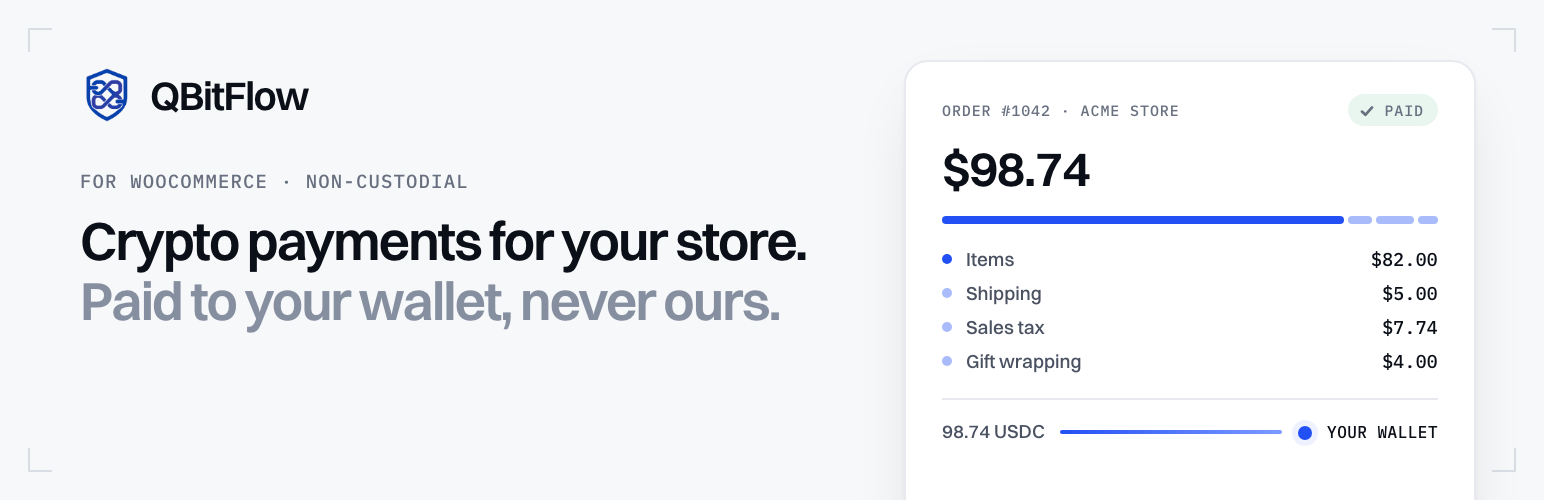
- Itemized checkout — Taxes, shipping and fees appear as separate lines on the QBitFlow checkout, adding up exactly to your order total
- Processing fee, your choice — “Use my QBitFlow setting”, “Customer pays” (a last line on the QBitFlow checkout, so you receive the full order total) or “Store pays”; members follow their organization
- One-click webhook — “Connect webhook” registers your store with QBitFlow and keeps the signing secret; deliveries are verified locally
- Orders that settle themselves — Webhooks, the return page and a background check every 15 minutes all confirm payments, so an order never stays pending because one notification was missed
- One checkout per order — Going back, double-clicking or retrying reuses the same QBitFlow checkout; a changed cart replaces it; a payment can never be collected twice for one order
- Refunds, recorded automatically — Approve or send refunds in the QBitFlow dashboard; the plugin records them in WooCommerce (full or partial) from QBitFlow’s webhooks and lists pending requests
- Accepted coins at checkout — Customers see which coins your wallets accept, right under the payment method (classic and block checkout)
- Failed payment attempts on the order — A declined or mismatching attempt is noted on the order, with its reason, while the customer can still retry
- Crypto column and QBitFlow filter — The orders list shows the coin, the transaction and the payment state of each order, and filters orders awaiting payment or with a refund request
- Accounting export — Download every payment, refund and fee of your QBitFlow account as CSV or JSON, for any range of days (long ranges are fetched in pieces)
- WP-CLI —
wp qbitflow status,connect-webhook,reconcile,exportandsettings - Member keys — Keys of a QBitFlow member space work too; what the organization reserves is shown read-only
- Connection status at a glance — Your QBitFlow account, test or live mode, accepted currencies, webhook health and PHP security in the settings
- Block Checkout Support — Works with both classic and block-based checkout
- HPOS compatible — Works with High-Performance Order Storage
- Test Mode — Try the full payment flow without spending any real cryptocurrency
- Debug Logging — Built-in logging for troubleshooting
How It Works
- Customer selects “Pay with Crypto” at checkout
- Customer is redirected to QBitFlow’s secure payment page, which already knows their details
- Customer pays with their preferred cryptocurrency
- Payment is confirmed on-chain and the order is updated automatically
- Customer receives an invoice with the transaction details
Test Mode — Try Before Going Live
QBitFlow provides a test mode that lets you simulate the entire payment flow — checkout, on-chain confirmation, webhooks, order updates — without spending any real cryptocurrency.
- Create a Test API Key from your QBitFlow dashboard
- Paste it into the plugin settings at WooCommerce → Settings → Payments → QBitFlow, and click Connect webhook
- Place a test order (test checkouts are capped at $5) — everything works exactly like production, but no real funds are moved
When you’re ready to accept real payments, replace the test key with a Live API Key, save, and click Connect webhook again (test and live have separate webhooks).
For more details, see the QBitFlow Test Mode Documentation.
Learn more
- Accept crypto on WooCommerce — full overview — how the non-custodial checkout works, which chains and tokens your customers can pay with, and pricing.
- Step-by-step setup guide — install the plugin, connect your wallet, and take your first crypto payment.
- QBitFlow documentation — API keys, test mode, webhooks, and full API reference.
Requirements
- WordPress 6.4 or later
- WooCommerce 8.0 or later
- PHP 8.2 or later (a release with the php2shell fixes is strongly recommended: 8.2.35, 8.3.36, 8.4.27, 8.5.12 or later)
- A store priced in US dollars, or a USD exchange rate provided through the
qbitflow_wc_usd_ratefilter - A QBitFlow account (sign up free)
External services
This plugin relies on QBitFlow, a third-party cryptocurrency payment service, to function. QBitFlow processes crypto payments non-custodially (funds go directly to your wallet via smart contracts). Without it, the gateway cannot create payments. The plugin communicates with the QBitFlow API at https://api.qbitflow.app. Every request is authenticated with the QBitFlow API key you enter in the plugin settings.
What data is sent, and when:
- At checkout, when a customer chooses to pay with QBitFlow: the buyer’s email address, first and last name, phone number and billing address (to find or create the matching customer on QBitFlow, identified by a hash of the email), and the order details (product names, amounts with taxes, shipping and fees, the order number and a reference made of a random store id and the order id, and the return addresses of your store) to create the payment session the customer is redirected to.
- When the customer returns to your store, in a background check every 15 minutes for unpaid orders, and when you click “Refresh from QBitFlow”: the order’s QBitFlow checkout id, to read whether it was paid.
- When an order is cancelled: its open checkout id, to close it.
- In the plugin settings: a request identifying your API key’s account and mode, the currencies your wallets accept, your webhook’s status and, for an organization member’s key, whether the organization lets it open checkouts (refreshed at most every 10 minutes); when you click “Connect webhook”, your store’s webhook address and site name, to register it.
- When the checkout shows the accepted coins and they are not cached (at most once an hour, in the background): a request reading the currencies your wallets accept.
- When you download the accounting export (in the plugin settings, or
wp qbitflow export): the date range you chose, to receive your QBitFlow payments, refunds and fees for it. - Every hour: a request listing pending refund requests, to show how many wait for you.
- When the plugin is deleted: a request removing your store’s webhook from QBitFlow.
Webhooks QBitFlow sends to your store are verified locally with the signing secret: nothing is sent back to QBitFlow to verify them. The plugin does not send any data to QBitFlow outside of these actions.
This service is provided by QBitFlow. By using it you agree to their terms and privacy policy:
- Terms of Service: https://qbitflow.app/terms
- Privacy Policy: https://qbitflow.app/privacy
Installation
Automatic (recommended)
- In your WordPress admin, go to Plugins → Add New
- Search for “QBitFlow”
- Click “Install Now”, then “Activate”
- Go to WooCommerce → Settings → Payments → QBitFlow
- Enter your API key from your QBitFlow dashboard, enable the payment method and save
- Click Connect webhook
Manual
- Download the plugin ZIP from this page and upload it via Plugins → Add New → Upload Plugin
(or extract theqbitflow-for-woocommercefolder to/wp-content/plugins/) - Activate the plugin through the ‘Plugins’ menu in WordPress
- Go to WooCommerce → Settings → Payments → QBitFlow
- Enter your API key from your QBitFlow dashboard, enable the payment method and save
- Click Connect webhook
FAQ
Where do I get an API key?
Sign up at qbitflow.app and generate an API key from your dashboard.
Which cryptocurrencies are supported?
ETH, SOL, USDC, USDT, and more. The plugin settings list the currencies your wallets accept; the QBitFlow dashboard has the full list.
Is this custodial?
No. QBitFlow is fully non-custodial. Payments go directly to your wallet via smart contracts.
Does it work with the new block checkout?
Yes. The plugin supports both the classic shortcode checkout and the WooCommerce block-based checkout.
What does “Connect webhook” do?
It registers your store’s webhook address with QBitFlow (for the mode of your API key) and stores the signing secret QBitFlow returns, so payment and refund notifications reach your store and are verified there. If your API key is a member key that isn’t allowed to manage webhooks, create the endpoint in the QBitFlow dashboard with the address shown in the settings and paste its signing secret into “Webhook signing secret”. Even without a webhook, the plugin checks unpaid orders every 15 minutes.
Can I use a member’s API key? What is the “redirect policy”?
Yes. A key of a QBitFlow member space works like the organization’s, with the limits the organization sets (the processing fee shows read-only). If the organization turned off the members.checkoutRedirects policy, QBitFlow refuses checkouts that carry return addresses: the plugin then retries once without them (the customer pays, and the order is completed by the webhook or the 15-minute check, but is not sent back to your store automatically), remembers it for an hour and shows a notice in the admin. Ask the organization to turn the policy back on to bring the customer back to your store after payment.
Where do I change refunds, receipt emails and branding?
In your QBitFlow dashboard. Refunds on or off, the refund window, customer receipt emails, webhook failure emails, the processing fee default and branding are settings of your QBitFlow account, shared by every store and integration using it, so they are not edited from WordPress.
My store doesn’t use US dollars.
QBitFlow prices checkouts in USD. For any other store currency, QBitFlow stays hidden at checkout until a USD exchange rate is provided with the qbitflow_wc_usd_rate filter (from a multi-currency plugin or your own code), so a customer is never charged the wrong amount:
add_filter( 'qbitflow_wc_usd_rate', function ( $rate, $currency ) { return 'EUR' === $currency ? 1.08 : $rate; }, 10, 2 );
Who pays the processing fee?
You choose in the settings (Processing fee). Use my QBitFlow setting (default) follows the processing fee default set in your QBitFlow dashboard: the plugin sends no choice and QBitFlow applies it (the fee then shows on the QBitFlow checkout only). Customer pays adds QBitFlow’s fee as a last line on the QBitFlow checkout, so you receive the full order total; the customer pays slightly more than the order total and the fee is recorded on the order. Store pays takes the fee from what you receive. A member key always follows its organization.
Can I get my accounting data out?
Yes: Accounting export in the settings (CSV or JSON, any range of days, in UTC), or wp qbitflow export --from=2026-01-01 --to=2026-01-31 --output=jan.csv. It covers your whole QBitFlow account (or your member space), not only this store’s orders.
How are refunds handled?
Refunds are sent from the QBitFlow dashboard, where your wallet signs them: customers request one from their payment page and you approve or reject it, or you send one yourself. The plugin records each approved refund in WooCommerce automatically (a partial refund for its share), notes requests and rejections on the order, and shows how many requests wait for you. WooCommerce’s own “Refund via QBitFlow” button isn’t offered, since crypto refunds can’t be sent from WooCommerce.
Can I test the plugin without real payments?
Yes! Create a Test API Key from your QBitFlow dashboard and use it in the plugin settings. You can simulate the entire payment flow without spending any cryptocurrency (test checkouts are capped at $5). See the Test Mode Documentation for details.
What happens if I forget to switch from test to live mode?
Test API keys will not process real transactions. The settings show a Test/Live badge for your key; replace your test key with a live key (and connect the webhook again) before launching your store.
I’m upgrading from 1.x. What do I need to do?
- Create a new API key in the QBitFlow dashboard (2.0 uses the new key format,
sk_live_…orsk_test_…; the old format is refused by the API) and paste it in the settings. - Click Connect webhook (a notice reminds you): 2.0 verifies webhooks with a signing secret, so the webhook you registered by hand for 1.x no longer applies, and you can delete it from the QBitFlow dashboard.
Your other settings and your order history are kept; a 1.x “customer pays the fee” setting becomes “Customer pays”. 2.0 requires PHP 8.2 or later.
The settings say my PHP is vulnerable to php2shell.
CVE-2026-109618 and CVE-2026-109619 are flaws in PHP itself, fixed in PHP 8.2.35, 8.3.36, 8.4.27 and 8.5.12. Only upgrading PHP fixes them: ask your host. If your PHP comes from your Linux distribution, it may carry the fixes under an older version number; check its security advisory. Tools → Site Health shows the details.
Screenshots


Changelog
2.0.0
- New QBitFlow API (v2): the plugin now runs on the official QBitFlow PHP SDK (bundled, namespace-prefixed so it never conflicts with other plugins) over the WordPress HTTP API
- Requires PHP 8.2 or later (and WordPress 6.4, WooCommerce 8.0)
- Itemized checkout: taxes, shipping and fees as separate lines on the QBitFlow checkout, always adding up to the order total
- Processing fee setting with three choices: Use my QBitFlow setting (default), Customer pays (a last line on the checkout, recorded on the order) or Store pays; members follow their organization. A 1.x “customer pays” setting becomes “Customer pays”
- Accepted coins shown under the payment method at checkout (never fetched while a customer views the page)
- Failed payment attempts noted on the order
- Orders list: Crypto column and QBitFlow filter (HPOS and posts storage)
- Accounting export from the settings (CSV or JSON, any range of days, whole account) and in WP-CLI
- WP-CLI:
wp qbitflow status,connect-webhook,reconcile,export - New API key format (
sk_live_…,sk_test_…); old keys are called out in the settings - Member keys: the organization’s processing fee choice, a one-time retry without return addresses when the organization turned off
members.checkoutRedirects, and QBitFlow hidden at checkout (with a notice in the settings) while it keeps its members from opening their own checkouts (members.products) - One-click “Connect webhook”: registers the store’s endpoint and keeps its signing secret per mode; webhooks are verified locally (no call back to QBitFlow) and anything that isn’t this store’s is acknowledged, so QBitFlow never disables the endpoint
- Orders settle without webhooks too: the return page and a background check every 15 minutes read the checkout
- One payable checkout per order: reused for the same amounts, replaced when the cart changes, never reused for a changed order while a payment is in flight; idempotent creation
- A failed payment attempt no longer fails the order (the customer can retry until the checkout expires); an expired checkout fails the order so the customer can pay again from their account; cancelling an order closes its checkout
- Orders are only marked paid when QBitFlow received the full amount; otherwise they go on hold with a note
- Refunds are recorded automatically from QBitFlow’s webhooks, including partial refunds; the “Sync refund” button and the per-page refund lookups are gone
- Settings show the connected account, test/live mode, accepted currencies, webhook health, store currency and PHP security
- Fix: stores not priced in USD were charged their total as US dollars; QBitFlow now stays hidden for them unless a USD rate is provided (
qbitflow_wc_usd_rate) - Security: Site Health check for php2shell (CVE-2026-109618, CVE-2026-109619); webhook bodies over 1 MiB are refused before being read
- Customers are identified on QBitFlow by a reference derived from their email (the 1.x email map is removed)
- Uninstall also removes the store’s webhook from QBitFlow and the scheduled checks
1.1.5
- Updating Screenshots
- Ready for publishing
1.1.2
- Settings now show a Test / Live mode badge derived from your API key, plus a plain-language reminder that test keys run on blockchain testnets with faucet funds (no real cryptocurrency spent)
- Settings now display your store’s webhook URL with a reminder to register it in the QBitFlow dashboard (Settings → Webhooks → Test/Live section, matching your API key)
- Documented the QBitFlow external service in a dedicated “External services” section, including what data is sent and when, plus Terms of Service and Privacy Policy links (WordPress.org requirement)
- Hardened refund syncing: the admin order screen is now strictly read-only (no order changes happen on page load). When QBitFlow has settled a refund on-chain that WooCommerce hasn’t recorded yet, a notice with a “Sync refund to WooCommerce” button appears at the top of the order screen. Applying the refund now runs through an explicit, nonce-protected, capability-checked (
edit_shop_orders) action that marks the order Refunded, records the refund tx hash, and adds an order note - Refund status lookups on the order screen are cached briefly to avoid repeated API calls on screen refreshes
1.1.1
- Added the
Requires Plugins: woocommerceheader so WordPress enforces the WooCommerce dependency before activation - The checkout payment method description is now an editable setting (Description field) instead of a hardcoded string
- Distributed ZIP no longer includes directory assets or development-only files (
.wordpress-org, raw screenshots, dev docs); added abuild.sh/.distignorebuild pipeline
1.1.0
- Customer sync — find-or-create on QBitFlow at checkout (
GET /customer/email/{email}first,POST /customeronly when missing) so the QBitFlow checkout never re-prompts the buyer for details WooCommerce already has - Customer identity is now keyed on the order’s billing email (not the WP account), backed by a persistent email → UUID map; the same WP user placing two orders with two different emails resolves to two distinct QBitFlow customers
- Customer billing address is synced to QBitFlow as a single string (street, city, state, postal code, country)
- Refunds end-to-end — admin notice for pending refunds (live, no cache); refund block on the order meta box shows status, reason, merchantMessage, refund tx hash, respondedAt; once approved on-chain the order is auto-marked Refunded with the refund tx hash recorded as an order note
- Refund snapshots persisted on the order once the refund reaches a terminal state (approved/refused/failed); pending refunds keep refetching live
- Updated payment session endpoint to
/transaction/session-checkout/new/payment; fixedcustomerUUIDfield casing - Fixed undefined variable bug in webhook handler for stock reduction
- Fixed potential fatal error when cart is unavailable during REST webhook processing
uninstall.phpcleans up plugin options, the email → UUID map, and the legacy customer-uuid user meta on deletion- Standardised license to GPL-2.0-or-later across LICENSE, plugin header, readme, and README (required for WordPress.org)
- Plugin header
Tested up to: 7.0andWC tested up to: 9.7(in sync with readme) - Added translation template (
languages/qbitflow-for-woocommerce.pot) - Added WordPress.org directory assets (banners, icons, listing screenshots)
- Documented webhook
permission_callbackauth model with inline comment - Plugin Check pass: translators comments on every placeholder, escape-output on the plain-text email branch, refactored webhook order lookup to
meta_query; remaining structural warnings annotated with justifiedphpcs:ignorecomments - Plugin slug renamed to
qbitflow-for-woocommerceto comply with the WordPress.org trademark policy (settings option name and gateway ID unchanged, so existing installs preserve their API key and order history)
1.0.0
- Initial release
- One-time crypto payments via QBitFlow
- Block and classic checkout support
- Automatic customer sync
- Webhook signature verification
- Invoice and management page links
- Admin order meta box with payment details
- Email instructions with transaction details
- Test mode support