


Description
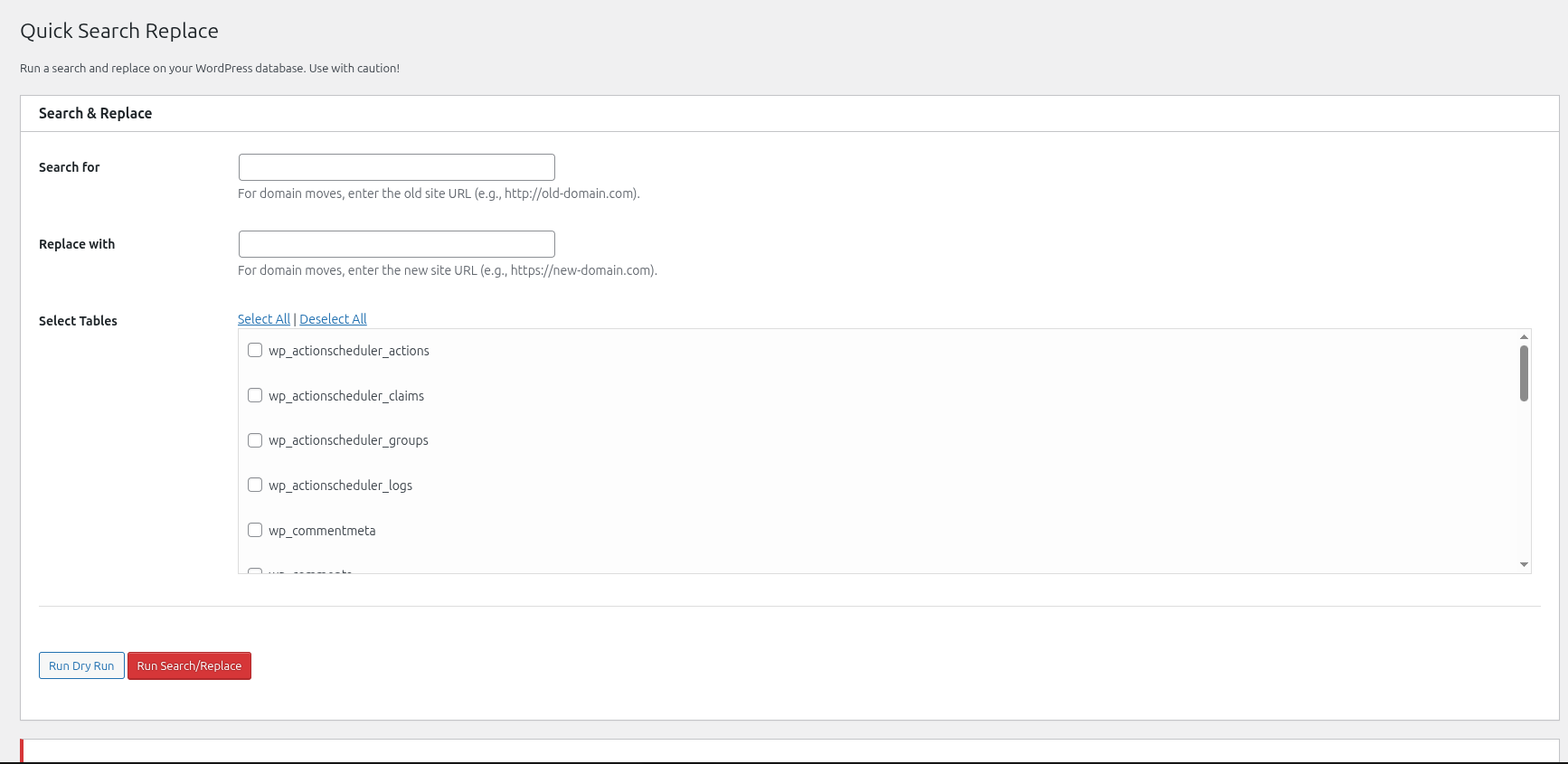
Quick Search Replace provides a fast, modern, and user-friendly interface to run comprehensive search and replace operations on your WordPress database. Designed for site migrations, domain updates, and protocol switches (HTTP to HTTPS), it safely inspects every column of your selected tables.
It correctly handles serialized PHP data and JSON strings, protects composite primary key tables, and automatically flushes permalinks after a migration to prevent 404 errors.
Key Features:
- Modern Admin Interface: Redesigned dashboard with real-time table filtering, row count and table size metrics, and clean status indicators.
- Memory-Safe Chunked Processing: Queries tables in batches to prevent memory exhaustion and execution timeouts on large databases.
- Safe Serialized Data Handling: Automatically detects serialized arrays and objects, recursively substituting values and recalculating byte lengths without corrupting data.
- Dry Run with Visual Diff Preview: Test your search and replace query beforehand with sample before/after change snippets before modifying a single row.
- Smart URL & Domain Matching: Safely handles http/https, www, protocol-relative (//domain.com), and JSON-escaped URLs without altering unrelated words or slugs.
- Skip GUIDs Column Option: Follows official WordPress recommendations to preserve post GUIDs so RSS readers do not duplicate feed entries.
- Case-Insensitive Search Option: Toggle between exact-case and case-insensitive replacements with a single click.
- Composite Primary Key Support: Reliably updates complex relationship tables (such as
wp_term_relationships) without accidental multi-row overwrites. - WordPress Multisite Aware: Fully functional in both single-site and Network Admin environments, listing tables across the network.
- Automatic Permalink Flushing: Clears rewrite rules after a live run to ensure links work immediately.
WARNING: This tool directly modifies your database. While multiple safety checks and dry-run previews are built in, ALWAYS take a complete database backup before executing a live search and replace.
Installation
- Upload the
quick-search-replacefolder to the/wp-content/plugins/directory (or install via the WordPress Plugins repository). - Activate the plugin through the ‘Plugins’ menu in WordPress (or ‘Network Activate’ on Multisite).
- Navigate to Tools -> Quick Search Replace in your WordPress dashboard (or Network Admin Tools on multisite).
FAQ
Is this tool safe to use?
This tool is safe when used responsibly. We recommend always taking a full database backup before running a live search/replace. Always run a “Dry Run” first to review the count of matching fields and preview sample changes.
Does this plugin handle serialized data?
Yes, absolutely. Serialized PHP arrays and objects are recursively parsed, updated, and re-serialized with accurate byte lengths to ensure data integrity.
Will this break RSS feeds during domain migration?
No. By default, the “Skip GUID Column in Posts” option is enabled to follow WordPress best practices, keeping your RSS feed items intact.
Does it work on WordPress Multisite?
Yes. Quick Search Replace is multisite-compatible and can be accessed from the Network Admin Tools menu to manage tables across network sites.
Screenshots
Changelog
1.0.1
- Tested up to WordPress 7.1.
- Redesigned user interface with a modern dashboard layout, responsive cards, and clean status indicators.
- Added live table filter and quick-selection buttons (Select All, Deselect All, Select Core Tables).
- Added table metrics showing approximate row counts and disk sizes for each table.
- Added memory-safe chunked execution to prevent timeouts and PHP memory exhaustion on large databases.
- Added Dry Run sample preview with before-and-after diff highlights.
- Added option to skip the GUID column in
wp_postsper WordPress Codex best practices. - Added Smart URL & Domain matching toggle to safely match protocol, www, and JSON-escaped variants without corrupting unrelated words.
- Added Case-Insensitive search mode toggle.
- Fixed multisite Network Admin script and stylesheet loading.
- Fixed support for tables with composite primary keys (such as
wp_term_relationships). - Fixed serialized data integrity by verifying unserialized payloads before reserialization.
- Added quick action link on the WordPress Plugins screen.
- Updated GitHub Actions deployment workflow to modern actions.
1.0.0
- Initial release.