


Description
QuickTools for WooCommerce enhances your WooCommerce admin and storefront with lightweight sales tools. Use the Control Center under WooCommerce → QuickTools to enable or disable each feature independently.
Key Features
- Control Center: Modern admin panel to toggle every feature on or off.
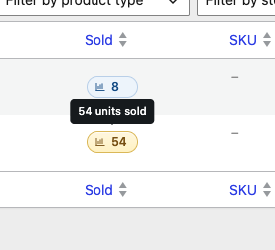
- Sold column (Products): Sortable units-sold badge column on the Products list.
- Stock Qty column (Products): Sortable color-coded stock quantity badge on the Products list.
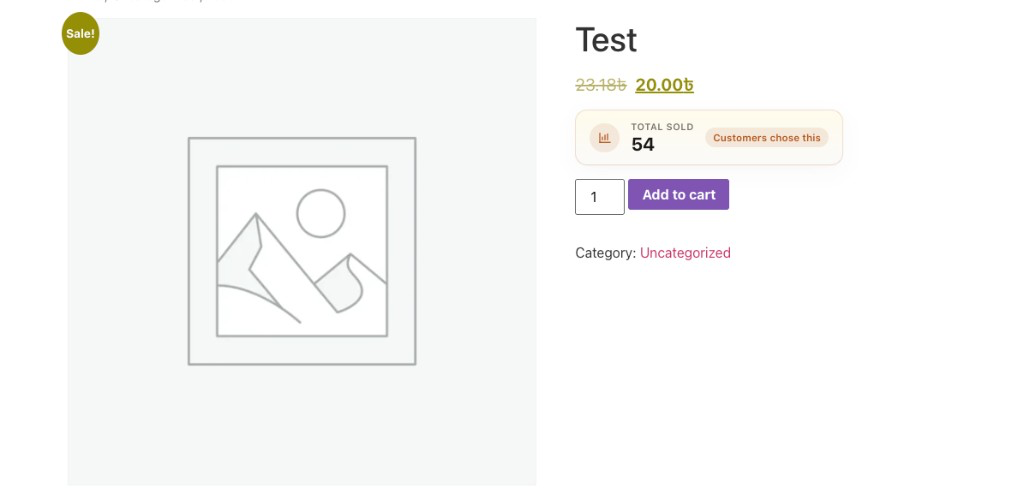
- Total Sold (Storefront): Premium Total Sold UI on shop/archive loops and single product pages (separately toggleable).
- Recently Sold label (Storefront): “12 sold in the last 24 hours” label on shop loops and single product pages, cached for performance.
- Only X Left badge (Storefront): “Only 3 left in stock” urgency badge when stock runs low (threshold filterable via
qtfw_only_left_threshold). - Low Stock email alert: Emails the store admin once when a product reaches its low-stock threshold.
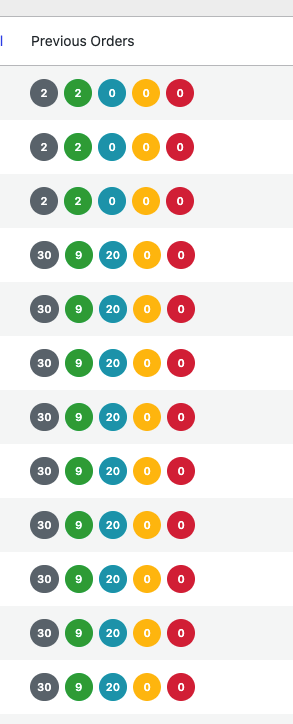
- Previous Orders column (Orders): Previous-order status badges matched by billing phone (with/without country code). Works with classic orders and HPOS.
- Performance-minded: Disabled features are not loaded; CSS/JS enqueue only on relevant screens.
Installation
- Upload the
quicktools-for-woocommercedirectory to the/wp-content/plugins/directory. - Activate the plugin through the ‘Plugins’ menu in WordPress.
- Ensure that WooCommerce is installed and activated to use this plugin.
FAQ
What is the purpose of this plugin?
It adds product sales visibility (admin + storefront) and previous-order status badges on the orders list, matched by billing phone.
Is WooCommerce required?
Yes. QuickTools for WooCommerce requires WooCommerce to be installed and activated.
Does it support High-Performance Order Storage (HPOS)?
Yes. The Previous Orders column registers on both the classic and HPOS orders screens and reads billing phone from HPOS address tables when enabled.
Can I disable individual features?
Yes. Go to WooCommerce → QuickTools and toggle each feature. Disabled features are not loaded.
How can I report a bug or request a feature?
Open an issue on the plugin’s GitHub repository.
Screenshots

Changelog
1.5.0
- Added Low Stock email alert (one email per product until restocked) with its own Control Center toggle.
1.4.0
- Added “Only X left” storefront urgency badge for low-stock products with its own Control Center toggle.
1.3.0
- Added Recently Sold storefront label (units sold in the last 24 hours) with its own Control Center toggle.
1.2.0
- Added Stock Qty column showing color-coded, sortable stock quantity badges on the Products list (toggleable in the Control Center).
1.1.0
- Added QuickTools Control Center (WooCommerce → QuickTools) with per-feature enable/disable toggles.
- Premium Total Sold UI for admin and storefront.
- Disabled features are not loaded; assets load only when needed.
- Settings saved via the WordPress Settings API with capability and sanitize checks.
1.0.0
- Initial release.
- Total Sold on products list, shop loop, and single product.
- Previous Orders column (billing phone) with legacy + HPOS support.
- Security and performance hardening: capability checks, escaped output, request-level query cache, conditional asset loading.