

Description
Rank Bix SEO is a lightweight SEO plugin for WordPress. Set titles and descriptions, build sitemaps and schema, manage redirects and watch for 404s and broken links, all from one plugin that only loads what you switch on. Every core SEO feature is free, with no limits.
rankbix.com | Features | Pricing | Docs | Support
Get Every Page Right
- SEO title and meta description for every post, page, product and custom post type, with title templates and variables for the ones you leave empty
- SERP preview for desktop and mobile, with the featured image, updated as you type
- Live SEO score from 0 to 100, using the same 14 checks in the editor, the posts list, the score filters and the Bulk Editor: focus keyword in the title, description, URL, first paragraph and subheadings, keyword density, content length, image alt text, featured image, internal and outbound links, and title and description length. Page builder content counts too
- Focus keyword plus up to 4 secondary keywords, and cornerstone content marking with a posts list filter
- Social title, description and image for Facebook, LinkedIn and X, with a live preview of each card
- Robots controls per post: noindex, nofollow, noarchive, nosnippet and max-snippet, plus a custom canonical URL
- Category, tag and author archives each get their own SEO title, description and noindex
Sitemaps and Indexing
- XML sitemap index with a sitemap for each post type and taxonomy, image entries, and noindexed pages left out automatically
- Google News sitemap and an HTML sitemap (block or shortcode)
- hreflang alternates in the sitemap for Polylang and WPML sites
- IndexNow: Bing, Yandex and other search engines are told when a page is published, updated or removed, plus bulk submit from the posts list
- Noindex rules for search results, author and date archives, whole post types or taxonomies, and thin content under a word count you choose
- Robots.txt editor with a URL tester, and llms.txt for AI crawlers
Schema (Structured Data)
- WebSite, WebPage, Article and BreadcrumbList added automatically, and Organization and LocalBusiness from your settings
- FAQ, How-to, Product and Review schema from the editor or from blocks, including blocks placed inside groups, columns and synced patterns
- JSON-LD only: no microdata and no scripts
Redirects and Monitoring
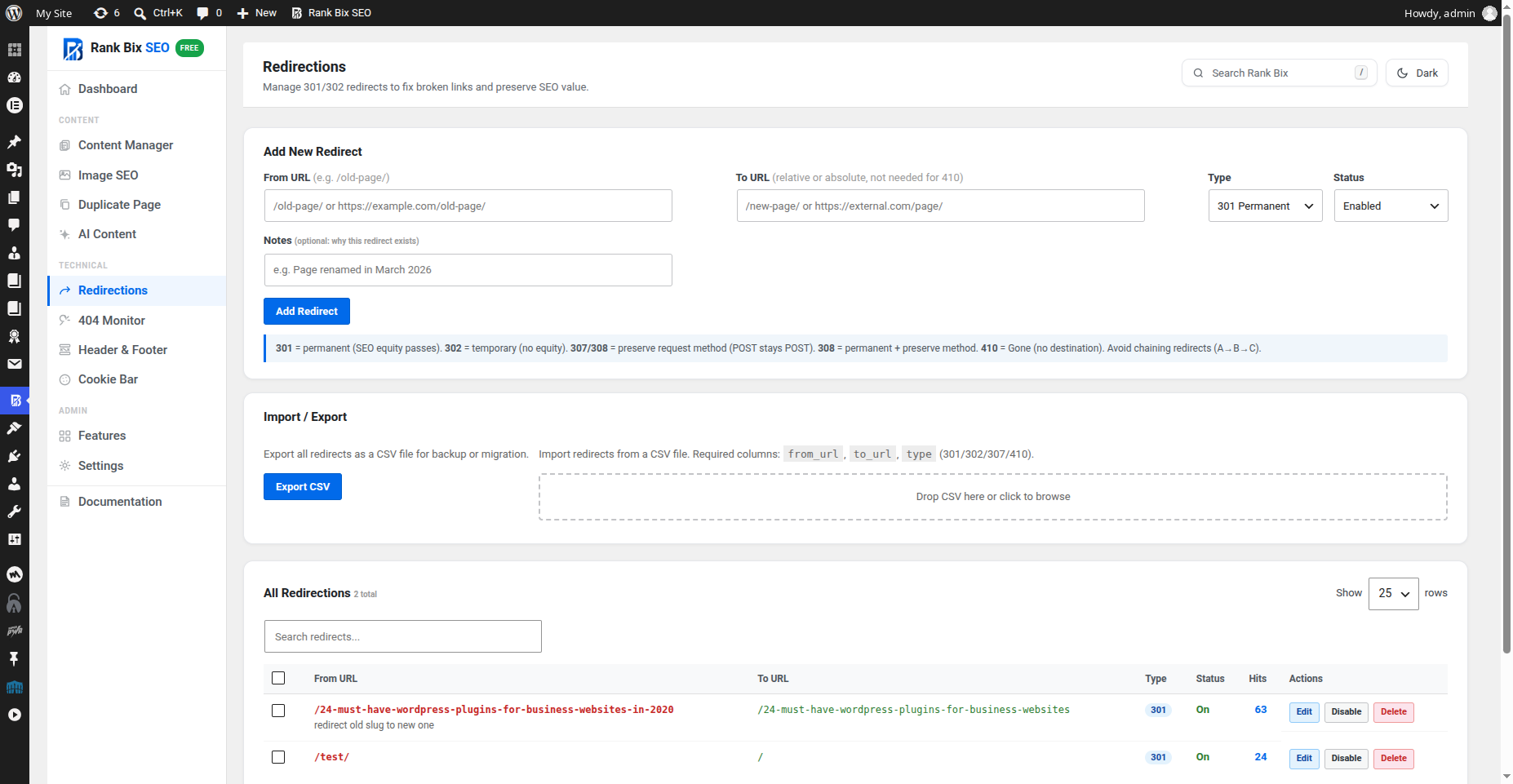
- Redirect manager for 301, 302, 307, 308 and 410, with hit counts, notes, CSV import and export, and warnings about loops and chains
- Automatic 301 redirect when you change a post’s URL
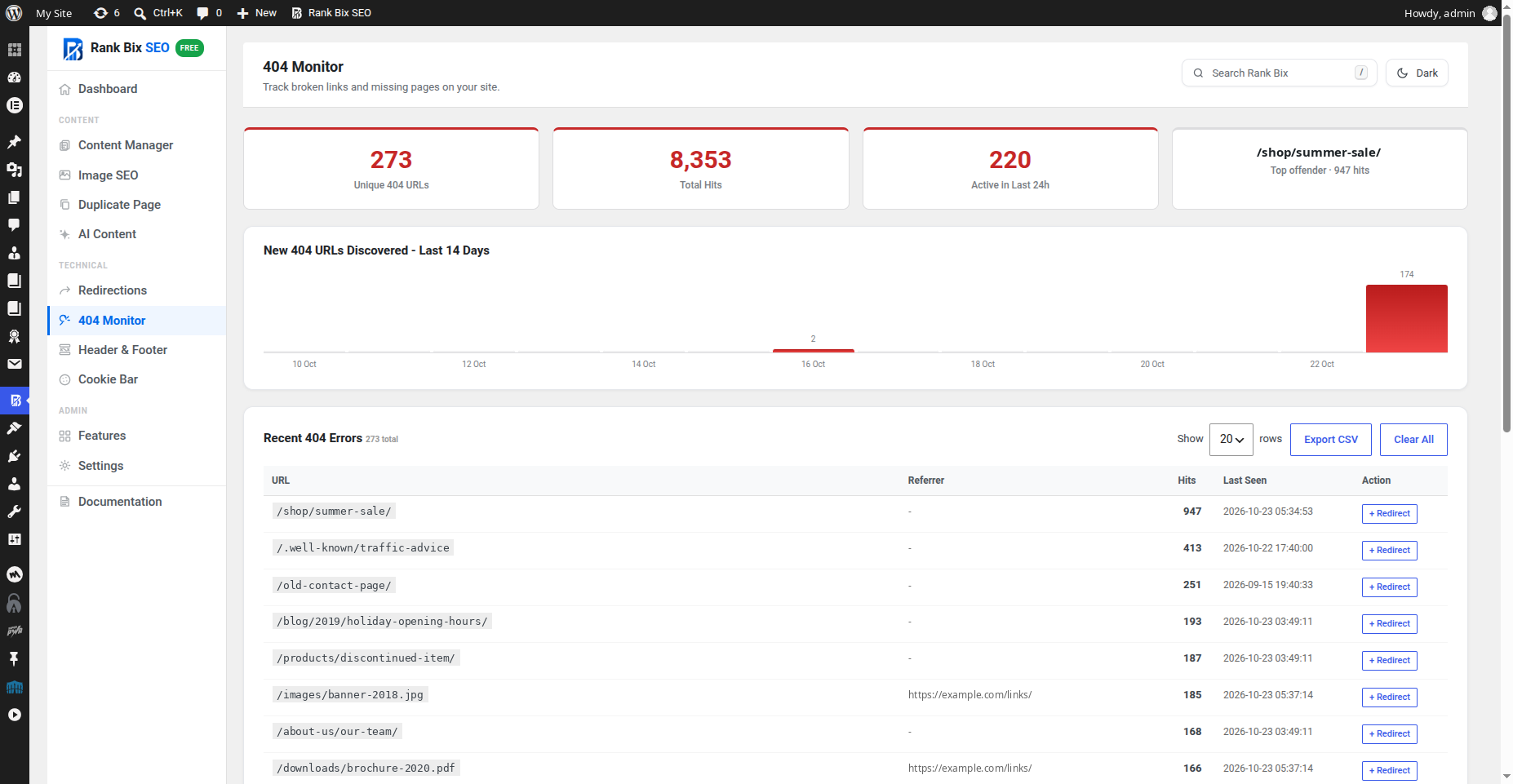
- 404 Monitor that groups repeat hits, leaves out ad tracking parameters, and exports to CSV
- Broken Link Checker that lists each broken link, its status and every post it appears in
Content and Images
- Bulk SEO Editor: titles, descriptions, focus keywords and noindex for many posts on one screen
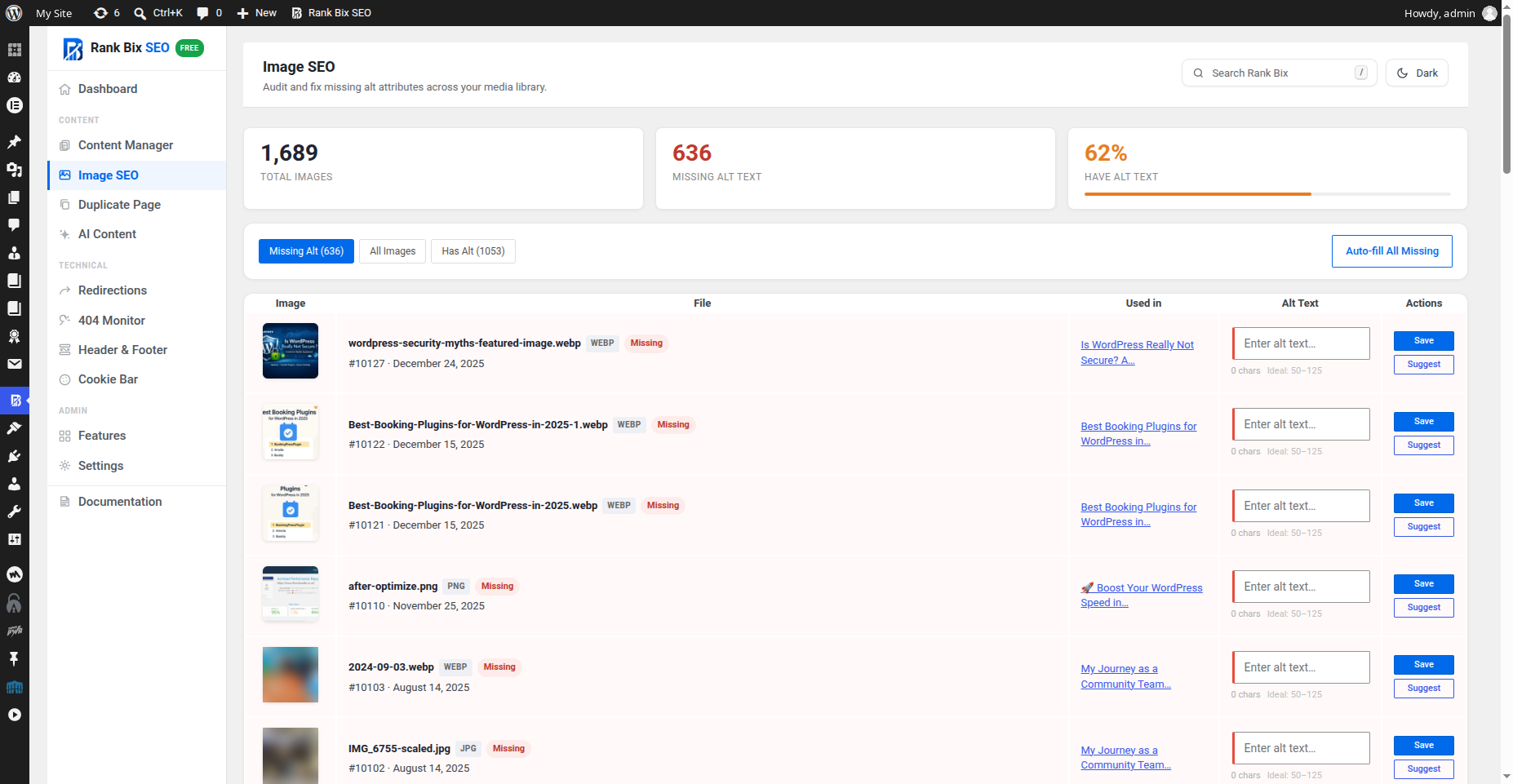
- Image SEO: alt text and titles filled in automatically from your templates, including images that have an empty alt
- Image Alt Audit with bulk fill
- Table of Contents (block, shortcode or automatic) and Breadcrumbs (block, shortcode or template function)
- Duplicate any post or page in one click
Blocks
Breadcrumbs, Table of Contents, FAQ, How-to, Local Business (address, tap-to-call phone, opening hours and a directions link), HTML Sitemap and Cookie Settings Link, for the block editor and block themes.
Site Tools
- Cookie Bar with Google Consent Mode v2 and Matomo support, scripts held until consent, and a floating button, shortcode or block so visitors can change their choice
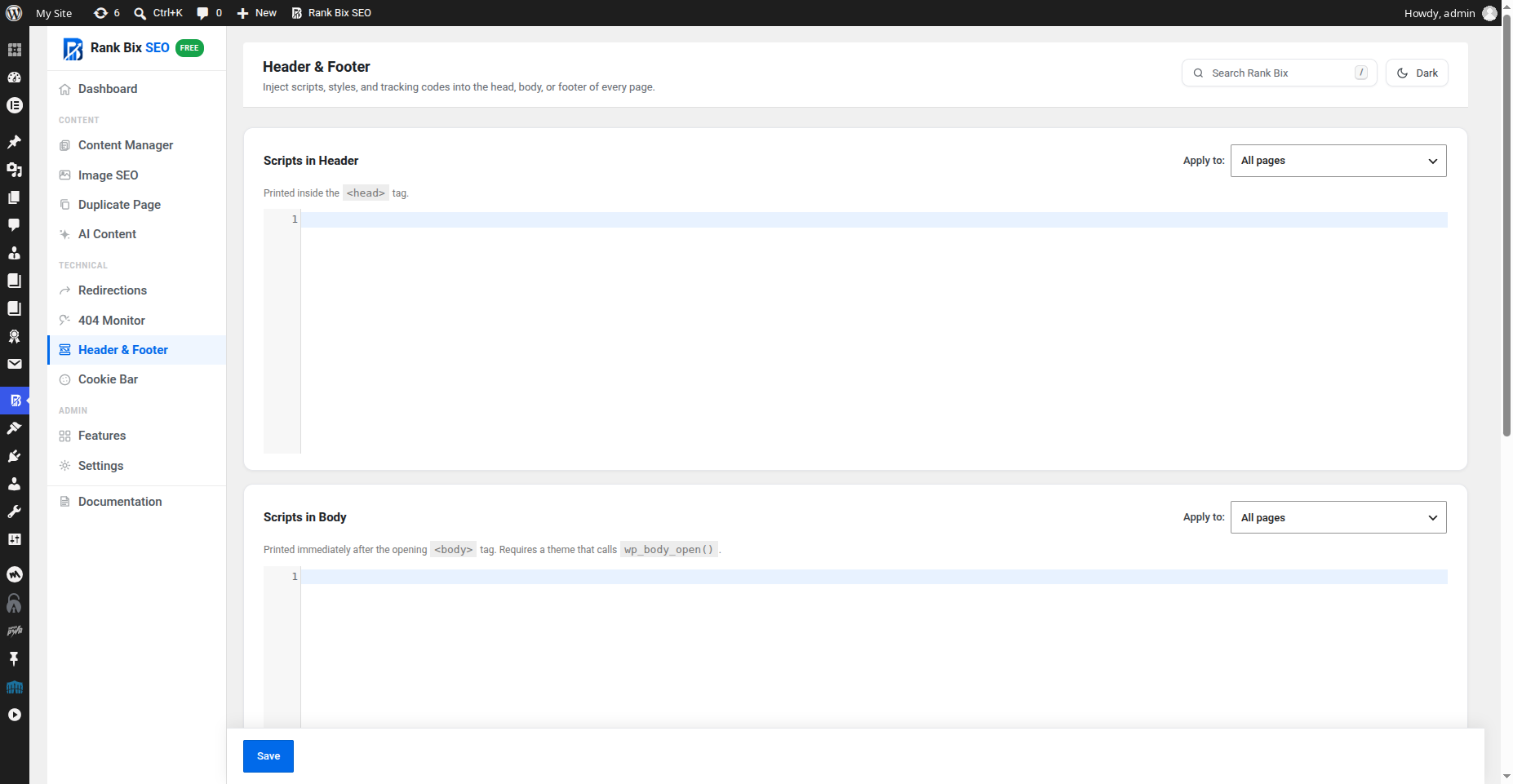
- Header and footer code for analytics and tracking tags, with display conditions and a per-post switch to turn it off
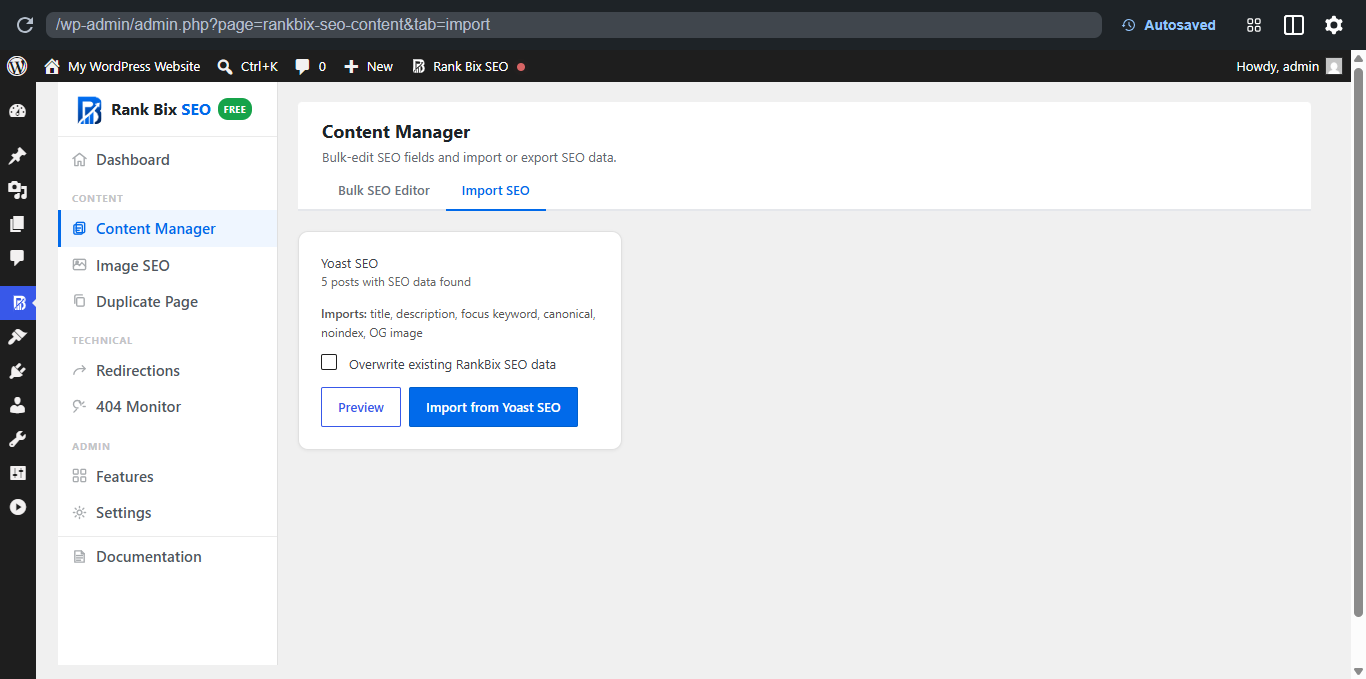
- Import from Yoast SEO, Rank Math, All in One SEO and SEOPress: post titles, descriptions, keywords, canonicals, noindex and social fields, plus category, tag and author SEO where the source plugin has it
- Export and import all Rank Bix settings between sites
- Redirect attachment pages to their post or file, and add an original source link to RSS feeds
AI Meta Generator
Write SEO titles and meta descriptions with your own API key, so you pay your provider directly and nothing in between. Works with OpenAI, Anthropic (Claude), Google Gemini, Groq, Cohere and any OpenAI-compatible service such as OpenRouter, DeepSeek or a local Ollama server. Generate from the post editor, the Elementor panel or the Bulk Editor, one post at a time.
AI Content: SEO-Ready Draft Posts
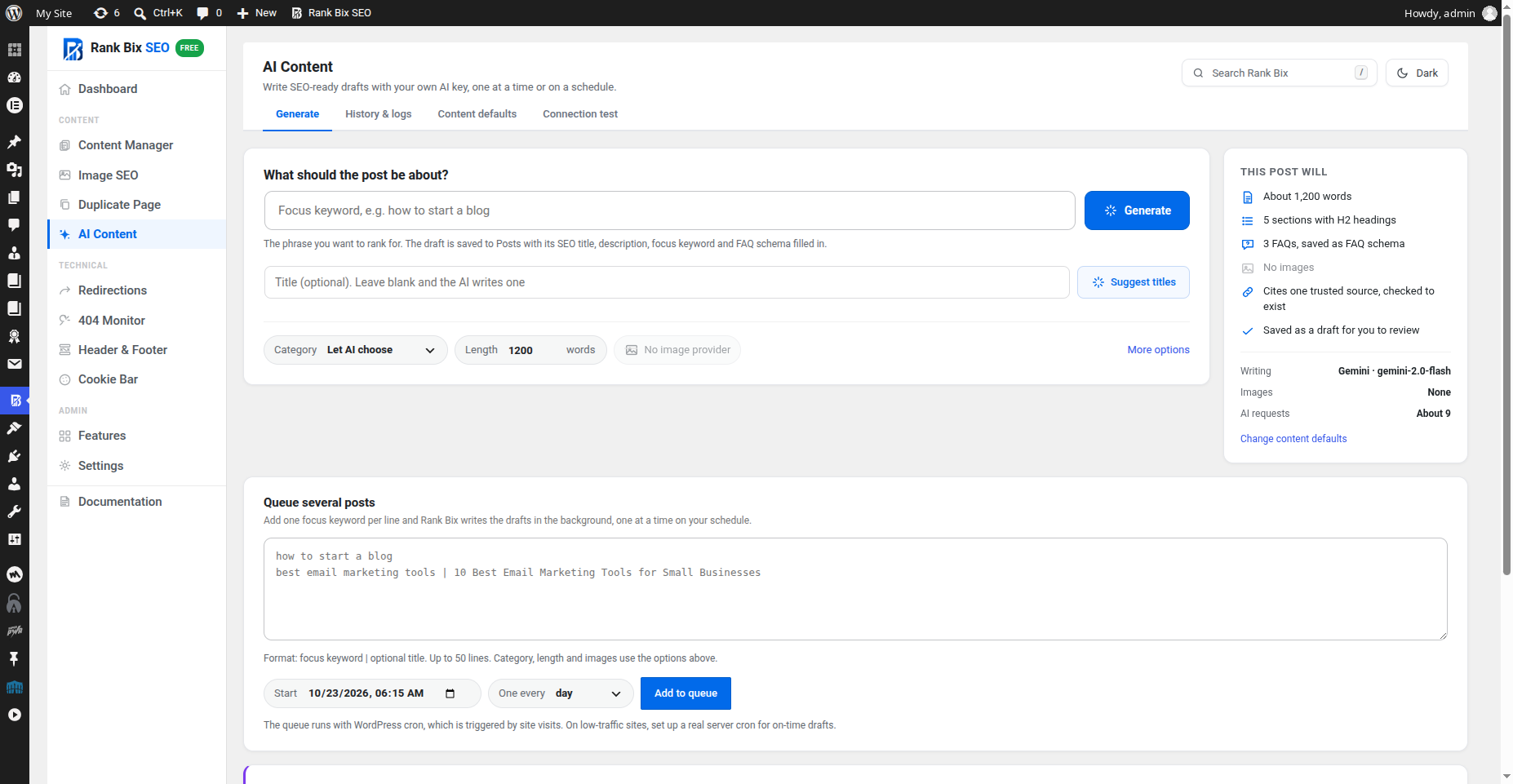
Write complete draft posts with the same API keys, one at a time or on a schedule. Turn it on in Features, then open Rank Bix > AI Content.
- Generate – Enter a focus keyword (and a title, or click Suggest titles). Rank Bix plans the outline, SEO title, meta description, slug, tags, category and FAQs, writes each section, creates featured and inline images, and saves a draft with native blocks, Rank Bix SEO fields, FAQ schema and an SEO score
- Queue – Add up to 50 keywords and get one draft every 15 minutes up to once a week, written in the background with WordPress cron
- History and logs – Every post has a step-by-step log with timings and the model used. Filter by status and retry stopped posts from where they stopped
- Content defaults – Brand, audience, tone, language, words to avoid, article length, sections, FAQs, category, images and one checked trusted source link
- No timeouts – Each part of a post is its own small request, so long posts work on any hosting
- Safe by default – Posts are saved as drafts, a daily limit protects your API bill, and if one provider is rate limited or out of quota another connected provider takes over
Privacy
Rank Bix SEO has no tracking and sends no usage data. It only contacts an outside service when you switch on a feature that needs one (AI, IndexNow or the Broken Link Checker), and the External Services section below lists exactly what is sent and when.
Built for Developers
- Built and checked with the official WordPress Plugin Check
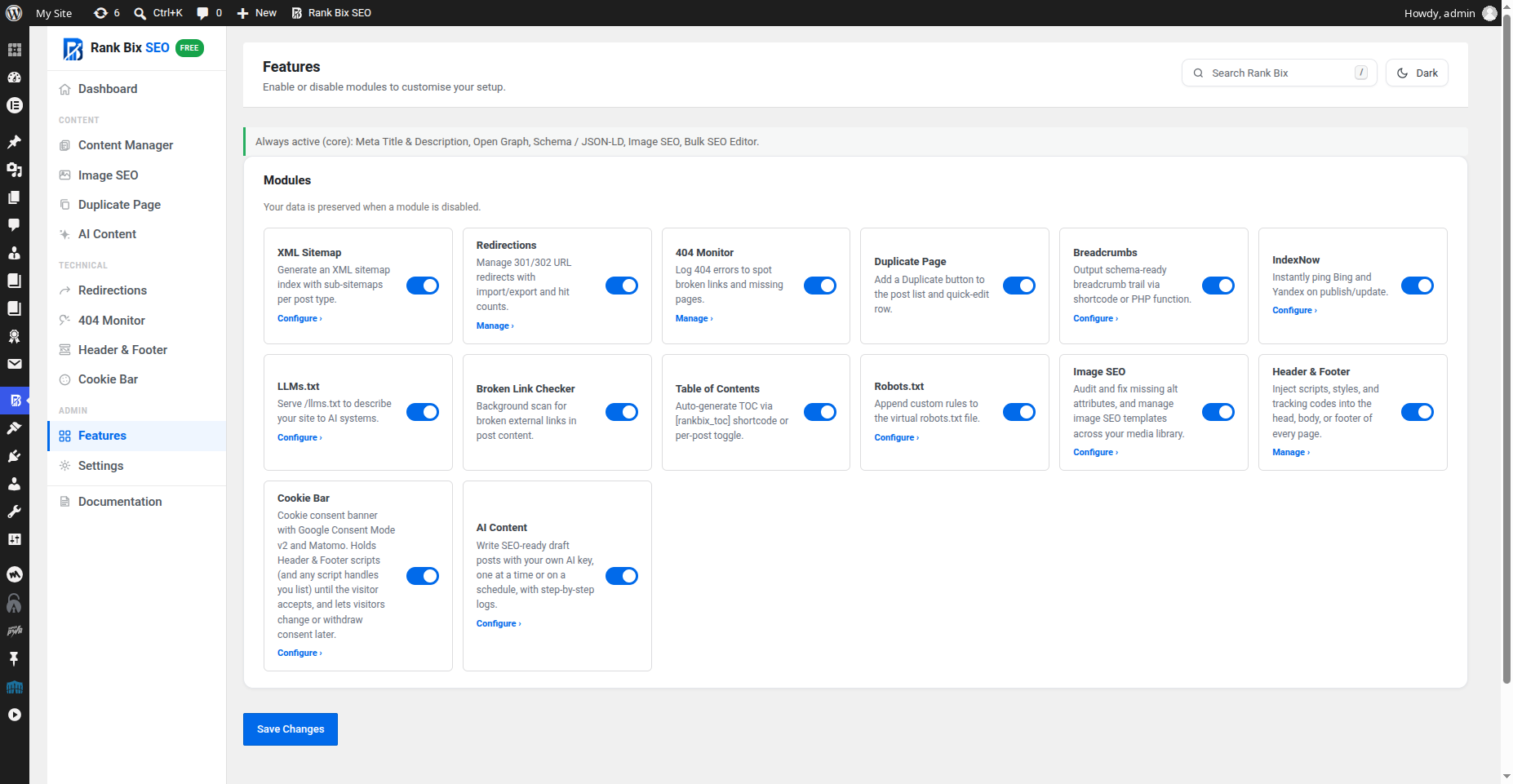
- Module-based: switch off what you do not use, and its code does not load
- Admin-only code never loads on visitors’ page views, and no front-end scripts are added unless a feature needs one
- Filters and actions for titles, descriptions, robots, canonicals, schema, sitemaps and more, plus shortcodes and template functions
- Works with posts, pages, WooCommerce products, all public custom post types, and Elementor
- PHP 7.4 or later, WordPress 6.0 or later
Need More? Rank Bix SEO Pro
Rank Bix SEO Pro adds tools for agencies and busy sites:
- GSC Performance – Google Search Console clicks, impressions and positions inside WordPress, including a box on each post
- Site Audit – SEO checks across all your posts, a single-page analyzer, and orphan pages that nothing links to
- Rank Tracker – Daily keyword positions from your Search Console data
- Schema Templates and Rules – Reusable JSON-LD and schema assigned by post type, plus Recipe, Event, Job Posting, Course and Software App types
- Client Reports – Branded SEO reports for clients
- White Label – Rebrand the plugin for client sites
- Role Manager – Choose which roles can edit SEO fields and use Rank Bix screens
- WooCommerce SEO – Richer product schema (brand, GTIN, MPN, price ranges for variable products) and product Open Graph tags
- Multiple locations – Location details with map coordinates and opening hours, added to your LocalBusiness schema
- AI tools – Bulk AI titles and descriptions, AI image alt text, and AI Content with internal links, review and scheduled publishing, topic ideas and refreshing old posts
- Internal link suggestions, advanced redirects (wildcard and regex), a safe .htaccess editor, a video sitemap and more
Translations
Rank Bix SEO is ready for translation. Korean, Hindi, Portuguese (Brazil), German and other translations are in progress at translate.wordpress.org, and anyone can help. Thank you to every translator who has contributed so far.
External Services
Rank Bix SEO optionally connects to third-party AI services, to the IndexNow API, and (for the Broken Link Checker) to the websites your posts link to.
No data is sent to AI providers unless you configure an API key and use an AI feature, or queue posts in AI Content. IndexNow notifications can be turned off in Features.
AI Providers
Rank Bix SEO never contacts an AI service unless you add that provider’s API key in Rank Bix SEO > Settings > Tools > AI Meta Generator – API Keys (or define it in wp-config.php). You pay your provider directly; Rank Bix SEO receives nothing.
An AI provider is contacted only when:
- you click an AI button in the post editor, Elementor panel or Bulk Editor (AI meta titles and descriptions),
- you click Test connection, Suggest titles or Generate now in AI Content, or add posts to the AI Content queue, which then runs in the background with WP-Cron at the times you chose,
- you open the AI Content connection test or post editor AI tab, which requests the list of models available to your key.
What is sent:
- AI meta generator: post title, site name, tone and focus keyword. A plain-text excerpt of the post content is included only while “Allow sending post content to AI providers” is ticked in Settings > Tools.
- AI Content (post generation): the focus keyword and optional title you enter, your AI Content brand settings (business name, what you do, audience, tone, language and words to avoid), the names of your categories and most-used tags, and the article outline written in earlier steps. Existing post content is not sent.
- AI images: a short text description of the image and your image style setting. The generated image is saved to your Media Library.
Nothing else is sent: no user data, no visitor data and no passwords.
OpenAI
- Endpoints:
https://api.openai.com/v1/chat/completions(text),https://api.openai.com/v1/images/generations(images),https://api.openai.com/v1/models(model list) - Terms of Use: https://openai.com/policies/terms-of-use
- Privacy Policy: https://openai.com/policies/privacy-policy
Anthropic / Claude
- Endpoints:
https://api.anthropic.com/v1/messages(text),https://api.anthropic.com/v1/models(model list) - Terms and Usage Policy: https://www.anthropic.com/legal/aup
- Privacy Policy: https://www.anthropic.com/legal/privacy
Google Gemini / Generative Language API
- Endpoints:
https://generativelanguage.googleapis.com/v1beta/models/{model}:generateContent(text and images),https://generativelanguage.googleapis.com/v1beta/models(model list) - Terms of Service: https://ai.google.dev/terms
- Privacy Policy: https://policies.google.com/privacy
Groq
- Endpoints:
https://api.groq.com/openai/v1/chat/completions(text),https://api.groq.com/openai/v1/models(model list) - Terms of Use: https://groq.com/terms-of-use/
- Privacy Policy: https://groq.com/privacy-policy/
Cohere
- Endpoints:
https://api.cohere.com/v2/chat(text),https://api.cohere.com/v1/models(model list) - Terms of Use: https://cohere.com/terms-of-use
- Privacy Policy: https://cohere.com/privacy
OpenAI-compatible provider (optional)
- Endpoints:
{your base URL}/chat/completionsand{your base URL}/models, where the base URL is the one you enter in Settings > Tools (for example OpenRouter, DeepSeek, Mistral, Together, xAI or a local Ollama server). Rank Bix SEO does not choose this service. - The same data listed above is sent to that service. Its terms and privacy policy are those of the provider you choose.
Source link check (AI Content)
- When “Cite one trusted external source” is on (Content defaults > Article), the AI suggests up to 3 source pages for each generated post. Before a link is added, Rank Bix SEO sends a HEAD request (or a small GET if HEAD is refused) to each suggested https URL to confirm the page exists. Only the request itself is sent: no post content, user data or cookies. Turn the option off to stop these checks.
- Destinations: the third-party pages the AI suggested. Rank Bix SEO does not choose or control them.
Broken Link Checker
When the Broken Link Checker is switched on (it is off by default), Rank Bix SEO checks the external links in your published posts in the background with WP-Cron, a few posts at a time.
- Destinations: the external websites your posts link to. Rank Bix SEO does not choose or control them.
- What is sent: a HEAD request to each linked address (or a GET for the first byte when a site refuses HEAD), with a user agent that names Rank Bix SEO and your site address. No post content, user data or cookies are sent.
- Addresses on private or local networks are never requested.
- Turn it off in Rank Bix SEO > Features to stop all checks.
IndexNow
When the IndexNow feature is enabled and a post or page is published or updated, Rank Bix SEO sends a single HTTP POST request to the IndexNow API endpoint to notify participating search engines (Bing, Yandex, and others) of the updated URL.
- Endpoint:
https://api.indexnow.org/indexnow - Data sent: your site hostname, a plugin-generated verification key, the URL of the verification key file, and the URL of the published/updated post or page. No post content or user data is sent.
- When: when content is published, updated, unpublished or deleted, and when you choose Submit to IndexNow from the Bulk actions menu of a post list (several URLs in one request). Only while the IndexNow module is on in Rank Bix SEO → Features.
IndexNow is an open protocol. The api.indexnow.org endpoint is operated by Microsoft. Submitted URLs are shared with all IndexNow-participating search engines.
IndexNow Privacy Policy: https://www.indexnow.org/privacypolicy
Microsoft Privacy Statement: https://privacy.microsoft.com/en-us/privacystatement
Broken Link Checker
When the Broken Link Checker feature is enabled, Rank Bix SEO runs a background cron job that sends HTTP HEAD requests to external URLs found in your published content (posts, pages, products and custom post types) to check whether those links are still reachable. When a server refuses HEAD requests, it tries once more with a GET request for the first byte before reporting the link.
- Data sent: an HTTP HEAD request (and, when needed, a GET request for the first byte) to each external URL found in your published content. No post content, user data, or authentication credentials are included. Requests identify themselves with the user agent “Mozilla/5.0 (compatible; Rank Bix SEO link checker; +your site address)”. Links to local network addresses are not checked.
- When: only via a background WP-Cron job (runs twice daily, 5 posts per run). The feature is disabled by default and must be explicitly enabled in Rank Bix SEO → Settings → Tools → Broken Link Checker.
- Destinations: any external URLs present in your own published post content. These are third-party URLs you have already linked to; Rank Bix SEO does not choose or control them.
No data from the broken link check is transmitted to Rank Bix SEO or any service operated by the plugin developer. Results are stored only in your own WordPress database.
Installation
- Upload the
rankbix-seofolder to/wp-content/plugins/. - Activate the plugin through Plugins → Installed Plugins.
- Go to Rank Bix SEO in the WordPress admin menu.
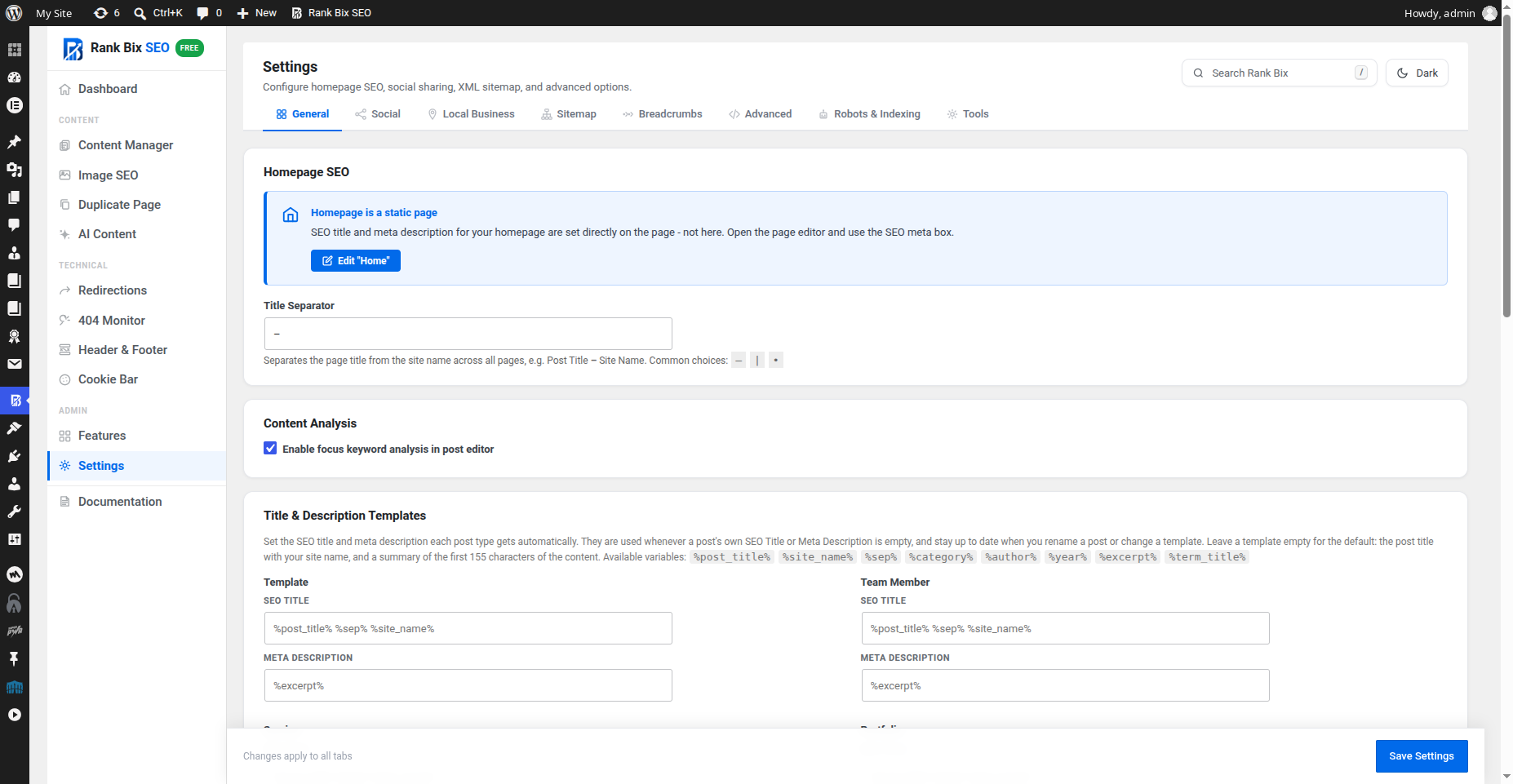
- Configure your settings under Rank Bix SEO → Settings.
- Edit any post or page to add SEO title, meta description, focus keyword, schema, social image, and other SEO settings.
FAQ
Does Rank Bix SEO work with WooCommerce?
Yes. Rank Bix SEO supports WooCommerce products in the post editor meta box, bulk SEO editor, sitemap, and schema features.
Does Rank Bix SEO support custom post types?
Yes. Rank Bix SEO supports public custom post types with UI. They can be used in the SEO meta box, sitemap, and bulk editor.
Can I import SEO data from Yoast SEO, Rank Math, or All in One SEO?
Yes. Go to Rank Bix SEO → Content Manager → Import SEO tab and choose your source plugin. Rank Bix SEO can import SEO titles, meta descriptions, focus keywords, canonical URLs, and noindex settings.
Will Rank Bix SEO slow down my website?
No. Rank Bix SEO is designed for performance. The XML sitemap is cached, AI model lists are loaded only when needed, and redirects use a dedicated database table with a fast lookup process.
Do I need an API key for AI features?
Yes. You need at least one API key from a supported AI provider. AI features do nothing if no key is configured.
Is any data sent to AI providers automatically?
No. Data is only sent when you configure an AI provider API key and click an AI generation button, or when posts you added to the AI Content queue are written at the times you chose.
What data is sent to AI providers?
When you click an AI generation button, Rank Bix SEO sends the post title and optionally a plain-text excerpt of the post content to the selected provider. You can stop sending post content with Settings → Tools → Allow sending post content to AI providers. When it is off, only the post title is sent. AI Content sends your focus keyword, title, brand details and Content defaults, and never sends existing post content.
Can I stop the plugin from pinging search engines?
Rank Bix SEO does not ping Google or Bing: both have retired their sitemap ping services. New and updated content is announced through IndexNow (used by Bing, Yandex and others); turn it off with the IndexNow switch in Rank Bix SEO → Features. Google finds your sitemap through the Sitemap line in robots.txt and through Search Console.
How do I add breadcrumbs to my theme?
Add this function to your theme template:
<?php rankbix_seo_breadcrumbs(); ?>
Alternatively, use the shortcode:
[rankbix_seo_breadcrumbs]
How do I display an HTML sitemap?
Use this shortcode on any page:
[rankbix_seo_sitemap]
Optional shortcode attributes include show_tags="0", columns="3", and orderby="date".
Where is the redirect debug tool?
Visit any redirected URL and append ?rankbix_seo_debug_redirect=1. Logged-in administrators can see redirect match details instead of being redirected.
Can I use Rank Bix SEO only for basic SEO?
Yes. You can use only the features you need, such as meta titles, descriptions, Open Graph, sitemap, schema, redirects, or breadcrumbs.
Does the AI meta generator cost extra?
No. You use your own API key from OpenAI, Claude, Gemini, Groq, or Cohere and pay only your provider’s standard rate. Rank Bix SEO adds no markup and requires no Rank Bix account to use AI features.
Can I use multiple AI providers, or do I have to pick one?
You can add API keys for all five supported providers and switch between them at any time. This lets you compare output quality or use a cheaper model for bulk generation and a more capable model for individual posts.
Does Rank Bix SEO require a Rank Bix account?
No. Every free feature works without creating an account. A licence key is required to activate Rank Bix SEO Pro, but there is no account login step inside WordPress.
What happens to my SEO data if I deactivate the plugin?
Your SEO data – titles, descriptions, OG images, redirect rules, schema settings – is stored as standard WordPress post meta and options. It stays in your database after deactivation. You can choose to delete it permanently on uninstall via Rank Bix SEO → Settings → Advanced → Remove data on uninstall.
Does Rank Bix SEO work with Elementor, Bricks, Kadence, and other page builders?
Yes. The SEO meta box appears on any post or page regardless of which builder you use to edit the content. Page builder output is analysed in the same way as the standard block editor.
What is IndexNow and should I enable it?
IndexNow lets you notify Bing and other participating search engines the moment a page is published or updated, rather than waiting for them to crawl it on their schedule. It is optional but recommended. Enable it in Rank Bix SEO → SEO Tools → IndexNow.
What is LLMs.txt and do I need it?
LLMs.txt is an optional, proposed file that describes your site to AI agents. It has no effect on rankings: Google has said it does not use llms.txt. It is off by default on new sites; turn it on in Features if you want to offer one. Blocking or allowing AI crawlers is done in robots.txt, in Settings > Robots & Indexing.
Does Rank Bix SEO work on WordPress Multisite?
Basic multisite compatibility is included. Each subsite manages its own SEO settings, sitemap, and redirects independently. Network-level management across all subsites is on the Pro roadmap.
What is AI Content and how do I turn it on?
AI Content writes complete draft blog posts with your own AI key. Go to Rank Bix > Features, turn on AI Content, then open Rank Bix > AI Content. Enter a focus keyword and click Generate, or add several keywords to the queue. It is off by default, so nothing changes on your site until you turn it on.
Do I need a separate API key for AI Content?
No. AI Content uses the same keys as the AI Meta Generator, saved in Settings > Tools > AI Meta Generator – API Keys (or as constants in wp-config.php). Use the Connection test tab to check each key in one click. Writing works with OpenAI, Claude, Gemini, Groq, Cohere or any OpenAI-compatible service. Images need an OpenAI or Gemini key that has image access.
How much does AI Content cost?
Rank Bix adds no charge or markup. You pay your AI provider directly at their normal rate. Before you start, the This post will panel and the queue show roughly how many AI requests a post or queue will make, including paid image requests. A Maximum AI posts per day setting (default 20) protects your bill.
What happens if I have no AI API key?
Nothing breaks and no data is sent anywhere. The AI Content tabs that need a key (Generate, Connection test) show a “No AI provider is set up yet” card with an Add an API key button that opens Settings > Tools. History & logs and Content defaults still work, so you can set everything up first. If a key is removed while posts are queued, those posts stop with a clear message in their log instead of retrying, and Retry continues them once a key is added. The rest of Rank Bix SEO works as normal without any AI key.
Can I use a free AI API key?
Yes, but free keys have limits, so expect fewer posts and often no images:
- Text – Free tiers (for example Gemini, Groq, Cohere trial keys or free OpenRouter models) allow only a small number of requests per minute and per day. One post takes about 8 to 12 requests, so a free key may manage only a few posts a day, and long posts or a busy queue can hit the limit part way through.
- Images – Most free keys cannot create images at all (a free Gemini key usually has an image quota of 0). Images need an OpenAI or Gemini key with billing turned on.
- Paid-only providers – OpenAI and Claude API keys need credit on your account, even when you also use their free chat apps.
AI Content is built to cope with this. It waits as long as the provider asks before retrying, switches to another connected provider when one is limited, skips images without losing the post, and keeps text and image limits separate so an image problem never stops the writing. For the best results with a free key, turn images off under Content defaults > Images, set the queue to one post every hour or more, and keep Maximum AI posts per day low. Limits are set by each provider and change over time, so check your provider’s own page for current numbers.
Will AI Content publish posts without my review?
No. In the free version every post is saved as a draft for you to check and publish yourself.
Will long posts time out on shared hosting?
No. Each part of a post (plan, intro, each section, conclusion, images, save) runs as its own short request, so even long posts stay well inside normal server time limits.
How does the queue work? Do I need a server cron?
Add up to 50 keywords, a start time and an interval, and Rank Bix writes one post per interval in the background with WordPress cron. WordPress cron runs when someone visits your site, so on low-traffic sites posts can run late. For on-time posts, set up a real server cron. If posts are overdue, History & logs shows a warning and a Run the queue now button.
Will queued posts run if nobody visits my site?
Not on time. The queue uses WordPress cron, which only runs when someone loads a page on your site: a visitor, a search engine bot, or you opening the admin. Nothing is lost if your site is quiet. Overdue posts wait in the queue and are written, in order, on the next visit, still within your daily limit. History & logs warns you when queued posts are overdue and has a Run the queue now button.
To run the queue on time without visitors, set up a real server cron job that calls WordPress every few minutes, for example:
*/5 * * * * curl -s https://example.com/wp-cron.php?doing_wp_cron > /dev/null
Many hosts let you add this in their control panel. On managed hosts such as WP Engine, where you cannot add cron jobs yourself, ask your host’s support to run WordPress cron from the server.
Why did a post stop, or why is there no image?
Open History & logs and click Log on that post to see each step and the exact error. The most common causes are an invalid API key, a rate limit or an empty quota. Many free AI keys (for example a free Gemini key) have no image quota, so the image step is skipped and the post is still saved without images. When another connected provider is available, AI Content switches to it automatically. Click Retry to continue a stopped post from the step where it stopped.
Can AI Content write in my language?
Yes. Set the language under Content defaults > Brand. It defaults to your site language, and posts are written, counted and scored correctly in any script, including Hindi, Arabic and Russian.
Is AI-written content bad for SEO?
Search engines judge content by how helpful it is, not by how it was written. AI Content gives you a well-structured draft with SEO fields, FAQ schema and a checked source link. Always review the draft and add your own experience, examples and facts before publishing. Publishing large numbers of unreviewed AI posts can be treated as spam.
Does Rank Bix SEO work with multilingual sites?
Yes. Rank Bix SEO is compatible with WPML and Polylang. Each language version of a post or page has its own SEO title, meta description, focus keyword, and OG image. The XML sitemap includes all language variants automatically. The plugin interface itself is translation-ready and available in English, Hindi, Korean, and Brazilian Portuguese, with more languages added via translate.wordpress.org.
Screenshots






Changelog
1.2.9
Improvements
- robots.txt editor – Edit the whole robots.txt in one box, like other SEO plugins, instead of only adding rules under a locked block. Leave it empty for the WordPress default, or use Reset to WordPress default. Rules you saved before are kept and shown in the editor. A What search engines see now preview shows the real file, a Sitemap line you type yourself is not added twice, Rules are saved exactly as typed (codes such as %3F are kept), and Sitemap lines are kept together.
- Readability for every language – The reading-ease score is now worked out from your paragraphs only (not headings, tables or code), counts syllables more accurately and splits sentences correctly between blocks. Text in Hindi, Arabic and other non-English languages gets a LIX score instead of the English-only Flesch score. The score shows how many words and sentences it measured, and long sentences are listed longest first with their word count.
- Page builder content – Pages built with Kirki, Breakdance, Oxygen 6, Brizy, Thrive Architect, Zion or Themify are now read for the SEO score and analysis, so their words, headings, links and images count. The published page is read once and kept until the page changes, never while a visitor loads it.
- The same numbers everywhere – The dashboard, the score breakdown and the WordPress dashboard widget count the same posts: published, not password protected, real pages of your site. Builder templates such as Elementor, Kirki, Oxygen and Divi templates are never counted, and posts without a focus keyword show as No score yet instead of lowering the average.
- Sitemaps in the browser – Chrome and Edge are removing XSLT (Chrome 158, November 2026), which sitemap pages use to show their table; Chrome already shows a warning bar about it on every plugin’s sitemaps. Rank Bix keeps the same table with links while the browser supports XSLT, and then falls back to a styled table instead of raw XML. The news sitemap gets the same look, and Back to Sitemap Index now works for sites in a subfolder. Search engines read the XML as before.
- Page numbers in titles – Page 2 onwards of a blog, category or other list now gets “Page 2 of 5” in its title, so Search Console no longer reports duplicate titles. Use the new %page% variable to place it yourself; importing from Yoast or Rank Math keeps their page variable.
- Schema for every page type – Custom post types (recipes, guides, portfolios and so on) now get WebPage schema, and the blog page gets breadcrumbs. Articles name your Organization, with its logo, as the publisher when it is set in Settings.
- Redirects keep tracking tags – A visit to an old address such as /old-page/?utm_source=news keeps its utm_ and other parameters at the new address, so campaign tracking is not lost. Addresses with accents or other non-English letters match whether they are typed or copied from the address bar, in any letter case.
- Google Consent Mode on by default – New sites now start with Google Consent Mode v2 switched on, so Google tags added anywhere (Tag Manager, Site Kit, page builder code) wait for consent. The setting now explains what happens when it is off. Existing settings are not changed.
- WooCommerce product schema – The GTIN, MPN and condition you enter in the SEO box are now added to the Product schema.
Fixes
- Titles and descriptions showed “–” instead of the dash when the title separator was saved as an HTML code. Separators, apostrophes and other characters now show correctly in the editor, the search preview and schema.
- JSON-LD schema showed codes such as ’ in titles. Schema now uses readable text.
- LLMs.txt content saved a quote line (“> …”) as “> …”. It is now saved as plain text.
- Saving the settings while the robots.txt module was off removed your custom robots.txt rules. They are now kept.
- WooCommerce products showed the Brand field twice in the SEO box, and a change in one could be lost.
- The blog page (Settings > Reading > Posts page) used the homepage title and description. It now uses its own page’s SEO title, description and noindex setting.
- Page 2 of a static front page pointed its canonical to an address that does not exist (/2/ instead of /page/2/).
- The Search Snippet Controls in Settings only reached archive pages. They now apply to posts and pages too; a post’s own Max Snippet or nosnippet still wins.
- 404 pages now carry noindex, like other SEO plugins.
- Password protected posts: while a post is locked, its content is no longer used for the automatic meta description, schema or social image.
- Schema no longer contains empty values (such as an empty description or phone number), which Search Console reports as errors.
- Local Business and Pro Locations without a street or city are left out instead of output as an invalid LocalBusiness. The blog page no longer repeats the homepage’s WebSite and Organization schema.
- Product schema reads prices such as “1,299.00”, “12,50” or “0” correctly (“1,299.00” was read as 1), and a Product with no price or rating is no longer output.
- Redirections: a source typed without the first slash (old-page) was saved as a redirect from the homepage, and a destination typed the same way pointed to a broken address. Both are now saved as site paths, and a destination starting with www. becomes a link to that site.
- Redirections: importing a CSV no longer removes %C3%A9 style codes from addresses.
- Breadcrumbs: page 2 onwards of a category or other archive now ends with “Page 2”, with the archive linking back to page 1, and a private or draft parent page is no longer shown as a link visitors cannot open.
- Cookie Bar: the consent cookie is now marked Secure on https sites.
- Header & Footer: on themes that do not call wp_body_open(), the “after ” code was never printed. It now goes into the footer instead. The Google Consent Mode defaults now come first in the page head, before any Header & Footer code.
- IndexNow: nothing is sent from a site that is not public (Settings > Reading) or is a local or development copy, so staging addresses never reach Bing and Yandex. The bulk action says why.
- News sitemap: the title is now the article headline (a custom SEO title could show its %variables%), titles and the site name are written as valid XML (an in a title broke the file), and Chinese sites get zh-cn or zh-tw as Google requires. Image titles in the XML sitemap are written as valid XML too.
- Keyword density now finds keywords written in non-Latin scripts.
1.2.8
New Features
- Local Business block – Show your business name, address, a tap-to-call phone number, opening hours in plain words (Mo-Fr 09:00-17:00 becomes Monday – Friday 09:00 – 17:00) and a Get directions link, from your Local Business settings. Choose which parts to show in the block sidebar. A page with the block also gets LocalBusiness schema; the home page already has it.
- HTML Sitemap block – The [rankbix_seo_sitemap] list as a block, with switches for pages, posts, categories and tags, 1 to 4 columns, and title or date order.
- Cookie Settings Link block – A link or a button in your theme’s button style that reopens the cookie banner, so visitors can change or withdraw consent. Handy in block theme footers.
- All three show a live preview in the editor and load their small stylesheet only on pages that use them.
- Category, tag and author SEO – Every category, tag, custom taxonomy term and author archive can have its own SEO title, meta description and noindex, set on its edit screen (author archives on the user profile, for administrators). Empty fields use your templates as before, and noindexed archives are left out of the XML and HTML sitemaps. The importer brings these over from Yoast, Rank Math and SEOPress.
- Social Title and Social Description – Optional fields in the Social tab of the SEO box, for the title and description shown when a post is shared on Facebook, LinkedIn and X. Empty fields use the SEO title and meta description, as before. The importer brings them over from Yoast, Rank Math, AIOSEO and SEOPress.
- Broken links list – The Broken Link Checker now shows each broken link with its status, every post it appears in (with edit links) and when it was checked.
Improvements
- Hold scripts by category – Script handles held in the Cookie Bar settings can name their consent category, for example facebook-pixel:marketing, so a marketing script waits for marketing consent. A handle on its own still waits for analytics consent, as before.
- Developer hooks for the Cookie Bar – New filters rankbix_seo_cookie_held_scripts, rankbix_seo_cookie_banner_replaced and rankbix_seo_hf_consent_category let a theme or another plugin choose which scripts wait for which consent category.
- Cleaner uninstall – When you choose to delete all data on uninstall, the consent log and rank tracking tables and their daily tasks from Rank Bix SEO Pro are removed too.
- New screenshots – Updated screenshots of every main screen, plus light and dark mode.
- Faster pages – Admin-only code (AI Content, Bulk Editor, Importer, Image Audit and more) no longer loads when visitors view your pages, each page’s title, description and social image are worked out once instead of up to three times, the HTML sitemap is cached until your content changes, and the thin content word count is saved with each post.
- One SEO score everywhere – The score ring, the posts list column, the score filters and the Bulk Editor now use the same 14 checks, including keyword in subheadings and keyword density, and count page builder content.
- Cleaner 404 log – Ad and campaign tracking parameters (utm_, fbclid, gclid and similar) are left out, so one missing page is one row.
- Better importing – Posts are found by any SEO field, not only a title, the social image is imported, and Yoast, Rank Math and AIOSEO variables are turned into real text.
- Developer hooks – rankbix_seo_user_can and rankbix_seo_user_can_edit_meta let an add-on give other roles access to Rank Bix screens and the SEO box.
Fixes
- The News sitemap no longer gives a not found error.
- Empty alt=”” attributes are filled by automatic alt text, and alt text containing a dollar sign is kept as written.
- Redirects keep query strings and #anchors, export includes every redirect, 410 redirects import without a destination, and redirects stop when the module is off.
- A redirect that points to its own page no longer loops on sites installed in a subfolder.
- A setting saved for the first time while another page was still loading could be read as empty for up to 12 hours. Fixed.
- The Broken Link Checker re-checks the links it found, removes links that work again or were removed from the post, and reports a link that is in several posts against all of them.
- Image Audit no longer skips images between batches.
- Duplicated posts keep custom fields that contain quotes or backslashes.
- An AI writing job that keeps being interrupted stops after 6 tries with a clear message, instead of retrying forever.
- No more “add_theme_support was called incorrectly” notice in the debug log on every page view.
- The HTML Sitemap block’s Newest first order now really lists the newest posts first.
- Sites using Polylang or WPML no longer list translated pages twice in the XML sitemap.
- Product schema uses the same image as social shares and leaves the image out when there is none, instead of an empty value Google reports as invalid.
- FAQ and How-to blocks placed inside groups, columns or synced patterns now get their schema too.
- The og:url tag now matches the page’s canonical address (including a custom canonical), so social shares count for one address.
- Table of contents links always land on their heading, including headings with their own anchor and repeated titles, and a new heading id never repeats an existing one.
- IndexNow sends one ping per change, only for real public pages (never menus, templates or noindexed pages), now includes custom post types, and uses the real address when a post is unpublished.
1.2.7
Improvements
- XML sitemap includes every post type and taxonomy – WooCommerce products, product categories, custom post types and custom taxonomies are now listed, not only posts, pages, categories and tags. Page-builder templates are left out, and a new Exclude Taxonomies card sits next to Exclude Post Types in Settings > Sitemap.
- Sitemaps split into files of 1,000 URLs – Large sites get post-sitemap.xml, post-sitemap2.xml and so on, each built and cached on its own. Existing sitemap addresses keep working.
- Sitemap only lists indexable URLs – Posts noindexed by post type, by taxonomy or by the thin content rule are left out, as well as password-protected posts, so Search Console no longer reports “Submitted URL marked noindex”. The homepage is listed when it shows your latest posts.
- Accurate sitemap dates – lastmod is the full GMT date and time of the last change, and taxonomy sitemaps use the newest post in each term. changefreq and priority, which Google ignores, are no longer written.
- One robots meta tag per page – Rank Bix robots settings are added to WordPress’s own robots tag instead of printing up to three more.
- Cookie Bar: change or withdraw consent – An optional floating “Cookie settings” button, the [rankbix_cookie_settings] shortcode, or any link to #rbx-cookie-settings reopens the banner. Withdrawing removes common tracking cookies and reloads the page without those scripts. You can also hold theme and plugin scripts until consent by listing their handles, and mark a script as marketing or necessary.
- Broken Link Checker scans all content – Pages, products and custom post types are checked, not only posts. Links that refuse HEAD requests get a second check before they are reported, links to domains that no longer exist are reported, and local network addresses are skipped.
- Breadcrumb styles load only where breadcrumbs appear, instead of on every page.
- New sites start with privacy-friendly defaults – llms.txt is off (it has no ranking effect), AI features send only the post title until you allow post content, and duplicated posts belong to the person who made the copy. Existing sites keep their settings.
Bug Fixes
- Fixed the canonical URL of the blog page (with a static front page) pointing at the homepage, and of paginated archives pointing at page 1. Each page now points at itself, without tracking parameters. Posts split with use WordPress’s own canonical, and search results no longer get one.
- Fixed a possible fatal error when a taxonomy term link could not be built.
- Removed the sitemap pings to Google and Bing: both services were retired, so the requests did nothing. New content is still announced through IndexNow.
- Header & Footer now requires the unfiltered_html capability, so on multisite only network admins can add scripts, and DISALLOW_UNFILTERED_HTML is respected.
- API keys are no longer printed into the settings page. The field shows the last four characters of a saved key; leave it blank to keep it, or tick Remove this key.
- Image SEO now checks that you may edit each image before saving its alt text.
- Duplicate Page now requires permission to create posts of that type, keeps the original author only for users who may edit other people’s posts, and saves as Pending Review for users who cannot publish.
- The cookie bar no longer breaks JSON-LD or module scripts added in Header & Footer when a visitor accepts.
- Header & Footer and Cookie Bar settings are saved as autoloaded again, avoiding extra database queries on every page after a save.
1.2.6
New Features
- New dashboard – The dashboard now opens with your average SEO score and a short list of what to fix next, most urgent first, each with one button that opens the right screen. The list only shows real problems (search engines blocked, no homepage title, sitemap off, 404 errors, broken links, low scores, posts without a focus keyword), and says so when there is nothing to fix. Stat boxes are smaller and module status shows as on/off chips.
- Search Rank Bix – A search box at the top of every Rank Bix screen (or press /) finds any screen, tab or setting, for example “htaccess”, “import”, “IndexNow” or “alt text”. It opens the right tab and highlights the exact section. It only searches Rank Bix. On WordPress 6.9 and later the Rank Bix settings also appear in WordPress’s own Ctrl K command palette.
- Dark mode – A Light / Dark switch at the top of every Rank Bix screen. The choice is saved per user, and the dark stylesheet only loads for users who pick it.
Improvements
- The free dashboard now shows an average SEO score for your posts and pages, not only the score counts.
1.2.5
New Features
- Export and import settings – Settings > Tools has a new card that downloads all your Rank Bix settings as one file and imports them on another site. Useful for agencies setting up many sites, for moving a site, or for a backup before big changes. API keys, licence keys, your logo and default image choices, and scan results are never included. Header and footer code is only imported by users who are allowed to add raw HTML.
- Redirect attachment pages – A new option in Settings > Robots & Indexing sends attachment pages (the page WordPress makes for every uploaded image) to the post the image belongs to, or to the file itself when it has no post, with a 301 redirect. This removes thousands of thin pages from search on older sites. Off by default.
- Breadcrumbs and Table of Contents blocks – Both are now blocks in the editor, next to the FAQ and HowTo blocks, so they work in block themes and Full Site Editing templates without shortcodes. They use your existing breadcrumb settings and each post’s Table of Contents settings, and only appear when that module is on.
- Bulk submit to IndexNow – Select posts or pages in the list, choose Submit to IndexNow from Bulk actions, and all published items go to Bing, Yandex and other IndexNow search engines in one request. Handy after a migration or a big content update. Drafts and password-protected posts are skipped.
- Original source link in RSS – A new option in Settings > Advanced adds “The post … appeared first on …” with links to the end of each RSS item, so sites that copy your feed link back to your original post. Off by default.
Improvements
- The Table of Contents no longer adds a second automatic table when the post already has a Table of Contents block, and its stylesheet now loads for the block too.
- Page-by-page IndexNow pings work as before and still never slow down saving a post.
For the full changelog see rankbix.com/changelog/.