

Description
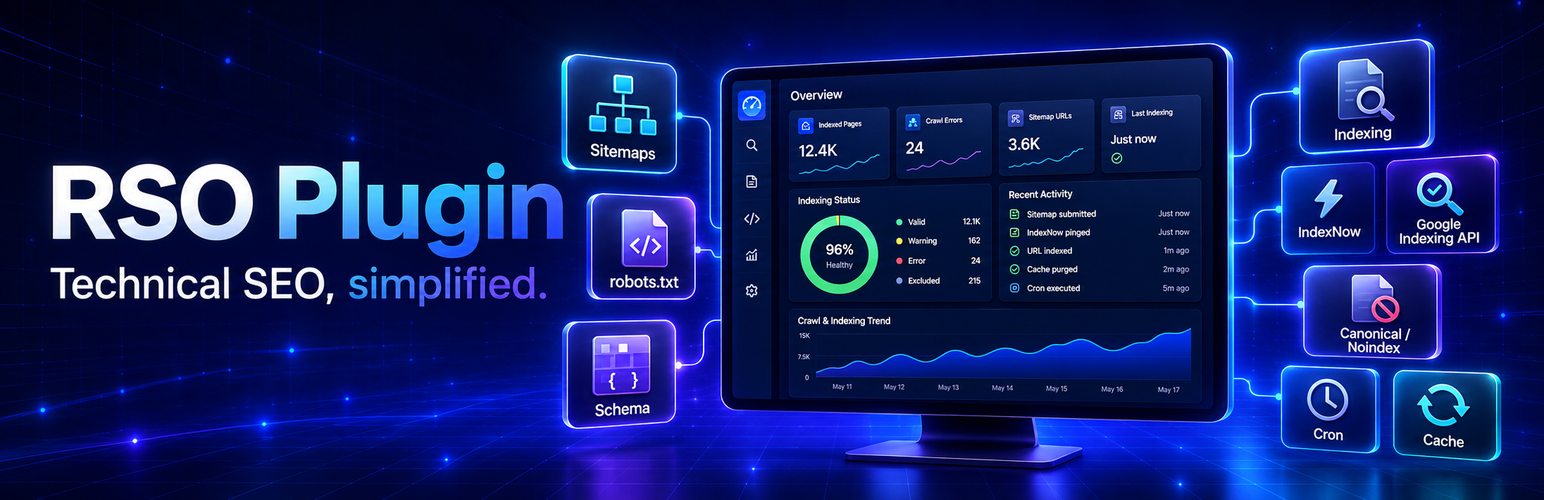
Raschgroup SEO Suite combines technical SEO, page metadata, XML sitemaps, image auditing and search-performance workflows in the WordPress administration area. Local tools remain available without a service license. An optional paid RSO service adds remote crawling, deeper analysis and licensed optimization plans.
All executable PHP, JavaScript and CSS used in WordPress is included with the plugin. External services return data such as measurements, findings, scores and recommendations; they do not deliver executable code to the WordPress installation.
SEO metadata and indexing controls
- Add a separate SEO title without changing the visible WordPress post title.
- Manage meta descriptions and focus keywords for supported public post types.
- Add dedicated meta descriptions to public categories and taxonomies.
- Configure descriptions for the posts homepage and public post-type archives that do not have a normal editor.
- Exclude individual posts from the RSO sitemap, IndexNow or Google Indexing.
- Review proposed metadata before applying it, select individual fields and undo the latest compatible metadata change from the visible history.
XML sitemaps and robots.txt
- Serve a dynamic XML sitemap index with separate paginated sitemaps for supported public content types.
- Select included post types, exclude categories and set the maximum number of URLs per sitemap page.
- Configure sitemap priorities and change frequencies for posts, pages, categories and supported custom post types.
- Optionally calculate post priorities from approved comment counts.
- Generate downloadable static sitemap files and readable XML presentation pages.
- Disable the WordPress core sitemap when the RSO sitemap is used.
- Manage a virtual robots.txt file, additional rules and sitemap references.
Structured data
- Generate Schema.org JSON-LD for WebSite, Article, BreadcrumbList, Person, Event, FAQPage, HowTo and Product.
- Select plugin-generated, custom or mixed structured-data output for individual content.
- Preview structured data before publishing and enter validated custom JSON-LD when required.
- Disable overlapping Yoast SEO JSON-LD output when RSO structured data is enabled.
Search Opportunities
- Connect directly to the Google Search Console API with explicitly authorized service-account credentials.
- Synchronize query, target-page, click, impression and average-position information and store finalized reporting rows locally.
- Compare 28- and 90-day periods using current and previous reporting data.
- Search and filter by query or URL, clicks, impressions and Google position, and sort the opportunity list.
- Consolidate punctuation and word-order variants and group all visible queries belonging to the same target page.
- Calculate local opportunity priorities from impressions, ranking position, expected CTR gaps and recent trends.
- Display property-level totals that include privacy-protected Search Console activity not exposed as individual queries.
- Keep automatic synchronization disabled until an administrator enables it and allow local report data to be deleted independently.
Image SEO
- Inspect images used on an individual page or scan images across the website in batches.
- Detect missing alternative text, oversized files, modern-format opportunities, missing dimensions, responsive-markup issues and unsuitable lazy loading above the fold.
- Filter the website report by priority, page, filename, file size and technical findings.
- Prepare context-derived alternative-text drafts without visual recognition or artificial intelligence.
- Mark intentionally decorative images and review every proposed change before it is written.
- Preview WebP optimization with before-and-after file sizes and keep the original file available for a compatible undo operation.
- Retain visible change history for supported image repairs.
Crawler, analysis and reports
- Review technical crawler findings, page scores, metadata, content structure, media and link information.
- Run page-level analysis for published content and receive prioritized findings and metadata proposals.
- Choose whether licensed analysis uses rendered public HTML or stored WordPress post content.
- Apply selected SEO-title, description and focus-keyword proposals after a before-and-after review.
- Keep structural content recommendations review-only so page content is not inserted automatically.
- Download authorized PDF and XML reports with structured findings and status information.
Maintenance and integration
- Configure sitemap, crawling and SEO caches and clear supported caches from the administration area.
- Schedule or manually run supported WordPress cron maintenance tasks.
- Submit eligible URL updates through optional IndexNow and Google Indexing integrations after configuration.
- Access searchable in-plugin guidance and synchronized FAQ content for current workflows.
- Choose whether plugin settings and locally stored data are retained or deleted during uninstall.
Optional RSO Analysis service
The paid service provides remote crawling, technical SEO analysis, prioritized findings, SEO scores, metadata suggestions, page-aware Search Console optimization plans and rule-based website image plans. A service license is required for these API operations. Administrators review the returned results before applying supported metadata changes. Content recommendations and website image-plan tasks remain review-only. Local sitemap, robots.txt, metadata, Search Console reporting and image-audit features remain installed when no service license is connected.
External services
Raschgroup SEO Suite connects to the RSO Analysis API at https://api.raschgroup.com/ only when an authorized administrator submits license credentials, requests an analysis or another explicitly selected service operation, or when a configured analysis-related scheduled task runs for an already connected installation.
If the administrator enables IndexNow, the plugin also sends published page URLs and the configured IndexNow key to the selected indexing endpoints at Bing (https://www.bing.com/) and Yandex (https://www.yandex.com/). If Google Indexing is enabled, page URLs and the configured service-account authorization are sent to Google’s Indexing API (https://indexing.googleapis.com/). These integrations are disabled until an administrator configures and enables them.
If an administrator explicitly tests or enables Search Console synchronization, the plugin connects directly to the Google Search Console API (https://www.googleapis.com/webmasters/v3/). It sends the configured Search Console property, reporting date range, search type and requested dimensions together with service-account authorization. Google returns query text, target-page URLs, clicks, impressions and average positions. The plugin stores these reporting rows locally for up to 180 days to group query variants, compare periods and calculate rule-based opportunities. Automatic synchronization is disabled by default and can be disconnected while retaining the local report history.
When an administrator explicitly requests a licensed optimization plan from a Search Console result, the plugin sends the visible query portfolio associated with the selected target page, including imported clicks, impressions, CTR and average positions, together with the target URL, current page title, RSO metadata and selected page content to the RSO Analysis API. The service weights and consolidates the queries and returns one page-level intent classification, diagnostic set and proposed metadata and content plan. No returned metadata is written until an administrator selects and applies it.
When an administrator explicitly requests a licensed website image optimization plan and confirms the transfer, the plugin sends up to 250 selected local report rows to the RSO Analysis API. A row can include the page and image URL, filename, format, file size, dimensions, loading and responsive-markup status, existing alternative text, caption, nearby page text and technical finding codes. Image files and pixels are not sent. The service uses deterministic rules to group repeated images, identify text inconsistencies and prioritize review tasks. It does not perform visual recognition or AI analysis, and it does not write changes to WordPress.
Depending on the selected analysis source and operation, the plugin may transmit:
- The site URL and URLs of pages selected for analysis.
- Page titles, rendered public HTML or stored post content.
- Metadata, headings, links, image URLs and script URLs contained in the analyzed page.
- Selected image-report metadata, existing image text and nearby page text when an administrator confirms and requests a licensed website image optimization plan; image files are not transmitted.
- The visible Search Console query portfolio for a selected target page and its locally stored click, impression, CTR and average-position information when an administrator requests an optimization plan.
- HTTP response and performance information collected for the analysis.
- An installation identifier and signed capability used to authenticate the installation.
- The account email address, order ID and license token submitted during activation. The plain license token is used for the activation request and is not stored locally; a SHA-256 hash is stored locally.
- Information deliberately entered into the support form when an administrator sends a support request.
This data is used to activate the service, perform requested SEO analysis, return results and provide requested support. Analysis results are cached locally for up to six hours. The plugin provides cache controls and asks whether local plugin data should be retained or deleted when the plugin is removed.
Service provider: Raschgroup
Service information: https://raschgroup.com/rso/
Terms: https://raschgroup.com/agb/
Privacy policy: https://raschgroup.com/datenschutz/
Additional service policies:
Bing privacy: https://privacy.microsoft.com/privacystatement
Yandex privacy: https://yandex.com/legal/confidential/
Google privacy: https://policies.google.com/privacy
Google API Terms: https://developers.google.com/terms
Google API Services User Data Policy: https://developers.google.com/terms/api-services-user-data-policy
Please review those documents before connecting the service. The site administrator is responsible for informing users and content authors when analyzed page content can contain personal data.
Development
Human-readable source and build definitions are included with the plugin. The shared minified file assets/js/dist/bundle.min.js is built from assets/js/index.js and the other readable files in assets/js/ with npm install && npm run build-js from the plugin root. The root package.json contains this build command. Each application below templates/gui/ contains its readable src/ directory and its own package.json; run npm install && npm run build in that application directory to reproduce its compiled JavaScript and CSS. PHP dependencies are declared in composer.json.
Installation
- Upload the plugin files to
/wp-content/plugins/raschgroup-seo-suite, or install the plugin through the WordPress Plugins screen. - Activate Raschgroup SEO Suite.
- Configure local sitemap, robots.txt and structured-data options under RSO.
- Edit a post, page, category or public taxonomy term to configure its available RSO metadata.
- Optional: open RSO Settings, review the external-service information and submit your RSO service credentials to connect API analysis.
- Optional: enable the Search Console API in the same Google project, grant the service account access to the Search Console property, then connect it under RSO → Search Opportunities.
- Optional: configure IndexNow or Google Indexing credentials before enabling URL submission.
FAQ
Does the plugin require a paid license?
The remote RSO crawling and analysis service requires a service license. The plugin also contains local WordPress SEO integrations that do not themselves execute on the RSO service.
Does activation contact an external server?
Plugin activation creates local settings, schedules and an installation identifier. A service request requires an administrator to submit service credentials or request a connected service operation.
What content can be transmitted for analysis?
Depending on the selected mode, RSO sends either stored post content or asks the service to fetch the public rendered URL. See the External services section for the complete categories of data.
How long are results cached in WordPress?
Remote analysis results are cached locally for up to six hours. Administrators can clear the analysis cache from the RSO controls.
What happens when the API is unavailable or the license expires?
Remote analysis displays an error and remains unavailable until the connection works again. Local sitemap, robots.txt and structured-data output are not removed merely because the service is unavailable.
How do I remove local data?
The plugin asks whether its data should be kept or deleted when it is removed. Selecting deletion removes RSO options, post metadata, analysis transients, cache files, schedules and the local license-state table after the remote activation has been released successfully.
Does Search Opportunities require an RSO service license?
No. Direct Search Console synchronization, local reporting and rule-based opportunity assessment are local plugin features. Licensed RSO analysis can be opened for deeper page analysis and prepared optimization work.
Which Image SEO features require a license?
Local page audits, website scans, filters, reviewed repairs, WebP previews and undo remain local. The optional website image optimization plan requires an active service license because the selected report metadata is grouped and prioritized by the RSO Analysis API after explicit administrator confirmation.
What Search Console data is stored?
The plugin stores finalized daily query, target-page, click, impression and average-position rows for the selected property and search type. Similar punctuation variants are grouped for reporting. Stored Search Console rows are removed after 180 days, through the local report-data control, or when plugin data is deleted during uninstall.
Does the plugin automatically change my page content?
No. Metadata and supported image changes require an administrator to review and apply them. Structural content recommendations remain review-only and are not inserted into posts automatically.
What is the difference between the SEO title and the WordPress post title?
The WordPress post title remains the visible content heading used by the theme. The optional RSO SEO title is emitted as search metadata for the page and can be optimized independently without renaming the post.
Can metadata changes be undone?
Supported applied metadata changes create a visible before-and-after history. The latest compatible change can be restored when the underlying page metadata has not changed independently in the meantime.
Does Image SEO inspect the visual content of an image?
No. Image SEO uses file information, HTML markup, existing image text and nearby page context. Neither the local audit nor the licensed website image plan performs visual recognition or sends image files or pixels to the RSO service.
Does the plugin replace the WordPress sitemap?
The RSO sitemap has its own endpoints. Administrators can choose whether the WordPress core sitemap is disabled. The plugin does not silently disable it without that setting.
Which structured-data types are supported?
The page-level editor supports WebSite, Article, BreadcrumbList, Person, Event, FAQPage, HowTo and Product schema. Available fields depend on the selected schema type.
Are IndexNow and Google Indexing enabled automatically?
No. URL submission requires the corresponding administrator configuration. Individual posts can also be excluded from these indexing integrations.
Changelog
1.4.1
- Removed unsupported HTML presentation elements from dynamic and static sitemap XML.
- Ensured sitemap indexes and child sitemaps always return standards-compliant XML to search engines.
- Added a fully local, responsive XSL browser presentation with clickable sitemap, page, image and alternate-language links.
- Removed the obsolete HTML sitemap-output switch and clarified the fixed XML format in settings and guidance.
- Added stylesheet cache versioning and consistent XSL processing instructions for every sitemap generation path.
1.4.0
- Added guided image SEO reviews with clearer action explanations, optimization previews and reversible changes.
- Improved metadata proposals across Search Opportunities, crawler and page analysis with stronger query consolidation and low-value term filtering.
- Added synchronized FAQ guidance for recently introduced Search Opportunities and Image SEO workflows.
- Standardized buttons, icons, modal actions, typography, gradients and responsive layouts throughout the administration interface.
- Redesigned generated PDF reports for clearer sections, readable findings and more reliable page breaks.
1.3.0
- Added a local Image SEO workspace with technical audits, context-derived alt-text drafts, explicit decorative-image controls and reversible single-image repairs.
- Added temporary before-and-after WebP previews with real file sizes, non-destructive application and history-based undo.
- Added a batched website-wide image report with priority, filename, page, file-size and technical-finding filters.
- Added an optional licensed, rule-based website image optimization plan with explicit transfer consent, repeated-image grouping and review-only tasks.
- Consolidated all visible Search Console queries for a target URL into one page-level optimization plan.
- Added weighted primary and supporting query selection using impressions, position and click opportunity.
- Consolidated reordered query variants before generating SEO titles, descriptions, focus terms and content recommendations.
- Limited plan creation and history controls to one action per target page while retaining query-level diagnostics.
- Added property-level Search Console totals so overview clicks and impressions include privacy-protected query activity.
- Extended manual synchronization to 180 days for complete current and previous 90-day comparisons.
- Updated external-service and privacy disclosures for page-level query portfolios.
1.2.0
- Added configurable query, URL, click, impression, position and sorting filters to Search Opportunities.
- Added a licensed query-aware optimization service backed by the RSO Analysis API.
- Added reviewable suggestions for SEO titles, meta descriptions, focus keywords, content sections and calls to action.
- Added selective metadata application with concurrent-change protection, visible before-and-after history and safe undo for the latest change.
- Improved content-derived description and focus-keyword suggestions in the crawler and premium analysis, with a shared before-and-after review before applying changes.
- Added an optional SEO title field that does not change the visible WordPress post title.
- Separated verified API, manual synchronization and automatic synchronization states.
- Documented the data transmitted for licensed Search Console optimization plans.
1.1.0
- Added opt-in Google Search Console synchronization using read-only service-account authorization.
- Added a Search Opportunities workspace with 28- and 90-day reporting.
- Added local query-topic grouping, period comparison and site-specific CTR baselines.
- Added rule-based assessment for observation, emerging queries, snippet improvements, content expansion and competing pages.
- Added daily local reporting storage with a 180-day retention limit and uninstall cleanup.
- Documented Google Search Console data transfer, retention and privacy controls.
- Corrected Google service-account JSON parsing and separated credential storage from the Google Indexing switch.
1.0.2
- Added a local browser presentation for XML sitemaps.
- Added clickable URL presentation links while preserving the required sitemap location elements.
- Restored sitemap and URL totals and fixed scrolling on long sitemap pages.
- Standardized accessible help tooltips while retaining modals for detailed setup guides.
- Corrected comment-based sitemap priorities to use approved comments per URL with safe fallback values.
- Search engines continue to receive the same standards-compliant sitemap XML.
1.0.1
- Fixed encoded HTML entities in crawler and analysis content titles.
1.0.0
- Initial public release preparation.
- Local sitemap, robots.txt, schema, metadata and reporting integrations.
- Optional data-only connection to the RSO Analysis API.