


Description
RatingStar is the review tool for businesses: collect customer reviews, bundle reviews from Google and other platforms, and show them all on your own website. RatingStar.de Seal brings them into WordPress:
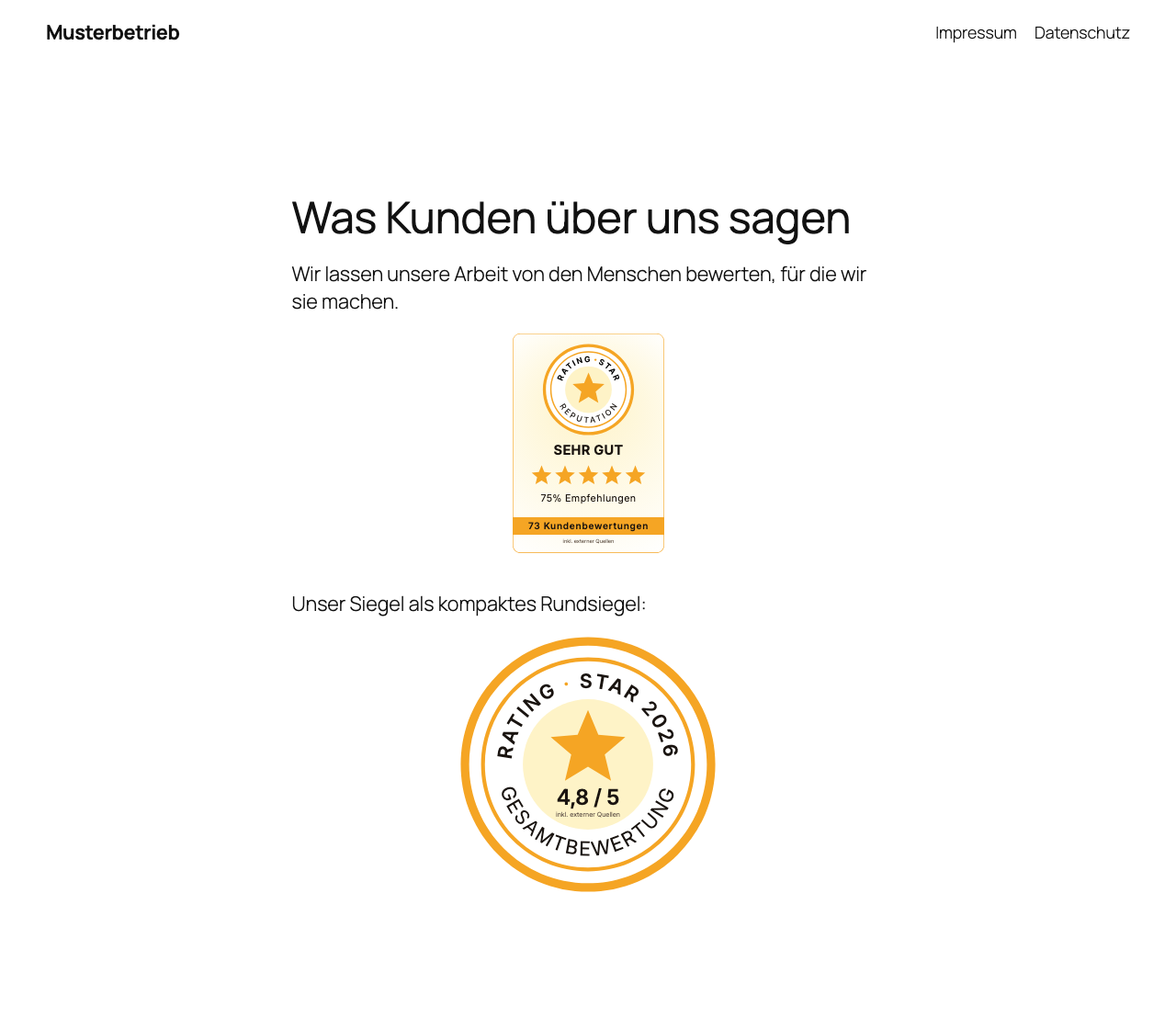
- A seal widget in nine variants — the static round seal and banner seal, plus the live widgets: profile card, rating bar, overall rating, quote, carousel, review wall and footer bar.
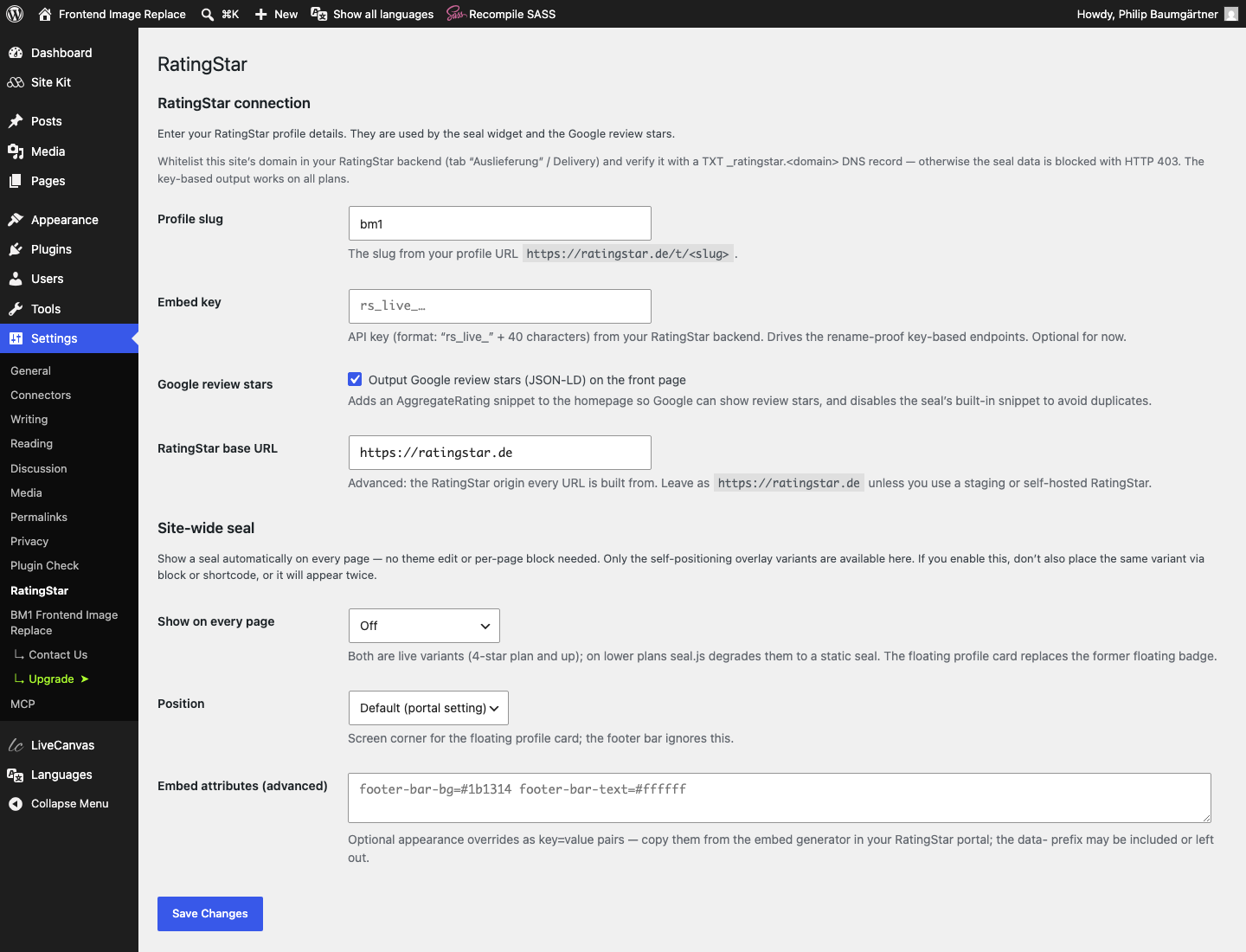
- A site-wide seal: show the floating profile card or the footer bar on every page — no theme edit, no per-page block.
- Google review stars — server-side JSON-LD (
AggregateRating) so search engines can show star ratings for your site. - A static image mode: the round seal, banner seal and profile card as a plain SVG image, linked to your profile — for contexts without JavaScript.
- WooCommerce: review requests after a purchase — your shop sends customers an e-mail asking for a review, with a single-use link to your RatingStar review form. Automatically after a set order status and waiting time, or by hand for single orders and in bulk.
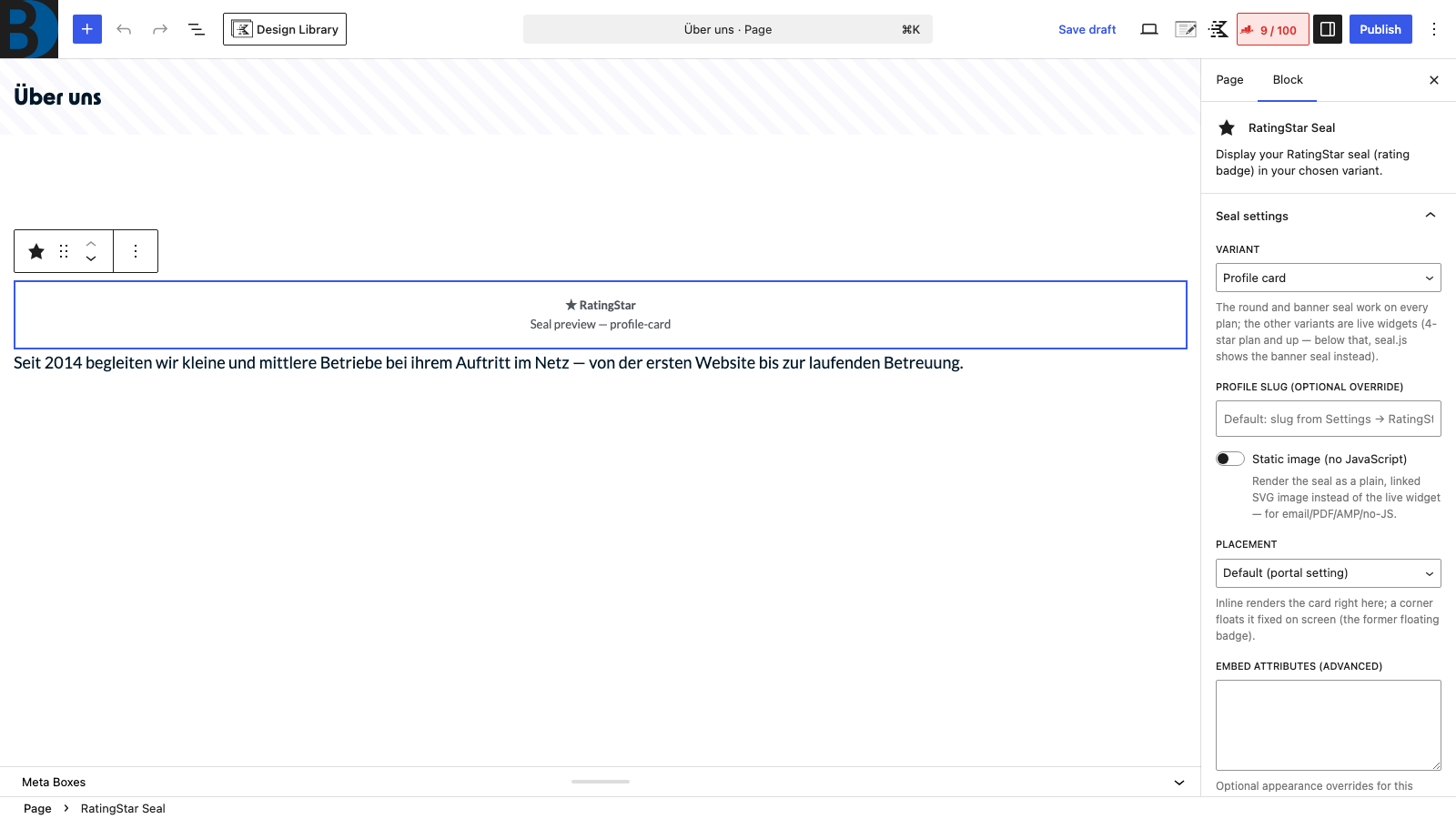
Enter your RatingStar profile slug once under Settings → RatingStar, then place the seal anywhere with the [ratingstar] shortcode or the RatingStar Seal block — or switch on the site-wide seal.
Customising the look: every embed accepts the appearance attributes produced by the embed generator in your RatingStar portal (for example pc-color, car-count, footer-bar-bg, or theme for a dark look). Use them as shortcode attributes ([ratingstar variant="carousel" car-count="4"]), paste them into the block’s “Embed attributes” field, or into the site-wide settings — seal.js validates the values.
Why it stays fast and clean:
- The seal script (
seal.js) is loaded asynchronously and only on pages that actually contain a seal. - The JSON-LD rating is fetched server-side — key-based when an API key is set, so it survives a profile rename — and cached for 6 hours; it is printed only on your front page.
- When the JSON-LD output is enabled, the seal’s own snippet is suppressed so the
AggregateRatingis never duplicated. - The static image is rendered and cached by ratingstar.de, with long-lived CDN and browser caching.
- On WooCommerce product pages the plugin prints no rating snippet and tells the seal not to add one: the product page describes the product, and your business rating must not be read as the product’s rating.
Review requests for WooCommerce (WooCommerce 8.9 or newer; set up under WooCommerce → Settings → RatingStar, everything is off until you switch it on):
- When: choose the order status that starts it (default: completed) and a waiting time in days (default 7, 0 = right away). Cancelled, refunded or failed orders never get a request; a planned request is dropped when the order changes to one of these.
- By hand: “Send review request” in the order actions of a single order (also again), and as a bulk action in the order list, which skips orders that already have one. The order list shows a “Review request” column; each order shows consent and status in its own box and in the order notes.
- Text: a WooCommerce e-mail (“Review request (RatingStar)”) under WooCommerce → Settings → Emails with your shop’s design, HTML or plain text. Subject and text are editable with the placeholders
{customer_name},{order_number},{order_date},{shop_name},{review_link}and{unsubscribe_link}; a missing link is added automatically. The templates can be overridden in your theme (woocommerce/emails/ratingstar-review-request.php). - Consent, chosen by you: a checkbox at checkout (default; never ticked in advance, only customers who tick it get a request), or no checkbox and requests to all customers — only after you assure in the settings that you may ask your customers without separate consent and are responsible for it. On that second way the plugin shows nothing at checkout. The checkbox appears only once the secret key is saved, and works with the classic and the block checkout. Each order records whether the checkbox was ticked; an unticked checkbox is final for that order. Orders without any record (older orders, orders created in the back end) can only be sent one by one by hand.
- Unsubscribe: every e-mail has an unsubscribe link (also as one-click unsubscribe header for mail programs, when the shop sends via SMTP). Unsubscribed addresses never get a request again, not even by hand.
- Connection: a secret key (
rs_secret_…) from your RatingStar backend, checked with “Check connection” and sent only over https. The review link is fetched only when the e-mail is about to be sent; if RatingStar cannot be reached, the plugin tries again later (at most three tries). Checkout and order handling never wait for RatingStar. - Copies of your site: the key is bound to the site address where it was saved. On a copy (staging, local clone) nothing is sent until someone enters the key again there.
External services
This plugin connects to the RatingStar platform (https://ratingstar.de), a review collection and rating seal service operated by Baumgärtner Marketing GmbH. The connection is what the plugin is for: it displays your RatingStar seal with live rating data and outputs your rating as Google review stars. Without a RatingStar profile the plugin does nothing.
What is sent, and when:
- Seal widget: When a page containing a seal is shown, the visitor’s browser loads
seal.js, the seal styles and the rating data for the configured profile from ratingstar.de, and requests a tracking pixel that counts the seal impression (and, on click, the click). As with any web request, the visitor’s IP address and user agent technically reach the server; the plugin itself transmits no names, e-mail addresses or other personal fields. - Static image mode: The visitor’s browser loads a single SVG image from ratingstar.de.
- Google review stars (JSON-LD): Your web server — not the visitor — fetches the rating summary from ratingstar.de (identified by your site URL in the user agent) and caches it for 6 hours. No visitor data is involved.
- Settings: When you save a changed profile slug, your web server verifies it against ratingstar.de once.
- Review requests (WooCommerce, optional): When a review request is about to be sent, your web server asks ratingstar.de for a single-use review link, authenticated with your secret key. It sends the order reference and, if you allow it, the customer’s name — never the e-mail address or other order data. “Check connection” asks ratingstar.de for the name of your RatingStar location. Nothing is sent while the feature is not set up.
Service provider: Baumgärtner Marketing GmbH, Germany.
- Terms of service: https://ratingstar.de/agb
- Privacy policy: https://ratingstar.de/datenschutz
Installation
- Upload the
ratingstar-de-sealfolder to/wp-content/plugins/, or install the ZIP via Plugins → Add New → Upload Plugin. - Activate RatingStar.de Seal through the Plugins menu.
- Go to Settings → RatingStar and enter your profile slug (the part after
ratingstar.de/t/). The slug is verified against your live profile. Optionally add your API key (rs_live_…) for the rename-proof key-based endpoints. - Whitelist your domain in the RatingStar backend (Siegel & Widgets → Domains & Statistik) and verify it via the
TXT _ratingstar.<domain>DNS record — otherwise the seal data may be blocked with HTTP 403. - Place the seal on a page or post —
[ratingstar variant="profile-card"]or the RatingStar Seal block — or enable the site-wide seal in the settings. - Shops with WooCommerce: set up review requests after a purchase under WooCommerce → Settings → RatingStar (secret key, timing, consent). The e-mail text is under WooCommerce → Settings → Emails → Review request (RatingStar).
FAQ
Where do I find my profile slug?
It is the last part of your public profile URL: https://ratingstar.de/t/<slug>. Enter just the <slug> part on the settings page.
Which variants are there?
The round seal and the banner seal are static and work on every plan. Profile card, rating bar, overall rating, quote, carousel, review wall and footer bar are live widgets and need a 4-star plan or higher — on lower plans seal.js shows the banner seal instead.
How do I change colours, sizes and other options?
Open the embed generator in your RatingStar portal, configure the widget and copy the resulting attributes into the shortcode, the block’s “Embed attributes” field or the site-wide settings. The data- prefix may be included or left out; invalid values fall back silently.
The seal does not appear.
Make sure a profile slug is saved under Settings → RatingStar and that the page contains the [ratingstar] shortcode, the RatingStar Seal block or an enabled site-wide seal. Check that your domain is whitelisted and DNS-verified in the RatingStar backend. If you use a caching or “remove unused JavaScript” plugin, make sure seal.js from ratingstar.de is not blocked.
Does this work with caching plugins?
Yes. The rating data for the JSON-LD is cached server-side for 6 hours via a WordPress transient, so page caches stay light. The seal itself renders client-side from live data; the static image is cached by CDN and browser.
Data protection / GDPR
The seal widget loads seal.js and rating data from ratingstar.de, so visitors’ browsers connect to that domain when a seal is shown. Mention this in your privacy policy and, if you use a consent solution, treat ratingstar.de accordingly. The server-side Google review stars (JSON-LD) do not require any client-side connection; the static image mode only requests a single image.
Which data goes to RatingStar for review requests?
Only an order reference (for example wc-1a2b3c4d-1234) and — if the setting “Send the customer’s name to RatingStar” is on — the customer’s name, which is filled in on the review form. The customer’s e-mail address never leaves your shop: the e-mail is sent by your shop, through your usual mail setup. When the customer opens the link and writes a review, that happens on ratingstar.de.
Do I need the customer’s consent for review requests?
That depends on your situation, and you decide it. The plugin offers two ways: a checkbox at checkout, or no checkbox plus your assurance that you may ask your customers without separate consent (for example because you tell them about it yourself). If you are not sure, use the checkbox. Every e-mail carries an unsubscribe link. Mention the review requests in your privacy policy.
How are unsubscribed addresses stored?
As a keyed hash (HMAC-SHA256) of the e-mail address, one small WordPress option per address, not autoloaded. The plugin stores no plain address for this; the key is a random value of your site.
Which languages are supported for review requests?
The e-mail and the checkout texts use the language of your site. Shops with several languages (WPML, Polylang and the like) are not specially supported yet: every customer gets the e-mail in the site language.
What is removed when I delete the plugin?
All settings, the secret key, the unsubscribe records and pending review requests. The notes and data on your orders (who agreed when, what was sent) stay, because they belong to the order history.
Do I need an embed key?
The seal works with your public profile slug alone. The API key (format rs_live_… from your RatingStar backend) is recommended for the Google review stars: it drives the rename-proof key-based endpoints, which keep working when your profile slug changes and are open on all plans.
Screenshots
Changelog
1.3.1
- WooCommerce review requests: when the data processing agreement is not yet
concluded in RatingStar, the plugin now says so and shows where to conclude
it, instead of reporting that the plan does not include review requests.
1.3.0
- New for WooCommerce shops: ask your customers for a review after their
purchase. Your shop sends the e-mail itself and fetches a single-use review
link from RatingStar. You choose the order status and the waiting time, edit
the text under WooCommerce → Settings → E-mails, and can send by hand per
order or in bulk. Consent: a checkbox at checkout (default) or no checkbox,
when you assure that you may write to your customers. Every e-mail carries
an unsubscribe link. Settings: WooCommerce → Settings → RatingStar.
Requires WooCommerce 8.9 or newer. - WooCommerce product pages: the plugin adds no Google review stars of the
shop there, so they cannot be read as stars of the product. - The plugin now removes its settings when it is deleted.
1.2.0
- Google review stars: the plugin asks RatingStar for the schema.org type set
in your RatingStar account (“Google-Sterne” page: Product or LocalBusiness)
and accepts both. Until now it acceptedLocalBusinessonly. - Texts no longer name a fixed type.
1.1.1
- Google review stars: the JSON-LD block is written with
<,>,&and
quotes encoded, so no company name or review text can end or distort it. - Google review stars: only a
LocalBusinessanswer is accepted, and the
request to ratingstar.de times out after 5 instead of 8 seconds. - Google review stars: if WordPress cannot store the cached rating data
(read-only database, failing object cache), the plugin prints no block and
no longer asks ratingstar.de on every front page view.
1.1.0
- Widget names follow the RatingStar portal: rating bar, overall rating, quote,
carousel, review wall and footer bar (in German: Bewertungsleiste, Gesamtnote,
Zitat, Karussell, Bewertungswand, Fußleiste). - New appearance attribute
theme="dark": a dark look for the rating bar,
overall rating, quote, carousel and review wall. - The domain whitelist hint points to the new place in the RatingStar backend
(Siegel & Widgets → Domains & Statistik).
1.0.2
- Clearer plugin description: RatingStar collects customer reviews, bundles
reviews from Google and other platforms and shows them on your website.
1.0.1
- The German description and installation steps now come from the translation
packages on translate.wordpress.org instead of being embedded in the readme.
1.0.0
- First public release.
- Seal widget in nine variants (shortcode + block) with the portal’s per-embed appearance attributes.
- Site-wide seal: floating profile card or footer bar on every page.
- Server-side Google review stars: key-based
LocalBusinessJSON-LD, cached for 6 hours, duplicate-free. - Linked static image mode (SVG) for round seal, banner seal and profile card.
- Slug verification, configurable base origin, domain-whitelist hints.
- German translations (de_DE and de_DE_formal), including the block editor.