


Description
ReactWoo Geo Core provides country-targeted content and free A/B tests for your website. It detects a visitor’s country on your server and lets you use that result in content and rules. Country lookup uses a GeoLite2 Country database that you download with your own MaxMind account. No ReactWoo account is required for the features below. A/B tests are included, with no limit on how many you run.
Included:
- Country detection from the GeoLite2 Country database stored on your site
- Download or upload that database from the MaxMind screen
- Shortcodes for country, country code, city, region, and currency
- A conditional shortcode for showing content to selected countries
- A REST location endpoint for front-end code, and a capabilities endpoint for discovery
- The Geo Content block for the block editor
- Free A/B tests, with no test limit: a Gutenberg A/B Test block, an Elementor variant control, and the [rwgc_ab] shortcode. One view and one conversion are counted per visitor. Those totals are stored on your site as a daily count per arm. The visitor’s IP address is not stored
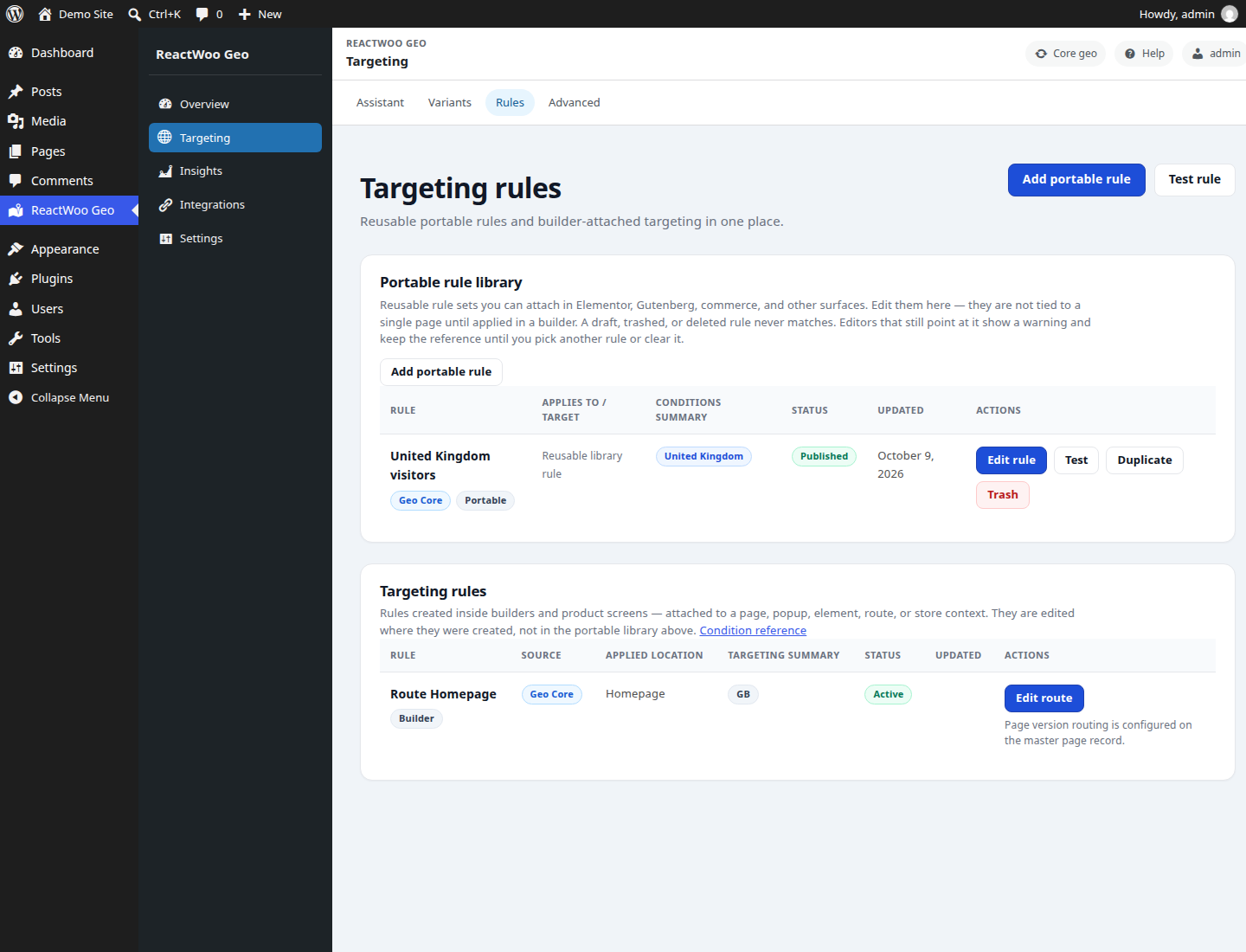
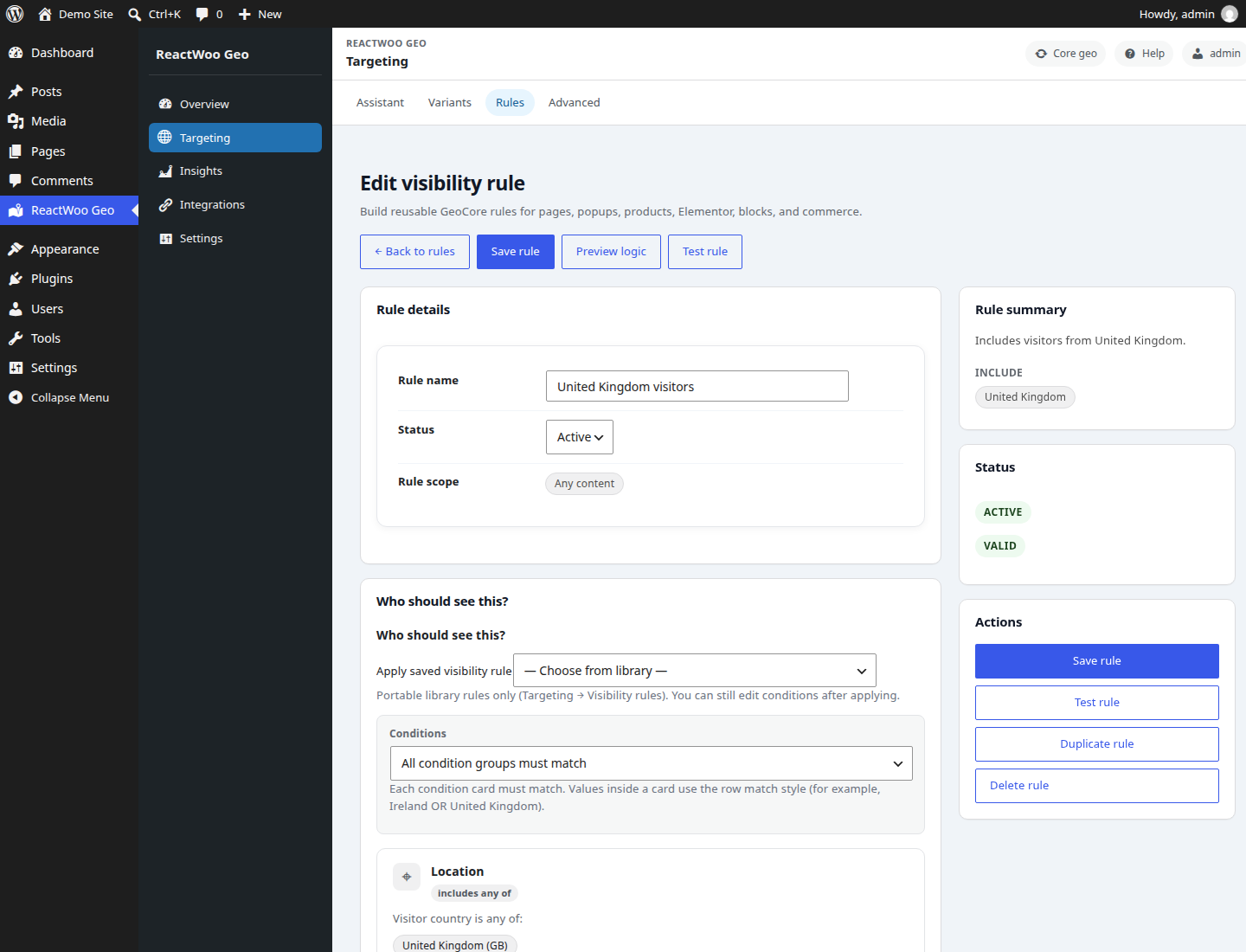
- Visibility rules for country and country groups, in Elementor, the block editor, and reusable rules
- PHP helpers for themes and other plugins
Optional add-ons are separate plugins. Geo Core keeps working when they are not installed. Geo Core Pro adds device, language, schedule, campaign, visitor, page, weather, audience, and full-page version targeting. Geo Commerce and WHMCS Bridge can use this plugin as their country source. Those products update themselves.
Usage
After setup, you can use Geo Core in multiple ways:
- Shortcodes:
[rwgc_country],[rwgc_country_code],[rwgc_currency],[rwgc_city],[rwgc_region] - Conditional shortcode:
[rwgc_if country="US,CA"]Special content[/rwgc_if] - PHP helpers:
rwgc_get_visitor_country(),rwgc_get_visitor_currency(),rwgc_get_visitor_data() - REST endpoints (when enabled in settings):
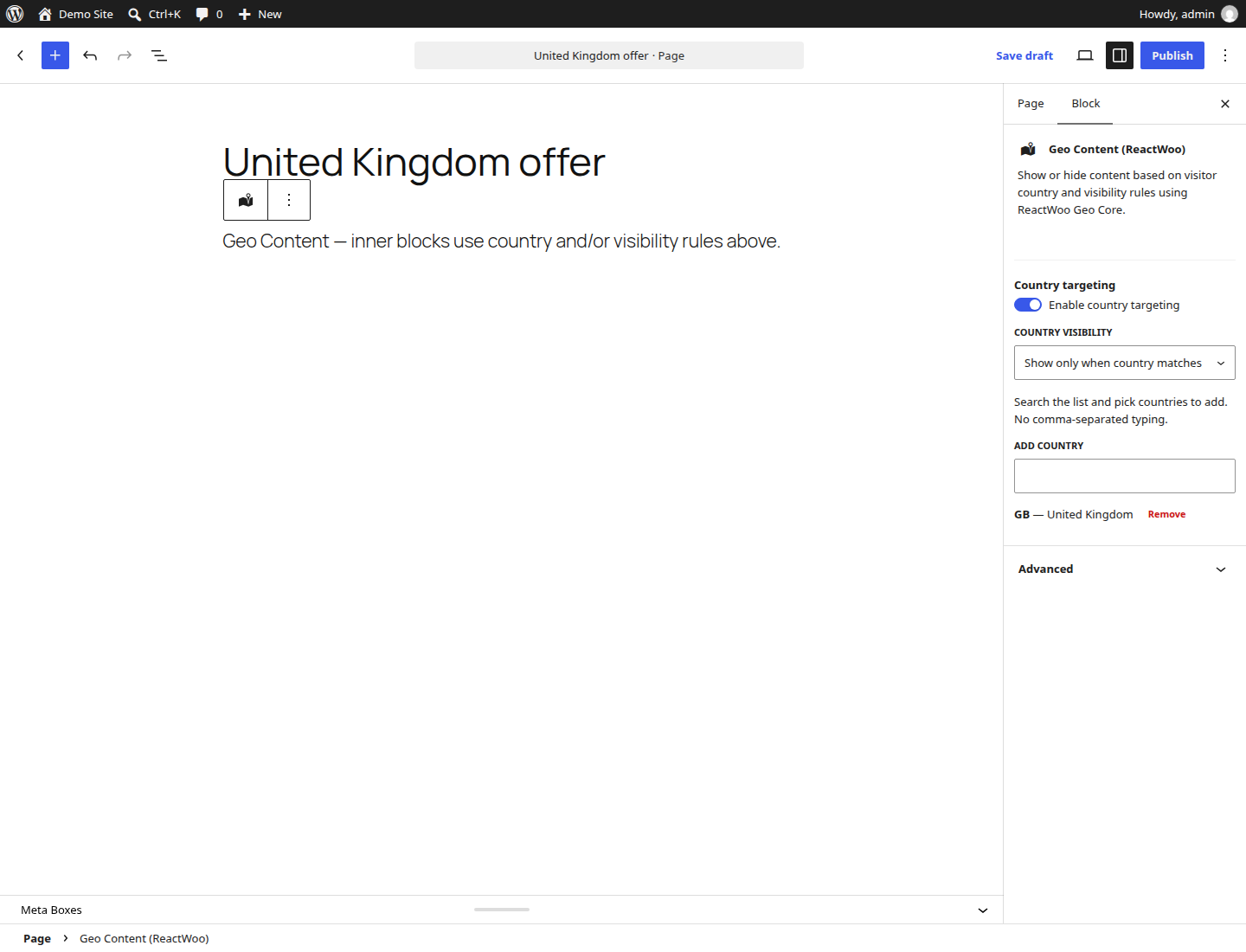
/wp-json/reactwoo-geocore/v1/location(visitor geo; not cached; the IP address is shown only to admins),/wp-json/reactwoo-geocore/v1/capabilities(plugin discovery: event types and hooks; no visitor PII) - Gutenberg: Use the Geo Content block to show/hide content by country. Use the A/B Test block for a free two-variant test with a click or page goal
- Elementor (free baseline): Use Page/Popup document settings for basic show/hide by country. Classic widgets/sections use Advanced → Geo Visibility; Elementor Atomic (V4) widgets use a sibling Geo Visibility Settings section (ISO country codes and saved visibility rules). The same elements can be Variant A or Variant B of a free A/B test
- A/B shortcode:
[rwgc_ab id="123"]with two[rwgc_ab_variant]blocks, for the classic editor, Divi, and Bricks. Experiences → A/B tests can copy that shortcode. The test is free and uncapped. A view is the first time a visitor sees an arm. A conversion is counted once after that. The totals stay on your site and do not include IP addresses
For an in-dashboard guide, open Geo Core → Usage in wp-admin.
Country targeting uses ISO2 country codes (example: US, CA, GB) because they are stable and reliable for logic. Use country names for display text to visitors.
Example conditional content:
[rwgc_if country="US,CA"]Free shipping for North America[/rwgc_if]<h3>External services</h3>
Geo Core runs country detection on your server. It does not call ReactWoo while a visitor page is rendering. The services below are contacted only in the cases described.
MaxMind GeoLite2
An administrator can download the GeoLite2 Country database from Integrations → MaxMind (GeoLite2).
- Service:
https://download.maxmind.com/geoip/databases/GeoLite2-Country/download?suffix=tar.gz - Sent: the MaxMind account ID and license key, as HTTP Basic authentication. This plugin does not send the visitor IP address to MaxMind. Country lookups use the database file stored on your server.
- After that: MaxMind redirects to its file host (the host is chosen by MaxMind and can change). The plugin follows that one redirect and does not send the account ID or license key again.
- When: when an administrator clicks Download / refresh database, and on a schedule when automatic updates are on and both the Account ID and license key are saved. The first scheduled download runs about one to seven hours after those credentials are saved, then about twice a week. Saving credentials does not contact MaxMind by itself. Visitor page views do not contact MaxMind.
- Terms: https://www.maxmind.com/en/geolite/eula
- Privacy policy: https://www.maxmind.com/en/privacy-policy
QUIC.cloud
Optional, and off unless an administrator enables “My site uses QUIC.cloud CDN”.
- Service:
https://www.quic.cloud/ips-all?json - Sent: no visitor data. The plugin requests QUIC.cloud’s published list of edge IP addresses.
- When: a daily background refresh while that setting is on. A copy of the list is also included with the plugin and is used if the refresh fails.
- Terms: https://www.quic.cloud/terms-of-use/
- Privacy policy: https://www.quic.cloud/privacy-policy/
ReactWoo API
- Service:
https://api.reactwoo.com - Optional AI: when a separately installed commercial add-on provides a ReactWoo license key, Geo Core can send that key and this site’s hostname to
/api/v5/auth/login, then call AI routes such as/ai/health,/api/v5/ai/assistant/usage, and/api/v5/ai/geo/variant-draft. A variant draft sends the page id, title, excerpt, country code, language, and the editor’s instructions. Geo Core does not call license.reactwoo.com. Licensing for paid add-ons stays on that add-on. - Updates: the ReactWoo distribution of this plugin (not the WordPress.org build) sends the plugin slug, current version, release channel, and site hostname to
/api/v5/updates/check. The WordPress.org build does not include that updater. Commercial add-ons update themselves. - When: only while an administrator uses those AI tools, or while WordPress checks for updates on the ReactWoo distribution.
- Terms: https://reactwoo.com/terms-conditions/
- Privacy policy: https://reactwoo.com/privacy-policy/
ReactWoo Decision Cloud
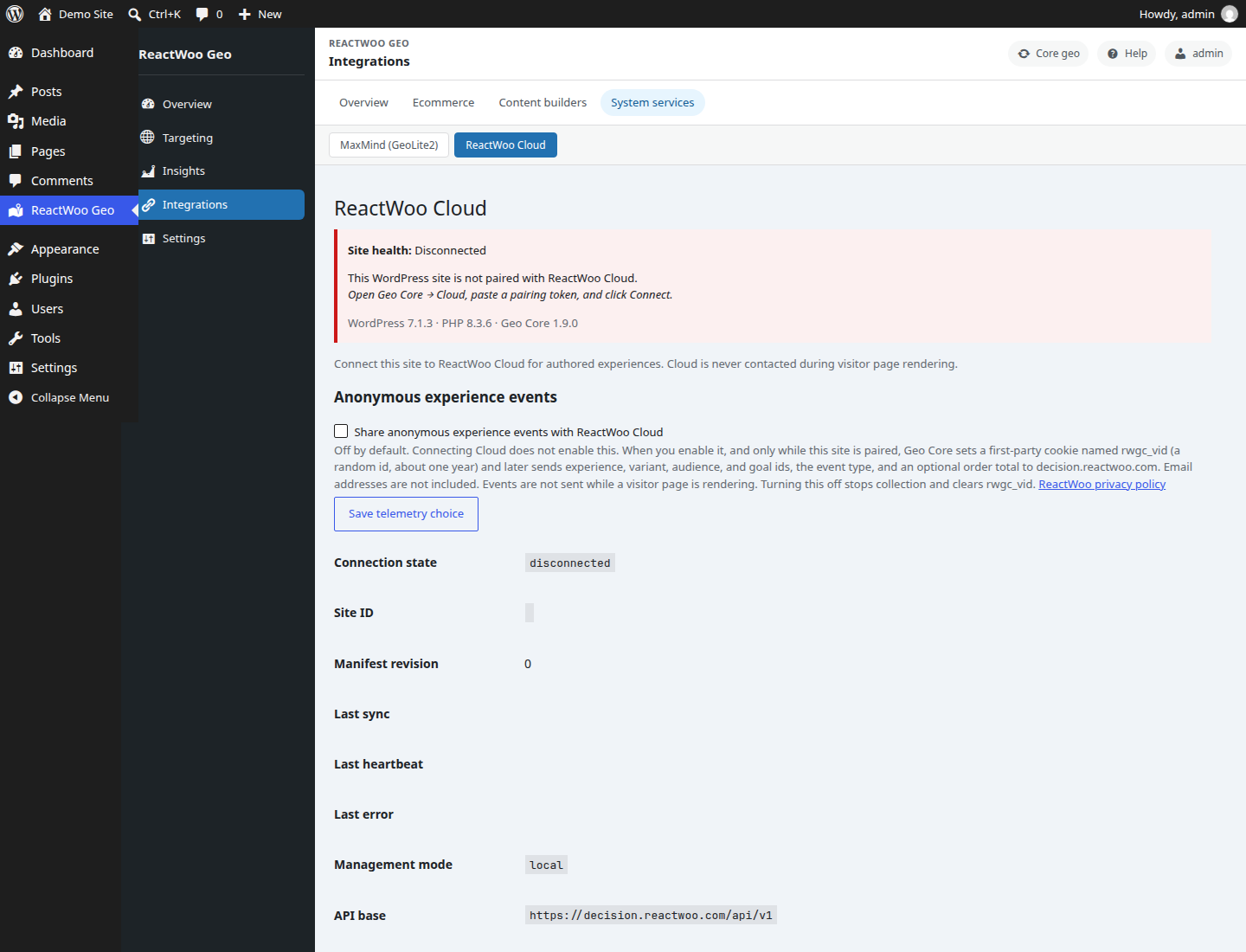
Optional. Nothing is sent until an administrator pairs the site under Integrations → ReactWoo Cloud.
- Service:
https://decision.reactwoo.com/api/v1 - A stored legacy address of
https://cloud.reactwoo.com/api/v1is rewritten to Decision Cloud. Geo Core does not call cloud.reactwoo.com. - Pairing sends the pairing token, site URL, site name, Geo Core version, and a short plugin list (slug, version, and whether it is active).
- While the site stays paired, later administrator or scheduled requests can send the site id, a manifest sync, and a health snapshot (WordPress, PHP, Geo Core, WooCommerce, and Elementor versions, plus heartbeat and queue status). Import sends local audiences, slots, variants, and rules only after an administrator clicks Import.
- Visitor page rendering does not call Decision Cloud.
- Terms: https://reactwoo.com/terms-conditions/
- Privacy policy: https://reactwoo.com/privacy-policy/
Anonymous Cloud telemetry
Off by default. An administrator must enable “Share anonymous experience events” on the ReactWoo Cloud screen. Pairing the site does not enable it.
- When it is on, and only while the site is paired, Geo Core sets a first-party cookie named
rwgc_vid(a random id, about one year). It stores the event type, experience, variant, audience, and goal ids, and an optional order total. Email addresses are removed before anything is queued. - Those events are sent to Decision Cloud on a later administrator or scheduled flush. They are not sent while visitor HTML is generated.
- Turning the setting off stops collection and clears
rwgc_vid. - Other cookies stay on this site and are not uploaded.
rwgc_returning,rwgc_rv,rwgc_ft,rwgc_st,rwgc_cc, andrwgc_pvare used for detection, returning visitors, and full-page cache variation.rwgc_abis set only on a response that renders an A/B test (or on the fragment and event routes for that test). It is a signed first-party cookie, lasts about 90 days, and holds a random visitor id, the assigned arm, and view and conversion flags. Search bots and editor previews do not receive it. Telemetry does not upload any of these cookies.
Installation
No Composer, SSH, or WP-CLI is required on your server. Geo Core ships with bundled PHP libraries under vendor/ (MaxMind / GeoIP2). You only upload or update the plugin like any other WordPress plugin.
- Upload the plugin files to the
/wp-content/plugins/reactwoo-geocoredirectory, or install via WordPress plugin upload. - Activate the plugin through the ‘Plugins’ screen in WordPress.
- Sign up for a free GeoLite2 account at https://www.maxmind.com/en/create-account . In that account, open Account → Manage License Keys (https://www.maxmind.com/en/accounts/current/license-key), generate a license key, and copy it. MaxMind shows the full key only once. Your numeric Account ID is under Account Information (https://www.maxmind.com/en/accounts/current/edit).
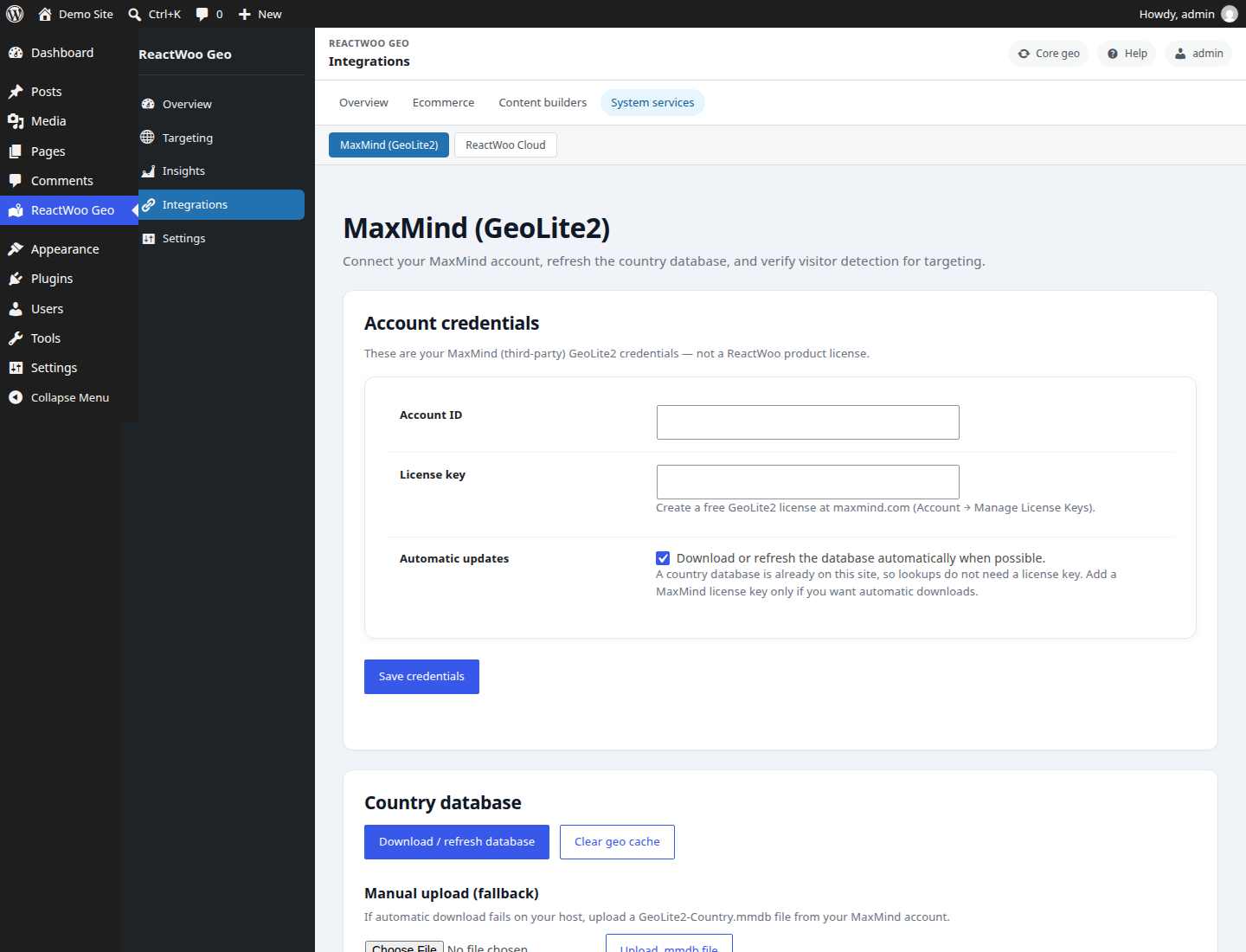
- Go to Geo → Integrations → MaxMind (GeoLite2). Paste the Account ID and license key, then click Save credentials. This is a third-party MaxMind license for downloading the database — not a ReactWoo product license. Core geo works without any ReactWoo key. Click Download / refresh database to fetch the country database now, or upload a GeoLite2-Country.mmdb file. Saving credentials does not download the file immediately. With automatic updates left on, the first download is scheduled for about one to seven hours later, then about twice a week.
- Test visitor detection on the same screen.
FAQ
Does this plugin require Elementor?
No. ReactWoo Geo Core works with any theme and editor. It exposes helper functions, shortcodes, a REST endpoint, and a Gutenberg block.
Does this plugin include MaxMind?
No. You must provide your own MaxMind license key and accept their terms of use. Sign up for a free GeoLite2 account at https://www.maxmind.com/en/create-account . The plugin then downloads the GeoLite2 Country database to your site.
What is included without another plugin?
Country detection, the shortcodes, the Geo Content block, free A/B tests, the REST location endpoint, and country and country-group visibility rules. A/B tests are included in Geo Core, not in a paid add-on. There is no limit on how many tests you run. One view and one conversion are counted per visitor, stored on your site as a daily total per arm, and the visitor’s IP address is not stored. UTM, click-ID, device, language, and time rules come with Geo Core Pro. You do not need a ReactWoo account for the country features or for A/B tests.
Do I need an add-on?
No. Full-page country versions, audience, weather, and visitor-profile conditions are provided by the separate Geo Core Pro plugin. Geo Commerce and WHMCS Bridge are also separate plugins. Install one only if you want that product. Geo Core does not hide or limit the included features when an add-on is absent.
Does Geo Core require a ReactWoo product license?
No. Detection, shortcodes, the block, visibility rules, and the public REST location endpoint work without a ReactWoo key. A license key is used only when a separately installed add-on turns on an optional AI tool that calls the ReactWoo API.
Which PHP version is required?
PHP 8.1 or newer, and WordPress 6.2 or newer. The MaxMind libraries included with Geo Core require PHP 8.1.
Does the server need Composer or SSH?
No. All required PHP packages are included in the plugin’s vendor/ directory. You should never need to run composer install on a customer site. (Composer is used only when we build the release zip in development or CI.)
Does this plugin require WooCommerce?
No. Geo Core runs without WooCommerce. The optional Geo Commerce product (separate plugin) adds Woo-specific overlays and uses rwgc_is_woocommerce_active() / the REST woocommerce_active field for discovery.
Where do plugin updates come from?
WordPress.org installations of Geo Core update from WordPress.org. That build does not contact api.reactwoo.com for updates, and it does not update other plugins. The separate ReactWoo release channel (for existing customers) checks api.reactwoo.com for Geo Core only. Commercial add-ons update themselves.
Does Geo Core send visitor analytics?
Not unless an administrator opts in on the ReactWoo Cloud screen. That choice is off by default. See External services.
Screenshots
Changelog
Recent releases are listed here. Older notes: https://github.com/reactwoo/reactwoo-geocore/blob/main/CHANGELOG.md and the history of this file on GitHub.
1.9.29
- Security: hardened REST request validation for the A/B event endpoint.
1.9.28
- The public A/B render address no longer returns variant HTML from a page that visitors cannot already read. A draft, private, pending, scheduled, trashed, or password-protected source, and a source of a non-public type, gets the same not-found response as a test that is not running. That response is not stored.
- A server-mode A/B test keeps the same arm when the theme prints the header before the test. Elementor, Divi, Bricks, and the classic editor do that. The
rwgc_abcookie is stored with that response. The buffer is only used on a singular front-end page that has a running test. REST, AJAX, cron, feeds, admin, and file or download responses are not buffered. - The readme and the suggested privacy policy name the
rwgc_abcookie. It is set only on a page that renders an A/B test, lasts about 90 days, and is not uploaded. - Bundled composer/ca-bundle is 1.6.1.
- Country lookups are cached without storing the visitor IP address. The cache name is a salted hash tied to this site, and older cache rows are removed in small batches after the update. The public A/B render limit uses the same kind of name and does not store the address.
1.9.27
- An A/B test counts the first time a visitor sees an arm, and one conversion after that. A view is sent when the arm comes on screen. A click goal is sent from that arm. A goal address is counted when a visitor who already saw the test opens that page. Reloads do not count again. The totals do not store the visitor’s address or account. The event address is public, has no nonce, and is not stored.
- Divi, Bricks, and the classic editor can run an A/B test with the
[rwgc_ab]shortcode. The A/B tests screen can copy that shortcode. It follows the same server and fragment rules as the block. An unknown or inactive test shows the first variant. - On the public site, an Elementor A/B pair shows one variant. The A and B labels stay in the editor. Installing the plugin does not save the A/B cache choice; Server is used until that choice is saved.
- An Elementor container, section, column, or widget can be Variant A or Variant B of an A/B test. Two siblings that share a test are the pair. The editor shows both. Visitors see one. An unpaired element still renders, and the editor explains that. Atomic V4 has the same section.
- A/B tests can render without one visitor’s arm being cached for another. Server mode tells caches that cannot vary not to store a page that renders an active test. LiteSpeed keeps a separate copy per arm. Fragment mode (Settings → Detection) shows variant A without JavaScript and loads the assigned arm from this site. That request is not stored.
- The A/B cookie is set only on a response that renders a test. A page with no test does not send that cookie and can stay cached.
- The render address expects a positive integer test id. Anything else is rejected. With a persistent object cache the per-minute limit is an atomic counter. Without one, a transient is used and two requests at the same moment can both be counted, so a short burst can go over the limit.
- Cache-Control is sent only when the response headers are still open. DONOTCACHEPAGE, and LiteSpeed’s no-cache flag, still apply after the page has started sending output.
- The Gutenberg A/B Test block has two locked variants and a click or page goal. Each block on a saved page is its own test. Duplicating the page or the block starts a new test.
- Visitors are split 50/50 and keep their variant through a signed cookie. A cookie that has been changed is replaced. Search bots and editor previews see variant A and get no cookie.
- Experiences → A/B tests lists each test with its status and source page, and can end or delete it.
1.9.26
- The WordPress Dashboard shows the MaxMind setup notice, and the Dashboard widgets render.
- Country names that already include the code, such as United States (US), are not written twice.
- The MaxMind how-to and Getting Started step 2 use the same numbered steps as the rest of the admin. The Dashboard and Plugins setup notice uses standard WordPress buttons.
- The MaxMind screen explains how to create a free GeoLite2 account and that a new license key is shown only once. Saving credentials schedules the country database download; Download / refresh database fetches it now.
- Until a country database is added, notices say that every visitor is treated as the configured fallback country. One dismissible setup notice on the Dashboard and Plugins screens stays hidden after that user dismisses it.
- The dashboard setup checklist counts the MaxMind step as done when a license key is saved or a usable database is already on the site.
1.9.25
- Update now on the Plugins screen downloads a fresh ReactWoo release link. A link that expired after ten minutes is no longer kept in the update list.
- The release archive lists the plugin file and readme before JavaScript, so a virus scanner does not flag a normal script as the first file in the zip.
1.9.24
- A connection that PHP reports as ::ffff:a.b.c.d is treated as that IPv4 address. Trusted proxies, Cloudflare, and the private-address admin notice match it, so visitors are not geolocated as the proxy.
1.9.23
- A visitor can no longer choose a country by sending a Forwarded or X-Forwarded header when the proxy has set X-Real-IP or True-Client-IP. That stays true when the proxy header is present but is not a single public address. Cloudflare’s CF-Connecting-IP is not replaced by those headers while Behind Cloudflare is on.
1.9.22
- Visitor country follows the connection address. A visitor cannot choose a country by sending X-Forwarded-For, X-Real-IP, True-Client-IP, CF-Connecting-IP, or CF-IPCountry.
- Settings → Detection adds Trusted proxies and Behind Cloudflare. Cloudflare headers are used only when that option is on and the connection comes from Cloudflare’s published addresses, which are included with the plugin.
- A site updated from an older version keeps Cloudflare visitor detection until settings are saved. An admin notice appears when a private address is still sending a forwarding header, or when Cloudflare is detected while the option is off.
1.9.21
- First WordPress.org directory release; adds automated WordPress.org deploy workflow. The packaged build publishes to the directory only on a GitHub Release or v* tag. Readme and directory assets can update from main without shipping plugin code.
1.9.20
- A rejected MaxMind database upload shows its error notice, and a MaxMind 401 shows at most the last four characters of the saved license key.
1.9.19
- Updated bundled composer/ca-bundle to 1.6.0
1.9.18
- Fix: list-capabilities and site-context abilities accept calls with no input
1.9.17
- Administrators on WordPress 6.9+ can list ReactWoo capabilities, describe one capability, and read which satellites are licensed. These three tools are visible to MCP clients. Pricing, experiments, and other actions are not tools.
1.9.16
- Status messages and MaxMind archive cleanup use WordPress text and filesystem helpers.
1.9.15
- Fix: MaxMind download/upload/copy no longer overwrites settings an admin saved while it ran
1.9.14
- Country lookup finds a database that an older version saved in a dated GeoLite2-Country_YYYYMMDD folder when the saved path is empty or out of date, and copies it once to uploads/reactwoo-geocore/GeoLite2-Country.mmdb.
- A “database missing” fallback is no longer cached per visitor, so lookups recover as soon as the database is back.
- The automatic MaxMind download is also scheduled after a plugin update, not only on activation or a credentials save.
- A new or uploaded database clears cached visitor lookups straight away.
- The MaxMind screen no longer shows an old 401 error next to a successful refresh or a credentials save.
- Admin screens are readable in dark mode again (no more white-on-white headings or dark-on-dark labels), and muted text meets WCAG AA contrast.
- The public /location REST response no longer includes the visitor’s IP address (site admins still see it), and it is marked so caches never store it.
1.9.13
- MaxMind can refresh the country database on a schedule when automatic updates are on.
- Saving MaxMind credentials shows a confirmation, and the license key field shows only the last four characters.
- The downloaded database is the newest GeoLite2-Country file in the archive, checked before it replaces the live file.
- The MaxMind screen no longer scrolls sideways on a phone.
- A failed MaxMind download keeps its error message until the next successful download.
1.9.12
- A pasted MaxMind Account ID or license key is cleaned of invisible characters, a non-numeric Account ID is rejected before MaxMind is called, and a 401 explains what to check.
- Saving Settings → General keeps the MaxMind Account ID, license key, and database state.
- Saving new MaxMind credentials clears the previous download error.
- Country lookup uses GeoIP2 3.4.0. The WordPress.org package no longer includes MaxMind’s C extension sources.
1.9.11
- On a phone, ReactWoo Geo in the WordPress admin menu opens the hub, and the in-page menu sits below the admin bar.
1.9.10
- A rejected iframe is removed on its own, so later content and https embeds stay on the page.
1.9.9
- Geo Content keeps https embeds and forms across the block, shortcode and Elementor while still escaping unsafe markup.
1.9.8
- The readme, rule-builder cards, and capability text describe country and country-group rules as the conditions included with this plugin. UTM, click-ID, device, language, and time rules are described as Geo Core Pro.
- Opening a Geo admin screen no longer smooth-scrolls the active tab, which was aborting the browser view transition.
1.9.7
- Country and country-group visibility rules are the conditions this plugin evaluates. Device, language, schedule, campaign, visitor, and page conditions are evaluated by Geo Core Pro when that plugin is entitled.
- The rule builder offers country targeting on its own. Additional conditions appear in the same builder when Geo Core Pro is entitled.
- A save keeps stored conditions from another plugin. Those conditions do not match until that plugin is active and entitled.
- The Experience Slot block includes its editor asset file so WordPress 6.2 does not log a block script notice.
1.9.6
- Admin styles and the component stylesheet load on Geo Core screens and on pages that render a Geo Core block, shortcode, or widget.
- Admin and front-end snippets are added with the WordPress script and style queue.
- Form nonces and request values are unslashed and sanitized before use. Country database uploads use the WordPress upload handler.
- The WordPress.org package includes composer.json and leaves out directory icons, the unused CA certificate bundle, and page-version routing.
- Stored page-version conditions are kept when Geo Core Pro is not active, and they are not offered in the rule builder. Turning anonymous Cloud telemetry off stays off. See External services for ReactWoo Cloud terms and privacy.
1.9.5
- GeoElementor is no longer listed as an add-on. Country visibility in Elementor stays in this plugin.
1.9.4
- Full-page country versions, including the redirect and the editor, are in ReactWoo Geo Core Pro. This plugin keeps existing pages and saved routing settings and does not run that redirect.
1.9.3
- Full-page country versions are no longer a one-page limit inside Geo Core. Geo Core Pro provides them, including when Decision Cloud already covers Geo Core Pro.
- The WordPress.org build does not run page-version redirects. Pages and saved routing settings are left in place.
1.9.2
- Anonymous Cloud telemetry stays off for any stored value other than an explicit opt-in. That includes 0, no, off, false, and an empty value.
- The Geo Content country list loads on WordPress 6.2, 6.3, and 6.4.
1.9.1
- Geo Content: visibility-rule controls show when advanced targeting is enabled. The editor accepts either advancedTargeting or advanced_targeting.
- Geo Content can hold inner blocks. Blocks saved before this still validate.
- Geo Content mounts the rule builder when the block is selected, including after the editor reloads. The JSON textarea stays only if the builder does not load.
- Choose from library lists published visibility rules only.
1.9.0
- Requires PHP 8.1.
- Anonymous Cloud telemetry, including the visitor cookie, stays off until an administrator opts in.
- UTM and click-id conditions were included in Geo Core (moved to Geo Core Pro in 1.9.7). Audience, weather, and profile conditions remain in the separate GeoCore Pro plugin.
- The WordPress.org build does not check api.reactwoo.com for updates. A Pro add-on that still calls the old Core updater helper is ignored instead of causing an error. Pro add-ons update themselves.
- An uploaded country database no longer shows a license-key warning. That warning appears only when there is no usable database and no license key to download one.
- The Geo Content block loads in the block editor.
- The WordPress.org package leaves out vendor maintainer scripts, including MaxMind’s release.sh.
- Plugin URI is the Geo Core page, which is separate from the author URI.
1.8.171
- Elementor: the stale-rule warning now shows after the panel renders, for a deleted, draft, or trashed saved rule.
- A deleted or unpublished rule stays selected in Apply saved visibility rule, labelled unpublished or deleted.
- That picker lists only published rules.
- The warning does not redraw itself while the Geo section is collapsed.
1.8.170
- Editors warn when a block or element still points at a deleted, missing, draft, or trashed visibility rule. The reference stays until you pick another rule or clear it.
- Editor status lookup queries the visibility-rule post type, so published rules no longer look deleted. Unpublished rule titles are shown only to users who can edit that rule.
1.8.169
- With “My site uses QUIC.cloud CDN” on, a site whose PHP sees a loopback or private address (nginx/php-fpm, Docker, local LiteSpeed proxy) no longer geolocates visitors as the QUIC.cloud edge server.
1.8.168
- Elementor: filling the shared country list no longer clears countries already saved on a control.
- GeoIP: ignore client forwarding headers unless the connection is from Cloudflare or a private reverse proxy.
- Settings: optional “My site uses QUIC.cloud CDN” checkbox. Off by default. When on, only a QUIC.cloud server connection uses the visitor IP from the forwarding header.
- LiteSpeed: vary the page cache from the server-resolved country and page version, not from visitor cookies.
- Visibility rules: a missing, draft, trashed, or deleted rule no longer crashes the page, and it never matches.
- Elementor: a logged-out
?elementor-previewlink no longer skips document geo rules.
1.8.167
- Elementor: ship the country catalogue once and fill classic and Atomic country controls from that list.
- Elementor V4: keep Geo Visibility working when Atomic widgets are active.
1.8.166
- Elementor builder: drop leftover
$heavyGeo Visibility flag (PHP warning could corrupt editor AJAX) and memoize widget visitor preview.
1.8.165
- First-visit returning/new targeting stays new across later pages and AJAX in the same session.
1.8.164
- Returning visitors: New vs returning conditions now evaluate in portable rules, Commerce, and Cloud. A first-seen cookie marks the next visit as returning; UTM on the first hit does not.
1.8.163
- PLAN.md §19 steps 13–14: production catalogue SQL, license package, and Cloud commerce flag verified. Remaining: settings product IDs if empty, identity Sign in, paid checkout E2E, Gate E.
1.8.162
- PLAN.md remaining Local stop-ships closed: §20 shipped defaults, Local Woo E2E, Figma §16 visual screens. Production Cloud commerce stays off.
1.8.161
- Gate D live Local loop passed: cached Cloud variant still renders after Decision Cloud is stopped. Production Cloud commerce stays off.
1.8.160
- Gate D: Request-time Decision Runtime evaluates the cached Cloud manifest for Experience Slots. Portal
op/typeconditions alias tooperator/capability. No Cloud HTTP on the visitor path.