

Description
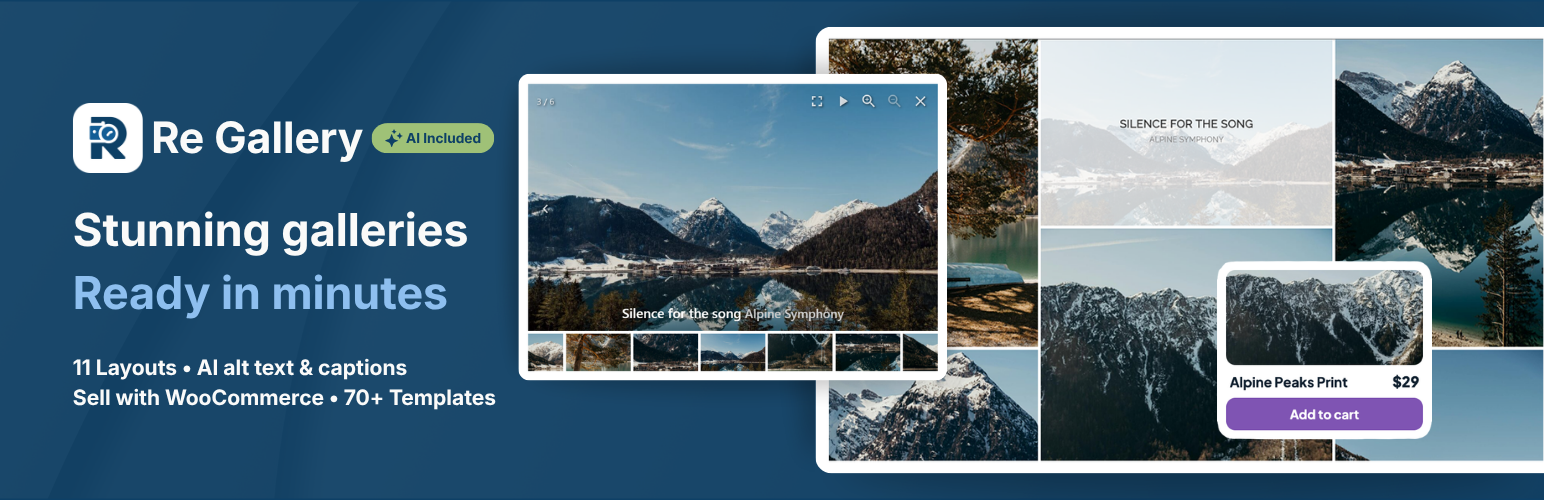
Re Gallery is a fast, SEO-friendly WordPress photo gallery plugin with a built-in AI that automatically generates image titles, descriptions, alt text, and captions — for free.
Create stunning, responsive image galleries using 11 gallery layouts like Mosaic, Masonry, Grid, Slider, Carousel, and more with drag-and-drop simplicity, and no coding required.
Unlock 70+ pre-built templates with Re Gallery PRO.
Gallery Live Demo | Pre-Designed Templates Demo
Improve SEO, increase user engagement, and bring your website to life with Re Gallery – a powerful, lightweight, and easy-to-use WordPress photo gallery plugin.
🔗 Visit the Image Gallery homepage for more details and inspiration!
🤖 AI Image SEO
With Re Gallery, managing your WordPress photo gallery just got easier.
Our built-in AI tools automatically generate:
- Image Titles
- Alt Text
- Captions
- Descriptions
Perfect for photographers, bloggers, WooCommerce stores, and anyone using WordPress, these features improve SEO and accessibility without any extra effort.
Unlike many AI tools, Re Gallery works immediately:
- No account.
- No external registration.
- Works directly inside WordPress.
Just upload your images and let Re Gallery do the work.
Benefits
- 🤖 AI-Powered Image SEO: Automatically generate SEO-ready image titles, alt text, captions, and descriptions directly inside WordPress. No external AI account or registration required.
- ⚡ Fast, Lightweight & Mobile-Friendly: Built for speed with minimal dependencies, lazy loading, and responsive layouts that help improve Core Web Vitals and user experience.
- 🎨 Beautiful Galleries in Minutes: Create professional image galleries using 11 responsive layouts with drag-and-drop simplicity and live preview—no coding required.
- 📈 Better SEO, Accessibility & User Engagement: Improve search visibility while keeping visitors engaged with modern galleries, lightbox viewing, optimized metadata, and fast-loading images.
- 🧩 Works with Your Favorite Tools: Fully compatible with Gutenberg, Elementor, Divi, Bricks, Beaver Builder, WPBakery, and WooCommerce.
- 💙 Easy to Use & Continuously Improved: Designed with a native WordPress interface, backed by responsive support and regular feature updates based on community feedback.
Why Choose the Re Gallery Photo Gallery Plugin?
Re Gallery combines AI-powered SEO, modern gallery layouts, and an intuitive live preview to help you create professional WordPress galleries in minutes. Explore responsive gallery layouts, customizable pre-designed templates, and modern designs like masonry, carousel, and lightbox galleries.
Whether you’re updating a blog, portfolio, or WooCommerce store, you’ll see how easy it is to enhance your WordPress website with Re Gallery.
Enjoy a smarter, more dynamic, and user-friendly photo gallery management experience with one of the powerful image gallery plugins for WordPress.
🔗 View Re Gallery Demo and start designing your perfect gallery today!
Key Features of the Re Gallery Plugin
- 11 Responsive Gallery Layouts: Build beautiful galleries with Mosaic, Masonry, Grid, Justified, Slider, Carousel, Cards, Cube, Blog, Coverflow, and Scroller layouts.
- Live Preview & Drag-and-Drop Editor: Instantly preview every change before publishing and organize images with intuitive drag-and-drop controls.
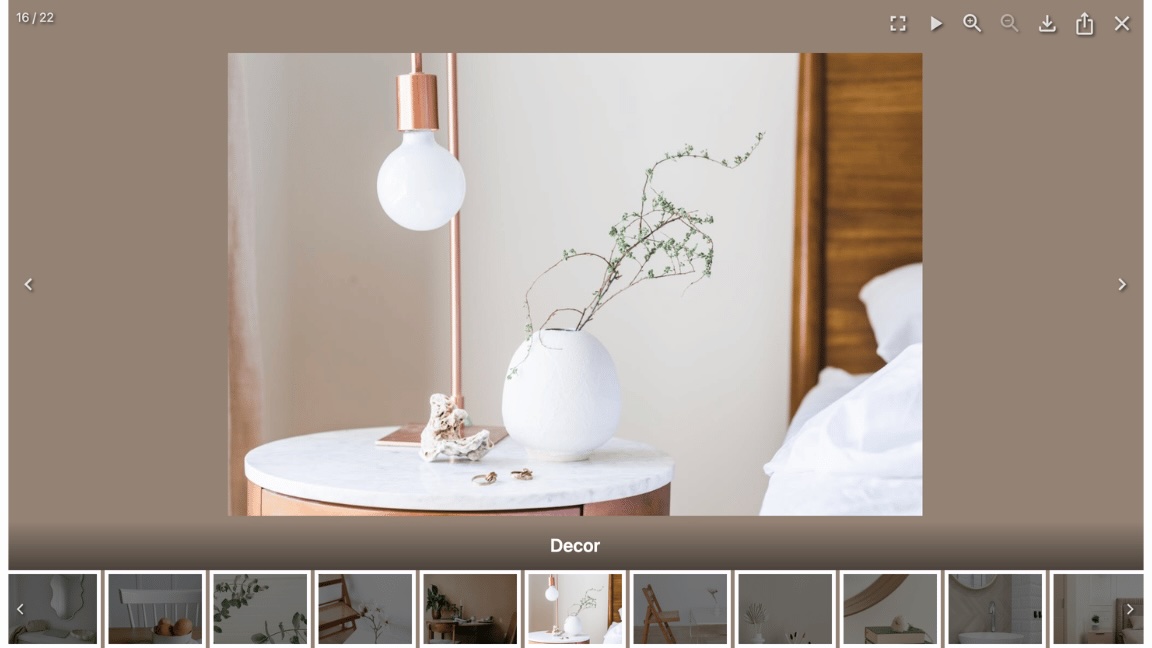
- Lightbox Experience: Display images in a modern lightbox with fullscreen mode, navigation, captions, filmstrip, sharing, deep linking, and keyboard support.
- Flexible Image Sources: Create galleries from the Media Library, Uploads, Posts, Pages, Videos, and WooCommerce Products.
- Mobile-First & Performance Optimized: Responsive galleries, lazy loading, and optimized rendering ensure fast loading on every device.
- Builder Integration: Works seamlessly with Gutenberg, Elementor, Divi, Bricks, Beaver Builder, and WPBakery.
- Dynamic Galleries: Automatically generate galleries from your latest posts or WooCommerce products that update as your content grows.
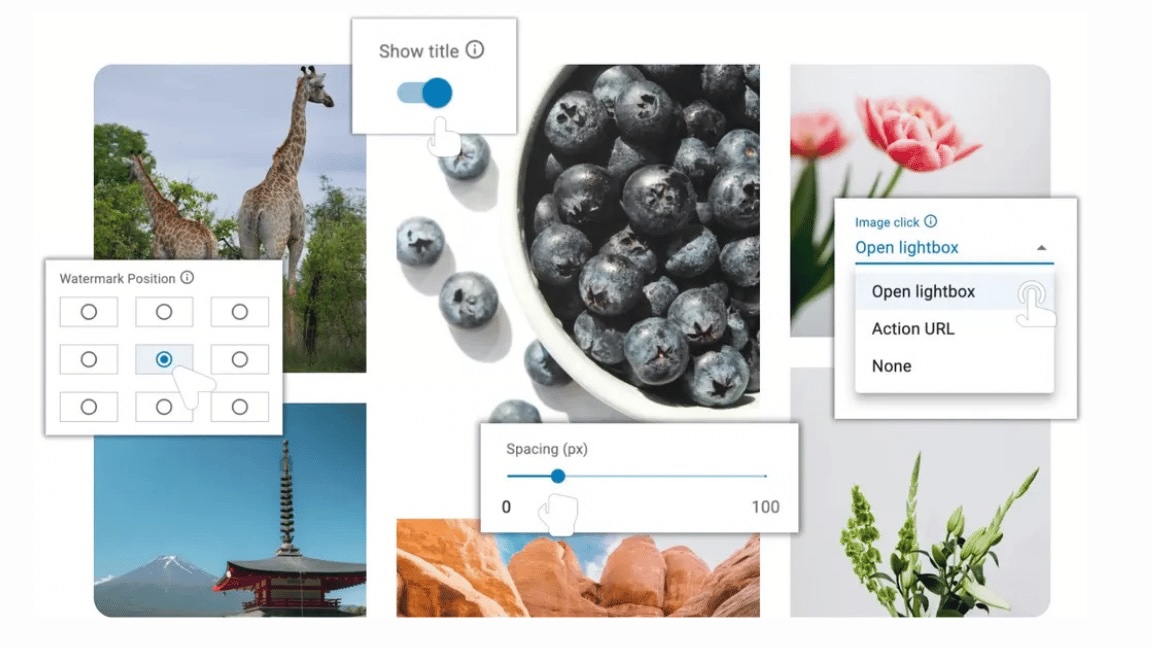
- Advanced Gallery Customization: Easily adjust spacing, padding, border radius, image size, titles, pagination, hover effects, and click actions without writing CSS.
- Upgrade to PRO: Unlock 70+ professionally designed templates, AI automation, watermark protection, WooCommerce enhancements, Custom CSS, White Label, and priority support.
Popular Re Gallery Tutorials
View changes direct in the live preview
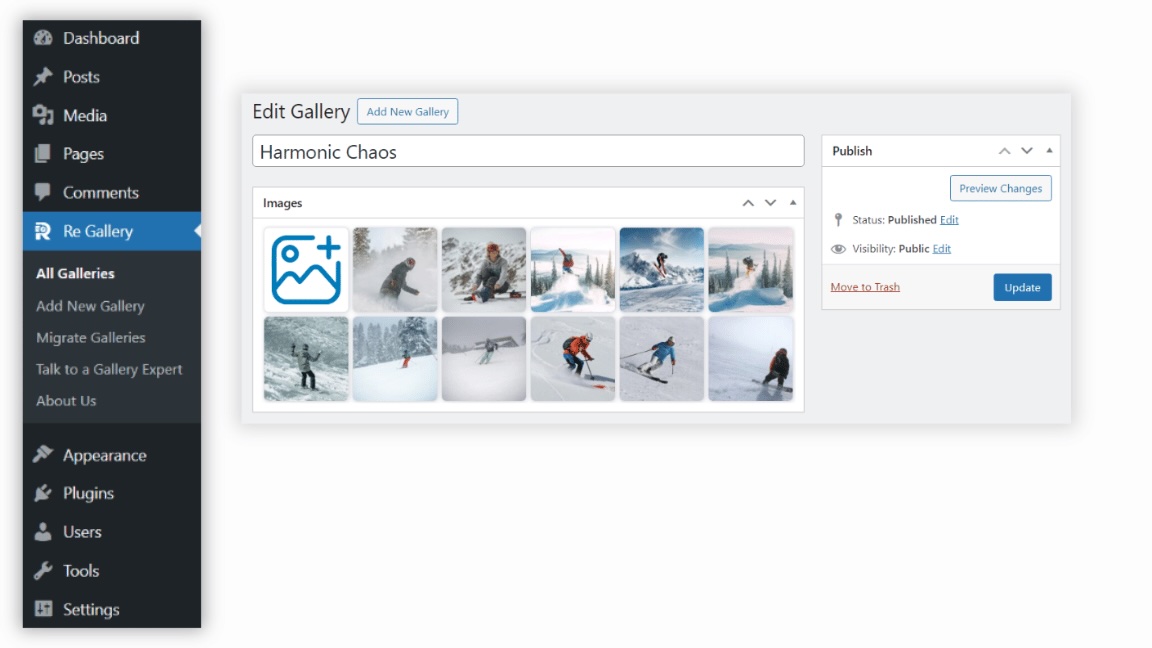
Drag&drop images to change ordering
How to change pagination type
How to edit image title
How to edit video cover
Add gallery with Gutenberg
Add gallery with Elementor
Add gallery with Divi Builder
Add gallery with WPBakery Page Builder
Add gallery with Beaver Builder
Add gallery with Bricks Builder
How to use Playground
How to use Pre-Designed Templates
How to set image click action
How to create dynamic gallery from your latest posts
How to use AI to automate Titles, Descriptions, Alt Text in WordPress galleries
🥇 PRO Pre-Designed Templates
Save time with our customizable pre-designed templates and get not just a ready-made design but also a creative solution to update your website’s photo gallery and image presentations. These templates are perfect for building beautiful and responsive galleries. Quick, easy, and professional – get started with an SEO-friendly image gallery that enhances your website’s visual appeal and user experience!
🔗 See Pro Pre-Designed templates!
🛍️ WooCommerce Product Integration
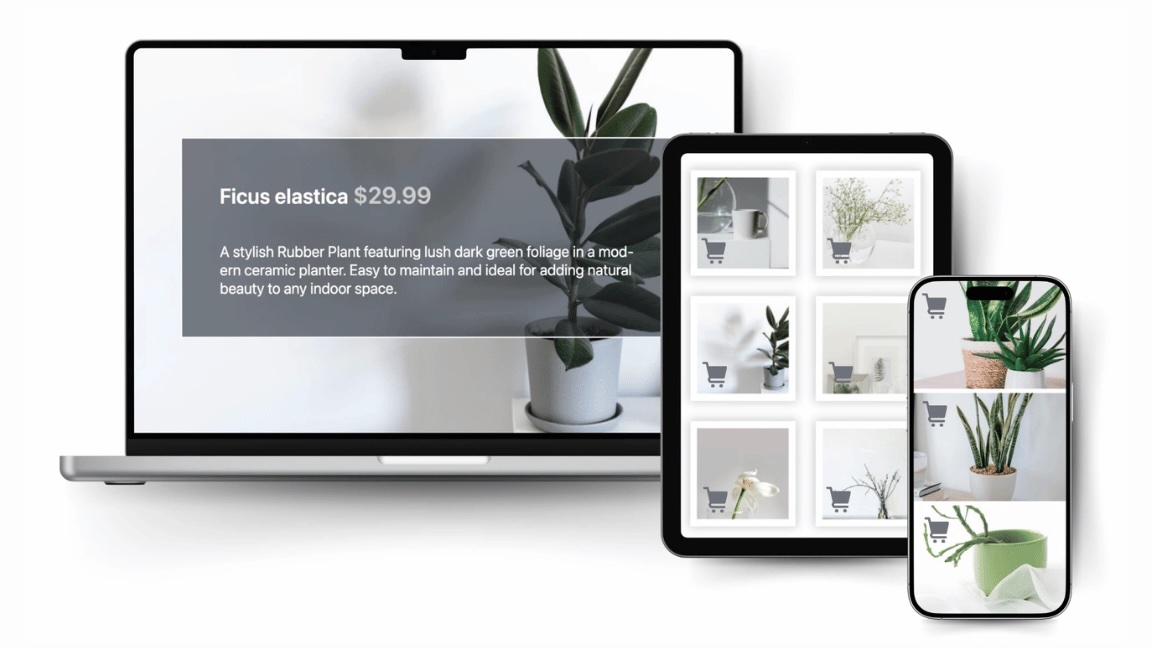
Display your WooCommerce products in stunning, customizable galleries with Re Gallery. Automatically pull product images, titles, and prices into beautiful layouts that boost engagement and drive sales, no manual setup needed!
👉 Upgrade to Re Gallery PRO and create a smarter, faster photo gallery today.
Important
In case you have any questions, suggestions, or if you’ve found a bug, please check out our Support Forum.
Find the source code
The plugin contains wp-gallery.js minified JavaScript file which is a build result of the following React application.
This repository contains the unpacked JavaScript portion of the plugin. You can use this open-source React application to modify the plugin’s JS component.
Installation
Install our SEO-optimized Re Gallery plugin directly from the WordPress plugin repository.
It seamlessly integrates with your site for a smooth user experience.
To install, go to your WordPress dashboard, click on ‘Plugins’, and choose ‘Add New’. Search for our Re Gallery plugin,
click ‘Install Now’, and after installation, activate the plugin. Now you can easily customize
and add stunning galleries to your website.
Start from scratch with an intuitive ‘Add new’ button, guiding you through the process of gallery creation.
Customize your website easily! Just upload images with the standard WordPress media uploader and style them as you like.
FAQ
What is Re Gallery photo gallery plugin?
Re Gallery is a fast, responsive WordPress photo gallery plugin that lets you create image galleries with 11 gallery layouts, AI-powered image SEO, live preview, and drag-and-drop editing. It works with Gutenberg, Elementor, Divi, Bricks, Beaver Builder, WPBakery, and WooCommerce.
Do I need an account or external AI service?
No. Re Gallery includes built-in AI that works directly inside WordPress. There is no OpenAI account to create, no external registration, and no separate AI plugin required.
Is Re Gallery WordPress gallery plugin optimized for mobile devices?
Yes, Re Gallery is fully mobile-optimized. All responsive photo galleries automatically adjust to fit any screen size, ensuring a smooth user experience on smartphones, tablets, and desktops. Gallery views like mosaic, justified, masonry, grid/thumbnails, cards, carousel, cube, blog and slider are designed to be fully responsive, making Re Gallery perfect for creating mobile-friendly WordPress sites.
Does Re Gallery generate AI image captions?
Re Gallery’s built-in AI automatically generates image titles, descriptions, and alt text based on the image itself — no manual typing required. Every AI-generated caption is fully editable afterward, and the results are also accessibility-friendly, giving screen readers meaningful alt text instead of blank or generic labels.
Why use AI for image SEO?
Writing alt text and image descriptions manually can take hours on large galleries. Re Gallery automatically generates SEO-friendly titles, alt text, captions, and descriptions directly inside WordPress, helping improve accessibility and search visibility while saving time.
Can I create WooCommerce product galleries?
Yes. Re Gallery can automatically build galleries from WooCommerce products, including product images, titles, prices, and links. This makes it easy to showcase products in responsive galleries without manually adding every image.
Which gallery layouts are available?
Re Gallery supports multiple gallery layouts including։
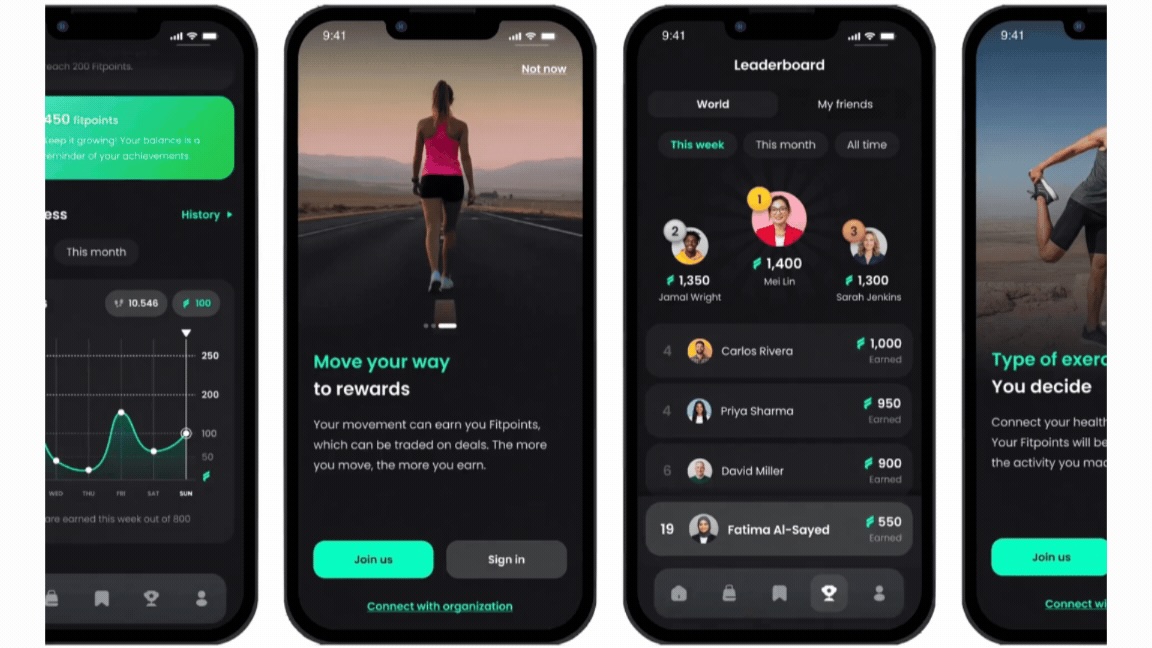
- Grid view: Present your photo gallery with clickable thumbnails that open larger versions of the images.
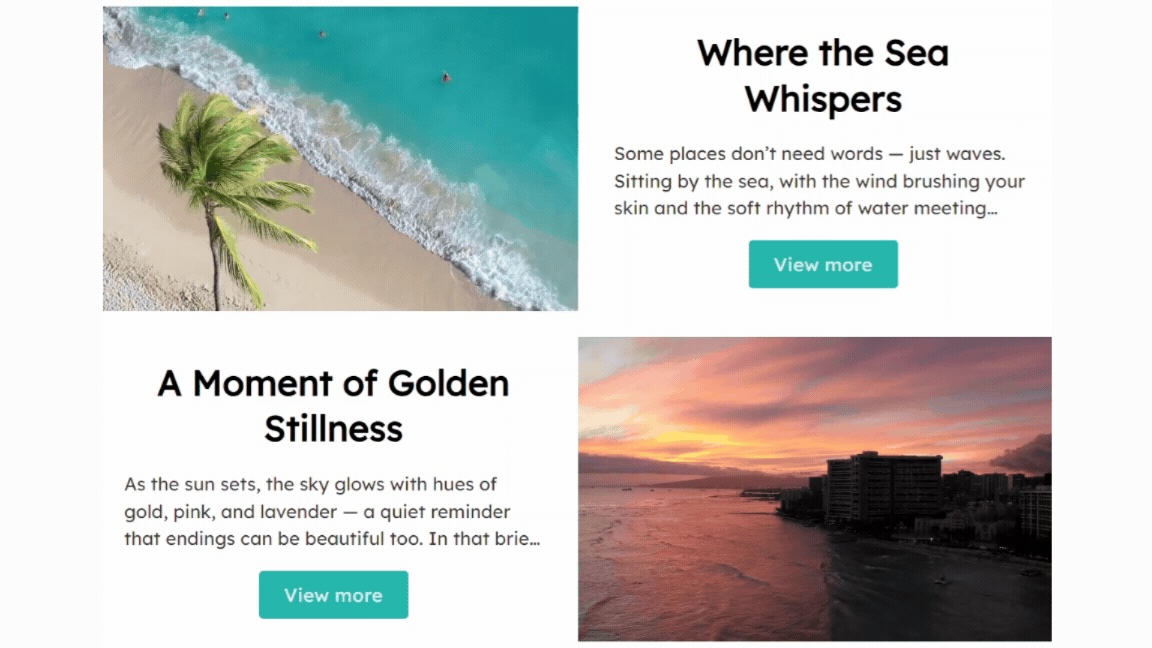
- Mosaic view: Create visually appealing galleries with images arranged in a beautiful mosaic pattern.
- Masonry view: Show your images in a dynamic masonry layout that adjusts seamlessly to different screen sizes.
- Justified view: Arrange your images in clean, horizontal rows of equal height, adjusting widths automatically to maintain alignment.
- Slider view: Display your images beautifully with smooth transitions, customizable settings, and full-screen mode.
- Cube view: A 3D photo gallery with an interactive, rotating cube design. Great for displaying images in a unique way.
- Carousel view: Show multiple images in a horizontal scroll, perfect for displaying related photos in a compact space.
- Cards view: Each item is placed in a distinct card, making it easy for users to scan through various media at a glance.
- Blog view: Display your images in a vertically stacked layout similar to blog posts, often including captions or descriptions.
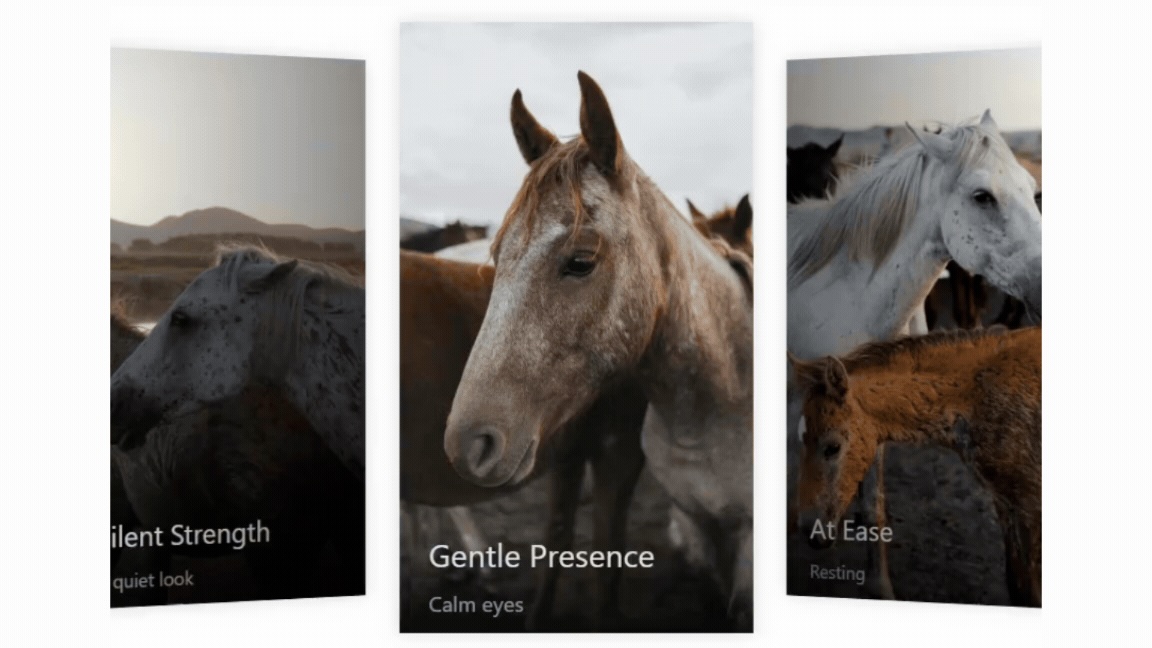
- Coverflow view: Showcase your images in an interactive, horizontal flow with a centered focus image and angled side previews, creating a sleek 3D browsing experience.
- Scroller view: Display your content in a smooth, continuous multi-row scrolling showcase that highlights more items at once, creating a dynamic and engaging browsing experience.
All views are fully responsive and mobile-optimized. Besides these layouts, Re Gallery offers features like Live Demo, AI-generated image captions, WooCommerce photo gallery integration, pre-designed gallery templates, and customizable gallery styles to help you create professional and engaging photo galleries in WordPress.
Does Re Gallery support portfolio and album layouts?
Yes. Re Gallery’s Grid, Cards, Blog, and Masonry layouts work well as photo albums or portfolio grids, and you can organize images by post, page, or WooCommerce product to build dedicated portfolio or album-style pages.
Can I migrate my existing galleries to Re Gallery?
Yes — Re Gallery includes a built-in migration tool that imports existing galleries from FooGallery, Envira Gallery, Gutenberg Gallery, and Photo Gallery by 10Web, so you don’t have to rebuild your galleries manually.
Can Re Gallery photo gallery plugin display video files as well as photos?
Yes, Re Gallery allows you to display both videos and photos together in one gallery. You can easily combine images and videos to create dynamic, engaging responsive photo galleries. Plus, it integrates smoothly with WordPress posts and pages, letting you showcase mixed media galleries dynamically across your site.
Is there a free trial of Re Gallery PRO?
Yes. Every new installation includes a free 7-day trial of Re Gallery PRO, giving you access to premium features such as 70+ gallery templates, AI-powered image SEO, WooCommerce integration, watermark protection, and more. No credit card or payment information is required to start the trial.
What happens to my galleries when my Re Gallery plugin plan expires?
If your Re Gallery plugin plan expires, your galleries will continue to function normally on your WordPress site. You simply lose access to PRO features, future updates, and premium support until you renew your license.
Screenshots









Changelog
For a detailed changelog and release history, visit Re Gallery Changelog.
1.20.23
Updated: 12.11.2026
- Added: Bulk edit modal for media items with the ability to update titles, alt text, captions, descriptions, and categories.
- Added: Item switcher in Bulk Edit modal to preview and edit selected images individually without leaving the modal.
- Added: Image and video cover format converter to modern WebP and AVIF formats with option to remove old files.
- Added: Gallery Category taxonomy as an item source to display gallery items dynamically by category.
- Added: Option to define an action when a gallery has no items.
- Added: Smooth transition animation when opening the lightbox.
- Fixed: Close lightbox by clicking on the empty background area.
- Fixed: Image edit modal getting stuck in Beaver Builder.
- Fixed: Layout changes not taking effect in Divi 4 builder.
- Fixed: Carousel images count in page builders.
1.20.22
Updated: 05.11.2026
- Improved: Gutenberg block and Block Directory metadata registration.
- Fixed: Gallery item titles and captions not displaying due to image stacking context conflict.
1.20.21
Updated: 05.11.2026
- Added: Category filtering and sorting with customizable display styles.
- Added: Gallery Category taxonomy to categorize media items (images, videos, posts, WooCommerce products) directly from the edit modal and media uploader.
- Added: Loaded Effect option to animate images and videos when they finish loading.
- Added: Contextual Help tabs (Overview, Publishing guide, and helpful links) to the gallery edit screen in WordPress admin.
1.20.20
Updated: 31.10.2026
- Added: Option to import template designs together with sample media images.
- Added: Block Directory support.
- Improved: WordPress Playground detection.
1.20.19
Updated: 30.10.2026
- Added: Full-width option for the Lightbox text container to stretch across the full lightbox width or match the current image width.
- Improved: Title, caption, and description layout and positioning in Lightbox.
- Fixed: Custom CSS rules not applying to Lightbox elements.
- Fixed: Unsaved changes alert appearing when updating a gallery from the edit page after modifying gallery settings.
1.20.18
Updated: 20.10.2026
- Added: Sale Badges, Listings, Menu Board, New Arrivals, Logo Marquee, Timeline, Testimonial Cards, Vacation Reveal, Corner Reveal, Feature Cards, Film Strip, Glass Cards, and Mirror Flow templates.
- Fixed: Gallery not loading when a caching plugin (WP Rocket, LiteSpeed Cache, Autoptimize and others) served an outdated minified copy of the gallery script after a plugin update.
1.20.17
Updated: 14.10.2026
- Added: Unified floating gallery panel for page builders (Gutenberg, Elementor, Divi 4, Divi 5, Bricks, Beaver Builder, WPBakery): select or create a gallery, manage media and edit all settings in one place while the canvas preview updates live.
- Improved: Gallery settings auto-save from the builder panel.
- Improved: Placeholder in builder canvases until a gallery is selected.
- Fixed: Deleted galleries left broken instances on pages that embedded them; they now render nothing and show the placeholder in editors.
1.20.16
Updated: 10.10.2026
- Added: Per-media crop-position picker with nine focal-point positions in the image and video edit modal.
1.20.15
Updated: 17.09.2026
- Added: Auto-height and vertical alignment settings for Grid layout.
- Improved: Preserved line breaks in media captions and descriptions across gallery layouts.
- Improved: Overlay hover animation.
1.20.14
Updated: 25.08.2026
- Added: Maximum row count option for titles and captions.
- Added: Image Title as an additional title source, allowing the post title to differ from the image title in post, page, and product galleries. The same option is available for captions, alt text, and descriptions.
1.20.13
Updated: 20.08.2026
- Fixed: Gutenberg block compatibility with WordPress 7.1.
- Fixed: Google Fonts loading while editing a gallery.
1.20.12
Updated: 11.08.2026
- Fixed: Image fitting and cropping across all gallery layouts.
1.20.11
Updated: 28.07.2026
- Improved: Accessibility for Grid, Slider, and Lightbox controls.
- Fixed: Play icon for video covers on Slider layout and lightbox filmstrip.
- Fixed: Small image stretching in the Slider filmstrip.
- Removed: Warning notification displayed after changing options following a template import.
1.20.10
Updated: 21.07.2026
- Added: Scroller layout to the Templates filter list.
- Fixed: Title, caption, description generation for videos.
- Fixed: The Free Templates category is no longer shown for Pro users.
- Fixed: Images smaller than their container are no longer stretched.
- Fixed: An issue affecting the Scroller layout in certain cases.
1.20.9
Updated: 14.07.2026
- Improved: Preserved line breaks in item descriptions.
- Improved: Each deactivation reason now supports custom notes.
1.20.8
Updated: 02.07.2026
- Added: Push hover effect.
1.20.7
Updated: 16.06.2026
- Added: Navigation controls for thumbnails in Slider Layout and Lightbox.
- Improved: Active thumbnail highlighting in the thumbnail navigation of Slider Layout and Lightbox.
- Fixed: Control description alignment when using the Typography Alignment option in Slider Layout and Lightbox.
- Fixed: Custom CSS section disappearing from the gallery edit page.
- Fixed: Adding galleries with the Divi 5 Builder.
- Fixed: Counter overlay title positioning when the title position is set to Above in Slider Layout and Lightbox.
- Fixed: Title overlay controls when the title position is set to Top and alignment is set to Right in Lightbox.
1.20.6
Updated: 10.06.2026
- Improved: Automatically detect and use the website language when generating text with AI.
1.20.5
Updated: 09.06.2026
- Fixed: XSS vulnerability.
- Fixed: Styling issues in Gutenberg and Bricks Builder options panel.
1.20.4
Updated: 03.06.2026
- Fixed: Compatibility issue with the WordPress Widgets screen that could trigger a JavaScript error and prevent widgets from loading.
1.20.3
Updated: 02.06.2026
- Fixed: Compatibility issue with Divi 5.
1.20.2
Updated: 25.05.2026
- Added: Bulk AI generation section for images and videos content.
- Improved: Edit images and videos in a custom popup instead of the Media Library.
- Improved: Display limit reached message for AI generations.
- Improved: All separate AI content generations are now based on image analysis instead of title.
- Fixed: Contact Us popup.
1.20.1
Updated: 18.05.2026
- Added: Free trial activation support for PRO features.
- Fixed: Content items visibility inconstancy.
1.20.0
Updated: 04.05.2026
- Added: Scroller layout.
- Added: Active Drift pre-built template.
- Added: Twin Flow pre-built template.
- Fixed: Templates issue in Gutenberg.