

Description
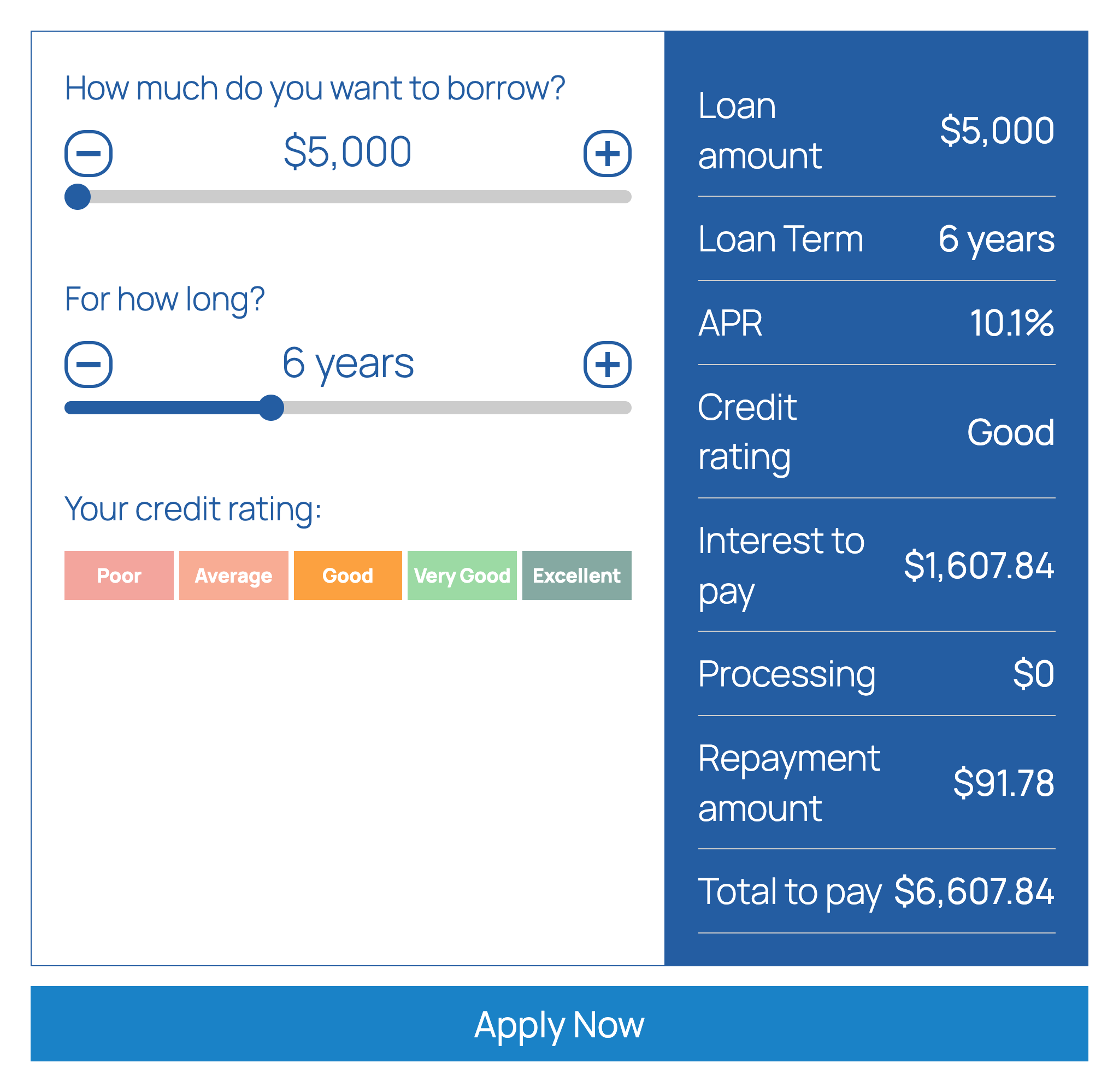
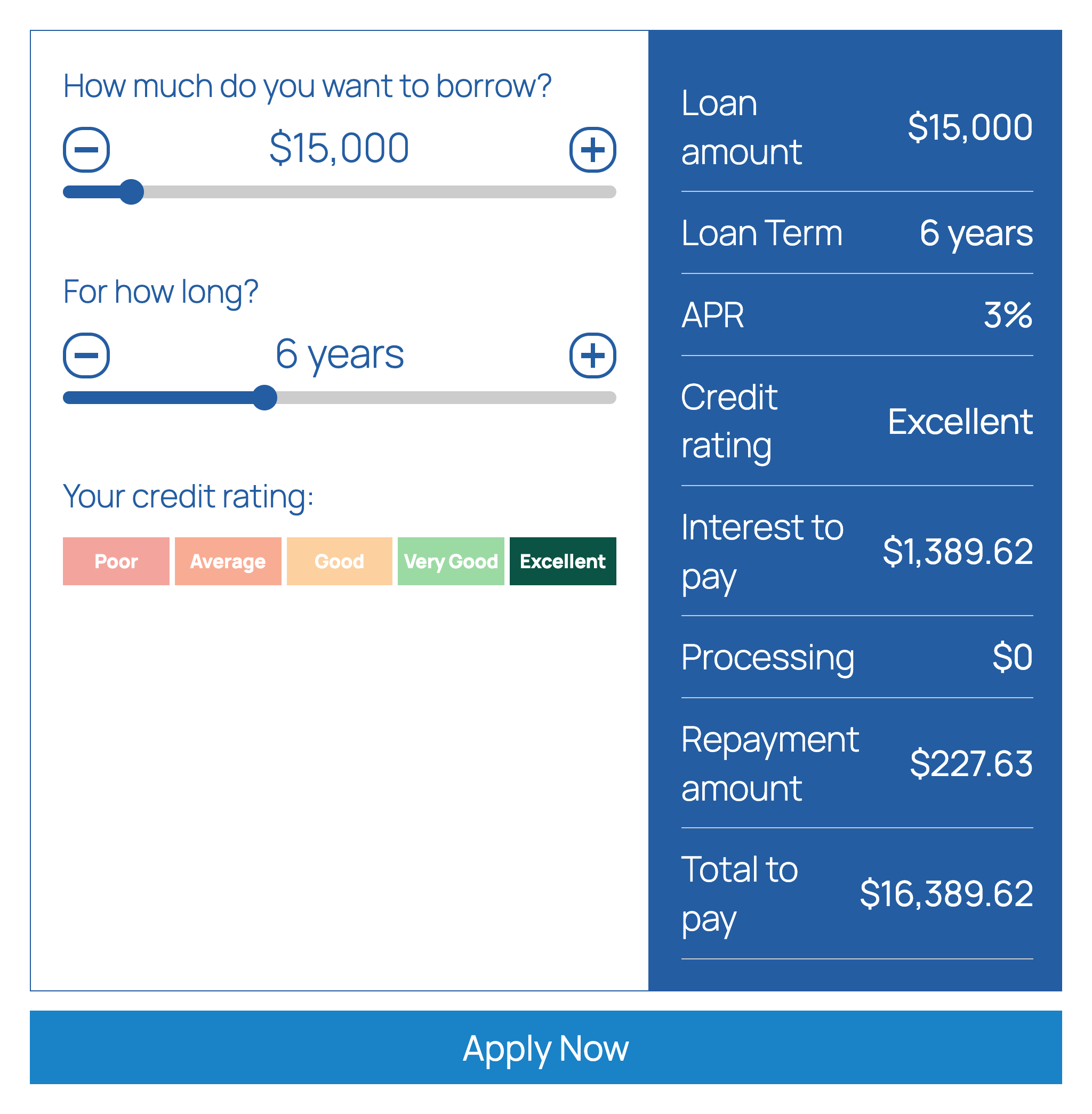
Loan Calculator adds a loan calculator with sliders to your WordPress site, so visitors can work out their loan repayments without leaving the page. Visitors drag the sliders to choose the loan amount and the term, pick their credit rating, and instantly see the repayment amount, the interest and the total they would pay. An optional “Apply Now” button sends them on to your application page. You can add this loan calculator with the Loan Calculator block in the block editor or with a shortcode.
Loan calculator features
- Sliders for loan amount and loan term, with optional markers
- Credit rating selector: five ratings (Poor to Excellent) with an interest rate for each, which you can edit
- Or a flat rate with a second rate for larger loans, if you switch the credit rating selector off
- Results: repayment amount, rate, interest to pay, total to pay, loan amount, term, credit rating and processing fee, each of which you can show or hide and reorder
- Repayment period in days, weeks, months or years
- Optional processing (admin) fee, fixed or a percentage, with a minimum and maximum, and an optional term fee
- Effective or nominal APR conversion
- Currency symbol and position, thousands separator, decimals and rounding options
- “Apply Now” button that redirects to your own URL, and can pass the amount, term, rating and APR in the query string
- Editable captions and colors
- Gutenberg block and
[lrc]shortcode - Accepts a zero percent rate
How to add the loan calculator
In the block editor click the “+” button, search for “Loan Calculator” and add the block. Or paste the shortcode into a page or post:
[lrc]
Then open Settings > Repayment Calculator in the WordPress admin to set the slider ranges, interest rates, credit ratings, fees, currency, captions and colors.
Use cases
Lenders, loan brokers, credit unions, car finance and personal loan sites, and finance blogs that want an indicative loan calculator.
Please note
Results are indicative only and are not a loan offer.
Installation
- Login to your wordpress dashboard.
- Go to ‘Plugins’, ‘Add New’ then search for ‘Loan Calculator’.
- Follow the on screen instructions.
- Activate the plugin.
- To use the plugin in your posts and pages add the shortcode
[lrc]. - Change the options in the plugin settings page.
FAQ
How do I add the loan calculator to a page?
Add the Loan Calculator block in the block editor, or paste [lrc] into the page or post content (a Shortcode block works too).
What can this loan calculator do?
Visitors choose the loan amount and the term with sliders, pick a credit rating, and see the repayment amount, the interest and the total to pay. You decide the ranges, the interest rate for each credit rating, the fees and which results are shown.
Is this loan calculator free?
Yes. The plugin is free, released under the GPL, and you can use it on commercial sites.
How do I set interest rates per credit rating?
Open Settings > Repayment Calculator. With the credit rating selector enabled you can rename each of the five ratings and set the interest rate used for it. If you turn the selector off, a primary rate is used, with a second rate for loans above a threshold amount that you set.
Is the result a loan quote?
No. The calculator gives an indicative repayment based on the rates you configure. It is not a loan offer or a guarantee of approval.
Can I show weekly or monthly repayments?
Yes. Choose days, weeks, months or years as the repayment period in the settings. The calculator shows one repayment period at a time.
Where does the “Apply Now” button go?
To the URL you enter in the settings. You can append the chosen amount, term, rating and APR to that URL as query parameters. Hide the button by turning it off.
Does the plugin collect or send visitor data?
The calculation runs in the visitor’s browser. Nothing is sent anywhere unless the visitor clicks “Apply Now”, which redirects to the URL you configured.
Screenshots


Changelog
1.5.2
- The settings page no longer links to the previous author’s website.
1.5.1
- Support link now points to the wordpress.org forum.
1.5.0
- Gutenberg block “Loan Calculator” with a live preview; pages that use the former block keep working
- Translation-ready: the settings page, labels and button texts can be translated
- A review reminder in the admin after two weeks, dismissible
- The default period labels (years, months…) follow the site language
1.4.2
- Block editor script loads in the footer under a prefixed handle
1.4.1
- All settings output is escaped, request input is unslashed and sanitized
- Text domain matches the plugin slug, license declared, direct file access blocked
- Plugin header version matches the stable tag
1.4
- Security issue fixed
1.3
- WordPress version update
1.2
- Accepts zero percent interest
1.1
- Improved sliders
- Fixed data saving bug
1.0
- Initial Issue