
Description
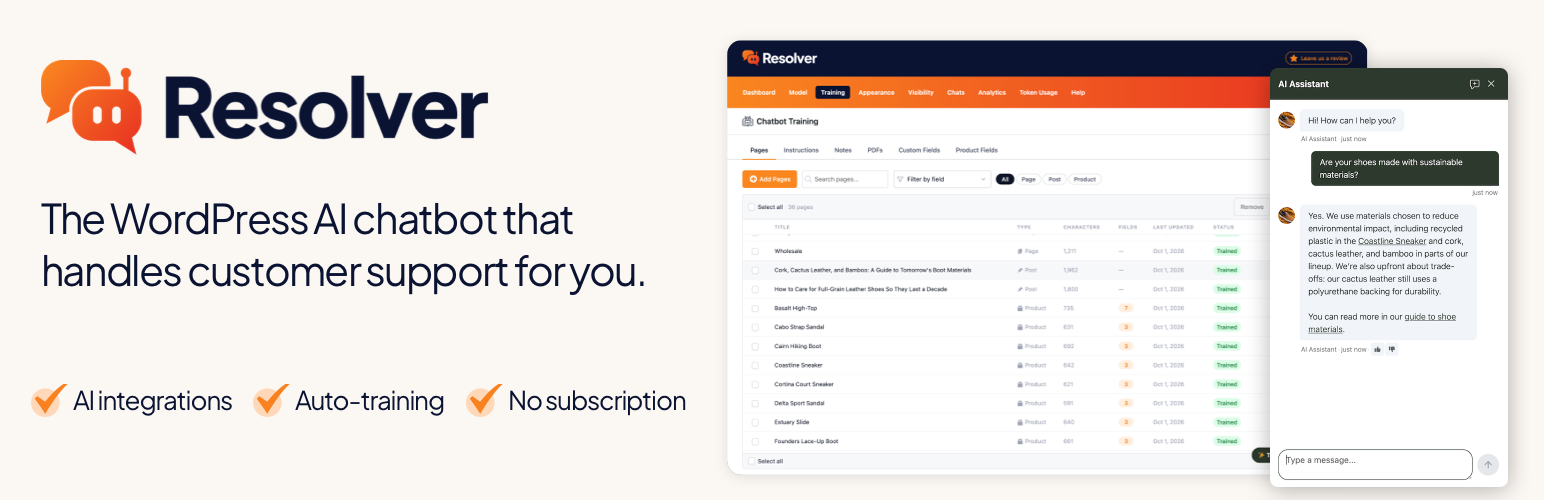
Resolver is an AI chatbot plugin built natively for WordPress. Train it on your site’s pages and watch it answer customer questions intelligently for you.
Get a break from customer support
With Resolver, you can save hours of emailing every week. Resolver works 24/7 to answer visitor questions on your website, replying in seconds
and using the full knowledge of your website’s content.
The auto-training chatbot
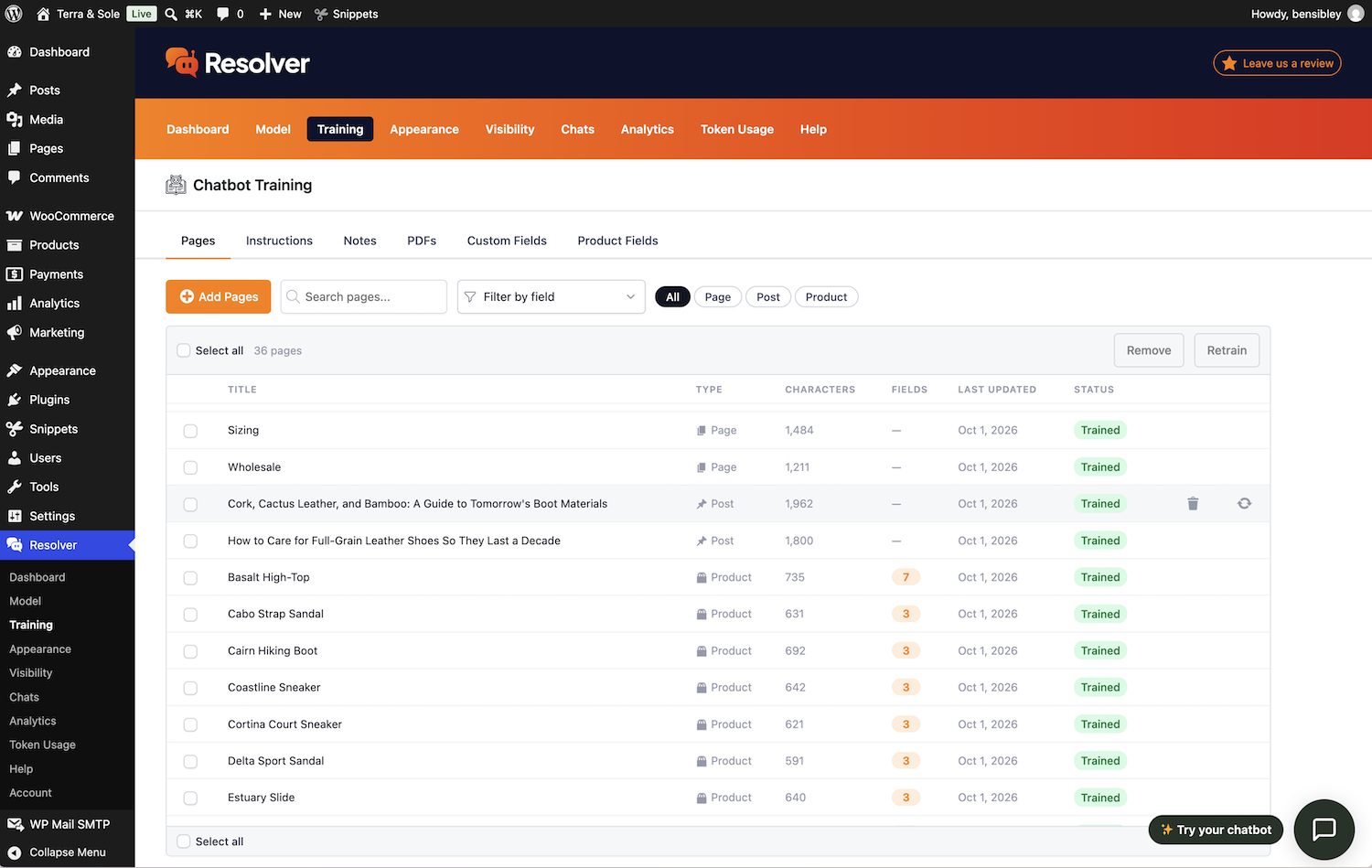
Choose which pages you want to train your chatbot with, and Resolver will index them in seconds. Then, if you make an edit to a page, Resolver will automatically retrain on the new content.
Even better, you can tell Resolver which page types to track, and it will automatically train on new pages as they’re published. This lets you focus on building your business, instead of managing your chatbot.
No monthly subscription
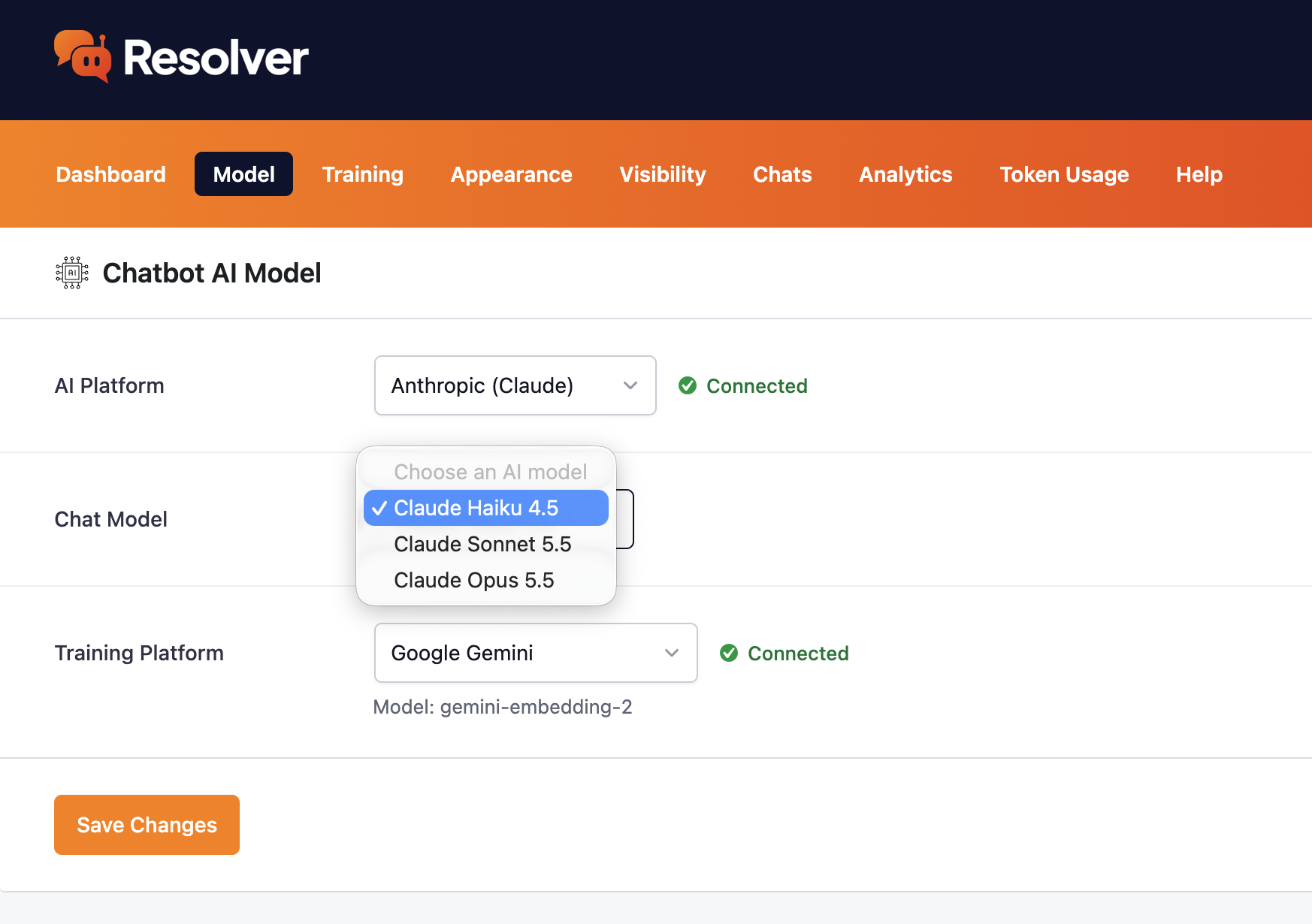
Unlike expensive SaaS apps, Resolver doesn’t upcharge you for “AI credits.” Instead, you’ll enter your own API key for Anthropic, Google, or OpenAI.
This way, you pay the AI platform directly for your actual API usage, leading to huge savings in comparison to a SaaS app.
Launch your own chatbot in 3 easy steps
After installing the Resolver plugin, you can launch a highly intelligent chatbot in minutes.
- Connect to an AI platform
- Choose the pages to train your chatbot with
- Launch the chat widget across your site
Upgrade to Resolver Pro
The Resolver Pro plugin adds more powerful functionality to your chatbot, such as PDF training, analytics, custom field training, WooCommerce integration, and more.
All features
- Cutting-edge AI models – power your chatbot with the latest AI models available.
- Auto-training – Resolver automatically retrains as you edit your content and publish new pages.
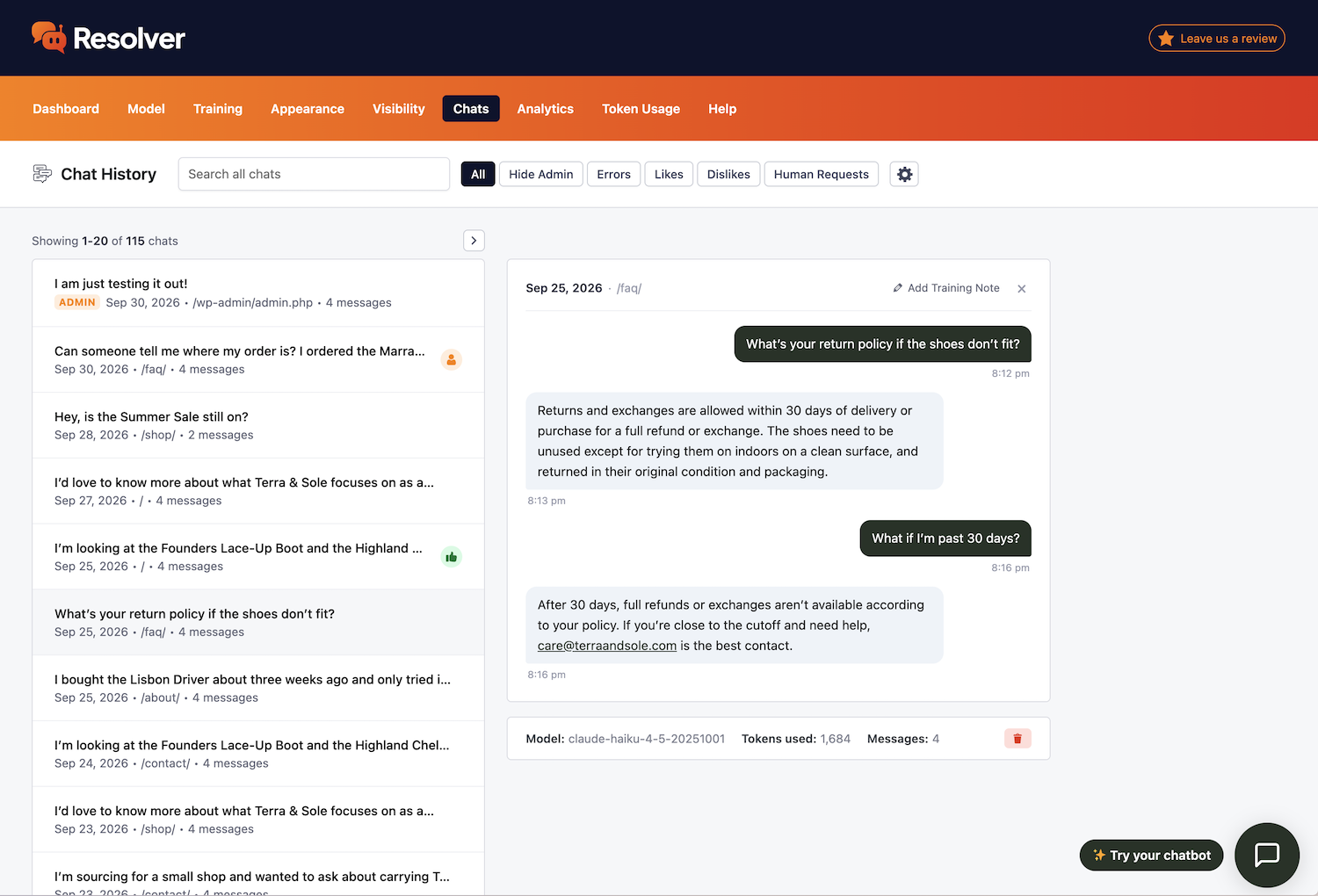
- Chat history – review all your chatbot’s conversations.
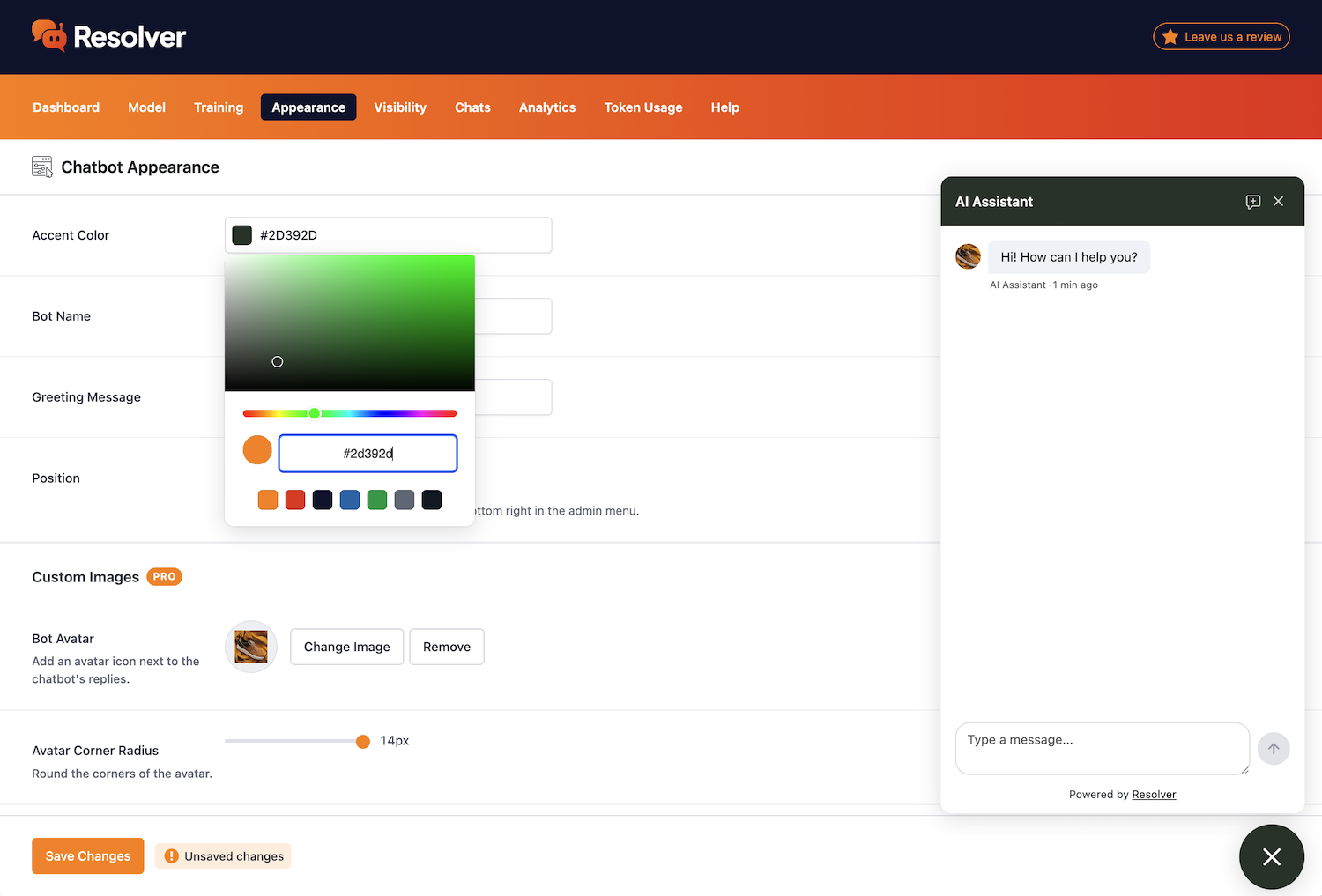
- Customizable widget – customize your chatbot’s colors, name, and more.
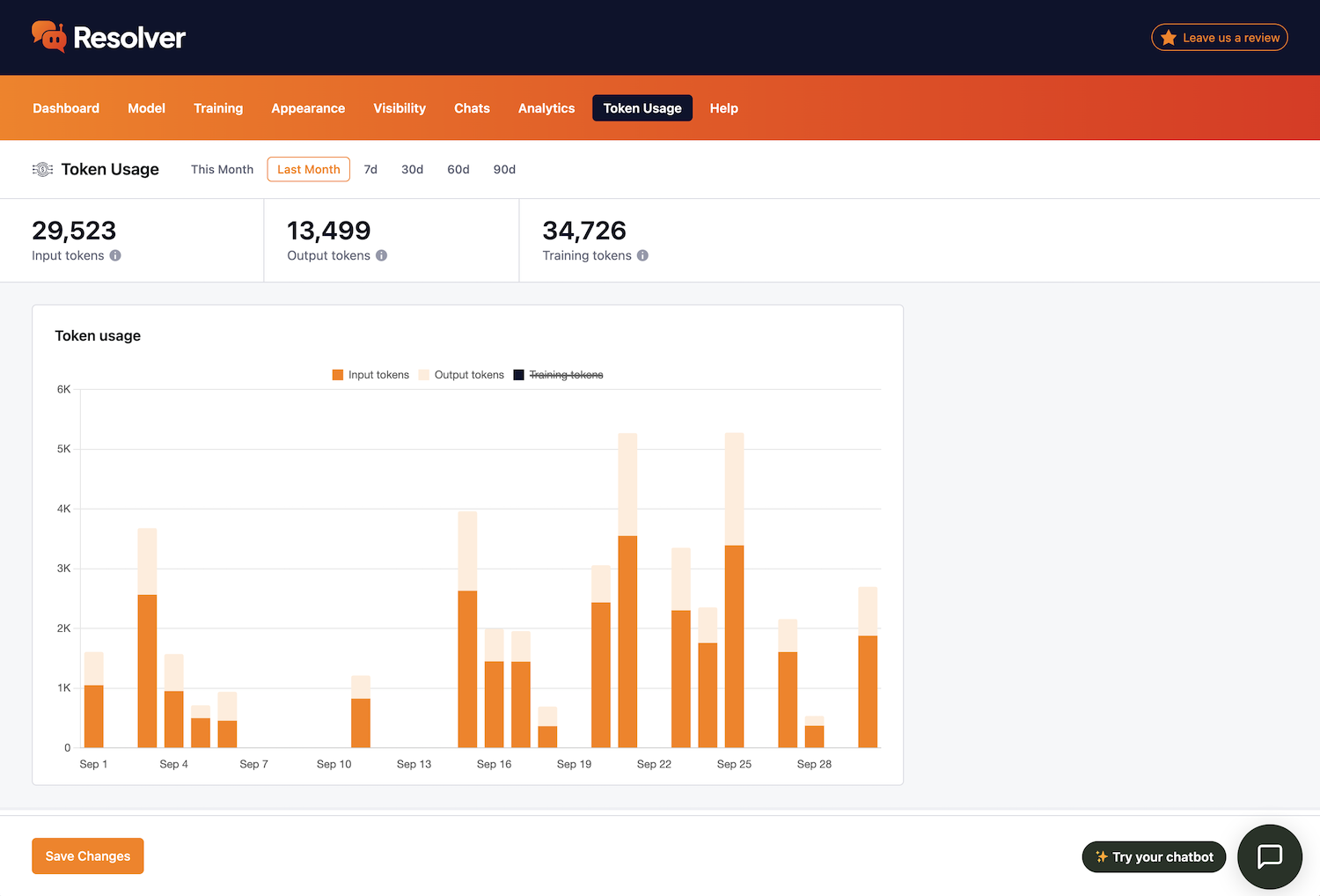
- Token monitoring – track precisely how many tokens your chatbot is using.
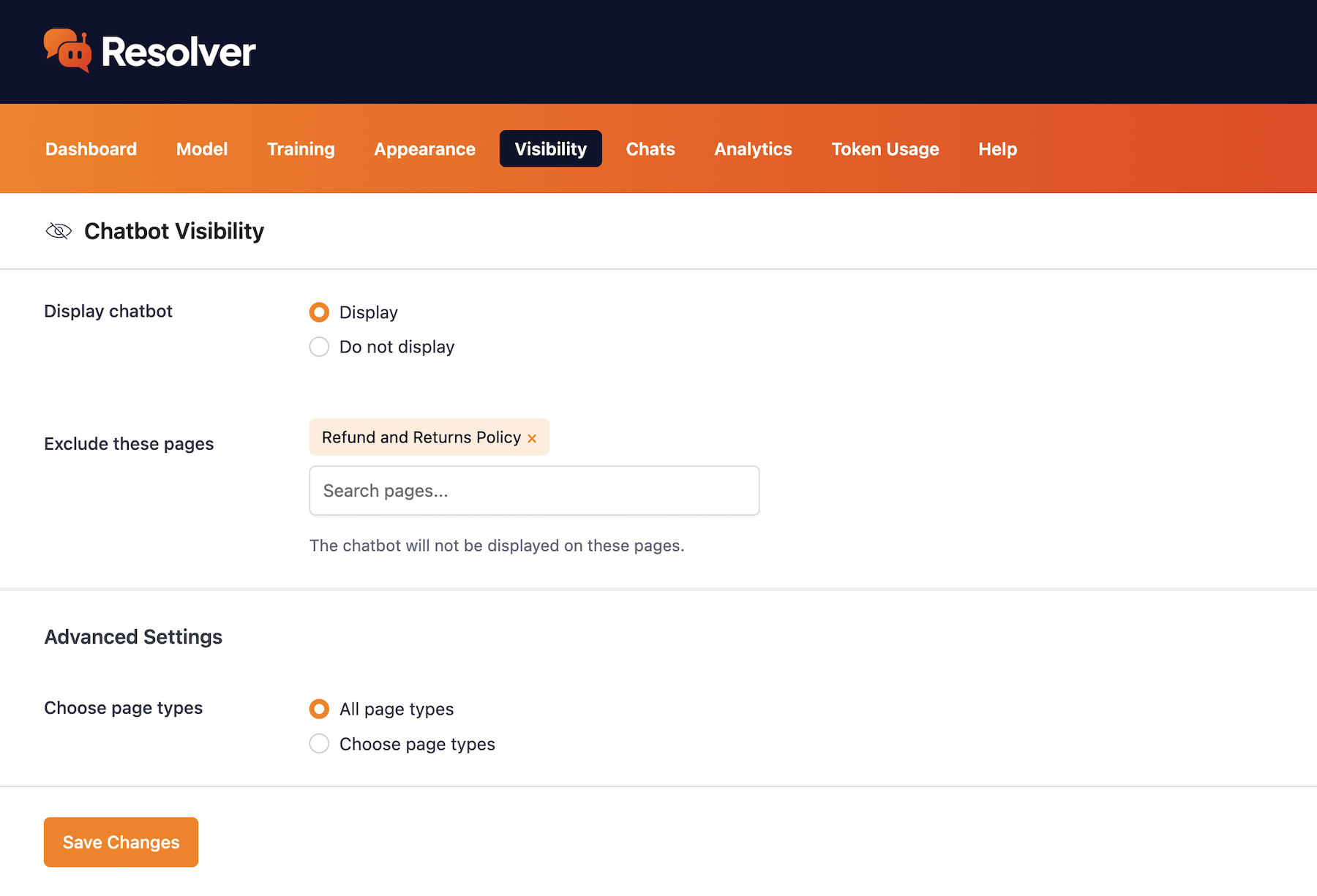
- Visibility settings – choose which pages to display your chatbot on.
- Custom fields (PRO) – train your chatbot on custom fields.
- eCommerce data (PRO) – train your chatbot on WooCommerce product fields.
- Chat analytics (PRO) – analyze your chatbot’s messaging activity.
- PDF training (PRO) – train your chatbot with PDF documents.
- Training notes (PRO) – create notes to rapidly train your chatbot.
- User feedback (PRO) – add likes & dislikes to your chatbot’s messages.
- Human requests (PRO) – track how often visitors request a real person.
Who should use Resolver?
Use it as a customer support chatbot, a WooCommerce chatbot, an FAQ chatbot, or a general website chatbot.
Resolver is a self-hosted WordPress chatbot with no monthly subscription and no AI credits, powered by ChatGPT, Claude, or Gemini using your own API key.
Who is behind this?
The Resolver AI chatbot plugin is built and maintained by Ben Sibley and Andrew Mead. They are the same team behind the popular Independent Analytics plugin.
External services
Resolver answers visitors using an AI provider you choose: OpenAI, Anthropic, or Google. It connects to that provider’s API with your own API key. Nothing is sent to a provider until you connect it. Chats and training data are stored in your site’s database.
OpenAI API
Used for chat replies, and for embeddings, if you choose OpenAI for either.
- When training: the text of each post, page or product you train on is sent to create its embeddings. This includes its title, its content and, if you turn them on, its excerpt and author name.
- When a visitor sends a message: the message is sent to create an embedding, to search your trained content. For a reply, it’s sent along with the chat’s earlier messages, your chatbot’s instructions, and the passages of your site’s content that best match the question, with their page addresses. Visitors’ IP addresses and the pages they’re on are not sent.
Service provided by OpenAI: Services Agreement, Privacy Policy.
Anthropic API
Used for chat replies, if you choose Anthropic (Claude). When a visitor sends a message, it’s sent along with the chat’s earlier messages, your chatbot’s instructions, and the passages of your site’s content that best match the question, with their page addresses. Anthropic doesn’t provide embeddings, so training uses OpenAI or Google.
Service provided by Anthropic: Commercial Terms of Service, Privacy Policy.
Google Gemini API
Used for chat replies and embeddings, if you choose Google for either. The same data is sent, at the same times, as described for OpenAI above.
Service provided by Google: Gemini API Additional Terms of Service, Privacy Policy.
Freemius
Resolver uses Freemius for opt-in usage data, licensing and upgrades to Resolver Pro. Nothing is sent unless you opt in when Resolver asks, or activate a Pro license. Then Freemius receives your site’s address and title, your WordPress and PHP versions and site language, the plugin’s version and whether it’s active, and your name and email address. Your list of plugins and themes is sent only if you allow it.
Service provided by Freemius: Terms of Service, Privacy Policy.
Installation
The easiest way to install Resolver is by adding it from your Plugins > Add New menu. Search for “Resolver” and click the Install Now button
in the first result.
Alternatively, you can upload the zip file by following these steps:
- Click the Download button on this page
- Login to your WordPress dashboard
- Visit the Plugins > Add New menu
- Click the Upload Plugin button at the top
- In the upload form that appears, click the Choose File button and select the resolver-ai-chatbot.zip file you downloaded here
- Click the Install Now button
- Once the page reloads, click the blue Activate Plugin button
FAQ
What AI platforms are available?
Resolver can be used with Anthropic (Claude), Google (Gemini), or OpenAI (ChatGPT).
How do I connect to an AI platform?
You can enter your API keys into the Settings > Connectors menu added by WordPress in version 7.0.
What models are available?
The available models change over time and we keep Resolver up-to-date as new models are released.
How much does it cost to use?
The Resolver plugin itself is free. You pay your AI provider directly for API usage, which will be much less than “AI credits” charged by SaaS apps.
Does it work with WooCommerce?
The free Resolver plugin can train on your product titles and their short and long descriptions. The Resolver Pro plugin can also train on product fields, such as the price, dimensions, and product attributes.
Screenshots
Changelog
1.2.0 – November 11th, 2026
- Feature: Resolver Pro now trains on WooCommerce product variations and can recommend individual variations to shoppers.
- Feature: JetEngine Relation fields can now be tracked and used for training.
- Improvement: Major improvements to the chat widget on mobile, so chatting is now a smooth and seamless experience.
- Improvement: Added a new option to customize the placeholder text in the chatbot’s message input.
- Improvement: The chatbot avatar image is displayed in the preview instantly after upload.
- Improvement: The chatbot icon can now be resized and shows up instantly after upload.
- Improvement: Markdown is rendered cleanly while the chatbot’s reply is streamed.
- Improvement: Likes/Dislikes respond immediately instead of waiting for a server reply.
- Improvement: Improved privacy and GDPR adherence (localStorage is not used to remember a visitor’s conversation until they submit a message to the chatbot).
- Improvement: JetEngine custom fields are found even when saved in a custom table.
- Improvement: Meta Box custom fields are found even when saved in a custom table.
- Fix: WooCommerce product fields no longer marked as trained by default.
- Fix: Update training data when WC products are saved outside the usual page update method (variations edited).
- Fix: Resolver now removes its database tables when a sub-site in a multi-site network is deleted.
- Fix: The honeypot fields no longer share values across all sub-sites on a multi-site network.
- Fix: Attributes found for WooCommerce products were output in the chat as escaped HTML e.g. & instead of &.
- Fix: Prevent other scripts from overriding scrolling and keyboard events in the chat widget.
- Fix: Training data from notes and PDFs are no longer left behind if the site reverted from the Pro version to the free version.
1.1.0 – November 2nd, 2026
- Feature: Added training support for JetEngine custom fields
- Enhancement: Added Haiku 5.5
- Enhancement: Design improvements in the Chats menu
- Fix: Numbered lists no longer repeat “1” in the chatbot’s replies
- Fix: Pagination text and links update right away when a chat is deleted
- Fix: The Model menu says an API key is not connected if it fails WP’s own check
- Fix: Email alerts for token usage use the current admin email address even if it changes after saving the settings
- Fix: iOS no longer zooms in on the chat widget’s text field when typing
= 1.0.5 – October 26th, 2026
- Initial release