

Description
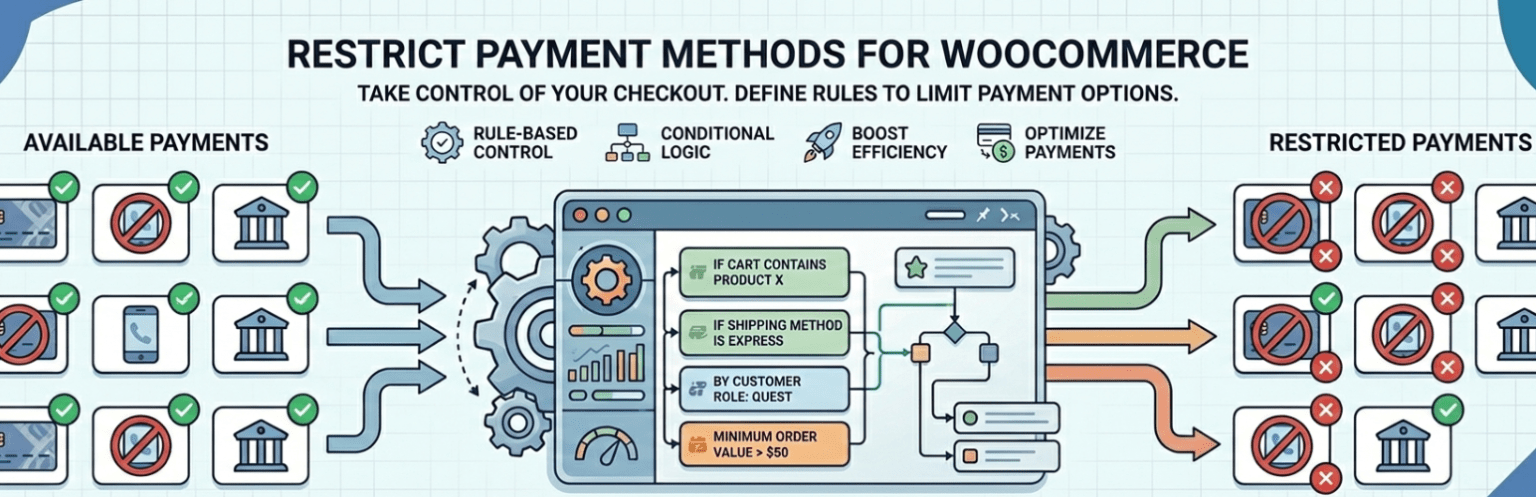
Restrict Payment Methods for WooCommerce gives store owners precise control over which payment gateways customers see at checkout. Build conditional rules from cart contents, customer details, shipping options, and dates, then automatically enable or disable specific payment methods whenever those conditions are met — all from a fast, modern React-powered rule builder built directly into your WordPress admin.
Whether you need to stop Cash on Delivery abuse, hide bank transfer for small orders, or reserve certain gateways for wholesale customers, this plugin turns payment-method visibility into a simple, no-code rule instead of a custom development project.
Why store owners choose this plugin
- Reduce fraud and failed orders by disabling risky payment methods under the wrong conditions
- Encourage prepayment for high-value or international orders
- Offer B2B or wholesale customers gateways that retail shoppers never see
- Keep checkout clean and relevant by showing only the payment methods that make sense for each order
- Build unlimited rules with a fast, searchable, no-page-reload admin interface
⭐ FREE FEATURES
- Easy installation and setup — no code required
- Create multiple restriction rules
- Enable or disable specific payment gateways per rule
- Combine multiple conditions in a single rule
- Fast, modern rule builder with searchable dropdowns and live product search
Available Conditions (Free Version)
✔ Cart subtotal
✔ Cart quantity
✔ Specific products
✔ User login status (logged in / guest)
✔ User roles
✔ Specific users
✔ Shipping method
✔ Billing country and state
✔ Shipping country and state
✔ Day of week
✔ Date range
🚀 PRO FEATURES
Upgrade to the Pro version to unlock advanced payment restriction conditions.
Additional Conditions Available in Pro
✔ Product category
✔ Product tag
✔ Product brand
✔ Product type
✔ Stock status
✔ Shipping class
✔ Billing name, company, address, and email
✔ Shipping name, company, and address
Why Upgrade?
- More granular checkout control
- Advanced B2B/B2C payment logic
- Category- and brand-based restrictions
- Address- and email-based gateway control
💡 Example Use Cases
- Show PayPal only if the cart subtotal is $50 or more
- Hide Cash on Delivery when cart quantity exceeds 10 items
- Allow bank transfer only for logged-in users
- Restrict a gateway to specific billing countries or states
- Disable a payment method outside a specific date range
- Reserve a gateway for a specific user role or list of users
- Combine several conditions in one rule for precise targeting
⚙ How It Works
- Install and activate the plugin (WooCommerce required).
- Go to Payment Rules in the WordPress admin menu.
- Click Add New Rule.
- Add one or more conditions.
- Choose which payment methods to enable or disable.
- Save the rule and test checkout.
Installation
- Upload the plugin folder to
/wp-content/plugins/, or install the zip file through Plugins → Add New → Upload Plugin. - Activate the plugin through the Plugins screen in WordPress.
- Make sure WooCommerce is installed and active.
- Go to Payment Rules in the WordPress admin menu and click Add New Rule.
- Add your conditions, choose the payment methods to enable or disable, and save.
FAQ
Does this plugin require WooCommerce?
Yes. WooCommerce must be installed and active for this plugin to work.
Does this plugin work with all payment gateways?
Yes, it works with any payment gateway registered with WooCommerce, including third-party gateway plugins, as long as they follow the standard WooCommerce payment gateway API.
Can I create multiple restriction rules?
Yes. There’s no limit on the number of rules you can create, each with its own conditions and payment method settings.
Can I combine multiple conditions in one rule?
Yes. Add as many conditions as you need — all conditions in a rule must match for it to apply.
Is it compatible with WooCommerce Subscriptions or Memberships?
It works with most extensions that follow the standard WooCommerce checkout flow.
Will this slow down my checkout?
No. Rules are evaluated server-side using lightweight WooCommerce hooks, and the admin rule builder only loads its scripts on the Payment Rules screen.
Is there a Pro version available?
Yes. The Pro version unlocks advanced conditions like product categories, tags, brands, stock status, shipping class, and full billing/shipping address matching. Learn more at codesmade.com.
Where can I find the documentation?
Full documentation is available at codesmade.com/restrict-payment-methods-for-woocommerce-documentation.
How do I get support?
You can reach support at codesmade.com/contact-us.
Screenshots


Changelog
1.0.8
- Added free/Pro condition gating with an in-app upgrade prompt.
- Added Documentation and Support links to the admin screen and Plugins list.
1.0.6
- Fixed a legacy save hook that could overwrite saved rule data.
1.0.0
- Rebuilt the admin rule builder as a React application backed by a REST API.
- Moved rule management to a dedicated Payment Rules settings page.