


Description
Sarala Login Page adds one-click social login and sign-up to WordPress and WooCommerce, and protects your login page at the same time. Visitors log in with the accounts they already have, you stop bots and brute-force attacks, and everything is set up from one simple screen. No account with us, no tracking, no locked features.
Features at a glance
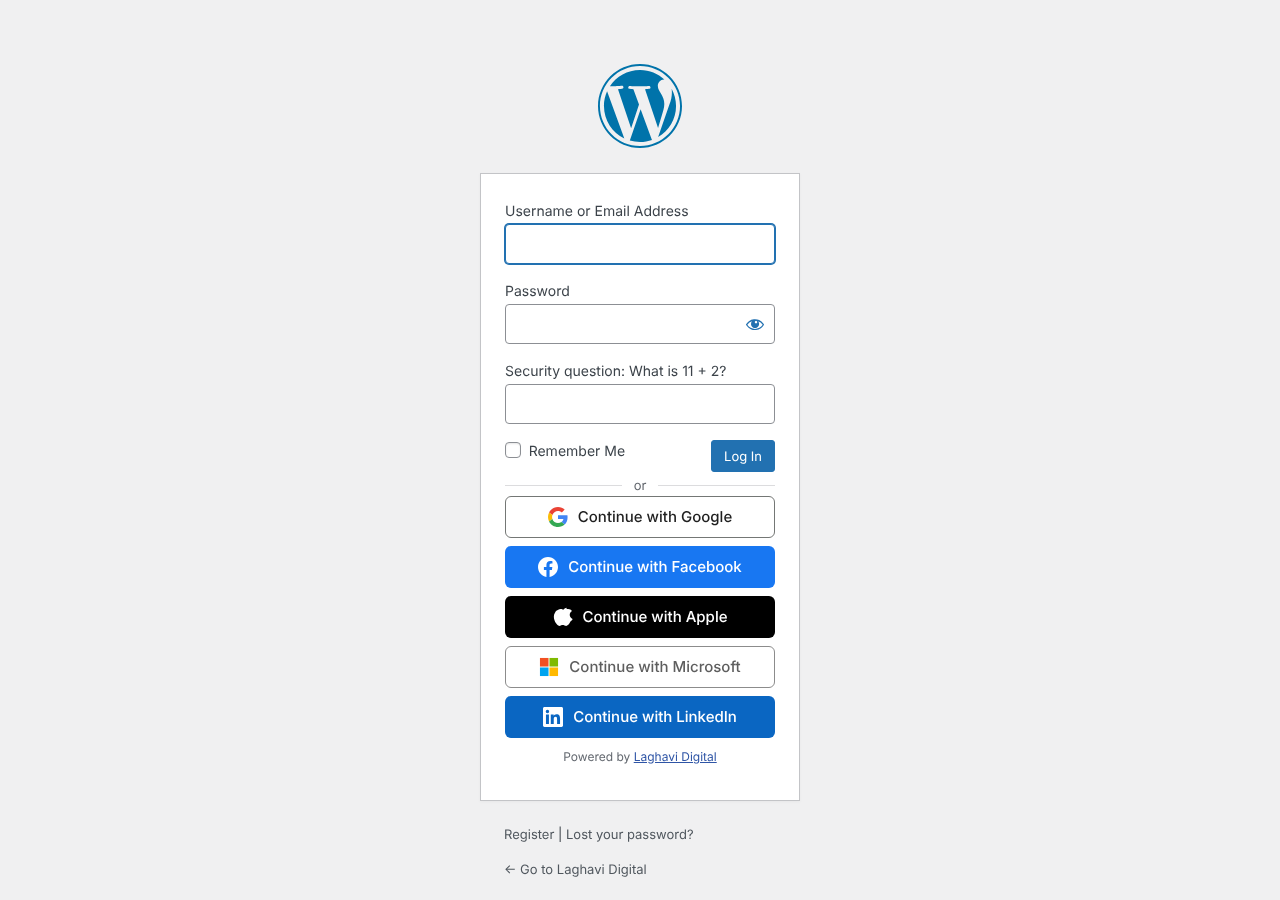
- Social login and registration: Google, Facebook, Apple, Microsoft, LinkedIn, X (Twitter), GitHub, Discord, Reddit and Yahoo.
- Forgery-proof logins: ID token signatures are checked against each provider’s live public keys, so nobody can fake a social login to get into your site.
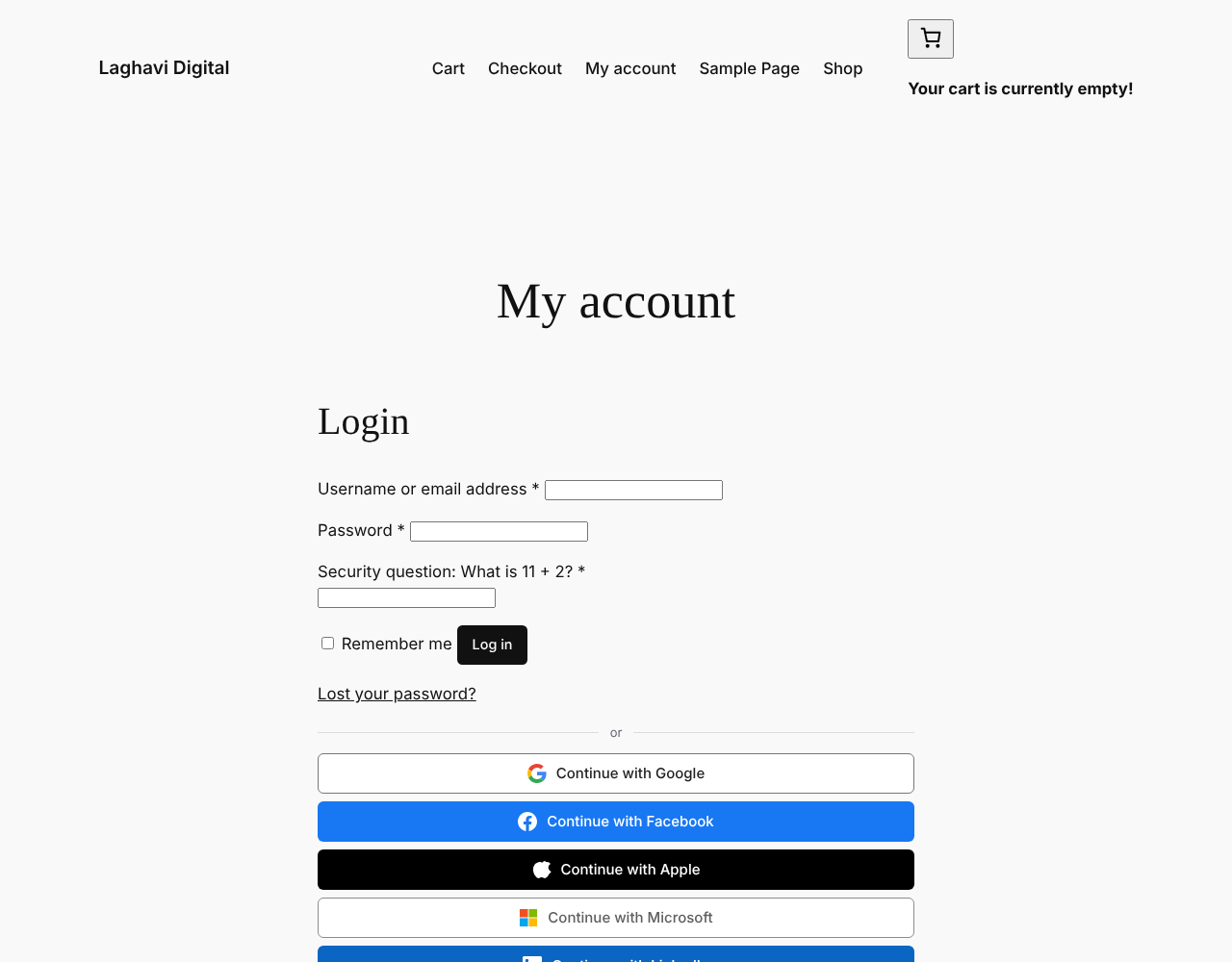
- WooCommerce login: My Account, registration and checkout (guests sign up and come back to checkout with their cart).
- Limit login attempts: lock out IP addresses after too many failed logins.
- Custom login URL: hide wp-login.php and wp-admin from bots.
- Force password reset: make passwords expire after a number of days.
- Login CAPTCHA: a simple math question on login and registration forms, no Google reCAPTCHA needed.
- Failed login log: every failed attempt with IP address, device and location.
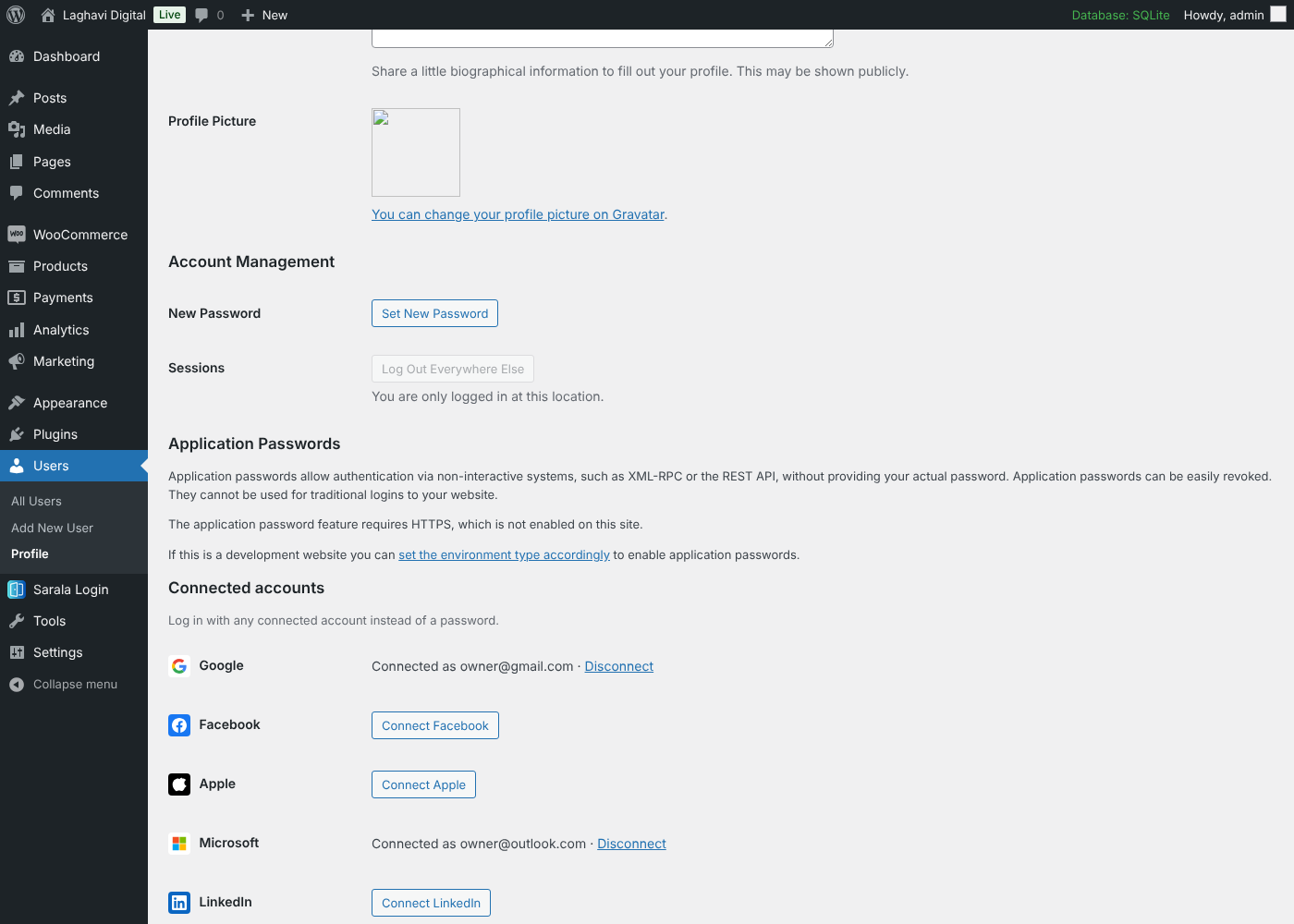
- Connected accounts: users connect and disconnect social accounts from their profile.
- Shortcode
[sarala_login_page]to place the login buttons on any page, with any theme or page builder.
Social login providers
Visitors create an account or log in with one click using the accounts they already have:
- Apple (Sign in with Apple)
- Microsoft (personal, work and school accounts)
- X (Twitter)
- GitHub
- Discord
- Yahoo
- Reddit (Reddit never shares email addresses, so people connect Reddit to an existing account from their profile and then log in with it)
Works with WordPress and WooCommerce
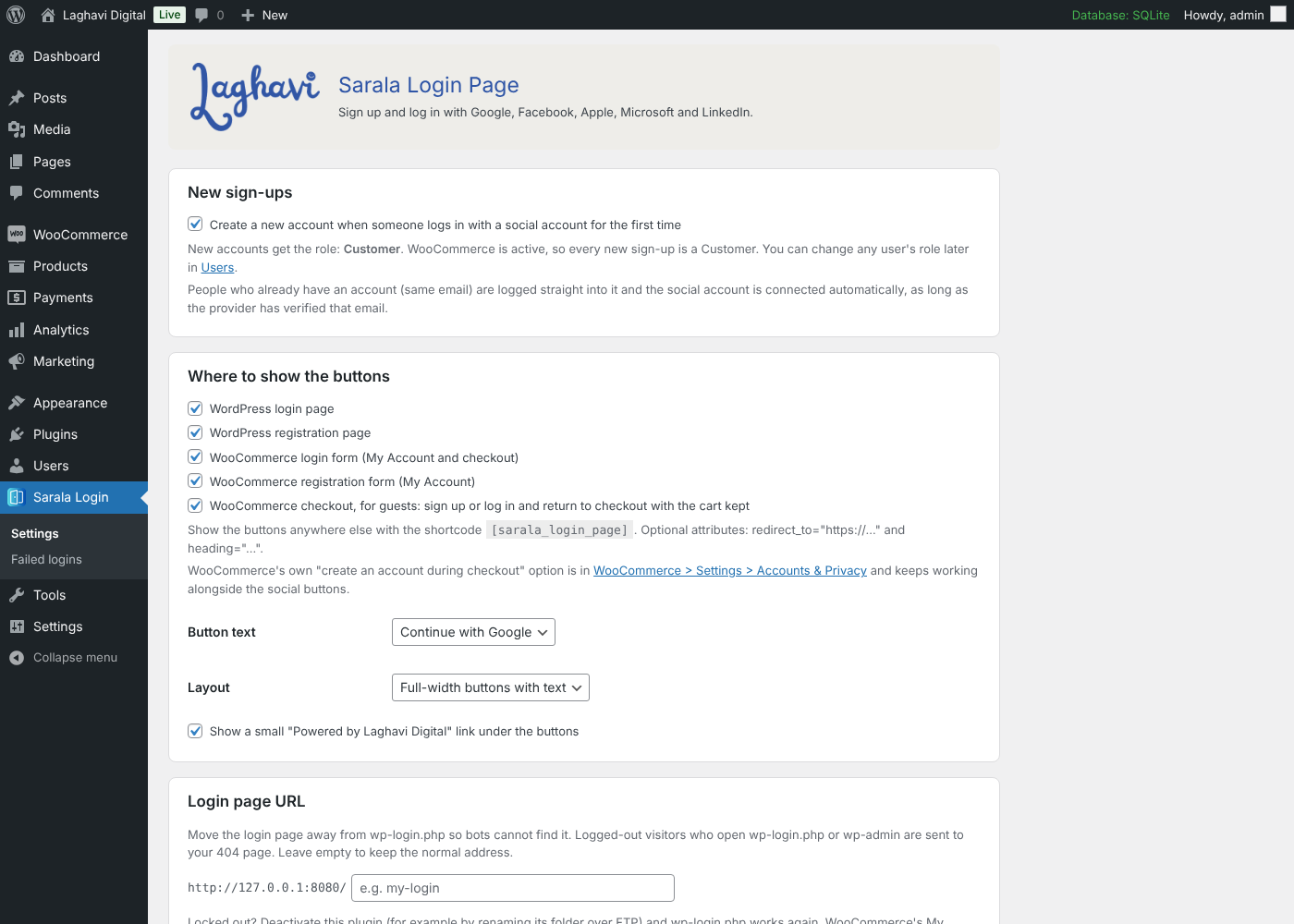
- Buttons on the WordPress login and registration pages.
- Buttons on the WooCommerce My Account login and registration forms.
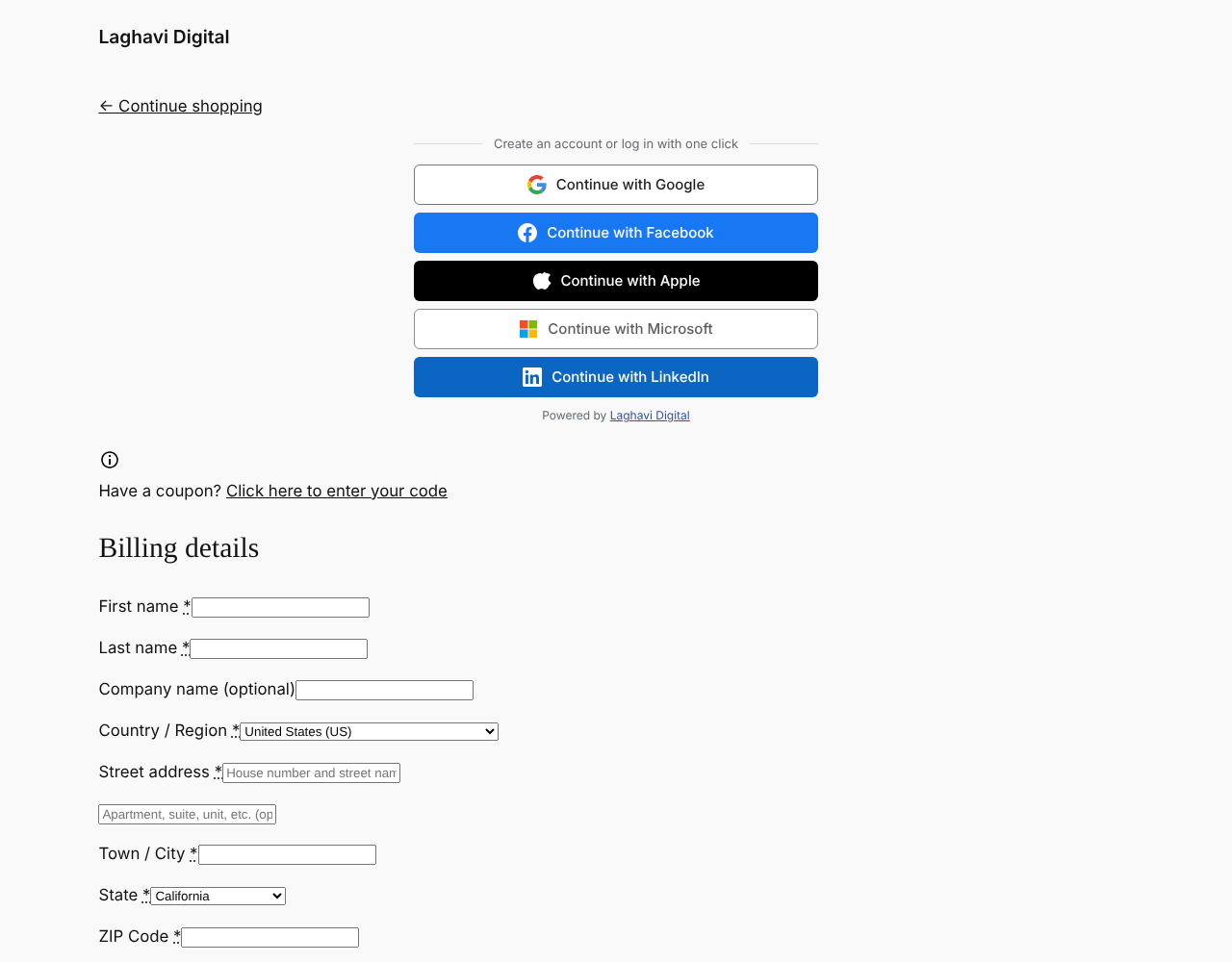
- Buttons at the top of the WooCommerce checkout, so guests can sign up or log in and come straight back to checkout with their cart kept.
- WooCommerce’s own “create an account during checkout” option keeps working.
- A
[sarala_login_page]shortcode to place the buttons anywhere.
The right role for every new account
- If WooCommerce is active, every new sign-up becomes a Customer.
- If not, new sign-ups get the “New User Default Role” from Settings > General (Subscriber by default).
- Admins can change any user’s role at any time from Users, as usual.
Existing users log straight in
If someone already has an account with the same email address, logging in with Google, Facebook or another provider takes them straight into that account and connects it automatically. For safety this only happens when the provider has verified the email address. Users can also connect and disconnect accounts from their profile (or from My Account > Account details with WooCommerce), and admins see which accounts each user has connected in a “Social login” column on the Users screen.
Bot protection with a simple math question
The login and registration forms (WordPress and WooCommerce) ask one random question, for example “What is 7 + 9?”. The answer is checked on the server, so bots that skip the form cannot get past it. The REST API, XML-RPC and application passwords are not affected.
Limit login attempts
After 5 failed logins within 15 minutes (you choose the numbers), the IP address is locked out for 30 minutes, even if it then tries the right password. This works on wp-login.php, WooCommerce, XML-RPC and the REST API. You can add your own IP addresses to a “never lock out” list, and see and unlock locked-out addresses on the Failed logins screen.
Force password reset
Make passwords expire after a number of days you choose (for example 90), for every role or only the ones you pick. When a password is too old, the login is refused and the user is emailed a link to choose a new one. Existing users start counting from their next login, so nobody is locked out the moment you switch it on.
Built to be safe
- Standard OAuth 2.0 / OpenID Connect with a one-time state value tied to the visitor’s browser.
- Secrets are never shown again after saving.
- No tracking and no data sent anywhere except to the login provider the visitor chooses.
Made by Laghavi Digital (Laghavi FZE LLC). Plugin page: laghavi.site/sarala-login-page.
External services
This plugin connects to the login provider a visitor picks, only when they click its button. The site owner must create an app with each provider they enable and agree to that provider’s terms.
When a visitor clicks a button, their browser is sent to the provider’s login page. After they agree, the provider sends back a one-time code, and the site exchanges it (server to server) for the visitor’s basic profile: their account ID, name and email address. Nothing else is sent or requested.
- Google – accounts.google.com, oauth2.googleapis.com, openidconnect.googleapis.com. Terms, Privacy
- Facebook (Meta) – www.facebook.com, graph.facebook.com. Terms, Privacy
- Apple – appleid.apple.com. Terms, Privacy
- Microsoft – login.microsoftonline.com, graph.microsoft.com. Terms, Privacy
- LinkedIn – www.linkedin.com, api.linkedin.com. Terms, Privacy
- X (Twitter) – x.com, api.x.com. Terms, Privacy
- GitHub – github.com, api.github.com. Terms, Privacy
- Discord – discord.com. Terms, Privacy
- Reddit – www.reddit.com, oauth.reddit.com. Terms, Privacy
- Yahoo – api.login.yahoo.com. Terms, Privacy
To check that a login really comes from the provider, the plugin also downloads the provider’s public signing keys (Google: www.googleapis.com/oauth2/v3/certs, Apple: appleid.apple.com/auth/keys, Microsoft: login.microsoftonline.com, LinkedIn: www.linkedin.com/oauth/openid/jwks, Yahoo: api.login.yahoo.com/openid/v1/certs). Nothing is sent in these requests; the keys are kept for a few hours.
The plugin stores the visitor’s provider account ID and email on their WordPress user so they can log in again. This data is deleted when the plugin is deleted.
IPinfo (ipinfo.io) – optional, off by default. Only when you tick “Look up city and country for each IP” in Sarala Login Page > Settings, the plugin sends the IP address of each failed login attempt (and your IPinfo token, if you entered one) to ipinfo.io, when an administrator opens the Failed logins screen, to show the approximate city, region and country. Each result is kept for a week, so an address is looked up at most once a week. Terms, Privacy
Installation
- Upload the
sarala-login-pagefolder to/wp-content/plugins/, or install the plugin from Plugins > Add New. - Activate the plugin.
- Go to Sarala Login in the admin menu.
- Open each provider you want, copy its Redirect URI into the provider’s developer console, paste the keys back, and tick “Enable”.
- Save. The buttons appear on the login, registration, My Account and checkout pages.
Each provider has step-by-step instructions on the settings page. Your site should use HTTPS; Apple requires it.
FAQ
How do I add Google login to WordPress?
Install and activate Sarala Login Page, open Sarala Login > Settings, switch on Google and paste the Client ID and Client Secret from Google Cloud Console. The settings screen shows the exact steps and the redirect URI to copy. The “Continue with Google” button then appears on your login and registration pages, and on WooCommerce My Account and checkout.
Does it limit login attempts and stop brute-force attacks?
Yes. After 5 failed logins within 15 minutes (you can change both numbers) the IP address is locked out for 30 minutes, even if it then tries the right password. You can allow your own IP addresses, and see and unlock lockouts on the Failed logins screen.
Can I hide or change the wp-login.php URL?
Yes. Choose your own login address, for example example.com/my-login. Visitors who open wp-login.php or wp-admin without being logged in see your 404 page.
Can I force users to change their password regularly?
Yes. Turn on “Force password reset” and choose after how many days passwords expire, for every role or only some. Users with an expired password are emailed a link to choose a new one.
Does it work with my theme, Elementor or other page builders?
Yes. The buttons are added to the standard WordPress and WooCommerce forms, and the [sarala_login_page] shortcode works in any page builder, widget or theme.
Does Sign in with X (Twitter) give me the user’s email address?
Yes, when you switch on “Request email from users” in your app on the X Developer Portal. Without it, people who already have an account can still connect X and log in with it.
Do I need WooCommerce?
No. Without WooCommerce, the buttons appear on the WordPress login and registration pages, and anywhere you use the shortcode.
What role do new users get?
Customer when WooCommerce is active, otherwise the default role in Settings > General. You can change a user’s role any time. Developers can use the saralopa_new_user_role filter.
Can I stop new accounts being created?
Yes. Untick “Create a new account…” in the settings. Existing users can still log in with connected accounts.
Someone already has an account. What happens when they use Google?
If Google (or the other provider) confirms the same email address, they are logged into their existing account and Google is connected to it. If the provider has not verified the email, they are asked to log in with their password first and connect the account from their profile, which stops anyone from taking over an account with an unverified email.
Can guests sign up at checkout?
Yes. Guests see the buttons at the top of the checkout page. After signing up or logging in they return to checkout with their cart, and their name and email are filled in.
Where do people go after logging in?
Back to the page they came from when it is known (for example checkout), otherwise My Account for WooCommerce customers, the dashboard for editors and admins, or the home page. Developers can change this with the saralopa_login_redirect filter.
Can I change the security questions?
The four questions are 11 + 2, 7 + 9, 2 + 6 and 4 + 13; one is picked at random. You can turn the question off for login or registration in the settings.
What is the “Powered by Laghavi Digital” link?
A small link under the login buttons to the plugin’s page. It is on when you install the plugin. To hide it, untick “Show a small Powered by Laghavi Digital link under the buttons” in Sarala Login › Settings › Login page URL.
Screenshots
Changelog
1.2.1
- A “Works great with” box on Sarala’s screens suggests Rinnovo Subscriptions & Licenses and Performance Insight for WooCommerce, with Install / Activate buttons that use WordPress’s own installer. Only for admins who can install plugins, only for plugins not active yet, and each suggestion can be dismissed.
1.2.0
- New: log in and sign up with GitHub, Discord and Yahoo, and log in with Reddit.
- Security: ID token signatures (Google, Apple, Microsoft, LinkedIn, Yahoo) are now checked against each provider’s live public keys, and tokens issued in the future are refused.
1.1.1
- The “Powered by Laghavi Digital” link is on for new installs and links to the plugin page. Its setting is now under Login page URL.
- Upgrade links open the plugin page.
1.1.0
- New: sign up and log in with X (Twitter), using OAuth 2.0 with PKCE.
- New: limit login attempts. Lock out an IP address after too many failed logins, with an allow list, and see and unlock lockouts on the Failed logins screen. On by default (5 attempts in 15 minutes, 30-minute lockout).
- Clearer Google setup steps: no API needs to be enabled, and the app must be published.
- New: force password reset. Passwords can expire after a number of days, for all or chosen roles; users are emailed a link to choose a new one.
1.0.2
- New: a “Pro features” screen that shows what Sarala Login Page Pro adds (login page templates, super admin, activity log, per-role restrictions), with links to the Pro plans. Shown only on this plugin’s screens and hidden when Pro is installed. Nothing in the free plugin is locked.
1.0.1
- Code names now use the prefix “saralopa”. Settings, connected accounts and the login log are moved over automatically.
1.0.0
- First release: Google, Facebook, Apple, Microsoft and LinkedIn login and sign-up, WooCommerce My Account and checkout support, connected accounts, and a math question on login and registration forms.