


Description
Shop Manager for WooCommerce gives store owners and managers a clean, fast frontend dashboard to run their entire WooCommerce store, without needing access to the WordPress admin.
Whether you’re handling 10 orders a day or 500, the goal was simple: make WooCommerce management feel less like work. Every screen is built around what you actually need to do, create orders, update statuses, manage products, track customers, not what the database looks like on the inside.
✨ All Features | 💰 Upgrade to Pro | 📖 Documentation | 🆘 Support
All in one WooCommerce Frontend Dashboard
Most WooCommerce store managers spend half their day inside the WordPress backend, an interface that was never really designed for high-volume order management. Shop Manager replaces that with a purpose-built frontend dashboard that’s fast, intuitive, and actually pleasant to use.
You get full order management, product management, a real-time analytics dashboard, a customer CRM and store notifications, all in one place. The Pro version adds abandoned cart recovery, PDF invoices and AI tools that write your product content and answer questions about your store.
🚀 Key Features
- Frontend WooCommerce dashboard: manage your entire store without logging into the WordPress admin
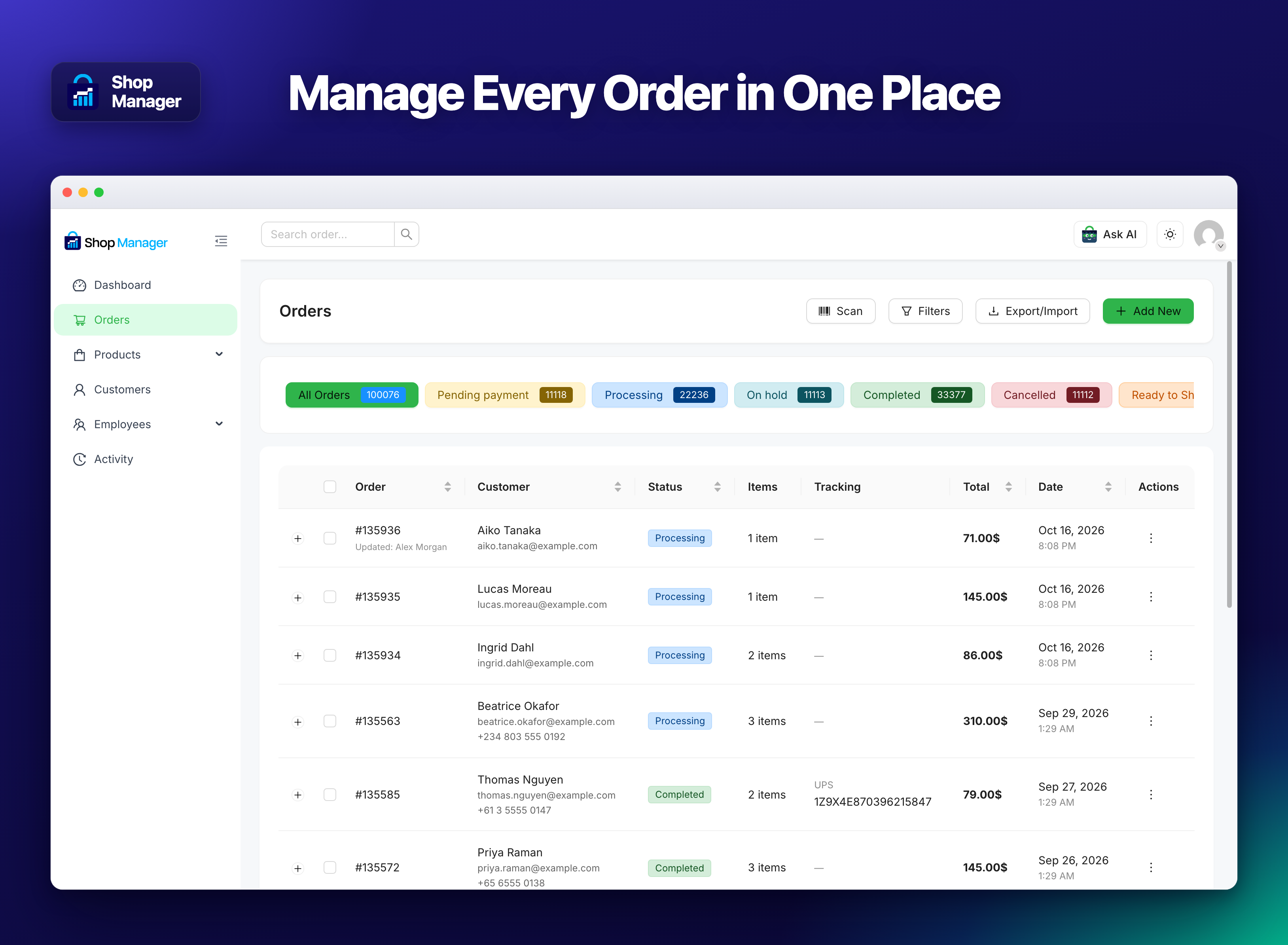
- Full order management: create, edit, delete, bulk-update, and export orders as CSV
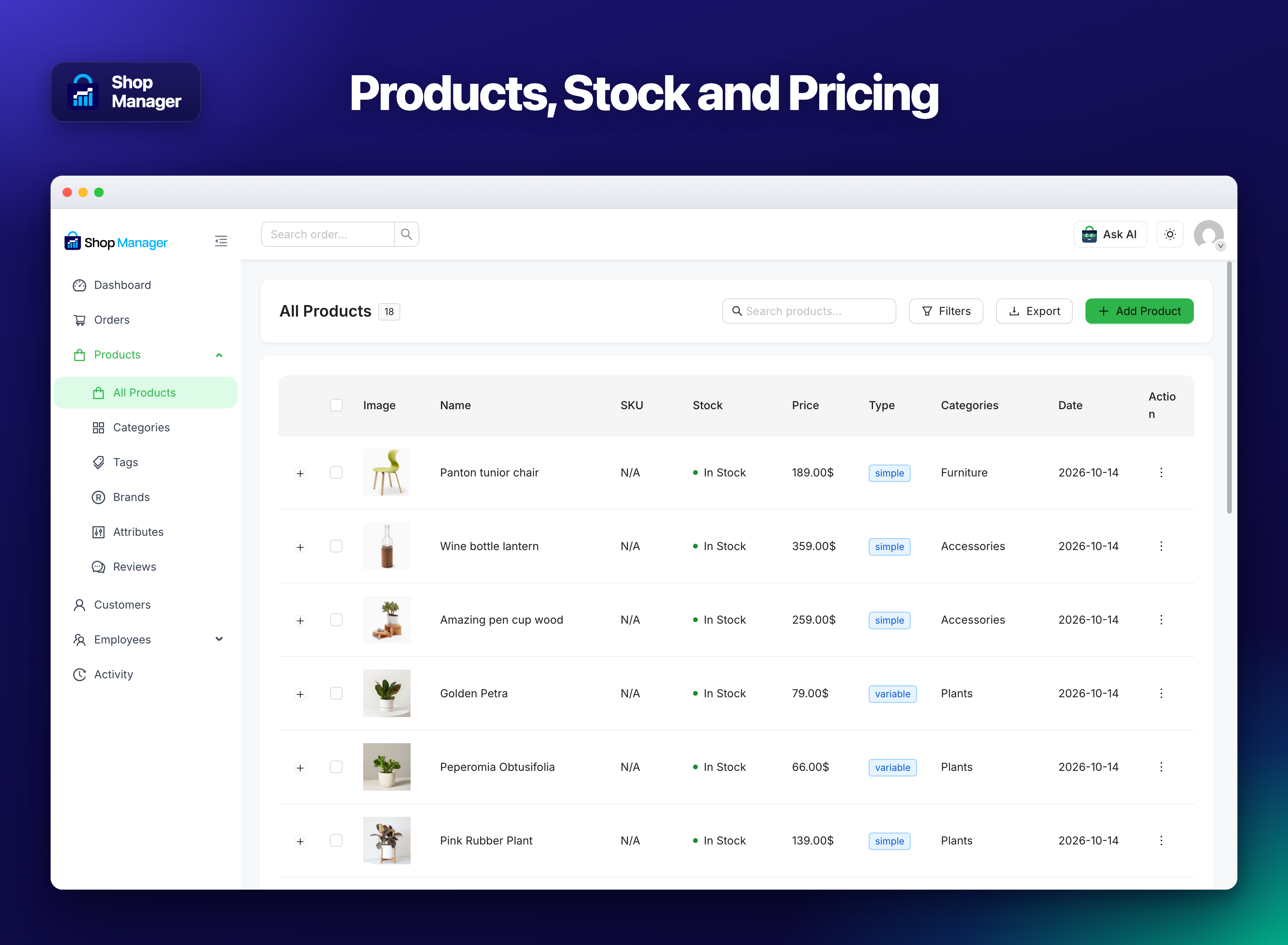
- Complete product management: add/edit products with variations, categories, brands, tags, attributes, and reviews
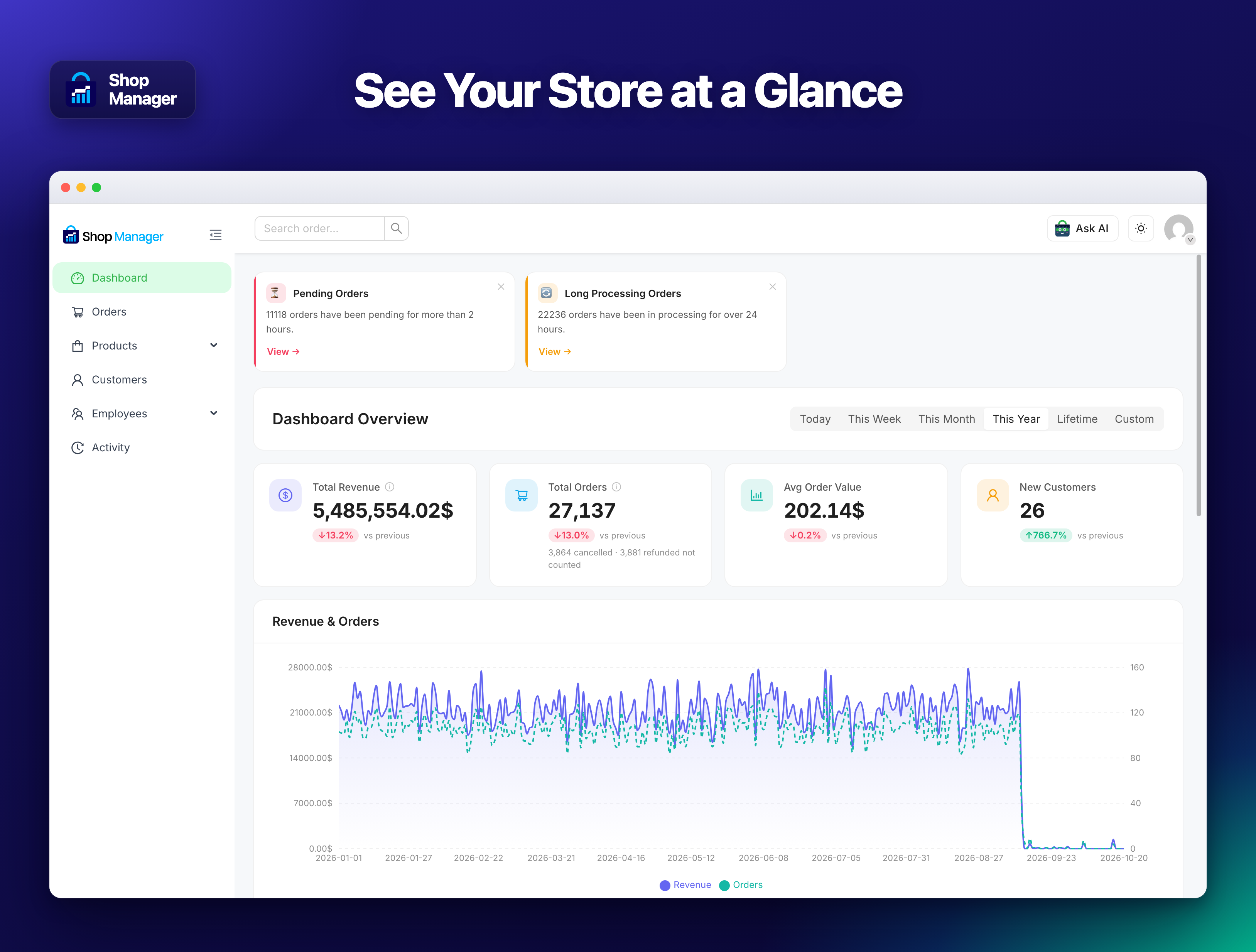
- Real-time analytics: revenue, average order value, top products, and order trends, live, no 12-hour cache delay
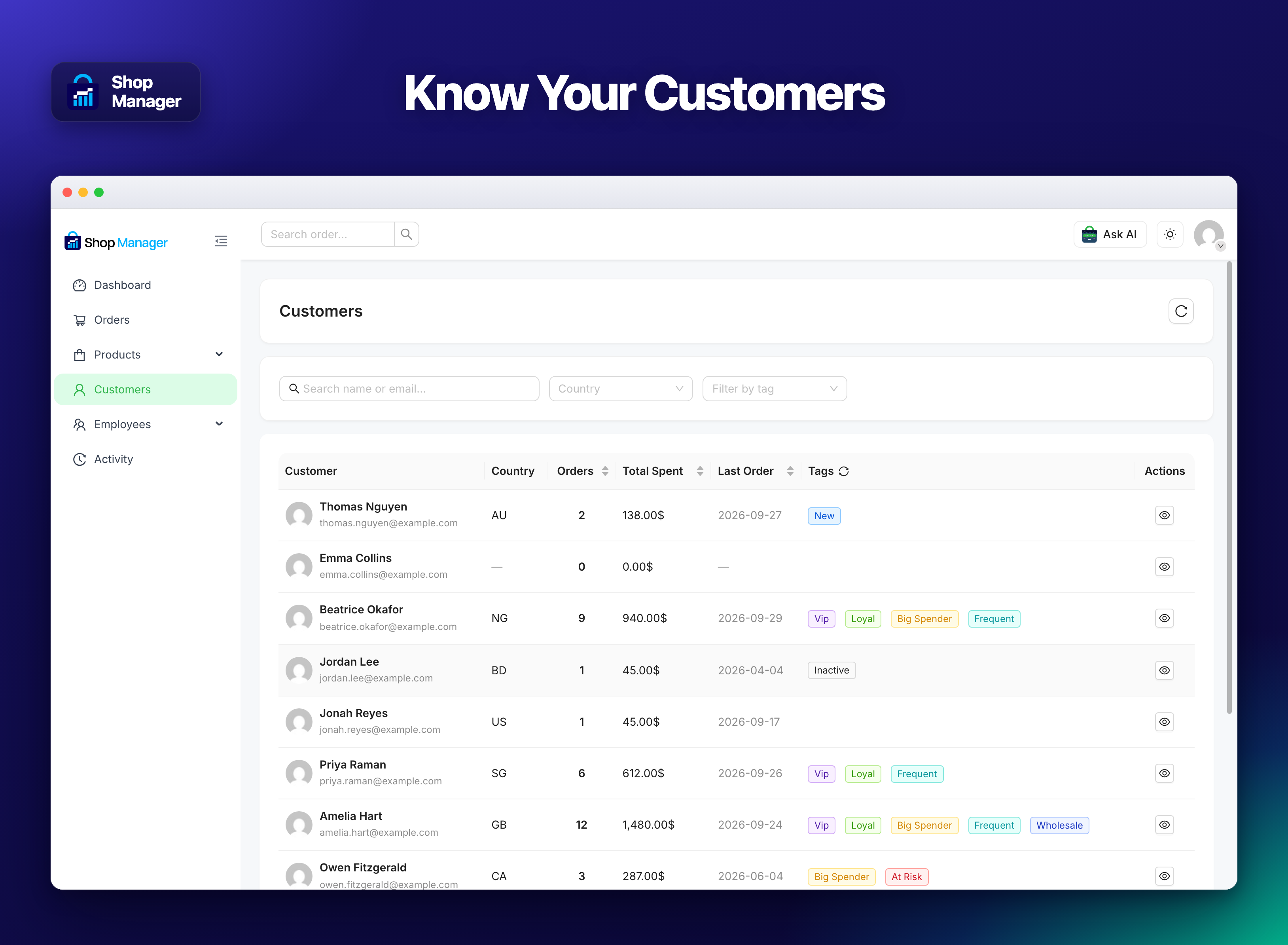
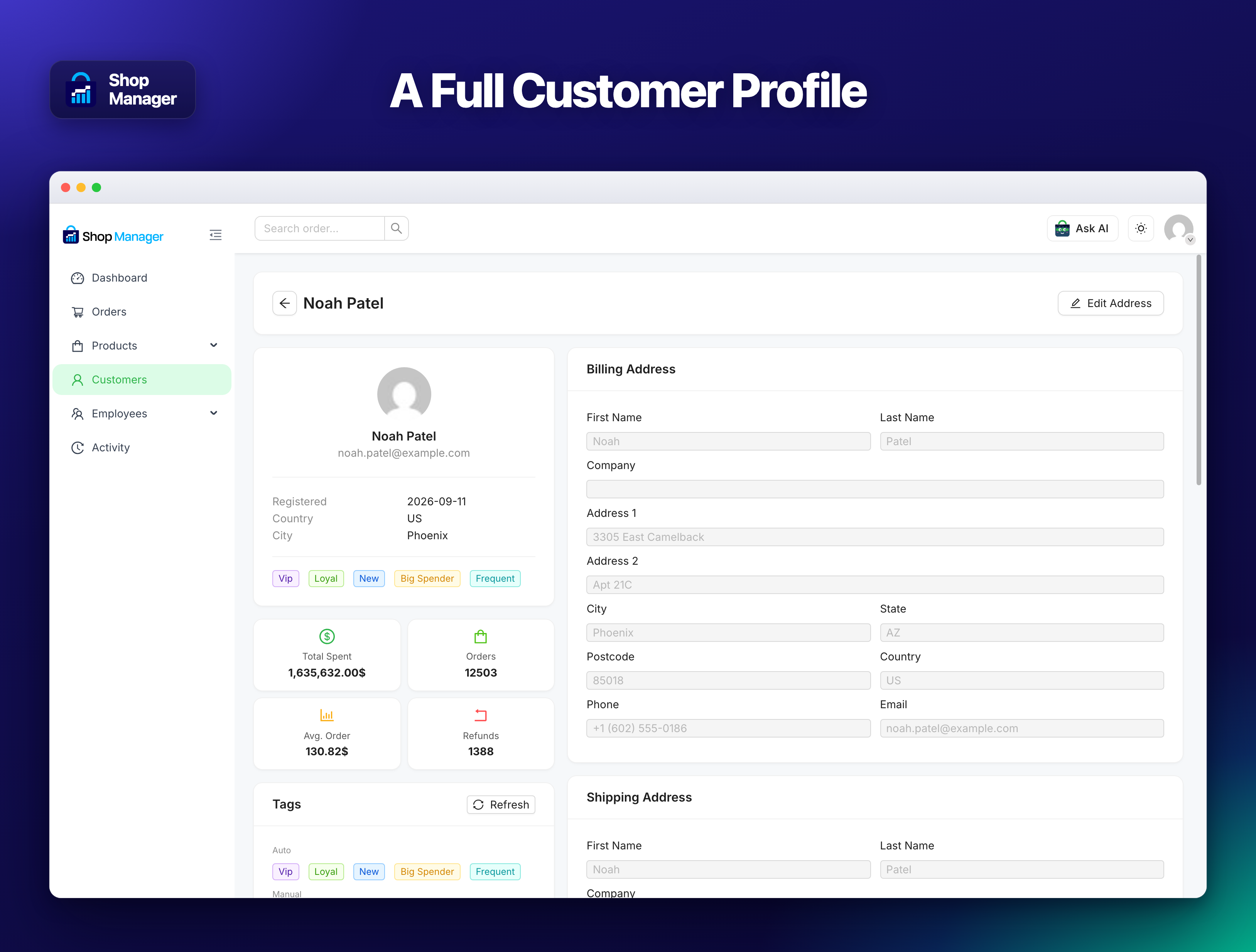
- Customer list & profiles: full purchase history, billing & shipping addresses, notes and communication log, order stats, and tags
- Print orders & packing slips: print a single order or a whole batch straight from the browser, one order per page, no PDF plugin and no Pro licence needed
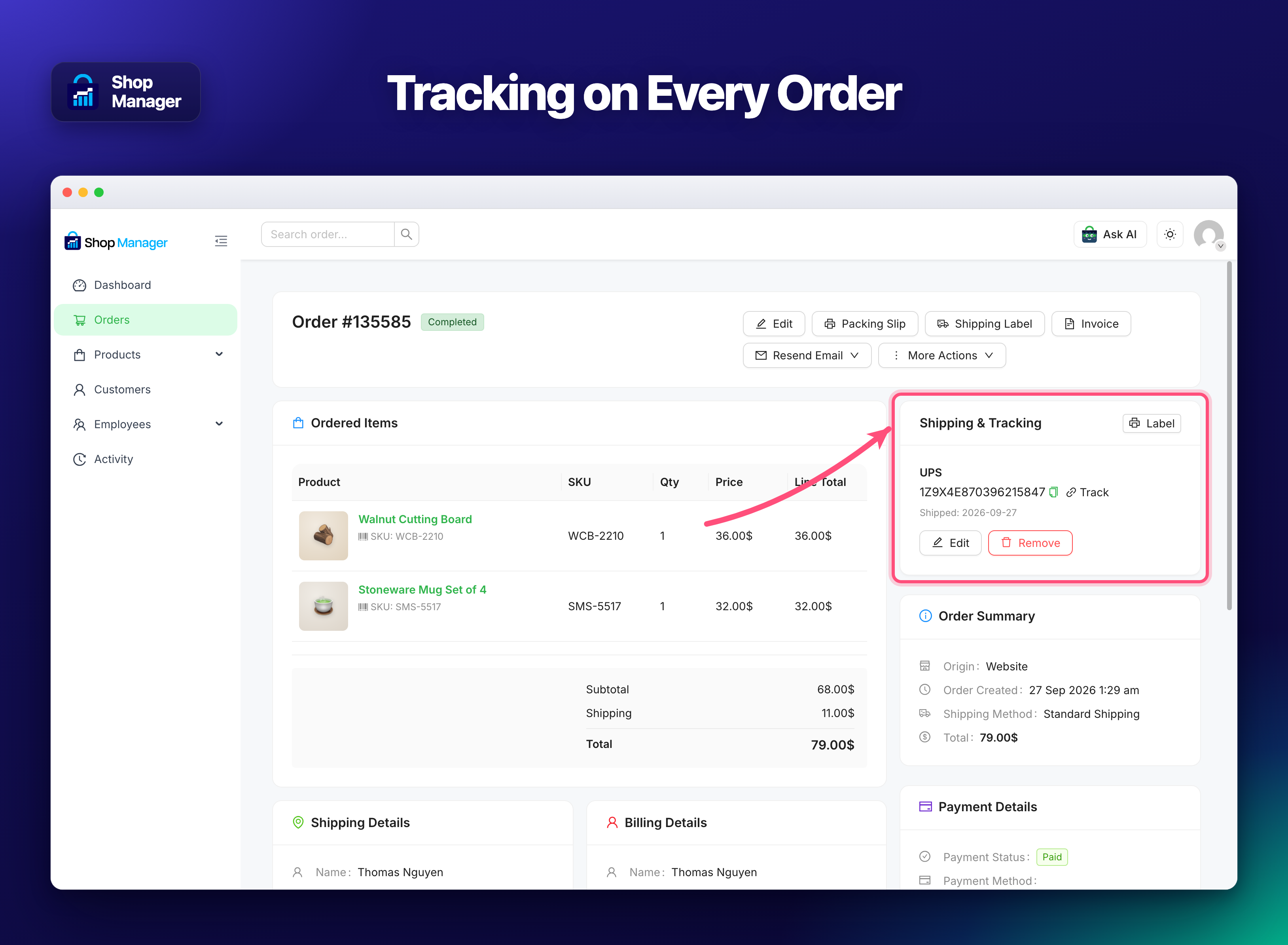
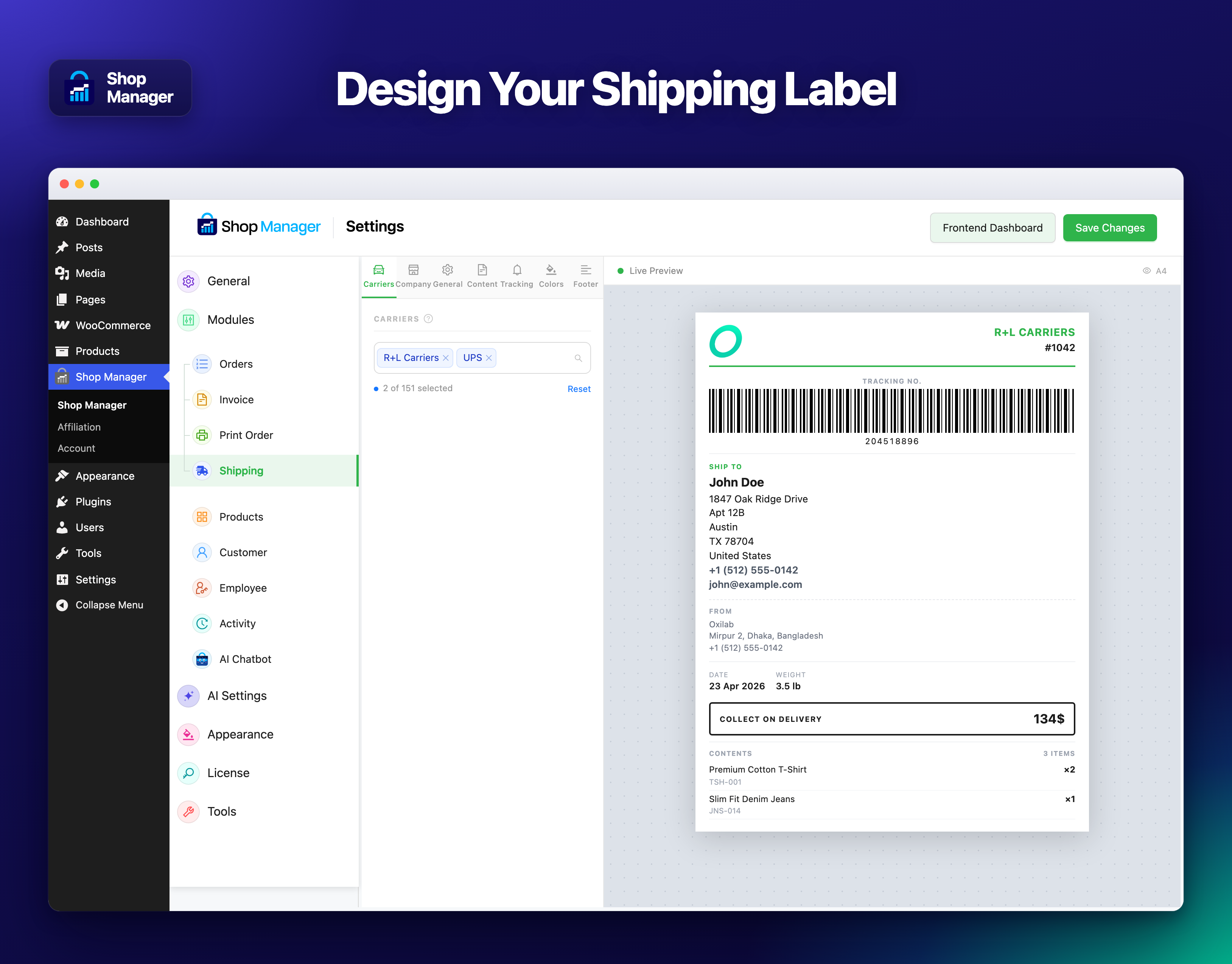
- Shipping labels & shipment tracking: record the carrier and tracking number for 151 couriers in 55 countries, and print labels with scannable Code 128 barcodes straight from the browser
- Notifications: a bell in the dashboard for new orders, failed payments, cancellations, refunds, customer notes, low stock and new reviews, with desktop notices and a sound for new orders
- Abandoned cart recovery (Pro): save the carts customers leave at checkout after giving their email or phone, send up to five reminder emails with a coupon, and win them back from the Abandoned Carts page
- Invoice PDF generation (Pro): generate, download, and email professional invoices
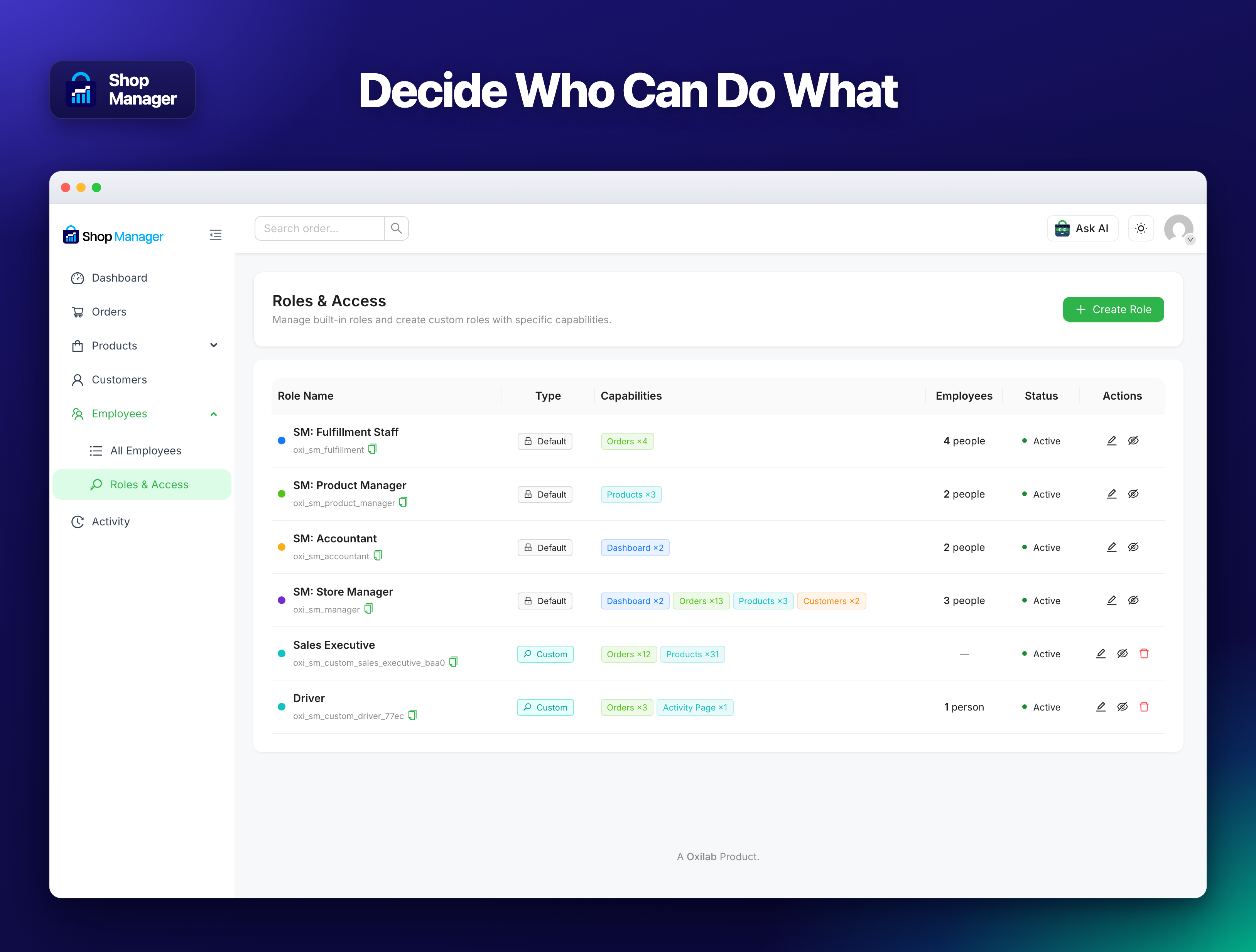
- Employee management & role-based access: add staff, assign roles, and control exactly who can see and do what
- Custom order statuses (Pro): create unlimited custom statuses with color presets that fit your exact workflow
- AI chat assistant (Pro): ask questions about your store in plain language and get answers from live data, orders, revenue, products, customers, and employees
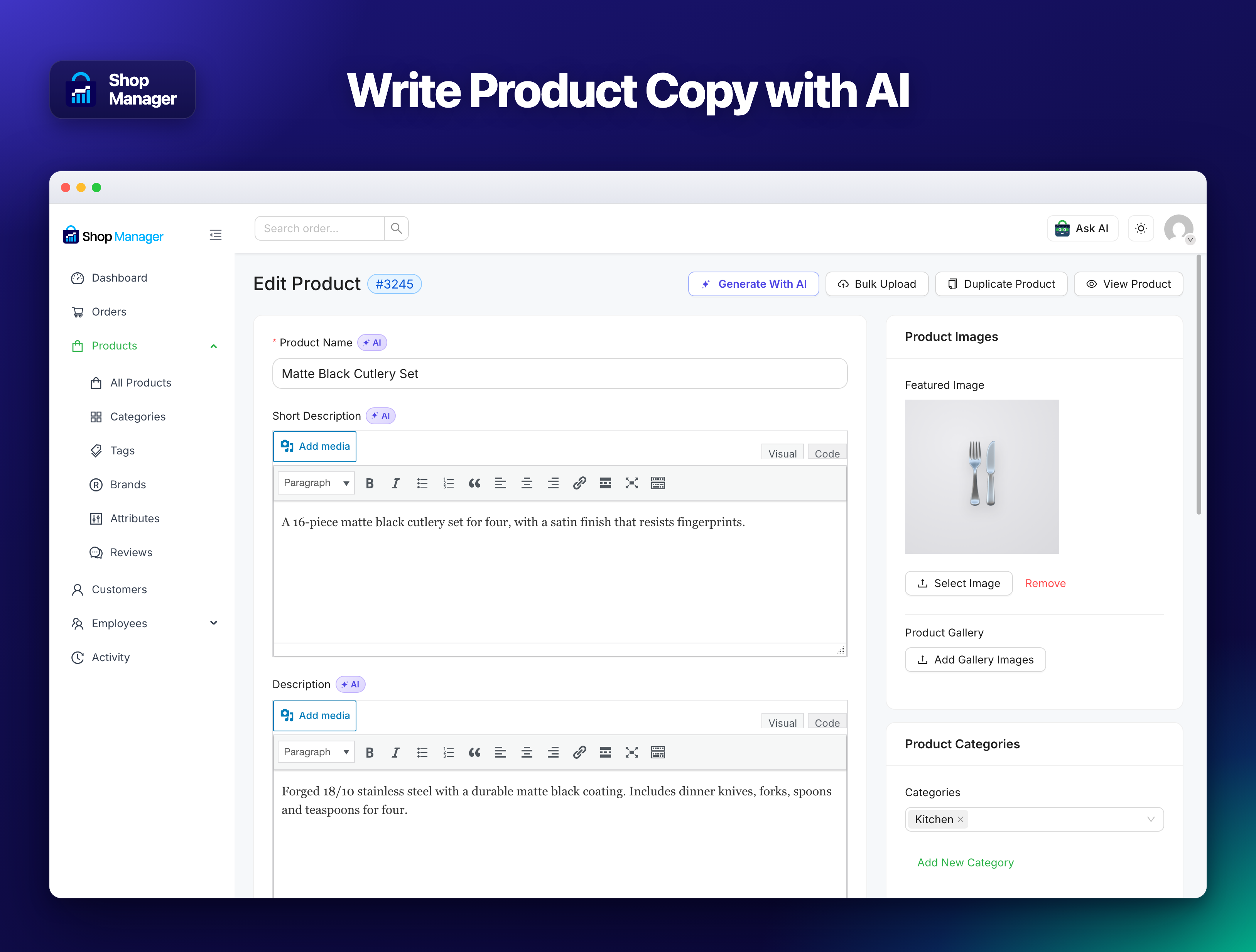
- AI product content generator (Pro): write product titles, short descriptions, and full descriptions with one click
- Customer auto-tagging: automatically segments customers as VIP, Loyal, At Risk, Big Spender, Frequent, New, or Inactive, with no AI key needed
- Dashboard insight cards: plain-English summaries of what’s happening in your store right now, with no AI key needed
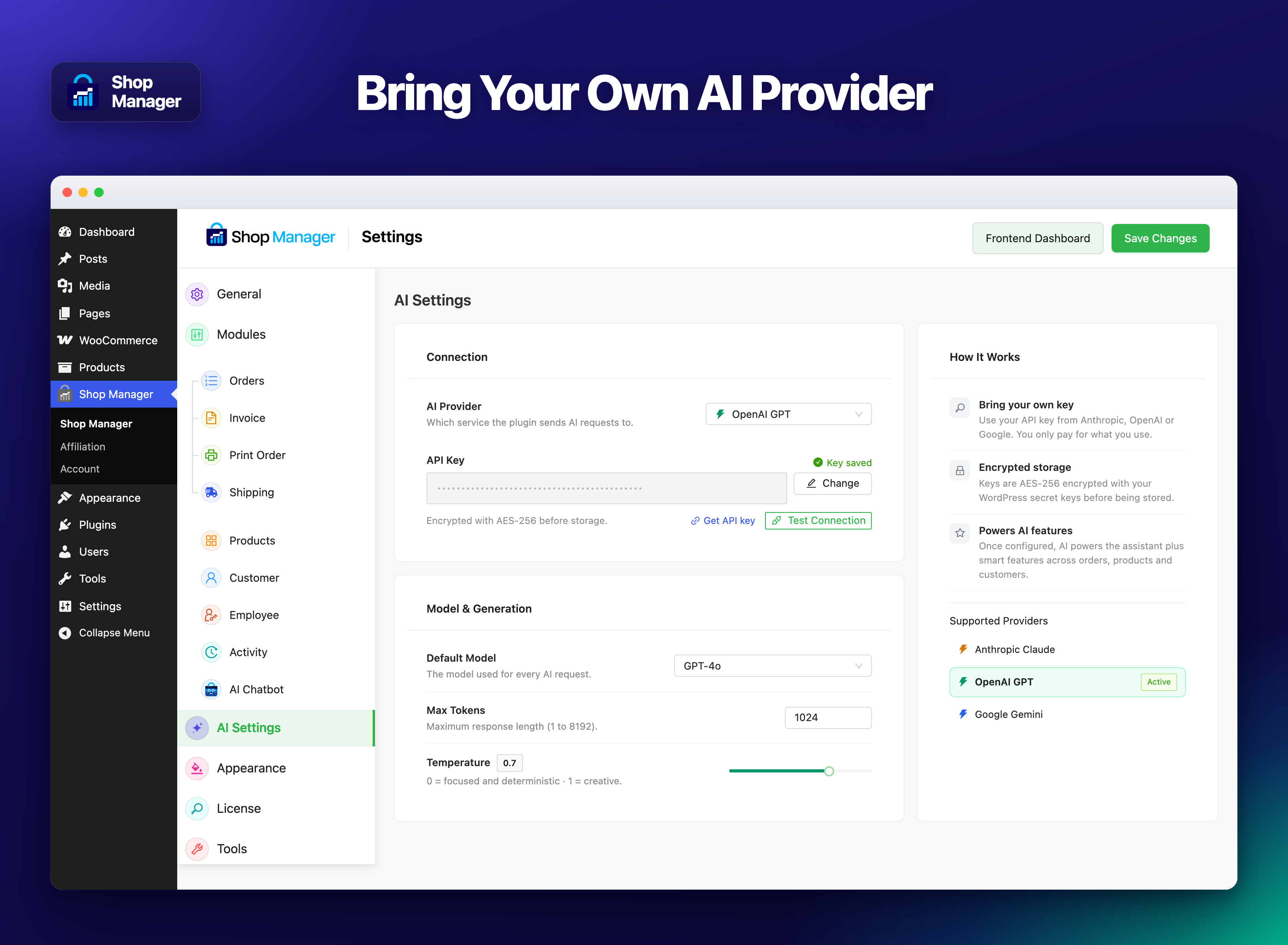
- Your own AI keys (Pro): works with Anthropic Claude, OpenAI, or Google Gemini; keys are AES-256 encrypted
- CSV export: export product lists and order data for reporting, accounting, or migration
- Built for WooCommerce HPOS: fully compatible with High-Performance Order Storage
✅ Free Version Features
The free version covers the essentials, enough to manage a real store day to day:
✅ Frontend dashboard: view and run your store without touching the WP admin
✅ Order management: create, view, edit, and delete orders, with search and bulk actions
✅ Advanced order filters: stack filters by status, date range, customer and order total to find exactly the orders you need
✅ Print orders and packing slips: one order or a whole batch, printed from your browser, no PDF plugin needed
✅ Print designer with live preview: document title, paper size, logo, colours, and every section on or off; turn prices off to get a packing slip
✅ Shipment tracking for 151 couriers in 55 countries: record the carrier and tracking number on any order, or a whole batch at once, with the tracking link already built in, plus a custom carrier option for anyone not on the list. No API keys, no account, works offline
✅ Shipping labels with scannable Code 128 barcodes: A4, A5, 4×6 inch, or 80/58 mm thermal roll, printed from your browser, with the delivery address, parcel contents, and the cash-on-delivery amount to collect
✅ Customer tracking notifications: the tracking number and a Track your parcel link in WooCommerce order emails and on My Account, and it steps aside automatically if you already run Advanced Shipment Tracking
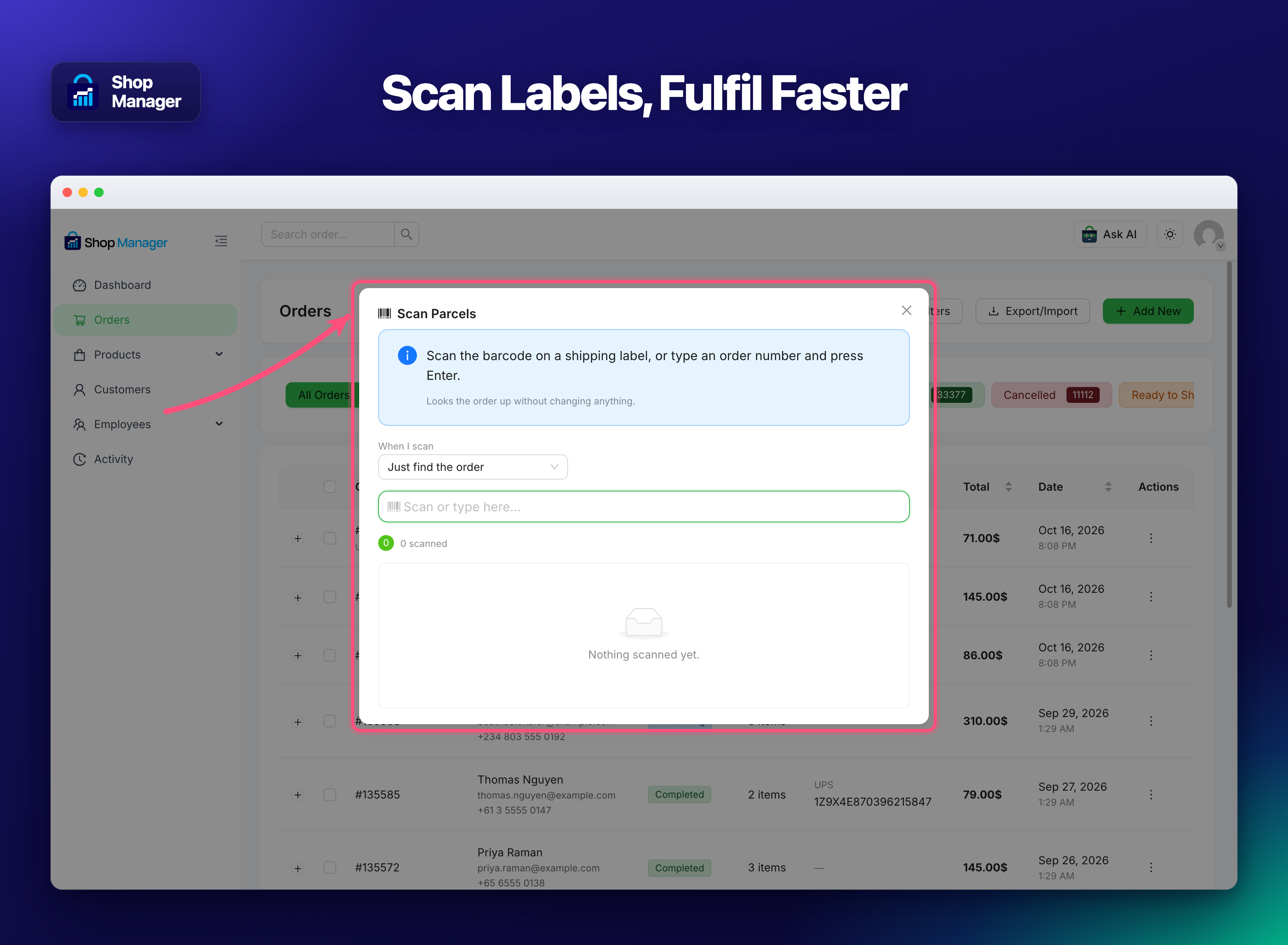
✅ Barcode scanning: scan a shipping label with any USB scanner to find an order or move it to another status, and find any order by its tracking number from the search box
✅ Product management: create, edit, and delete products, with variations, categories, brands, tags, attributes, and reviews
✅ Real-time analytics: revenue, average order value, and top products
✅ Customer list: full purchase history on every profile
✅ Customer notes & communication log: keep a record of every interaction on the customer profile
✅ Customer segmentation: filter customers by tag, spend, or behaviour
✅ Customer auto-tagging: automatically segments customers as VIP, Loyal, At Risk, Big Spender, Frequent, New, or Inactive, using thresholds you set. Rule-based, so no AI key is needed
✅ Dashboard insight cards: plain-English summaries of what’s happening in your store right now, with no AI key needed
✅ Notifications: a bell in the dashboard for new orders, failed payments, refunds, low stock and reviews, with desktop notices and a sound for new orders. Each staff member sees only what their role allows
✅ Employee management and role-based access: control who can see and do what
✅ CSV export: export your orders and products for reporting or accounting
✅ Fully responsive: works on desktop, tablet, and mobile
🔥 Pro Version Features
Pro unlocks the full toolkit for growing stores:
✅ AI chat assistant: ask about your store in plain language, orders, revenue, products, customers, and employee activity, answered from live data
✅ AI product content generator: write product titles, short descriptions, and full descriptions with one click
✅ Multi-provider AI support: works with Anthropic Claude, OpenAI, and Google Gemini; bring your own API key
✅ Invoice PDF generation: generate and download professional invoices. Also send to customer with email
✅ Custom order statuses (unlimited): with color presets and visual workflow control
✅ Abandoned cart recovery: carts customers leave at checkout after giving their email or phone, up to five reminder emails with a coupon, WhatsApp and text message buttons, a weekly recovery report, a webhook, and an Abandoned Carts page to win them back
✅ Custom employee roles: build your own roles with a full capability matrix, deciding permission by permission what each one can view, add, change and delete
✅ Priority email support: 12h response
👉 See full Free vs Pro comparison
🎯 Perfect For
- 🏪 Store owners who don’t want to spend time in the WordPress admin every morning
- 👩💼 Shop managers and employees who need to handle orders without full admin access
- 👨💻 WooCommerce developers and agencies building client dashboards that clients can actually use
- 📦 High-volume stores that need fast bulk actions and reliable status workflows
- 🌍 Multi-language stores: built with WordPress i18n and translation-ready throughout
📈 Why Shop Manager
There are a handful of WooCommerce frontend manager plugins out there, but most of them were built years ago and show it. Shop Manager was designed from scratch, built with React, tested against real store workflows, and updated regularly.
Here is what actually sets it apart:
- 🤖 AI tools built in (Pro): not a third-party integration; the AI chat assistant and the product content generator are part of Shop Manager Pro. Bring your own API key for Claude, OpenAI, or Gemini and it just works. Customer tagging is rule-based and free, with no key needed.
- ⚡ Real-time data: the dashboard pulls live data, not cached summaries from 12 hours ago
- 🏷️ Smart customer tagging: customers are automatically segmented based on actual order behavior, not manual effort. Tags update when orders change.
- 📋 Workflow-first order management: custom statuses, bulk actions, and CSV export are all designed around how fulfillment workflows actually work
- 🔒 Secure by default: API keys are AES-256 encrypted, all REST endpoints are nonce-verified, and user access respects WooCommerce roles
- 🔄 HPOS compatible: fully tested with WooCommerce High-Performance Order Storage, which is default in WooCommerce 8.0+
Installation
⬇️ Option 1: Install from WordPress.org (Recommended)
- 🔑 Log into your WordPress admin
- 🔍 Go to Plugins > Add New and search for Shop Manager for WooCommerce
- 🖱️ Click Install Now, then Activate
📦 Option 2: Manual Upload
- ⬇️ Download the plugin zip from WordPress.org
- 📂 Go to Plugins > Add New > Upload Plugin
- 📤 Upload the zip file and click Install Now
- ✅ Click Activate Plugin
🚀 Getting Started
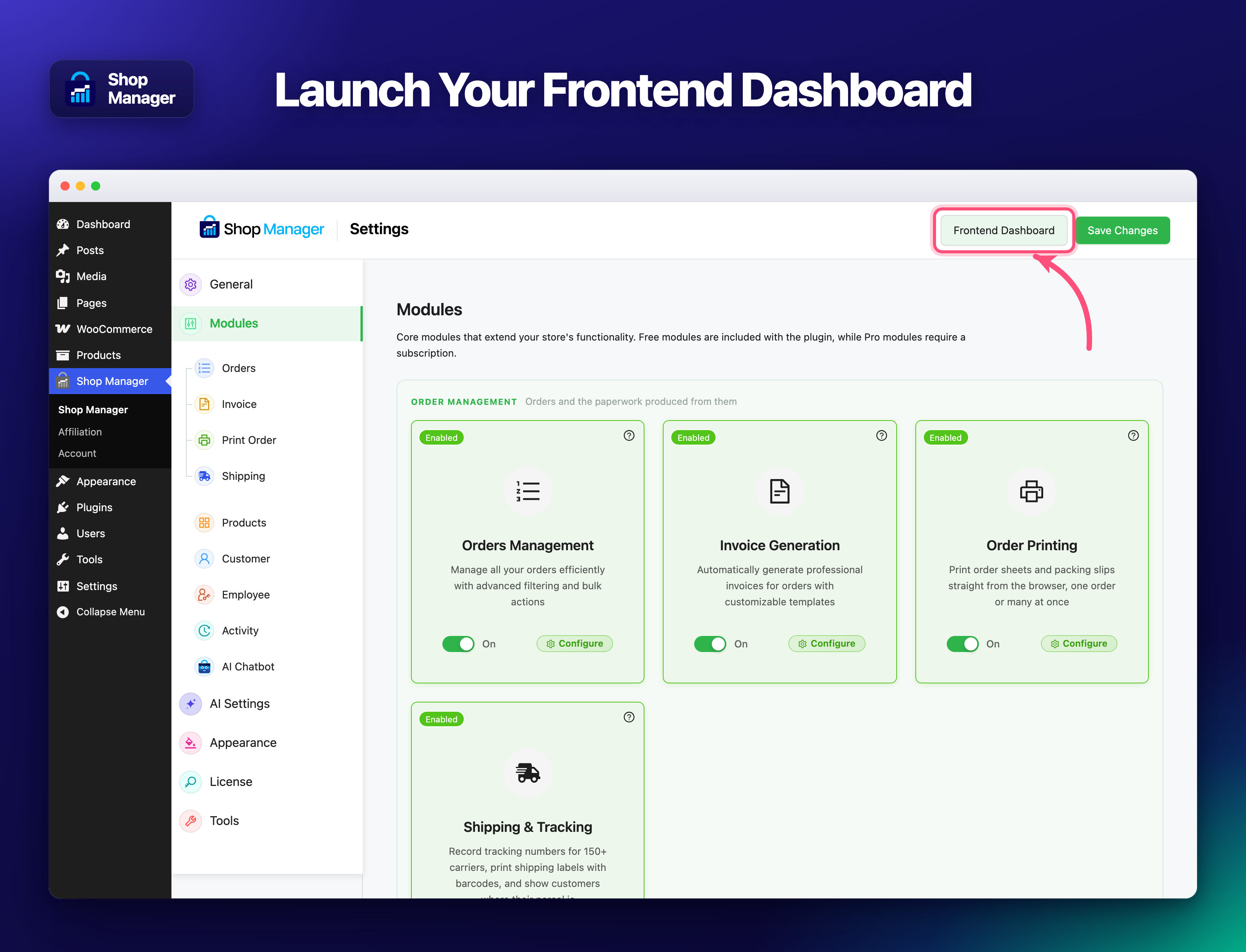
- 📄 Activating the plugin creates a page called SM Dashboard for you. That page is the frontend dashboard, at
yoursite.com/sm-dashboard/. There is nothing to build and no shortcode to place. - 🔗 Open it from the Frontend Dashboard button at the top of Shop Manager in your WordPress admin sidebar, or go straight to the URL
- 👥 Add your staff and choose what each of them can see and do, from Employees inside the dashboard
- 🤖 To use the Pro AI features, go to Shop Manager > AI Settings and enter your API key
- 🏷️ Visit Customer Settings to set the thresholds used for automatic customer tagging
FAQ
📄 Where is the dashboard after I activate the plugin?
Activating Shop Manager creates a page called SM Dashboard on your site, at yoursite.com/sm-dashboard/. That page is the dashboard. You do not create a page yourself and there is no shortcode to place. The quickest way in is the Frontend Dashboard button at the top of the Shop Manager screen in your WordPress admin. If you ever delete the page, deactivating and reactivating the plugin creates it again.
🔌 Does this plugin require WooCommerce?
Yes. Shop Manager is built entirely on top of WooCommerce and requires it to be installed and active. It is not compatible with other eCommerce plugins.
🤖 Do the AI features cost extra?
Shop Manager never charges extra for AI. The two AI features that generate content, the AI product content generator and the AI chat assistant, are Pro features, and you bring your own API key from Anthropic (Claude), OpenAI (GPT), or Google (Gemini), so you only pay your provider for what you actually use, typically $1–5 per month for average stores. The rule-based smart features, customer auto-tagging and dashboard insight cards, work in every plan including free and don’t need an API key at all.
🔒 Is my API key stored securely?
Yes. API keys are encrypted with AES-256-CBC using your WordPress secret keys before being saved to the database. The raw key is never exposed in the browser, API responses, or log files.
⚡ Does it work with WooCommerce HPOS?
Yes. Shop Manager is fully compatible with WooCommerce High-Performance Order Storage (HPOS), which became the default in WooCommerce 8.0.
🏷️ How does customer auto-tagging work?
When an order is placed or its status changes, Shop Manager automatically recalculates tags for the customer based on their order history. Tags like VIP, Loyal, At Risk, and Big Spender are defined by thresholds you set in the admin settings, and you can adjust those thresholds at any time. Changing thresholds triggers a recalculation for all customers automatically.
🛒 Can I create and edit orders from the frontend?
Yes, in the free version. You can create an order, edit an existing one, delete it, filter the list however you like, run bulk actions and export to CSV, all without opening the WordPress admin. Pro adds unlimited custom order statuses on top.
👥 Can shop employees use this without admin access?
Yes. You can control who can access the frontend dashboard through WordPress role settings. The plugin respects the excluded roles configuration in the admin settings.
📱 Does it work on mobile?
The frontend dashboard is responsive and usable on mobile, though it is designed primarily for desktop use by store managers. All core workflows, order management, product editing, customer review, work on tablet and mobile.
🔄 What happens to existing data when I activate the plugin?
Your store data is untouched. Shop Manager reads your existing WooCommerce orders, products and customers, and never migrates or rewrites any of it. The only thing activation adds is the SM Dashboard page that holds the dashboard itself.
🆓 Is there really a free version?
Yes, and it is not a trial. The free version includes the frontend dashboard, full order management, printing and packing slips, shipping labels and tracking for 151 couriers, product management, the customer list with auto-tagging, real-time analytics with insight cards, employee management and CSV export. Pro adds the AI chat assistant, AI product content generation, PDF invoices, unlimited custom order statuses and custom employee roles.
🔑 Which AI providers are supported?
Shop Manager works with Anthropic Claude, OpenAI (GPT), and Google Gemini. You bring your own API key, so you only pay your provider for what you actually use, there’s no markup or subscription through Shop Manager.
🏷️ Can I create unlimited custom order statuses in the free version?
No. The free version lets you filter and manage your existing WooCommerce order statuses. Creating unlimited custom statuses, with color presets, is a Pro feature.
🧾 Does the invoice generator support multiple templates?
Yes. Invoice PDF generation is a Pro feature and includes four templates, Modern, Classic, Bold, and Minimal, so you can match your brand. Invoices can be downloaded individually or in bulk.
🖨️ Can I print orders and packing slips?
Yes, and it is free. Open any order and click Print, use the Print action in the orders list row menu, or select several orders and use Print Orders to get one document with a single order per page. The sheet opens in a new tab and goes straight to your browser’s print dialog, so no PDF plugin, no extra library and no Pro licence is involved.
Under Shop Manager → Print Order you get a designer with a live preview: set the document title (Order, Packing Slip, Delivery Note), paper size, logo, colours, and switch individual sections on or off, order status, payment and shipping method, billing and shipping addresses, product images, SKU, item options, prices, totals, notes and footer. Turning prices off produces a packing slip with quantities only. Company details left empty fall back to your WooCommerce store settings, so invoices and packing slips always name the same store.
💾 Will my customer notes and tags be lost if I switch from Pro back to free?
No. Your data stays in your WooCommerce database either way, and customer notes and tags are both free features, so they keep working after a downgrade. Pro-only features like unlimited custom order statuses become read-only until you reactivate Pro. Nothing is ever deleted.
🗑️ What happens to my orders and data if I deactivate or uninstall the plugin?
Deactivating keeps everything untouched, your orders, products, and customer data all live in WooCommerce’s own database, not in a separate table. Uninstalling removes only the plugin’s own settings and custom tags, your actual store data is never touched. The SM Dashboard page stays where it is, and simply shows nothing until the plugin is active again.
⚡ Does this plugin slow down my store?
No. Dashboard and analytics data is cached briefly to keep things fast, and AI features only run when you actively use them, they don’t run in the background or affect your storefront’s loading speed for customers.
🧩 Will this plugin conflict with other WooCommerce extensions like Subscriptions or Bookings?
Shop Manager works alongside standard WooCommerce order and product data, so it doesn’t override how other extensions handle their own custom order types. As with any plugin that touches order management, highly customized workflows are best tested on a staging site first.
🔌 What happens if I don’t add an AI API key?
Everything except the AI product content generator and the AI chat assistant works normally. Customer auto-tagging, insight cards, orders, products, customers, and employee management are all unaffected, since those don’t call any AI provider. You only need a key for the two features that generate or answer with AI.
👥 Can multiple employees see different parts of the dashboard at the same time?
Yes. Role-based access is per-user, so two employees logged in at the same time each see only what their role allows, one might manage orders while another only views products, based on the permissions you set.
Screenshots





Changelog
1.3.13
- 🐛 Fix: Custom CSS from other plugins, like Simple Custom CSS and JS, no longer changes the dashboard’s buttons.
- 🐛 Fix: Add Employee now says the welcome email has a link to set a password.
- 🐛 Fix: View Reviews on the Pending Reviews card and in the bell now opens the Pending reviews tab.
- 🐛 Fix: The bell’s Low Stock alert now opens the low stock products list, not the dashboard.
1.3.12
- ✨ Improvement: New default colors: Emerald, with Midnight for dark mode.
1.3.11
- ⚡ Performance: Edit Product opens about twice as fast.
- ⚡ Performance: Dashboard pages no longer load the 500 KB WordPress REST index.
- 🐛 Fix: Edit Product showed “Updating product…” while loading. It now shows “Loading product data…”.
- 🐛 Fix: Some themes and plugins removed the borders from the header search box and buttons.
- 🐛 Fix: Product filter counts did not match the list, such as “External (1)” for a product in the trash.
- ✨ Improvement: The Stock Status filter shows counts.
- 🐛 Fix: The bell’s Notifications tooltip could stay on screen after you left the page or used the panel.
- ✨ Improvement: Getting Started links to Modules for a feature that is turned off.
1.3.10
- 🆕 New: Notifications: a bell in the dashboard header for new orders, failed payments, cancellations, refunds, customer notes, low and out of stock, new reviews and store alerts.
- 🆕 New: Notifications page with All and Unread, a filter by kind and pagination.
- 🆕 New: Desktop notices and a short sound for new orders. Each person can turn the sound off in the bell.
- 🆕 New: Notifications module and settings: choose which kinds to show and keep them for 30, 60 or 90 days.
- 🆕 New: Getting Started page: the full tour video, a setup checklist, three steps, every feature with its settings and guide, and help links. New installs open it first.
- 🐛 Fix: Reset all settings said “Nothing was reset” after a reset that worked.
- 🐛 Fix: The dashboard page could be trashed or deleted. It is protected now.
- 🐛 Fix: The AI Settings link on an employee’s profile was broken.
- 🐛 Fix: “Search categorys” now reads “Search categories”.
- ✨ Improvement: On Free, Add New under Custom Statuses opens the upgrade page.
- ✨ Improvement: Clearer screen text, and no dashes in it.
- 🐛 Fix: On AI Chatbot settings, the “0 / 1000” count covered the help text below it.
- 🐛 Fix: Green buttons such as Add New and Add Product had black text instead of white.
- 🐛 Fix: Dropdown lists, such as Select Frontend Dashboard Page, had no visible edge on the default Compact look.
- ✨ Improvement: The Settings, Account and Getting Started pages no longer show notices from other plugins or WordPress.
1.3.9
- 🆕 New: Choose the page your dashboard runs on (General → Dashboard page). SM Dashboard stays the default.
- 🆕 New: Old dashboard links and bookmarks go to the new page automatically.
- 🆕 New: Pagination: set how many rows each dashboard list shows.
- 🆕 New: License menu: see your plan and expiry, activate or change your license.
- 🆕 New: Export and import all settings, staff roles included. Drag and drop to import.
- 🆕 New: Reset all settings from the Danger zone on the Tools menu.
- 🆕 New: Option to delete Shop Manager data when the plugin is deleted. Off by default.
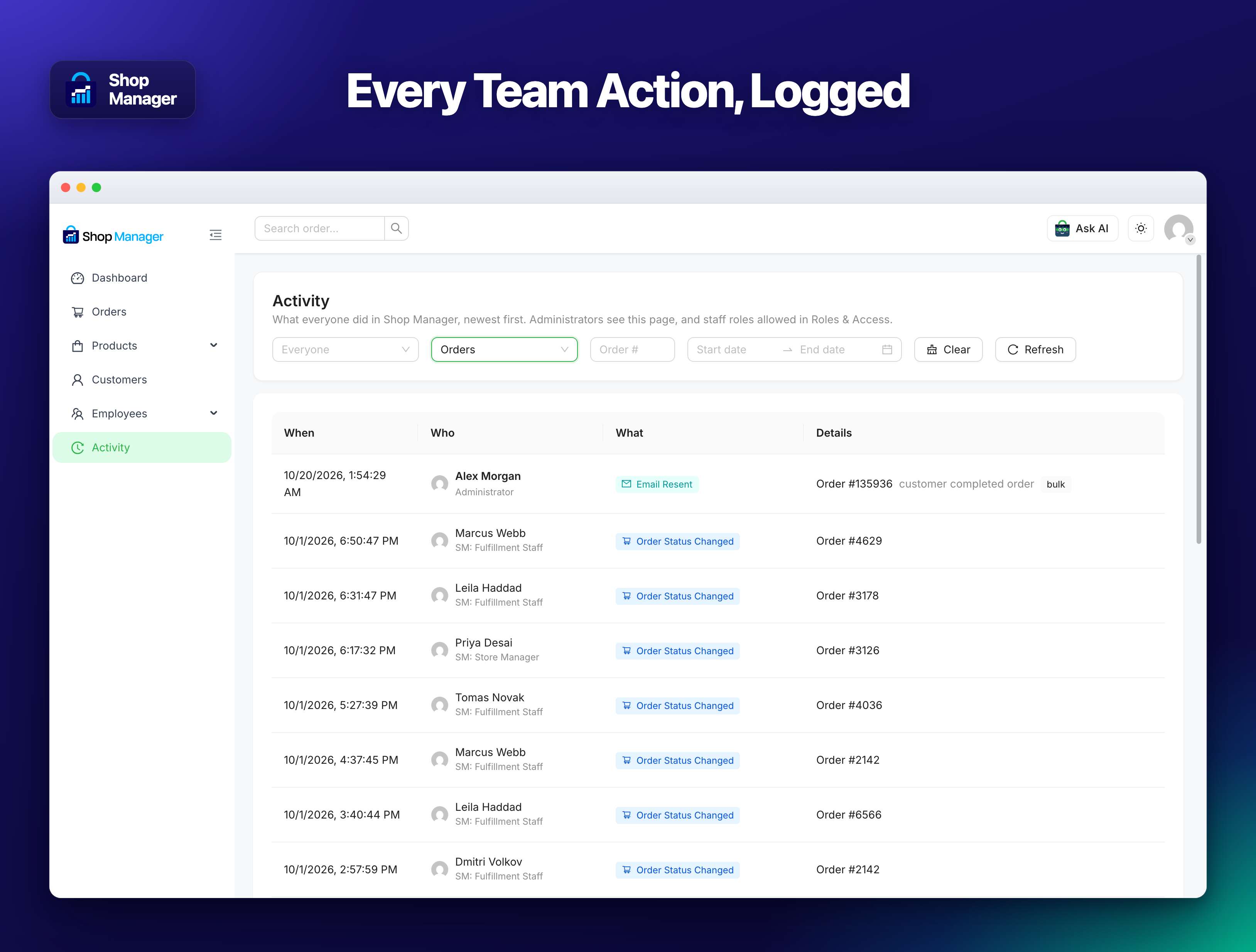
- 🆕 New: Every action is now logged for the user who did it, administrators included.
- 🆕 New: Activity page: see what everyone did, filter by person, type, order and date.
- 🆕 New: Give a staff role the Activity page in Roles & Access. Administrators always have it.
- 🆕 New: Activity module: turn the Activity page on or off.
- 🆕 New: Choose how long activity is kept: 30 days, 90 days, 1 year or Lifetime.
- 🆕 New: Print, label, invoice, tracking and email actions show in the order timeline and as “Updated: name”.
- ✨ Improvement: Reorganised settings menu with General, License and Tools.
- ✨ Improvement: Redesigned dashboard login screen with your logo and colours.
- ✨ Improvement: The AI assistant has its own animated character and an “Ask AI” button.
- ✨ Improvement: The AI Chatbot module is now the only on/off switch for the AI assistant.
- ✨ Improvement: Redesigned Account and Affiliation pages.
- ✨ Improvement: Every link and menu item in the dashboard can open in a new tab.
- ✨ Improvement: Every list has the same pagination: rows per page and Go to page.
- ✨ Improvement: A customer profile now lists all their orders, page by page.
- ✨ Improvement: WooCommerce is now a required plugin. WordPress 6.5+ offers to install it.
- 🐛 Fix: AI Chatbot settings were not saved.
- 🐛 Fix: A failed order status change now shows a clear message instead of a server error.
- 🐛 Fix: Product and order links on the dashboard home opened the wrong page.
- 🐛 Fix: Themes and other plugins no longer add their own items to the dashboard page.
- 🐛 Fix: Generate with AI no longer fails on an unexpected AI reply.
- 🐛 Fix: The order timeline showed HTML codes such as → and
. - 🐛 Fix: Changing an order status no longer adds a second timeline note.
- 🔒 Security: Staff can no longer read an administrator’s activity log.
1.3.8
- 🆕 Shipping charges on orders you create. Pick a rate from your WooCommerce shipping zones, or type your own charge.
- 🆕 Coupon codes on orders you create. Choose from your store’s coupons or type a code. It is checked before the order is saved, with WooCommerce’s own reason if it cannot be used.
- 🆕 Tax on orders you create. A Charge tax switch works it out from the delivery address and your tax rates. Off by default, so nothing changes until you turn it on.
- 🆕 Payment Link on the order page. Copy the link your customer pays on and send it however you reach them. They pay on your own checkout, through your own gateway.
- 🐛 Fix: Editing an order wiped its shipping charge and its tax. Totals are now worked out by WooCommerce from what is on the order. Worth checking any checkout orders you edited here.
- 🐛 Fix: Editing an order removed fees other plugins had added, such as gift wrap or a surcharge.
- 🐛 Fix: Editing an order cancelled the discount from a coupon the customer had used.
- 🐛 Fix: An order created in the dashboard was recorded as belonging to the member of staff who typed it, not the customer. The payment link then only worked in that person’s browser, the order appeared in their own account, and reports counted it against them. The order now belongs to the customer it was billed to, or is a guest order when they have no account.
- 🐛 Fix: Saving an order that carried a coupon lowered its prices a little each time.
- 🐛 Fix: Charge tax now stays on when you reopen an order, and turning it off clears the tax.
- 🐛 Fix: The order page breakdown left fees out, so it did not add up to its own total.
- 🐛 Fix: Invoices left fees out of the totals in the same way.
- 🐛 Fix: The low stock threshold, out of stock visibility and the two review settings now use WooCommerce’s own options instead of a private copy.
- 🐛 Fix: Auto SKU Prefix now works. A product saved without an SKU gets the next number, e.g. PROD-0023.
- 🐛 Fix: Manage Stock by Default now applies to products created in Shop Manager.
- 🐛 Fix: Activity Log Retention now runs. A daily job prunes entries older than your chosen 30, 60 or 90 days.
- 🐛 Fix: Employee order counts and the 7 day summary now use the store’s timezone instead of UTC.
- 🐛 Fix: Bulk Upload on the Add Product form now works. It imports simple products from CSV and skips rows whose SKU already exists.
- 🐛 Fix: Collect on delivery now prints on cash on delivery labels, and a COD order no longer shows Paid before the money is in.
- 🐛 Fix: Prices everywhere now follow WooCommerce’s Currency position, before or after the amount.
- ✨ Improvement: The Create Order screen now says where the discount, coupon, shipping and tax controls appear.
- ℹ️ Note: Those four Products settings now come from WooCommerce, so check them once after updating.
- 🆓 Advanced order filters are now free.
- 🧹 Removed the “Unlock Premium Features” popup. Pro controls link to the pricing page.
- 📝 Getting Started no longer mentions a
[shop_manager]shortcode. Activation creates the SM Dashboard page for you. - 📝 Corrected the Free and Pro lists. Order creating/editing, customer tagging, insight cards and customer notes are free.