


Description
Sidcraft Commerce turns Sidcraft Page Builder into a complete store. It needs only Sidcraft Page Builder — no WooCommerce or other e-commerce plugin.
Now with Events, Subscriptions, Gift cards, Coupons, Reward points, Affiliates, Email marketing and Live chat
- Design products in Sidcraft Page Builder: Add New Product opens the builder, and its Product data panel sets the price, sale price, SKU, stock, badge, categories, image and short description. Existing products get “Edit with Sidcraft Page Builder”.
- Products with prices, sale prices (shown above the struck-through regular price), SKU, stock tracking, featured flag and categories.
- Verified-customer ratings and reviews: shoppers click a star, enter their order number and order email, and write a review. Reviews show with a “Verified purchase” badge, a rating breakdown and the average on the product page.
- Image badges per product (HOT, POPULAR, Sale, Clearance) and an automatic “Sold Out” label on out-of-stock products.
- Item options: sizes, extras, spice levels or special instructions on any product, each choice optionally adding to the price (for example “Large +4”, “Extra cheese +1.50”). Choices show in the cart, checkout, emails and the order screen.
- Coupons: a percentage off or a fixed amount off, with optional minimum spend, expiry date and usage limit.
- Cart stored server-side per visitor; prices are always recalculated from the product.
- Payments: PayPal with Pay in 4 (Pay Later) and Venmo; Stripe for cards, Apple Pay, Google Pay, Klarna, Afterpay / Clearpay and Affirm; Razorpay and PayU for India (UPI, cards, netbanking, wallets); Mercado Pago for Latin America (cards, Pix, boleto, OXXO, installments). Customers pay on each provider’s secure page or buttons; card numbers never touch your site.
- Digital downloads: sell e-books, music, software, courses or printables. Tick “Downloadable” on a product and add one or more files (upload them, pick them from the media library or link to files hosted elsewhere), with an optional download limit and expiry. Tick “Virtual” for products with nothing to ship: a cart of virtual products skips the shipping cost and the address fields.
- Each buyer gets a private link per file on the order-received page, in the order emails and on a My downloads page (My Downloads Unit or
[sidccofo_downloads]). Access starts when the order is paid (or when it is marked Completed), pauses when it is cancelled or refunded, and past buyers get files you add later. On the order screen, change downloads left and expiry, revoke or restore access, give access to another product’s files, see the download history and email the links again. Store → Download log lists every order with downloads. - Download security: uploads go to a protected folder with random file names; files are only served from approved folders and in file types WordPress allows; force download (resumable), X-Sendfile / X-Accel-Redirect / X-LiteSpeed-Location or redirect; optional login or email confirmation before downloading; optional IP logging, included in WordPress’s personal data export and erase tools.
- Modules: turn off what your store doesn’t use under Store → Settings → Modules — Events, Subscriptions, Gift cards, Coupons, Reward points, Affiliates, Email marketing and Live chat. Their menus, settings, Units and checkout fields go away; nothing is deleted.
- Gift cards: sell them as products (preset amounts and/or a custom amount, recipient, message, optional send date) or issue them by hand. Recipients get an email with the code; customers redeem one or more cards in the cart or at checkout, and unused balance stays on the card.
- Shipment tracking: add tracking numbers on the order screen. Links are built automatically for Australia Post, Canada Post, City-Link Express, DHL, DPD, Fastway South Africa, FedEx, OnTrac, Parcelforce, Polish carriers (Poczta Polska, InPost, DPD Polska, DHL Parcel Polska, GLS), Royal Mail, SAPO, TNT Express (consignment and reference), UPS and USPS, or use any carrier with a custom link.
- Developers can add any payment method (a local bank, a regional wallet, a proprietary system) by extending one PHP class; settings, return and webhook URLs are provided. See docs/example-gateway.php.
- Orders in the admin with statuses, history and stock reserved when the order is placed. Two buyers cannot both take the last unit. Cancelled and Refunded put the remaining units back. A dispute keeps them reserved until it is lost.
- Partial refunds record the amount and return only the quantities you name. A refund that covers the order total marks the order Refunded. Stripe and PayPal refund and dispute notifications are applied once.
- Guest checkout can create an account, and a later login with the same email attaches guest orders placed on 1.0.9 or newer.
- Store → Export catalog downloads products, categories, prices, SKU, stock and item options as JSON, without the page-builder layout.
- Order emails to the customer and the shop owner, including a “Your order has shipped” email with tracking links.
- Events and tickets (new in 1.2.0): Events menu with date and time, venue, address and map, online details (Zoom, Google Meet, any link), organiser, WhatsApp chat and group links, and any number of ticket types.
- Ticket and inventory control: event-wide capacity plus per-ticket limits, minimum and maximum per order, sales start and end, and tiered prices by attendee type (Adult, Child, Student, VIP…). Dynamic pricing rules per ticket: early-bird and late prices by date, demand prices (“after 75%”), and group rates (“qty 5”).
- Tickets are sold through hidden product placeholders, so the store’s checkout, currency, taxes, coupons, gift cards, stock locking, refunds and every payment method work for tickets.
- Attendee details at checkout: name, email and phone per ticket, plus custom fields (text, long text, email, phone, number, date, dropdown, choose one, checkboxes and file uploads, stored privately).
- Automated delivery: paid orders issue tickets with unique codes, QR codes and/or Code 128 barcodes. Buyers get an email with embedded QR codes, PDF tickets and a calendar file; attendees can get their own copy; reminder emails go out before the event; optional WhatsApp Cloud API message.
- Check-in: scan the QR code with any phone camera (staff see a Check in button), use the Check-in screen with the device camera or a USB scanner, or check in from the Attendees list. Cancelled or refunded orders cancel their tickets; partial refunds cancel just the refunded tickets.
- Calendars: “Add to Google Calendar” and .ics links, plus a subscription feed that Google Calendar, Apple Calendar and Outlook keep in sync. Zoom meetings can be created automatically with a Zoom Server-to-Server OAuth app.
-
Display events with Units for Sidcraft Page Builder, Gutenberg blocks or shortcodes: Event List, Event Calendar, Event Details, Event Tickets, Event Map and My Tickets (
[sidccofo_event_list],[sidccofo_event_calendar],[sidccofo_event_tickets event_id="123"]…). Attendees list with CSV export. -
Several currencies: list more currencies with your rates (Store → Settings → Currencies). Shoppers pick one with the Currency Switcher Unit, or get the one for their country or language; prices, options, shipping, coupons, gift cards and reward points are shown and charged in it, and each order keeps its currency and rate. A product can have its own price per currency.
- Translated stores with WPML or Polylang: products, categories, brands and events can be translated. Every language sells the same stock, shares reviews and fills the same cart line; shop pages open in the shopper’s language and order emails go out in it.
- Several stores on WordPress Multisite: network-activate it and each site is its own store, with its own cookies. Network Admin → Stores shows every store’s orders and sales, the latest orders across stores, and copies settings, products (with images and downloadable files) and coupons between stores. WP-CLI:
wp sidcraft-commerce storesandwp sidcraft-commerce copy. - Email marketing (new in 2.0.0): a mailing list with the Newsletter Signup Unit (
[sidccofo_newsletter]) and an opt-in box at checkout, double opt-in, tags, CSV import and export. Email campaigns written in the WordPress editor go to everyone or to a group (customers, not yet customers, spent more than, no order for N days, ordered recently, tagged), now or at a set time, in batches. Automatic emails: welcome, abandoned cart (with a button that puts the cart back), order follow-up asking for a review, and win-back. Every email has an unsubscribe link and one-click unsubscribe headers; opens and clicks are counted. Only people who agreed get marketing email. - Live chat (new in 2.0.0): a chat button on your store pages and an inbox under Store → Live chat with unread counts, the visitor’s account, orders and the page they started on. While nobody has the inbox open, visitors leave a message that is emailed to you, and you can answer by email too. Light: nothing loads from the server until a visitor opens the chat.
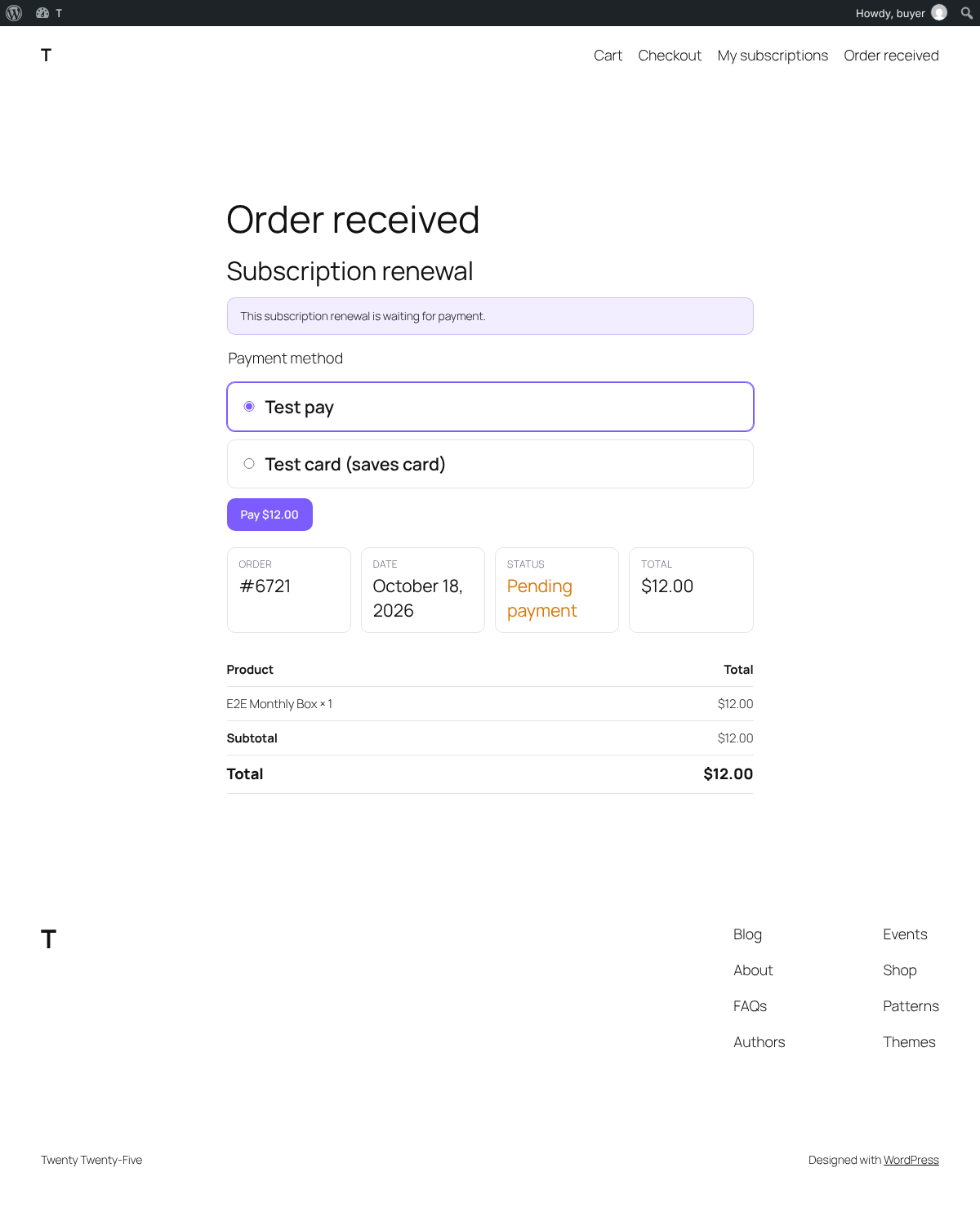
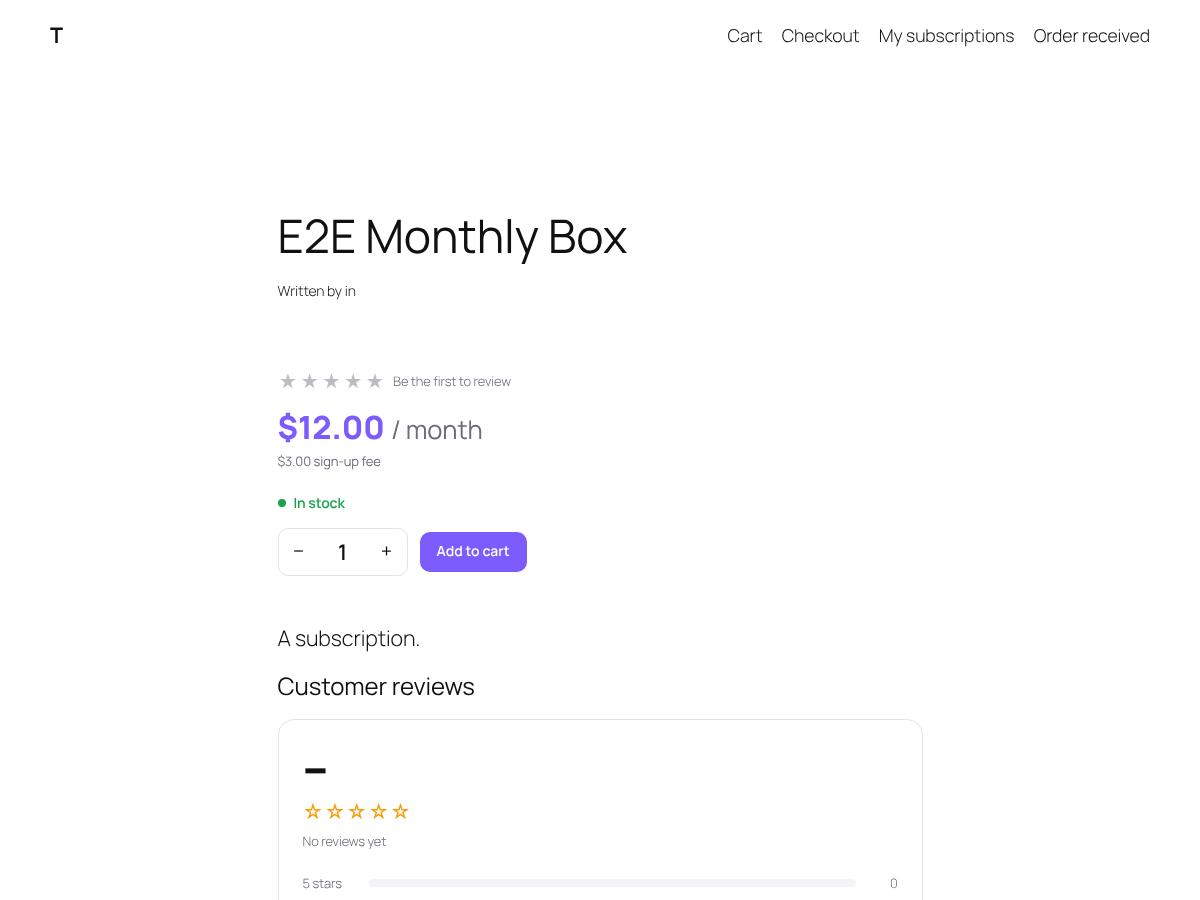
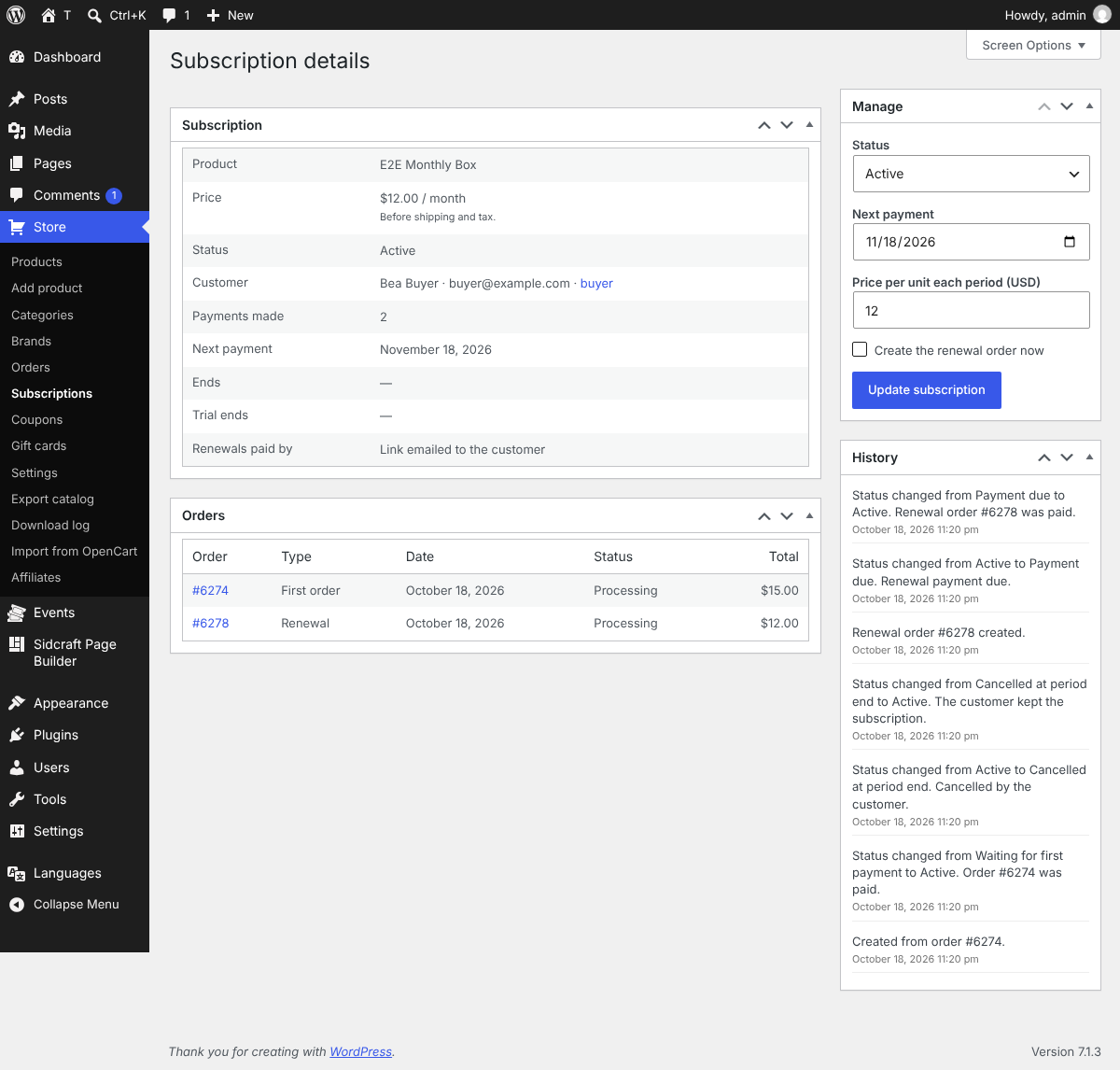
- Subscriptions: bill any product every day, week, month or year, for a set number of payments or until cancelled, with an optional free trial and sign-up fee. Each renewal is an order. With Stripe in Sidcraft Pro the saved card is charged automatically; otherwise (or when a card is declined) the customer is emailed a link to pay with any payment method. Customers see, cancel and keep their subscriptions on a My subscriptions page (My Subscriptions Unit or
[sidccofo_subscriptions]); Store → Subscriptions lists them, with the orders, history, next payment date and price of each.
Sell event tickets, deliver QR tickets, and check in guests
Download Opencart to Sidcraft Importer
Download WooCommerce to Sidcraft Commerce Migrator
Commerce Units for Sidcraft: Product Grid, Add to Cart, Product Price, Stock Status, Product Rating, Product Reviews, Mini Cart, Cart, Checkout and Order Confirmation, plus a quick-view popup. Every Unit also works as a shortcode, e.g. [sidccofo_product_grid source="on_sale" limit="8"].
Pages stay cacheable: assets load only where a Unit is used, the cart badge fills in after load, and Cart/Checkout pages are marked no-cache automatically.
Themes can override any template by copying it from templates/ into yourtheme/sidcraft-commerce/
External services
Payment providers are contacted only when a store owner enables them under Store → Settings → Payments and a customer chooses them at checkout (or when the provider sends a notification about a payment). Each receives what it needs to take the payment: the order ID, total and currency, and the customer’s name, email and, where the provider requires it, phone and address.
- PayPal – when PayPal is enabled, the plugin sends order line items (product names, SKUs, prices, quantities), the order total, shipping, coupon discount, currency and the order ID to PayPal’s REST API (api-m.paypal.com, or api-m.sandbox.paypal.com in sandbox mode) to create and capture the payment, and to verify PayPal webhooks. This happens only when a customer chooses PayPal at checkout, or when PayPal sends a webhook. With “On-page buttons” on, the checkout page also loads PayPal’s JavaScript SDK from www.paypal.com to show the PayPal, Pay Later and Venmo buttons and the Pay in 4 message. PayPal terms: https://www.paypal.com/legalhub/useragreement-full — privacy: https://www.paypal.com/myaccount/privacy/privacyhub
- Stripe (cards, Apple Pay, Google Pay, Klarna, Afterpay / Clearpay, Affirm) — When Sidcraft Builder Pro installed api.stripe.com creates a Checkout Session for the order total and is asked again to confirm the payment; Stripe sends signed webhooks back. The customer pays on checkout.stripe.com. Terms: https://stripe.com/legal/ssa — privacy: https://stripe.com/privacy
- Razorpay – When Sidcraft Builder Pro installed api.razorpay.com creates a payment link for the order total and is asked again to confirm it; Razorpay sends signed webhooks back. Terms: https://razorpay.com/terms/ — privacy: https://razorpay.com/privacy/
- PayU India – When Sidcraft Builder Pro installed the checkout form is posted to secure.payu.in (test.payu.in in test mode); payments are confirmed with PayU’s verify_payment API on info.payu.in. Terms: https://payu.in/tnc-new/ — privacy: https://payu.in/payu-payments-privacy-statement
- Mercado Pago – When Sidcraft Builder Pro installed api.mercadopago.com creates a Checkout Pro preference for the order total; payments are read back from the same API when the customer returns or a notification arrives. Terms: https://www.mercadopago.com.ar/developers/en/docs/resources/legal/terms-and-conditions — privacy: https://www.mercadopago.com/privacy/privacy-notice/1.1
Events (optional; used only when the store owner sets them up):
- Google Maps – event pages with a venue embed a map from maps.google.com (or the Google Maps Embed API at www.google.com/maps/embed when a key is entered), which receives the venue address or coordinates and the visitor’s IP address. Terms: https://cloud.google.com/maps-platform/terms — privacy: https://policies.google.com/privacy
- OpenStreetMap – when chosen instead, the map is embedded from www.openstreetmap.org with the venue coordinates. Terms: https://wiki.osmfoundation.org/wiki/Terms_of_Use — privacy: https://osmfoundation.org/wiki/Privacy_Policy
- Google Calendar – “Add to Google Calendar” and “Subscribe” are plain links to calendar.google.com, opened only when a visitor clicks them; they carry the event name, time, place and description.
- Zoom – only when Zoom credentials are entered under Events → Settings and “Create the Zoom meeting for me” is ticked, the event name, start time, time zone, duration and summary are sent to zoom.us (OAuth) and api.zoom.us to create or update the meeting. Terms: https://www.zoom.com/en/trust/terms/ — privacy: https://www.zoom.com/en/trust/privacy/
- WhatsApp Cloud API (Meta) – only when enabled under Events → Settings, the buyer’s phone number, first name, event name, date and ticket link are sent to graph.facebook.com when tickets are issued. Terms: https://www.whatsapp.com/legal/business-terms — privacy: https://www.whatsapp.com/legal/privacy-policy
- WhatsApp links – “Chat on WhatsApp”, “Share on WhatsApp” and group links are plain links to wa.me / chat.whatsapp.com, opened only when clicked.
Developers: add-ons
Sidcraft Commerce is built to be extended by other plugins: a restaurant menu, bookings, a print shop. Add-ons can add item options in code, register their own order statuses (for example Preparing, Ready for pickup, Out for delivery, each with its own customer email), add checkout fields (pickup time, delivery notes), block ordering outside opening hours, add Units for Sidcraft Page Builder, settings sections and emails. The guide is in docs/ADDONS.md, with a complete restaurant example in docs/example-addon.php.
Developers: custom payment gateways
Extend \SidcraftCommerce\Payments\Gateway (the equivalent of WooCommerce’s WC_Payment_Gateway) and add it with the sidcraft_commerce_gateways filter. Implement get_id(), get_default_title() and process_payment(); return fields from get_settings_fields() and they appear on Store → Settings → Payments. return_url() and webhook_url() point at ready-made REST routes that call your handle_return() and handle_webhook(); remote_json() calls JSON APIs; $order->payment_complete() marks an order paid. A complete, commented example is in docs/example-gateway.php.
Installation
- Install and activate Sidcraft Page Builder 0.15 or newer.
- Install and activate Sidcraft Commerce. Shop, Cart, Checkout and Order-received pages are created for you.
- Go to Store → Settings to set your currency, shipping and payment methods.
- Under Store → Settings → Payments, enable the payment methods you want and paste their API keys (test keys first). Each section shows its webhook URL.
FAQ
How do I sell a digital product?
Edit the product, tick “Downloadable” under Digital product in the Product data box, add your files and save. Tick “Virtual” too if there is nothing to ship. Options are under Store → Settings → Downloads.
Where do customers find their files?
On the order-received page and in the order emails once the order is paid, and on the My downloads page (created on activation, with the [sidccofo_downloads] shortcode) where logged-in customers see the files from all their orders.
Are the files protected?
Files uploaded from the product screen are stored in wp-content/uploads/sidccofo-downloads/, closed to direct visits on Apache and LiteSpeed. On nginx, add the rule shown under Store → Settings → Downloads. Customers only get files through their own private links, after the order, limits and expiry are checked.
Do I need WooCommerce?
No. Sidcraft Commerce needs only Sidcraft Page Builder. Products, orders, coupons and gift cards are stored in your own WordPress database.
Which payment methods can I accept?
PayPal (with Pay in 4 and Venmo), Stripe (cards, Apple Pay, Google Pay, Klarna, Afterpay / Clearpay, Affirm), Razorpay, PayU India and Mercado Pago. Turn on the ones you want under Store → Settings → Payments and paste the API keys from your provider account.
Does the plugin charge a fee on sales?
No. Only your payment provider’s normal fees apply.
Do card numbers pass through my site?
No. Customers pay on the provider’s own secure page or buttons, so card details never reach your server.
Can I test payments before going live?
Yes. Use your provider’s test or sandbox keys (PayPal sandbox, Stripe test keys, PayU test mode and so on), place a test order, then switch to live keys.
How do gift cards work?
Tick “This product is a gift card” on a product and set preset amounts, a custom amount range, or both. Buyers enter a recipient, a message and an optional send date. The recipient gets the code by email once the order is paid, or on the chosen date. Codes can be used in the cart or at checkout, and any unused balance stays on the card. You can also issue cards by hand under Store → Gift cards. Cards never expire unless you set an expiry under Store → Settings → Payments.
How do I add tracking numbers?
Open the order, choose the carrier and enter the tracking number in the Shipment tracking box. Links are built automatically for major carriers, or you can enter any carrier name with a custom link. The customer gets a “Your order has shipped” email with the tracking link.
Can I add my own payment gateway?
Yes. Extend \SidcraftCommerce\Payments\Gateway and register it with the sidcraft_commerce_gateways filter. See the “Developers: custom payment gateways” section above and docs/example-gateway.php.
How do I add a product with Sidcraft Page Builder?
Click Store → Add New Product. The product opens in Sidcraft Page Builder with the Product data panel open: enter the price (and stock, SKU, image and so on), design the page with any Units, then click Publish. Add the Add to Cart and Product Price Units where you want them; if your layout has no Add to Cart Unit, the standard buy box is added above it. To use the WordPress editor instead, turn off “Design products with Sidcraft Page Builder” under Store → Settings.
How do item options work?
On a product, under Product data → Item options (or in the Product data panel in Sidcraft Page Builder), type one group per line, for example Size*: Small | Medium +2 | Large +4 or Extras [checkbox]: Cheese +1 | Bacon +2. * makes a group required; [radio], [checkbox] and [text] change how it is shown; +2 adds 2 to the price. Customers choose on the product page, and product grids show “Choose options”.
Can developers build add-ons, for example for a restaurant?
Yes. See the “Developers: add-ons” section above, docs/ADDONS.md and the restaurant example in docs/example-addon.php.
Can I change how the store looks?
Yes. Style the Commerce Units in Sidcraft Page Builder, or copy any template from the plugin’s templates/ folder into yourtheme/sidcraft-commerce/ and edit it there.
Does it work with page caching?
Yes. Shop and product pages stay cacheable, the cart badge fills in after the page loads, and Cart and Checkout pages are marked no-cache automatically.
What if two people buy the last item?
The order reserves stock as it is created, and the reservation only succeeds while the stored quantity is still at least the amount being bought. The other buyer is told there is not enough stock. A pending order that is still unpaid after 2 hours is cancelled and the units go back. Cancelled and Refunded do the same for the units that order still holds.
How do refunds and chargebacks work?
Stripe charge.refunded and PayPal PAYMENT.CAPTURE.REFUNDED record the amount once. If that amount covers the order, the order is marked Refunded and the remaining stock, coupon use and gift-card balance are returned. A smaller amount stays a partial refund and returns stock only for quantities named on the order screen (Refund box) or in the provider payload. Stripe charge.dispute.created / charge.dispute.closed and PayPal customer-dispute events set the order to Disputed. Stock stays reserved. A dispute the buyer wins marks the order Refunded. A dispute the store wins returns the order to its previous status.
Can a guest attach the order to an account?
Yes. Checkout has “Create an account with this email”. WordPress emails a link to set the password. If that email already has an account, the buyer is asked to log in. Other guest orders with the same email are attached once the person has shown the address is theirs: by setting the password from the emailed link, or logging in with it (from 2.0.0; creating an account alone attaches nothing).
How does email marketing stay legal?
Only people who agreed get marketing email: the checkout box is never ticked in advance, signup forms ask for consent and (by default) a confirmation click, and imports never re-subscribe someone who left. Every email carries an unsubscribe link, one-click unsubscribe headers and, when you enter it under Store → Settings → Marketing, your postal address. The list is included in WordPress’s personal data export and erase tools. Mention open and click counting in your privacy policy, or turn it off.
Will campaigns reach the inbox?
Emails go out through WordPress (wp_mail), so use an SMTP or email-sending plugin and a “From” address on your own domain for good delivery. Campaigns send in batches every minute (50 by default) through WP-Cron; on a quiet site, set up a real server cron for steady sending.
Does live chat slow my pages down?
No. The page gets one small deferred script and stylesheet; nothing is requested from the server until a visitor opens the chat, and an open conversation is checked every few seconds only while its window is open and the tab is visible.
How do I export products?
Open Store → Export catalog and download the JSON file. It contains the product title, description, categories, regular and sale price, SKU, stock and item options. It does not contain the Sidcraft Page Builder layout. Tools → Export also includes the product post type.
Which currencies use three decimal places?
BHD, JOD, KWD, OMR and TND are sent to payment providers in thousandths and displayed with 3 decimals. Zero-decimal currencies (JPY, KRW, VND and the rest of that set) use no decimals. Other currencies use the decimal setting under Store → Settings.
What happens to my data if I delete the plugin?
Settings, sessions, temporary data, chats, the email log and remembered carts are removed. Products, orders, coupons, gift cards, campaigns and the mailing list are kept, unless you add define( 'SIDCRAFT_COMMERCE_REMOVE_ALL_DATA', true ); to wp-config.php before deleting the plugin.
Screenshots


Changelog
2.0.1
- Fixed: WordPress Plugin Check reports. Mailing-list, campaign-statistics and network-report queries use fixed SQL with placeholders only; links on the subscribe and unsubscribe pages are escaped; translator notes fixed.
- Fixed: the “has tag” mailing-list segment missed subscribers whose tag contains an underscore.
- Readme: shorter upgrade notices.
2.0.0
- New: Email marketing. Mailing list with the Newsletter Signup Unit and a checkout opt-in (double opt-in, tags, CSV import and export); campaigns to customer groups, sent now or scheduled, with open and click counts; automatic welcome, abandoned-cart, order follow-up and win-back emails; one-click unsubscribe.
- New: Live chat. A chat button on your pages and an inbox under Store → Live chat; visitors leave a message by email while you’re away. Off until turned on under Settings → Modules.
- Security: accounts created at checkout only receive other guest orders once the email is proven; PayPal returns are checked against their order; gift cards can’t be spent twice at once; only store managers set event ticket prices.
- Fixed: “Update order” and “Record refund” on the order screen; combination prices in a second currency; duplicate coupon codes; free orders on stores without payment methods; refunds of free orders; subscriptions renewing after their first order was refunded; late PayPal payments; the mini cart after a currency switch; editing settings rows.
- Faster: far fewer database queries for the cart, product grids, event calendars and reviews; most pages no longer request the cart; page caching stays on for pages without prices.
1.9.0
- New: per-combination variants. Each combination of options (e.g. Red / Large) can have its own SKU, price, sale price, stock and image, or not be sold. Stock is taken from the combination at checkout.
1.8.0
- New: SKU and image per choice, upsells and cross-sells, product tags, coupon exclusions and maximum spend, external products, category and brand images, tax classes and per-item shipping.
1.7.0
- New: Store → Settings → Modules turns Events, Subscriptions, Gift cards, Coupons, Reward points and Affiliates on or off. Nothing is deleted.
1.6.0
- New: subscriptions with free trials, sign-up fees, automatic renewals and a My subscriptions page.
1.5.0
- New: several currencies, WPML and Polylang translations, and Multisite stores.
1.4.0
- New: price rules (quantity discounts, dated specials, customer-group prices), stock per choice, more coupon rules, brands and specifications, reward points and affiliates.
1.2.0
- New: events and ticketing with QR check-in, PDF tickets and calendar sync.
1.1.0
- New: digital downloads and virtual products.
Older versions and full details: see changelog.txt.