

Description
AdFlow is the ad inserter and ad manager for Google AdSense, every other ad network and your own banner ads – and it just works. Add your Publisher ID and Auto Ads are live. Place AdSense, Google Ad Manager or any network’s ads before, inside and after your content without touching code, fix “Earnings at risk” with the built-in ads.txt manager, respect your visitors’ consent with Google Consent Mode v2, and run your own sponsor banners next to Google – with honest statistics that work behind any page cache.
Coming from another ad plugin? Import from Advanced Ads, Ad Inserter, AdRotate or WP QUADS in one click – your old shortcodes keep working.
⭐ AdFlow Pro · Free vs Pro · Pricing · Support forum · Documentation (also under AdFlow → Docs in your dashboard)
Free vs Pro at a glance
Free, forever – no limits on ads, placements or sites:
- ✅ AdSense Auto Ads, ad units, block, widget and shortcodes
- ✅ Placements before, inside (after paragraph N) and after content
- ✅ ads.txt manager with live check
- ✅ Google Consent Mode v2 and load-after-consent (GDPR)
- ✅ Your own sponsor ads, rotation groups and cookieless statistics
- ✅ Ad Inspector, site health, roles and approval workflow
- ✅ One-click import from Advanced Ads, Ad Inserter, AdRotate and WP QUADS
⭐ AdFlow Pro adds:
- ⭐ AdSense earnings dashboard in WordPress, per ad unit and per page
- ⭐ Invalid-click protection for your AdSense account
- ⭐ Mid-article, between posts, sticky, popup and WooCommerce placements
- ⭐ More targeting: visitor, search traffic, post age, country, region and city
- ⭐ Sell ads directly with advertiser reports and emails
- ⭐ Google Ad Manager (GPT) units, A/B rotation and lazy loading
- ⭐ Priority email support
See every Pro feature and pricing → · from $49 a year or $129 once · 14-day money-back guarantee
What makes AdFlow different
- Set up in one minute – enter your Publisher ID, done. A setup checklist and site health tell you exactly what is missing.
- Everything in one free plugin – AdSense, other networks, your own sponsors, placements, ads.txt, consent and statistics. No add-on needed for the basics.
- Built for page caching – rotation, statistics and targeting rules run in the browser, so they keep working with WP Rocket, LiteSpeed, Cloudflare and every other cache.
- Safe for your AdSense account – the same ad code attributes Google gives you, the only two ad labels Google allows, ads hidden from logged-in admins, and a failsafe that never lets a broken ad break your page.
- Fast – the ad script and styles load only on pages that show an ad.
Free features
Google AdSense: Auto Ads and ad units
- Auto Ads in one step – Google’s machine learning places the ads; exclude post types or single pages (contact, checkout…).
- All AdSense ad types – display, in-article, in-feed and multiplex, using the ad code attributes Google gives you, with responsive formats.
- Reusable ad units – set an ad up once and use it everywhere: placements, the AdFlow Ad block, a widget or the
[adflow id="123"]shortcode. - Ad-free pages – turn manual ads off on chosen post types or pages with a search picker, or tick a box on any post.
- AMP – AdSense units and Auto Ads work with the official AMP plugin; own ads show without statistics.
- Elementor and Bricks – a native AdFlow element in each, and translations through WPML and Polylang.
- Hide ads from logged-in administrators – protect your account from accidental self-clicks.
- Optional ad label – “Advertisements” or “Sponsored Links”, the two labels Google permits.
Automatic ad placements – no shortcodes
- Any number of in-content ads – every N paragraphs with a maximum per post, or before or after any HTML element. Short posts are skipped and these ads keep their distance from other ads.
- Conditions on each placement – device, category, tag, specific posts and language.
- Before content, after paragraph N, after content on posts, pages or any public post type.
- Shortcodes, a Gutenberg block and a classic widget when you want an ad in one exact spot.
Fix “Earnings at risk”: ads.txt manager
- AdFlow serves the correct AdSense line from your Publisher ID – no file to upload.
- Add lines for other ad networks, with validation, and a live checker confirms Google can read the file.
Consent tools: Google Consent Mode v2
- Consent Mode v2 – “denied” by default for visitors from the EEA, UK and Switzerland, updated automatically by Complianz, CookieYes, Cookiebot or any WP Consent API plugin.
- Load ads after consent – AdSense, other networks’ code and Ad Manager slots stay held until your Google-certified (IAB TCF v2.2) message, CookieYes, Complianz, Cookiebot or a WP Consent API plugin has the visitor’s answer; no timer releases them. AdSense’s own consent message is supported too. Works with page caching.
Any ad network, and your own sponsors
- Custom code units for Google Ad Manager, Media.net, Ezoic or any other network, managed next to AdSense.
- Image banners and text ads for sponsors, affiliates or your own offers, with
rel="sponsored"links and a disclosure label. - Scheduling – start and end dates, with an AdSense unit shown when no campaign is running, on cached pages too.
- Rotation groups – several ads take turns, by weight or in order.
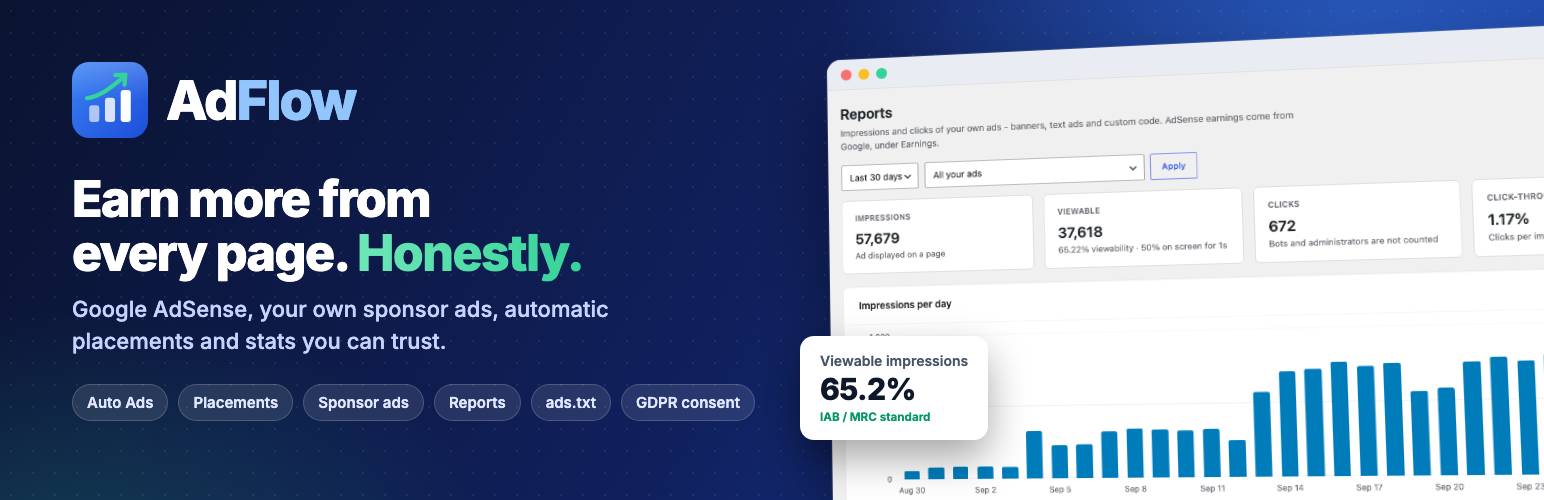
- Cookieless statistics – impressions (counted when the ad renders), viewable impressions (IAB/MRC: 50% on screen for 1 second) and real clicks. Bots, prefetches and admins are filtered; only daily totals are stored, never IP addresses.
- Optional redirect-link click tracking with
{ad_id},{placement},{site}and{cachebuster}macros.
Find out why an ad is not showing
- Ad Inspector – one click in the toolbar outlines every ad on the page as filled, unfilled, requested or not requested.
- “Will this ad show?” – every ad lists what could stop it (schedule, targeting, consent, frequency).
- Site health – Publisher ID, ads.txt, caching and consent checks on one dashboard.
Teams and agencies
- Roles and permissions – let editors or a sales team manage ads or view reports without admin rights.
- Approval workflow – ads from users without the “Publish ads” permission wait for review, and reviewers are emailed.
Switch from another ad plugin in one click
Import ads, rotation groups, placements and (AdRotate and WP QUADS) statistics from Advanced Ads, Ad Inserter, AdRotate and WP QUADS. The other plugin does not need to be active, nothing in it is changed, importing twice never creates duplicates – and [the_ad], [adinserter], [adrotate] and [quads] shortcodes are answered by AdFlow, so no post needs editing.
⭐ AdFlow Pro: earn more, protect your account, sell ads
AdFlow Pro is a separate add-on for this plugin. It brings earnings, click protection, more placements, targeting and direct ad sales together in one plugin, with no add-ons to buy. Every plan includes every Pro feature:
- Personal (1 site) – $49 a year, or $129 once
- Plus (5 sites) – $99 a year, or $249 once
- Agency (25 sites) – $149 a year, or $399 once
14-day money-back guarantee. If your licence ever expires, Pro keeps working. Compare plans →
📊 See your money – see it in action
- AdSense earnings dashboard inside WordPress – earnings, page RPM, clicks and CTR, plus a dashboard widget.
- Earnings per ad unit and per page, with the best-performing unit (highest RPM) marked.
🛡️ Protect your AdSense account – how it works
- Invalid-click protection – stops serving ads to a visitor who clicks too often. Flagged visitors never load the AdSense script, so no ad is hidden against Google’s policy.
- Max manual ads per page.
- A polite, dismissible ad-blocker message.
📈 Earn more from every page – see the placements
- More placements – after X% of content, between posts, before comments, a closable sticky anchor, WooCommerce shop and product pages.
- Popup (sponsor ads) and sticky sidebar formats.
- Targeting – device, logged-in visitors, search traffic, categories, post age, start and end dates.
- Country targeting that works on cached pages, with your CDN’s country header or a free local database – no IP addresses stored.
- Google Ad Manager (GPT) units with desktop/mobile sizes and key-value targeting.
- A/B rotation and lazy loading with reserved height for Core Web Vitals.
💰 Sell ads directly – see the order page
- A self-serve “Advertise with us” page – advertisers choose a package, upload a banner and pay with your own Stripe Payment Link, PayPal or any checkout. You approve; it runs for the paid days.
- Advertiser reports – custom date ranges, placements, devices, CSV export, shareable report links, weekly or monthly emails and expiry reminders.
- Sponsor eCPM next to your AdSense RPM, frequency capping and dayparting.
🧰 For agencies and developers
- Export/import your setup between sites, an activity log, a REST API and WP-CLI commands, and priority email support.
👉 Get AdFlow Pro · everything in the free plugin stays free.
Documentation
The complete AdFlow and AdFlow Pro documentation is built in: open AdFlow → Docs in your dashboard – searchable, with a guide for every feature.
External services
AdFlow connects to these services only when you use the related feature:
- Google AdSense – when ads are enabled, visitors’ browsers load
https://pagead2.googlesyndication.com/pagead/js/adsbygoogle.js, which requests and shows ads. Google processes visitor data under its own terms: Google AdSense terms, Google privacy policy, How Google uses information from sites that use its services. - Google Funding Choices / consent messages – only if you use Google’s own consent message in AdSense; AdFlow waits for it and does not load it itself.
- Your own site – the ads.txt checker requests your site’s public
/ads.txtURL to confirm it is reachable. No data is sent anywhere else. - Custom code units load whatever third-party code you paste into them; that network’s terms apply.
AdFlow’s own statistics are stored in your WordPress database as daily totals. They use no cookies and the reports store no IP addresses or visitor identifiers. To limit abuse of the counter, a salted one-way number that many visitors share is kept for up to a day; it cannot be turned back into an address. The totals are estimates from visitors’ browsers, not audited figures.
More from MantraBrain
- Easy Invoice – invoices, quotes and payments in WordPress.
- Ultimate Watermark – protect your images with watermarks.
- Yatra – tour and travel booking.
- Sikshya LMS – create and sell online courses.
Installation
- In your dashboard go to Plugins → Add New, search for AdFlow and click Install Now, then Activate. (Or upload the ZIP under Plugins → Add New → Upload Plugin.)
- Open AdFlow → Settings and paste your AdSense Publisher ID (it starts with
pub-; where to find it). - Turn on Auto Ads, or create an ad unit under AdFlow → Ad Units and switch on a placement under AdFlow → Placements.
- Turn on AdFlow → Settings → ads.txt so AdSense stops warning “Earnings at risk”.
- Check the Dashboard: the setup checklist and site health show anything left to do.
Ads usually start showing within minutes; on a new AdSense site Auto Ads can take up to 48 hours.
FAQ
Is AdFlow free?
Yes. The free plugin on WordPress.org has no limit on ads, placements or sites and adds no branding to your ads. AdFlow Pro is a separate plugin for earnings reports, click protection, advanced targeting and selling ads.
What does AdFlow Pro add?
An AdSense earnings dashboard inside WordPress, invalid-click protection, more placements (mid-article, between posts, sticky, popup, WooCommerce), targeting by device, visitor, category, post age and country, Google Ad Manager units, A/B rotation, and a self-serve “Advertise with us” page with advertiser reports. See all Pro features.
How much is AdFlow Pro?
Personal (1 site) $49 a year or $129 once, Plus (5 sites) $99 a year or $249 once, Agency (25 sites) $149 a year or $399 once. Every plan includes every Pro feature, with a 14-day money-back guarantee, and Pro keeps working if a licence expires. See pricing.
Does AdFlow help me get approved for AdSense?
No plugin can. You apply at adsense.google.com. Once approved, AdFlow adds your code, ads.txt and ads in minutes.
Why are my ads not showing?
While logged in, open a page and click AdFlow → Inspect ads on this page in the toolbar. Each ad is labelled Filled, Unfilled (Google had no ad – common on new or low-traffic sites), Requested (waiting for Google) or Not requested (AdSense script blocked by an ad blocker, lazy loading, or hidden by a targeting rule). Then check Site health on the AdFlow Dashboard. Remember that ads are hidden from logged-in administrators if you turned that option on.
What is ads.txt and how do I fix “Earnings at risk”?
ads.txt is a public file that says who may sell ads on your site. Turn it on under AdFlow → Settings → ads.txt and AdFlow serves the correct AdSense line automatically; click Check again to confirm Google can read it. The warning in AdSense clears after Google recrawls the file, usually within a few days.
Can I insert ads automatically without shortcodes?
Yes. Create an ad unit under AdFlow → Ad Units, then enable a placement (before content, after paragraph N, after content) under AdFlow → Placements. Pro adds mid-article, between posts, before comments, sticky and WooCommerce placements.
Can I use Auto Ads and manual ads together?
Yes. Many publishers use Auto Ads plus a few fixed units in their best positions. You can also exclude Auto Ads from chosen post types or pages.
Can I keep ads off certain pages?
Yes. Under AdFlow → Settings → General, Pages without Auto Ads and Pages without manual ads let you tick content types (for example Products) or list posts and pages by ID. The two are independent, so a page can keep Auto Ads and drop your manual ads, or the other way round. AdFlow Pro adds checkboxes on each post and page.
Does AdFlow work with other ad networks and Google Ad Manager?
Yes. Paste any network’s code into a Custom code ad unit (Google Ad Manager, Media.net, Ezoic and others) and place it like any other ad. AdFlow Pro adds native Google Ad Manager (GPT) units with sizes and key-value targeting.
Is AdFlow GDPR-compliant?
No plugin can make a site compliant on its own; you need a consent message or plugin. AdFlow supports Google Consent Mode v2 (“denied” by default in the EEA, UK and Switzerland) and can hold ads until consent from a Google-certified IAB TCF v2.2 message or a consent plugin (Complianz, CookieYes, Cookiebot or any WP Consent API plugin). With another tool, ads stay held and the Privacy tab tells you what to do. With AdSense’s own consent message, Google’s library loads so the message can appear. Its own statistics use no cookies and store no IP addresses.
Does it work with page caching and CDNs?
Yes. Rotation, statistics and schedules run in the browser, as do Pro’s device and traffic rules, country targeting and frequency caps, so they keep working with any page cache.
Can I show my own banners or sell ad space?
Yes. Create an ad unit of type Image banner or Text ad, add the link and optional start and end dates. It gets a “Sponsored” label and a rel="sponsored" link by default, and impressions and clicks appear under AdFlow → Reports. AdFlow Pro adds a self-serve “Advertise with us” page, advertiser report links and emails.
Can I switch from Advanced Ads, Ad Inserter, AdRotate or WP QUADS?
Yes, under AdFlow → Settings → Switch to AdFlow. Ads, groups, placements and (AdRotate and WP QUADS) statistics are imported; the old plugin can then be deactivated and its shortcodes keep working.
Will AdFlow slow down my site?
AdFlow adds very little. Pages without an ad load nothing from it, except the AdSense library when Auto Ads are on. An AdSense unit adds a stylesheet of about 4 KB; your own ads and rotation groups add a stylesheet and an 18 KB script in the footer. Pro adds lazy loading with reserved height to reduce layout shift.
I upgraded from an older version. Do I need to change anything?
No. All shortcodes ([adsense], [adsense_banner], [adsense_inarticle], [adsense_infeed], [adsense_multiplex] and the older [adsense_matched_content]), blocks and settings keep working, and new features stay off until you turn them on. Output changes only where the changelog lists a bug fix.
Which shortcodes are available?
[adflow id=”123″] shows a saved ad unit (recommended). For a single AdSense unit: [adsense ad_slot="1234567890"], [adsense_banner], [adsense_inarticle], [adsense_infeed layout_key="..."] and [adsense_multiplex]. The AdFlow Ad block does the same visually.
Where can I get help?
Read AdFlow → Docs in your dashboard, or ask in the support forum. AdFlow Pro customers get priority email support.
Screenshots


Changelog
1.6.1 | 2026/11/10
- Fixed: on some sites the Delivery box (label, start and end dates, statistics) stayed hidden on the ad unit screen even though it was ticked under Screen Options. The box now always shows, and its fields follow the ad type; AdSense units show a short note instead.
- Fixed: the ad unit screen now also follows type changes made by select-menu plugins.
1.6.0 | 2026/11/06
New
- Any number of in-content ads: every N paragraphs with a maximum per post, or after any paragraph. Short posts are skipped and these ads keep their distance from other ads.
- Place an ad before or after an HTML element by CSS selector, safe with page caching and with space reserved.
- Conditions on every placement: device, category, tag, specific posts and language.
- Per-post box: no ads, no Auto Ads or no manual ads. Searchable post picker for the page exclusions.
- AMP support with the official AMP plugin (amp-ad, amp-auto-ads).
- Elementor widget and Bricks element, plus wpml-config.xml and a language rule for WPML and Polylang.
- Personal data exporter and eraser, and accurate privacy policy text.
Security
- The statistics endpoint needs a page token, refuses other sites’ requests and bodies over 16 KB, and limits requests per visitor without an object cache.
- A day’s clicks on an ad can no longer pass its impressions; extra clicks are set aside and shown in Reports. Statistics are labelled as estimates.
- The ad list REST route is closed however the URL is written.
Fixed
- “Load ads after consent” no longer releases ads on a timer. It reads CookieYes, Complianz and Cookiebot, and warns when a tool cannot be read. Sites with this option on get stricter behaviour: if AdFlow cannot read your consent tool, ads are held for all visitors until you act. Check the Privacy tab after updating.
- Scheduled ads and their AdSense fallbacks now switch on cached pages.
- “After paragraph” no longer counts paragraphs inside columns, covers, media-and-text blocks, templates or other ads.
- With Auto Ads off, the AdSense library loads without the Auto Ads client parameter. Also turn Auto Ads off in your AdSense account.
- Roles with “Create & edit ads” can add ads without the core Posts capability, and limited roles no longer see dead links.
- Importer handles Ad Inserter’s rotation and Before/After post; an import no longer turns on Auto Ads; a second after-paragraph ad becomes an extra ad.
- Dashboard and checklist tell the truth about invalid Publisher IDs and wrong ads.txt files. Uppercase PUB- IDs are accepted.
- The redirect link no longer counts clicks in the in-page mode; unknown placements no longer create statistics rows; report dates are validated.
- DuckDuckGo, Yandex and Pinterest apps and some phones were treated as bots.
- Statistics no longer refuse visitors on multisite networks whose site address differs from the network domain. Ads scheduled for later stay out of RSS feeds. The ads.txt screen no longer offers serving the file on a subfolder site.
- “Will this ad show?” for groups with nothing left to show, and it now mentions consent.
- New blocks use the correct in-article and multiplex code. Custom-code units with a device rule no longer run on the wrong device.
Improved
- Long reports are cached with today kept live; fewer option queries per page; uninstall removes everything.
- Phone layouts, accessibility and contrast; plainer wording; the Pro row is gone from Site health and Pro cards can be hidden.
- The upgrade page now says how to install Pro after buying, and its screens and claims match the current plugin.
1.5.0 | 2026/10/17
- New: turn manual ads off on chosen content types or single posts and pages (Settings → General → Manual ads → Turn off on), just like the Auto Ads exclusions. It covers placements, the AdFlow Ad block, widgets and shortcodes. Nothing changes until you choose something.
- New: under both “Turn off on” ID fields, the settings show which posts and pages the IDs belong to and flag IDs that do not exist.
- New: the Ad Inspector says when manual ads are turned off on the page you are viewing.
- New: developer filter
adflow_manual_ads_excluded. - Improved: an ID excluded from Auto Ads now also works for the page set as the “Posts page”.
1.4.1 | 2026/09/30
- Improved: the built-in help, readme and notices use the real names (the “AdFlow Ad” widget, “Max manual ads per page”, “Show manual ads”) and describe the Ad Inspector states and the earnings “best performer” exactly.
- Improved: a link to the online documentation on the Docs screen.
1.4.0 | 2026/09/28
New
- Ad Units library – configure an ad once and reuse it in shortcodes (
[adflow id="…"]), the block, the widget and placements - Automatic placements – before content, after paragraph N and after content, per post type
- ads.txt manager – serves the AdSense line automatically, custom lines with validation, and a live check
- Privacy & consent – Google Consent Mode v2 defaults and updates (WP Consent API) and “load ads after consent” for IAB TCF v2.2 messages and consent plugins
- Your own ads – image banners and text ads with sponsored links, disclosure label, scheduling and AdSense fallback
- Cookieless impression, viewable-impression (IAB/MRC) and click statistics for your own ads, with bot and prefetch filtering, and a Reports screen
- Rotation groups, and optional click counting through a redirect link with tracking macros
- Switch to AdFlow – import ads, groups, placements and statistics from Advanced Ads, Ad Inserter, AdRotate and WP QUADS; their shortcodes keep working after you deactivate them
- Roles and permissions, and an approval workflow: ads from users without “Publish ads” wait for review and reviewers are emailed
- Ad Inspector in the toolbar, “Will this ad show?” diagnostics, failsafe rendering and Dashboard health checks with a setup checklist
- Auto Ads exclusions by post type and by post/page ID, and an option to hide ads from logged-in administrators
- Optional “Advertisements” / “Sponsored Links” ad label
- Custom code ad units for other networks (requires the unfiltered_html capability)
- AdFlow Ad widget for classic sidebars
- Docs – the complete AdFlow and AdFlow Pro documentation under AdFlow → Docs, searchable
- Redesigned admin with its own menu (Dashboard, Ad Units, Placements, Reports, Settings, Docs); the old Settings → AdFlow URL redirects
Improved
- “Matched Content” is now called Multiplex, as in AdSense; old shortcodes still work
- Rotation groups only pick among ads that may show right now (schedule, days/hours, frequency cap)
- Multisite uninstall respects each site’s “delete data” choice; Dashboard checks no longer slow the screen down
- The MantraBrain news dashboard widget is opt-in (
mantrabrain_show_dashboard_widgetsfilter), admin-only, and no longer forces itself to the top
Fixed
- In-article ads were missing Google’s
data-ad-layout="in-article"markup - In-feed ads can now carry the required
data-ad-layout-key(layout_keyshortcode attribute and block field) - Pages excluded from Auto Ads could still get Auto Ads when they contained a manual ad
- Custom code with a schedule, country or frequency rule could load before the rule hid it
- Tracking macros such as {ad_id} in a destination URL were removed when the ad was saved
- Frequency caps now work with statistics turned off
- Keyboard users tabbing into an ad frame were counted as clicks
- Importing a Publisher ID on a new site could switch ads off
- A malformed Publisher ID no longer outputs ad code that Google would reject; the settings screen says what is wrong with it
Security
- Users who may create but not publish ads can no longer change or remove live ads without review
- The shortcode
ad_clientoverride is only honoured in content from users who can post unfiltered HTML; shortcodestyle/classare sanitized; ad units are no longer listed over the public REST API
Changed
- Uninstalling keeps your data unless you opt in to deleting it (Settings → General → Your data)
Developers
- New hooks:
adflow_should_display_ad,adflow_ad_markup,adflow_placement_types,adflow_ads_allowed,adflow_ad_types,adflow_render_ad_type,adflow_fx_config,adflow_importedand more - The settings screen keeps its
simple-google-adsense-settingsslug (hook suffixadflow_page_simple-google-adsense-settings)
1.3.0 | 2026/08/21
- FIXED: Manual Ads never displayed unless Auto Ads was also switched on – the AdSense library is now loaded whenever a shortcode or block renders an ad
- FIXED: Turning off “Enable Auto Ads” had no effect; the setting was not saved when the box was unticked
- FIXED: A Publisher ID pasted as “ca-pub-XXXX” produced an invalid “ca-ca-pub-XXXX” ad client. Both forms, and a bare ID, are now accepted
- FIXED: Configuration errors were printed into the page for logged-out visitors; they are now shown only to users who can change the settings
- SECURITY: The Publisher ID is escaped before it is written into the page, and all admin screen output is escaped
- NEW: Auto Ads now uses Google’s current snippet over HTTPS, replacing the deprecated
enable_page_level_adscall - NEW: The block is registered from
block.jsonusing Block API v3 - IMPROVED: Tested up to WordPress 7.1; now requires WordPress 6.3+ and PHP 7.4+
- IMPROVED: The ad stylesheet and AdSense library load only on pages that actually contain an ad
- IMPROVED: Translation files load from the plugin’s
/languagesfolder, which previously pointed at a folder that did not exist - IMPROVED: The settings page no longer hijacks other admin forms, and its misleading “Auto-saving…” indicator has been removed
1.2.0 | 2025/07/28
- NEW: Added Manual Ads support with shortcodes and Gutenberg blocks
- NEW: Implemented comprehensive documentation sidebar
- NEW: Added multiple shortcode types (banner, in-article, in-feed, matched content)
- NEW: Created Gutenberg block with visual editor integration
- NEW: Enhanced error handling and user guidance
- NEW: Added Publisher ID and Ad Slot ID creation guides
- IMPROVED: Modern, responsive admin interface design
- IMPROVED: Better Auto Ads integration and configuration
- IMPROVED: Enhanced CSS styling for all ad types
- IMPROVED: Added help links to official Google documentation
1.1 | 2024/03/22
- Tested with version 6.5
- Basic Auto Ads functionality