

Description
Simple JWT Login is a 100% FREE, fully open-source WordPress plugin that provides a complete JWT authentication framework for your WordPress REST API.
Most competing plugins gate advanced features like refresh tokens, audit logs, API keys, and OAuth social logins behind expensive paid plans. Simple JWT Login ships every one of those features for free – no upsells, no feature locks, no vendor lock-in.
Whether you are building a headless WordPress site with Next.js or React, a mobile app with React Native or Flutter, or connecting external services to your WordPress backend, Simple JWT Login gives you a fast, secure, and transparent authentication layer.
Full documentation is available at https://simplejwtlogin.com.
Why Simple JWT Login?
- No coding required. Every feature is configured entirely through the WordPress admin UI – no PHP, no custom code, no file editing needed.
- Everything is free. Refresh tokens, audit logs, API keys, webhooks, and OAuth social logins all ship without a Pro tier.
- Multiple OAuth providers out of the box: Google, Facebook, GitHub, and Auth0.
- Works with WPGraphQL so headless frontends can authenticate GraphQL queries using the same plugin.
- PHP 5.5+ compatible – no forced PHP 7+ upgrade required.
- Fully open source under GPL 3.0 – no obfuscated code, no telemetry.
Zero Code Required
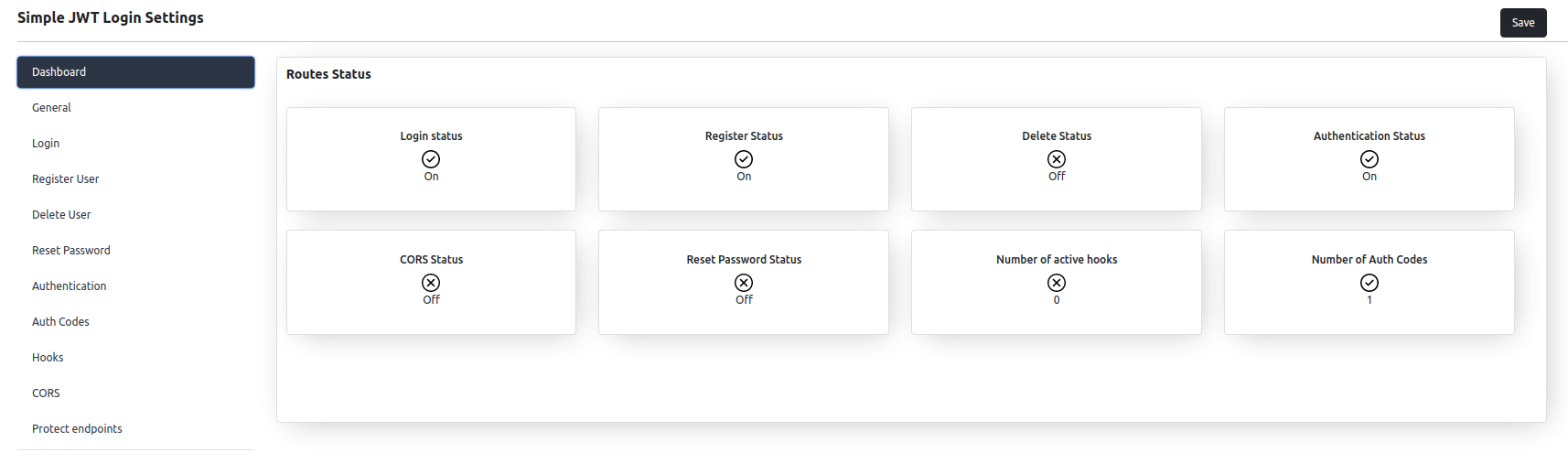
Everything is configured through a clean, tab-based admin UI – no PHP, config files, or code snippets required.
- Enable or disable any feature with a single toggle
- Copy auto-generated sample endpoint URLs to test in your browser or API client
- Manage API keys, audit logs, auth codes, webhooks, and OAuth providers from the same settings page
Have JWT authentication running in under five minutes, no coding required.
Features
Authentication & Tokens
- Generate, validate, and revoke JWTs via REST
- Refresh tokens with automatic rotation
- Custom JWT claims and configurable issuer (
iss) - Auth codes – extra endpoint protection with optional expiry and per-code roles
- API Keys as an alternative credential
- Authenticate by email, username, or password hash
- Token via URL parameter, header, cookie, or session
- HS256/384/512 and RS256/384/512 signing algorithms
User Management
- Auto-login via JWT – redirect to dashboard, homepage, or a custom URL
- Register users via REST, with optional auto-create on first OAuth login
- Delete users by JWT payload (email or ID)
- Reset/change passwords via REST with custom email templates
- Custom
user_metaon registration - IP allowlist and email-domain allowlist
- Dynamic redirect variables:
{{user_id}},{{user_email}},{{user_login}},{{site_url}}, etc.
OAuth & Social Login
- Google OAuth and Google JWT (
id_token) - Facebook, GitHub, and Auth0 OAuth login
Third-Party Integrations
- Two-Factor Authentication – enforces the Two Factor plugin’s 2FA (TOTP, email code, backup codes) on
/auth - WooCommerce – JWT authentication for the WooCommerce REST API and Store API (cart & checkout)
- Force Login – lets plugin endpoints bypass the Force Login restriction
- WPGraphQL – authenticate GraphQL queries for headless frontends
Visibility & Integrations
- Audit logs for login, registration, and authentication events
- Webhooks on login, registration, and authentication events
- Protect endpoints – gate any REST route behind a JWT, with per-method filtering
- External API authentication as an authenticated WordPress user
- CORS configuration for all plugin routes
- Extensible hooks system
- Configurable REST API namespace
How Simple JWT Login Compares
Most WordPress JWT plugins lock advanced features behind paid plans. Here is what you get for free with Simple JWT Login compared to the typical alternative:
- JWT Authentication – free everywhere
- Refresh Tokens – free here, often paid or unavailable elsewhere
- API Keys, Audit Logs, Webhooks – free here, premium only elsewhere
- OAuth Login (Google, Facebook, GitHub, Auth0) – free here, premium only elsewhere
- WPGraphQL, Two-Factor, WooCommerce Auth – free here, not available elsewhere
- Custom JWT Claims – free here, hooks or premium elsewhere
- Headless WordPress focus – strong here, basic or SSO-focused elsewhere
- PHP 5.5+ support – yes here, PHP 7.0+ required elsewhere
Authentication
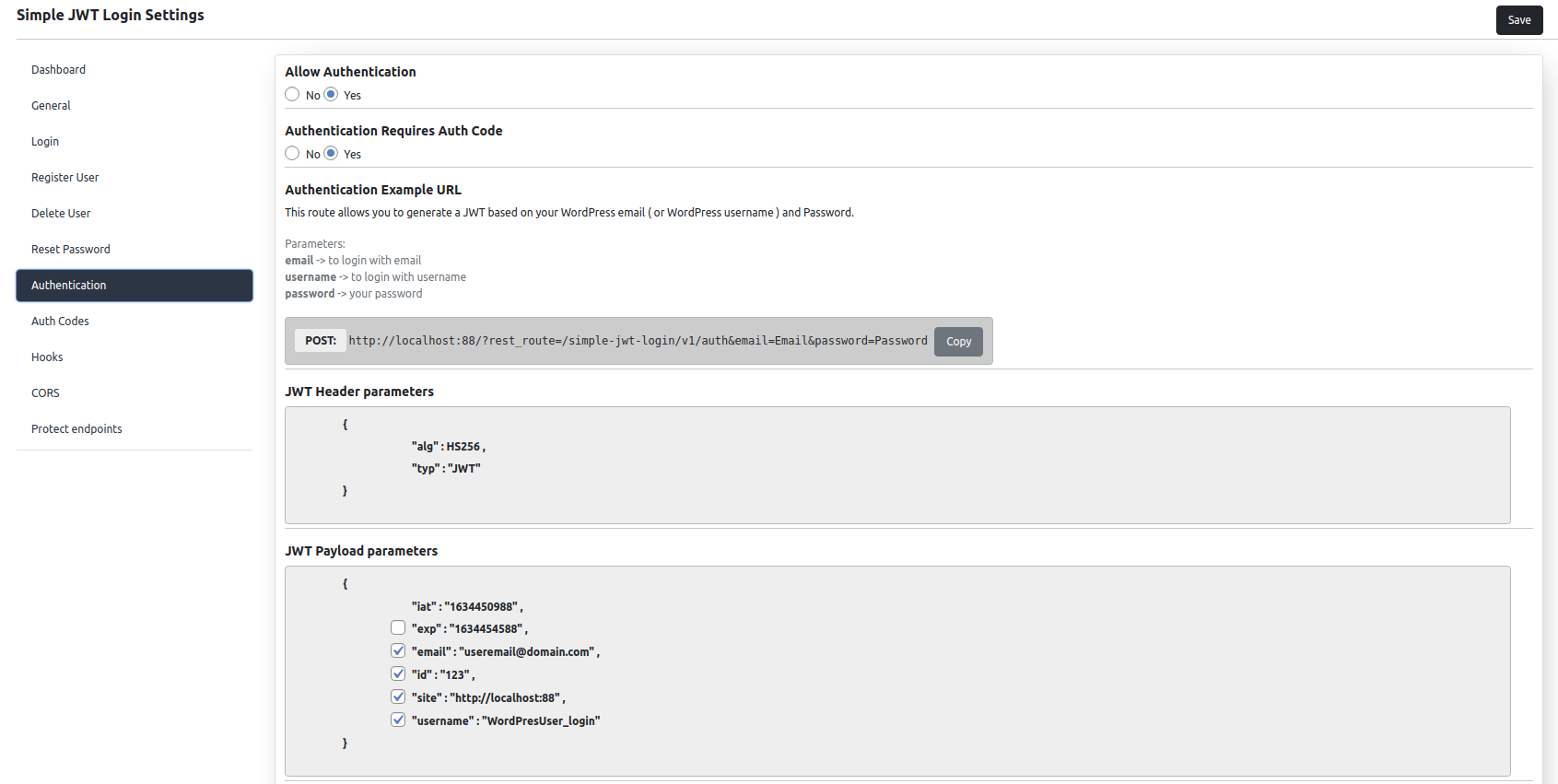
The /auth endpoint issues JWTs from WordPress credentials.
Generate: POST to {your-site}/wp-json/simple-jwt-login/v1/auth with email (or username) and password. Returns a JWT and a refresh token:
{ “success”: true, “data”: { “jwt”: “…”, “refresh_token”: “…” } }
Refresh: POST to /auth/refresh with refresh_token to get a new JWT and refresh token.
Validate: GET or POST to /auth/validate to check a JWT and retrieve the associated user.
Revoke: POST to /auth/revoke with jwt to invalidate it immediately.
Sample URLs for each scenario are auto-generated in the admin.
Read more on our website.
Auto-Login
Auto-login lets any external client log in a WordPress user just by presenting a valid JWT – no password exchange needed.
JWT sources: URL parameter (?jwt=...), Authorization: Bearer header, cookie (simple-jwt-login-token), or PHP session – all configurable, header takes precedence when several are present.
Redirect after login: dashboard, homepage, or a custom URL, optionally overridden per-request via redirectUrl when enabled. Redirect targets support dynamic variables replaced before the redirect fires: {{site_url}}, {{user_id}}, {{user_email}}, {{user_login}}, {{user_first_name}}, {{user_last_name}}, {{user_nicename}} – e.g. ?uid={{user_id}}&ref={{user_login}}.
Security: restrict to specific client IPs, or require an Auth Code alongside the JWT.
Read more on our website.
Register Users
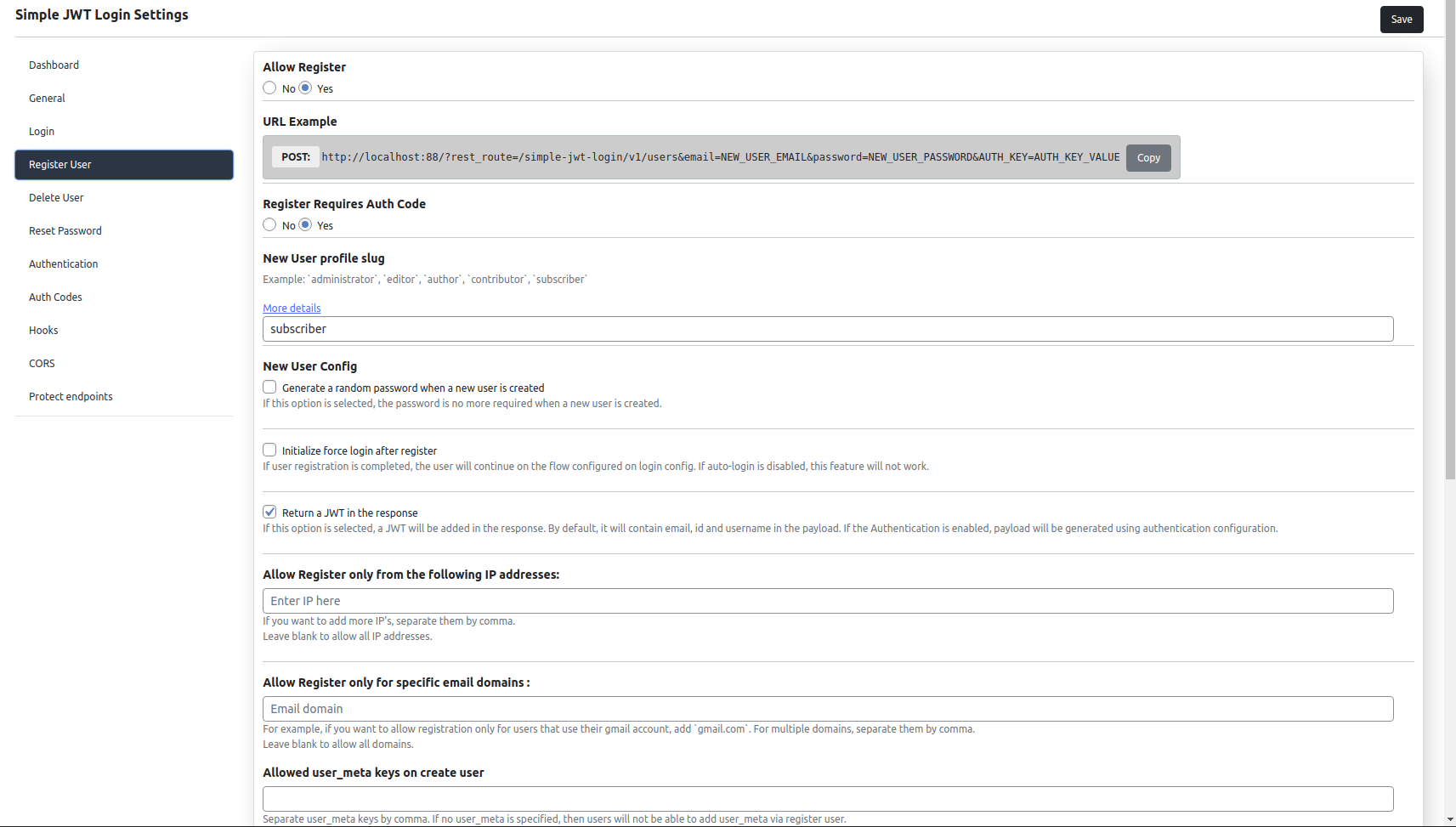
Disabled by default. When enabled, external clients can create WordPress users via REST without an admin session.
POST to {your-site}/wp-json/simple-jwt-login/v1/users with at least email and password (password is optional if “Generate random password” is enabled).
Optional fields: user_login, user_nicename, user_url, display_name, nickname, first_name, last_name, description, locale, user_registered (Y-m-d H:i:s).
Custom user meta: pass a user_meta JSON object – every key/value pair is saved as WordPress user meta for the new account.
Options: default role for new users, auto-generated random password, trigger auto-login right after registration, IP and email-domain allowlists, and per-Auth-Code role overrides for multi-tier registration from a single endpoint.
Read more on our website.
API Keys
API keys are an alternative credential for obtaining JWTs without sending a WordPress password on every request. Each key is scoped to a client and can be revoked independently – useful for server-to-server integrations, CI pipelines, and long-lived credentials.
Manage keys from the API Keys tab: a paginated, searchable list with creation date and status.
Audit Logs
The Audit Logs tab records every login, registration, and authentication event handled by the plugin – useful for debugging failed attempts, monitoring unusual patterns, compliance, and tracing which client or JWT triggered an event. The log view is paginated and filterable in the admin.
Delete User
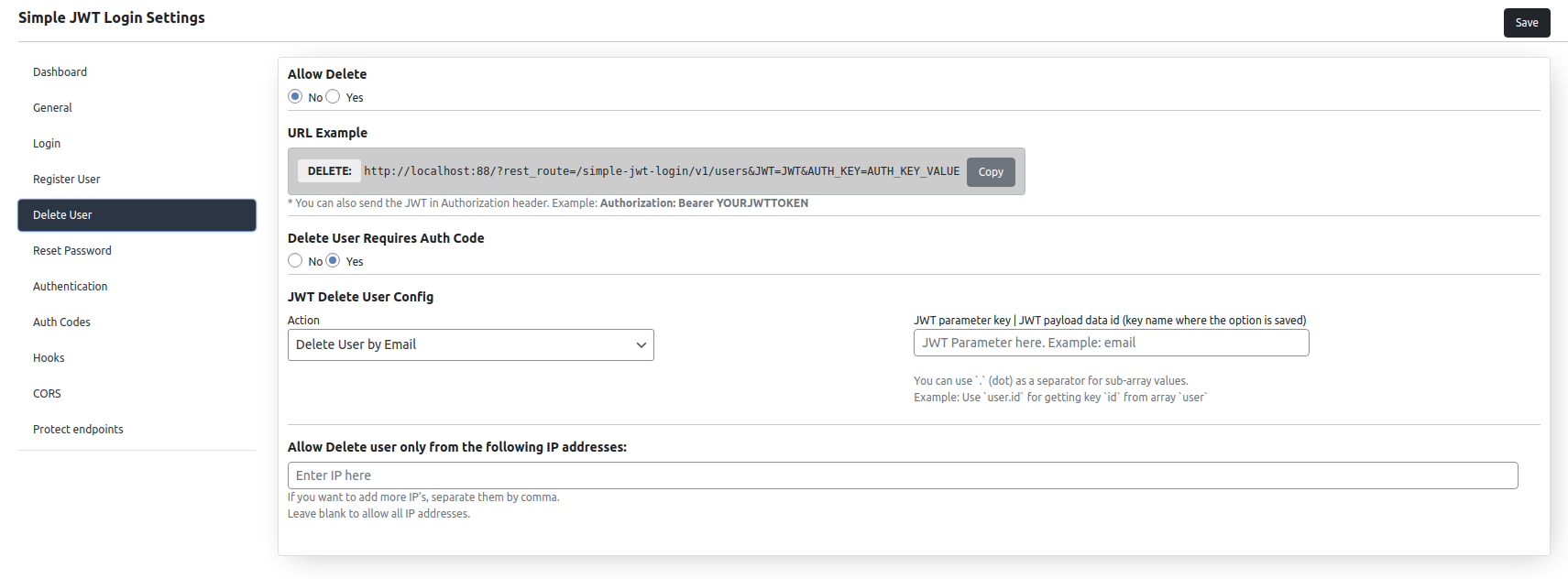
Disabled by default. When enabled, a DELETE request to the users endpoint with a valid JWT removes the associated WordPress account.
Identify the user by email address or WordPress user ID (configurable JWT payload key), and optionally restrict deletions to specific IPs.
Read more on our website.
Reset Password
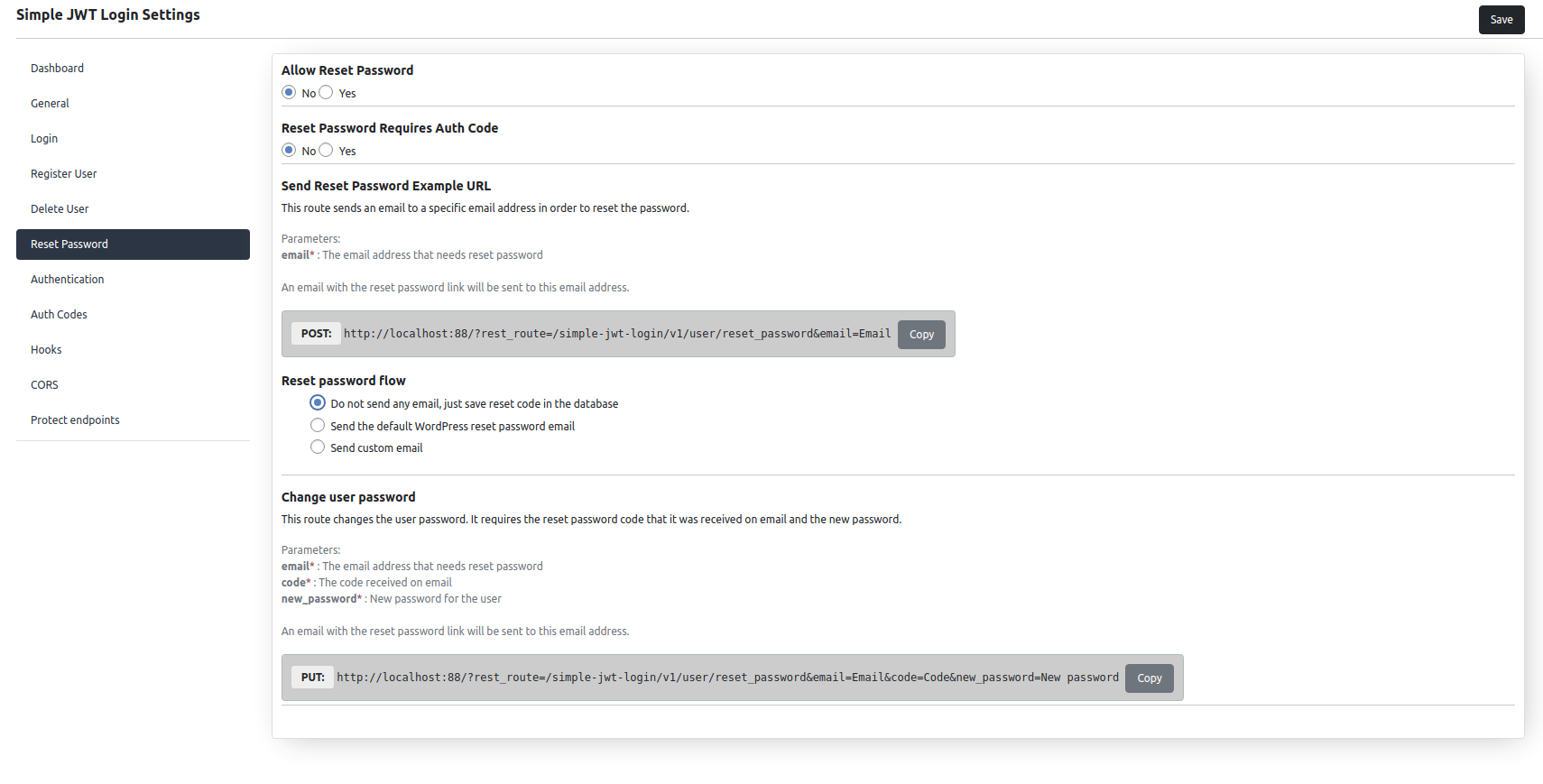
Both the reset password and change password endpoints are disabled by default.
Flow: POST to /user/reset_password with the user’s email to send a reset code, then POST to /user/change_password with the code and new password to complete the change.
Customize the reset email subject/body from settings, or fully override/skip it via the simple_jwt_login_reset_password_custom_email_template filter.
Read more on our website.
Auth Codes
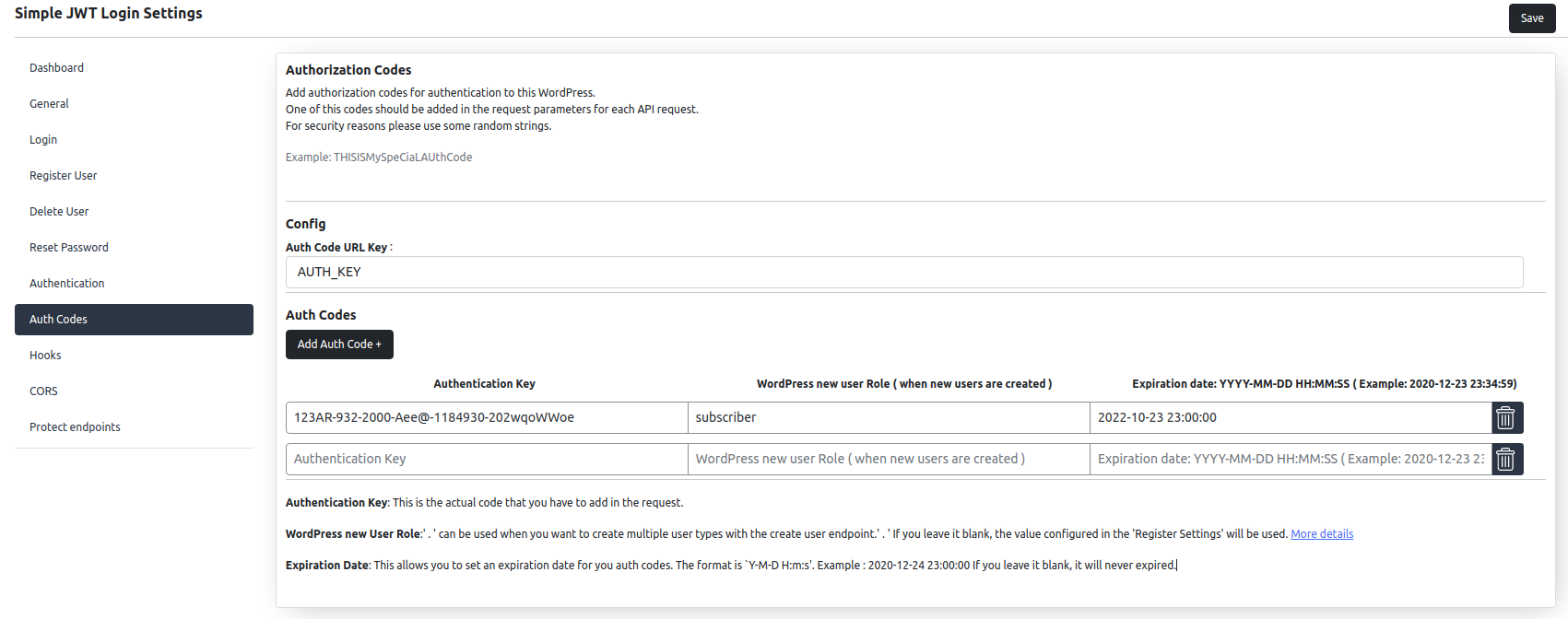
Auth codes are optional shared secrets that add a layer of protection to any endpoint, checked independently of the JWT. Enable the requirement separately for auto-login, registration, and user deletion.
Each code has an Authentication Key, an optional WordPress User Role override (falls back to the Register Settings default when blank), and an optional Expiration Date (YYYY-MM-DD HH:mm:ss, blank = never expires).
Create one code per role to support multiple registration tiers from a single endpoint.
Read more on our website.
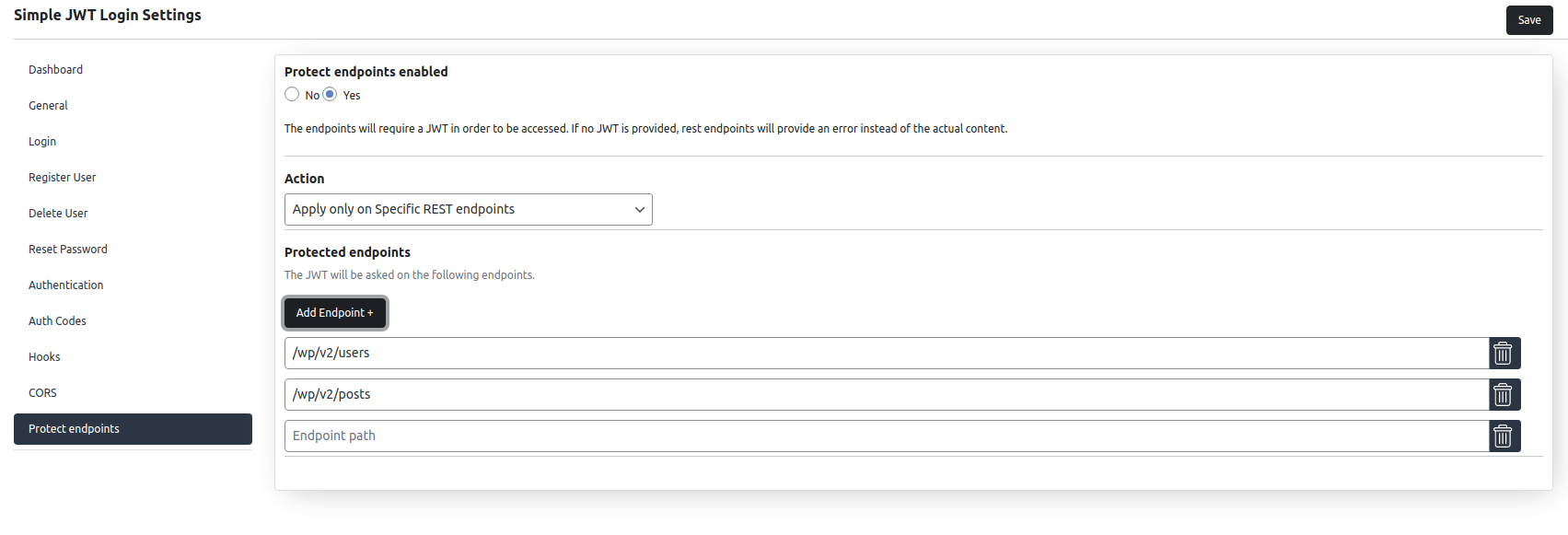
Protect Endpoints
Gates WordPress REST endpoints behind JWT authentication so only clients with a valid token can access them.
Modes: protect all endpoints (with a whitelist of exceptions, e.g. wp/v2/posts for public reads) or protect only the endpoints you list, each with optional per-method filtering (e.g. protect POST/DELETE but leave GET public) and exact or starts-with matching.
Unauthorized requests receive:
{ “success”: false, “data”: { “message”: “…”, “error_code”: 403, “type”: “simple-jwt-login-route-protect” } }
Read more on our website.
Webhooks
Fire outbound HTTP callbacks to external services on login, registration, and JWT authentication events – useful for syncing users to a CRM, triggering downstream workflows, or logging.
The Webhook Logs tab shows the result of each call so you can verify delivery and debug failures.
Two-Factor Authentication
Disabled by default. Integrates with the free Two Factor plugin so JWT issuance respects a user’s configured 2FA method (TOTP, email code, or backup codes).
Flow: /auth returns a short-lived interim JWT instead of a full JWT when 2FA is required. Submit the interim JWT plus the 2FA code to POST /auth/2fa to receive the full JWT (and refresh token, if enabled). The interim JWT TTL is configurable (default: 5 minutes).
Browser OAuth logins (Google, Facebook, GitHub, Auth0) redirect to an in-page 2FA form before the WordPress session starts. Use the Two Factor plugin’s own two_factor_user_api_login_enable filter to bypass 2FA for specific API clients.
Requires the Two Factor plugin installed and activated.
WooCommerce
Disabled by default. Authenticates WooCommerce REST API (/wc/v1–/wc/v3) and Store API (/wc/store/v1, including cart & checkout) requests with a JWT instead of consumer key/secret – independent of the global Protect Endpoints middleware.
Store API cart & checkout (optional): lets header (Authorization: Bearer) JWT requests skip the Store API’s CSRF nonce check, enabling headless cart/checkout with the token alone. Cookie and URL tokens always keep the nonce, since only header tokens are immune to CSRF. Off by default – enable only for headless storefronts, and always use HTTPS.
Requires the WooCommerce plugin installed and activated.
Force Login
Disabled by default. Lets Simple JWT Login’s own REST endpoints (/auth, /autologin, etc.) bypass the Force Login plugin’s site-wide login requirement, so external clients can authenticate without an existing WordPress session.
Requires the Force Login plugin installed and activated.
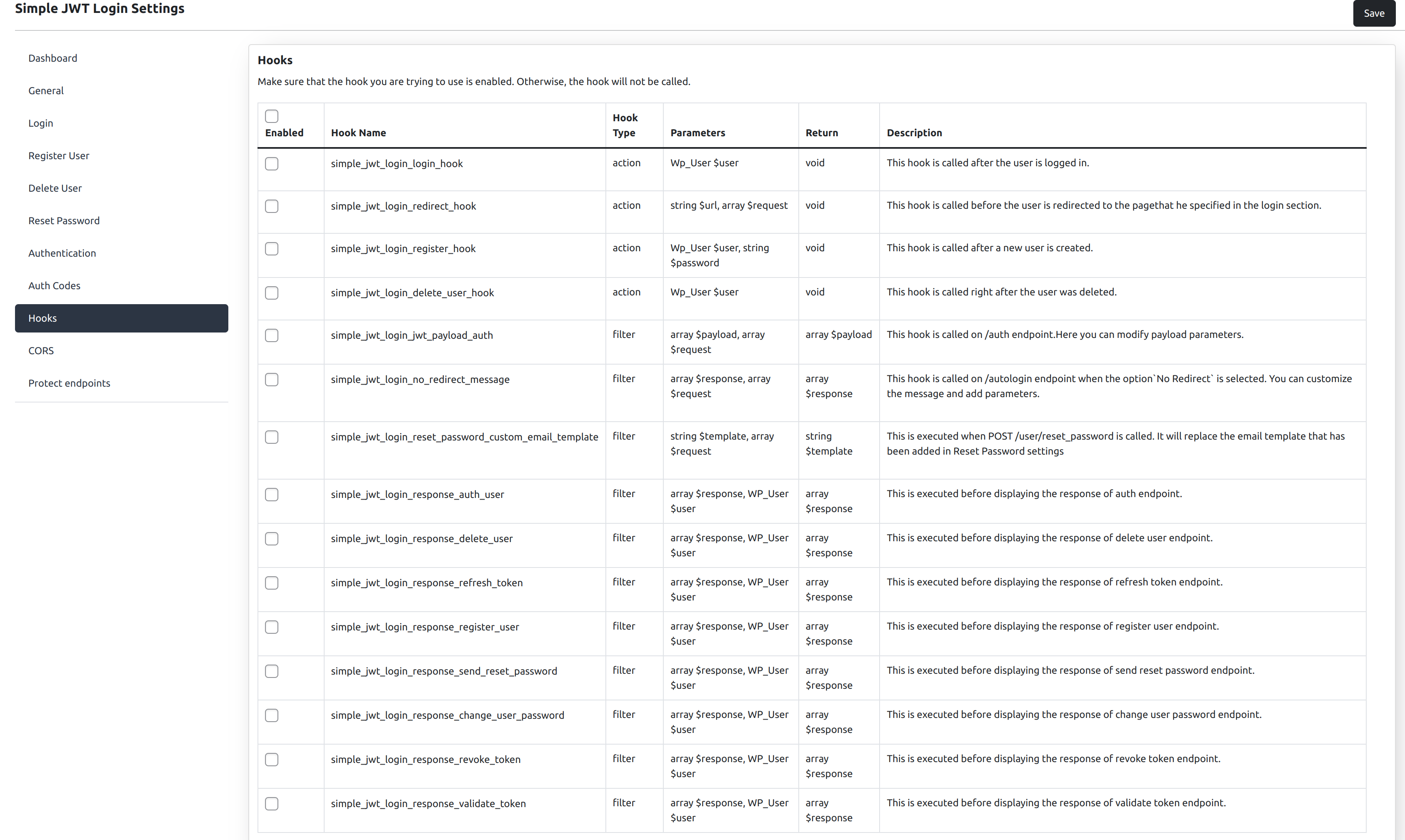
Hooks
Action and filter hooks let developers extend or customize behavior without modifying plugin files.
Action hooks: simple_jwt_login_login_hook (after JWT login), simple_jwt_login_redirect_hook (before post-login redirect), simple_jwt_login_register_hook (after registration), simple_jwt_login_delete_user_hook (after user deletion), simple_jwt_login_before_endpoint (before any plugin route).
Filter hooks: simple_jwt_login_jwt_payload_auth (modify the /auth JWT payload before signing), simple_jwt_login_no_redirect_message (customize the /autologin no-redirect JSON response), simple_jwt_login_reset_password_custom_email_template (customize/override the reset password email).
Example – welcome email on registration:
add_action(‘simple_jwt_login_register_hook’, function ($user, $password) {
wp_mail($user->user_email, ‘Welcome’, ‘Your account is ready.’);
}, 10, 2);
View the full list of hooks with parameters at simplejwtlogin.com/docs/hooks.
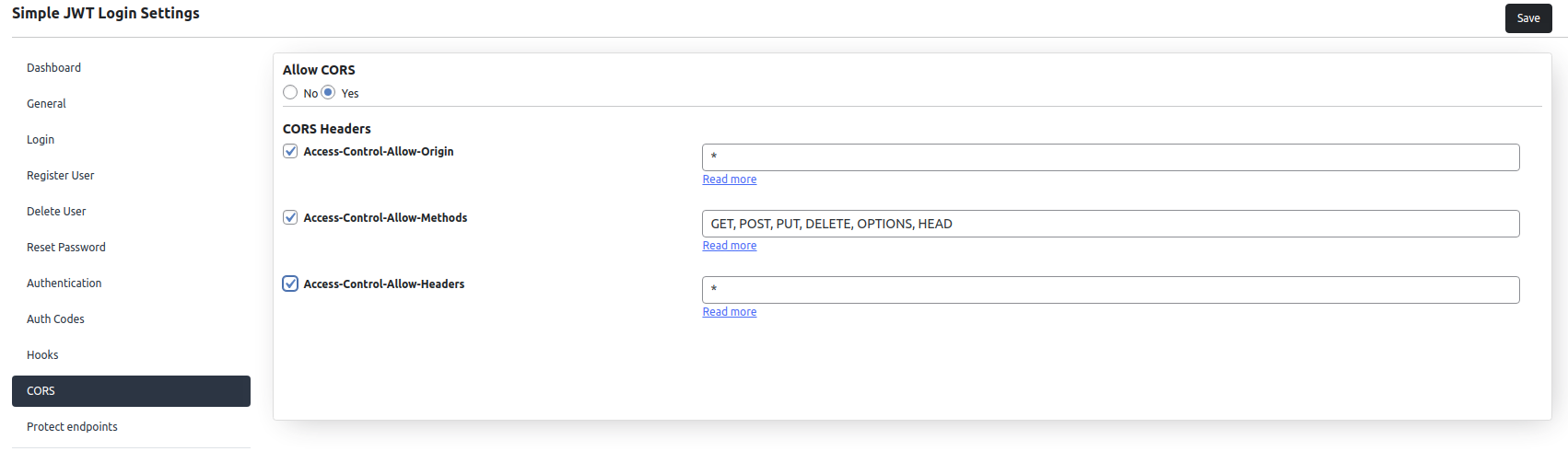
CORS
Configure Cross-Origin Resource Sharing (CORS) headers for all plugin REST routes from the CORS tab – essential when your headless frontend runs on a different domain than WordPress. Set allowed origins, methods, and headers without touching server configuration.
Read more on our website.
Integration
PHP SDK: composer require nicumicle/simple-jwt-login-client-php – see the package page for examples.
JavaScript SDK: npm install simple-jwt-login (or yarn add simple-jwt-login) – see the JS SDK repository.
CLI: a command-line tool for scripting, testing, and local development – see the CLI repository for installation.
Installation
From the WordPress plugin directory (recommended for production)
- Go to Plugins > Add New in your WordPress admin.
- Search for “Simple JWT Login”.
- Click Install Now, then Activate.
From a zip file
- Download the plugin zip file.
- Go to Plugins > Add New > Upload Plugin.
- Upload the zip and click Install Now, then Activate.
Initial setup
After activation, go to Settings > Simple JWT Login:
-
Open the General tab.
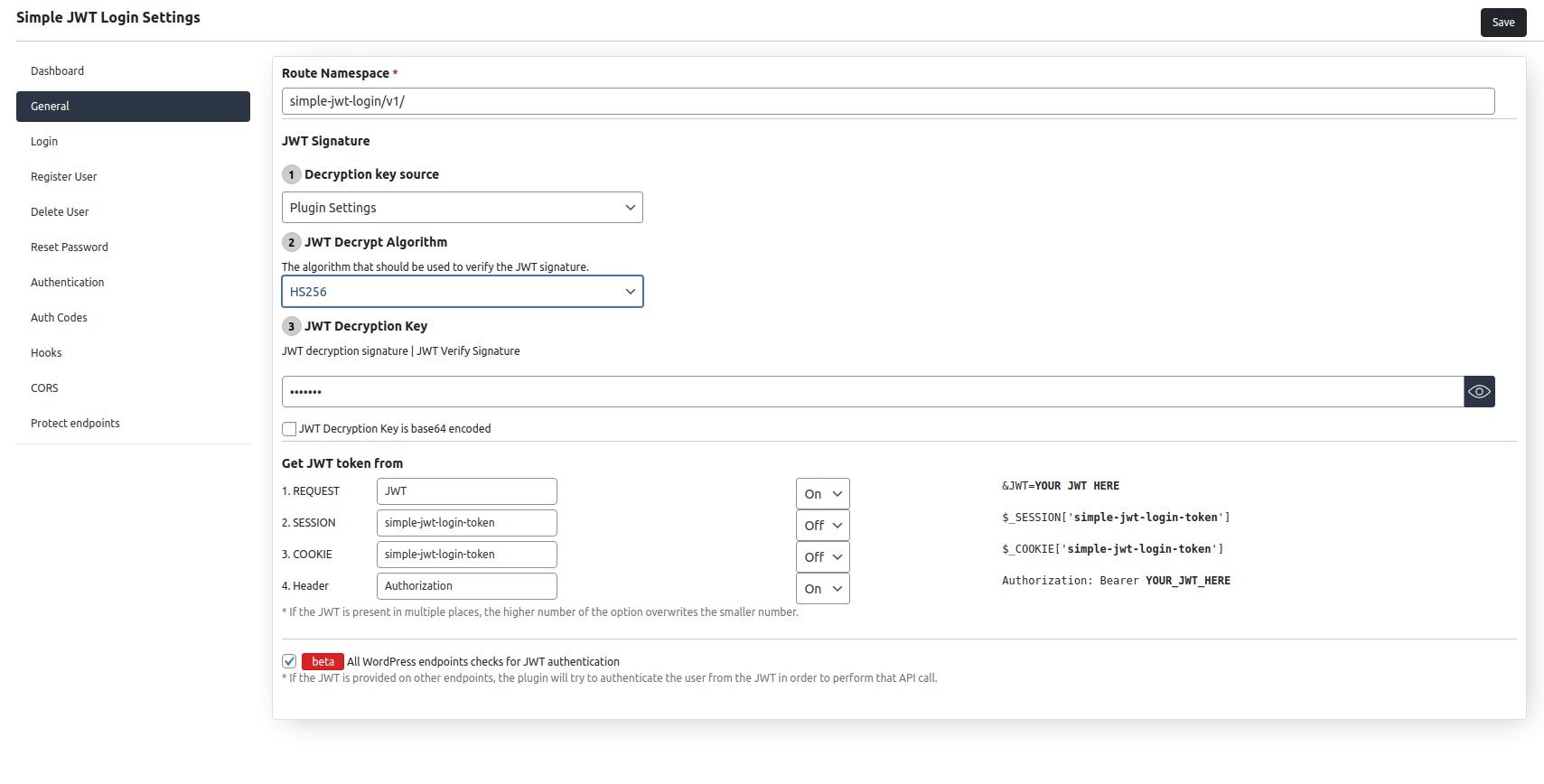
- Set a strong JWT Decryption Key. This secret is used to sign and validate all tokens – keep it private.
- Select the JWT Decryption Algorithm (HS256 is a safe default; RS256 is recommended for production systems that need asymmetric keys).
-
Open the Login tab.
- Set Allow Auto-login to Yes.
- Set the JWT parameter key – this is the key inside your JWT payload that contains the WordPress user email or user ID.
-
Save Changes.
You can now copy the sample URL from the top of the Login tab, replace the placeholder JWT with a real token, and test auto-login in your browser.
Adding the JWT to requests:
Via URL parameter:
https://yoursite.com?jwt=YOUR_JWT_HERE
Via Authorization header (recommended for API clients):
Authorization: Bearer YOUR_JWT_HERE
The header takes precedence over the URL parameter if both are present.
FAQ
Is this plugin secure?
Yes. The plugin validates every JWT against your configured decryption key and algorithm before taking any action. No action is performed on an invalid or expired token.
For production use: choose a long, random JWT decryption key; enable auth codes on sensitive endpoints; restrict operations to known IP addresses where practical; and review the audit logs regularly.
Can I disable the register or delete user endpoints?
Yes. Every endpoint is disabled by default. You enable only what you need from the plugin settings.
Can I limit which email addresses can register?
Yes. Add one or more email domains (e.g. yourcompany.com) to the domain allowlist in Register Settings. Users attempting to register with any other domain will receive an error.
Can I use a JWT issued by another plugin or service?
Yes. Any JWT signed with the same key and algorithm that you configure in the plugin will be accepted. This is how you share authentication between two separate services.
Is the Auth Code required?
No. Auth codes are optional and disabled by default. You can enable or disable the requirement independently for auto-login, user registration, and user deletion.
How do I create users with different roles from the same endpoint?
Create one Auth Code per role in the Auth Codes tab and assign the desired WordPress role to each code. When the client sends a specific Auth Code with the registration request, the matching role is applied instead of the default.
Can I log in from a mobile app using this plugin?
Yes. Auto-login via JWT is the primary use case. Your mobile app (React Native, Flutter, native iOS/Android, etc.) obtains a JWT from the /auth endpoint and then uses it on any subsequent request.
Where does the plugin look for the JWT?
In this order: URL parameter, Cookie ($_COOKIE['simple-jwt-login-token']), Session ($_SESSION['simple-jwt-login-token']), Authorization header. The parameter name for each source is configurable in the General settings.
Does this work with WPGraphQL?
Yes. Enable the WPGraphQL integration from the Applications tab. Once enabled, authenticated GraphQL queries will work using the same JWT credentials.
I got a “403 not authorized” response on a protected endpoint.
Make sure you are passing a valid, non-expired JWT either as a Bearer token in the Authorization header or via the configured URL parameter. You can use the /auth/validate endpoint to check whether a specific JWT is still valid before sending it to a protected route.
Screenshots

Changelog
A complete changelog is available on the GitHub repository.
4.1.1 (15 November 2026)
- Security: a JWT read from a cookie, the session or the Authorization header no longer authenticates cross-site requests (including sibling subdomains and other ports), fixing CSRF on cookie-authenticated REST requests when the API middleware is enabled (Reported via Patchstack)
- Breaking: cross-origin browser apps that send the JWT must have their origin listed in the CORS “Allow origin” setting. A “*” entry trusts the Authorization header only, never the cookie or session
- Breaking: with CORS disabled (or “Allow origin” off), a JWT sent by a browser page on another site, even in the Authorization header, is ignored. Requests from the site itself, server-to-server calls, mobile apps and JWTs passed in the URL (e.g. autologin links) are not affected
- Fix “JWT from session” making every plugin endpoint and Protect Endpoints fail with a 500 error (call to an undefined session function)
4.1.0 (11 November 2026)
- Security: fix CSRF in the Force Login integration on cookie-authenticated REST requests (Reported via Patchstack)
- Security: JWT middleware and the WooCommerce integration now check the resolved REST route instead of searching the URL
- Security: Protect Endpoints now enforces “JWT + Roles” rules for logged-in (cookie-authenticated) users and API key owners
- New integration: AI Abilities (MCP) – let AI agents manage and troubleshoot the plugin through the WordPress Abilities API (WordPress 6.9+)
- Fix secrets (auth codes, JWT rule keys, webhook header values) being written in plain text to the “Settings Saved” audit log entry
- Security: registration never sets capability, user level or session meta keys from the request, even when they are listed in “Allowed user meta”
- Security: webhook calls time out after at most 30 seconds (0 now means 30 seconds instead of no timeout), so a slow webhook endpoint cannot hang logins
- Fix login creating two WordPress sessions instead of one (autologin, register with auto-login, OAuth), reducing DB writes per login
- Performance: API key “last used” timestamp is now updated at most once per minute per key, instead of on every request. A new Update “Last used” setting (API Keys) lets you switch back to updating it on every request
- Performance: remove an extra database query on every API key request
- WooCommerce integration: authenticate JWT requests without a full login, so API calls no longer create a new WordPress session, set auth cookies or fire
wp_loginon every request - Performance: load the WordPress admin user functions only when deleting a user, instead of on every request
- Performance: Protect Endpoints no longer checks the revoked-token table twice for every JWT-authenticated request
- Performance: the Force Login, WooCommerce and WPGraphQL integrations reuse the plugin settings instead of re-reading and decoding them on every REST request
- Performance: Protect Endpoints checks access once per REST request instead of every time WordPress reads the route list
- Fix CORS headers missing on REST error responses (401/403 from JWT auth and protected endpoints) #179
- CORS: support multiple allowed origins (comma-separated); the matching request origin is echoed back, and
*echoes the request origin so credentialed requests work #179
4.0.2 (09 October 2026)
- Fix WooCommerce integration #177
- Update WordPress 7.1 compatibility
4.0.1 (09 August 2026)
- Apply protect endpoints rules only on REST endpoints
- Improve Google Oauth Security (Reported by @FaridNarimanov) #174
- JWT Payload: strip reserved claims improvement
4.0.0 (06 July 2026)
- Redesign Protect Endpoints: replace separate whitelist/protected lists with a unified ordered rules table where each rule explicitly sets access to Public, JWT required, or JWT + Roles; rules are evaluated top-to-bottom with first-match-wins; old settings auto-migrate;
- Redesigned Plugin Settings interface
- Fix double encoding for Reset Password email body#165
- New refresh token handling
- Add Audit logs
- Add support for multiple JWT Decryption keys based on JWT header or payload
- Move User identification from Login to General
- Add Webhooks
- Enable/disable Revoke and Validate token
- Add support for API Keys (X-API-Key) to access WordPress endpoints as an authenticated user
- Allow JWT authentication on the API Keys endpoint (in addition to cookie-based login)
- Improve HTTP Status Codes for errors
- Add Auth0, Facebook and GitHub Oauth
- BREAKING CHANGE Rename errorCode to error_code in error responses
- BREAKING CHANGE Add 2FA support
- BREAKING CHANGE Add refresh token to Authentication
- BREAKING CHANGE Remove User Identification from Delete, and use the one from General
- BREAKING CHANGE Reorganize settings structure in DB
- BREAKING CHANGE Change register user response ({“success”:true, “ID”: 1,…}) to {“success”:true, “data”:{“id”:..}}
- BREAKING CHANGE Remove old /register user endpoint (only POST /users route available for register)
- Fix register, authenticate, and reset password special characters for passwords
- Replace variables in reset password email subject
- Add option for sending default WordPress email on user registration
- Add option for sending default password change WordPress email when change password endpoint is called
- Improve plugin security and performance
- Add Light/Dark mode UI
- Allow non admin users to manage their own API keys
- Add option for ‘Require “Bearer” prefix’ #96
- Support multiple default user roles on registration
- Add Full WooCommerce support
3.6.7 (03 July 2026)
- Improve plugin security
3.6.6 (22 May 2026)
- Update WordPress 7.0 Compatibility
3.6.5 (14 Mar 2026)
- Fix CVE-2025-58648 – Stored Cross-Site Scripting vulnerabilityPR
- Fix for bug: Reset password function doesn’t use base64 encoding logic and doesn’t allow user to use any special character #161 #163
- Fix PHP session initialization warning #159
- Update WordPress 6.9 Compatibility
3.6.4 (17 Apr 2025)
- Update WordPress 6.8 Compatibility
3.6.3 (15 Apr 2025)
- Fix protect endpoints #149
3.6.2 (09 Apr 2025)
- Fix blocked backened endpoints by ProtectEndpoints #146
- Ensure Protect endpoints searches for JWT in session
3.6.1 (02 Apr 2025)
- Validate JWT on protect endpoints#141
- Fix backward compatibility for protect endpoints. Add
match/start_withoption for endpoints.#143
3.6.0 (24 Mar 2025)
- Add support for configuring request methods on Protect endpoints #129
- Beta: Authenticate user when performing queries with WPGraphQL #32
- Code refactorization and UI improvements
- Authenticate by Username or Email (similar to WP login)#19
3.5.8 (14 Feb 2025)
3.5.7 (22 Dec 2024)
- Update WordPress 6.7 Compatibility
3.5.6 (03 Aug 2024)
- Update WordPress 6.6 Compatibility
- Fix revoked token validation when middleware enabled #110
3.5.5 (04 May 2024)
- Update README
- Refactor Protect Endpoints
3.5.4 (03 May 2024)
- Add OAuth support for Google #97
- Fix status code for expired tokens #102
- Update WordPress 6.5 Compatibility
3.5.3 (16 November 2023)
- Fix licence in composer.json
- Update WordPress 6.4 compatibility
3.5.2 (02 November 2023)
- Fix change user password with revoked JWT
- Change routes priority from floats to int and fix deprecation message “Implicit conversion from float to int loses precision”
- Add
issto JWT payload and allow to configure it - Fix user meta on register user #86
- Fix calling protected endpoints with revoked token #75
3.5.1 (1 October 2023)
- Update WordPress 6.3 compatibility
3.5.0 (04 Jan 2023)
- Fix unable to create post issue when protect endpoints is enabled for all endpoints
- Search user by email on reset password
- Drop support for PHP 5.3 and PHP 5.4
For the full history back to 1.0.0 (2019), see the Changelog on GitHub.