


Description
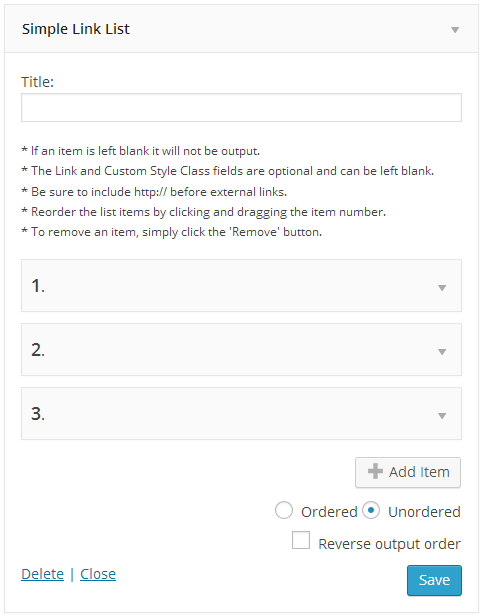
This plugin makes a widget available which allows you to add a simple link list (bulleted or numbered) to a sidebar.
Installation
Install this plugin in the usual way, by downloading and unzipping the folder into your plugins directory (/wp-content/plugins).
The plugin then needs to be activated before it can be used.
To use, simply drag the ‘Simple Link List’ widget into a sidebar. To use the widget, your theme must be widget-enabled.
FAQ
How do I style the list?
You can style your list by adding the following code to the style.css file in your chosen theme:
/* Styles for Simple Link List Widget */
.widget_link_list ul {} /* Style for unordered list */
.widget_link_list ol {} /* Style for ordered list */
.widget_link_list ul li {} /* Style for unordered list item */
.widget_link_list ol li {}  /* Style for ordered list item */
In addition you can add a custom style to the list items that will be added to the li tag of the list.
Screenshots

Changelog
0.3.2
- Fixed bug that prevented the open in a new window option being enabled for new items
- Updated code to comply with modern plugin structure
- Removed create_function() code for PHP 7.x compliance
0.3.1
- Fixed bug that limited the number of items to 9
0.3
- Added drag and drop support
- Added the ability to add unlimited items without resaving
- Added reverse output option
- Added support for Accessibility mode
- Added admin interface styles
0.2
- Added a Delete functionality to link items
- Added the ability to open link in new window
0.1
- Initial upload