


Description
Use spoilers to hide some content on the page using shortcode. On the settings page, you can specify the color of the spoiler.
How to use
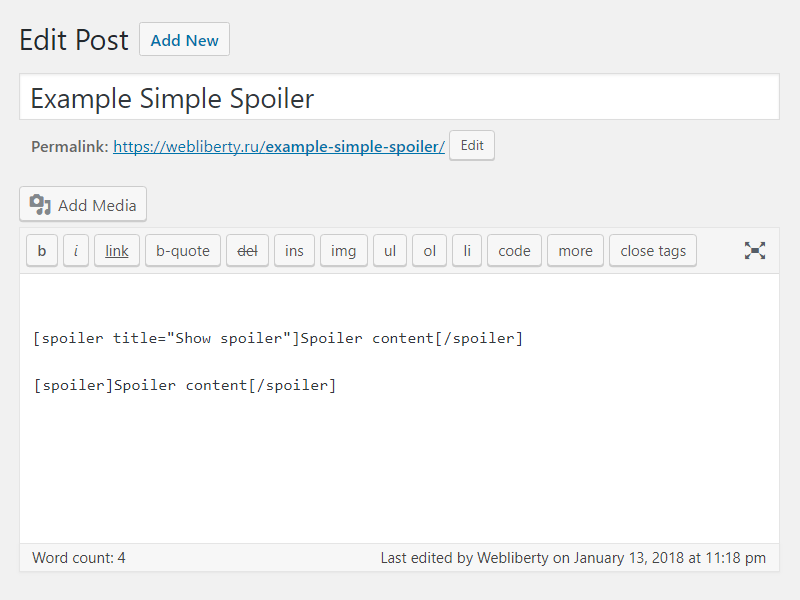
Example: [spoiler]Spoiler content[/spoiler]
Example: [spoiler title="Show spoiler"]Spoiler content[/spoiler]
Translations
You can translate Simple Spoiler on translate.wordpress.org.
Installation
- Upload folder
simple-spoilerto the/wp-content/plugins/directory; - Activate the plugin through the ‘Plugins’ menu in WordPress;
- Place shortcode in your content.
FAQ
How do I can customize design of the spoiler?
To change color layout of a spoiler, please, go to options page.
Screenshots


Changelog
1.5
- Fixed Cross Site Scripting (XSS) vulnerability.
- Improved code performance and security.
1.4
- Fixed Unauthenticated Arbitrary Shortcode Execution vulnerability in comments.
1.3
- Fixed Cross Site Scripting (XSS) vulnerability.
1.2
- Added support spoiler shortcode for comments.
- Added settings for change spoiler border color.
1.1
- Fix undefined constant ‘title’.
1.0
- Initial release.