


Description
SiteAssure monitors WordPress functions that support enquiries and sales. Local checks work without an account; optional cloud monitoring adds independent checks, uptime, centralized alerts and reporting.
Free local monitoring
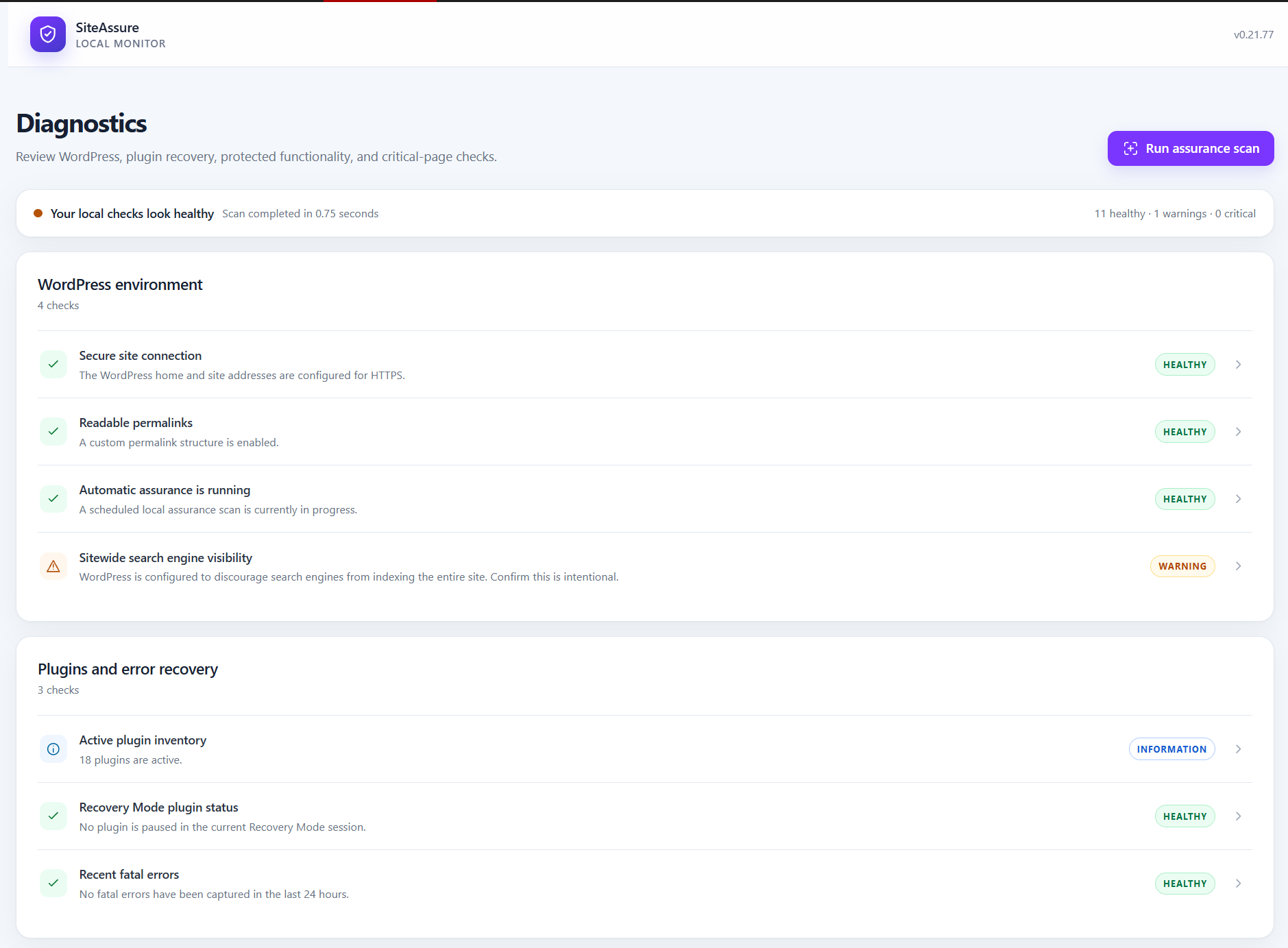
- Daily and on-demand assurance scans, a dashboard, diagnostics and Site Health checks.
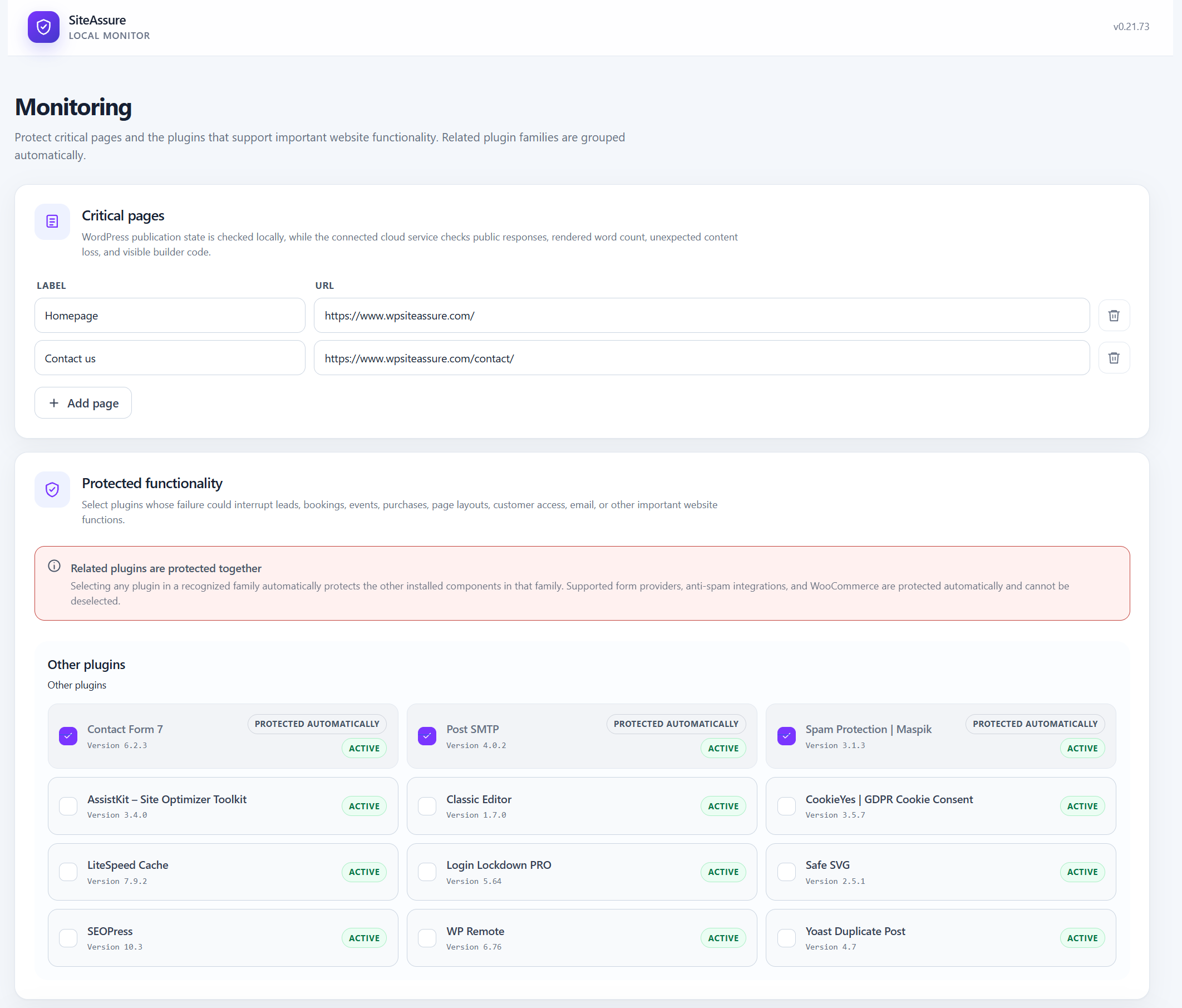
- Protected plugins and business functionality, including payment, mail, booking, membership and page-builder dependencies.
- Critical-page publication, availability, content baselines and supported builder-markup checks.
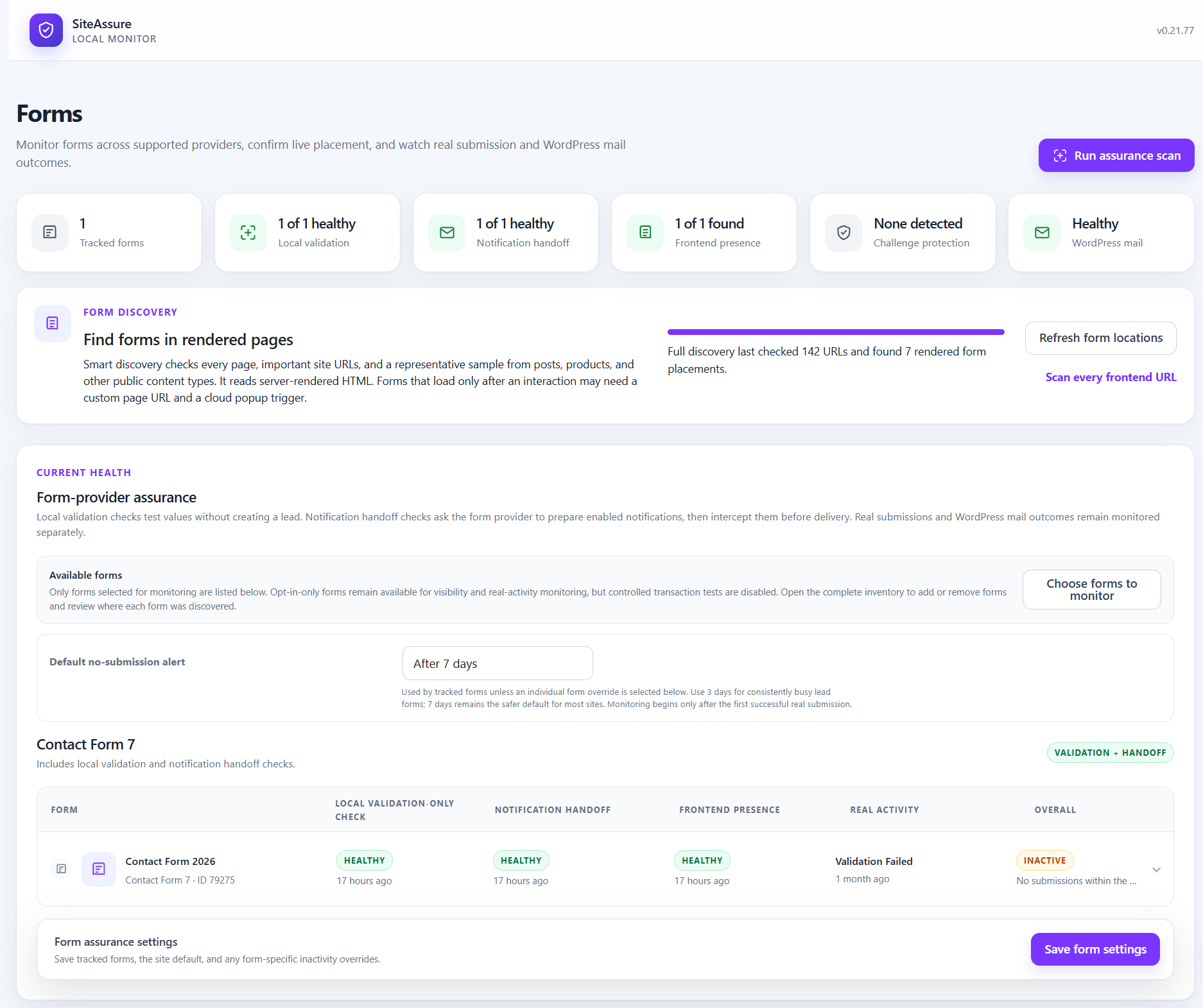
- Form inventory, configuration, frontend presence and real submission outcomes, without retaining submitted field values.
- Contact Form 7, WPForms, Gravity Forms, Formidable Forms, Elementor Pro Forms and Divi Contact Forms integrations. Local validation and mail-handoff coverage vary by provider.
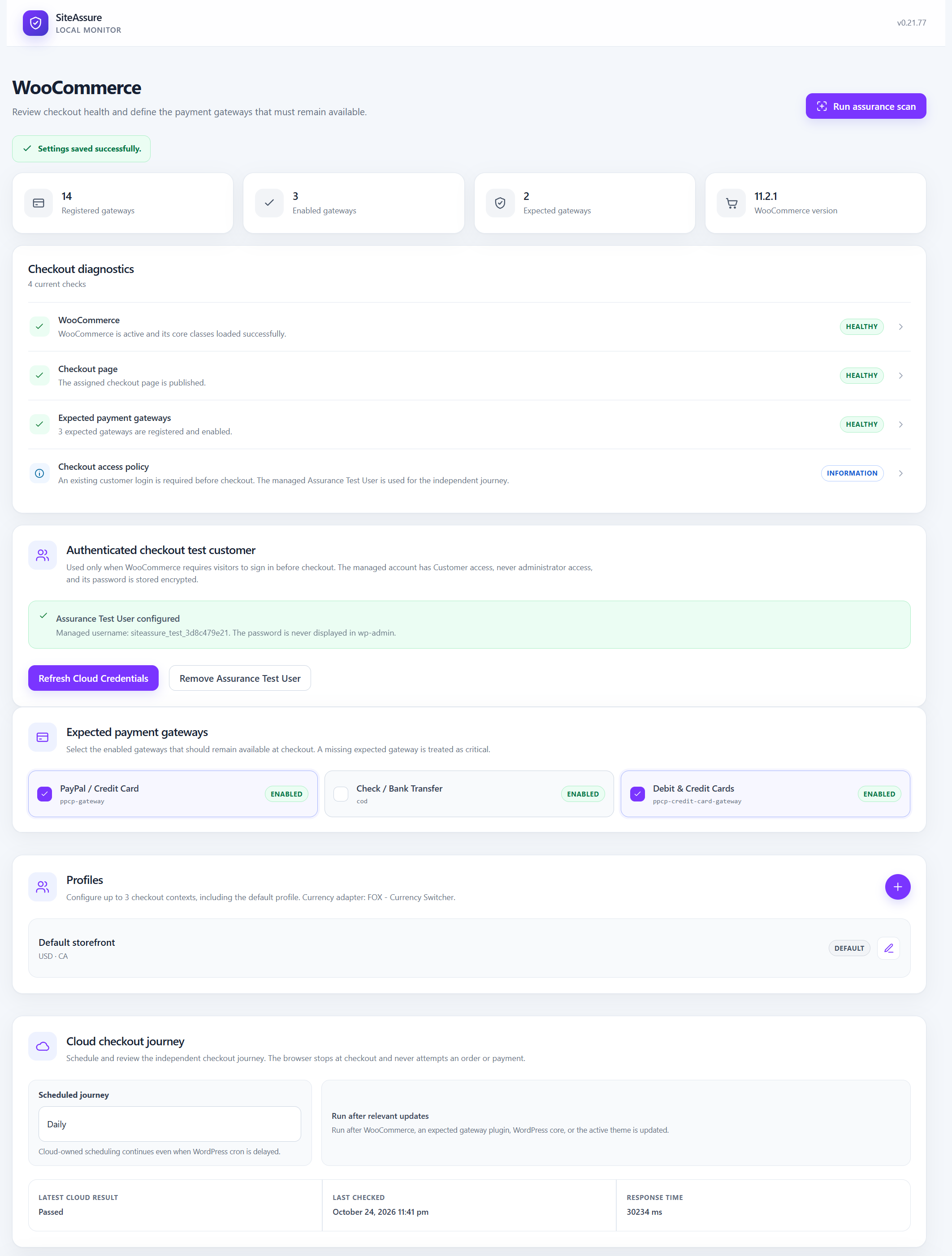
- WooCommerce gateway registration, availability and expected-gateway monitoring.
- Plugin, theme, core, selected settings and user-access change history, with incident timelines and recoveries.
- Post-update checks and confirmation of update-associated fatal errors or unexpected plugin inactivity.
- WordPress mail success/failure counters, optional handoff tests and an automatic cloud-backed email delivery check when recent form testing has not already verified delivery.
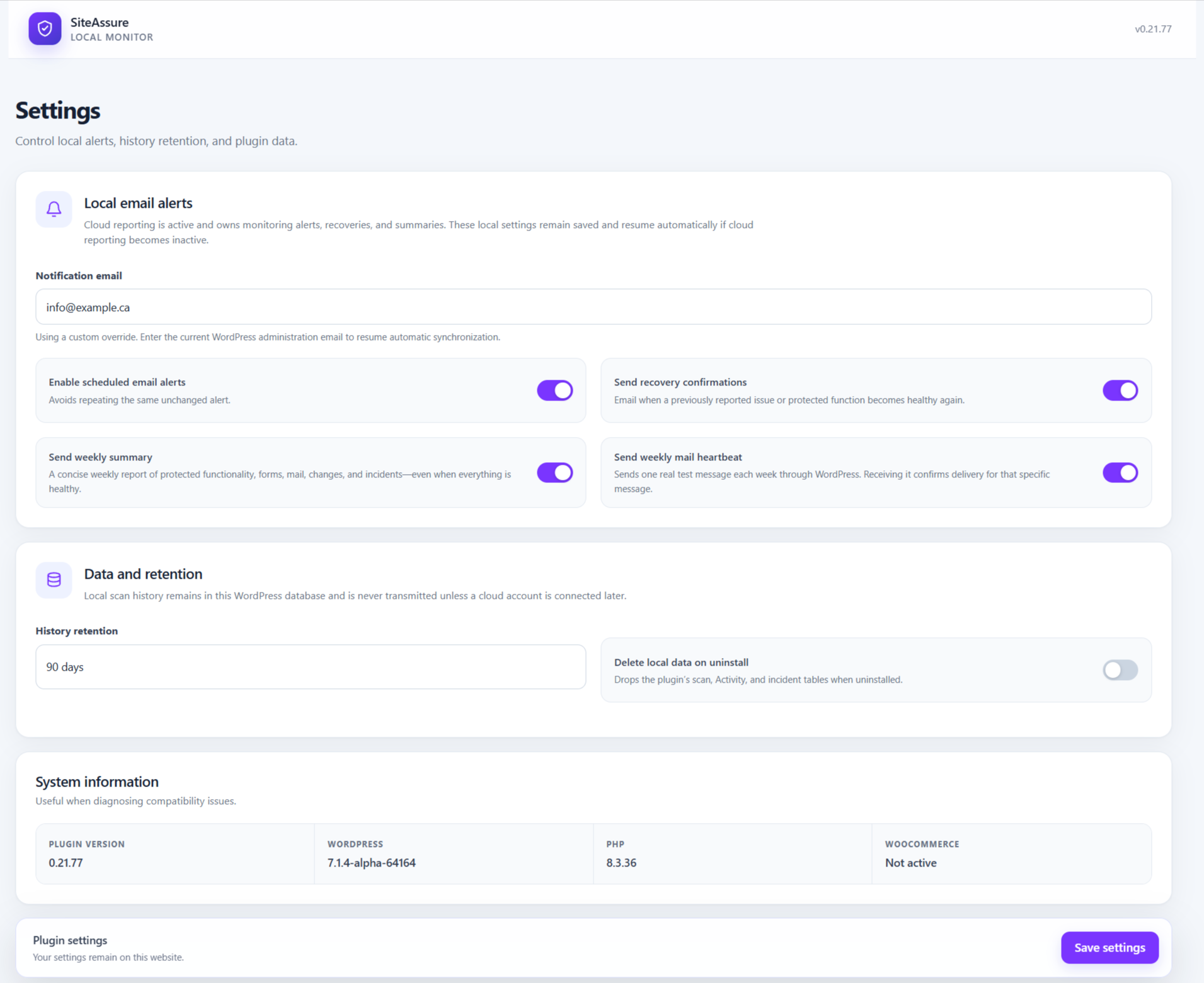
- Optional email alerts, recovery messages, weekly summaries, configurable history retention and a local report export.
Selected forms remain monitored when a page placement disappears or the form is unpublished or deleted. These changes are reported separately from email-configuration warnings so the administrator can review them or explicitly stop monitoring.
Checks do not guarantee availability, delivery or payment processing. A local mail handoff does not prove receipt.
Optional SiteAssure Cloud
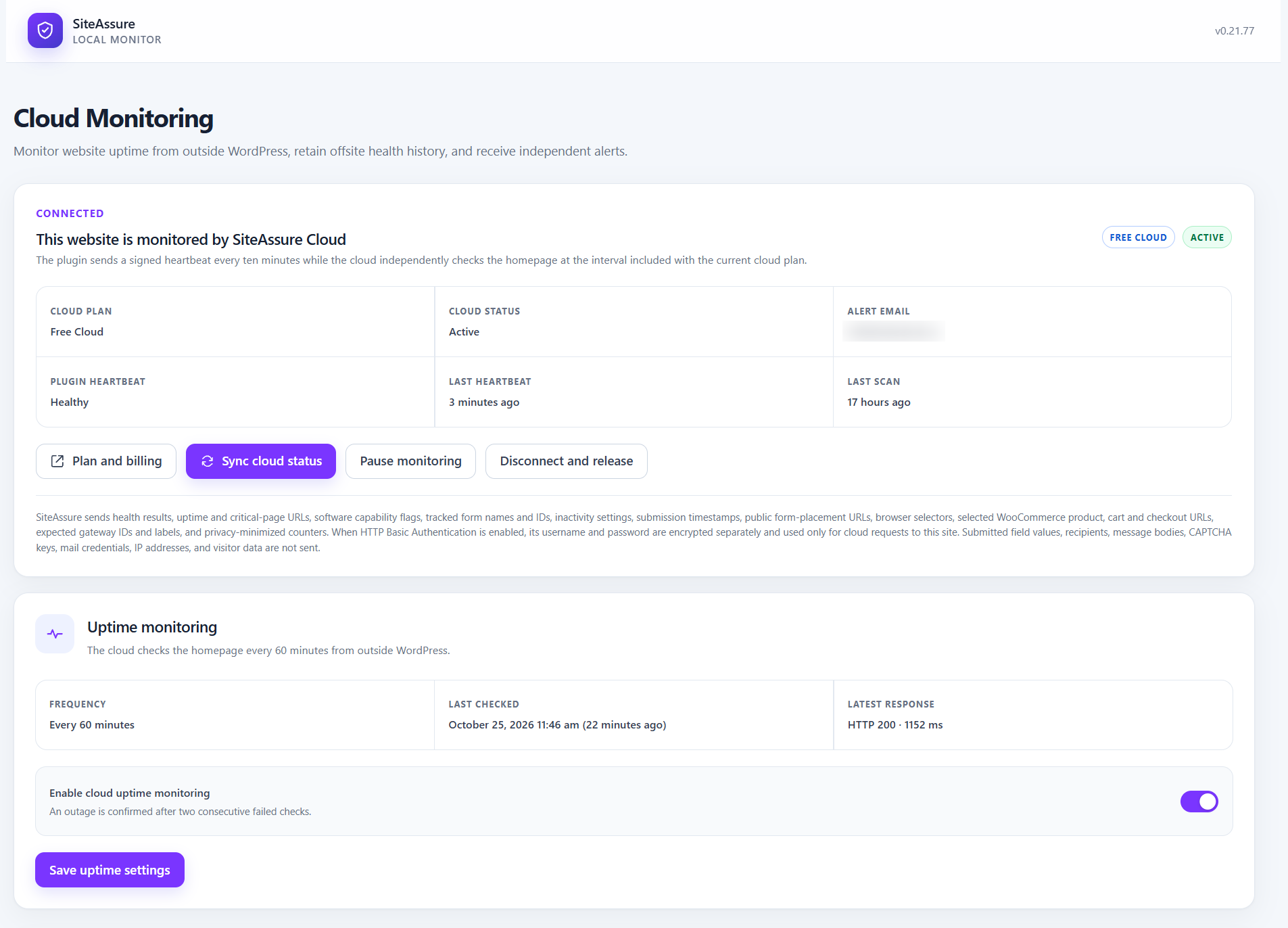
Free, Pro and Agency cloud plans have different monitoring, schedule, history and transaction allowances. Paid features perform work in the external service; the local plugin does not expire.
Browser visibility checks do not submit forms. Eligible controlled form transactions require an administrator to start a test or enable its schedule. They submit generated test values through the supported provider, reroute test notifications to a unique SiteAssure receiving address, and suppress supported CRM, opt-in, webhook, registration and other downstream actions for that signed request. Temporary provider entries are removed where controlled storage is supported. Results identify actions that were suppressed rather than tested. Unsupported actions can make a form ineligible. Production CAPTCHA challenges are not solved as a human.
On supported Formidable user-registration forms, SiteAssure validates the registration fields, creates and removes a temporary test entry, and routes eligible configured notifications to its verification inbox. Account creation and other entry actions are suppressed. Elementor Atomic Forms require a supported version and Email action. Divi Email Opt-in/Signup modules are excluded. Pure opt-in forms without an independently verifiable email action remain visibility-only. Custom integrations can behave differently; complete a successful manual test before scheduling recurring tests.
The cloud WooCommerce journey checks products, cart, checkout and gateway controls without placing orders or attempting payments. Gateways that show payment controls only after Place Order cannot be fully verified. Up to three checkout profiles can cover different products, locations, currencies or gateway combinations. An optional least-privilege Assurance Test User requires administrator approval. HTTP Basic Authentication credentials can be supplied for protected staging sites.
External services and connection consent
The optional SiteAssure service is operated by WPAssist. Installing or activating the plugin does not contact it. An administrator must choose to connect; clicking the email-verification control sends the pairing request, and ongoing reporting starts after verification.
- Website: https://www.wpsiteassure.com/
- API: https://api.wpsiteassure.com/v1
- App: https://app.wpsiteassure.com/
- Terms: https://www.wpsiteassure.com/terms/
- Privacy: https://www.wpsiteassure.com/privacy/
Connection sends the website URL, supplied verification email and software/version information. Once connected, signed HTTPS requests send heartbeats (normally every ten minutes), scan results, minimized diagnostic messages and evidence, capabilities, selected monitor definitions, notification preferences, reporting periods and aggregate weekly counters. Heartbeats also include the server hostname and server address so the service can coordinate browser security-challenge recovery for sites in the same account on the same host. The service immediately converts these inputs to a keyed fingerprint and does not retain either source value. The plugin polls for authorized commands and retries temporarily failed reports.
When no controlled form email has reached SiteAssure within seven days, the authenticated heartbeat may provide a one-use receiving address and opaque reference for an automatic email delivery backup check. WordPress sends a privacy-safe test message to that address and reports whether its mail API accepted the handoff. The cloud records whether the message arrived, allows time for delayed hosting mail, and can alert or recover the resulting delivery incident. The message contains no visitor, customer or form-submission data, and its body is not retained by the monitoring database. A recent verified controlled form email suppresses this backup message.
Form definitions contain provider IDs, names, public placement and last-known URLs, lifecycle and transaction-eligibility status, selectors, inactivity settings and successful real-submission timestamps. Critical-page definitions contain configured URLs, content word-count baselines and intentional-edit revision tokens, not page text. WooCommerce monitoring additionally sends eligible product/variation IDs, public URLs, variation attributes, cart/checkout URLs and expected gateway IDs and labels.
Authorized form tests exchange generated values, bounded provider/action identifiers, notification names and outcomes, suppression and cleanup outcomes, and test email with the service. If expressly approved, staging access or generated test-user credentials are sent over HTTPS and stored encrypted locally and by the service. Real customer credentials are not collected. Pausing stops normal reporting; disconnecting removes local pairing credentials. Local monitoring continues.
Privacy and local data
Local settings, scan results, activity and incident history stay in the WordPress database. Local activity can identify the administrator responsible for a change. Cloud scan evidence omits actor attribution and structured sensitive fields; recognizable email addresses, credentials, bearer tokens and query credentials are redacted. Custom diagnostic text may still describe site configuration and is covered by the service privacy policy.
Cloud monitoring does not collect visitor-submitted field values, real customer credentials, configured WordPress mail recipients, message bodies, CAPTCHA keys, mail credentials or visitor IP addresses as monitoring fields. The connected heartbeat’s server address and hostname are used transiently to create a keyed hosting fingerprint and are not stored. Test notifications use generated data. Only bounded action IDs, provider labels, categories and suppression outcomes are reported for downstream integrations; subscriber data, custom action titles, list IDs and provider credentials are excluded.
Connected websites synchronize notification preferences, their revision, weekly-summary timestamps and aggregate counters. Authorized account managers can manage alert, recovery and weekly-summary preferences. The adaptive email delivery backup is automatic while cloud reporting is active. WordPress notification recipients remain local; cloud notifications use account recipients. Local alerts use WordPress mail. The cloud sends connected weekly summaries, with a local fallback if reporting is unavailable.
History retention is configurable. Uninstalling preserves local data unless Delete data on uninstall is enabled. Disconnect the cloud website before removing the plugin if you also want independent cloud monitoring to stop; deleting local data does not delete the service account or its history.
Installation
- Install the ZIP through Plugins > Add New > Upload Plugin, or upload its folder to
/wp-content/plugins/. - Activate SiteAssure and open its administration menu.
- Complete setup and select critical pages, protected functionality and forms. The initial scan runs automatically.
- If WooCommerce is installed, configure expected gateways and optional checkout monitoring.
- Optional: open Cloud Monitoring and verify an email address to connect the website.
FAQ
Is a cloud account required?
No. Local scans, diagnostics, form configuration checks, gateway monitoring, history and local notifications work without an account. The local score reflects local checks and can reach 100 without connecting to the cloud; independent cloud coverage is reported separately.
Does a missing form location mean the form is unused?
No. Forms may be rendered by unsupported builders, templates, popups or custom code. Choose a public test URL when automatic discovery cannot find the placement. Previously selected forms keep their identity and last-known URL for review after removal.
Screenshots


Changelog
0.21.112
- Follow navigation from pages linked by the homepage so form discovery can reach pages listed in translated menus.
- Count each supported form once per page, including forms identified by a Formidable form key or a Contact Form 7 hash.
- Attribute rendered form IDs to the correct provider and include verified Elementor locations in the form picker.
- Report Formidable CAPTCHA when the form has a CAPTCHA field and its site key is available.
0.21.111
- Respect form entry-storage settings during controlled tests and verify removal of saved test entries.
- Include per-URL discovery outcomes, redirects and detected form IDs in the plugin diagnostics export.
0.21.110
- Respect HTTP 429 retry timing on local form-page requests. Use a recent cloud visibility result for the same form and page to clear the local connectivity warning.
- Clear WordPress mail alerts when a later handoff succeeds or the cloud verifies a test email sent after the last failure.
- Wait for the frontend access result before enabling Continue and leave login, registration and thank-you pages unchecked by default.
- Include the PHP error message and source location in cloud fatal-error findings, with sensitive details removed.
- Use the assigned form’s Maspik exemption during signed Formidable registration tests and record any read-only safeguard that interrupts validation.
0.21.109
- Start new WooCommerce checkout monitors in Manual only and keep eligible checkout profiles available for on-demand tests.
0.21.108
- Require WordPress user-management permissions for Assurance Test User actions. Revoke saved checkout access when the managed account gains privileges outside its allowed customer role.
- Test eligible Formidable user-registration forms with native field and confirmation validation, temporary entry cleanup, and email delivery checks. Suppress account creation and other entry actions during these tests.
- Preserve native Formidable field tags in test notifications and report why individual notifications are skipped.
- Preserve WPForms entry data needed by notifications, clean up test entries, and suppress marketing and other external integrations during authorized tests.
- Pass saved input formats from Formidable Forms, Gravity Forms, and WPForms to browser tests.
- Use the default-language WPGlobus site title for cloud reporting and recognize administrator-approved critical-page content baselines.
0.21.102
- Suppress frontend WPForms CAPTCHA on the signed, private test page and check active add-on settings when determining test eligibility.
0.21.101
- Authorize NinjaTeam Contact Form 7 step validation for the assigned cloud test and protect it from intermediate emails and partial-entry storage.
0.21.100
- Correct local WPForms notification checks for forms with file upload fields.
0.21.99
- Support authorized WPForms Modern upload tests with the SiteAssure VPS runner and improve WPForms anti-spam and notification handoff compatibility.
- Separate local form validation from cloud submission results and include verified form locations in scan findings.
- Highlight form audit results and make the Cloud step’s verification controls easier to find.
0.21.98
- Silently close protected-component incidents after an administrator stops monitoring the affected component and the remaining requirements are healthy.
- Check forms in Popup Maker popups on verified public pages and clear stale checks of popup post URLs.
0.21.97
- Correct Gravity Forms no-feed eligibility and native field types when inputType is empty.
- Match date dropdown, scalar phone, checkbox and compound input shapes in local and cloud test profiles.
- Improve support exports with accurate tracked forms, field types, feed lookup outcomes and local validation details.
0.21.96
- Support controlled Gravity Forms tests with official Webhooks feeds, suppressing delivery and background processing only for authorized test entries. Other feed types remain restricted.
- Isolate local Gravity Forms honeypot, submission-speed and Maspik exemptions to the exact validation call; preserve required-field validation and normal visitor protection.
- Add administrator-only JSON support diagnostics with software versions, local form outcomes, feed safety, discovery history, schedule and cloud sync details. Exclude submissions, recipients, mail content, credentials and webhook endpoints.
- Reconcile discovery baselines with the existing provider inventory, retain verified page observations, distinguish additional locations and avoid repeated shared-template discovery notices.
- Suppress unrelated admin notices during the setup wizard while preserving its setup messages.
- Treat CAPTCHA detections as informational when no forms are selected and report specific affected forms and locations for actionable findings.
0.21.95
- Accept an intentional permalink change from the connected cloud app only when the exact reviewed structure is still current on the matching website.
- Synchronize a fresh assurance scan before confirming acceptance, and continue detecting future changes against the accepted comparison.
- Use readable permalink names in diagnostic messages without corrupting percent-based tags, and retain exact templates in supporting evidence.
0.21.94
- Add dated daily activity counters for real form submissions, WordPress mail, updates and configuration events, post-update checks, and resolved WordPress issues.
- Sync daily totals and explicit coverage information with the connected cloud account for accurate historical client reports.
- Preserve incomplete-day, activation-gap, and timezone coverage information so unavailable history is not reported as zero.
- Retain daily counters for 90 days and keep activity totals independent of detailed log cleanup.
0.21.93
- Prevent existing form placements from generating new-form notifications after an upgrade by establishing a silent baseline from a completed discovery scan.
- Wait for a successful discovery pass before enabling notifications, and discard pending plugin notices created by the earlier baseline logic.
- Recognize the same placement by both page ID and URL so resolving a page ID or renaming its URL does not repeat an alert.
- Continue notifying for genuinely new public placements, including an existing form added to another page.
0.21.92
- Show an animated saving dialog when saving tracked forms or form assurance settings, and prevent duplicate saves.
- Show a New Form Detected popup with a top-right close control and centered Review forms action when a new public placement is discovered.
- Discover placements after page changes and with a six-hour background sweep; send form names and page locations to the existing notification recipients.
- Establish a silent baseline on upgrade, remember reviewed notices per administrator, and avoid duplicate discovery alerts.
- Preserve standard Elementor upload links and attachments during controlled form tests while keeping external actions suppressed.
- Verify each Elementor test upload, respect configured file-size and file-count limits, and safely remove the exact test files after notification processing.
- Include WPForms field ID zero and compound Name fields, and use an international sample for Smart Phone fields.
- Preserve native WPForms Pro entry storage, reroute notifications before SMTP replacements process them, and ignore stale mailer objects in handoff diagnostics.
- Support current and legacy WPForms cleanup services, delete controlled entries through the native internal API, and verify ownership and removal with clear cleanup results.
- Honor Contact Form 7 no-submission reminder resets, refresh cached tracking settings immediately, and preserve real submission history.
0.21.91
- Prepare controlled form tests directly on signed form-test wakes without waiting for unrelated operator commands.
- Report form polling and ready-acknowledgement errors instead of reporting a successful preparation.
- Distinguish busy/deferred wakes from completed preparation and release the wake lock reliably.
0.21.90
- Add cloud-authorized plugin-assisted post-update form transactions for Contact Form 7, WPForms and Gravity Forms.
- Build provider notifications from synthetic values, suppress non-mail actions, and reroute every test recipient to a unique SiteAssure verification inbox.
- Cache completed command results so a cloud acknowledgement retry cannot send the same test notification twice.
- Safely answer configured Contact Form 7 quiz fields during plugin-assisted processing; public browser verification remains independent.
0.21.89
- Limit form monitoring to five selected forms per website, including clear picker guidance and server-side enforcement.
- Prevent a sixth form selection and require older over-limit selections to be reduced before settings can be saved.
0.21.88
- Treat Contact Form 7 quiz challenges as unavailable for local notification-handoff testing instead of reporting a form warning.
- Include CF7 quiz controls in signed controlled-test profiles so the cloud browser can answer supported rendered arithmetic questions.
- Use a successful controlled cloud handoff as the effective result when the local provider check is unavailable.
0.21.87
- Correct a PHP parse error in the cloud command completion handler introduced in the 0.21.86 package.
0.21.86
- Run and immediately synchronize a fresh assurance scan when a cloud form-inactivity reminder is disabled, changed, or restarted.
- Prevent a form-setting command from reporting completion while its updated scan result remains queued locally.
0.21.85
- Deliver a cloud-requested assurance scan to SiteAssure Cloud before acknowledging its command.
- Identify the exact cloud scan run in the command completion so the customer app can wait for the refreshed score and findings.
0.21.84
- Report short-lived server hostname and server-address inputs in connected heartbeats so SiteAssure Cloud can coordinate security-challenge recovery across related sites.
- Document that the service immediately converts hosting identity inputs to a keyed fingerprint and does not retain the source values.
0.21.83
- Respect Contact Form 7 first-as-label dropdowns when generating validation and controlled-test values, including custom prompt wording.
- Skip blank, disabled, and explicitly marked placeholder choices in WPForms, Gravity Forms, and Formidable transaction profiles.
- Use the informational colour treatment for successful cloud email-delivery verification and related-plugin guidance.
0.21.82
- Start an independent email delivery verification immediately after connected onboarding completes.
- Correct the plain-text mail arguments used by the verification message so mail transports do not receive an empty attachment.
- Pause controlled form submissions until the initial verification message arrives, while leaving visibility, uptime, and critical-page monitoring active.
- Add a manual email-verification retry action and display the cloud-owned verification state on the Forms screen.
- Remove URL fragments from onboarding critical-page choices and deduplicate them against their parent page.
0.21.81
- Replace the optional administrator-address mail heartbeat with an automatic cloud-backed email delivery check.
- Suppress the backup message whenever a controlled form email has already verified delivery within seven days.
- Send each due backup check to an opaque SiteAssure inbox and report the local WordPress mail handoff result.
- Display automatic delivery coverage without requiring an enable/disable decision.
0.21.80
- Report protected plugins that were removed from WordPress so their monitoring can be intentionally stopped from the connected cloud app.
- Allow the signed stop-monitoring command to remove an inactive or no-longer-installed plugin from protected functionality and reconcile its incident with a fresh scan.
- Preserve a missing protected component in the saved baseline until an administrator explicitly retires it.
- Add a local Stop monitoring action to protected-component incidents, with the same inactive-or-missing safety rule as the cloud action.
0.21.79
- Synchronize privacy-safe controlled cloud submission, notification handoff, and verification-email outcomes into each tracked form’s health display without replacing local provider evidence.
- Exclude Elementor Header & Footer resources and live URLs that redirect elsewhere from onboarding critical-page choices.
- Replace the first-scan dashboard animation automatically when the completed assurance score becomes available.
- Synchronize saved critical-page and form selections with an active cloud connection immediately, while retaining scheduled retries.
- Simplify the form-monitoring controls and cloud test-page fields.
- Reorganize Form Discovery into a clearer header, live status panel, URL and placement metrics, and separate action footer.
- Strengthen Divi controlled-form email routing, use natural field-specific test values and a site-domain visitor address, and report privacy-safe final mail-recipient and sender-domain diagnostics.
0.21.78
- Preserve every selected critical page when the onboarding wizard saves Step 2, including during a setup rerun.
- Reuse completed form discovery on the final onboarding screen instead of discarding its checked-URL count and starting a duplicate scan.
- Show accurate completed or in-progress form-discovery status and disable the refresh action while discovery is running.
0.21.77
- Sanitize synthetic and authorized Contact Form 7 inputs by field type, preserving textarea and checkbox values.
- Isolate Gravity Forms validation from unrelated request data and restore request state and pre-existing filters after processing or exceptions.
- Validate checkout-profile structures, scalar request values, page rows, monitor URLs and proxy headers.
- Escape all admin SVG output through a restricted SVG allowlist.
- Resolve protected admin and AJAX paths through WordPress URL functions.
- Load self-contained report styles through WordPress’s style registration and enqueue functions.
- Remove the cloud-connection cap from local scores in the dashboard, reports and notifications.
- Earlier release notes are retained in changelog.txt.