
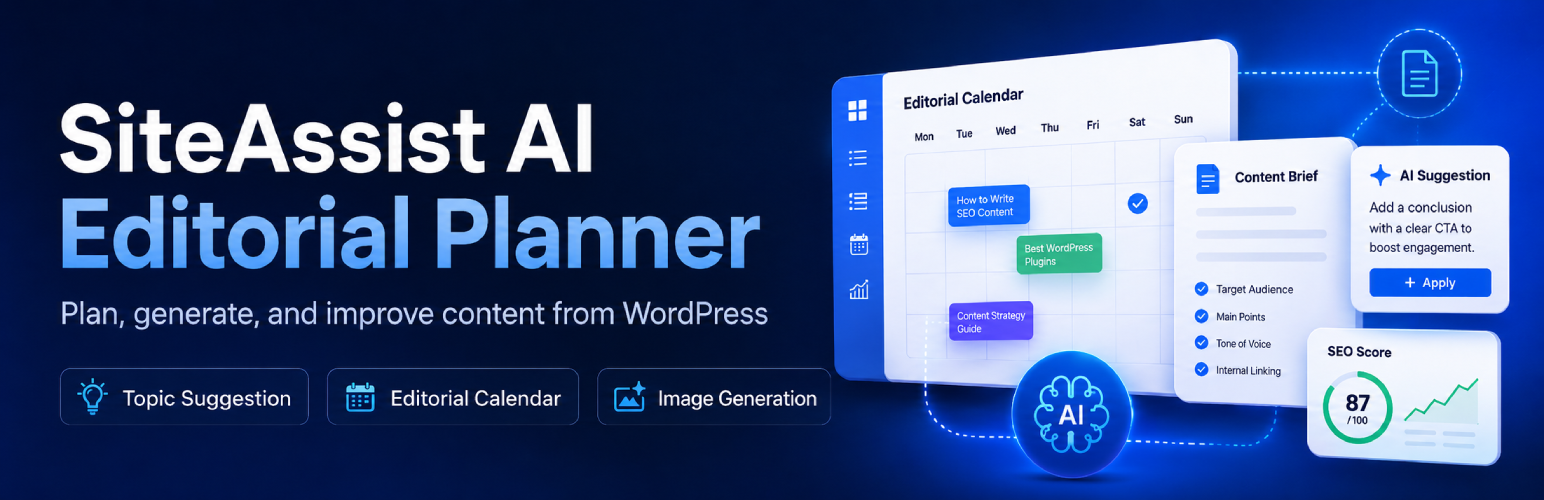

Description
SiteAssist AI Editorial Planner helps WordPress site owners build a structured publishing plan and generate AI-assisted blog articles using their own OpenAI API key.
The plugin can scan existing site content, build a brand profile, suggest article topics, organize them into a calendar, generate draft or published articles, create featured images, and estimate OpenAI API costs before content is generated.
Major capabilities include:
- Site scan and content inventory for topic planning.
- Brand profile generation and editing.
- Publishing plan controls for frequency, article length, writing style, author, and category.
- Editorial calendar with calendar and list views.
- AI-assisted topic generation.
- Article generation and post status handling.
- Basic contextual internal linking controls.
- Basic AI featured image generation.
- Monthly API cost estimate and tracked usage summary.
- Support for sites protected by HTTP Basic Authentication during scans.
- BlogPosting structured data for all published WordPress posts, with duplicate-provider detection.
- Optional IndexNow notification when a SiteAssist article is first published, with external-provider detection and latest submission status.
This plugin requires an OpenAI API key. OpenAI API usage is billed separately by OpenAI based on the prompts, tokens, and image generation settings used.
The WordPress.org plugin includes the core planning, calendar, article generation, and basic featured image workflow.
Premium Features
An optional separately distributed advanced version is available for teams that need deeper editorial workflows, including SEO campaign planning, editorial review tools, automation workflows, and advanced image controls. Learn more at WPAssist website.
Premium features include:
- SEO campaign planning and campaign-aware topic generation.
- Final Article Quality Review for direct-answer clarity, entity clarity, extractable explanations, editorial quality, AI Readiness scoring, and schema suggestions.
- Internal Link Review and CTA Alignment for stronger anchors, linked sentences, destination variety, and final CTA fit.
- Balanced and Advanced Evidence Depth controls with exact-page source matching and final claim-to-source validation in Advanced mode.
- Advanced image controls, including prompt refresh and different-concept generation.
- Automation workflows for scheduled article generation and publishing support.
External Services
SiteAssist AI Editorial Planner connects to external services only when a site administrator uses features that require them.
OpenAI
The plugin connects to the OpenAI API at https://api.openai.com when a site administrator generates or reviews content, such as brand profiles, topic ideas, article drafts, article improvements, or AI-generated images. Depending on the feature being used, requests may include site scan summaries, brand profile details, article topics, selected settings, article draft content, internal-link candidates, image prompts, generated image data used for optional composition review, and related generation context. The plugin uses the OpenAI API key saved by the site administrator, and OpenAI API usage is billed separately by OpenAI.
OpenAI Terms and Policies: https://openai.com/policies/
OpenAI Platform: https://platform.openai.com/
IndexNow
When a site administrator enables the IndexNow setting, the plugin queues the public URL of a newly published SiteAssist article for submission to the IndexNow API at https://api.indexnow.org/indexnow. The request also includes the site’s public host name and an automatically generated verification key and key-location URL. SiteAssist does not send the article content, OpenAI API key, private post data, or administrator information to IndexNow. Requests occur only when an eligible SiteAssist-generated WordPress post is published for the first time, and temporary failures may be retried in the background. Before SiteAssist sends its request, it checks whether another plugin has already submitted the same URL successfully through the WordPress HTTP API. When such a request is observed, SiteAssist avoids the duplicate and records the latest submitted URL, provider, and HTTP response for display in the SEO settings. This coordination is not limited to SEOPress or another specific SEO plugin. IndexNow is used by participating search engines and does not submit the article to Google.
IndexNow Documentation: https://www.indexnow.org/documentation
IndexNow Terms of Service: https://www.indexnow.org/terms
Freemius
This plugin includes the Freemius SDK to provide opt-in account connection, license/account screens, update handling for separately distributed paid versions, and optional usage/account communication. The SDK may connect to Freemius services, including https://api.freemius.com and related Freemius endpoints, when a site administrator opts in, activates a license, opens Freemius account screens, or uses Freemius-powered update and account-management features.
Data sent to Freemius may include plugin slug/version, site URL, WordPress and PHP environment details, administrator account/contact details supplied during opt-in or account connection, account identifiers, and diagnostic data needed for licensing, updates, account management, and support.
Freemius Terms of Service: https://freemius.com/terms/
Freemius Privacy Policy: https://freemius.com/privacy/
Installation
- Upload the
siteassist-ai-editorial-plannerfolder to the/wp-content/plugins/directory, or install the ZIP file from the WordPress Plugins screen. - Activate SiteAssist AI Editorial Planner from the Plugins screen.
- Open AI Planner from the WordPress admin menu or from the shortcut on the Plugins screen.
- Add your OpenAI API key.
- Run the onboarding steps to scan the site, generate a brand profile, configure the publishing plan, and create the editorial calendar.
FAQ
Does the plugin include an OpenAI API key?
No. The plugin is designed for bring-your-own-key usage. You add your own OpenAI API key in the plugin settings, and API usage is billed by OpenAI to that account.
How do I get an OpenAI API key?
Visit the OpenAI Platform at https://platform.openai.com/, create or sign in to an OpenAI account, and generate an API key from your developer dashboard. Keep your key private and paste it into the SiteAssist AI Editorial Planner settings screen.
Does the plugin guarantee search rankings or AI search mentions?
No. The plugin helps create structured, useful, internally aligned content that may support search visibility and AI-powered discovery, but it does not guarantee rankings, traffic, conversions, or mentions in AI answer tools.
Can the plugin delete its data on uninstall?
Yes. In Settings, enable the uninstall cleanup option before uninstalling the plugin. When enabled, uninstall removes SiteAssist AI Editorial Planner settings, the saved OpenAI API key, site scans, brand profile, generated calendar topics, usage records, and plugin-owned post metadata. It does not delete generated WordPress posts, published articles, draft articles, featured images, or Media Library attachments.
Screenshots


Changelog
0.17.68
- Bundle Freemius WordPress SDK 2.13.5. All planner changes from 0.17.67 are retained.
0.17.67
- Upgrade Luna, Terra, and Sol to GPT-6 Luna, GPT-6.1 Terra, and GPT-6.1 Sol while preserving saved selections.
- Handle model access failures individually; normalize Sol reasoning and update token pricing.
- Improve article-specific image concepts, recent-image comparison, and recovery imagery; simplify generated rendering briefs.
0.17.66
- Prevents old manual jobs and deferred reviews from attaching to a different article by requiring an exact calendar item, post, and generation-run match, and expires old job records.
- Extends numbered-title evidence planning through 10 promised items and performs a final conclusion-link reconciliation after all evidence work.
- Adds health and recovery writing safeguards for significant warning signs, pain under load, and illustrative numeric ranges, plus clearer WP-Cron and WooCommerce Action Scheduler guidance.
- Reviews rendered people for anatomy and clothing continuity, rejects severe visual defects after correction, and compares dominant palette as part of recent-image repetition checks.
0.17.65
- Treats the first successful WordPress draft save as the article completion boundary and prevents a later finishing-step timeout from relabelling an existing article as failed.
- Moves manual-generation evidence finalization and optional reviews into independent scheduled jobs, with calendar/post reconciliation before stale-job expiry.
- Adds a safety-aware featured-image retry that converts sensitive medical descriptions into a discreet, fully clothed consultation scene without exposing technical safety errors to the user.
- Makes consultation and comparison intent outrank secondary recovery mentions when choosing medical image concepts.
- Rejects narrow risk/recovery pages as final service CTAs, guards against obvious link-insertion grammar errors, and rejects unrelated AI/LLM evaluation pages as evidence for non-AI topics. (Pro only)
0.17.64
- Added a dedicated lead-quality and conversion-measurement image route for contact forms, form spam, CRM data, Google Ads, analytics, attribution, and conversion tracking.
- Restricted Different Concept selections to the article’s scene family so ambiguous words such as “tracking,” “learn,” “form,” and “performance” cannot pull unrelated articles into fitness imagery.
- Shortened refreshed image prompts while keeping article subject, action, and setting authoritative over site-wide image guidance.
0.17.63
- Made a manually edited featured-image prompt authoritative, preventing article routing, the Website Image Guide, and scene-variety logic from replacing its requested subject, posture, equipment, or setting.
- Separated negative instructions from the rendering scene and added pixel-level prompt-fidelity review for subject, action, setting, named details, and prohibited elements.
0.17.62
- Added machine-readable PubMed record verification so valid scientific sources are not discarded when PubMed’s browser page omits accessible abstract text.
- Added evidence-retrieval diagnostics and stricter atomic-claim decomposition for compound scientific comparisons. (Pro only)
0.17.61
- Fixed Regenerate Article so Advanced Evidence checkpoints continue into a fresh writer request instead of appearing as a failed red notice.
- Replaced technical background-step notices with plain task progress such as “Preparing the article” and “Writing the article,” and clears the inline progress notice while the live status indicator continues.
- Tightened headline tone, source freshness, internal-link scope, linked capability claims, editorial CTA anchors, and rendered-image contradiction review based on cross-site article QA.
0.17.60
- Marked a manual article ready as soon as its WordPress draft is safely saved, so optional reviews can never keep article buttons locked.
- Moved Internal Link Review, Final Article Quality Review, and the final evidence audit into independent scheduled jobs with separate server execution windows.
- Recovers already-saved drafts that were left in a running state by an interrupted review worker and requeues unfinished reviews.
0.17.59
- Split manual Advanced Evidence research and article writing into separate background stages so long writer requests receive a fresh server execution window.
- Protected completed drafts from optional pre-save repair calls when the remaining server time is low.
0.17.58
- Reduced Advanced Evidence generation time and paid requests by counting revalidated cached sources before replacement and recovery searches, and by limiting excess candidate verification.
- Added authenticated background-worker heartbeats at real pipeline milestones so long evidence and writing steps are not mistaken for abandoned jobs.
0.17.57
- Fixed article status polling so it no longer refreshes a dead worker’s activity timestamp and keeps the generation buttons locked indefinitely.
- Automatically expires stalled article jobs, clears their pending cron event, and recovers a saved draft when a worker stops before recording its post ID.
0.17.56
- Added content-aware featured-image routing for nutrition, recovery, research, exercise instruction, equipment, training programming, fitness technology, medical, and technical articles.
- Made article-specific subjects and natural settings take priority over recurring Website Image Guide examples, and unified this behaviour across Free and Pro code paths.
- Expanded scene variety and rendered-image review so generic lone-person gym compositions and topic-inappropriate settings can trigger a corrective retry.
0.17.55
- Added an enforceable two-source evidence floor for Balanced medical articles when exact, claim-scoped authority pages are available, including procedure-specific liposuction and plastic-surgeon guidance. (Pro only)
- Prevented source-selection prompt data and broad authority maps from surfacing unrelated UX, device, statistics, or different-procedure references in medical articles. (Pro only)
- Ranked internal links by anchor-to-destination fit so descriptive supporting links survive the configured limit instead of mismatched business-name anchors. (Pro only)
- Recognized medical procedure pages as valid service CTAs, reused natural conclusion wording before appending a fallback, and moved definitive link auditing behind all deferred cleanup. (Pro only)
0.17.54
- Corrected GPT Image 2.5 Flare and Sunburst cost estimates so projected monthly totals, retry allowances, and tracked estimated image costs use OpenAI’s model-specific output-token pricing.
0.17.53
- Added GPT Image 2.5 Flare and Sunburst support, using Flare by default with a narrow GPT Image 2 fallback when account access is unavailable.
- Added rendered-image visual review and one corrective retry for generic or recently repeated featured-image compositions, with more varied technical scene options. (Pro only)
- Improved internal-link relevance so campaign-goal-only destinations are not forced into article body copy, and removed short referral sentences left behind when an unsuitable link is unwrapped. (Pro only)
- Kept article titles, SEO titles, and primary keywords aligned to the same specific search intent while allowing a concise SEO title.
- Tightened preferred article-length ranges and applied guarded revision when a generated draft exceeds the preferred maximum. (Pro only)
0.17.52
- Additional improvements to image generation by comparing previously generated images.
0.17.51
- Improve image prompting to generate more accurate and varied featured images.
0.17.50
- Fixed HTML export to preserve internal and external linking.
- Published-article inventory limits were removed. Overlap checks now use all published posts with compact summaries, including older articles.
0.17.49
- Preserved independently verified external evidence links through deferred article normalization, removed the internal-link-count cap on external citations, and added claim-aware repair before the final evidence audit. (Pro only)
- Restricted Internal Link Review to same-site-only blocks so it cannot rewrite external evidence paragraphs, and expanded named-source attribution detection and repair. (Pro only)
- Prioritized published pages that directly match the Publishing Plan internal-link goal, including exact service pages omitted from compact site scans, and corrected sentence casing after bold list labels.
0.17.48
- Fixed SEO Strategy calendar requests that could time out before the queue was saved by limiting each Ajax batch to four topics and removing the extra paid semantic-review request from compact batches.
- Fixed transport recovery so an empty queue is reported as a generation failure instead of a green success message.
0.17.47
- Limited editorial overlap blocking to published articles and planned calendar topics; drafts, private posts, scheduled posts, service pages, and generic page references no longer make a new calendar appear fully duplicated.
- Required visible title evidence before a title-only published article can be classified as a blocking semantic duplicate, while retaining full semantic blocking for planned calendar items.
- Removed the extra paid headline-polish request from compact SEO Strategy calendar batches, reduced semantic-review payload size, and added matched-title details to overlap failures.
- Replaced the misleading empty-state “0 queue topics are now planned” status with an explicit no-topics message.
0.17.46
- Fixed calendar regeneration treating a mixed batch as unusable when only some generated topics substantially overlap with existing content; confirmed duplicate candidates are now removed while distinct topics are retained.
- Rejected empty calendar responses, retried them once, and prevented an empty response from silently replacing the existing calendar or reporting a successful zero-topic update.
- Added a final no-op guard so a calendar request that adds no topics returns an actionable error instead of a successful “0 queue topics” response.
0.17.45
- Fixed “Suggest your campaign” resolving a requested theme such as Mommy Makeover to an unrelated existing hub when the AI returned another campaign’s target URL. Suggestions now resolve the requested theme to the best matching scanned parent page before duplicate checks. (Pro only)
- Prevented user-requested campaign filtering from using a model-selected URL as the hub identity, and cleared unrelated fallback targets instead of reporting a false duplicate. (Pro only)
0.17.44
- Combined explicit content-hub selections, the fixed automatic review set, and saved priority services so manually selected hubs no longer suppress other requested parent campaigns. (Pro only)
- Rebuilt automatic hub confirmation independently of the capped visual list, preserved strategy focus when clearing generated recommendations, and resolved suggested campaigns to matching parent hubs before duplicate checks. (Pro only)
0.17.43
- Enforced saved SEO Strategy focus, exclusions, and confirmed content hubs after AI generation, canonicalizing child-page targets to the selected parent hub and preserving coverage for every confirmed service hub. (Pro only)
- Added an editable “Suggest your campaign” workflow that builds one requested campaign’s keywords, target-page actions, supporting topics, and anchor suggestions before adding it to the strategy. (Pro only)
0.17.42
- Focused automatic content-cluster discovery on the homepage and first meaningful service level, with a fixed per-scan review set so excluded candidates do not roll in from hidden pages. (Pro only)
- Carried reviewed clusters into SEO Strategy generation, added editable strategy focus and campaign fields, and made excluded clusters collapsible and restorable. (Pro only)
0.17.41
- Added 1,500-, 2,500-, and 3,500-word article options alongside the existing 1,000-, 2,000-, and 3,000-word lengths, with proportional prompt guidance, validation, output budgets, and cost estimates.
- Guarded overlength tightening against excessive reductions: revised articles must remain within the configured minimum and hard maximum, move closer to the selected target, and preserve every link; otherwise the original draft is retained for review. (Pro only)
0.17.40
- Enforced sentence case for English Key Takeaways, checklists, decision aids, and other list items during writing and final saved-HTML cleanup while preserving proper names, acronyms, filenames, and HTML attributes.
- Removed capitalization-term prompt truncation and increased manual Brand Profile input support so all saved preferred capitalization terms can guide article and headline generation.
0.17.39
- Added GPT-5.6 Luna, Terra, and Sol model profiles with explicit reasoning defaults, API-key capability detection, legacy-family fallback, and updated cost tracking.
- Preserved immutable Advanced Evidence claim IDs during recovery, clustered near-duplicate claims, and kept distinct same-family sources when they support different evidence dimensions. (Pro only)
- Improved product-specific documentation handling, named-source attribution repair, exact-topic internal-link ranking, geo-anchor cleanup, internal-link target behavior, and featured-image export alt text.
0.17.38
- Replaced keyword-span link redistribution and backfilling with exact approved-anchor matching, so SiteAssist skips a link instead of creating clause fragments such as “failures, full-site” or “design mockups, decide what the site should.” (Pro only)
- Added final-set evidence deduplication for overlapping claims from the same source family while preserving distinct evidence dimensions and preventing late restoration from re-adding a removed duplicate. (Pro only)
- Restored verified planned evidence links after late article processing only when an exact approved anchor remains in a contract-matching paragraph, with explicit diagnostics when a source is not retained. (Pro only)
- Expanded checklist sentence casing, preserved legitimate conclusion bridge sentences during CTA consolidation, and unwrapped malformed punctuation-spanning internal or external anchors during final saved-HTML cleanup.
0.17.37
- Distinguished community support threads from official platform documentation and restricted them to narrow, directly matched troubleshooting examples rather than broad maintenance, security, reliability, or business-impact claims. (Pro only)
- Preserved natural sentence-native evidence anchors containing connector words and added URL-path-aware WordPress documentation, developer-resource, and community-discussion fallbacks. (Pro only)
- Added a final saved-HTML polish pass for command-style checklist sentence casing and multiword internal anchors that contain proper product names such as WordPress.
- Enforced English (US) inquiry/inquiries spelling during final article normalization.
0.17.36
- Distributed same-family evidence links across separate relevant sections when possible, while keeping source-family diversity a quality tie-breaker rather than forcing weaker sources. (Pro only)
- Accepted strong source-native technical documentation as support for transferable testing methods without requiring the source to repeat the article’s post-update timing language verbatim. (Pro only)
- Re-ran internal-link distribution after duplicate cleanup and repositioned late contextual links when the configured link limit was already full. (Pro only)
- Improved final CTA placement and fallback wording, fixed command-style list casing, and removed visible AI-writing-process phrases such as “citation-worthy.” (Pro only)
0.17.35
- Made homepage linking site-type aware: commercial service sites may use a descriptive business-positioning homepage anchor, while editorial/blog sites exclude homepage links from contextual linking and final CTAs. (Pro only)
- Recognized campaign targets, pillar guides, related articles, and category hubs as valid editorial conclusion CTAs, and removed generic homepage CTA sentences such as “review home.” (Pro only)
- Added stronger link-distribution guidance for dense H2 sections and deterministic rejection when an evidence excerpt expresses a directional relationship that conflicts with the atomic claim. (Pro only)
0.17.34
- Fixed the final CTA lock so an already valid, topic-matched conclusion link is preserved instead of receiving a second fallback service link. (Pro only)
- Consolidated multiple service/action links inside the final CTA paragraph to one link and removed redundant deterministic fallback wording. (Pro only)
0.17.33
- Improved internal-link planning so exact-topic editorial articles remain available alongside service and CTA destinations. (Pro only)
- Fixed duplicate internal-link reconciliation and contextual backfilling so one best occurrence is retained and anchors never cross sentence or clause boundaries. (Pro only)
- Improved final article polish for sentence-case checklist labels, source-name capitalization, cautious diagnostic wording, repeated-section review, and quieter attribution diagnostics. (Pro only)
- Kept the final service CTA inside the Conclusion, replaced awkward fallback wording, and made CTA diagnostics report the anchor actually saved. (Pro only)
0.17.32
- Fixed Quick Answer score recalculation after manual article edits when WordPress saves the answer as direct section text instead of a paragraph. (Pro only)
- Fixed the Apply suggestion action so Quick Answer rewrites replace only the Quick Answer body and can never be inserted inside Key Takeaways. (Pro only)
0.17.31
- NEW: Added BlogPosting structured data for all published WordPress posts, with rendered frontend JSON-LD inspection that detects Article-family schema from any plugin, theme, or custom code before SiteAssist adds its fallback.
- NEW: Added IndexNow notifications for newly published SiteAssist articles, including generic observation of IndexNow requests made through the WordPress HTTP API, URL-level duplicate prevention, fallback submission, and display of the last submitted URL, provider, response status, and time.
0.17.30
- Fixed automatic topic suggestions being falsely rejected as duplicates of service pages, landing pages, and general internal-link candidates; the overlap guard now blocks only against published or planned editorial topics, excludes the calendar slot being replaced, and logs grounded rejection details.
- Added live claim-specific web search, exact-page and PDF verification, replacement discovery when evidence coverage is thin, verified-source caching, source-reuse controls, expanded evidence tracing, and stronger final evidence/CTA reconciliation. (Pro only)
- Consolidated AI Readiness and Editorial Quality into one cost-controlled Final Article Quality Review that respects the Quick Answer setting, applies targeted clarity and editorial fixes, saves AI Readiness scoring and schema suggestions, and runs after Internal Link Review but before the final Evidence Depth claim audit.(Pro only)
- Revamped Evidence Depth with claim-first source planning, exact-page usage contracts, non-quota Advanced linking, stricter deterministic matching, and a final claim-to-source audit. (Pro only)
0.17.22
- Improved automatic topic suggestions so high-overlap candidates are retried internally with the rejected title, closest matching content, and overlap reason used to force a materially different search intent.
- Started automatic featured-image queueing immediately after the WordPress draft is saved, before premium follow-up reviews, and refreshed the calendar image state as soon as the background job is detected.
0.17.21
- Added a numbered-title structure override and post-generation count validation so titles promising a specific number of checks, signs, steps, mistakes, questions, or similar items receive one distinct numbered section per item.
- Added a stricter evidence-source repetition and fit guard with hard cooldowns for recurring generic vendor sources and stronger topic matching for WordPress articles.
- Improved featured-image prompt fidelity by preserving the article-specific subject, action, and setting, exposing the final generation prompt, and preventing variety or Website Image Guide instructions from replacing the core concept.
0.17.20
- Added semantic topic-overlap review before generated, suggested, or manually entered topics are placed on the calendar; high-overlap topics are blocked or regenerated while related topics with distinct intent remain allowed.
- Added a topic-entry overlay for empty calendar dates and Suggest Topic actions, allowing users to enter an exact title or generate a topic automatically.
- Improved high-quality featured image startup by dispatching queued jobs through an immediate token-protected background worker while retaining WP-Cron as a fallback.
- Removed the standalone Automation Activity Log and its high-volume cron-check entries; Automation Status remains available for queue and run information.
- Added a Website Image Guide section to the Images tab with editable site-level style, avoid, and preferred-concept fields.
- Auto-populates the Website Image Guide from the Brand Profile/onboarding context when the fields are empty.
- Applies the saved Website Image Guide to generated image prompts, prompt refreshes, and different-concept generation so generic scene templates do not override the site visual identity.
- Added Evidence Depth presets (Standard, Balanced, Advanced) to control source strictness, link specificity, and claim support without adding multiple user-facing settings.
- Added Evidence Depth to manual article generation and kept Writing Style as a site-level Publishing Plan setting.
- Improved authority source selection to reduce weak generic links and repeated source families for advanced evidence content.
- Changed manual article generation to launch through a background AJAX worker instead of a direct WP-Cron callback, reducing header/output conflicts during long generation jobs.
- Improved background job status handling so non-fatal PHP warnings are not shown as article-generation failure messages.
- Added background status polling so the article shows ready only after required image generation is complete.
- Deferred automatic featured image handling from manual article generation so featured images are queued after the draft is created instead of blocking article creation.
- Added internal anchor readability checks to remove incomplete, awkward, too-short, or grammatically broken internal link anchors.
- Wrapped generated Quick Answer and Key Takeaways sections in stable article-section div containers for styling and post-generation controls.
- Added generated article settings controls for author box, article author, Quick Answer, and Key Takeaways.
0.16.99
- Added background processing for featured image generation so image requests are queued and the gallery refreshes automatically when the image is ready.
- Improved image-generation polling so manual generation, regeneration, and different-concept actions keep checking the article state until the gallery updates or a failure is confirmed.
0.16.98
- Added generated image galleries so new image generations are saved as selectable candidates instead of replacing previous generated images immediately.
- Enhanced premium external source validation with final saved-HTML checks, source-name/domain mismatch cleanup, and evidence-safe link top-up after review and normalization.
- Updated readme documentation with a dedicated Premium Features section.
0.16.97
- Improved featured image prompt guidance to avoid cluttered, literal prop-heavy scenes for abstract support topics.
- Updated the free featured image workflow to use the Premium Image Model by default.
- Fixed calendar view so it opens to the current month when the current month exists in the queue.
0.16.96
- Adjusted article export CSS and JavaScript handling to follow WordPress enqueue best practices.
0.16.95
- Expanded Help tab guidance with more practical setup and review tips.
- Improved Plugin Check compatibility for redirects, export output annotations, core content filters, query parameters, and developer debug filters.
0.16.94
- Added a Help tab with concise setup guidance for site scans, brand profiles, publishing settings, SEO settings, images, and article quality review.
- Added contextual Help guidance for additional workflow areas when available.
0.16.93
- Updated the plugin name, slug, and text domain to SiteAssist AI Editorial Planner / siteassist-ai-editorial-planner for WordPress.org guideline alignment.
- Improved featured image regeneration behavior to use fresh image filenames and reduce stale cached image URLs after regenerating images.
0.16.92
- Added article export options to download a PDF or HTML version of generated articles.
- Improved link diversity, anchor text cleanup, and featured image concept variety for generated articles.
0.16.91
- Fixed Plugin Checker file deletion and query warnings in shared code.
- Fixed a fresh-install settings warning when saving publishing plan options.
0.16.89
- Updated readme documentation for the optional separately distributed advanced version.
0.16.88
- Refined shared admin styling, package separation, and documentation wording.
- Improved calendar cost display and draft preview link handling.
0.16.87
- Refined generated package separation, admin navigation, and documentation wording.
- Removed third-party cache purge hook calls from the package.
- Confirmed main plugin globals continue to use the WPAEP/wpaep prefix.
0.16.81
Improved admin stylesheet organization.
0.16.80
- Aligned free content quality markup and crawlability labels with shared readiness styling.
0.16.77
- Added translator comments for dynamic admin strings to improve internationalization compatibility.
0.16.76
- Version increment for packaged release.
0.16.75
- Standardized build guard naming to improve generated package consistency.
- Improved admin output escaping and uninstall cleanup annotations for Plugin Check compatibility.
0.16.74
- Code cleanup to simplify shared admin and planning files and refine shared calendar styles.
- Improved packaging consistency for generated builds.
0.16.73
- Refined admin and planning code organization to improve build separation and packaging consistency.
- Improved packaging consistency for generated builds.
0.16.72
- Improved onboarding prompts and calendar refresh behavior after setup changes.
0.16.71
- Refined admin asset loading and shared planning code organization.
0.16.70
- Code cleanup to simplify admin data preparation and improve packaging consistency.