


Description
SmartMailer connects your WordPress site to the SmartMailer.cz e-mail marketing service. Once configured, new contacts are sent to your SmartMailer address book automatically, at the moment they are created on your site. Contacts are sent immediately; campaign conversions use the hourly WP-Cron event or the protected cron URL shown in settings.
SmartMailer is part of WooModuly.cz, a collection of WordPress and WooCommerce plugins, see https://woomoduly.cz/produkt/smartmailer/.
Contacts are collected from:
- WordPress: new user accounts and comment authors
- WooCommerce: customers from new orders (billing name and e-mail)
- Contact Form 7: submitted form entries (with per-form field mapping)
- WPForms: submitted form entries (with per-form field mapping)
Each integration is opt-in and disabled by default. Nothing is transmitted until you enter a valid API token and turn an integration on.
Newsletter subscription form: the [smartmailer_form] shortcode and the SmartMailer: subscription form block show the subscription form of your SmartMailer address book. The visitor’s browser sends it directly to SmartMailer, which sends a confirmation e-mail (double opt-in) and adds the contact only after confirmation. The form needs no API token and works without the integrations.
Contacts are not sent retroactively, only from the moment you set the plugin up. To import existing WordPress and WooCommerce contacts, the plugin can generate a CSV file that you import in the SmartMailer administration.
This plugin requires a SmartMailer.cz account. SmartMailer.cz is a third-party service; see the External services section below.
Campaign links use ?id_smartmailer=<campaign UUID>. The last campaign click is kept for 365 days by default. With WP Consent API installed, the marketing category must be allowed before the cookie is stored or used. A qualifying WooCommerce order sends its campaign UUID and an anonymous, stable order identifier to SmartMailer. No order amount or customer data is included in conversion requests.
On a new installation, only contacts with marketing consent are sent. Registration and WooCommerce checkout show an optional checkbox. In Contact Form 7 and WPForms, map the consent checkbox to CONSENT. Comments have no consent field and are skipped when this option is on. Updates keep the previous contact transfer behavior and display a reminder in settings.
External services
This plugin connects to the SmartMailer.cz e-mail marketing service to synchronise your contacts. The connection is required for the plugin’s core functionality.
When an integration is enabled, the plugin sends contact data (first name, last name and e-mail address) to the SmartMailer API at the moment a contact is created on your site (a user registers, a comment is posted, a WooCommerce order is placed, or a Contact Form 7 / WPForms form is submitted). Requests are made over HTTPS and authenticated with the API token you enter in the settings.
No data is sent until you enter a valid API token and enable at least one integration. The CSV export feature generates a file for download in your browser and does not transmit data to SmartMailer.
The subscription form is sent by the visitor’s browser directly to SmartMailer (https://smartmailer.cz/subscribe/<form UUID>) when the visitor submits it: the e-mail address, the consent checkbox and an empty anti-spam field. Your WordPress server does not take part in the submission. SmartMailer records the visitor’s IP address as part of the consent record and for abuse limits, sends the confirmation e-mail and shows the result page. Nothing is sent when a page with the form is only displayed.
- Service provider: SmartMailer.cz (https://smartmailer.cz)
- API endpoint: https://smartmailer.cz/api/v1/
- Subscription form endpoint: https://smartmailer.cz/subscribe/
- Terms of Service: https://smartmailer.cz/obchodni-podminky
- Privacy Policy: https://smartmailer.cz/zasady-ochrany-osobnich-udaju
Installation
- Upload the
smartmailerfolder to the/wp-content/plugins/directory, or install the plugin through the Plugins screen in WordPress. - Activate the plugin through the Plugins screen.
- Open SmartMailer in the admin menu.
- Enter your API token (SmartMailer administration → Settings → API → Generate) and the address book UUID.
- Enable the integrations you want (WordPress, WooCommerce, Contact Form 7, WPForms).
- For a newsletter subscription form, open SmartMailer → Subscription form, paste the hosted form page address from SmartMailer (Address books → Edit address book → Subscription form) and insert the
[smartmailer_form]shortcode or the SmartMailer: subscription form block.
FAQ
Do I need a SmartMailer.cz account?
Yes. The plugin synchronises contacts into a SmartMailer.cz address book and requires an API token from your SmartMailer account.
Are existing contacts imported automatically?
No. Synchronisation starts when you enable an integration. For existing WordPress and WooCommerce contacts, use the CSV export and import it in SmartMailer.
Does the plugin work without WooCommerce?
Yes. WooCommerce, Contact Form 7 and WPForms integrations appear only when those plugins are active.
How do I add a newsletter subscription form?
In SmartMailer, open the address book, turn its subscription form on and keep the e-mail confirmation (double opt-in) on. Paste the hosted form page address in SmartMailer → Subscription form and insert the [smartmailer_form] shortcode or the SmartMailer: subscription form block, for example in a footer widget. Use the same consent wording as in SmartMailer, which stores it with the contact.
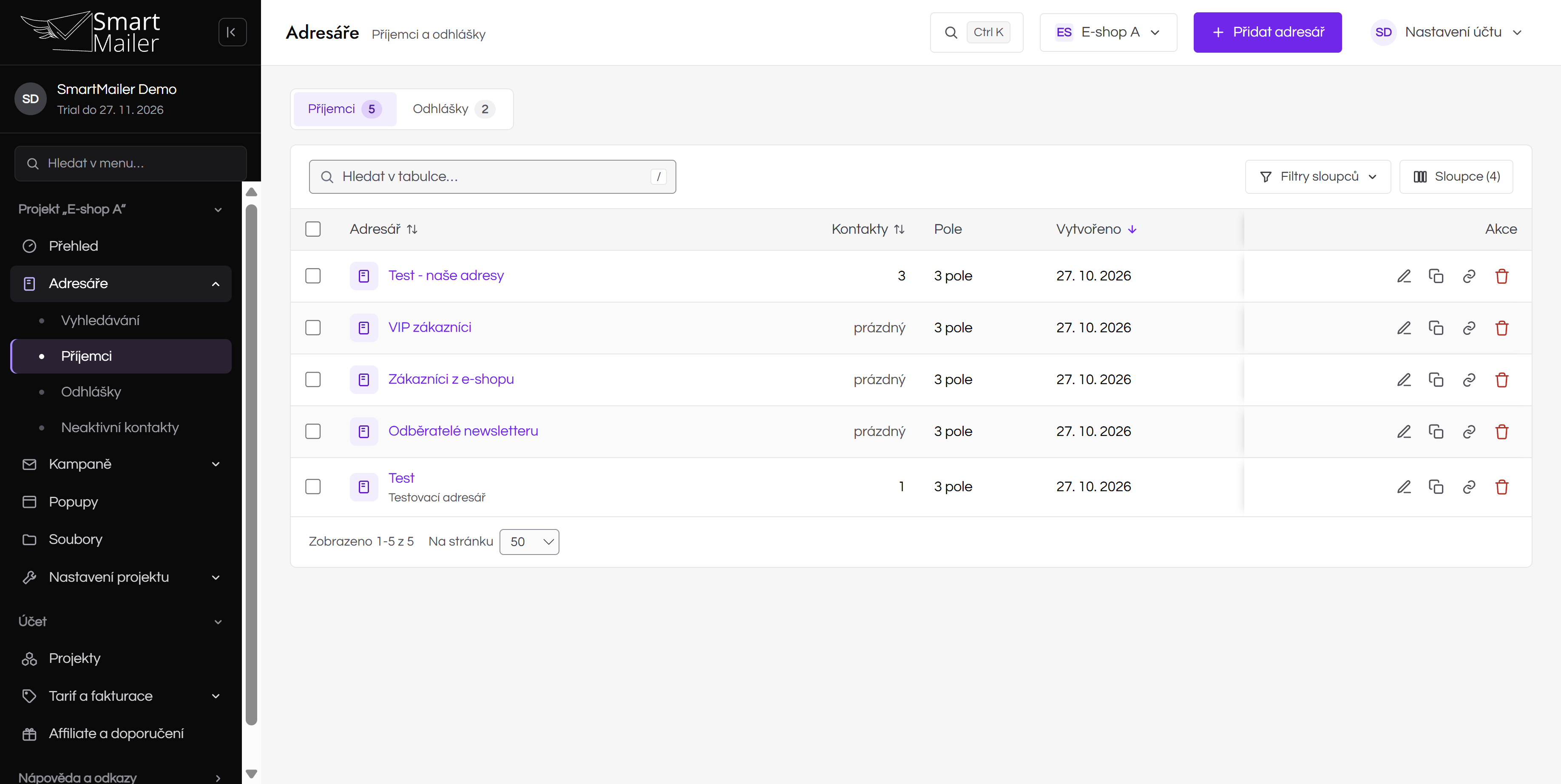
Screenshots




Changelog
1.3.0
- Newsletter subscription form: the
[smartmailer_form]shortcode and the SmartMailer: subscription form block for the subscription form of a SmartMailer address book with confirmation by e-mail (double opt-in). The visitor’s browser sends the form directly to SmartMailer; the form needs no API token.
1.2.0
- Campaign attribution and WooCommerce conversion tracking with configurable order statuses, cookie lifetime and first-order attribution.
- Stable anonymous conversion IDs, batching and retries after API errors.
- Marketing consent for accounts, checkout and mapped Contact Form 7 / WPForms fields. Enabled by default on new installations; existing settings are preserved.
- Users created through WP-CLI are also synchronised with SmartMailer according to the configured consent settings.
1.1.9
- Contact Form 7 and WPForms field mappings saved by the older self-hosted version of the plugin are carried over once after the update; mappings filled in since then are kept.
- Comments marked as spam or moved to the trash are no longer sent to SmartMailer.
1.1.8
- Admin page titles, texts and translations use a colon instead of long dashes.
1.1.7
- Fix contact e-mail fields and per-form mapping for WordPress, Contact Form 7 and WPForms.
- Serialize multi-value form fields for the API, preserve bulk-delete payload compatibility and clean up per-form settings on uninstall.
1.1.6
- The plugin page now links to WooModuly.cz, the WordPress and WooCommerce plugin collection this plugin is part of.
1.1.5
- Full internationalization: English source strings + bundled Czech and Slovak translations (text domain
smartmailer).
1.1.4
- Rewritten to native WordPress; removed the bundled Nette and Latte libraries (smaller footprint, no dependency conflicts).
- Removed the self-hosted updater; updates are now delivered through WordPress.org.
- Prepared for the WordPress.org plugin directory: GPL license, readme and external-service disclosure.
1.1.3
- Hardening: access-control, nonce and capability checks on the data export; CSV formula-injection protection; request timeouts on API calls.
1.1.2
- Maintenance release.