


Description
SMNTCS Adobe Typekit Fonts loads your Adobe Fonts web project on every page of your site. Paste the embed code from Adobe Fonts into the Customizer, add the CSS rules that use your fonts, and you are done.
Features
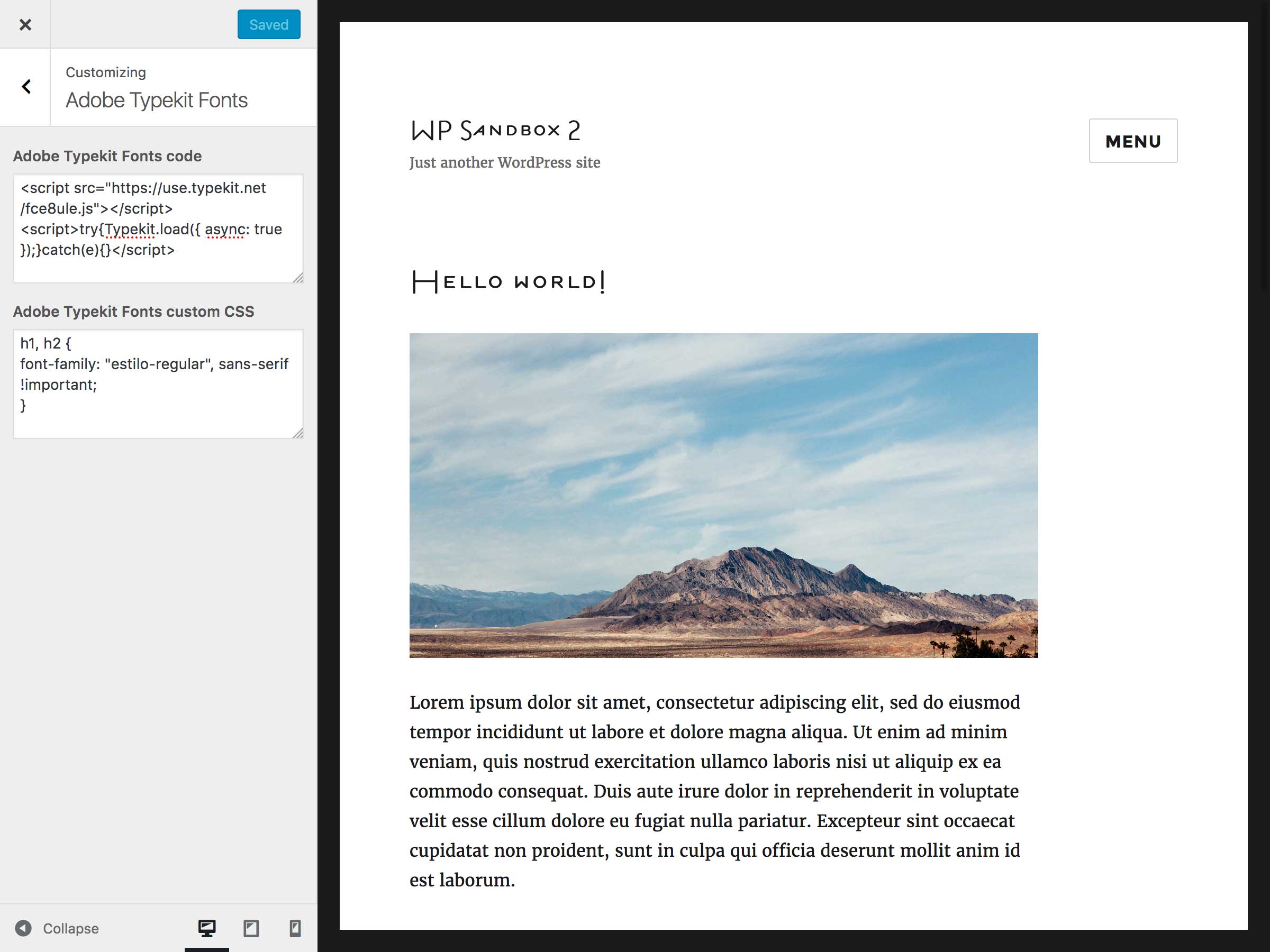
- Paste the Adobe Fonts embed code in the Customizer
- Add custom CSS for your font rules in the same place
- No theme changes needed
Installation
- Upload
smntcs-adobe-typekit-fontsto the/wp-content/plugins/directory. - Activate the plugin through the
Pluginsmenu in WordPress. - Go to
Appearance»Customize. - Provide your Adobe Typekit Fonts code.
- Customize the CSS according to your needs.
FAQ
Why am I not able to save the Adobe Typekit Fonts code?
This issue might be caused by a security plugin. If you use a security plugin, e.g. Wordfence, then disable it to save your Adobe Typekit Fonts code and activate it once you’re done.
Screenshots
Changelog
2.1 (2026.09.26)
- Test up to WordPress 7.1
- Update development dependencies and GitHub Actions
- Fix the number of arguments passed to hook callbacks
2.0 (2025.03.22)
- Tested up to WordPress 6.8
1.9 (2024.07.24)
- Tested up to WordPress 6.6
1.8 (2023.10.15)
- Tested up to WordPress 6.4
1.7 (2022.12.03)
- Tested up to WordPress 6.1
1.6 (2022.10.02)
- Adjust GitHub Actions trigger
1.5 (2019.05.12)
- Tested up to WordPress 5.2
1.4 (2019.04.05)
- Refactored based on PHPCS and WPCS
1.3 (2019.02.20)
- Tested up to WordPress 5.1
1.2 (2018.03.18)
- Added README.md
1.1 (2016.12.24)
- Added FAQ
1.0 (2016.10.16)
- Initial release