

Description
AI answer engines can only cite pages they can read. This plugin checks, from inside your dashboard, whether they can read yours, and keeps checking.
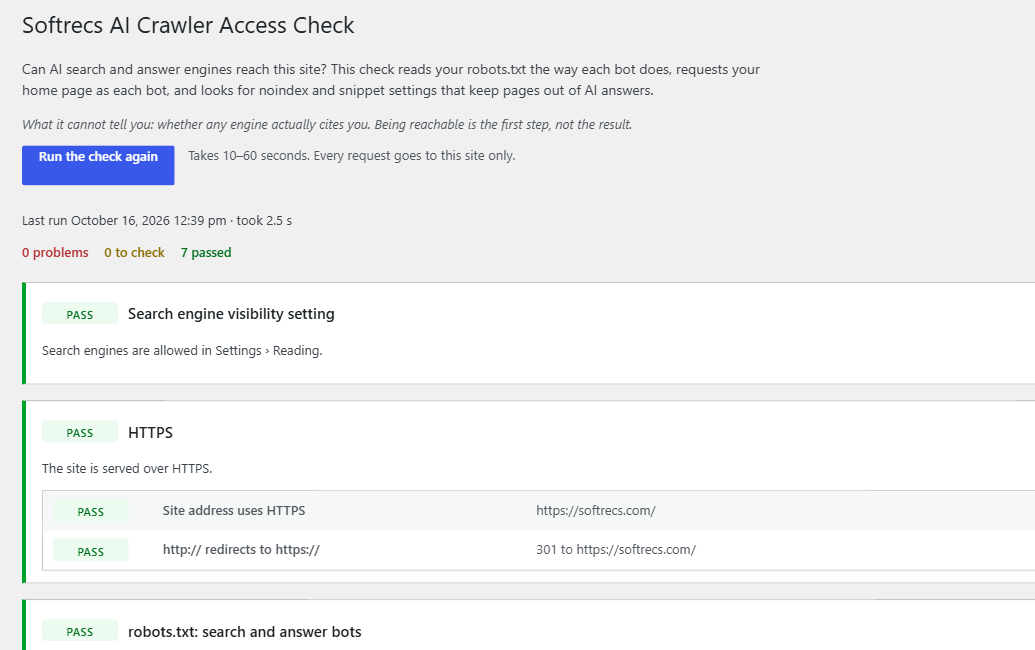
Go to Tools › AI Crawler Checker and press Run the check. It looks at:
- robots.txt for search and answer bots. Googlebot, Bingbot, OAI-SearchBot, ChatGPT-User, Claude-SearchBot, Claude-User, PerplexityBot and Perplexity-User. Rules are matched the way RFC 9309 says (the longest rule wins, Allow wins a tie), against your home page, newest post, newest page and up to five pages you choose.
- A live request as each bot. robots.txt can allow a bot while a firewall, security plugin or CDN still refuses it. The plugin requests your home page with each bot’s user agent and compares the answer with a normal browser request. It also spots bot challenge pages.
- Indexing and snippet controls.
noindex,nosnippetandmax-snippet:0in meta tags and the X-Robots-Tag header, a canonical that points to another site, and the “Discourage search engines” setting. Google says a page must be indexed and eligible for a snippet to appear in AI Overviews and AI Mode. - XML sitemap, and whether robots.txt lists it.
- Text in the raw HTML. Most AI crawlers do not run JavaScript, so text added by scripts is invisible to them.
- HTTPS, and whether http:// redirects to https://.
When something fails, the row opens into fix steps for that cause: where your robots.txt is edited (a real file, Yoast, Rank Math or All in One SEO), the exact lines to copy, and where to look in Wordfence, Cloudflare, Sucuri or your host’s firewall when a bot is refused. If the site is behind Cloudflare or Sucuri, the plugin notices and says so.
New in 1.1
- Bot visit log. See when Googlebot, Bingbot, GPTBot, ClaudeBot, PerplexityBot and the rest last visited, which page they opened and how often they come.
- Weekly check with an email alert. The check runs once a week and emails the site admin only when something that passed stops passing, for example after a security plugin update starts blocking a bot.
- Your own pages. Add up to five URLs, such as pricing or your top guide, to the checks.
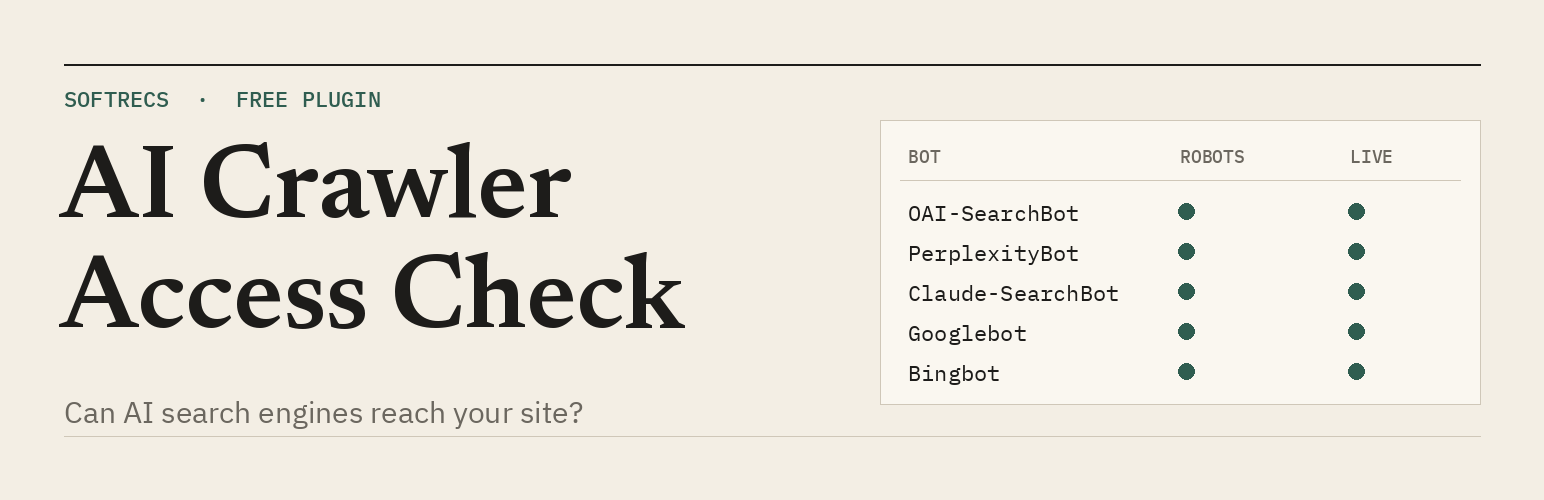
- Bot-by-bot grid, a summary card and a dashboard widget.
Two things are reported but never scored:
- AI training bots (GPTBot, ClaudeBot, Google-Extended, Applebot-Extended, CCBot, meta-externalagent). Blocking these is your choice. It does not remove you from search results or AI answers, so it does not count against you.
- llms.txt. Google has said its Search features do not use it, and no major AI engine has said it reads the file when choosing what to cite. The plugin tells you whether you have one and leaves it at that.
What it cannot tell you
Whether any engine actually cites you. Being reachable is the first step, not the result. The plugin also runs from your own server, so blocks based on the bots’ IP addresses will not show. A clean live test means no user-agent rule is blocking them.
The visit log matches bots by user agent, which can be faked, so it is a sign rather than proof. Visits served from a page cache (LiteSpeed, WP Rocket, a CDN) never reach WordPress and are not logged.
Privacy
Every request the plugin makes goes to your own site. It sends nothing to any other server, sets no cookies on visitors and adds nothing to the front end of your pages.
The visit log stores, per bot, the time of the last visit, the last few page paths and a visit count. It does not store IP addresses or anything about human visitors. The weekly alert is sent with WordPress’s own mail function to the admin email in Settings › General. Logging and the weekly check can each be switched off, and everything the plugin stores is deleted when you delete the plugin.
Installation
- Install from Plugins › Add New, or upload the folder to
/wp-content/plugins/. - Activate it.
- Go to Tools › AI Crawler Checker and press Run the check.
FAQ
How do I check if GPTBot or OAI-SearchBot can reach my site?
Go to Tools › AI Crawler Checker and press Run the check. The bot-by-bot grid shows, for GPTBot, OAI-SearchBot and each other bot, whether robots.txt allows it and whether your server answers its user agent. OAI-SearchBot is the one that matters for ChatGPT search results. GPTBot only collects training data, so blocking it does not remove you from ChatGPT answers.
How do I block AI bots in WordPress?
This plugin does not block anything. It shows what your robots.txt and server already do. To block a training bot such as GPTBot or CCBot, add a group for it to robots.txt (User-agent: GPTBot, then Disallow: /), in your SEO plugin’s robots.txt editor or in the real file. Leave Googlebot, Bingbot, OAI-SearchBot, Claude-SearchBot and PerplexityBot allowed if you want to appear in AI answers. Run the check afterwards to confirm the rule does what you meant.
The log shows ChatGPT-User or Googlebot asking for /credentials.json or /proc/self/environ. Is that the real bot?
Almost certainly not. Scanners put a well-known bot’s name in their user agent while they hunt for leaked keys and config files. On four of our own sites, most “ChatGPT-User” and “Perplexity-User” log entries over three weeks were requests like these. The log matches by user agent, so treat odd paths as a scanner, keep your firewall on, and make sure those files are not in your web root.
Why is Google-Extended not marked as a problem?
Google-Extended only controls whether Google may use your content to train Gemini models. It does not affect Google Search, AI Overviews or AI Mode. Those use Googlebot.
A bot shows “Refused” but my robots.txt allows it. Why?
Something in front of WordPress is blocking that user agent: a security plugin, a firewall rule at your host, or a CDN bot setting. Open “How to fix this” under the row for the places to look.
Googlebot shows “Refused”, but Google Search Console says it can crawl my site.
Some firewalls, Cloudflare and Wordfence among them, check that a request claiming to be Googlebot really comes from Google. This test comes from your own server, so it can be stopped as a fake while the real Googlebot gets through. Keep that protection on and check your firewall’s event log for the real bot.
The visit log is empty.
Bots may not have come yet, or your page cache is answering them before WordPress runs. AI bots visit far less often than Googlebot and Bingbot.
Will the weekly check email me every week?
No. It emails only when a check that passed last time fails or needs a look now.
Everything passes. Why am I still not cited?
Reachable is necessary, not enough. Which pages AI answers cite depends mostly on what other sites say about you and whether your pages answer the question better than others. The method page linked in the plugin has the data behind this.
Does it slow my site down?
No visible effect. On the front end the plugin only reads the user agent of each request and, for a known bot, writes the log at most once a minute. The check itself runs when you press the button, or once a week through WP-Cron.
Screenshots
Changelog
1.1.0
- New: bot visit log, with last visit, last page and visit count per bot.
- New: weekly automatic check that emails the admin when a passing check stops passing.
- New: add up to five of your own URLs to the checks.
- New: fix steps under each problem, with copyable robots.txt lines and the right place to look in Yoast, Rank Math, All in One SEO, Wordfence, Cloudflare and Sucuri.
- New: Cloudflare and Sucuri detection.
- New: bot-by-bot grid, summary card and dashboard widget.
- Changed: the result is now stored for the site, not per user. Results from 1.0.0 are still read.
- Changed: plugin name is now Softrecs AI Crawler Checker.
1.0.0
- First release.