

Description
Adds email return format options to Advanced Custom Fields, including a clickable mailto link.
- Email Address (default): returns the stored email address as plain text.
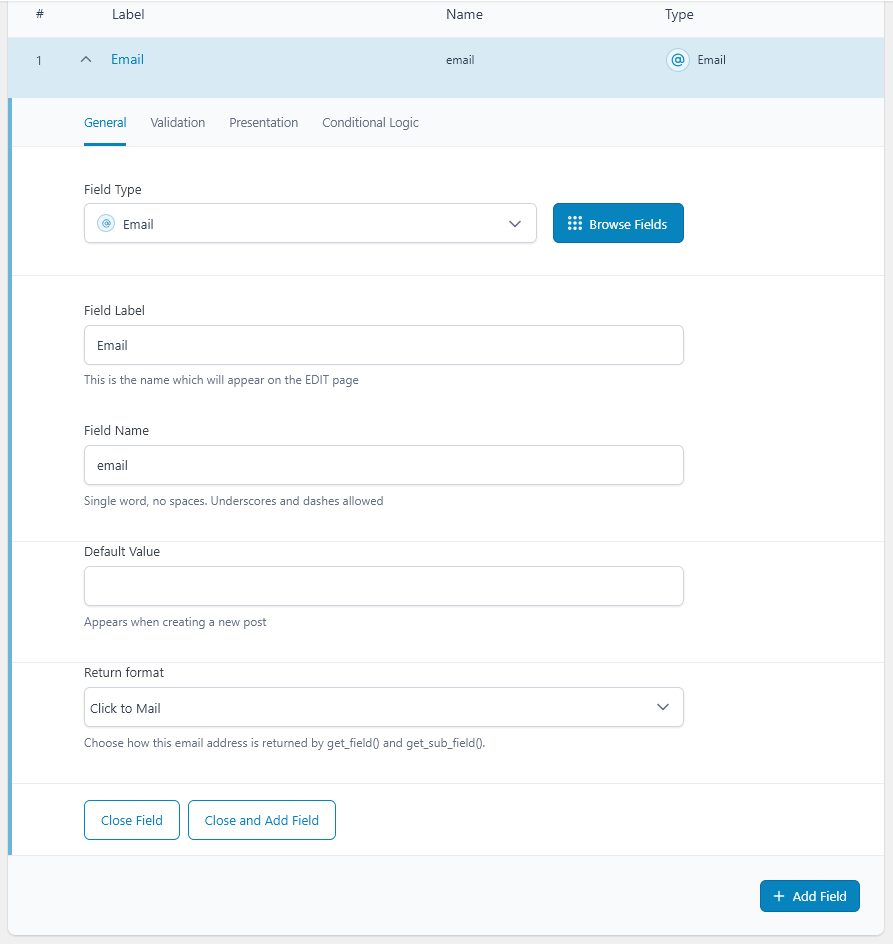
- Click to Mail: returns an escaped HTML mailto link displaying the email address.
Works with get_field() and get_sub_field(), including Advanced Custom Fields repeater subfields. Saved field values are unchanged.
Requires Advanced Custom Fields or Advanced Custom Fields PRO to be active.
When using Click to Mail in templates, output the returned HTML with wp_kses_post() instead of esc_html(). For plain email addresses, use esc_html().
Installation
- Upload the plugin ZIP using Plugins > Add New Plugin > Upload Plugin.
- Activate Advanced Custom Fields or Advanced Custom Fields PRO.
- Activate this plugin.
- Edit an Advanced Custom Fields field group, select an Email field, and choose its Return format.
Screenshots
Changelog
1.0.4
- Maintenance release with synchronized plugin and readme version numbers.
- Retained STCEFACF-prefixed functions and constants introduced in version 1.0.3.
1.0.3
- Prefix plugin functions and constants with unique STCEFACF identifiers to prevent naming conflicts.
1.0.2
- Add screenshots and fixed capitalization.
1.0.1
- Add Advanced Custom Fields initialization and missing-dependency admin notice.
1.0.0
- Initial release.