

Description
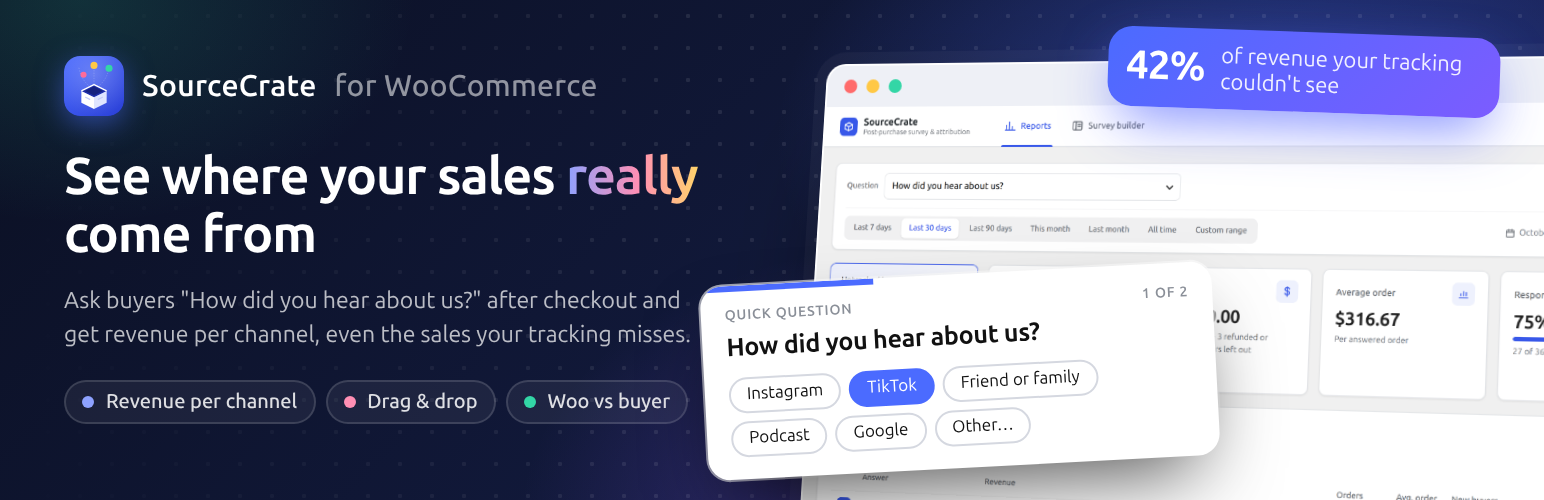
Which marketing actually brings in sales? Link tracking can’t tell you. Cookie banners, iPhone privacy rules, word of mouth, podcasts and TikTok videos leave no link to follow, so WooCommerce files those orders under “Direct” or “Unknown”. Often that is half your revenue.
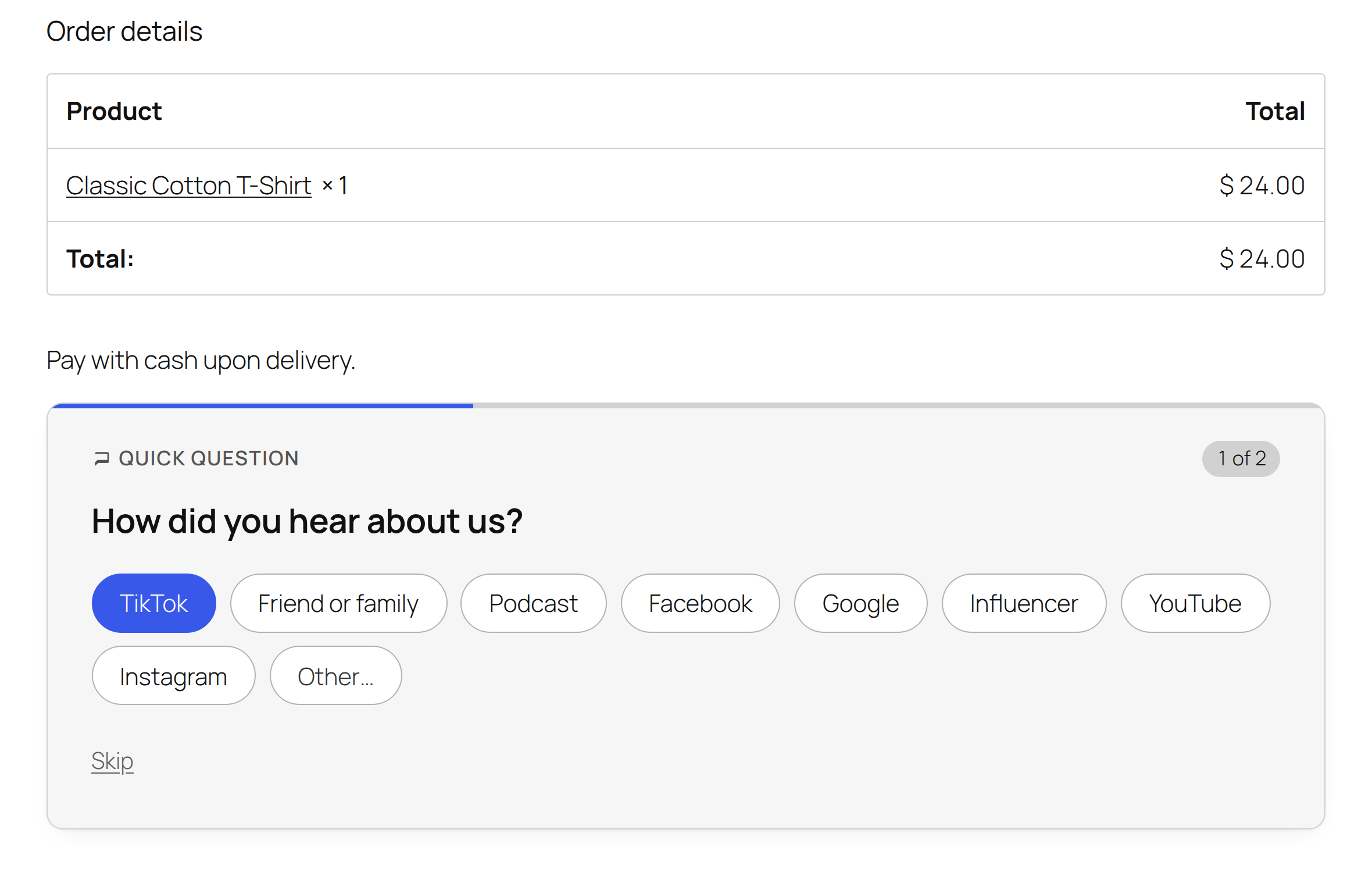
SourceCrate asks the one person who knows: the buyer. A short “How did you hear about us?” survey appears on the WooCommerce thank-you page (or at checkout), each answer is saved with its order, and you get revenue per marketing channel: “TikTok brought $4,200 this month, and 80% of those buyers were new.”
Try it first: click Live Preview above for a demo store with five weeks of answers, or open a free test site with WooCommerce and SourceCrate (by ZipWP, no sign-up).
See it in action (3 minutes)
How it works
- Activate. “How did you hear about us?” is live on your thank-you page straight away, with Google, Instagram, Facebook, TikTok, YouTube, friend or family, podcast and influencer answers.
- Buyers answer in one click. One question at a time, answers shuffled so the first one is not over-picked, and every answer is saved the moment it is given.
- See what sells. Reports show orders, revenue and new buyers for every answer, next to what WooCommerce’s own tracking recorded.
Ask the right question, in the right place
- Thank-you page, checkout, or both. At checkout it is a “How did you hear about us?” dropdown on the block or classic checkout, optional or required. “Checkout, then thank-you page” asks again after payment if the buyer skipped it.
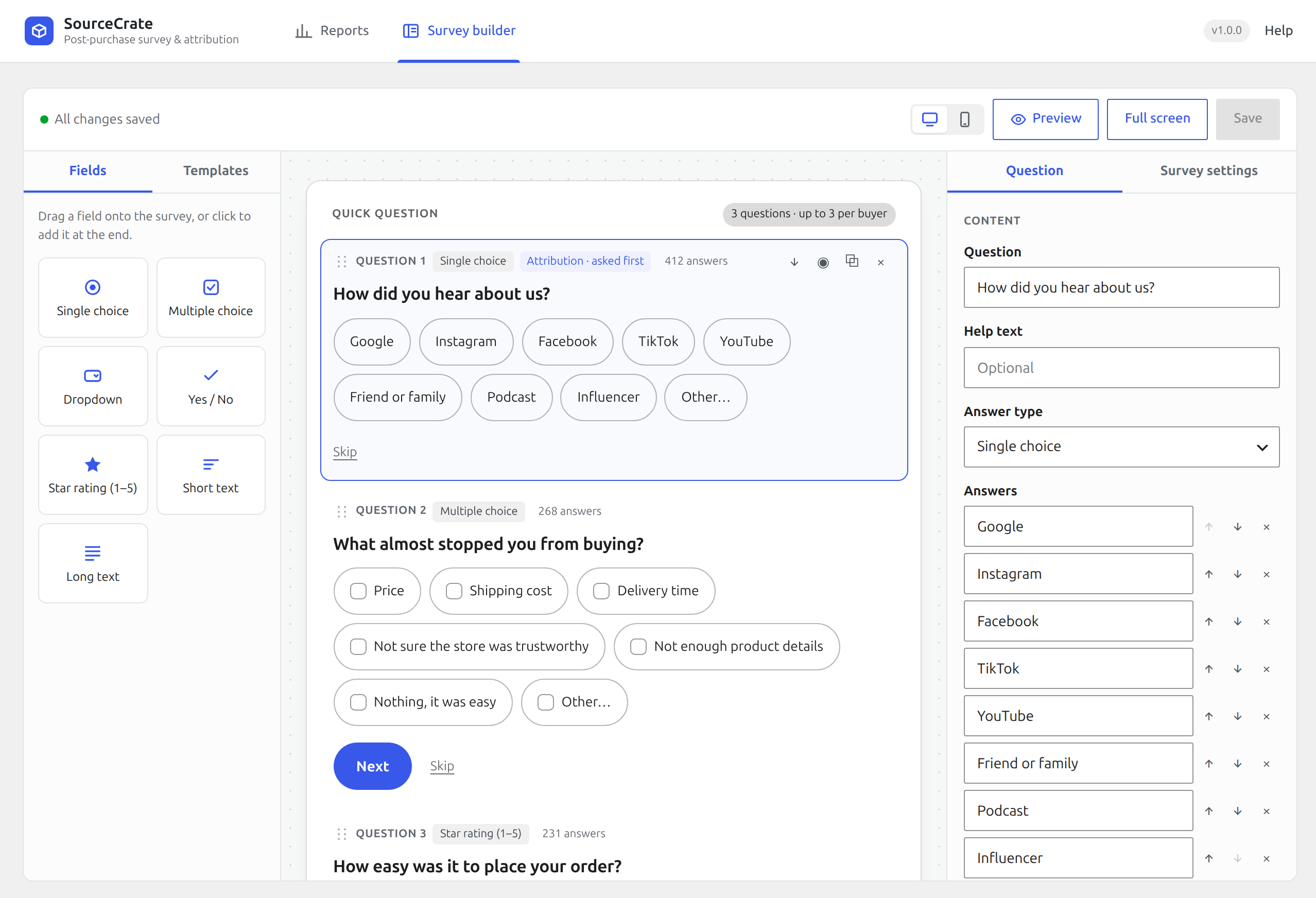
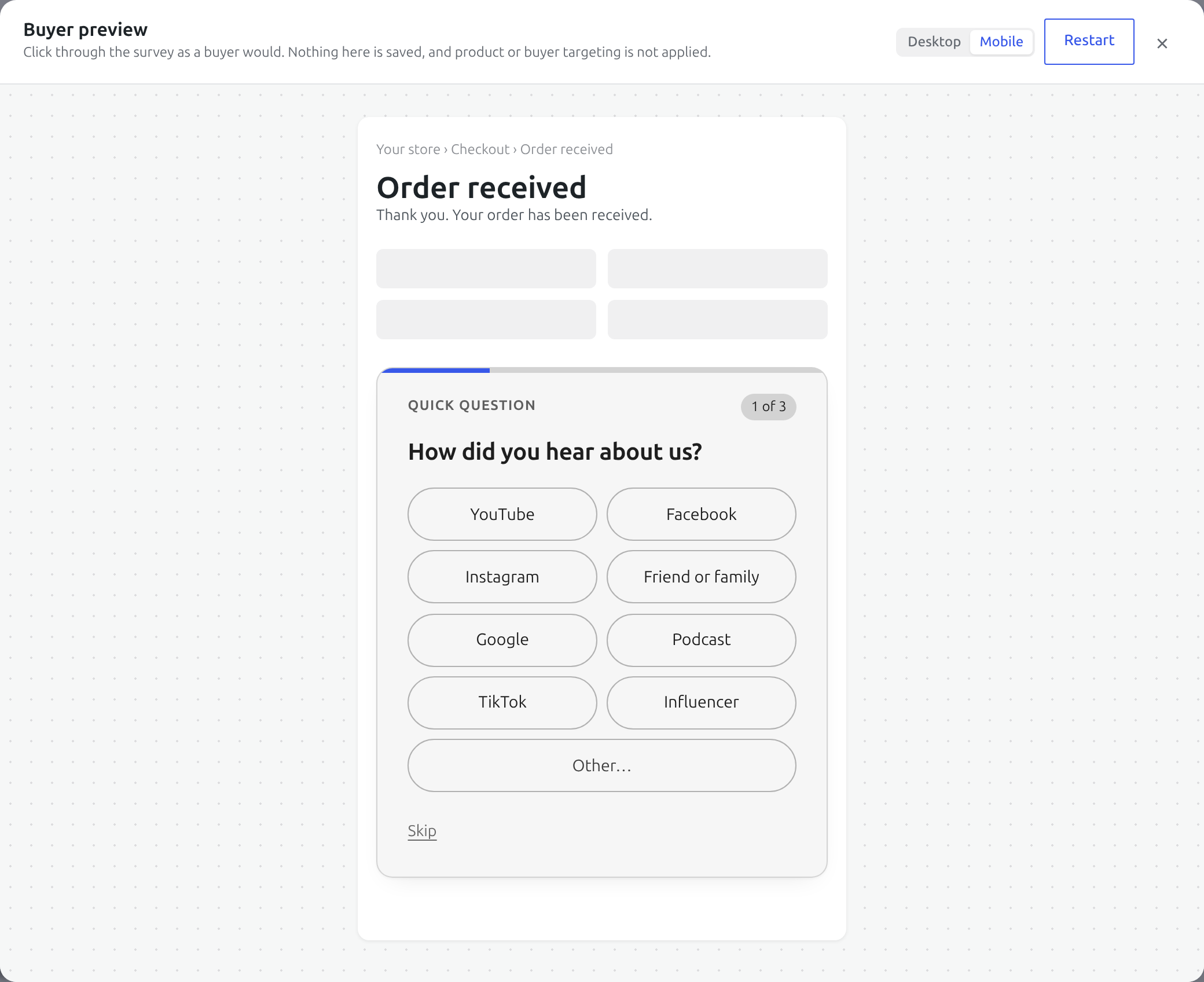
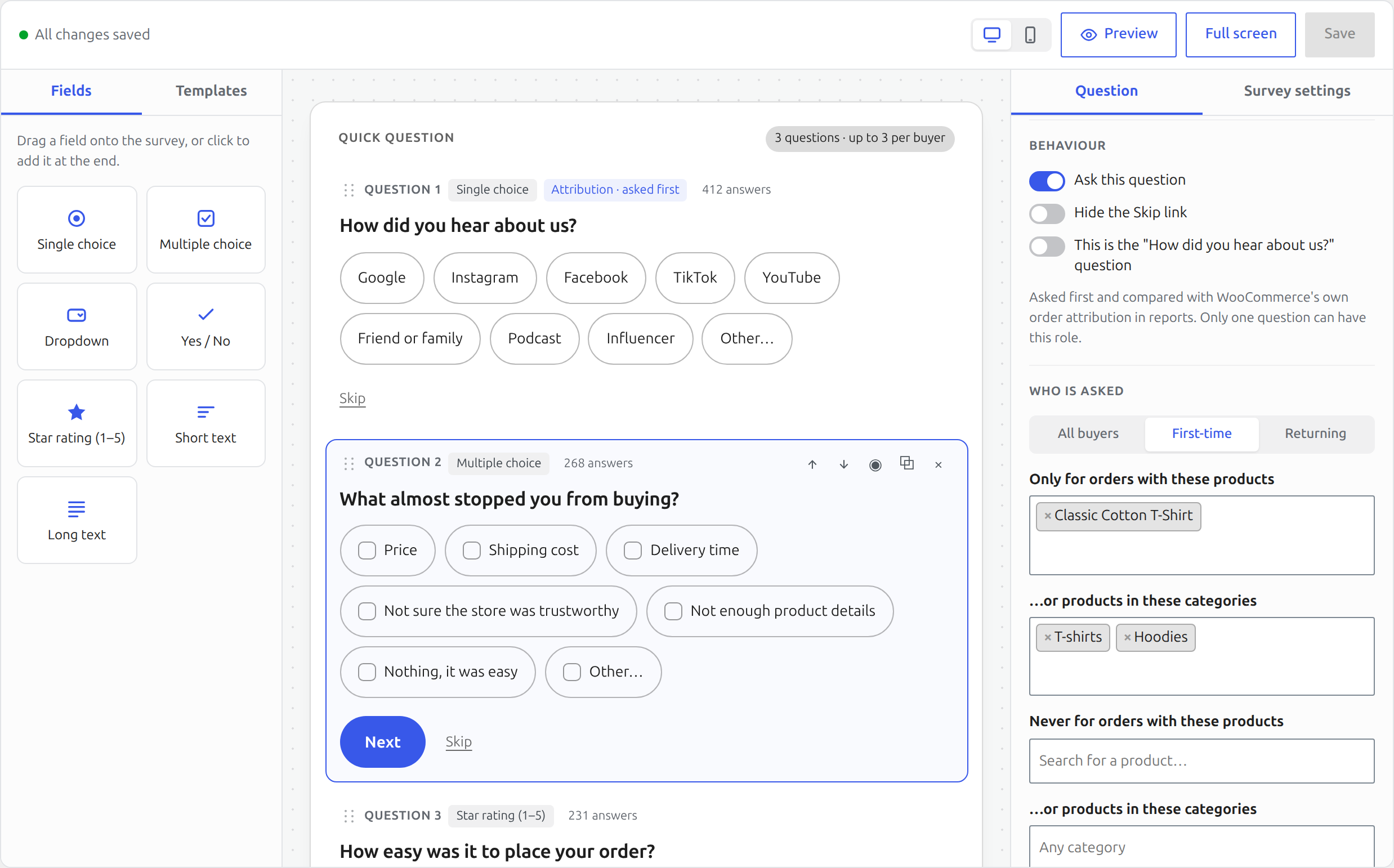
- Drag-and-drop survey builder with a live preview of the card, desktop and mobile views and a full-screen mode.
- Unlimited questions, seven answer types: single choice, multiple choice, dropdown, yes / no, 1–5 star rating, short text and long text. Add “Other” with a text box and choose whether a question can be skipped.
- Ready-made templates: “What almost stopped you from buying?”, “What made you buy today?”, “Which other stores did you consider?” and more.
- Targeting: ask first-time or returning buyers only, and only (or never) for orders with certain products or categories. Cap how many questions one buyer sees.
- A second chance on My Account: logged-in buyers who skipped the card can answer later from My Account → Orders.
See which channels bring revenue
- Revenue per answer: orders, revenue after refunds, average order value, share of orders and new vs. returning buyers, for any date range, plus your response rate.
- “Untracked by WooCommerce”: the share of revenue your link tracking marked Direct or Unknown, and where those buyers say they really came from.
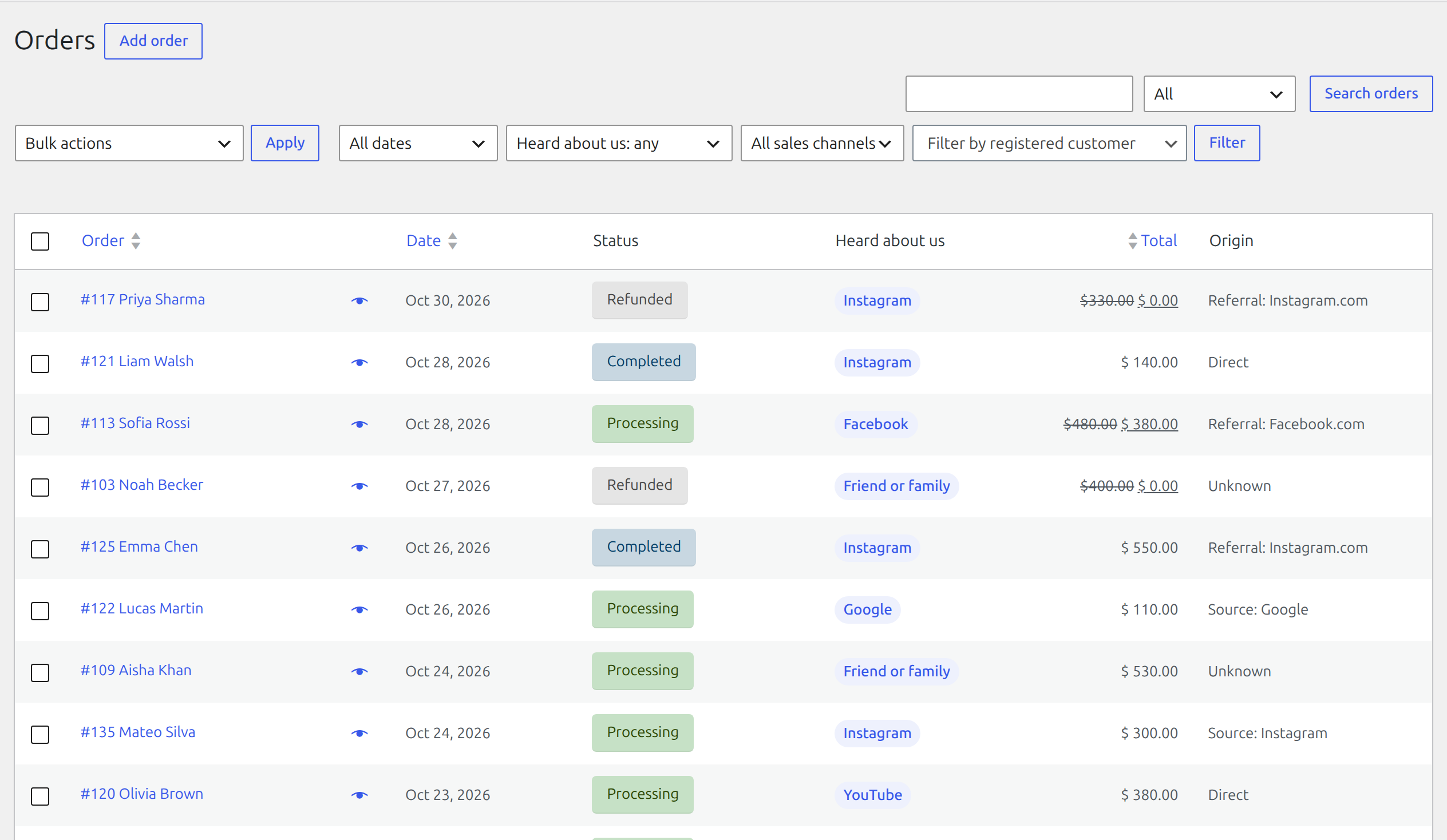
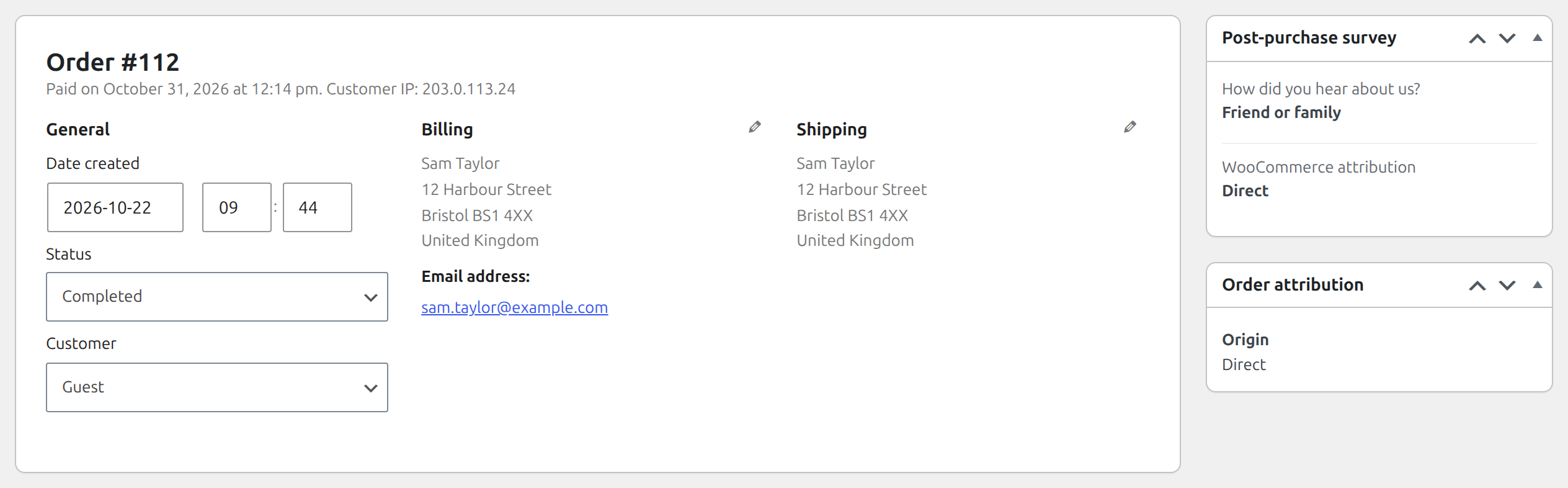
- “WooCommerce says Direct, the buyer says TikTok”: WooCommerce’s order attribution side by side with the buyer’s answer, on the report, on every order screen and as a “Heard about us” column and filter on the Orders list.
- Useful from day one: before the first answer, Reports shows your last 90 days by WooCommerce’s own tracking.
- Dashboard widget with this month’s top three channels and your response rate.
- CSV export of every answer.
Built for real stores
- Switching from Where Did You Hear About Us Checkout Field? Import its answers in one click, with their revenue and order dates, even after you deactivate it.
- Multilingual stores: translate questions, answers and card text with WPML or Polylang. Reports keep one row per answer in every language.
- Matches your theme: the card uses your theme’s fonts, colours and button styles, on block and classic themes.
- Block and classic checkout, HPOS compatible. Its script and styles load only on the order received page.
- Private by design: answers stay in your WordPress database. Nothing is sent anywhere and no account is needed. Works with WordPress’s personal data export and erasure tools.
Who it is for
WooCommerce stores that market on two or more channels (ads, social, influencers, podcasts, word of mouth) and want to know which ones sell. Patterns show from around 50 orders a month.
Why ask instead of track?
WooCommerce’s order attribution only knows the last link a buyer clicked. A buyer who heard you on a podcast, got a tip from a friend, or watched a TikTok and later typed your address shows up as “Direct” or “Unknown”. Post-purchase surveys are how large direct-to-consumer brands fill that gap, and most buyers are happy to answer in one click.
Installation
- Install and activate SourceCrate. WooCommerce must be active.
- Go to WooCommerce → SourceCrate → Survey builder. The “How did you hear about us?” question is already on.
- Edit the answers to match your marketing, or drag in more fields and templates from the left.
- Place a test order and answer on the thank-you page. Your answer shows on the order and under Reports.
FAQ
Can I try it before installing?
Yes. Click Live Preview at the top of this page to open a demo store in your browser, with five weeks of orders and answers already in the reports. For a full test site, open a free WooCommerce + SourceCrate site on ZipWP.
Where does the survey show?
On the order received (thank-you) page, above or below the order details (your choice). It works on the classic checkout and on block themes’ order confirmation page. Logged-in buyers can also answer later from My Account → Orders.
Can I ask at checkout instead?
Yes. In Survey builder → Survey settings, set Ask “How did you hear about us?” to Checkout. It becomes a dropdown in the order section of the block or classic checkout, and you can make it required. “Checkout, then thank-you page” asks again after payment if the buyer left it blank. At checkout every buyer sees the same form, so targeting and shuffling apply only on the thank-you page. The block checkout needs WooCommerce 8.9 or newer for this.
I used Where Did You Hear About Us Checkout Field. Can I keep my data?
Yes. When SourceCrate finds its answers, Reports offers to import them into your “How did you hear about us?” question, by the date each order was placed. Answers that are not in your question yet are added to it. The old plugin can be active or not. Running the import twice does not count anything twice.
The survey does not show on my thank-you page.
WooCommerce only shows order details to the person who placed the order: registered customers must be logged in, and guests see them for a short time after checkout. The survey follows the same rule. On block themes, the order confirmation template must still contain WooCommerce’s “Additional information” block, which is where WooCommerce lets plugins add content.
Will the survey match my theme?
Yes. The card uses your theme’s fonts and text colour. On block themes (such as Twenty Twenty-Five) its buttons and selected answers also use your theme’s own button colours. On classic themes it follows your text colour. You can pick any accent colour in Survey builder → Survey settings, and the “Preview” button in the builder shows the card as buyers see it.
Can buyers skip the questions?
Yes, unless you turn off the Skip link for a question.
How many questions should I ask?
As few as tell you what you need. Most stores do best with one to three. Survey builder → Survey settings → “Questions per order” caps how many one buyer sees; “How did you hear about us?” is always asked first.
What counts as a first-time buyer?
A buyer with no earlier paid order from the same account or billing email.
How is revenue counted?
Each answer carries the order total at the moment the buyer answered, minus any refunds made since. Fully refunded and cancelled orders are left out of the figures and counted separately. Every figure on the report uses the order date.
Why do the rows of a multiple-choice question add up to more than the total?
A buyer who picked two answers counts under both. The “All answered orders” line counts each order once.
Does it work with HPOS?
Yes.
Does it slow down my store?
No. The survey’s small script and stylesheet load only on the order received page, and only when there is a question to ask that buyer. Reports run in the admin only.
Is it translation ready?
Yes. Every string uses the sourcecrate-post-purchase-survey text domain and can be translated on translate.wordpress.org. Your own questions and answers are typed in whatever language you like.
Does it work with WPML or Polylang?
Yes. Your questions, answers, card title and thank-you message are registered as strings in the “SourceCrate” group. Translate them in WPML → String Translation or Languages → Translations in Polylang, and buyers see the card and the checkout question in their language. Reports keep one row per answer whatever language the buyer saw.
Is any data sent to you or a third party?
No. Everything stays in your site’s database.
What happens to my data if I delete the plugin?
By default your questions and answers are kept, so reinstalling picks up where you left off. To remove everything, turn on “Delete all questions and answers when the plugin is deleted” under Survey builder → Survey settings before deleting the plugin.
Screenshots




Changelog
1.1.3
- Fix: the survey builder said “1 questions” and “1 answers”. Counts now use the correct singular and plural in every language.
1.1.2
- New: Live Preview on wordpress.org opens a demo store with five weeks of answers.
- Clearer plugin name and description.
1.1.1
- New: translate your questions, answers, card title and thank-you message with WPML or Polylang. Reports keep one row per answer across languages.
1.1.0
- New: ask “How did you hear about us?” at checkout, on the thank-you page, or at checkout and again after payment if skipped. Works on the block and the classic checkout, optional or required.
- New: import answers from the Where Did You Hear About Us Checkout Field plugin, with their revenue and order dates.
- New: logged-in buyers who skipped the card can answer from My Account → Orders.
- New: place the card above or below the order details.
- New: before the first answer, Reports shows the last 90 days by WooCommerce’s own tracking.
- New: dashboard widget with this month’s top channels and response rate.
1.0.0
- First release.
- Survey card on the thank-you page for block and classic checkout, one question at a time, each answer saved as it is given.
- Drag-and-drop survey builder with unlimited questions, seven answer types, templates and “Other” with a text box.
- Targeting by first-time or returning buyer, product and category, with a questions-per-order cap.
- Reports: revenue, orders and average order value per answer, response rate, any date range, refunds and cancellations shown apart.
- WooCommerce order attribution compared with what buyers said, on the report, the order screen and the Orders list.
- CSV export, personal data export and erasure, HPOS support.