

Description
Sports Leagues turns WordPress into a league website for basketball, ice hockey, handball, rugby, volleyball, cricket, baseball and other team sports. You enter teams, players and games. The plugin builds the standings, player stats, game pages and tournament pages from them.
It’s made for sports clubs, league admins, coaches and sports bloggers. You don’t need to write code.
⚠️ Before You Start
- One sport per site – each install is set up for one sport, because positions, stats and rules differ between sports
- Requires CMB2 – the free CMB2 plugin must be installed
- Soccer / football? – use our Football Leagues plugin instead
🏀 Live Demo Sites
Free Version:
🏒 Ice Hockey: Tournament | Game | Team | Player
Premium Version:
🏀 Basketball (NBA): Home | Game | Team | Player
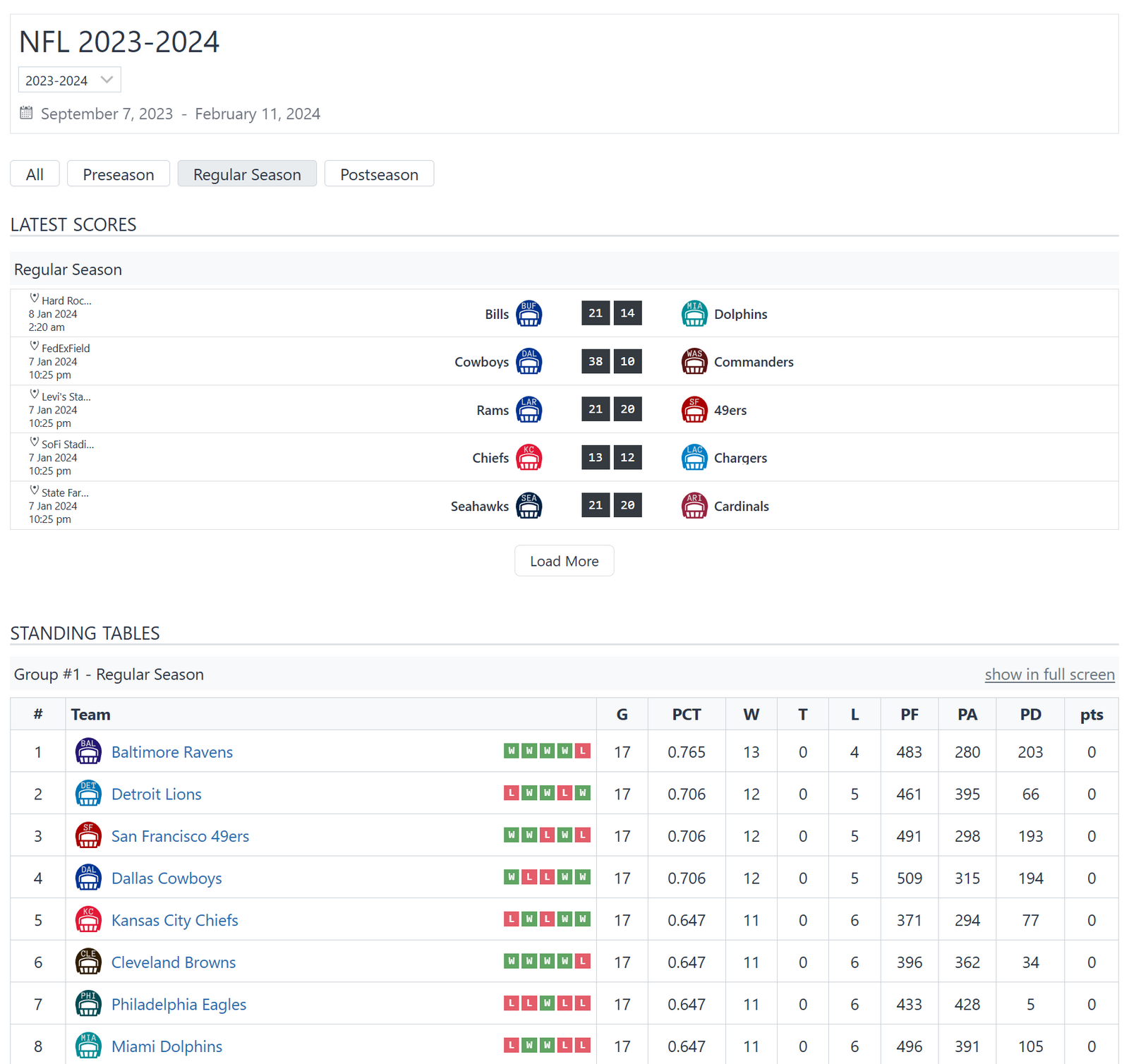
🏈 American Football: Home | Game | Team
🏒 Ice Hockey: Tournament | Game
✨ Core Features
League Management
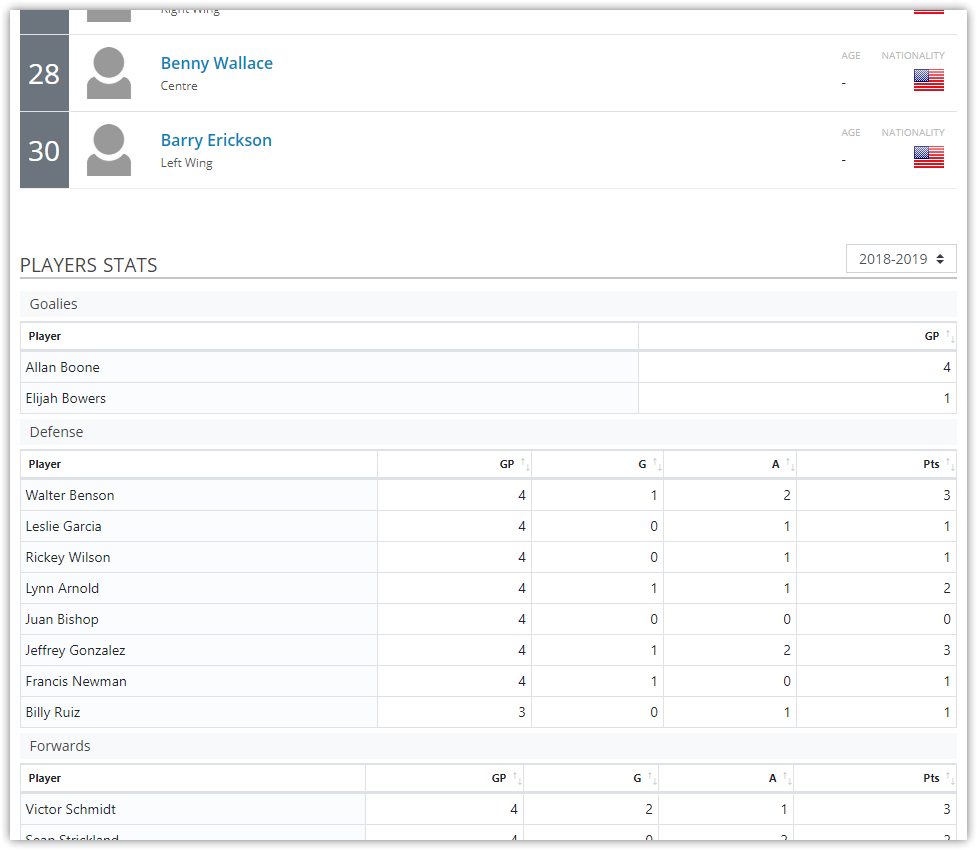
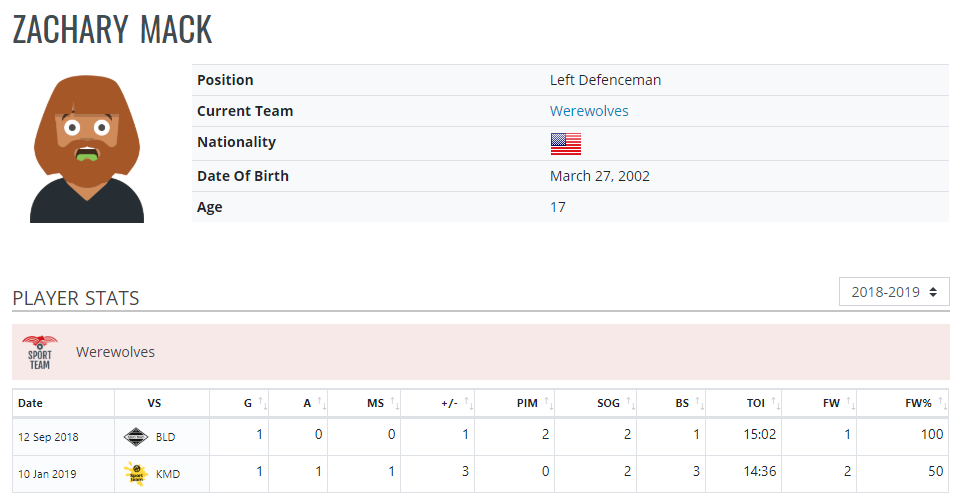
- ✅ Players – profiles with photos, stats, career history and birthdays
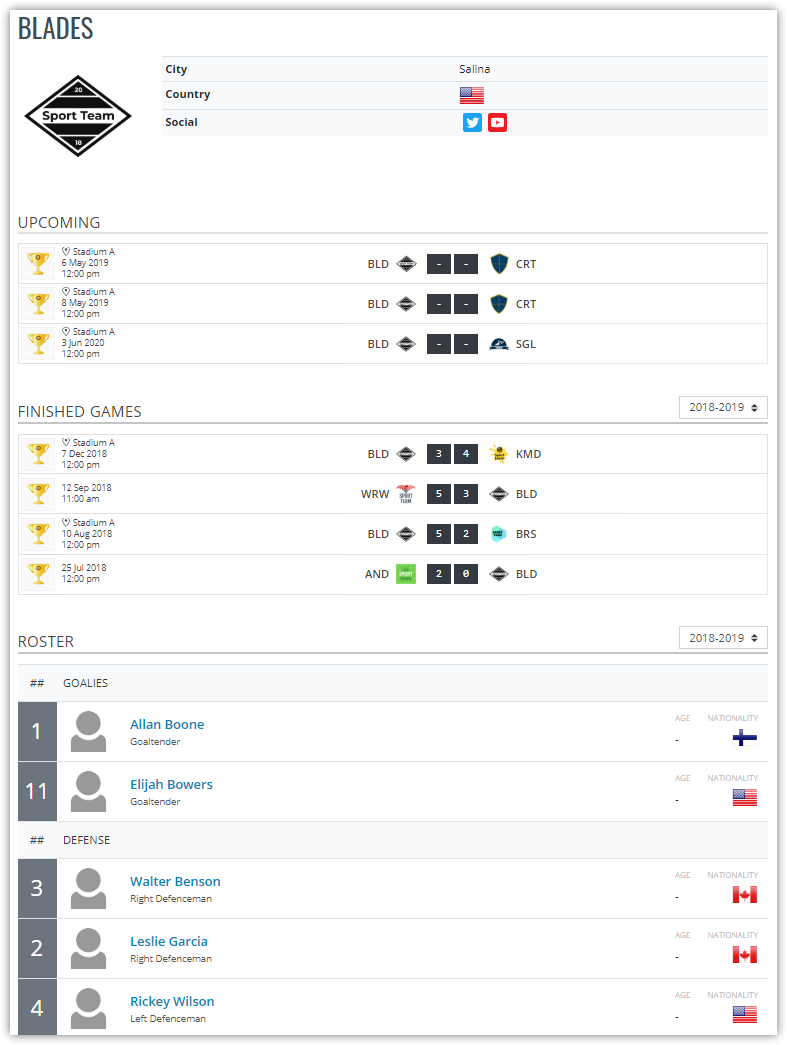
- ✅ Teams – rosters, logos, social links and galleries
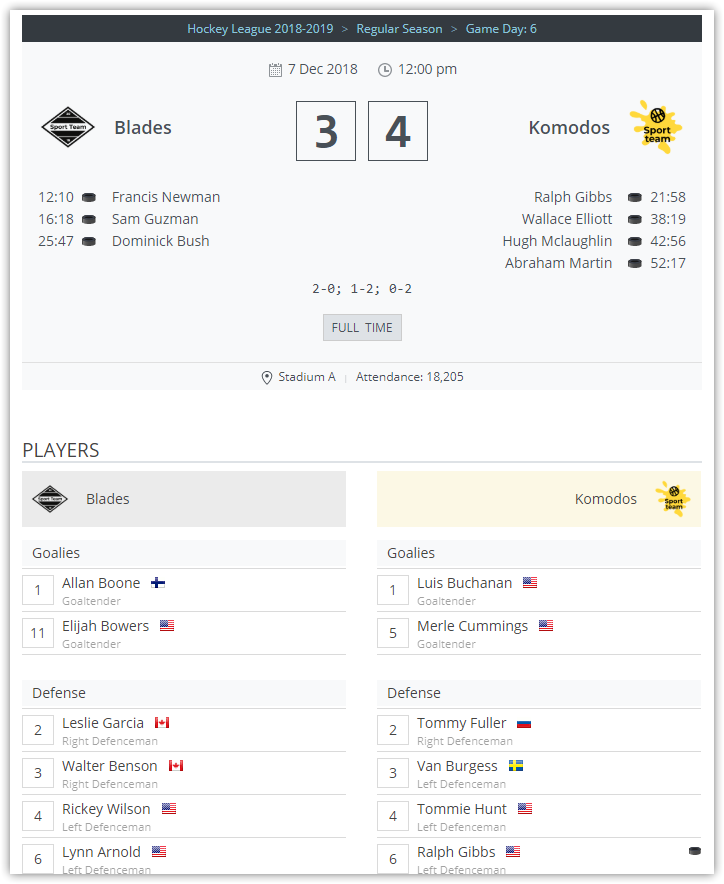
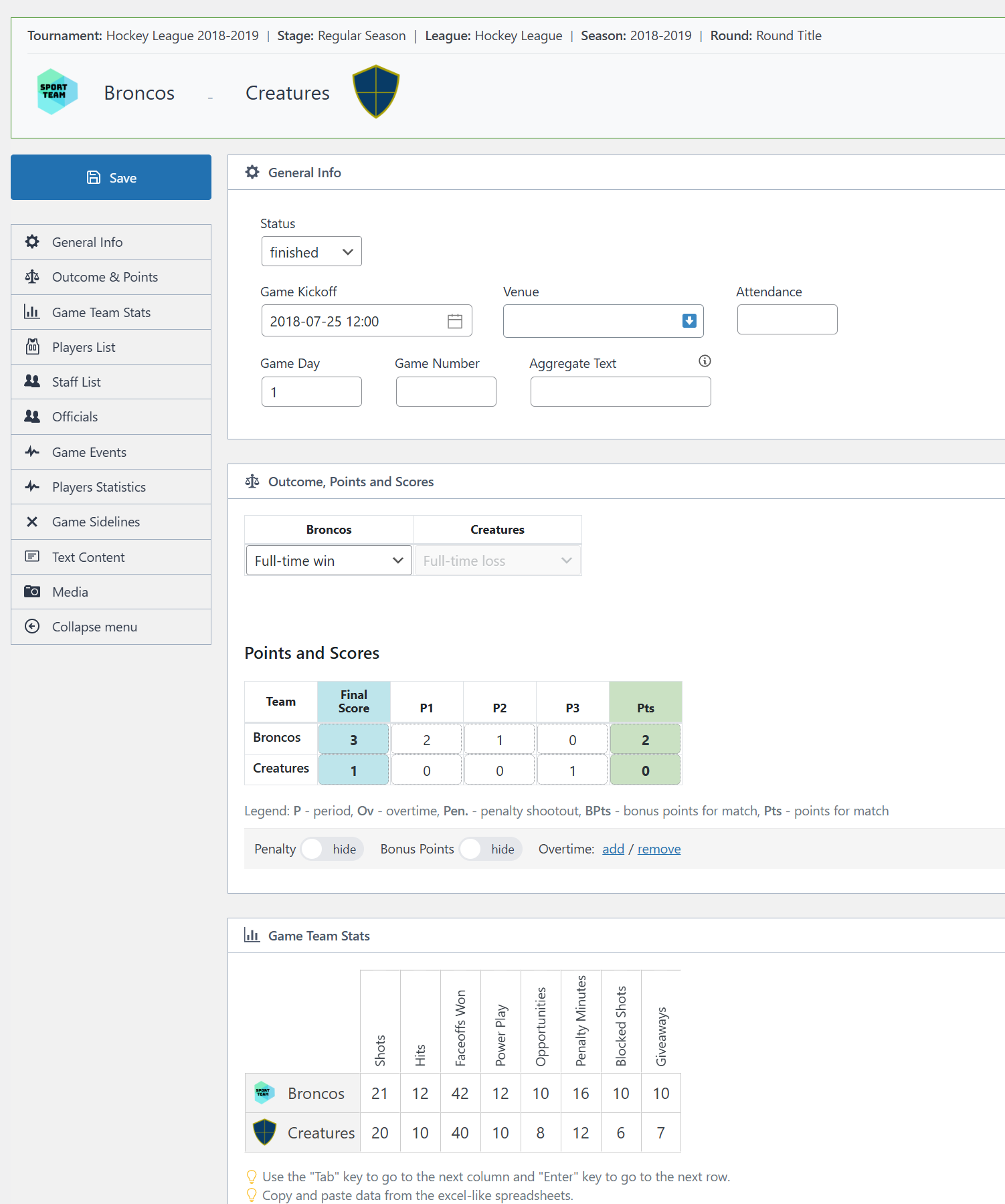
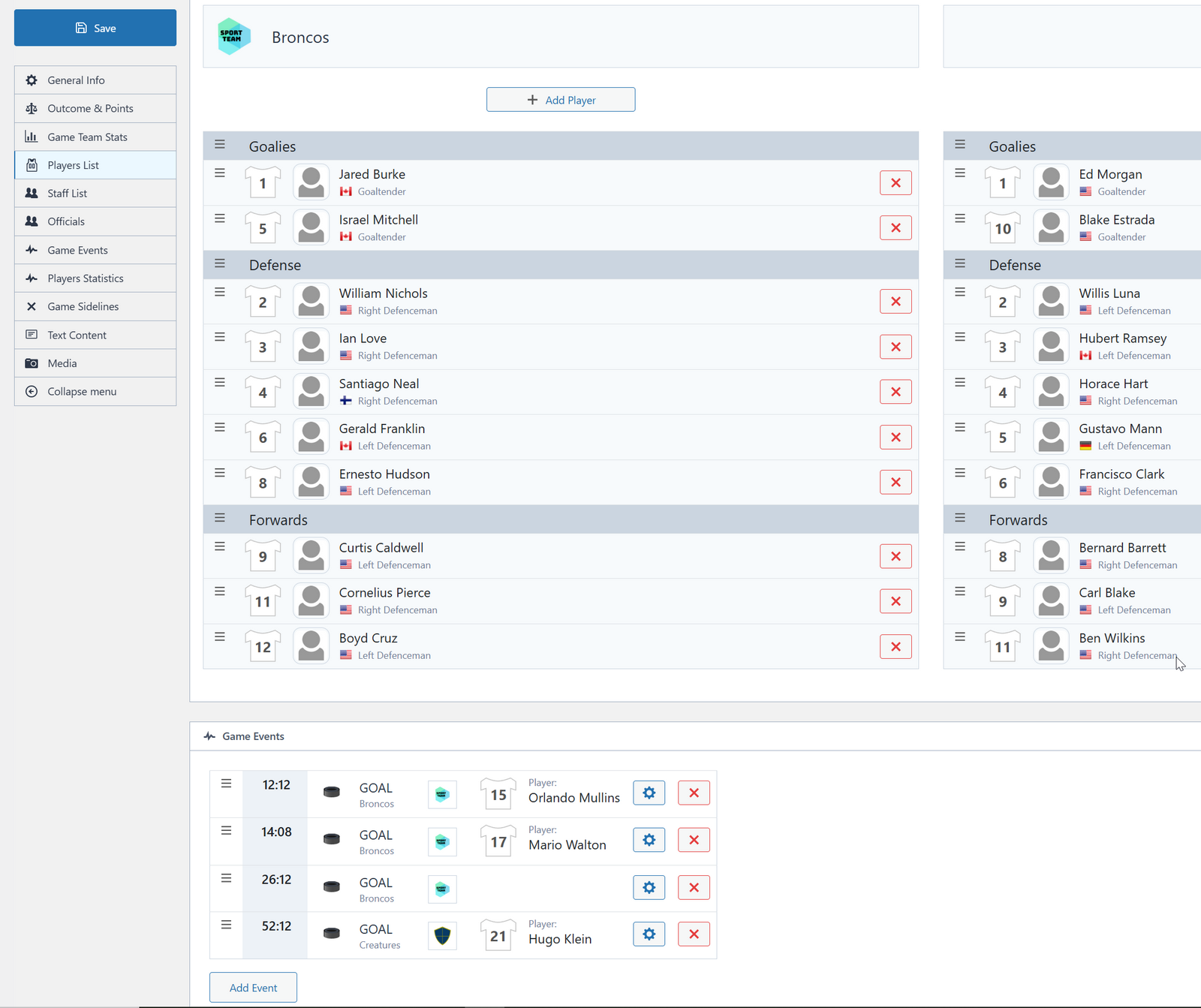
- ✅ Games – scores, events, lineups and stats
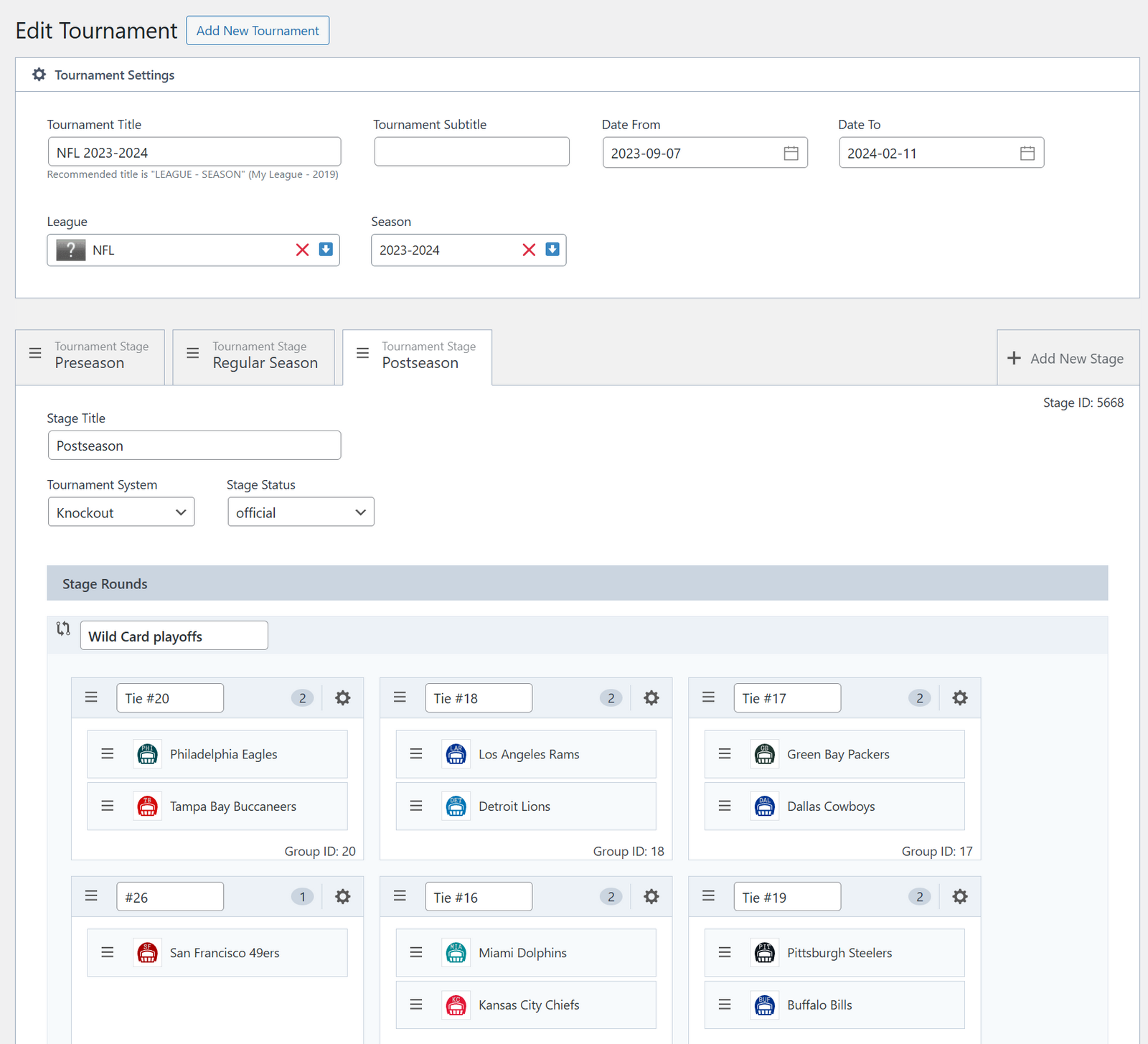
- ✅ Tournaments – round-robin, knockout and multi-stage competitions
- ✅ Standings – calculated from game results, with your own ranking rules
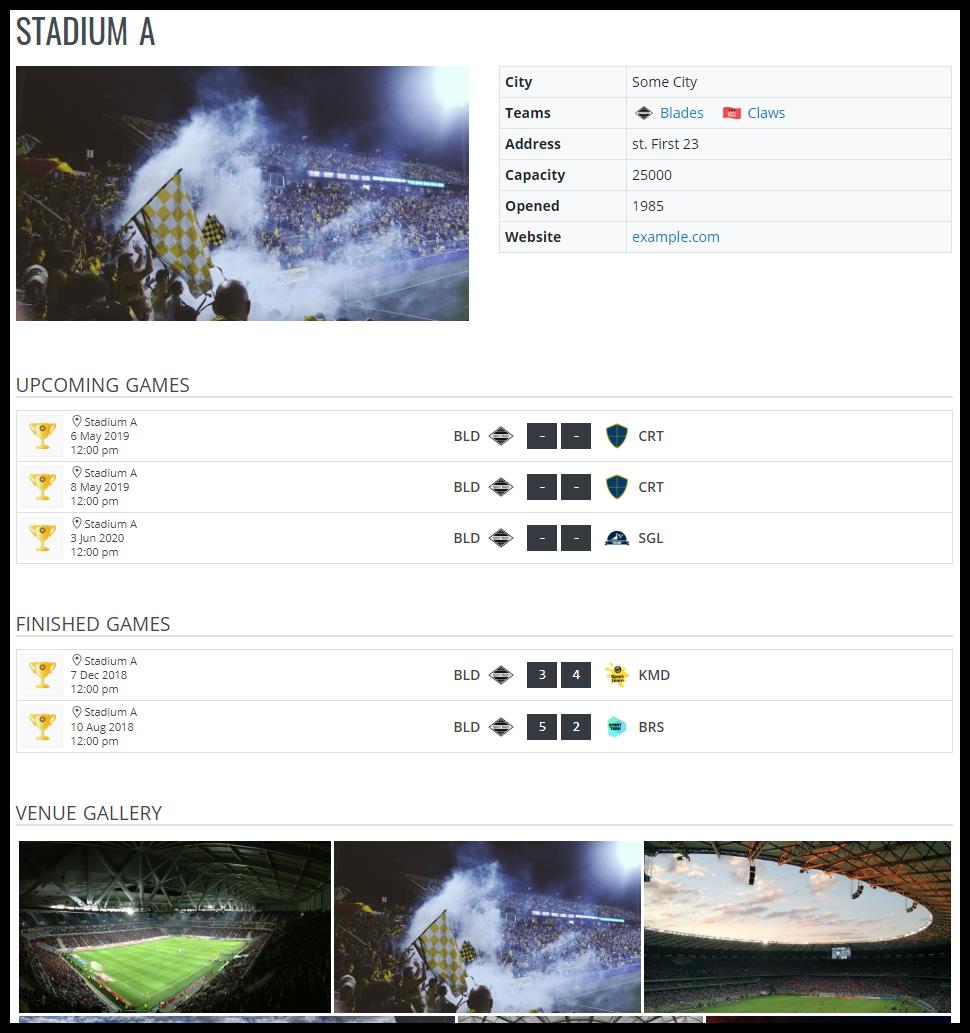
- ✅ Venues – arenas with maps, photos and upcoming games
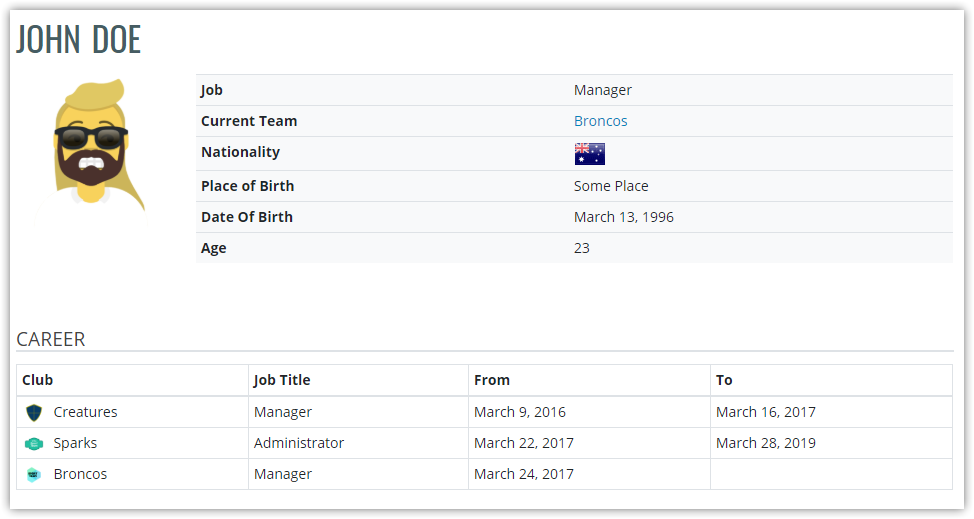
- ✅ Staff – coaches, managers and support staff
- ✅ Officials – referees and other game officials
Statistics
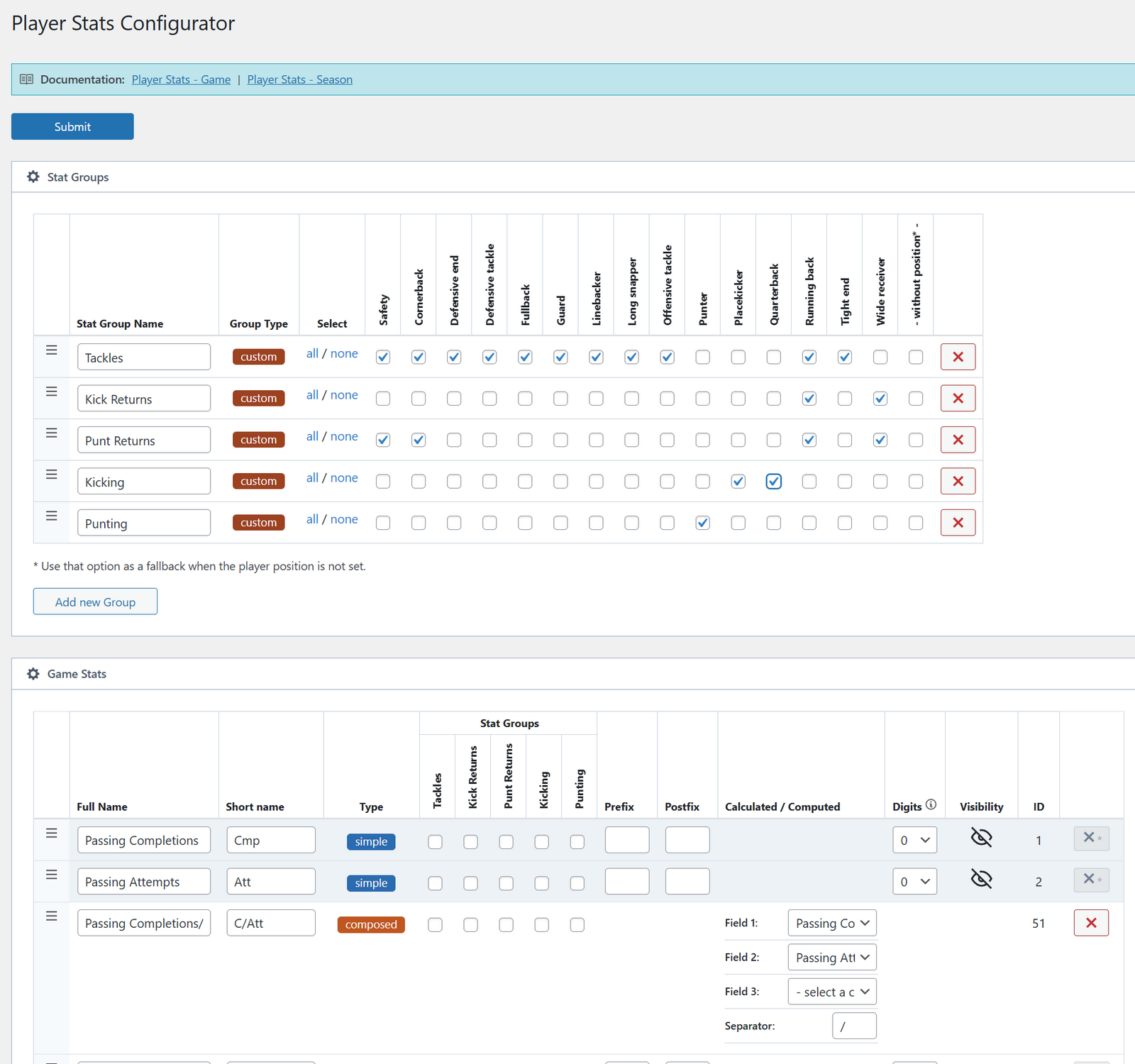
- 📊 Player stats configurator – set up the exact stats your sport tracks
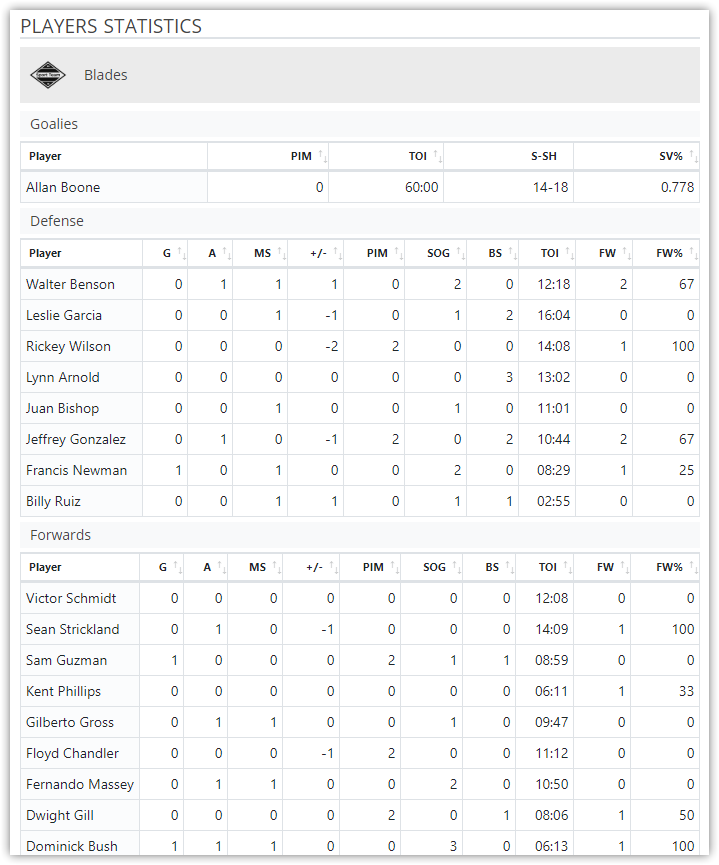
- 📊 Game-by-game player stats
- 📊 Season totals, calculated for you
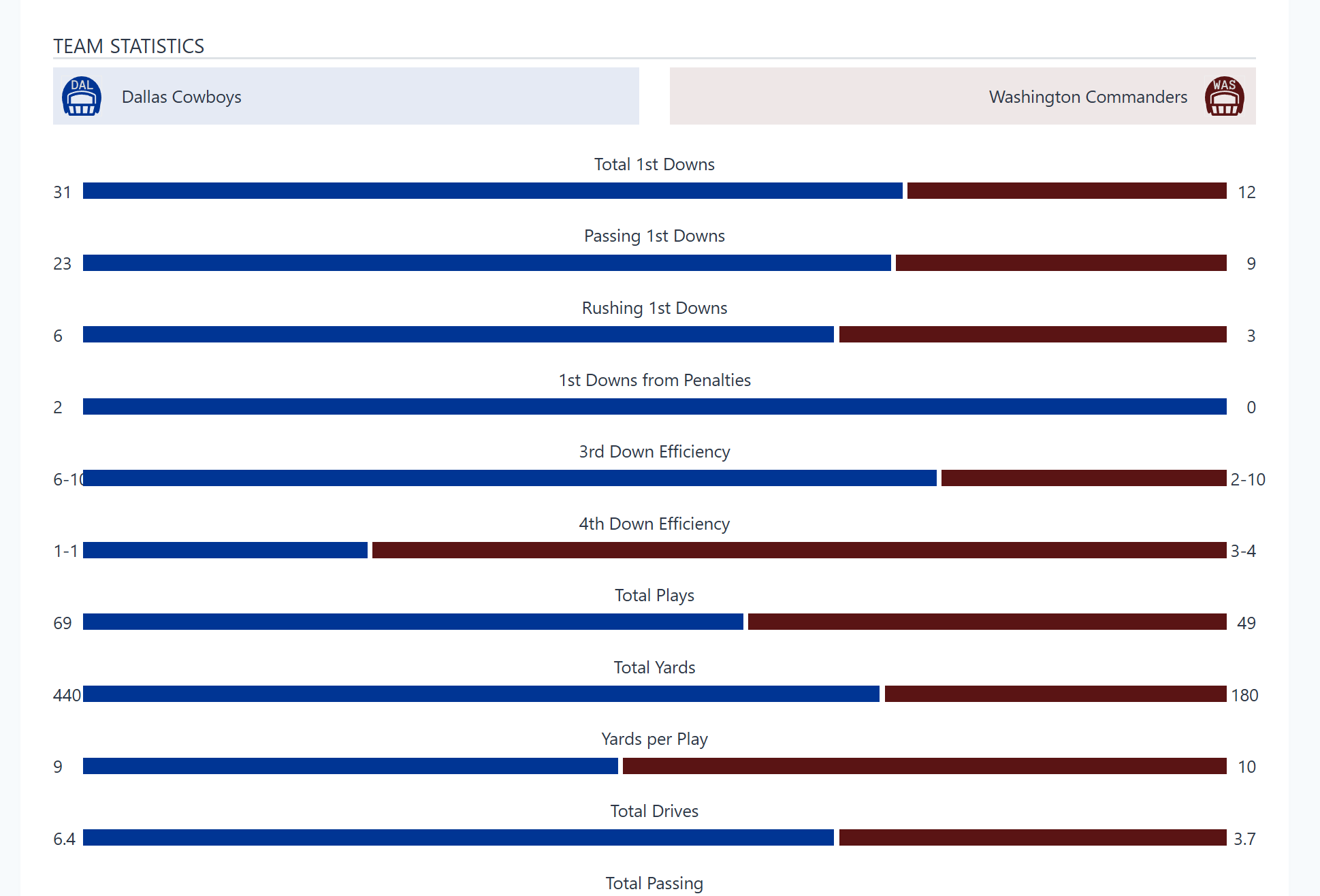
- 📊 Team stats and comparisons
- 📊 Standing tables with custom columns
- 📊 Position groups and stat categories
Tournaments
- 🏆 Knockout stages with a bracket view
- 🏆 Round-robin group stages
- 🏆 Multi-stage tournaments (groups, then playoffs)
- 🏆 Custom rounds and groups
- 🏆 Game days
- 🏆 Clone a tournament for the next season
- 🏆 Season-based structure
Games
- 🏀 Event timeline (goals, penalties, cards, substitutions)
- 🏀 Period and quarter scores
- 🏀 Overtime and shootout support
- 🏀 Lineups with positions and numbers
- 🏀 Injured and missing players
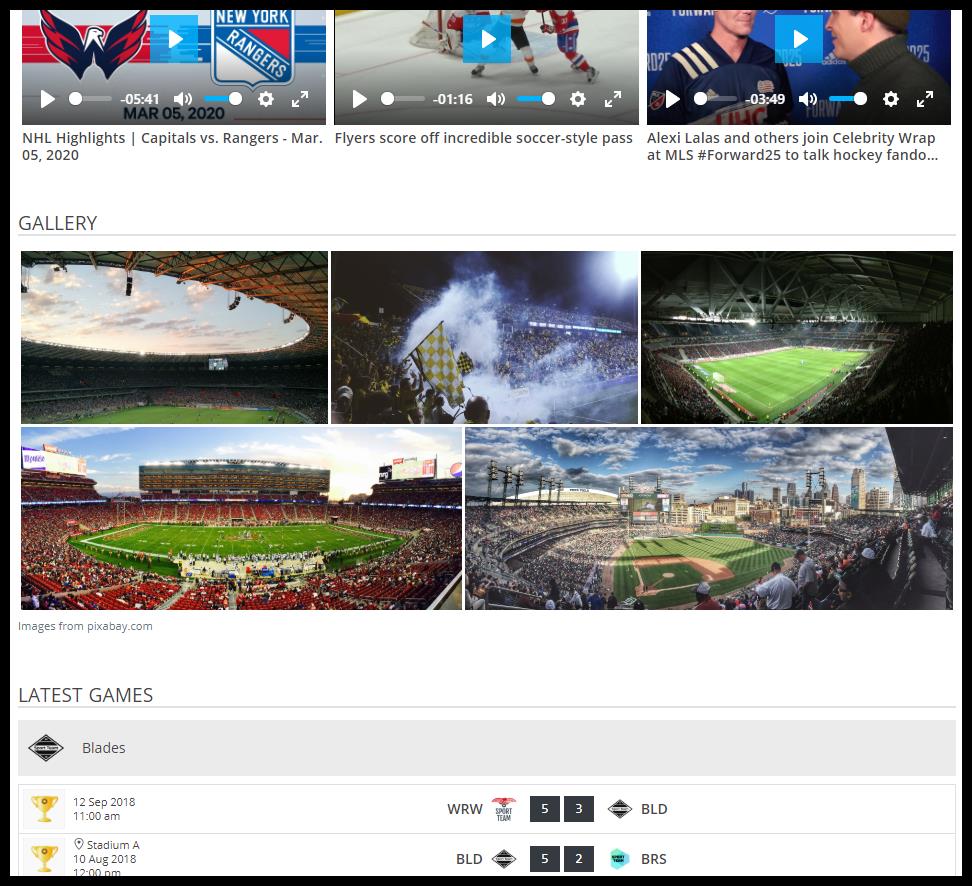
- 🏀 Photo galleries and videos
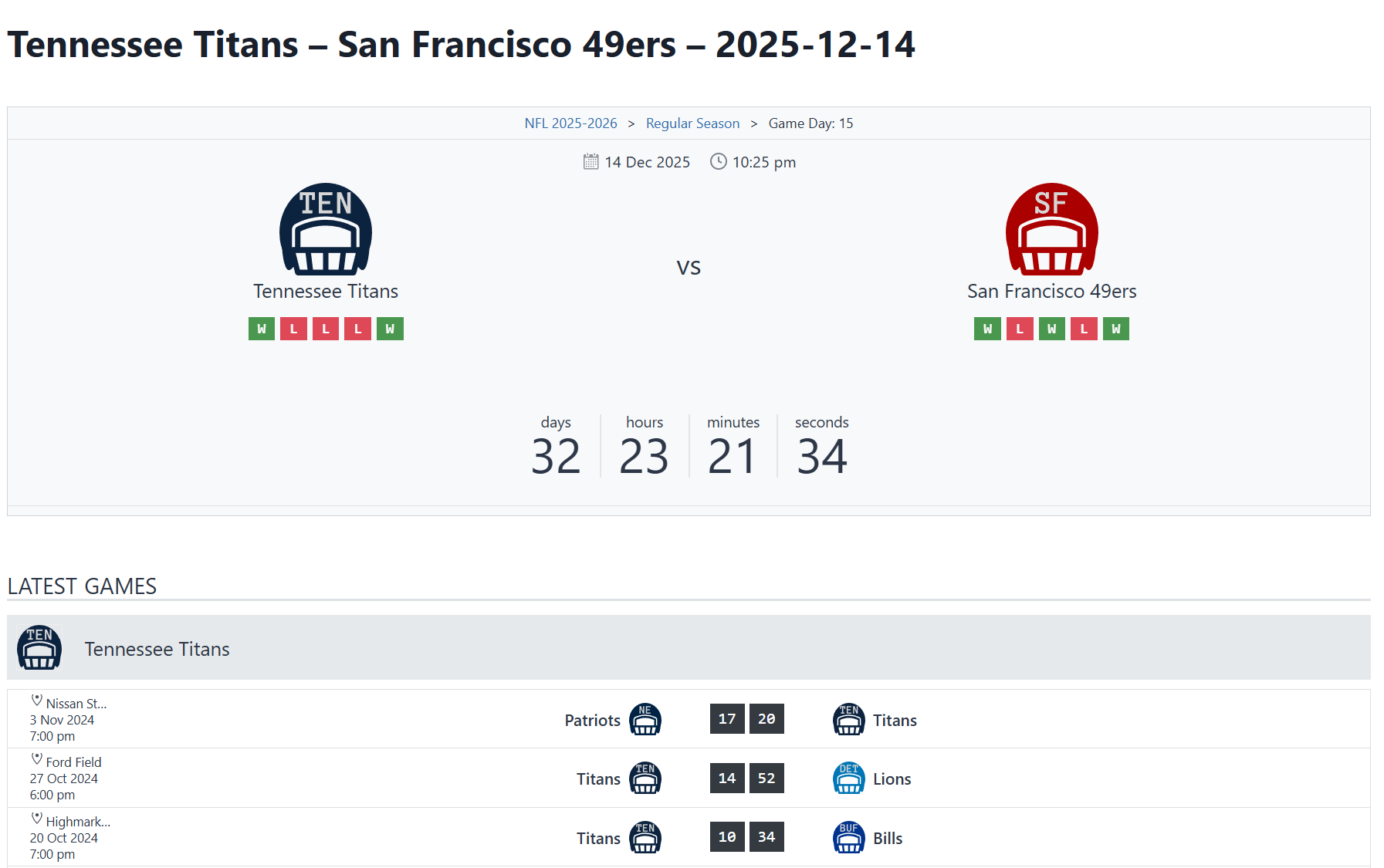
- 🏀 Countdown to the next game
- 🏀 Special statuses (postponed, TBD)
Display Options
- 📱 8 Gutenberg blocks – Game Countdown, Games, Last Game, Next Game, Players Stats, Roster, Teams, Tournament Header
- 📱 7 shortcodes – Standing, Games, Teams, Players Stats, Roster, Tournament Header, Tournament List
- 📱 9 classic widgets – Standing Table, Next Game, Last Game, Players Stats, Teams, Player, Birthdays, Games, Game Video
- 📱 100 template files – override any of them in your theme
- 📱 Responsive – layouts work on phones and tablets
- 📱 Block themes – works with classic themes and block themes like Twenty Twenty-Five
Customization
- 🎨 Sport presets (basketball, hockey, rugby and more)
- 🎨 Your own player positions
- 🎨 Your own game event types, with icons
- 🎨 Customizer settings for colors and layout
- 🎨 Change any front-end text without a translation file
- 🎨 Standing table color schemes
- 🎨 Template overrides
- 🎨 RTL (right-to-left) support
Data Management
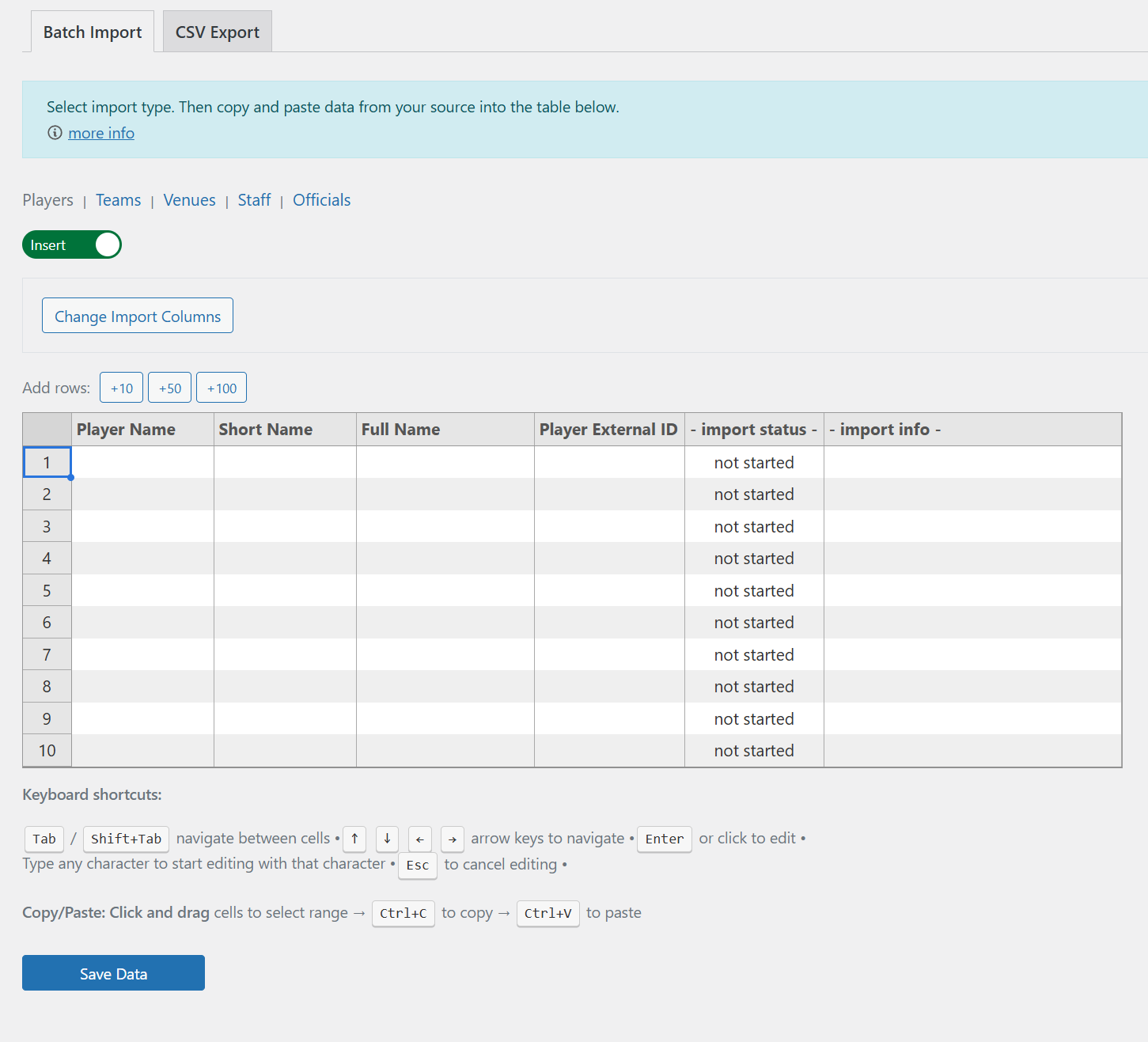
- 💾 Spreadsheet-style import tool – paste teams, players, venues and staff straight from Excel or Google Sheets
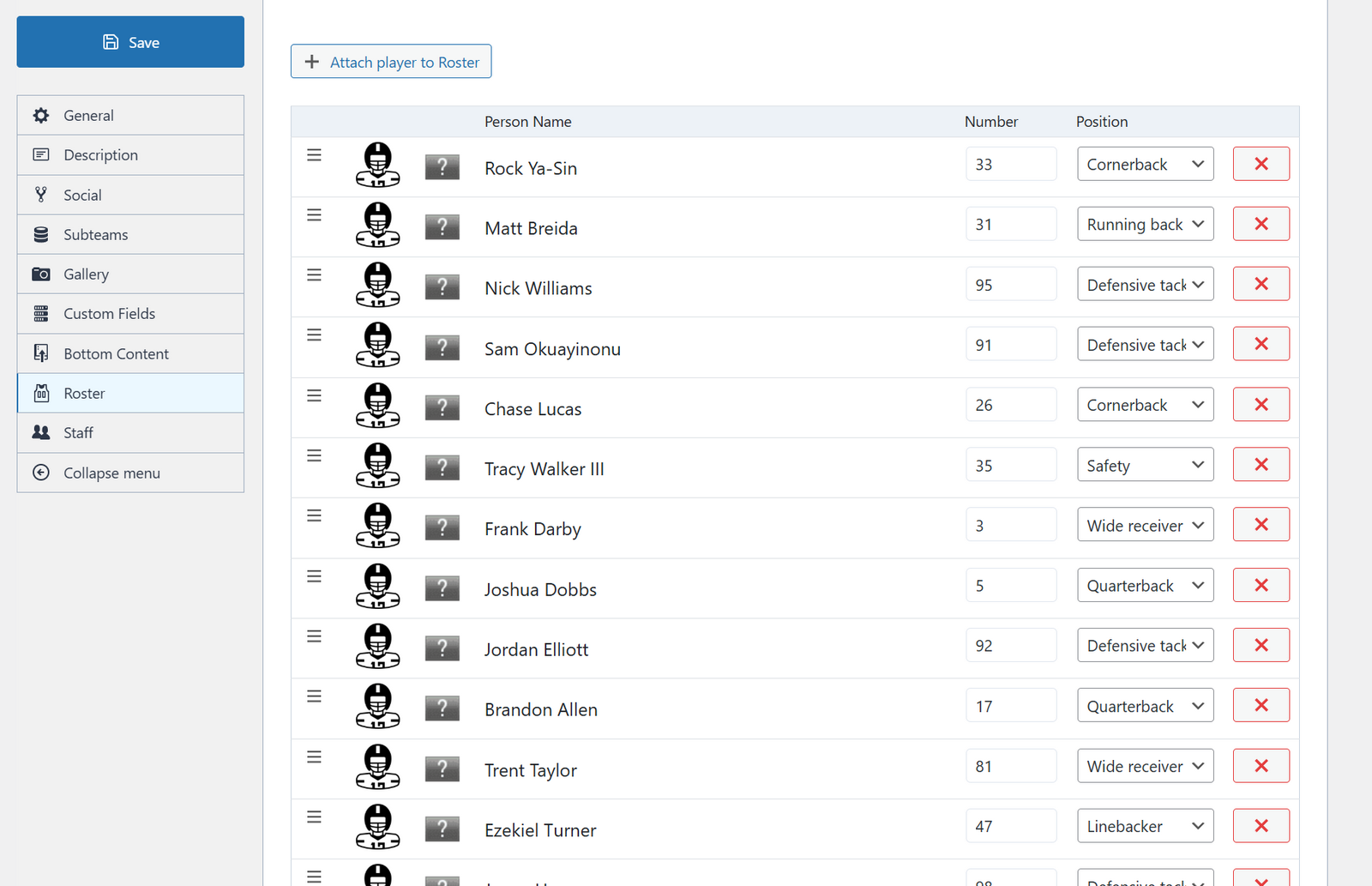
- 💾 Rosters per season
- 💾 Player IDs and external IDs
- 💾 Bulk operations
- 💾 Custom database tables for fast queries
- 💾 Built-in caching
Admin
- 🖥️ Fast Vue.js admin pages
- 🖥️ Game editor
- 🖥️ Tournament builder
- 🖥️ Statistics configurator
- 🖥️ Setup helper for new sites
- 🖥️ Admin dashboard
For Developers
- 🔧 180+ action and filter hooks
- 🔧 REST API endpoints
- 🔧 Template hierarchy
- 🔧 Follows the WordPress Coding Standards
🎯 Who It’s For
- Sports clubs and organizations
- League admins
- Team managers and coaches
- Tournament organizers
- Sports news sites
- Youth sports programs
- Amateur and pro leagues
🚀 Supported Sports
Basketball, Ice Hockey, Handball, Rugby, Volleyball, Cricket, Baseball, American Football, Water Polo, Field Hockey, Lacrosse, Futsal and most other team sports.
Not a fit for: individual sports (tennis, golf) or combat sports (MMA, boxing). For soccer use the Football Leagues plugin.
📚 Documentation & Support
- Documentation – setup, display options and premium features
- Getting Started – from install to your first game
- Knowledge Base – older how-to articles
- Community Forum – ask questions, request features, report bugs
- Video Tutorial – a step-by-step walkthrough
🌐 Translation Ready
- Fully translatable
- Help translate it on translate.wordpress.org
- RTL (right-to-left) support included
- Change any front-end text in the settings, in any language
💎 Premium Version
Need more? Sports Leagues Premium adds:
Premium Layouts – extra display templates
Page Layout Builder – custom page designs with tabs
Bracket View – visual knockout brackets
Results Matrix – head-to-head results table
Premium Blocks – 10 more Gutenberg blocks
Advanced Standings – conference/division support and extra columns
User Roles – let users edit games
Auto Timezone – kickoff times in each visitor’s local time
Game Formation – team formation display
Commentary Block – live game commentary
Team Trophies – trophies and awards
Calendar Widget – monthly calendar view
Priority Support – faster replies
View All Premium Features | Premium Demos
🚀 SL Kit – Launch Your Sports Site in 30 Minutes
Don’t want to build the site from scratch? SL Kit is a WordPress starter kit with Sports Leagues Premium, a pre-configured Kadence theme, 15+ ready-made pages and 100+ demo items. Import the demo, add your data and go live.
It’s a good fit for youth sports, amateur clubs, league admins and web designers who need a finished sports site fast.
🔄 Sports API Hub – Automatic Data Import
Don’t want to enter data by hand? Sports API Hub is a separate plugin that connects to live sports APIs and imports real data for you – scores, box scores, standings, player stats and odds.
It replaces the api-sports.io import from older Premium versions, which is no longer supported.
- Basketball, baseball, American football and ice hockey
- Live scores with real-time polling
- Box scores, rosters and standings, all imported automatically
- Background sync runs overnight
- Live Demo with Real Data
- How to Build an NFL Stats Website
- How to Build an MLB Stats Website
Installation
Minimum Requirements
- WordPress 5.9 or higher
- PHP 7.4 or higher
- MySQL 5.7 or higher
- WordPress REST API enabled
Automatic Installation
- Log into your WordPress admin panel
- Go to Plugins → Add New
- Search for “Sports Leagues”
- Click Install Now on “AnWP Sports Leagues”
- Click Activate after installation
- Install required CMB2 plugin when prompted
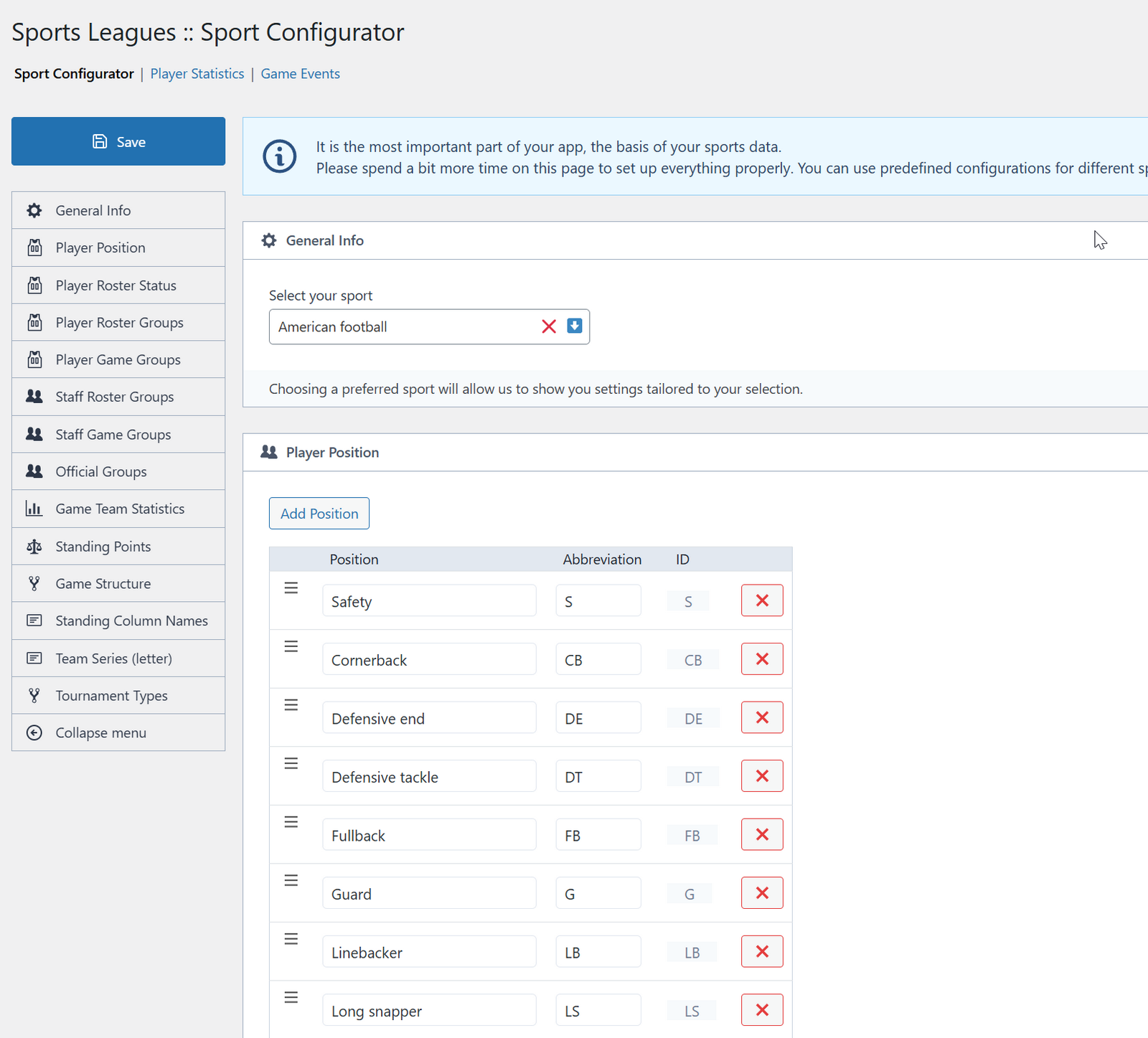
- Go to Sports Leagues → Sport Configurator to configure your sport
Manual Installation
- Download the plugin ZIP file
- Go to Plugins → Add New → Upload Plugin
- Choose the downloaded ZIP file and click Install Now
- Click Activate after installation
- Install required CMB2 plugin
- Go to Sports Leagues → Sport Configurator to select your sport
Post-Installation Setup
- Select Sport: Sports Leagues → Sport Configurator (choose Basketball, Hockey, etc.)
- Configure Settings: Review player positions, game events, statistics
- Create Structure: Add Seasons and Leagues (taxonomies)
- Add Teams: Create teams with logos
- Add Players: Create player profiles
- Build Rosters: Assign players to teams via Team → Roster tab
- Create Tournament: Add tournament and select participating teams
- Add Games: Create games within tournament
- Display Content: Use shortcodes, blocks, or widgets on your site
Detailed Setup Guide: Quick Start Guide
FAQ
Will this plugin work with my theme?
Yes! Sports Leagues works with most WordPress themes. The plugin uses standard WordPress template hierarchy and includes responsive CSS. If you experience styling issues, our support team can help with custom CSS.
Note: Classic themes and block (Full Site Editing) themes like Twenty Twenty-Five are both supported.
Can I use this for multiple sports on the same site?
No. Sports Leagues is designed for one sport per installation. Each sport has unique positions, statistics, and rules that require dedicated configuration.
For multiple sports, consider:
* Using WordPress Multisite (separate site per sport)
* Installing multiple separate WordPress installations
Do I need coding knowledge to use this plugin?
No! Sports Leagues includes an intuitive admin interface with visual editors. Basic WordPress knowledge is sufficient.
For advanced customization (custom templates, hooks), PHP/HTML/CSS knowledge helps but isn’t required for standard use.
How do I import existing data?
Use the built-in Import Data Tool:
- Navigate to Sports Leagues → Import Data Tool in WordPress admin
- Prepare your data in any spreadsheet application (Excel, Google Sheets, LibreOffice, etc.)
- Include all relevant information in separate columns
- In the Import Data Tool, create columns matching your spreadsheet structure
- Copy data from your spreadsheet and paste into the Import Tool
- Review data and click Import to complete
Tip: Start with a small test import (5-10 rows) before importing large datasets.
Supports: Teams, Players, Venues, Staff, Officials
Can visitors edit game data?
Not in the free version. Only WordPress admin users with appropriate capabilities can edit game data.
The Premium version includes User Roles feature – assign game editing rights to registered users without admin access.
Does it work with Gutenberg?
Yes! Includes 8 dedicated Gutenberg blocks with live preview. Also supports Classic Editor via shortcodes and widgets.
How do I display standings/games on my site?
Three methods:
Gutenberg Blocks (Block Editor):
* Add block → Search “Sports Leagues”
* Select desired block (Standing, Games, etc.)
* Configure options in block settings
Shortcodes (Classic Editor or text widgets):
* Example: [sl-standing id="123"]
* Use Shortcode Builder tool in admin for easy generation
Widgets (Sidebars/widget areas):
* Go to Appearance → Widgets
* Add Sports Leagues widgets to desired areas
Is it translation-ready?
Yes! Fully internationalized with:
- Translation files included (.pot template)
- RTL (Right-to-Left) support
- Contribute translations via translate.wordpress.org
- Custom text override feature (change any text without translation files)
What’s the difference between Free and Premium?
Free Version includes complete league management: teams, players, games, tournaments, standings, statistics, shortcodes, blocks, widgets.
Premium Version adds: bracket view, results matrix, premium layouts, page builder, conference/division standings, user roles, premium blocks, priority support.
Where can I get support?
- Community Forum: support.anwp.pro/communities/4-sports-leagues
- Documentation: support.anwp.pro/knowledge-bases/6-sports-leagues
- New Documentation Portal (in progress): anwp.pro/docs/sports-leagues
- Premium Support: Included with Premium version
Can I customize the appearance?
Yes! Multiple customization options:
- WordPress Customizer – Colors, layout options (Appearance → Customize → Sports Leagues)
- Custom CSS – Add in Appearance → Customize → Additional CSS
- Template Override – Copy templates to your theme’s
/anwp-sports-leagues/folder - Hooks & Filters – 100+ developer hooks for advanced customization
Screenshots
Changelog
0.14.3 – 2026-11-03
- Fix – Security hardening (author privacy in embeds, feeds, sitemaps and the REST API; “load more” game requests are capped, and game tooltips no longer show draft or password-protected games)
- Update – Dashboard now recommends Sports API Hub for automatic data import (the api-sports.io import in Premium is no longer supported)
- Fix – Player page could fail to load when the date of death wasn’t in YYYY-MM-DD format
- Fix – Various minor fixes and improvements
0.14.2 – 2026-10-24
- Fix – Security hardening (output escaping, CSV export protection)
- Update – Country flags: 140 flags redrawn, 11% smaller sprite, and admin screens use the round front-end flags (incl. England, Scotland, Wales, Northern Ireland, World, Europe). If you use a page cache or CDN, purge it after updating
- Fix – Block editor: block previews could be invisible in the WordPress 7.1 editor, and blocks lost their theme spacing in the editor
- Fix – Block themes (Twenty Twenty-Five and others): plugin pages were printed above the site header instead of in the content area
- Performance – Player stats shortcode results are now cached instead of recalculated on every page view
- Fix – Various minor fixes and improvements
0.14.1 – 2026-02-12
- Update – Admin menu reorganization with grouped CPT structure
- Add – League and venue support in SL Selector
- Update – Shortcode Builder with collapsible sections and modern field layout
- Add – Live preview panel in Shortcode Builder with width toggle
- Add – Parse existing shortcode to populate form fields
- Fix – Import tool dropdown fields not mapped correctly when pasting from spreadsheets
0.14.0 – 2025-11-12
- Add – Roster shortcode
- Update – SL Selector
- Update – Game Edit – custom numbers are automatically filled on adding a player to the lineups (if squad number is set)
- Update – Game Edit – player statistics interface and usability
- Update – Accessibility throughout the plugin
- Update – Data Import Tool functionality and reliability
- Update – Minor improvements in styles and scripts
0.13.8 – 2025-04-25
- Add – Option to enable post type archives (Sports Settings > Display)
- Fix – Error on non-numeric value in Game Player stats
0.13.7 – 2025-03-27
- Update – Game Player Stats – added total row in footer, removed zero values for better readability
- Fix – Import Tool errors
0.13.6 – 2024-11-27
- Add – Circle flags (customizable in Customizer > Sports Leagues > General)
- Add – Continents’ names to countries (useful for international competitions)
- Update – Minor CSS style improvements on mobile devices
- Update – Minor UI improvements and fixes
0.13.5 – 2024-11-08
- Add – Link to player profile in Game > Players section (configurable in Customizer)
- Fix – Minor improvements
0.13.4 – 2024-09-18
- Update – Minor UI fixes
- Fix – Security fixes
Earlier versions: See complete version history in our changelog archive.