


Description
StoreEngine — The Complete WordPress eCommerce Plugin to Build, Sell, and Run Your Entire Store
StoreEngine is a complete WordPress ecommerce plugin and store management platform — a fast, modern, lightweight market leader alternative that lets you sell digital products, physical products, subscriptions, memberships, courses, services, and licenses from a single Gutenberg-native core.
But StoreEngine is no longer just an online store plugin. It now runs your entire commerce operation: a built-in POS terminal, inventory and multi-location stock control, suppliers and purchase orders, cost and profit tracking, returns (RMA), courier management, and a full multi-vendor marketplace — all without stacking 5+ premium plugins or paying for add-ons.
Whether you sell online, in person, or both, StoreEngine gives you everything to start, manage, and scale your store inside WordPress — securely, smoothly, and without slowing your site down.
Check our overview video of StoreEngine 👇
StoreEngine | Docs | Video Tutorials | Community | Public Roadmap
🎯 Built for store owners who want everything in one place
- Agencies & freelancers — ship a complete store for any client without stacking plugins
- Digital creators — sell ebooks, software, templates, and assets with secure file delivery and license keys
- Physical & retail sellers — manage inventory, POS, shipping, suppliers, and returns from one dashboard
- Subscription & membership businesses — recurring billing, trials, upgrades, and gated access, natively
- Course creators — sell online courses through native Academy LMS integration
- Service providers — sell packages, appointments, and one-time services with flexible checkout
- Marketplace builders — launch a multi-vendor store with vendor dashboards and commissions
🛒 Sell Anything — Digital, Physical, Subscriptions & More
StoreEngine handles every product type from one ecommerce dashboard — no separate plugins, no extra add-on costs.
- Sell digital products — secure, signed download URLs with instant delivery for software, ebooks, music, and design assets
- Physical product selling — SKU tracking, variants (size, color, material), and stock status built in
- Subscription products — flexible billing cycles with trials, upgrades, downgrades, and cancellations
- Memberships & access control — gate content, courses, and communities with one-time or recurring access
- Sell online courses — native Academy LMS integration for course checkout, enrollments, and bundles
- License management — automate license creation, activation, renewals, and usage tracking
- Product bundles — group products, courses, or memberships into a single high-value offer
- Installment plans — let customers pay high-ticket items in scheduled payments to reduce hesitation
- Catalog mode — display products without checkout, perfect for wholesalers and previews
- Donations & Name Your Price — let customers choose the amount on any product, with minimum and maximum limits and optional fee recovery
🏬 Run Your Whole Store — POS, Inventory & Operations
This is where StoreEngine goes beyond a typical WordPress ecommerce plugin into a full retail and store management system.
- POS terminal — fast in-person checkout with online/offline inventory sync; sell in-store and online from one system
- Inventory management — stock tracking, quantity adjustments, low-stock alerts, and movement monitoring
- Multi-location inventory — manage stock across warehouses and stores with transfers and availability tracking
- Suppliers & purchase orders — create POs, track incoming stock, and streamline restocking
- Cost & profit tracking — monitor product costs, margins, and store profitability for smarter pricing
- Return / RMA system — structured returns, refund requests, and approval workflows
- Couriers management — manage delivery couriers, fulfillment, and order tracking centrally
- Shipping module — multiple zones, flat-rate pricing, and real-time carrier integrations
- Table rate shipping & packages — charge by weight, volume, item count, or subtotal, and add gift wrap or handling charges
- SKU & barcode generator — auto-generate SKUs and barcode labels with logo and store-name toggles
💳 Payments & Checkout That Convert
- Stripe & PayPal out of the box — PCI-DSS compliant card payments, refunds, and subscription billing
- Razorpay — accept UPI, net banking, wallets, and cards across India
- Paddle — sell through Paddle, including subscriptions
- Native Stripe subscriptions — webhook-driven renewals with “Pay Next Renewal Now” support
- Subscriptions + one-time products in the same cart — single checkout, no separate orders
- Installment & free (zero-total) checkout — flexible payment flows and frictionless giveaways
- Order pay — recover failed or pending orders without creating a new one
- Direct checkout URLs — pre-applied products and coupons for funnels and campaigns
- Instant & embeddable checkout — a quick checkout on your own pages, or embedded on other sites you allow
- Checkout consent — store-wide terms and conditions checkbox and a newsletter opt-in
- Multi-currency support — let customers browse and pay in their preferred currency
- StoreEngine invoice — auto-generate professional invoices customers can download instantly
📈 Built-in Growth & Marketing Tools
Most plugins charge extra for the features that actually grow revenue. StoreEngine includes them natively.
- Upsell & cross-sell — boost average order value with related offers and post-purchase add-ons
- Built-in affiliate system — track referrals, manage commissions, and turn customers into promoters
- Coupons & discounts — flat or percentage offers with expiry dates and usage limits
- Advanced analytics dashboard — revenue trends, product performance, and conversion data in one place
- Funnel builder — build sales and checkout funnels from step pages
- Reports — revenue, orders, products, customers, and refunds with date comparison and CSV export
- Store digest email — a daily, weekly, or monthly summary of sales and orders that need attention
- Subscription reminder emails — upcoming charge, renewal reminder, renewal invoice, and overdue notices
🎨 Design Your Store Without Code
- Customize — style the whole store from one screen with presets, light and dark brand colors, and a live preview
- 32 native Gutenberg blocks — product page, shop, cart, checkout, orders, and account blocks with starter patterns
- Block templates — edit shop, product, and checkout templates in the block editor on block themes
🤝 Launch a Multi-Vendor Marketplace
Turn your store into a multi-vendor marketplace where vendors register, manage their own products, and sell from a dedicated dashboard — with commission tracking, approvals, and centralized admin control.
🌍 Compliance, SEO & AI — Future-Ready by Default
- EU VAT & EU compliance — VAT validation, sequential invoice numbers, and a consent log
- GDPR & privacy compliance — data export, erasure requests, and order anonymization via the WordPress Privacy API
- CAPTCHA — protect checkout, login, registration, and reviews with reCAPTCHA, Cloudflare Turnstile, or hCaptcha
- Tax management — per-product, per-region tax rules with inclusive or exclusive pricing
- Built-in SEO addon — dual-mode engine that integrates with Yoast, Rank Math, AIOSEO, and SEOPress, or works standalone, with REST support for headless storefronts
- AI content generation — native WordPress AI abilities for product copy and SEO meta; runs on your own hosting with no third-party API keys required (opt-in AI add-ons for other features are listed under External services)
- Brand management — organize and display products by brand for multi-manufacturer stores
🛠️ Developer-Friendly & Admin-First
- Webhooks — push order, customer, and subscription events to CRMs and automation tools, and receive incoming webhooks
- WP-CLI support — manage your store from the command line, including demo-content seeders
- Admin global search & command palette — jump to any setting instantly with Cmd/Ctrl+K
- Migration tool — import products, customers, and orders from any eCommerce without breaking your layout
- CSV import / export — bulk-manage products, customers, and orders
- Bulk product import — upload CSV or JSON, map columns, and review everything in a spreadsheet grid before importing
- Advanced list filters — saved views on products, orders, customers, and payments
- Order labels — colored tags to organize and filter orders
- Activity & error logger — debug payments and monitor store operations
- GeoIP & location-based commerce — smarter shipping, currency, and checkout by location
- Email notifications — branded, customizable transactional emails with no code
- Setup wizard — configure payments and core settings in minutes
💥 Why StoreEngine Instead of Stacking Plugins
Most WordPress ecommerce setups need five or more plugins — one for subscriptions, one for memberships, one for invoicing, another for POS or inventory — each adding cost, bloat, and conflicts.
StoreEngine is built from the ground up to solve that. Checkout, cart, coupons, product filtering, and login are all native Gutenberg blocks, so you control your entire store flow without code. Business-critical features like subscriptions, memberships, webhooks, invoicing, affiliates, and POS activate with a single click. The result is a lighter, faster, more secure, and future-ready way to run commerce on WordPress.
Get Started With StoreEngine
From your first digital download to a multi-location retail operation, StoreEngine grows with you — one fast plugin instead of a dozen. Install StoreEngine today, run your setup wizard, and start selling in minutes.
Join the thriving StoreEngine community of entrepreneurs, creators, and developers building scalable, secure online stores worldwide.
Stay connected for the latest updates and insights:
👉 Community Forum
👉 Our Official Facebook Page
👉 Join our Facebook Group
👉 Follow us on Twitter / X
👉 Connect on LinkedIn
👉 Our Official Support
👉 Video Tutorials
👉 Public Roadmap
External services
StoreEngine can connect to a number of third-party services. Everything in this list is optional, off by default, and only activates when you turn on the corresponding addon or paste in your own URL / credentials. No store data leaves your site until you do.
- Payment providers — Stripe, PayPal, Paddle, Razorpay, Mollie, Paystack, Square. Enabled per gateway on Settings → Payment methods. Order, customer and payment details are sent to the gateway you choose. See each provider’s privacy policy and terms of service for details.
- Shipping carriers / couriers — DHL, UPS, FedEx and the regional couriers you enable on Settings → Shipping. Order address and parcel details are sent only to the carriers you turn on.
- IP geolocation — only when Settings → “Default customer location” is set to a geolocation option. If no local MaxMind database is available, the visitor’s IP address is sent to one of these lookup services to find their country: ipinfo.io (privacy), freeipapi.com (privacy), ipapi.co (privacy), ipwhois.app (privacy). When the site runs on a local or private network, the store’s own public IP is first looked up through ipify, ipecho.net, ident.me or tnedi.me; only the request itself is sent.
- MaxMind GeoLite2 — when you enter a MaxMind license key for geolocation, the key is validated with MaxMind and the GeoLite2 country database is downloaded from download.maxmind.com and refreshed periodically. Only the license key is sent. Terms, privacy policy.
- EU VAT number validation — when the EU VAT addon is enabled and a customer enters a VAT number at checkout, the VAT number and its country code are sent to the European Commission’s VIES service (privacy) or, for UK numbers, to HMRC’s VAT check API (privacy).
- Currency exchange rates — when the Multi-Currency addon is set to update rates automatically, the store’s base currency (and your API key, where the provider needs one) is sent to the provider you pick: Frankfurter (no key), Open Exchange Rates (terms, privacy), ExchangeRate-API (terms) or CurrencyBeacon (terms).
- CAPTCHA — when the CAPTCHA addon is enabled for a form, the provider’s script is loaded on that form, and the visitor’s CAPTCHA response token and IP address are sent to the provider to verify it: Google reCAPTCHA (terms, privacy), Cloudflare Turnstile (terms, privacy) or hCaptcha (terms, privacy).
- Invoice PDF fonts — when an admin clicks “Download fonts” in the Invoice addon settings, a font archive (TTF files only, no code) is downloaded from kodezen.com so PDFs can render non-Latin scripts. No site data is sent. Terms, privacy policy.
- Store digest webhook / Slack — if you paste an https webhook URL or Slack incoming-webhook URL into Settings → Marketing → Store Digest, the digest payload (KPIs, top products, orders needing attention) is POSTed to that URL on each scheduled send. Leave the fields empty and nothing is sent.
- Store digest AI summary (opt-in) — when “AI insights” is enabled on Settings → Marketing → Store Digest, a short JSON blob of the period’s KPIs, top three products and attention counts is sent to the AI endpoint configured by the AI addon so it can write one summary paragraph. Off by default; turning it off removes the request entirely.
- Native “AI content generation” uses the built-in WordPress AI abilities on your own hosting; it does not require third-party API keys and does not send data to Kodezen.
- Update server — StoreEngine Pro and the paid addons check for updates against Kodezen’s update server using the license key you entered. Only the license key, site URL and the plugin / addon versions are sent. The free StoreEngine plugin updates through WordPress.org.
Please consult each service’s privacy policy and terms of service before enabling it. StoreEngine itself does not phone home from the free wordpress.org build without your explicit action.
Credits
StoreEngine’s optional geolocation feature uses GeoLite2 data created by MaxMind, available from https://www.maxmind.com.
Bundled open-source libraries: Action Scheduler, Stripe PHP, Emogrifier, mPDF, MaxMind DB Reader, React, Redux, Chart.js, Apache ECharts, React Flow.
FAQ
Can I run a full eCommerce business with StoreEngine?
Yes. StoreEngine gives you a complete WordPress ecommerce toolkit — products, cart, checkout, payments, coupons, and order management — so you can run a real store out of the box. Advanced operational features extend it into a full store-management platform as you scale.
Is StoreEngine a good WooCommerce alternative?
Yes. StoreEngine is a fast, lightweight WooCommerce alternative that replaces the typical 5+ plugin stack with one native core, and includes a migration tool to import your products, customers, and orders without losing data.
Does StoreEngine support both physical and digital products?
Absolutely. Sell physical goods with inventory, variants, and shipping, or digital products with secure signed downloads and license keys — or both from the same store.
Does StoreEngine have a POS system?
Yes. The built-in POS terminal lets you sell in physical stores with fast in-person checkout and online/offline inventory sync, so your retail and online sales stay in one unified system.
Can I sell subscriptions and memberships?
Yes. StoreEngine supports recurring billing, trials, upgrades, downgrades, and native Stripe subscriptions, plus gated memberships with one-time or recurring access — no third-party plugins needed.
Can I build a multi-vendor marketplace?
Yes. The multi-vendor feature lets vendors register, manage products, and sell from their own dashboard, with commission tracking and centralized admin control.
Can I sell online courses?
Yes. StoreEngine integrates natively with Academy LMS to handle course checkout, enrollments, bundles, and installments from a single dashboard.
What payment methods does StoreEngine support?
Stripe and PayPal work out of the box (PCI-DSS compliant), with Razorpay for UPI, net banking, wallets, and cards in India. Installments, multi-currency, free (zero-total) checkout, and order-pay recovery are all supported.
Can I create product variations like size, color, or material?
Yes. StoreEngine supports product variants with SKU tracking and stock status for each variation.
Does StoreEngine handle EU VAT and GDPR compliance?
Yes. Built-in EU VAT validation, sequential invoice numbers, a consent log, plus GDPR tools for data export, erasure, and order anonymization keep your store compliant.
Will StoreEngine slow down my website?
No. StoreEngine is built on a fast, lightweight, Gutenberg-native core designed to keep your site quick instead of loading multiple heavy plugins.
Can I migrate from WooCommerce to StoreEngine without losing data?
Yes. The built-in migration tool imports your products, customers, and orders accurately, without breaking your existing layout or store setup.
Does StoreEngine work with my existing WordPress theme?
Yes. StoreEngine’s block-based, modular design works with standard WordPress themes.
Is StoreEngine actively developed, and can I request a feature?
Yes. StoreEngine ships new features continuously — recently adding POS, multi-location inventory, suppliers, RMA, and more. You can request features and follow progress on the public roadmap.
Screenshots


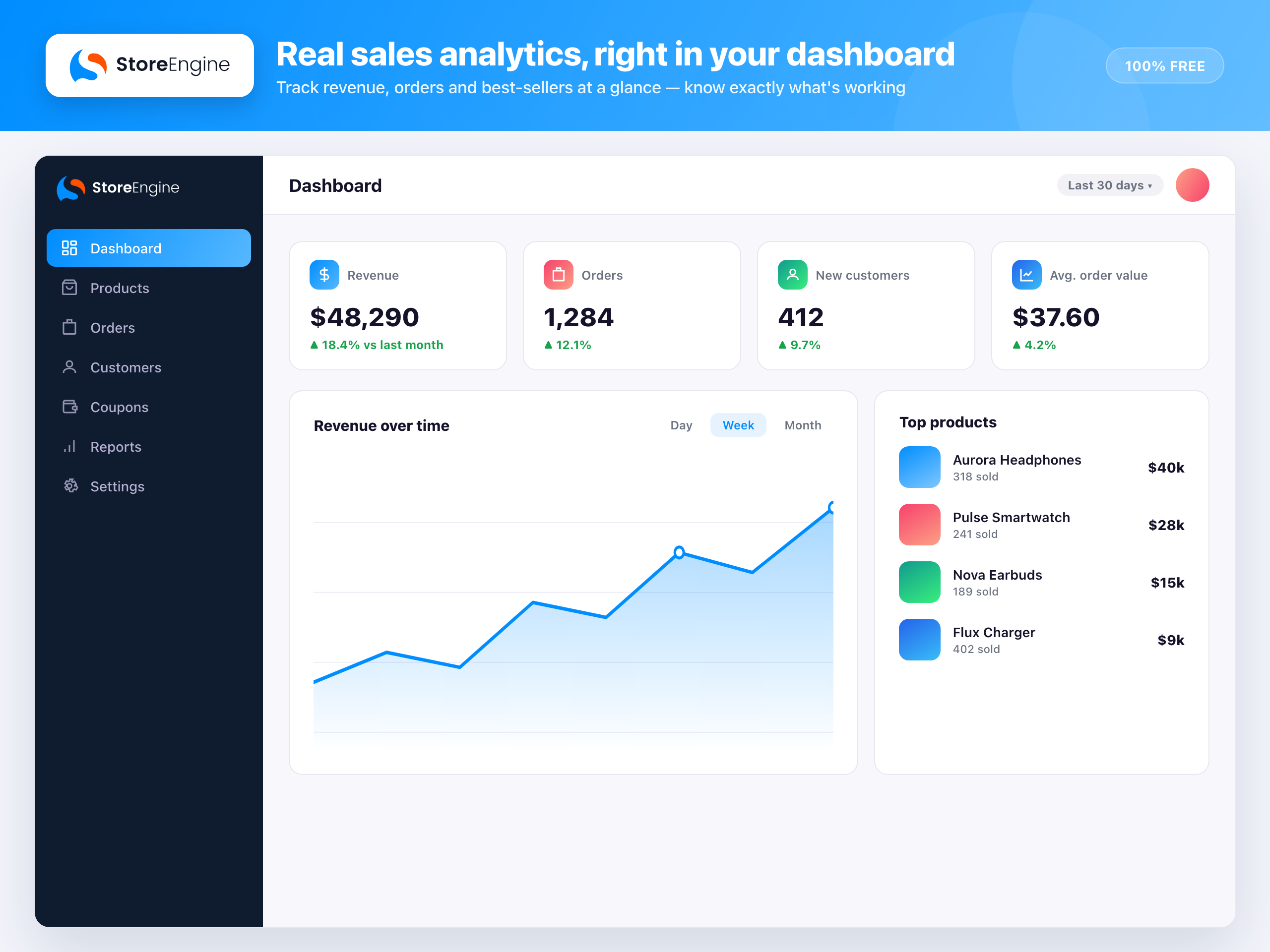


Changelog
2.7.2 – 17/11/2026
- Security: CSV export files can only be downloaded by the user who created them or a store manager, and export filenames now include a random part. Previously a vendor account could download other users’ exports, including customer exports. Reported by Nathan Cross (CyberBadger).
- Security: Added a one-time admin prompt to rotate webhook signing secrets and incoming webhook URLs. Rotate them if you ran 2.7.0 or earlier.
- Fix: The incoming webhook deliveries route returns 401/403 instead of a 500 error for users without access.
- Fix: Admin ajax saves (for example updating a product price) no longer fail with “Invalid nonce.” when the page was left open; the app fetches a fresh nonce and retries once.
- Fix: Guest visitors no longer get a stale REST nonce on pages, so mini-cart and checkout requests stop returning 403/400 errors and toasts. Logged-in users refresh the nonce and retry automatically.
- Fix: Social block icons in email templates now show in the preview and in sent mail.
- Fix: A cancelled subscription can be set back to Active from the admin, and comes back with its next payment date and without the end date the cancellation had set. A gateway that can’t revive its own cancelled subscriptions can veto this with the
storeengine/subscription/can_reactivate_cancelledfilter. - Fix: The Instant Checkout add-on saves its default settings, and settings missing after an add-on update are filled in.
- Fix: Saving the Currencies settings no longer returns a 400 error when the Multi-currency add-on is off.
- Fix: The Webhooks screen opens after the add-on is activated, so the event types load without a page reload.
- Fix: The Members “Add member” panel shows a placeholder instead of an empty dropdown when there are no access groups.
- Fix: Cancelled and failed affiliate payouts use the same red status colour as trashed products.
- Fix: The product, coupon, order, customer, category, tag and attribute screens use a fixed 350px side column.
- Fix: The subscription payment-duration select lines up with its neighbouring field.
- Tweak: The customer ID in the customers list links to the customer editor.
- Tweak: A product’s Integration list shows the linked course, bundle, booking or access group name instead of the provider slug.
- Tweak:
CustomersSelectaccepts anexcludeIdsprop.
2.7.1 – 08/11/2026
- Security: Webhook signing secrets and incoming webhook endpoint keys are no longer readable by unauthenticated visitors through the REST API (affects 2.7.0 and earlier). Rotate your webhook secrets after updating. Reported by Nathan Cross (CyberBadger).
- Security: Coupons are no longer readable through the public REST API. Codes, usage, customer ids and email restrictions now need coupon-management access.
- Security: Membership access groups and their rules are no longer readable through the public REST API.
- Security: Guest orders can only be paid with their order key; an order id alone is no longer enough for
checkout/pay-orderorcheckout/payment-intent. - Security: Public product REST responses no longer include stock quantity, low-stock threshold, backorder settings or internal linkage meta. Add keys with the
storeengine/rest/product_private_meta_keysfilter. - Security: Stripe Tax customer IDs (VAT / EIN) are no longer returned by
/wp/v2/usersoutside edit context. - Fix: Webhook signing secrets are stored exactly as typed instead of HTML-encoded.
- Security: List/collection sorting only accepts plain column names; anything else is ignored instead of reaching the SQL ORDER BY.
- Security: Tax-rate postcode/city locations are saved with prepared SQL.
- Fix: Database upgrades (dbDelta) no longer try to re-add primary keys on every update; table schemas follow the WordPress format.
- Fix: EU VAT (VIES) lookups use the WordPress HTTP API, falling back to its PHP-streams transport on hosts where curl’s TLS handshake with VIES fails.
- Tweak: Backups, CSV bulk import and install-time protection files (.htaccess / index) are written and removed through the WordPress Filesystem API.
- Tweak: Every PHP file, including generated
*.asset.phpbuild files, now blocks direct access. - Tweak: Coding-standards cleanup (wp_kses, wp_json_encode, gmdate; no error_reporting changes in the event stream).
2.7.0 – 05/11/2026
- Added: Multi-currency — per-product currency pricing with checkout, order confirmation and admin surfaces all respecting the product’s own currency; new extension hooks for addons.
- Added: Tax engine — rate scope (Standard / Shipping / Compound / Reduced) and per-unit tax type on rates, exposed in the admin form, the Rates list, REST and CSV import/export.
- Added: Checkout — store-wide Terms & Conditions checkbox (rich text) and a built-in Newsletter opt-in with Required / Optional toggles; consent defaults visible before first save.
- Added: POS web terminal — app-style Sell, Payment, Success, Catalog, Refund, Pharmacy and Jewellery screens aligned with the desktop till.
- Added: Customize — tabbed page navigation, breadcrumb and preview-open default, aligned with the rest of admin.
- Added: Affiliate — major overhaul: MLM admin UI, Pro settings schema (MLM / tax / creatives / sequences), cookie-window and attribution filters (
cookie_days,should_auto_approve_commission,order_attribution,me_payload), recurring commissions on renewals and installment payments, per-affiliate / per-campaign cookie-window overrides, partial-refund pro-rata, paid clawback, commission cap and master toggle, POS referral toggle, lifetime window. - Added: Affiliate —
storeengine/affiliate/commission_createdaction fires after a commission is created. - Added: Affiliate — admin “Minimum payout” and real minimum shown on the frontend dashboard.
- Added: Email builder — Media Library browse now reaches the editor, image uploads and video thumbnail previews fixed in Content, Hero and Video blocks.
- Added: Membership — add-ons can keep a post locked until its drip date (new drip filter surface).
- Added: Companion plugins — One-click install; downloads resolved only from WordPress.org, and the installer is download-only until a satellite is listed there.
- Improved: Checkout — retry after a failed saved-card payment; clear error when a saved Stripe card can’t be charged; Instant Checkout hides Add to Cart on the single product page; cart line total honours order bump prices.
- Improved: Subscriptions — recurring coupons carried through Paddle subscription renewals and Native Stripe subscription renewals; recurring-discount coupons visible in the cart’s Recurring Total; upcoming recurring-coupon discount shown on plan pages; recurring coupon terms snapshotted on first renewal.
- Improved: Stripe — a saved card Stripe refuses to attach is dropped instead of being offered again; Instant Checkout attaches the card to the Stripe customer when it will be kept on file.
- Improved: Admin — grouped admin menus and sidebar render correctly for restricted users; readable “View invoice” menu item; clean cart remove-icon focus; affiliate “Save Settings” button has a visible background; checkout consent checkboxes styled with grouped “Required” toggles and adjacent opt-ins spaced.
- Improved: Affiliate — PRO badges replace “(Pro)” labels in settings; coupon affiliate picker spinner / spacing, clearer product hint, auto-apply cache flushed; dedicated cookie-window input, tiers hook, paid clawback.
- Improved: POS — reuse the lowest free cart number when opening new carts; variable product base price stored as the cheapest variant.
- Improved: Build — Strauss patch script speeds up dependency prefixing.
- Fixed: Orders — checkout no longer saves an empty or stale order status.
- Fixed: Customer dashboard — order count, total spent and order list show real values.
- Fixed: Brand filter now appears on the shop page; single-product brands row spaced correctly.
- Fixed: Returns — customer evidence upload via the returns endpoint with a clearer upload UX; “Reason” select no longer renders with a double border.
- Fixed: Affiliate — withdrawals blocked when no usable payout method is set; amount held for pending withdrawals shown; affiliates can cancel pending withdrawal requests; payout method with saved details on resend; referral attribution and commission rate handling fixed; balance truncation fixed; no attribution when a code is used by its owner.
- Fixed: Refund filter issues on the Payments list.
- Fixed: Order-confirmation total now displays in the order’s currency.
- Fixed: Multi-currency —
product_currencyaccepted in the settings schema. - Fixed: Jewellery UX nested under Retail; stale addons card removed; vori readout shown.
- Security: REST login — the same error is returned for an unknown username and a wrong password (user enumeration).
- Security: ABSPATH guard added to block render and pattern templates, so they cannot be requested directly.
- Security: COD availability notice escapes ampersands (hardened escaping).
- Security: Affiliate — payout status cannot be moved between settled groups; self-attribution path removed; self-provision gated on an option; referral cookie HMAC-signed; API refuses referral code / link / coupons until the account is approved; post-editing capabilities stripped from the affiliate dashboard role; Outgoing Webhooks section removed from free settings.
- Security: Companion plugins install path only resolves from WordPress.org (no off-WordPress.org downloads in the free plugin).
- Security: Admin menu — restricted users no longer see grouped menu items they lack access to.
- Security: Manual stock removal clamped to available stock (no negative inventory via bulk edit).
- Compliance: Plugin Check — heredoc inline scripts replaced with nowdoc + placeholder; already-sanitised output annotated (no behaviour change); file-header and translator-comment cleanups.
- Compatibility: Requires WordPress 6.8 or later.
2.6.0 – 23/10/2026
- Added: POS — Installment plans at the till. Pick a plan at checkout to sell on instalments, with a built-in Collect Installment screen for recording follow-up payments. New offline-first SQLite data layer stores plans, schedules, instalments and collections with a versioned schedule formula.
- Added: POS — Dues and instalment reports (Overdue, Upcoming Dues and Customer Statement) listing outstanding instalments per customer with running balances.
- Added: POS — Refer & Earn affiliate sidebar panel. Apply to the programme, manage your API token and payout preference, see your referral link, lifetime earnings, available balance, link clicks, recent commissions, referred signups and assigned coupons — all offline-first.
- Added: POS — Downloadable PDF documents. Offline save-as-PDF for A4 invoice, sales summary, Z-report, dues statement, refund receipt / summary, tax, stock movement, exchange slip, purity certificate, customer card and inventory stock / low-stock snapshots; a batch export zips the lot in one click.
- Added: POS — Capabilities (Modules) settings screen with per-terminal feature toggles, licence-cache aware, so each till only shows the sections it is licensed for.
- Added: Customize (StoreEngine → Customize) — one screen to style the whole store without code. Start from a ready-made preset, then set brand colors for light and dark mode (optionally applied to your theme’s buttons and links), the shop catalog (columns per device, image ratio, card style and which card parts show, in what order), the product page layout and sections, the cart and checkout layout, and the customer dashboard menu. Changes show in a live storefront preview before you save, with a guided tour and a “Guide me” help panel.
- Added: Native Gutenberg blocks — 32 StoreEngine blocks for the product page (Title, Price, Media, Gallery, Add to Cart, Purchase Card, Description, Rating, Reviews, SKU, Badges, Categories, Attributes), the shop (Shop Filters, Product Filters, Search, Sort and the catalog), the cart (Cart Items, Cart Totals, Coupon Form, Mini Cart, Checkout Button), checkout (Checkout Form, Contact, Billing and Shipping Address, Payment Methods, Order Summary), orders (Order Confirmation, Order Details) and accounts (Customer Dashboard, Login Form). They follow your Customize settings and come with starter patterns.
- Added: Block templates mode — block themes can switch the shop, product pages and checkout to editable block templates; the product card, product page, checkout and dashboard home can each be opened and edited in the block editor.
- Added: New installs create the Cart, Checkout, Thank You and Customer Dashboard pages with native blocks instead of shortcodes.
- Added: Bulk product import (CSV Import/Export addon) — a new Bulk Actions menu on Products with Import Bulk Products, Add Products in Bulk and Bulk Product Edit. Upload CSV or JSON (delimiter and encoding detected), map columns with suggested matches, then review everything in an editable spreadsheet grid (variations and prices nested under their product, rich-text descriptions, add/duplicate/delete rows, issues-only filter) before importing. Imports simple and variable products, prices (one-time, subscription and installment), attributes, brands, SEO fields and images, with validation for duplicate SKUs, missing parents, invalid numbers and installment totals. Includes a sample CSV and demo data.
- Added: CAPTCHA addon (free) — protect checkout, pay for order, saved cards, login, registration, lost password, product reviews, affiliate sign-up and wp-login.php from bots with Google reCAPTCHA v2 (checkbox or invisible) or v3, Cloudflare Turnstile or hCaptcha. Per-form switches, skip logged-in or returning customers, a “Test keys” check and live preview, encrypted secret keys, single-use tokens, per-IP rate limits (including failed coupon codes), a fail-open or fail-closed choice when the provider is down, and an activity card with failed checks. Settings live under the new Settings → Security group.
- Added: Reports addon (free) — Revenue, Orders, Products, Customers and Refunds reports with shared date and comparison filters, CSV export, fast aggregate tables with backfill (“Rebuild data”), a REST API and permissions. Report history is kept when the addon is turned off.
- Added: Subscription reminder emails — Upcoming Charge (auto-renewing, 3 days before payment), Renewal Reminder (manual renewals, 3 days before), Renewal Invoice (when the renewal order is created) and Renewal Overdue (1 and 3 days after an unpaid renewal). Jobs reschedule when the payment date changes and are re-checked before sending; lead days can be changed with filters.
- Added: Store digest email — a daily, weekly or monthly performance summary for the store owner (Settings → Marketing → Store Digest): sales, orders, items sold, average order value, refunds and new customers against the previous period, a one-time vs subscription vs renewal split, top products and orders needing attention, plus sections from Subscriptions, Memberships, Inventory, Reviews, Affiliates, Funnels and Multi-currency. Sent once per period, can skip quiet periods, and supports a test send, preview, send log, Slack and JSON webhooks, staff opt-in and an optional AI summary. Also
wp storeengine digest send|preview. - Added: Order labels — colored tags to organize orders. Manage them in Settings → Store → Labels, attach them from the order screen, the orders list or in bulk, and filter the orders list by labels (any or all). Included in the order CSV export, the REST API and a
list-order-labelsAI ability; StoreEngine Pro extends labels to customers and subscriptions. - Added: Verified purchase badge on product reviews — set automatically when the reviewer bought the product (matched by account, then billing email), re-checked when orders are paid or refunded, with manual override, a “Recalculate badges” job, a “verified buyers only” filter and
wp storeengine reviews verify. - Added: Store replies to product reviews — reply, edit, hide or delete replies from Products → Reviews (“Reply & approve” for held reviews). Replies show under the review as “Response from {store name}”, never affect ratings, and can email the customer with the new Review Reply email.
- Added: Membership overview on the Members page — Total, Active, Expiring soon and Expired cards, start and expiry dates, status badges and a status filter.
- Added: Multi-location inventory — a Stock by location table on the product page with quantity and low-stock threshold per location.
- Added: New developer hooks and capabilities:
moderate_storeengine_reviews,view_storeengine_labels,manage_storeengine_labels,storeengine/review/replied,storeengine/review/verified_changed,storeengine/label/assigned,storeengine/label/removed,storeengine/store_digest/sections,storeengine/stock/adjusted,storeengine/stock/restore_qtyandstoreengine/membership/expiring_soon_days. - Improved: Admin UI pass — refreshed search inputs, products-table page-size dropdown, Settings spacing and widths, Email Notifications, Payment Methods, Tools, an Add-ons sidebar and a setup wizard notice.
- Improved: Turned-off features now show a blurred preview with a “Turn on” button instead of disappearing (e.g. Bulk Actions, Email settings and Store Digest).
- Improved: Membership — refunds cancel the membership instead of deleting it (so it counts toward churn), records are kept per group, role sync no longer loads every user and keeps purchase and manual grants, and the Members list is faster on large sites.
- Improved: Variant stock — saved variant quantities are changed through Adjust stock; CSV import and variant saves keep decimal quantities.
- Improved: CSV import — fixed legacy gallery images, cache flush and the progress indicator.
- Fixed: Membership — relative (N-day) expiration was never enforced; one expired plan marked every plan as expired; buying again after an admin cancel kept the customer locked out.
- Fixed: Subscriptions — the Trial Ending Soon email could be skipped for some subscriptions; a failed Stripe auto-renewal now marks the payment as failed so the subscription goes on hold; the generic Payment Failed email is no longer sent for subscriptions; read-only schedule dates on the admin Subscription screen.
- Fixed: AI abilities did not register on WordPress 6.9 and later.
- Fixed: Saving only part of the store digest settings switched the other options off.
- Security: Membership — cancelled members could still open restricted pages, and a subscription-based membership could grant access to other users who had not bought it.
- Compatibility: Requires WordPress 6.8 or later.
2.5.0 – 15/10/2026
- Added: Shipping — new Table Rate method with a configurable measurement engine (weight, chargeable weight, volume, item count, subtotal).
- Added: Shipping — Packages (formerly Extra Charges): scope gift wrap, packaging and handling to shipping classes, categories or products, with an optional checkout tick-box. Product-based packaging charges are also supported.
- Added: Shipping — Free Shipping method can now hide the other methods when it is available.
- Added: Coupons — new “Grant free shipping” option on coupons.
- Added: Bundles — “All prices” rows on bundle prices; license snapshot captured on bundle price items, with support for a custom activation limit at the bundle-price level.
- Added: Pricing — admin price pickers (including bundle product/price selection) now show hidden prices.
- Added: Fonts — font download with a progress bar.
- Improved: Shipping settings UI — two-column layout with select dropdowns, inline-edit default shipping class and package, new zones placed last, rate-table row gap and Remove button fixes, clearer field descriptions.
- Improved: Tax — mixed-rate carts now apportion shipping tax correctly across tax classes; standardized shipping_rate handling in tax actions and the API.
- Improved: Pricing side panel surfaces license activation info like the inline view.
- Improved: Bundle templates — show All prices rows without a child price amount, and hide the “All prices” label on the storefront.
- Improved: Admin UI refresh — new Attribute modal, System Logs table alignment, payment method drawer, Settings / Tools / Wholesale / Addons & Extensions pages, admin notices.
- Improved: POS terminal — inventory sidebar, improved checkbox-switch, Locations UI refresh.
- Fixed: Membership — a fatal and loss of access during membership renewals.
- Fixed: Stray error_log calls left in admin code.
- Compliance: Removed the deactivation-feedback / opt-in telemetry that posted site URL, admin email and version data to kodezen.com.
- Compliance: Removed the site-wide “Get StoreEngine Pro” admin nag.
- Compliance: Satellite companion plugins now install via WordPress.org’s plugins_api() instead of fetching zips from store.kodezen.com.
- Compliance: Fixed invalid “Tested up to” header; readme now targets WordPress 6.7.
- Compliance: Added MaxMind / GeoLite2 attribution to the readme Credits section.
2.4.0 – 01/10/2026
- Added: Advanced filters with saved views on the Products, Orders, Customers and Payments lists — build conditions (price, stock, category, status, total, date, customer spend, order count and more), combine them with AND/OR groups, share a filtered list by URL, and save it as a named view (per user).
- Added: Attributes manager — a two-pane screen with a searchable, paginated attribute list and the selected attribute’s terms side by side: add several terms at once (comma separated) or from presets, edit and delete in place, and drag terms and attributes to set their order everywhere.
- Added: Logs — a details drawer with the message, file/line and stack trace, previous/next navigation and delete, plus “Copy error” (a readable report for tickets) and “Copy JSON”.
- Added: Welcome email for customers created at checkout now includes their username, the generated password and a one-time “Set your own password” link, and is enabled by default.
- Added: Admin top bar — search opens as a command palette (⌘K / Ctrl+K), and Screen Options / Help live in a compact “…” menu.
- Improved: Admin design refresh — flat surfaces with borders instead of shadows (one subtle shadow only for menus, modals and other floating layers), a refreshed neutral text/border palette (saved colours still on the old defaults are updated automatically), and no web fonts loaded in admin or on the storefront.
- Improved: Product editor — a clearer slug field (full-width URL preview, inline editor with Enter/Esc, live cleanup preview and inline errors), an empty state with a “Create attribute” link in the variants modal, and a modern Inline / Side panel switch.
- Improved: Attribute term sorting — “Custom ordering” and “Name (numeric)” now actually apply (previously both fell back to name order).
- Improved: Select dropdowns show full option labels (long labels wrap instead of being cut off), and the bulk-action bar is clearly outlined over the list.
- Improved: Logs list — clearer rows (title, message, file:line), relative dates, and severity accents.
- Improved: Deleting an attribute or term now shows what it removes — affected products, the variations deleted with it (price, SKU, stock), products left with no variations, tracked stock and past orders — and asks you to confirm; unused attributes and terms are deleted right away.
- Improved: Variants modal — the redundant “Update product” button is gone (the header Save stays), and removing a used value asks in an in-app dialog instead of the browser’s confirm box.
- Fixed: A storefront fatal error (“storeengine_cart(): Return value must be of type Cart, null returned”) on pages whose URL contained “wp-json/” — the request was mistaken for a REST call and the cart never loaded.
- Fixed: The new-customer welcome email never sent on stores that had not saved their Email settings.
- Fixed: The Logs page went blank for entries without a stack trace (e.g. PHP time-outs), which could happen right after clearing logs.
- Fixed: Log dates were shown several hours off (they are stored in the site’s timezone, not UTC).
- Fixed: Membership × Academy — a course available only through a membership showed as Free, with Academy’s free “Enroll Now” button next to “Purchase Membership”, so visitors could enrol without buying. It now shows as Paid with only the membership button; admins and the course instructor also get Start Course, and members keep their own access.
- Fixed: Deleting an attribute left it in products’ saved attribute order, and deleting a term kept offering its variations on the storefront until the product cache cleared.
- Security: The product attribute AJAX actions had no capability check, so any logged-in user could delete attributes and the variations built on them. They now require an administrator (store staff keep access through Pro’s Staff & Permissions).
Older versions are listed in changelog.txt in the plugin folder.