
Description
Tanggalanku Kalender Indonesia is the official Indonesian calendar widget plugin for WordPress. Easily embed responsive monthly calendars in your sidebars, footers, or within posts and pages using the [tanggalanku_calendar] shortcode.
Features:
* Official National Holidays & Collective Leave: Verified directly against official joint ministerial decrees (SKB 3 Menteri).
* Automatic Updates: If the Indonesian government revises collective leave dates, the calendar updates automatically via Edge CDN without requiring a plugin update.
* Javanese Weton Market Cycle: Displays the 5-day pasaran cycle (Legi, Pahing, Pon, Wage, Kliwon) with 100% astronomical accuracy.
* Islamic Hijri Calendar: Accurate lunar dates aligned with Indonesian Ministry of Religious Affairs (Kemenag RI) criteria.
* Chinese Zodiac & Western Zodiac: Optional display of lunar Chinese zodiac and Western astrological signs.
* Total Style Isolation (Shadow DOM): Encapsulated CSS ensures the widget will never conflict with or break your WordPress theme.
* Ultra Lightweight: Less than 13 KB raw (~4 KB gzip) bundled locally and loaded asynchronously to keep Core Web Vitals green.
* 100% Free & Privacy-Friendly: No ads, no tracking cookies, no user registration, and no API keys required.
External Services
This plugin connects to external REST endpoints from Tanggalanku.id solely to fetch official public holiday dataset updates:
* Service: Tanggalanku Holiday API (https://tanggalanku.id/api/v1/). The interactive calendar JavaScript is bundled locally inside this plugin to comply with WordPress.org guidelines (Guideline 8).
* Data Privacy: No personally identifiable information (PII), cookies, or visitor data is transmitted or collected. Requests only retrieve public holiday JSON datasets.
* Terms of Service: https://tanggalanku.id/tentang
* Privacy Policy: https://tanggalanku.id/kebijakan-privasi
Shortcode & Block Options
The [tanggalanku_calendar] shortcode and Gutenberg block support:
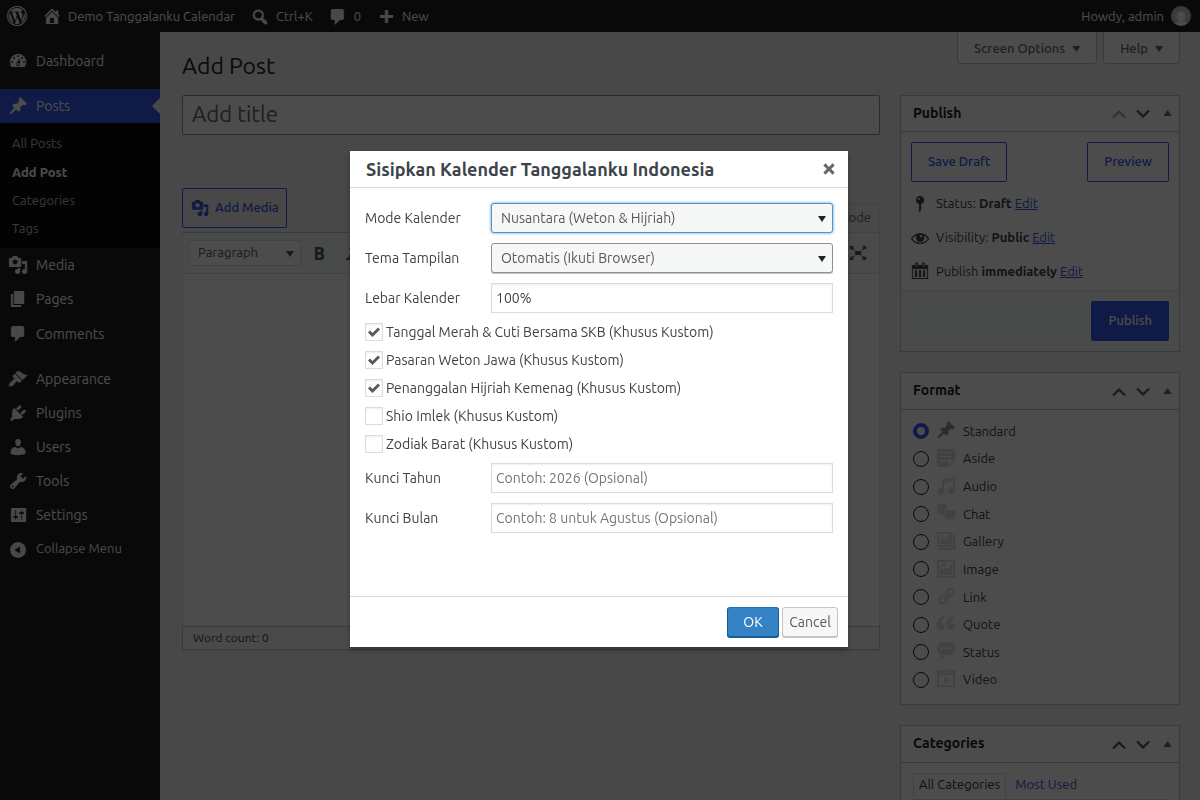
* mode: Preset type: clean (National), nusantara (Weton + Hijri), or lengkap (Full: Weton, Hijri, Shio, Zodiac). Default: clean (Shortcode) / nusantara (Block).
* theme: auto (follows browser/system theme), light, or dark. Default: auto.
* width: Maximum width of the calendar container (e.g. 100%, 500px, 650px). Default: 100%.
* libur: true or false to toggle national holidays and collective leave.
* weton: true or false to explicitly toggle Javanese pasaran.
* hijri: true or false to explicitly toggle Islamic Hijri dates.
* shio: true or false to explicitly toggle Chinese zodiac signs.
* zodiak: true or false to explicitly toggle Western zodiac signs.
Installation
- Upload the
tanggalanku-calendarfolder to your/wp-content/plugins/directory, or install directly via Plugins > Add New by searching for “Tanggalanku”. - Activate the plugin through the Plugins menu in WordPress.
- Add the calendar to your site:
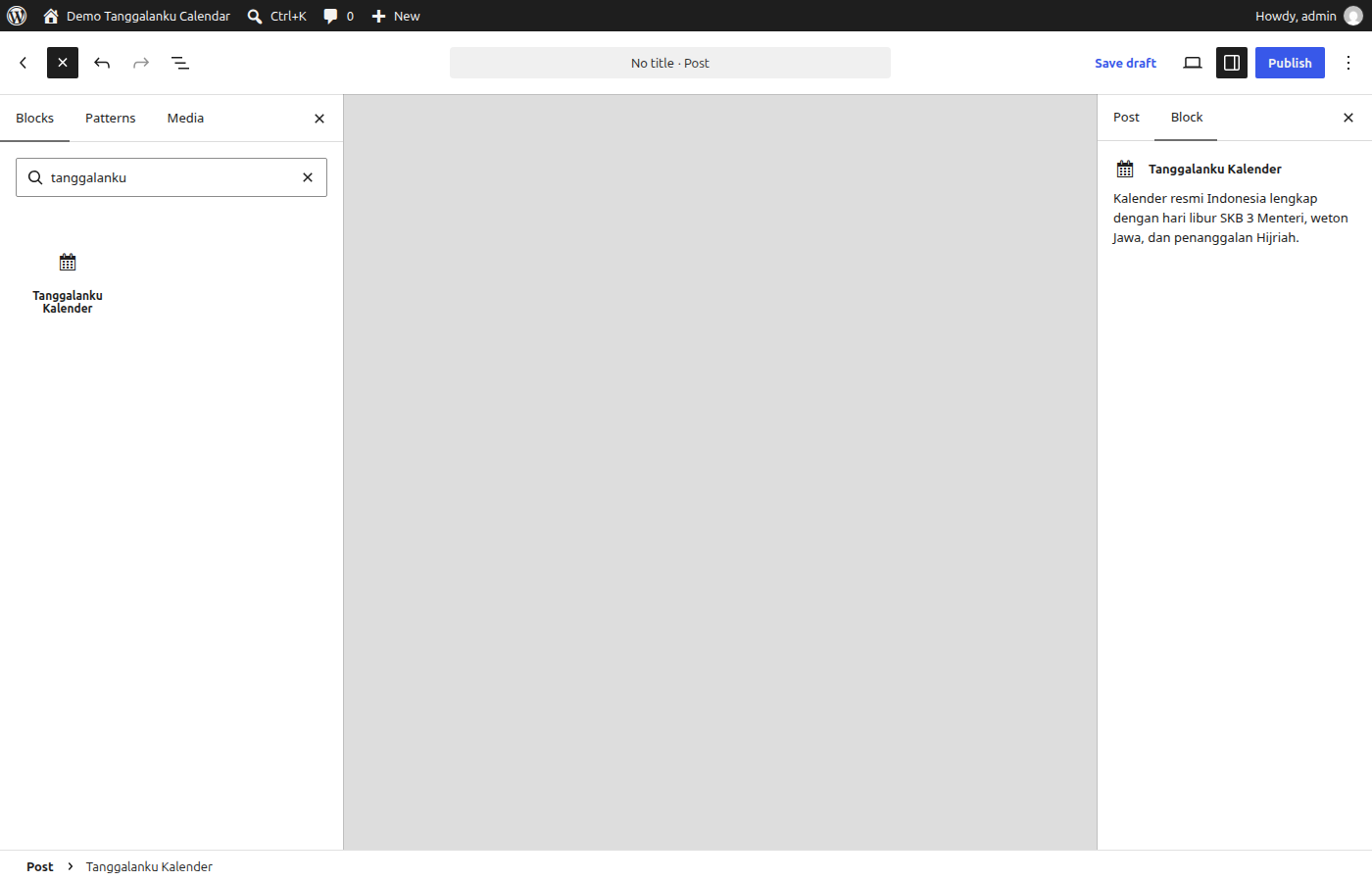
- Gutenberg Block (Recommended): Click
+, search for Tanggalanku, and insert the Tanggalanku Kalender block. Customize mode, theme, and width via the right sidebar panel! - Classic Editor: Click the calendar icon on the editor toolbar to open the popup GUI and insert your calendar.
- Shortcode: Type
[tanggalanku_calendar mode="nusantara"]anywhere in your post or page. - Sidebar / Footer: Go to Appearance > Widgets and add the Tanggalanku Calendar widget.
- Gutenberg Block (Recommended): Click
Panduan visual lengkap: Cara Memasang Kalender Indonesia di WordPress.
FAQ
Is this plugin completely free?
Yes, this plugin is 100% free and open-source licensed under GPLv2+.
Will this plugin slow down my website?
No. The core script is under 14 KB (~4 KB gzip) and is enqueued asynchronously in the footer so it never blocks page rendering.
Does it support dark mode?
Yes. You can configure theme="dark", theme="light", or theme="auto" to automatically match the visitor’s device preferences.
How do I change the calendar size?
Use the width parameter in the shortcode (e.g., [tanggalanku_calendar width="500px"]) or the Width setting in the Gutenberg block sidebar. The calendar height is automatically calculated to adapt responsively to every screen size.
Screenshots
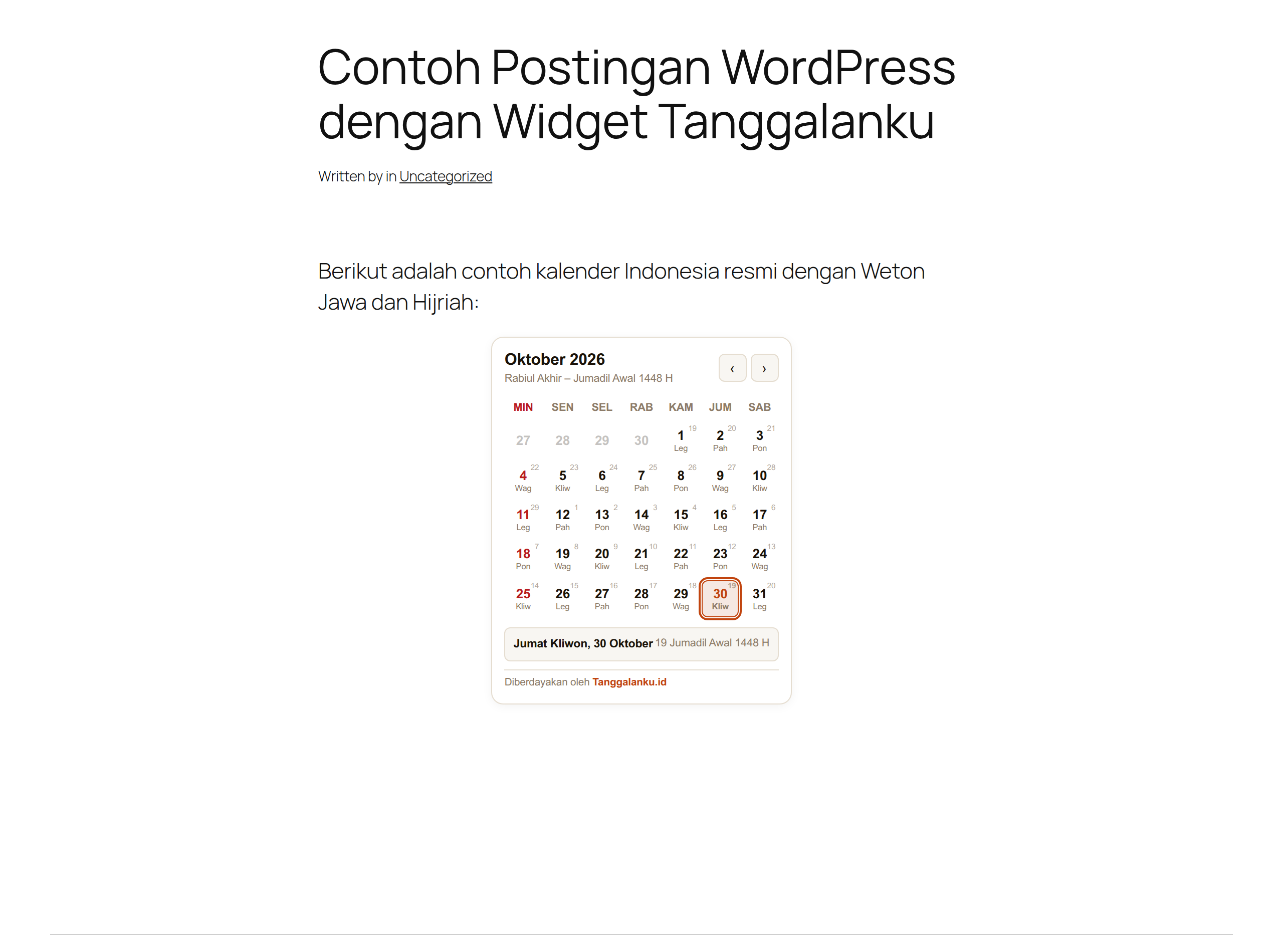
Changelog
1.1.1
- Enqueued TinyMCE admin editor styles via wp_enqueue_style() on admin_enqueue_scripts per WordPress.org guideline compliance.
- Extracted inline CSS into dedicated stylesheet assets/css/editor.css.
1.1.0
- Added native Gutenberg Block (
tanggalanku/calendar) with live block editor preview and InspectorControls sidebar settings. - Added Classic Editor (TinyMCE) toolbar button with Tanggalanku terracotta icon and popup modal GUI for inserting calendars.
- Added custom configuration mode with granular feature toggles (
libur,weton,hijri,shio,zodiak). - Added target
yearandmonthparameters in Gutenberg block, Classic Editor GUI, and shortcode. - Fixed preset immutability when switching between preset modes and custom toggles.
- Updated bundled widget assets to match latest release.
1.0.1
- Added alias shortcodes:
[tanggalanku_kalender],[tanggalanku_kalender_indonesia], and[tanggalanku_widget]. - Enhanced automated release packaging to produce both standard and versioned zip archives.
- Cleaned up plugin header metadata according to WordPress.org guidelines.
1.0.0
- Initial official release of Tanggalanku Calendar.
- Shortcode
[tanggalanku_calendar]and classic sidebar widget (Tanggalanku_Calendar_Widget) support. - Local asset bundling with Shadow DOM style isolation.
- Preset support: Clean (National), Nusantara (Weton & Hijri), and Lengkap (Full).