


Description
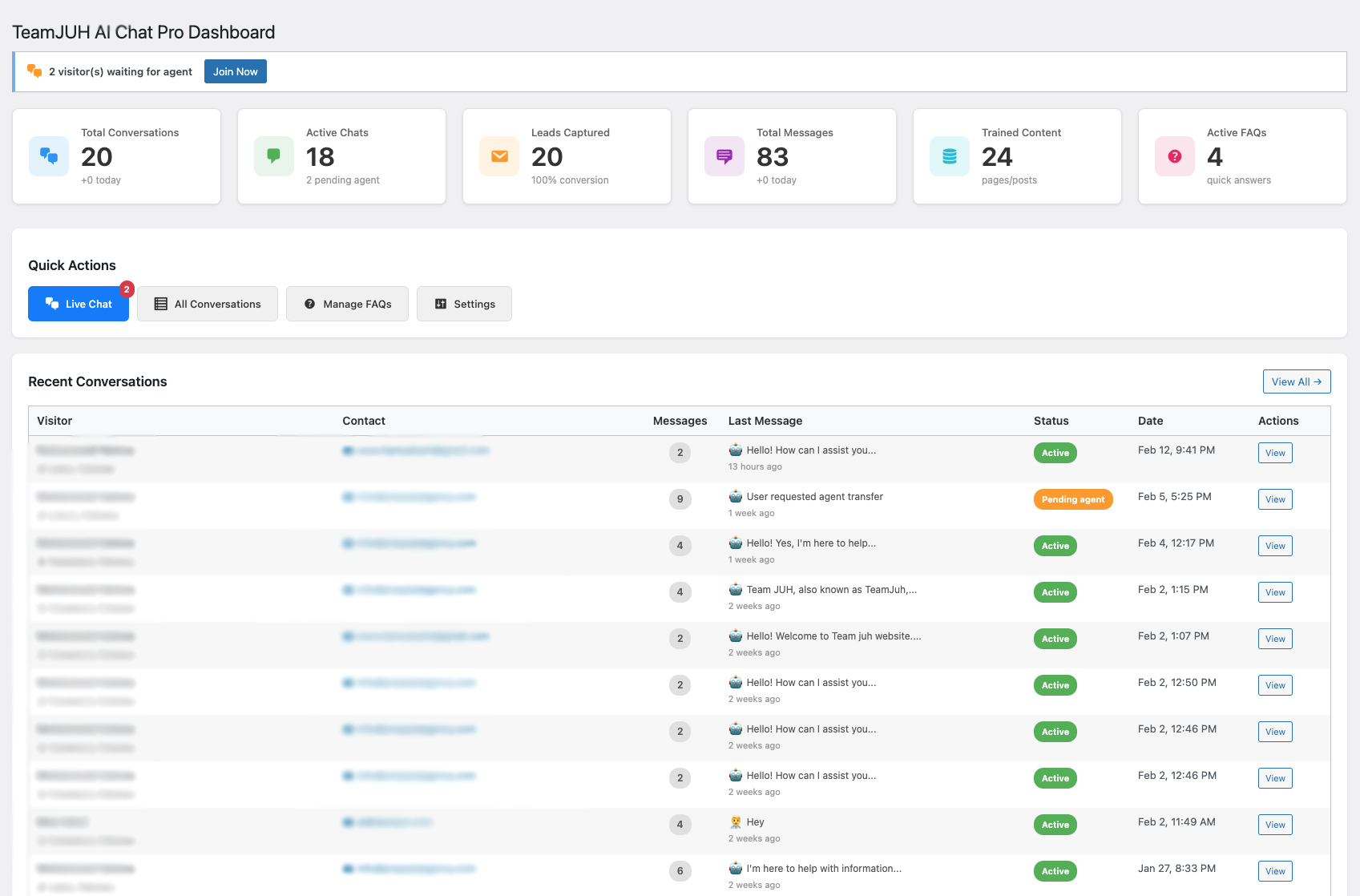
TeamJUH Smart Chatbot with ChatGPT and Claude is a powerful WordPress plugin that brings intelligent conversational AI to your website. Engage visitors 24/7 with an AI-powered chatbot that can answer questions, capture leads, and seamlessly transfer to live agents when needed.
Everything is free, with no limits. Every feature is included for everyone, with nothing to buy and nothing to activate. Every ChatGPT and Claude model is available, from fast and low-cost models like GPT-4o Mini and Claude Haiku to the most capable GPT and Claude Opus models, and there is no cap on FAQs, conversations or live chats. You only pay OpenAI or Anthropic for your own API usage.
Features
- All AI Models, Free – Choose any ChatGPT or Claude model your API key can access: GPT-4o, GPT-4o Mini, GPT-4.1, o3, newer GPT models, Claude Haiku, Sonnet and Opus. Click “Refresh Models” to load the latest list straight from OpenAI or Anthropic
- Dual AI Provider Support – Choose between OpenAI’s ChatGPT or Anthropic’s Claude
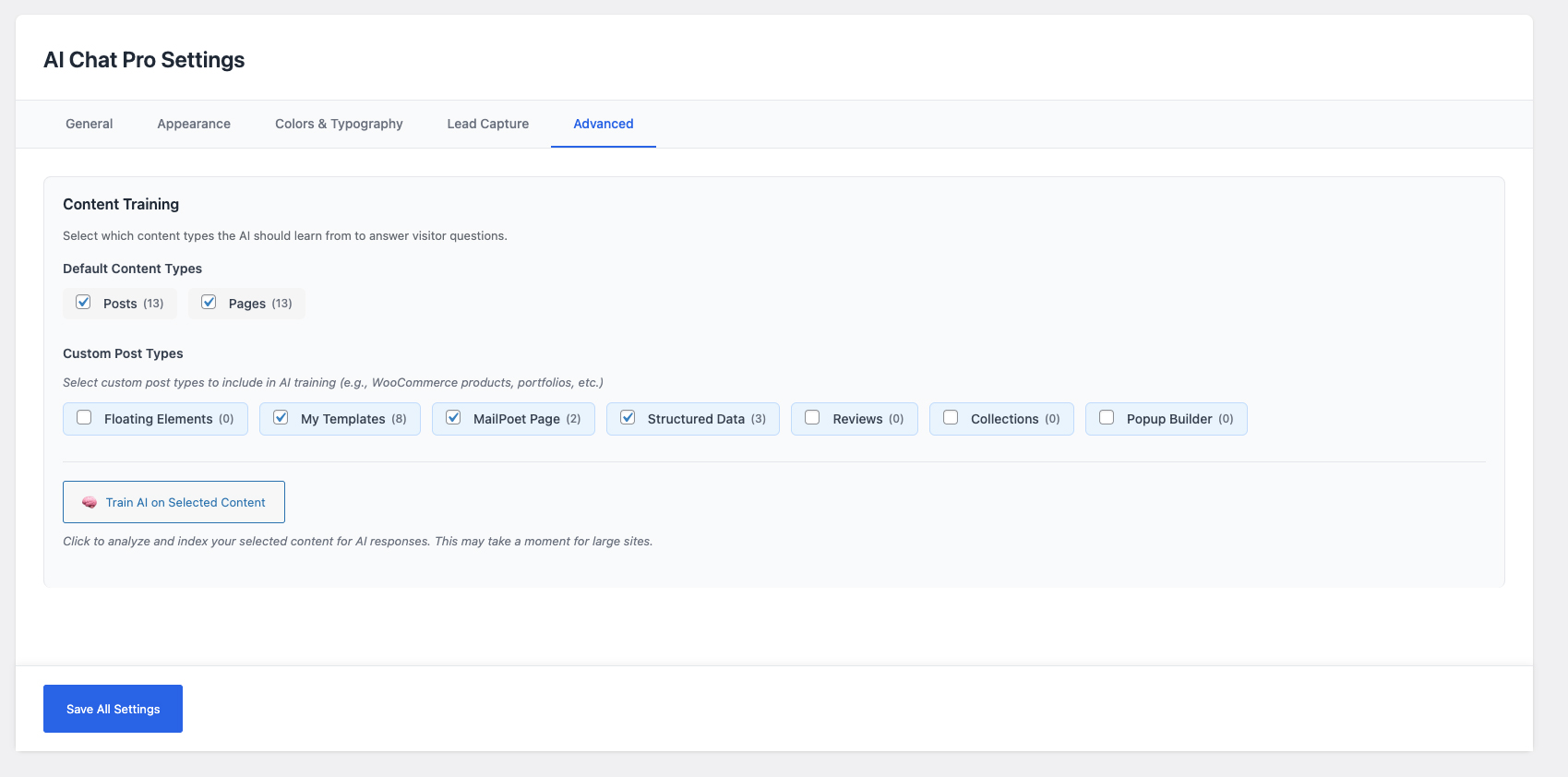
- Website Training – Train the AI on your posts and pages. For each question it uses the pages that match best, and edited pages update automatically
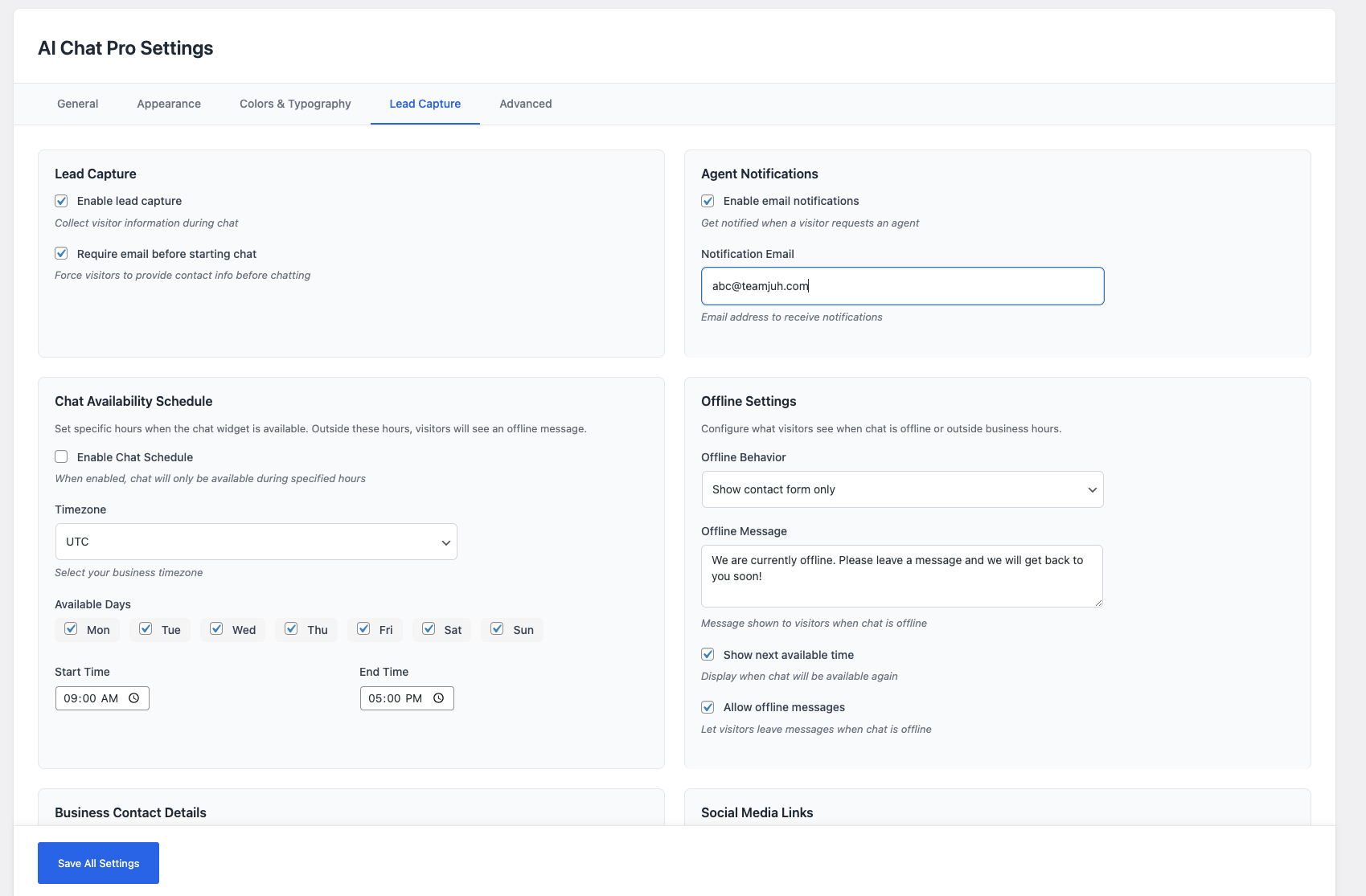
- Lead Capture – Collect visitor information (name, email, phone) before or during chat
- Live Agent Handoff – Seamless transfer from AI to human agents with email notifications
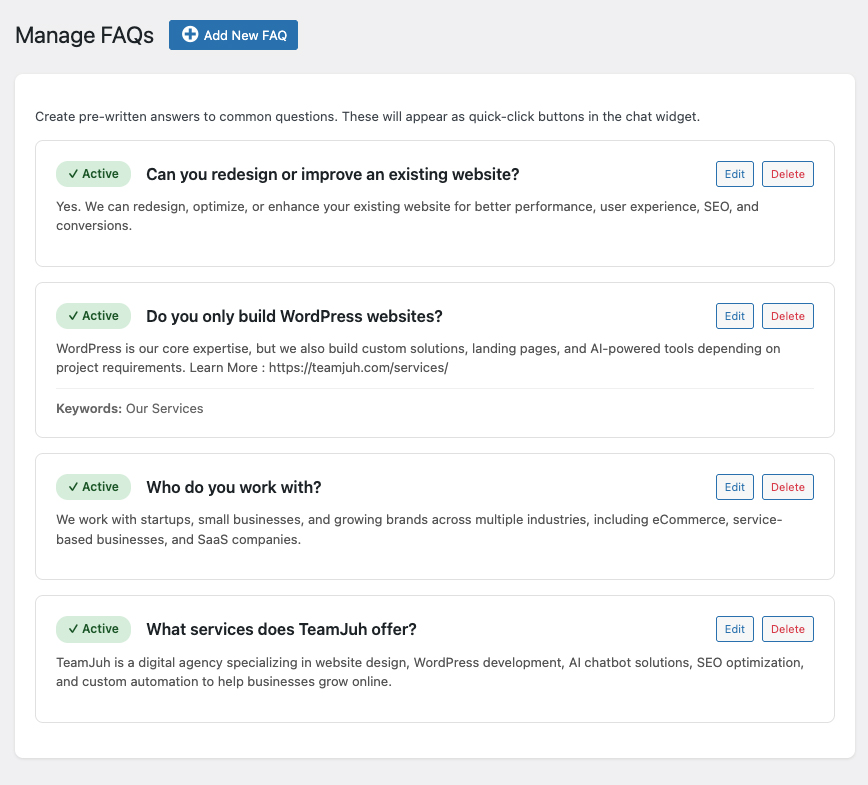
- Unlimited FAQs – Create as many quick-access FAQ buttons as you need
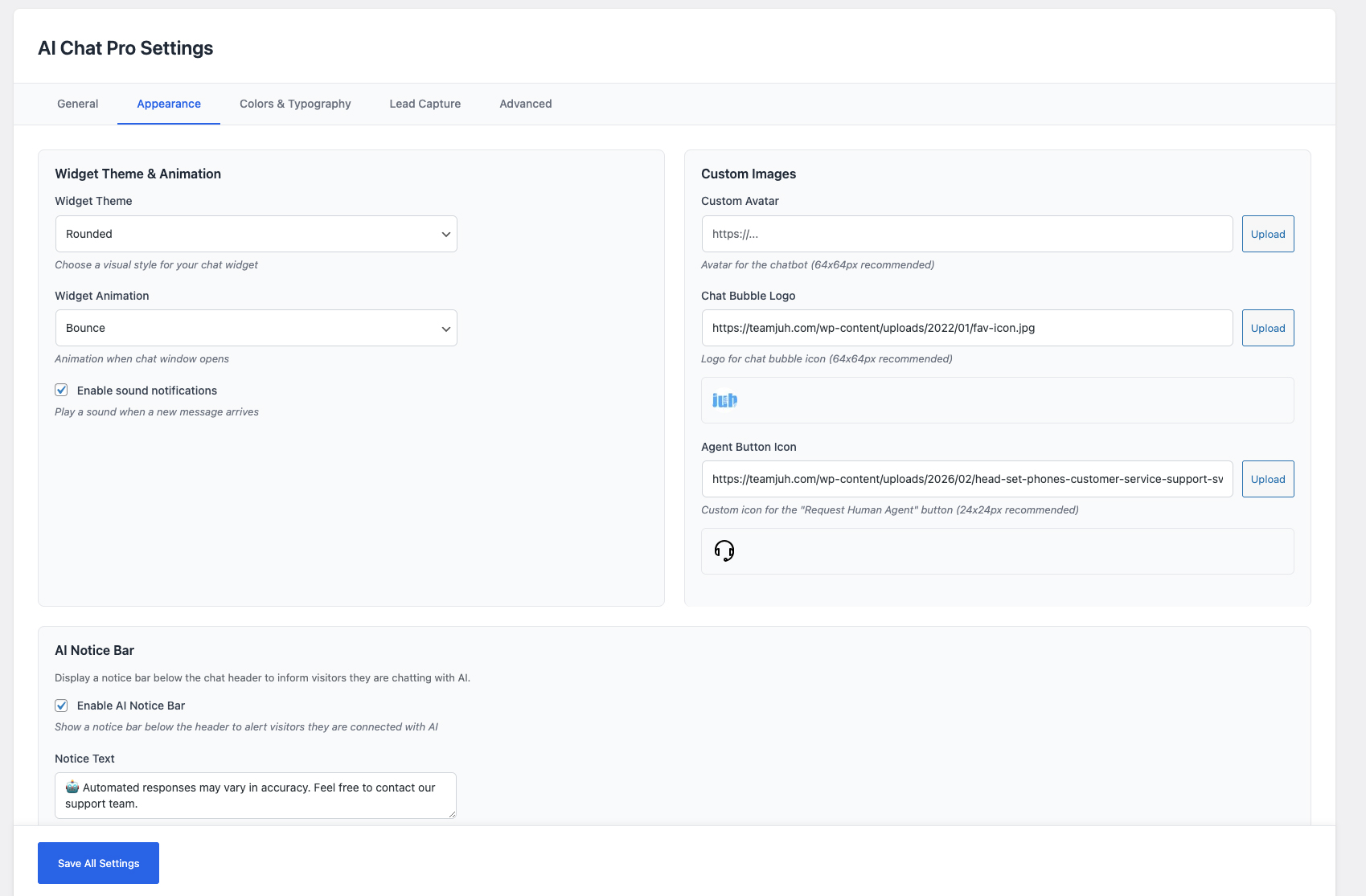
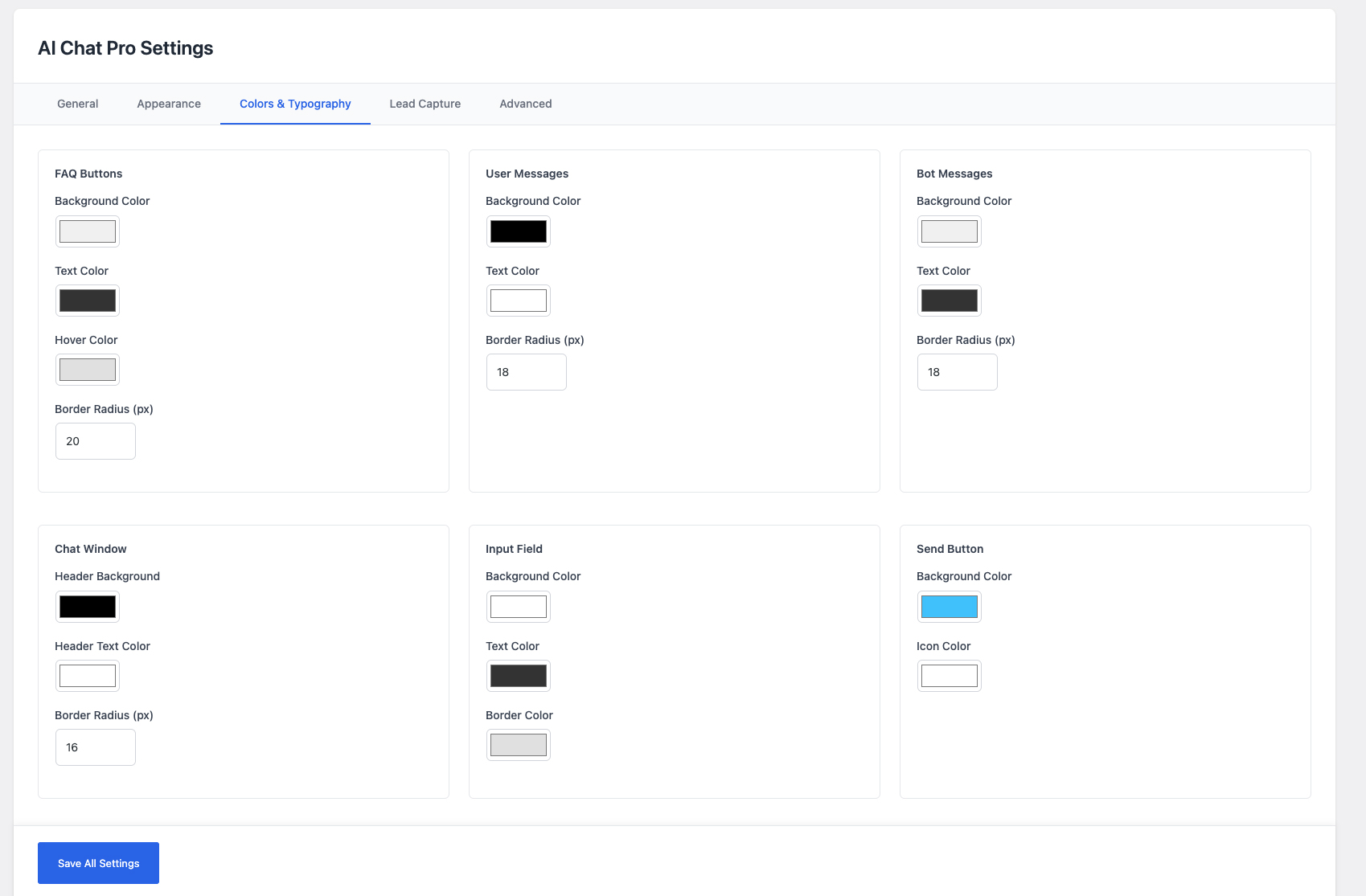
- Customizable Widget – Multiple themes, animations, colors, and custom branding options
- Sound Notifications – Optional audio alerts for new messages
- Chat Schedule – Set business hours with timezone support and offline behavior
- AI Notice Bar – Customizable notice bar with auto-hide on agent connect
- Agent Notifications – Email alerts when visitors request live agent
- Mobile Responsive – Works perfectly on all devices
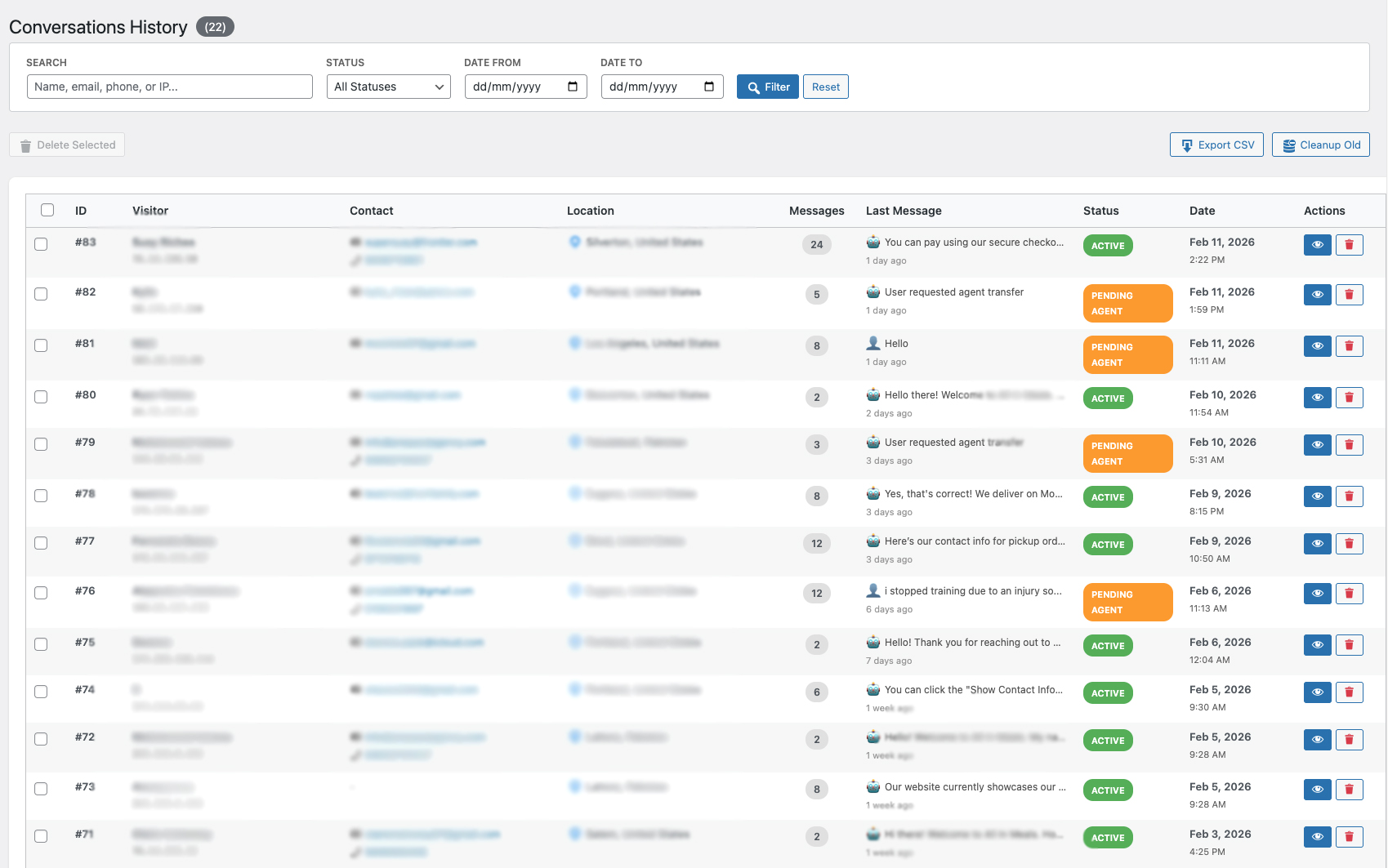
- Unlimited Conversation History – Browse, search, export and clean up every conversation, with no row limits or blurred rows
- Live Chat Dashboard – View and respond to your active conversations without a cap
- CSV Export & Bulk Tools – Export conversations and bulk-delete or clean up old chats
- Widget Position – Place the chat bubble bottom-right or bottom-left
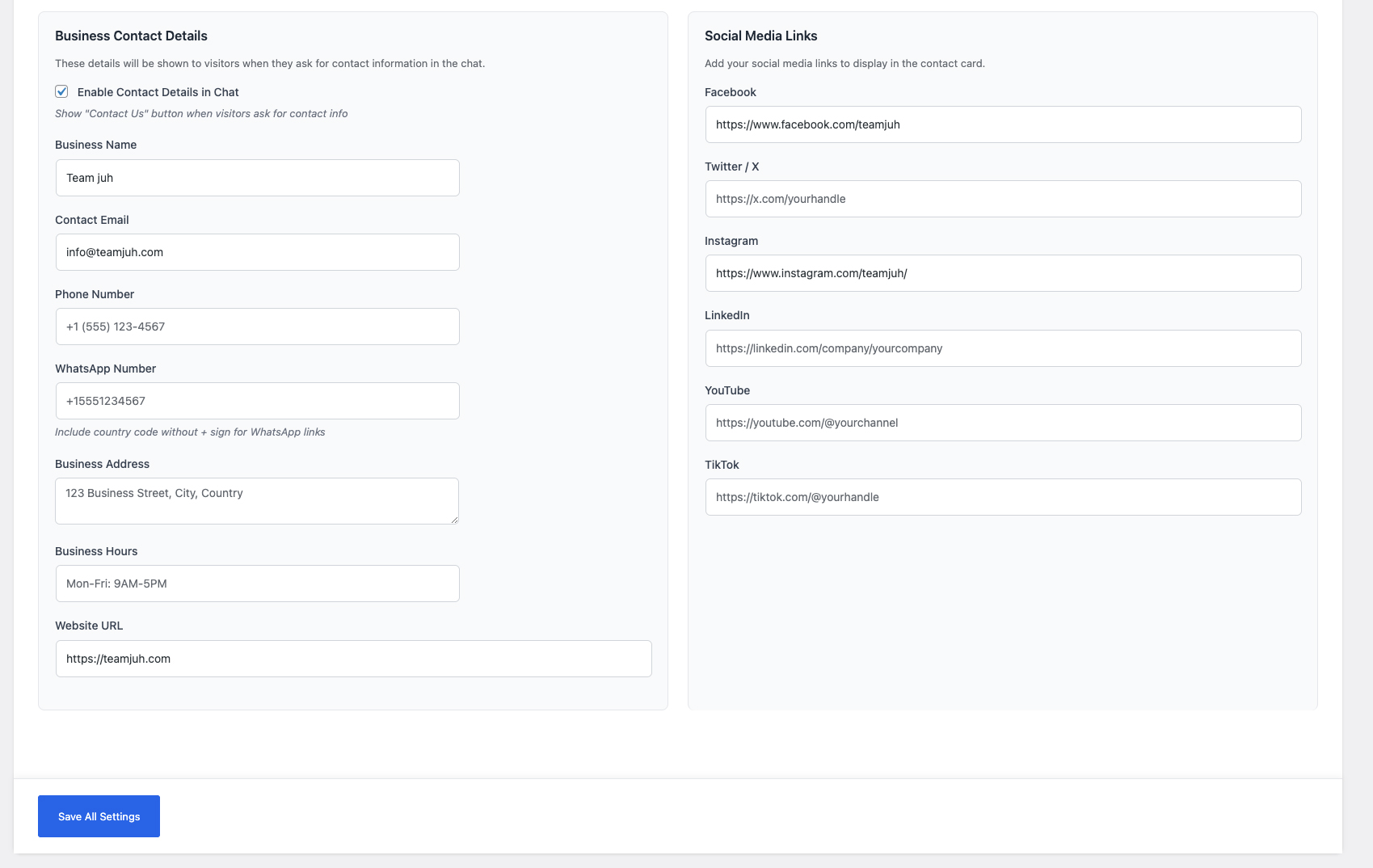
- Business Contact Details & Social Links – Show your contact info inside the widget
- Custom Post Type Training – Train the AI on any post type, not just posts and pages
- Nothing To Activate – No key, no account, no checks. The plugin only talks to the AI provider you configure
Perfect For
- eCommerce stores providing 24/7 customer support
- Service businesses capturing leads
- Websites looking to reduce support ticket volume
- Companies wanting to scale customer engagement
- Anyone who wants intelligent automated assistance
How It Works
- Install & Activate – Quick setup in minutes
- Add API Key – Connect your ChatGPT or Claude API
- Train AI – Let the AI learn from your website content
- Customize – Match your brand with themes and colors
- Go Live – Chat widget appears automatically on your site
Privacy & Data Collection
This plugin collects and stores:
* Visitor IP addresses for location tracking (location lookup can be turned off under Settings > Lead Capture)
* Conversation messages for chat history
* Lead information (name, email, phone) when provided
* Chat session data for analytics
External Services Used:
* OpenAI API (api.openai.com) – If using ChatGPT provider. Privacy Policy
* Anthropic API (api.anthropic.com) – If using Claude provider. Privacy Policy
* IP Geolocation API (ip-api.com) – For visitor location tracking, only when “Look up visitor location” is on. Free service, no API key required.
All chat data is stored in your WordPress database. No conversation data is sent to TeamJUH servers.
Requirements
- PHP 7.4 or higher
- WordPress 5.8 or higher
- OpenAI API key (for ChatGPT) OR Anthropic API key (for Claude)
- HTTPS recommended for security
Documentation & Support
Privacy Policy
TeamJUH Smart Chatbot with ChatGPT and Claude collects and processes data to provide chat functionality:
Data Collected:
* Visitor IP addresses (for location tracking)
* Chat messages and conversation history
* Lead information (name, email, phone) when provided by visitors
* Session data and timestamps
Data Storage:
* All data is stored locally in your WordPress database
* No conversation data is sent to TeamJUH servers
* You have full control over data retention and deletion
Third-Party Services:
* OpenAI – If using ChatGPT, messages are sent to OpenAI’s API for processing
* Anthropic – If using Claude, messages are sent to Anthropic’s API for processing
* ip-api.com – Free IP geolocation service for visitor location
Your Responsibilities:
* Inform visitors about data collection (add to privacy policy)
* Comply with GDPR, CCPA, and local privacy laws
* Provide data access and deletion on request
* Obtain necessary consents for AI processing
Data Deletion:
* Conversations can be deleted individually or in bulk
* Old conversations can be auto-deleted after specified days
* Uninstalling the plugin does not automatically delete data
For more information, visit our Privacy Policy.
Third-Party Services
This plugin relies on the following third-party services:
1. OpenAI API (api.openai.com)
* Used when ChatGPT provider is selected
* Sends chat messages for AI processing
* Lists the models available to your API key when you click “Refresh Models” (only your API key is sent)
* OpenAI Terms of Service
* OpenAI Privacy Policy
2. Anthropic API (api.anthropic.com)
* Used when Claude provider is selected
* Sends chat messages for AI processing
* Lists the models available to your API key when you click “Refresh Models” (only your API key is sent)
* Anthropic Terms of Service
* Anthropic Privacy Policy
3. IP-API (ip-api.com)
* Free IP geolocation service
* Used to determine visitor location
* No API key required
* IP-API Terms
Note: By using this plugin, you agree to the terms and privacy policies of these third-party services.
Support
Need help? We’re here for you!
- Documentation: teamjuh.com/teamjuh-smart-chatbot/
- Support Forum: wordpress.org/support/plugin/teamjuh-smart-chatbot/
- Email: support@teamjuh.com
- Website: teamjuh.com
Credits
Developed by TeamJUH
This plugin integrates with:
* OpenAI ChatGPT API
* Anthropic Claude API
* IP-API geolocation service
Additional Info
- Author: TeamJUH
- Author URI: https://teamjuh.com/
- Plugin URI: https://teamjuh.com/teamjuh-smart-chatbot/
- License: GPLv2 or later
- License URI: https://www.gnu.org/licenses/gpl-2.0.html
Installation
Automatic Installation
- Log in to your WordPress admin panel
- Navigate to Plugins > Add New
- Search for “TeamJUH Smart Chatbot with ChatGPT and Claude”
- Click “Install Now” and then “Activate”
Manual Installation
- Download the plugin ZIP file
- Log in to your WordPress admin panel
- Navigate to Plugins > Add New > Upload Plugin
- Choose the ZIP file and click “Install Now”
- Activate the plugin
After Installation
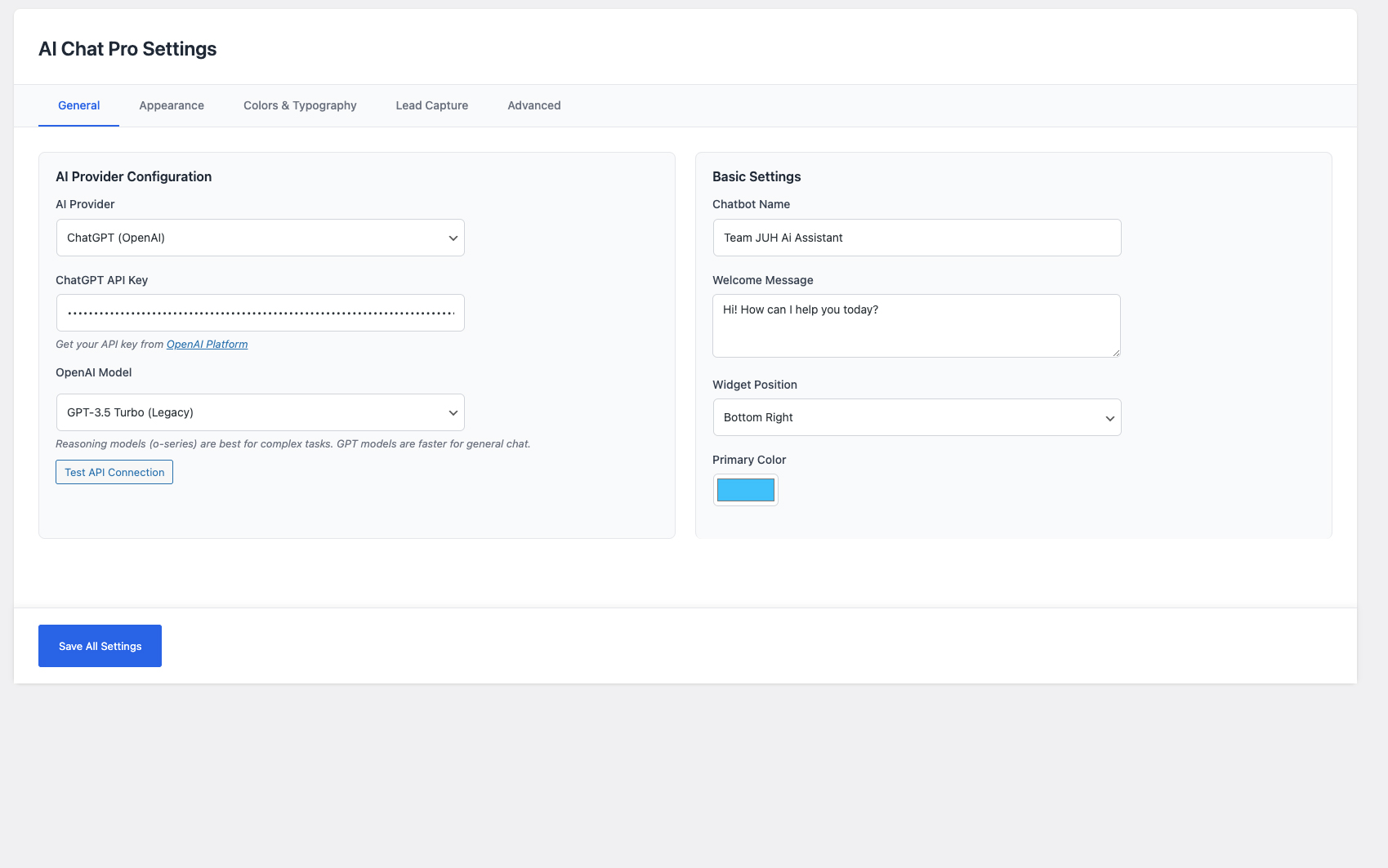
- Go to AI Chat > Settings
- Choose your AI provider (ChatGPT or Claude)
- Enter your API key
- Customize the chatbot name, welcome message, and colors
- Navigate to AI Chat > Settings > Content Training
- Click “Train AI on Website Content”
- Your chatbot is now live!
FAQ
Do I need an API key?
Yes, you need either an OpenAI API key (for ChatGPT) or an Anthropic API key (for Claude). Both require creating an account and may have associated costs based on usage.
Which AI models can I use? Are they free?
All of them, and they are all free. Go to AI Chat > Settings, enter your API key, and click “Refresh Models” to see every chat model your key can access.
The plugin does not charge for models. OpenAI or Anthropic bill your own API account for usage, so smaller models like GPT-4o Mini and Claude Haiku cost the least.
How much does the API cost?
API costs vary by provider:
* OpenAI: Pay-as-you-go, typically $0.002-0.03 per 1K tokens
* Anthropic: Pay-as-you-go, pricing varies by model
Both providers offer free trial credits for new users.
Is anything paid or locked?
No. Every feature is included and unlimited, and there is nothing to buy or activate. The only cost is your own OpenAI or Anthropic API usage, billed to you by them.
I updated from an older version. Do I need to do anything?
No. On the first admin page load after updating, the plugin tidies away the settings the old version stored and everything stays available. Your settings, conversations and FAQs are untouched.
Can I customize the chat widget appearance?
Yes! You can customize:
* Widget position (bottom-right or bottom-left)
* Primary color
* Widget themes (modern, minimal, rounded, compact)
* Animations (slide, fade, bounce, none)
* Custom avatar and bubble logo
* Custom CSS for advanced styling
How does lead capture work?
You can enable lead capture in two ways:
1. Optional – Collect info during the conversation
2. Required – Force visitors to provide email before chatting
All leads are stored in your WordPress database and visible in the Conversations page.
How does agent handoff work?
Visitors can click the “Transfer to Agent” button to request human assistance. You’ll receive an email notification with conversation history. Agents can then respond via the Live Chat dashboard.
Does this work with my theme?
Yes! The chat widget is designed to work with any WordPress theme. It uses absolute positioning and doesn’t interfere with your site’s layout.
Is it GDPR compliant?
The plugin provides the tools, but GDPR compliance depends on your implementation:
* Add a privacy notice about data collection
* Inform users about AI processing
* Provide opt-in for lead capture
* Include data access and deletion options
Can I use this on multiple sites?
Yes, on as many sites as you like. Each WordPress installation needs its own plugin installation and API key. There is no activation limit.
How do I get support?
- Check the documentation
- Visit the support forum
- Or email us at support@teamjuh.com
Screenshots
Changelog
1.3.1
- FIXED: Two strings in the chat widget (“Powered by” and “Privacy Policy”) used the wrong text domain and could never be translated
- IMPROVED: Removed outdated wording and stale references to the old paid version from the readme and from in-code comments
- IMPROVED: Added the missing screenshot caption for Business Contact Details
1.3.0
- NEW: Every feature is now included and unlimited for everyone
- NEW: Unlimited FAQs (was capped at 4), unlimited conversation history and unlimited live chat conversations (were capped at 5)
- NEW: All settings are now available: widget position, business contact details and social links, lead capture before chat, and content training for custom post types
- NEW: CSV export, bulk delete and “Cleanup Old” are available on the Conversations page
- REMOVED: All locked panels, badges, blurred rows and promotional notices in the admin
- REMOVED: The plugin no longer contacts teamjuh.com, and the weekly remote check and its scheduled task are gone
- IMPROVED: Settings stored by older versions are cleaned up automatically on the first admin page load after updating. Your settings, conversations and FAQs are not touched
- The live chat list loads up to 500 recent conversations per refresh to keep polling fast (adjustable with the
teamjuh_aichat_live_chat_list_limitfilter)
1.2.3
- SECURITY: Chat requests are now checked against the visitor’s own chat session, so one visitor can no longer read agent replies, change lead details, or post messages in another visitor’s conversation
- SECURITY: Rate limit of 20 messages per minute and 300 per day per visitor, so bots can’t run up your OpenAI or Claude bill (adjustable with the
teamjuh_aichat_rate_limitsfilter) - IMPROVED: The AI now answers using the trained pages that best match each question, instead of only the 10 most recently trained pages
- IMPROVED: Edited, published, unpublished and deleted pages update the AI’s training automatically (after you have trained once)
- NEW: “Look up visitor location” setting to turn off sending visitor IPs to ip-api.com
- FIXED: Each question was sent to the AI twice, wasting tokens
- FIXED: Non-English website content (Arabic, Urdu, Chinese and others) could break AI requests when cut mid-character
- FIXED: Private network addresses (172.16-31.x, IPv6) are no longer sent for location lookup
- FIXED: Chat now shows a message when a request is refused (for example when sending too fast) instead of staying silent
- Messages are limited to 2,000 characters
- Tested up to WordPress 7.1
1.2.2
- NEW: All AI models are now available in the free version
- NEW: “Refresh Models” button loads every chat model your OpenAI or Claude API key can use, so new models appear without a plugin update
- NEW: Added Claude Sonnet 5.5, Claude Opus 5.5, GPT-4.1 and o3 to the built-in model list
- NEW: “Test API Connection” button for Claude
- IMPROVED: All previous models stay available. Models OpenAI is shutting down on October 23, 2026 (GPT-3.5 Turbo, GPT-4, GPT-4 Turbo, o1, o3-mini) are marked “retiring” and keep working until that date
- FIXED: When a selected model has shut down, the chatbot automatically answers with GPT-4o / GPT-4o Mini (or Claude Haiku 4.5 for Claude 3 models) instead of showing an error. Your saved setting is not changed
- FIXED: Newer GPT (GPT-5 and later) and o-series models now receive the request format they require
- FIXED: Newer Claude models that think before answering no longer return an empty reply
- FIXED: Claude connection test now uses the API key and model entered in the form
1.2.1
- Added debug logging for troubleshooting (only when WP_DEBUG enabled)
- Better error handling for HTTP errors and server responses
- Internal reliability fixes
1.2.0
- Internal reliability and security fixes
1.1.9
- Added Open Graph meta tags for better social media sharing
- Fixed broken favicon/image when sharing links on Facebook, LinkedIn, Twitter
- Updated plugin icon to TeamJUH brand logo
- Smart OG tag detection – won’t conflict with SEO plugins (Yoast, Rank Math, etc.)
- Automatic fallback to WordPress Site Icon or plugin icon
1.1.8
- Added dynamic System Prompt field in Settings > General
- Users can now customize AI behavior and persona without editing code
- Use {site_name} placeholder for dynamic site name injection
- Both ChatGPT and Claude use the custom system prompt
1.1.7
- Fixed Claude API test button (was returning “coming soon”)
- Added Claude Sonnet 4.5 as a free model
- Fixed invalid default Claude model ID
1.1.6
- Live agent chat available to all users
- Transfer to agent button available to all users
- Internal cleanup and readme updates
1.1.5
- Core features opened up to all users
- Bug fixes and cache busting improvements
1.1.4
- Fixed plugin slug consistency across all files
- Improved nonce security for conversation filters
- Removed custom CSS injection for WordPress.org compliance
- Updated support forum URLs to match plugin slug
1.1.2
- Added session persistence for chat across page navigation
- Chat state now survives page refreshes and navigation
- Sessions are valid for 24 hours
- Improved user experience with persistent conversations
1.1.1
- Added AI notice bar with customizable styling
- Added close button for AI notice bar
- Auto-hide AI notice when connecting to human agent
- Added clickable links in FAQ answers and AI responses
- Added customizable agent button icon option
- Various UI improvements and bug fixes
1.1.0
- Added chat schedule functionality with timezone support
- Added offline behavior options (show message, hide widget)
- Improved widget customization options
- Enhanced appearance settings
1.0.0
- Initial release
- ChatGPT and Claude AI integration
- Website content training
- Lead capture functionality
- Live agent handoff with email notifications
- Customizable chat widget with multiple themes
- FAQ management system
- Visitor tracking with geolocation
- Sound notifications
- Mobile responsive design