


Description
Texty is a lightweight SMS notification plugin for WordPress. With so many emails coming to your inbox, often it becomes overwhelming to stay on top of things that matter most. A text notification on your phone may be more desired.
Texty integrates with 3rd party SMS providers to add support for text messaging. When events occur in WordPress, WooCommerce, or Dokan, Texty sends an SMS notification to the right people at the right time.
👉 GitHub | Developer Docs
Features
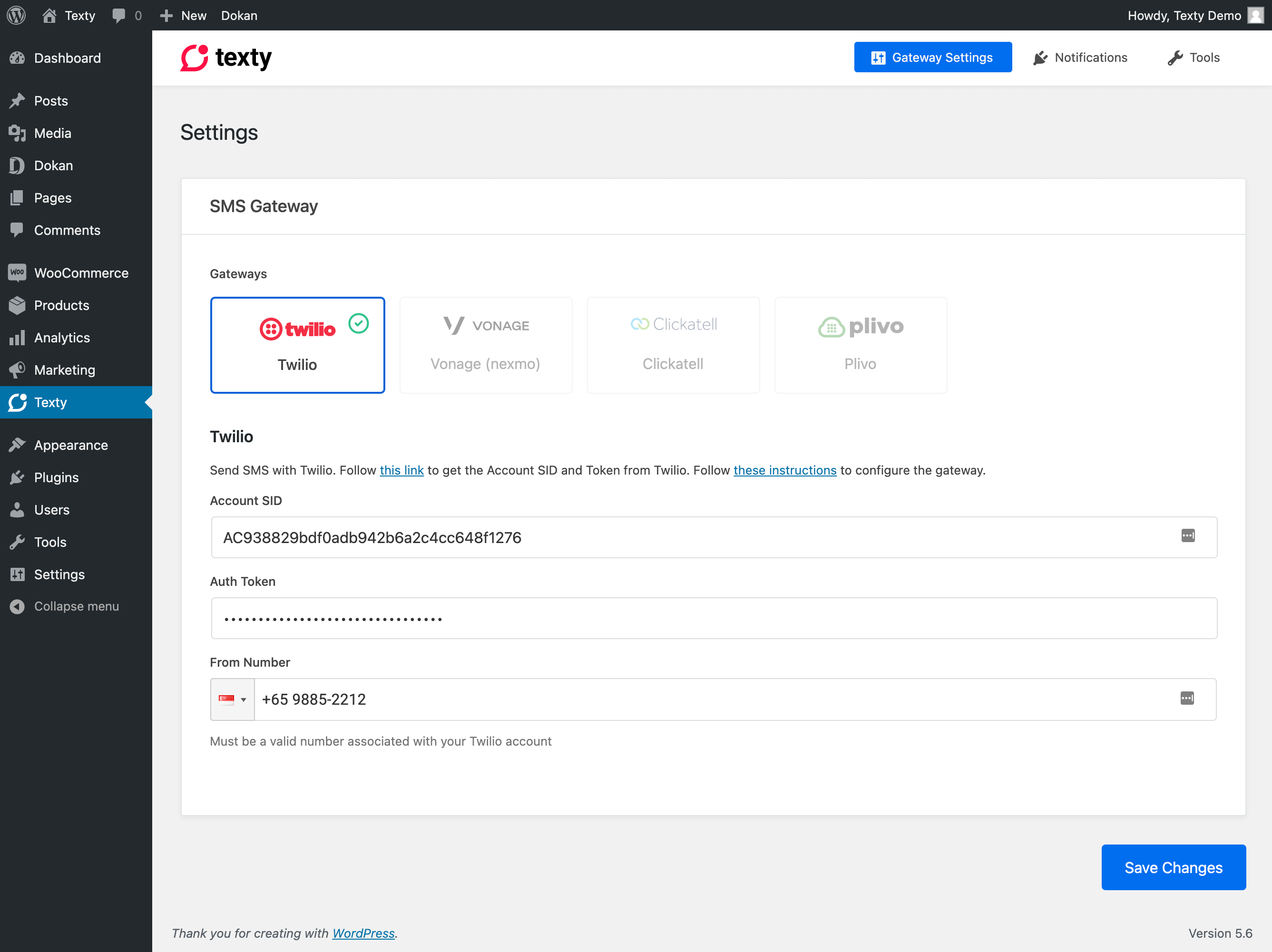
- Multiple SMS Gateways – Choose from Twilio, Vonage, Plivo, or Clickatell
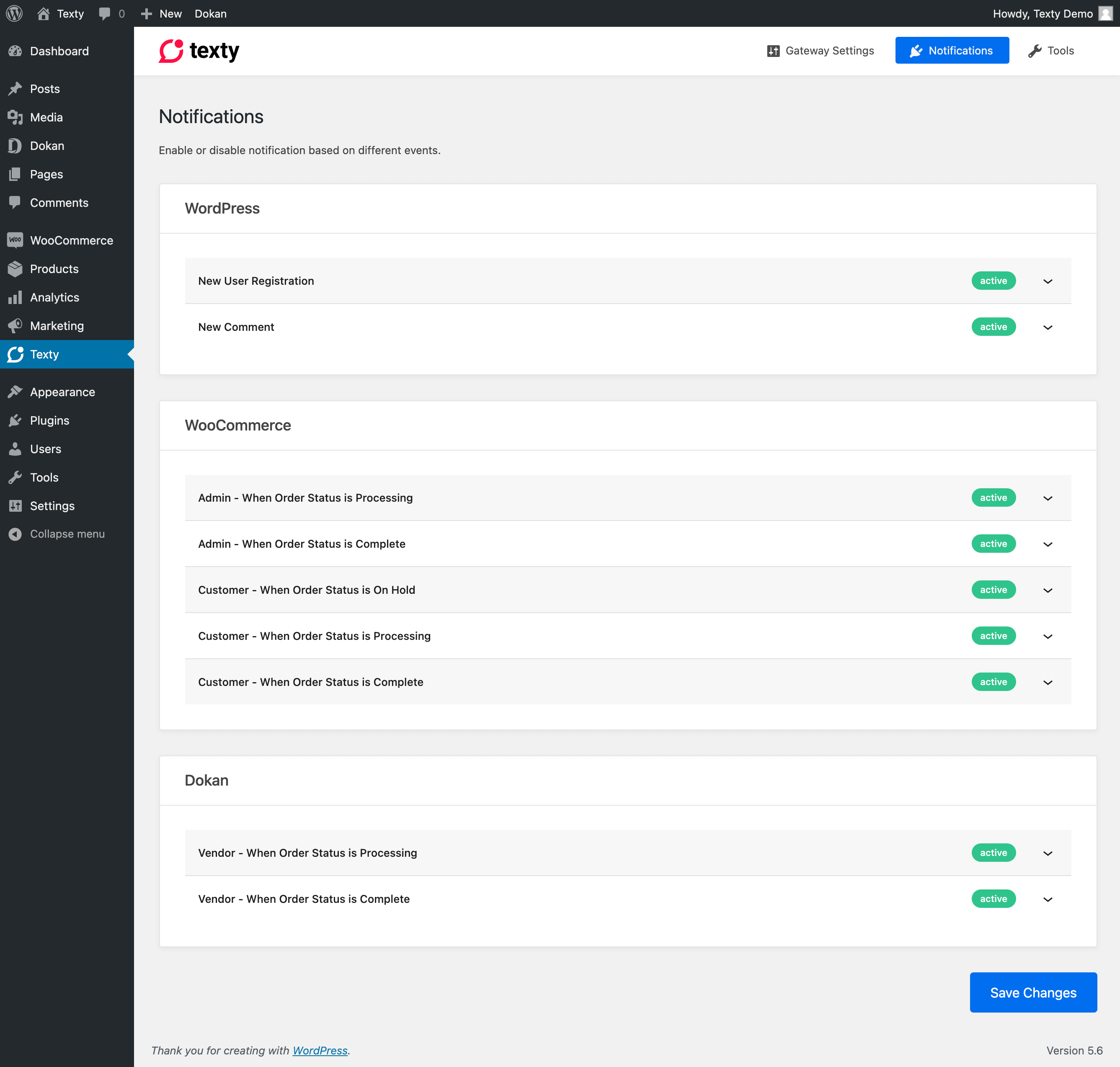
- WordPress Notifications – New user registration and new comment alerts
- WooCommerce Notifications – Admin and customer order status notifications
- Dokan Notifications – Vendor order status notifications
- Customizable Messages – Use template tags to personalize every SMS
- Developer Friendly – 20+ action and filter hooks for full extensibility
Supported Gateways
- Twilio
- Vonage – Formerly Nexmo
- Plivo
- Clickatell
Supported Events
WordPress Core
- New User Registration
- New Comment
WooCommerce (Admin)
- Order Processing
- Order Complete
- Order Cancelled
- Order Failed
- Order Refunded
WooCommerce (Customer)
- Order On Hold
- Order Processing
- Order Complete
- Order Cancelled
- Order Failed
- Order Refunded
Dokan (Vendor)
- Order Processing
- Order Complete
- Order Cancelled
- Order Failed
- Order Refunded
Extensibility
Texty is built with developers in mind. Register custom gateways, add new notification types, modify messages on the fly, or integrate with any WordPress plugin. See the Developer Documentation for details.
Message placeholders such as {order_id} can be added, overridden or removed with the texty_notification_placeholders filter (or texty_notification_placeholders_{notification_id} for one notification). Changes appear in the “Available variables” lists and the order “Send SMS” box, and are applied when messages are sent.
Disclaimer
Texty integrates with 3rd party providers to send SMS messages. Please review each provider’s terms before use:
- Twilio – Terms of Service | Privacy Policy
- Vonage – Legal | Privacy Policy
- Plivo – Terms of Service | Privacy Policy
- Clickatell – Terms of Service | Privacy Policy
Privacy Policy
Texty uses Appsero SDK to collect some telemetry data upon user’s confirmation. This helps us to troubleshoot problems faster & make product improvements.
Appsero SDK does not gather any data by default. The SDK only starts gathering basic telemetry data when a user allows it via the admin notice. We collect the data to ensure a great user experience for all our users.
Learn more about how Appsero collects and uses this data.
External services: outgoing IP detection
Some SMS gateways (currently SSL Wireless) only accept requests from whitelisted server IPs. For those gateways, Texty finds your server’s outgoing IPv4 address by asking a public “what is my IP” service, so it can show you which IP to whitelist. This happens only when the gateway’s settings page is opened, or after a message is sent through such a gateway, and the result is cached for 12 hours per server. The request contains no site or customer data; the service only sees your server’s IP address.
Services used, in order, until one answers:
- ipify — api.ipify.org (privacy policy)
- Amazon Web Services — checkip.amazonaws.com (privacy notice)
- icanhazip (Cloudflare) — ipv4.icanhazip.com (privacy policy)
To change or disable these lookups, use the texty_egress_ip_services filter (return an empty array to disable them; you can still add IPs by hand).
Installation
Minimum Requirements
- WordPress 6.8 or greater
- PHP 7.4 or greater
Automatic Installation
- Go to Plugins > Add New in your WordPress admin
- Search for “Texty”
- Click Install Now and then Activate
Manual Installation
- Download the plugin zip file
- Extract and upload the
textyfolder to/wp-content/plugins/ - Activate the plugin from the Plugins page in WordPress admin
Setup
- Navigate to Texty > Settings in your WordPress admin
- Select your SMS gateway and enter the API credentials
- Go to the Notifications tab to enable and configure alerts
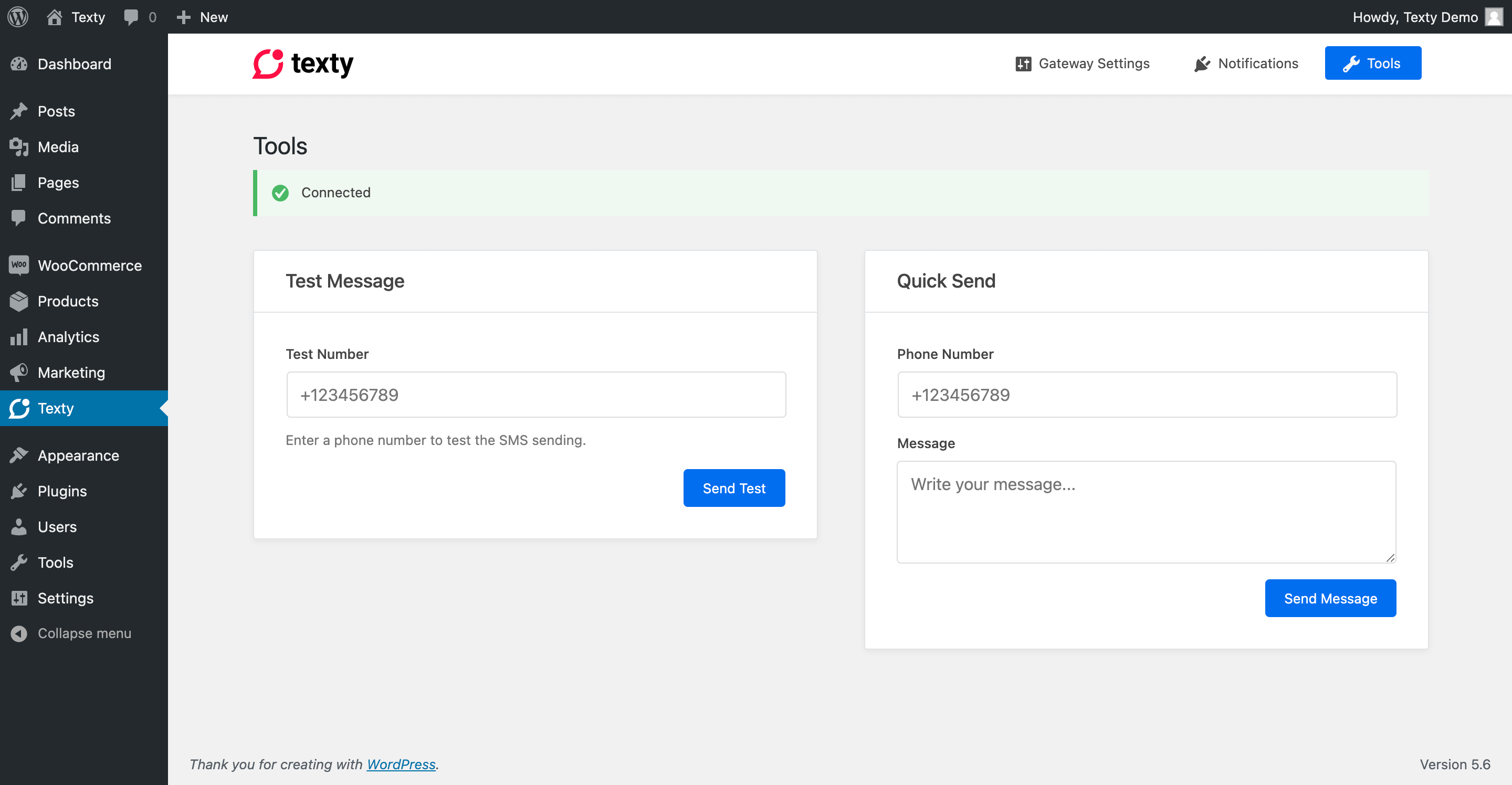
- Use the Tools tab to send a test SMS
FAQ
Which gateways does Texty support?
Texty supports Twilio, Vonage (Nexmo), Plivo, and Clickatell. You can also register custom gateways via the texty_register_gateways action hook.
Does it support WooCommerce?
Yes. Texty supports admin and customer notifications for order status changes including processing, complete, on-hold, cancelled, failed, and refunded.
Does it support Dokan?
Yes. Dokan vendors receive SMS notifications when their order statuses change.
Can I add custom gateways?
Yes. Implement the GatewayInterface and register your gateway using the texty_register_gateways action hook. See the Developer Documentation for details.
Can I modify SMS content before sending?
Yes. Use the texty_sms_message filter to modify the SMS body, or texty_notification_message to modify notification content before sending.
Can I add notifications for other plugins?
Yes. Use the texty_register_notifications action hook to register custom notification types.
Screenshots


Changelog
v2.2.0 (6 Nov, 2026)
- New: 20 new SMS gateways: Africa’s Talking, AWS End User Messaging, Bandwidth, Bird, Brevo, BulkGate, BulkSMS, ClickSend, D7 Networks, Fast2SMS, Infobip, MSG91, Octopush, SMSAPI, SMSGlobal, Sinch, Taqnyat, Telnyx, Textmagic and Unifonic. MSG91 and Fast2SMS are marked Beta.
- New: Each gateway’s settings page links to the provider’s API documentation.
- Update: Saved gateway secrets (API keys, tokens) are masked on the settings page and in the REST API.
- New: Developers can add, override or remove message placeholders (like
{order_id}) with thetexty_notification_placeholdersfilter. Custom placeholders show up in the “Available variables” lists and the order “Send SMS” box, and are filled in when messages are sent. - New: Gateways that require IP whitelisting (SSL Wireless) show your server’s outgoing IP on their settings page, with copy buttons. On sites with several servers or a load balancer, every server’s IP is listed as it sends, marked Allowed or Blocked, and you can add your host’s fixed outgoing IP by hand. A blocked send’s error now names the exact IP to whitelist, and SSL Wireless requests always use IPv4.
- New: Send an SMS from the WooCommerce order screen. A “Send SMS” box above Order notes suggests the order’s billing, shipping and Dokan vendor numbers as you type (or enter any number), fills order details like {order_id} and {order_total}, counts characters and SMS parts (including Bangla/Unicode), and records the message as a private order note. Available to admins and shop managers.
- New: Automatic order SMS (processing, completed, vendor and admin alerts) now add a private order note with the message and each recipient’s result. Turn off with
add_filter( 'texty_add_order_sms_note', '__return_false' );. - New: SSL Wireless (iSMS Plus, Bangladesh) gateway.
- New: Quick Send has its own page under Texty → Quick Send, with a shortcut on the dashboard. The phone number field now starts on your store’s country.
- New: SMS notifications are sent in the background (using WooCommerce’s Action Scheduler) instead of during checkout or order updates, so those pages no longer wait on the SMS gateway. Queued messages show as Pending in Logs, with Send now and Cancel buttons.
- Changed: Because notifications are sent in the background, they go out shortly after the event (usually within a minute) rather than instantly. Code that filters Texty messages now runs in that background request, without the shopper’s session. To keep the previous immediate sending, add
add_filter( 'texty_send_async', '__return_false' );. Sites without WooCommerce keep sending immediately. - Fix: Logs → All and the dashboard counters no longer show stale or empty data on sites with a persistent object cache.
- Fix: SMS that are not sent because Pause All Notifications is on, no gateway is active or the recipient number is missing now show in Logs as Failed instead of leaving no record, so the order note’s “details in Texty → Logs” has an entry to point to.
- Update: Faster Logs, CSV export and dashboard on sites with many messages.
v2.0.2 (10 Aug, 2026)
- New: Texty add-ons can now display their own settings inside Texty, with the same look and feel as the rest of the plugin.
- Fix: WooCommerce order messages that fail to reach anyone are no longer treated as delivered, so the notification can still go out on the next order update.
- Fix: Blank comment notifications are no longer sent when a comment is removed before its message goes out.
- Update: Improved compatibility with other plugins to avoid conflicts on sites running many extensions.
-
Update: General security and stability improvements.
-
Fix: Admin assets (the React dashboard bundle) are now included in the WP.org release; the 2.0.0 package was missing the compiled
dist/files.
v2.0.0 (16 Jun, 2026)
- New: Complete design revamp. Every admin screen has been redesigned and rebuilt from the ground up with a fresh layout, simpler navigation, and a consistent look across the plugin.
- New: Dashboard page that brings SMS metrics, delivery-rate stats, and volume analytics together in one place, along with a Quick Send card for sending messages on the go.
- New: SMS Logs page where every message can be searched, filtered, and reviewed. Each entry includes a detailed view and a clear delivery-status badge.
- New: SMS logging that records every send automatically, so message history and delivery details are always available for reference.
- New: Gateway configuration page with a guided Connect and Activate flow, plus easy controls to activate, deactivate, or disconnect each gateway.
- New: Redesigned notifications area with separate tabs for User Events, Integrations, and global Settings. Each event can be expanded to manage its toggle, recipients, message template, and available variables, with dedicated branding for WordPress, WooCommerce, and Dokan.
- New: Compliance controls that allow all notifications to be paused at once, a company name to be appended to outgoing messages, and a global fallback Sender ID to be set.
- New: Smarter database update process with a clear notice when an update is required, making upgrades smooth and reliable.
- New: Expanded REST API for deeper integrations, covering metrics, logs, gateway settings, notification settings, and more.
- New: Friendly error and 404 screens added across the admin app for a smoother experience when something goes wrong.
v1.1.5 (3 Feb, 2026)
- New: Added notifications for WooCommerce order statuses: cancelled, failed, and refunded
- New: Added notifications for Dokan Vendor order statuses: cancelled, failed, and refunded
- New: Added 21 action and filter hooks for developer extensibility
- New: Gateway registry system — register custom gateways via
texty_register_gateways - New: Notification registry system — register custom notifications via
texty_register_notifications - Update: Appsero updated for WordPress 6.8 compatibility
- Update: Mozart is integrated with the plugin
- Update: WordPress 6.9 compatibility added
v1.1.4 (8 Oct, 2024)
- Update: WordPress 6.6.2 compatibility
v1.1.2 (31 Oct, 2023)
- Update: WordPress 6.3.2 compatibility
- Fix: Fixed Appsero SDK security issue
v1.1.1 (2 June, 2022)
- Fix: WordPress 6.0 compatibility
v1.1 (31 Aug, 2021)
- Fix: Responsive issue in the settings panel where gateway names overflowed the viewport
- Fix: Remove duplicate numbers while sending messages
- New: Syncing of vendor phone number from Dokan during registration
v1.0 (22 Jan, 2021)
- New: Added Plivo gateway
- New: Added Clickatell gateway
- New: Added Dokan integration for vendor order notifications
- New: Added
{items}shortcode for WooCommerce orders
v0.2 (18 Jan, 2021)
- Initial Release