


Description
The Yeti Dev Bookings Lite adds a “Bookable product” type to WooCommerce. Customers pick a date and time from a live calendar and pay through your normal checkout, with any payment gateway.
A time is held while it is in a customer’s cart, and every booking is checked again under a lock as it is saved, so two customers can never take the last space at the same moment.
Booking types
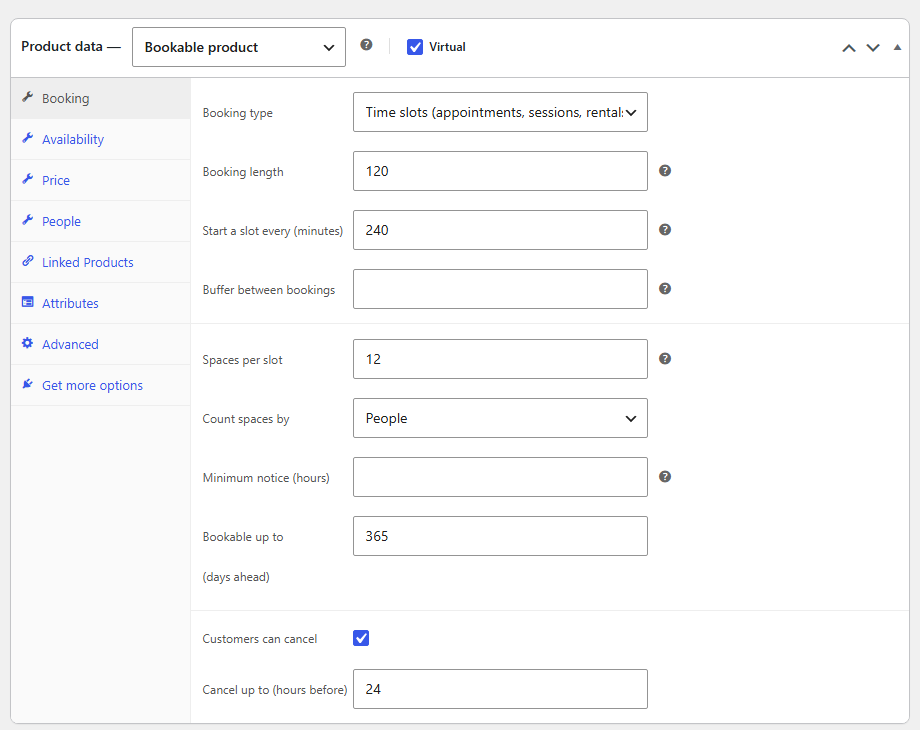
- Time slots – appointments, lessons, sessions and hourly rentals
- Whole days – equipment and vehicle hire, day passes
- Slots every 15, 30 or any number of minutes
Availability
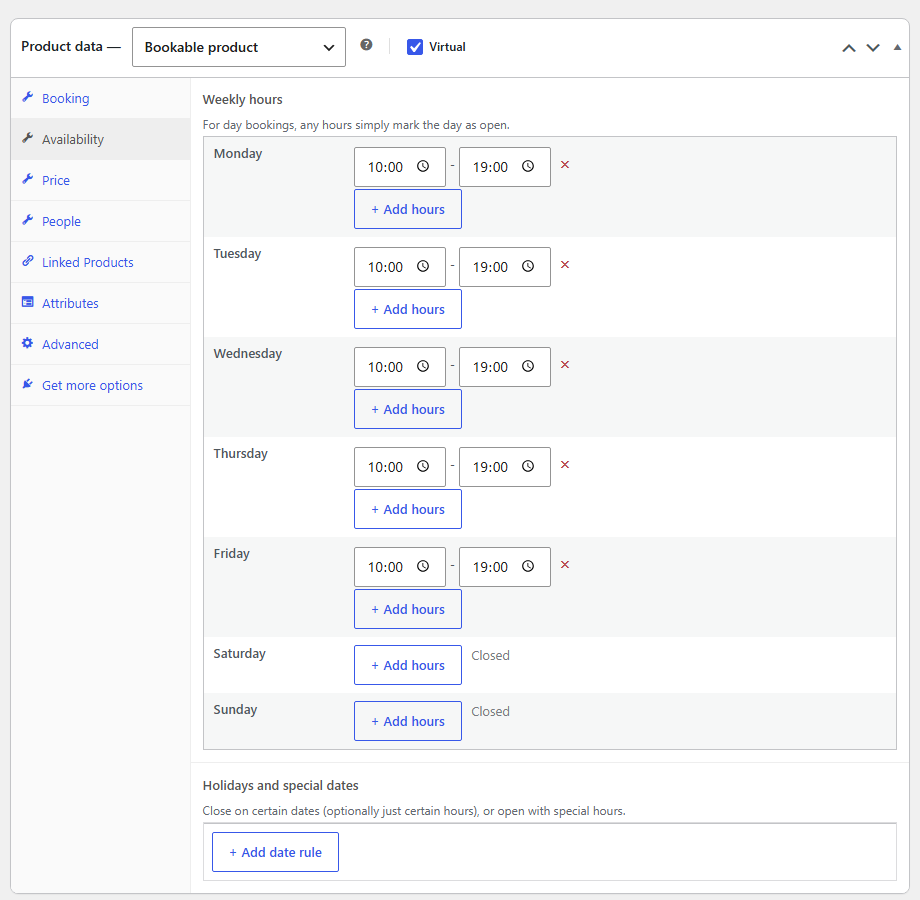
- Weekly opening hours with as many time ranges per day as you need
- Holidays, closures and special opening hours by date
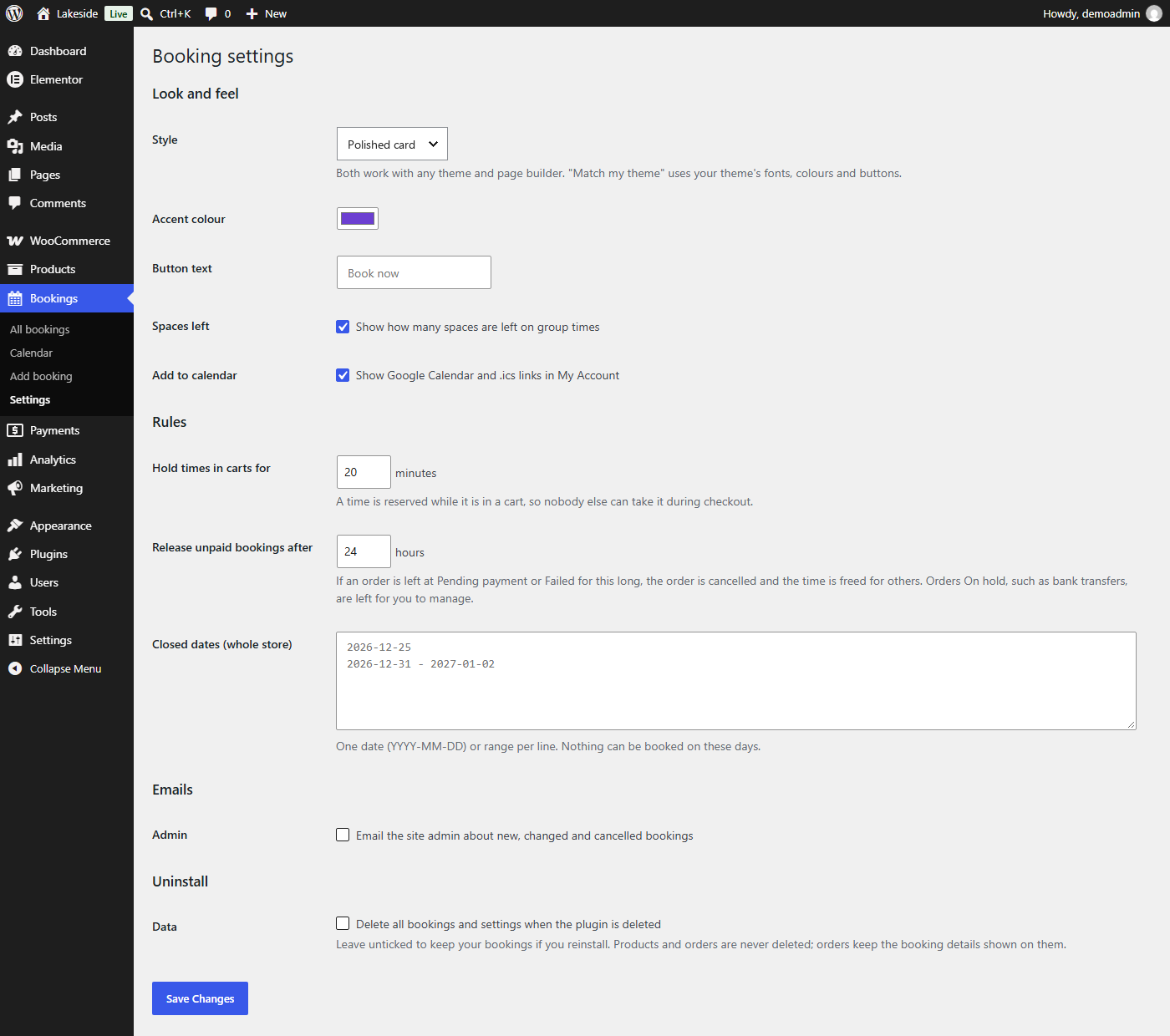
- Store-wide closed dates
- Buffer time between bookings
- Minimum notice and how far ahead customers can book
- Spaces per slot for classes, tours and events – counted by booking or by person
Price
- A price per booking
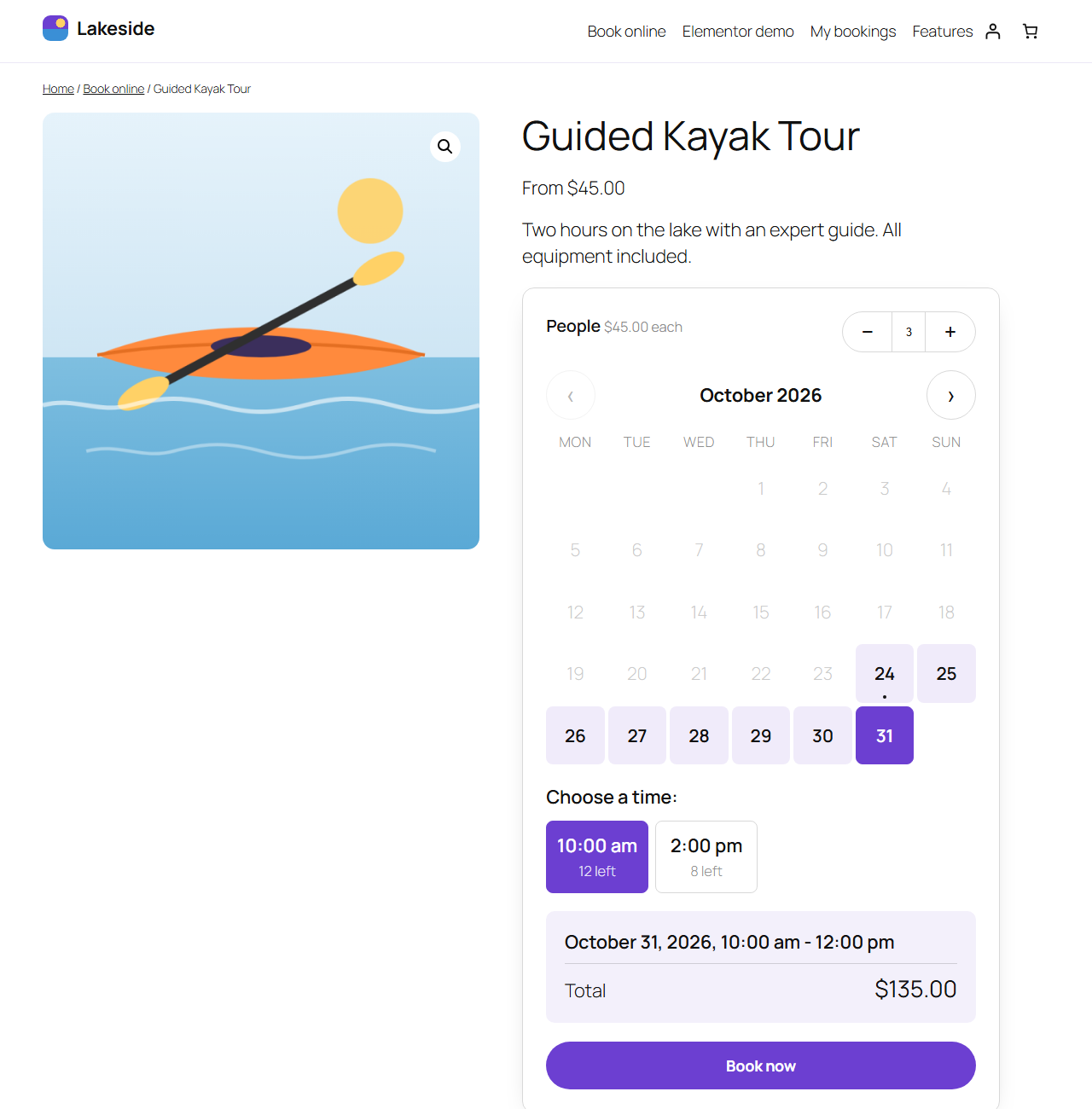
- Ask how many people are coming, with a minimum, a maximum and a price per person
Customers
- A fast calendar that shows which days are available, fully booked or closed
- Live price as they choose
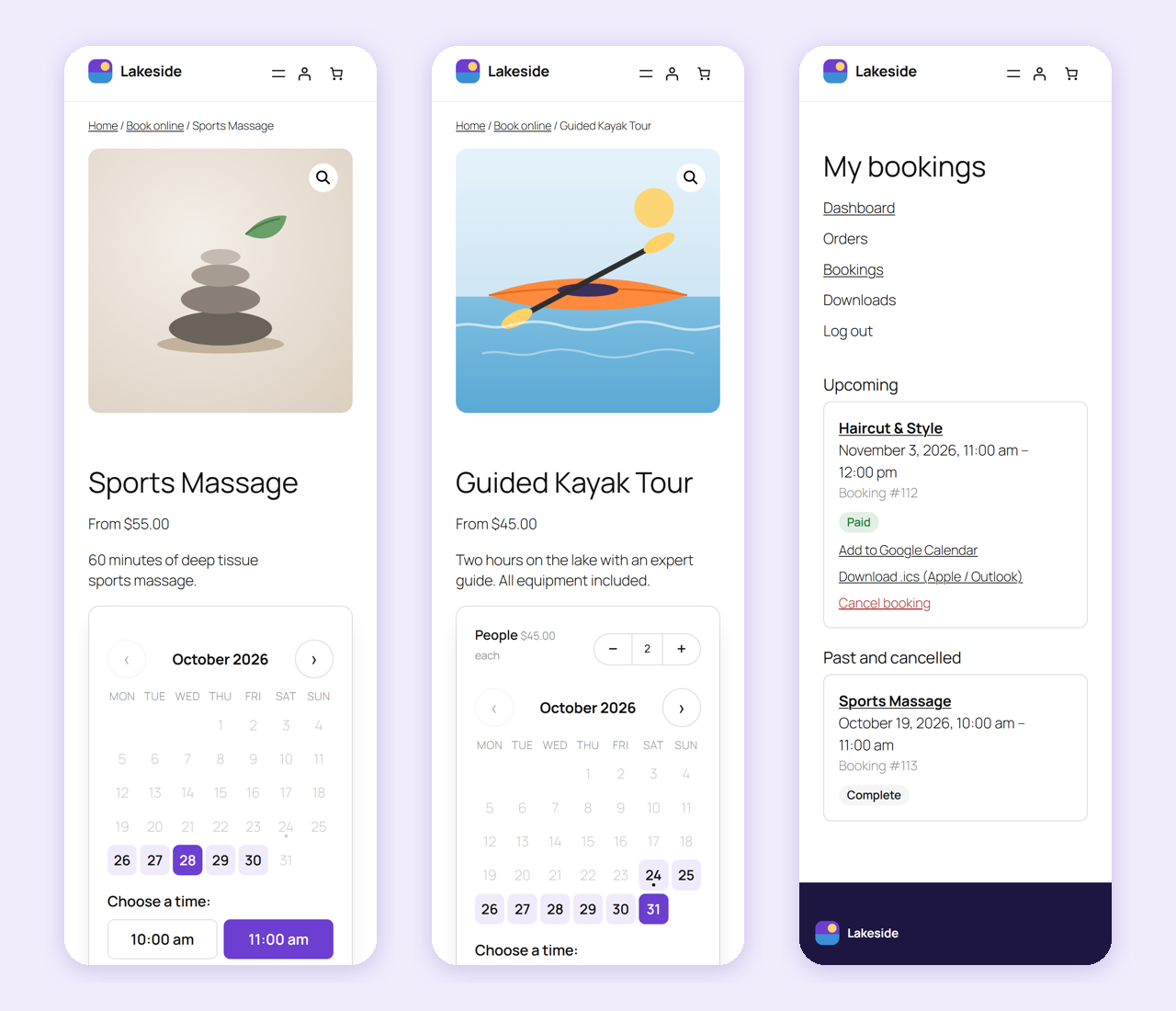
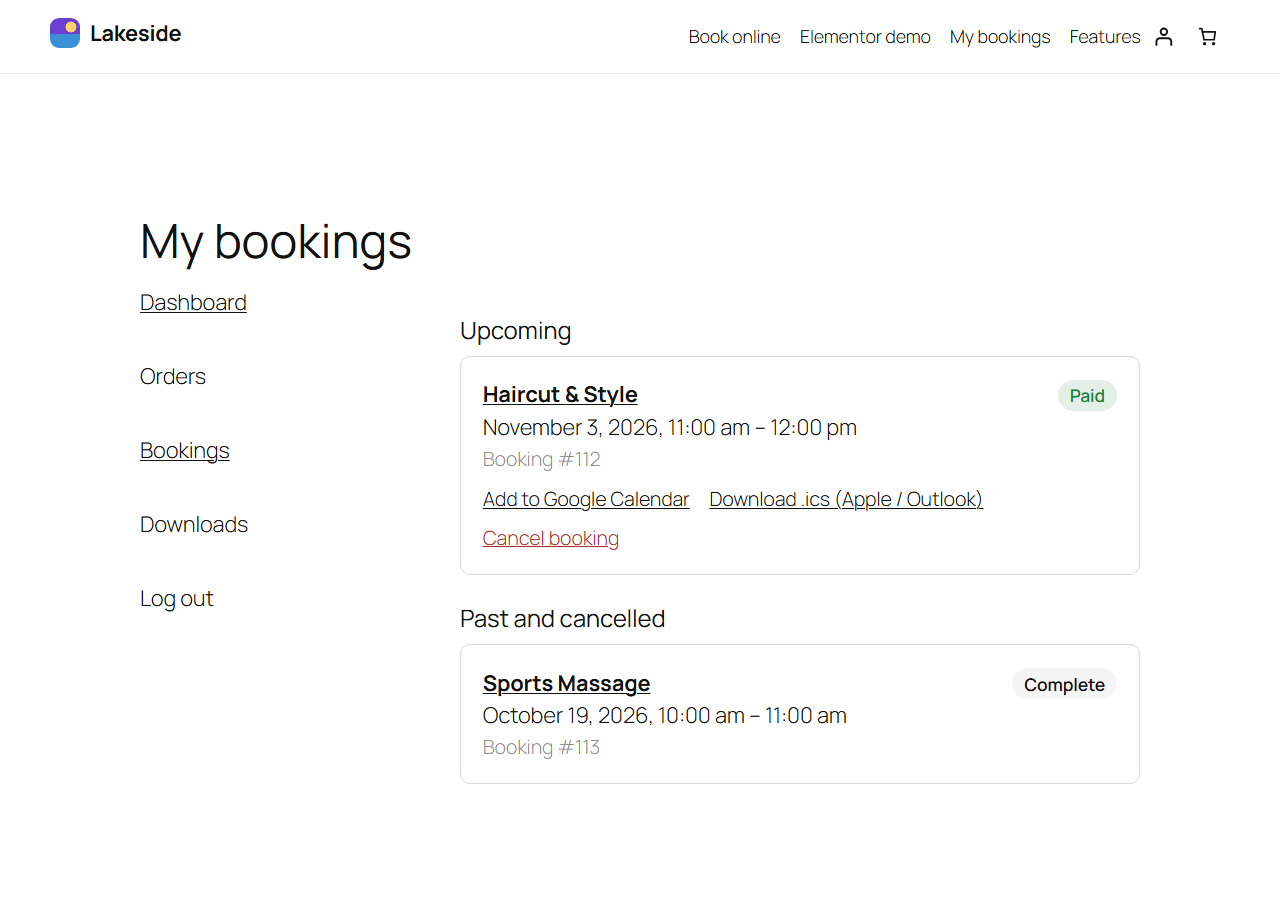
- My Account > Bookings to pay, cancel and add to Google, Apple or Outlook calendars
- A cancellation window you control
- Confirmation emails with a calendar invite
You
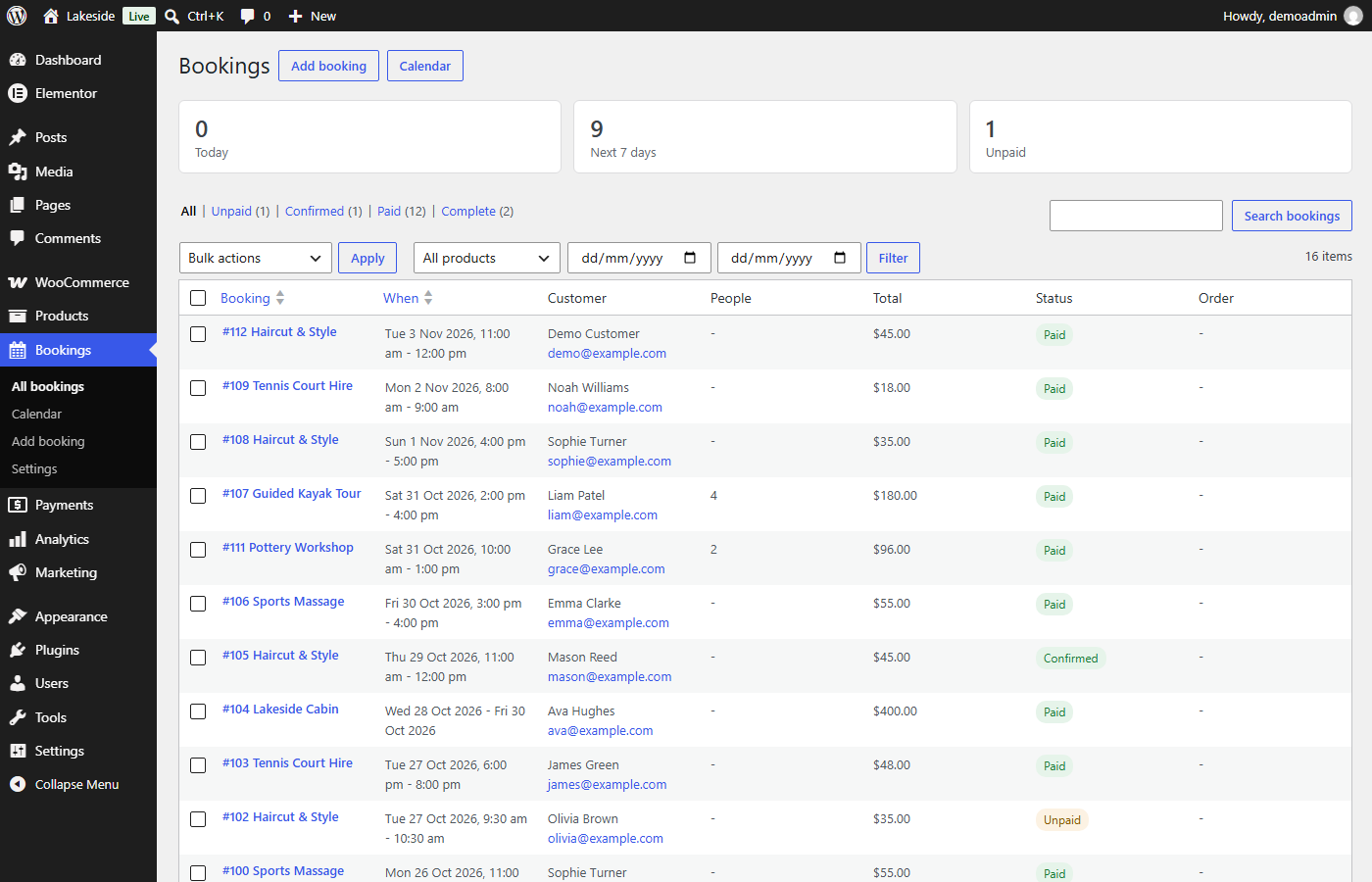
- Bookings list with filters, search and bulk actions
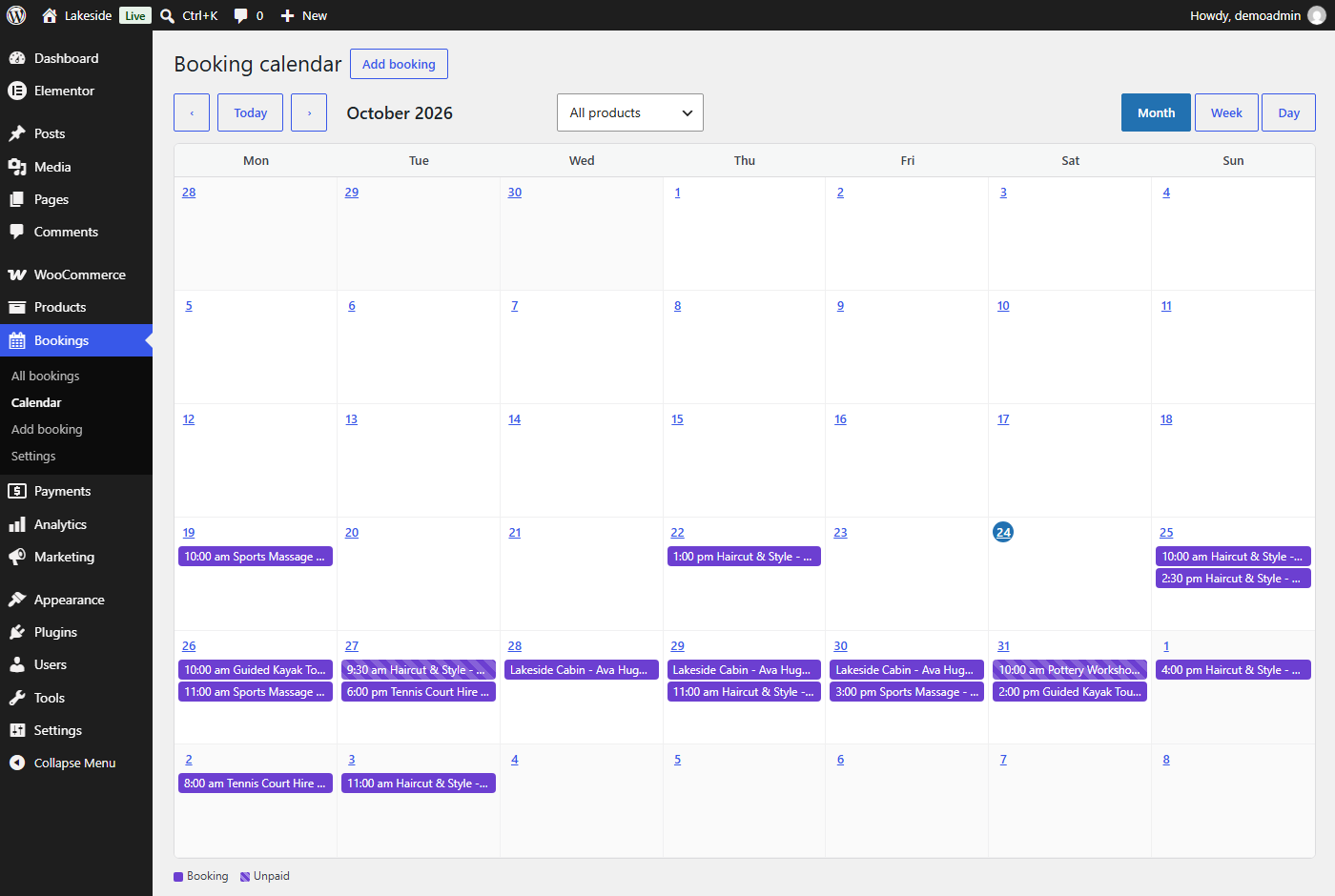
- Month, week and day calendar
- Take bookings by phone with Add booking – create a “Pay now” order, mark as paid, or just confirm
- Move bookings to a new time and add private notes
- Dashboard widget with upcoming bookings
- Unpaid orders release their times after a period you choose, and late payments only keep a time that is still free
Works with your site
- Any theme – “Match my theme” or the “Polished card” style, with your accent colour
- Block editor blocks, Elementor widgets with full style controls, and shortcodes for other page builders
- WooCommerce Cart and Checkout blocks, and High-Performance Order Storage
- Personal data export and erase
- Translation ready
The Yeti Dev Bookings Pro
The Yeti Dev Bookings Pro adds staff and resources, deposits, approvals, nights and customer-chosen lengths, pricing rules, types of people and extras, customer rescheduling, reminders and calendar sync. You can switch at any time: one click moves your bookings, products, settings and the booking forms on your pages across. It is sold on WPBay under the name Yeti Bookings.
Get The Yeti Dev Bookings Pro on WPBay
External services
The Yeti Dev Bookings Lite does not contact any outside service by itself.
My Account > Bookings has an “Add to Google Calendar” link (you can turn it off under Bookings > Settings). It only opens Google Calendar in the customer’s browser when they click it, with the booking’s title, date, time and site name filled in. Nothing is sent unless they click it. Google’s terms of service and privacy policy apply to Google Calendar.
Installation
- Install and activate WooCommerce.
- Install The Yeti Dev Bookings Lite from Plugins > Add New, or upload the zip, and activate it.
- Create a product and choose “Bookable product” as the product type.
- Set the booking type, hours and price in the Booking, Availability and Price tabs, then publish.
- Optional: choose a style and your rules under Bookings > Settings.
FAQ
Can I put the booking form on any page?
Yes. Use the “Booking form” block, the Elementor widget, or the shortcode [tydb_booking_form id=”123″], which you can add in any page builder’s shortcode or text element.
Which payment gateways work?
All of them. Bookings go through the normal WooCommerce checkout.
What happens if two customers choose the same time?
The first to add it to their cart holds it while they check out. The second is told the time has just been taken and can choose another.
What happens to unpaid bookings?
If an order is left at Pending payment or Failed for longer than the time you set under Bookings > Settings, it is cancelled and its time is freed. A payment that arrives later only keeps the booking if the time is still free; otherwise you are told so you can rebook or refund.
Can I move to The Yeti Dev Bookings Pro later?
Yes. Install and activate Pro while Lite is still installed, then press “Move my Lite data to Pro” on the Plugins screen. Your bookings, products, settings and the booking forms on your pages move across, and you can then delete Lite. Pro needs to have no bookings of its own yet, because the two sets can’t be merged.
Can I go back to Lite after moving to Pro?
Yes. Deactivate Pro with Lite active and your data moves back. Anything Lite doesn’t have, such as staff or deposits on products, is kept but not used.
Does deleting the plugin delete my bookings?
Only if you tick “Delete all bookings and settings when the plugin is deleted” under Bookings > Settings, and The Yeti Dev Bookings Pro is not installed. Products and orders are never deleted.
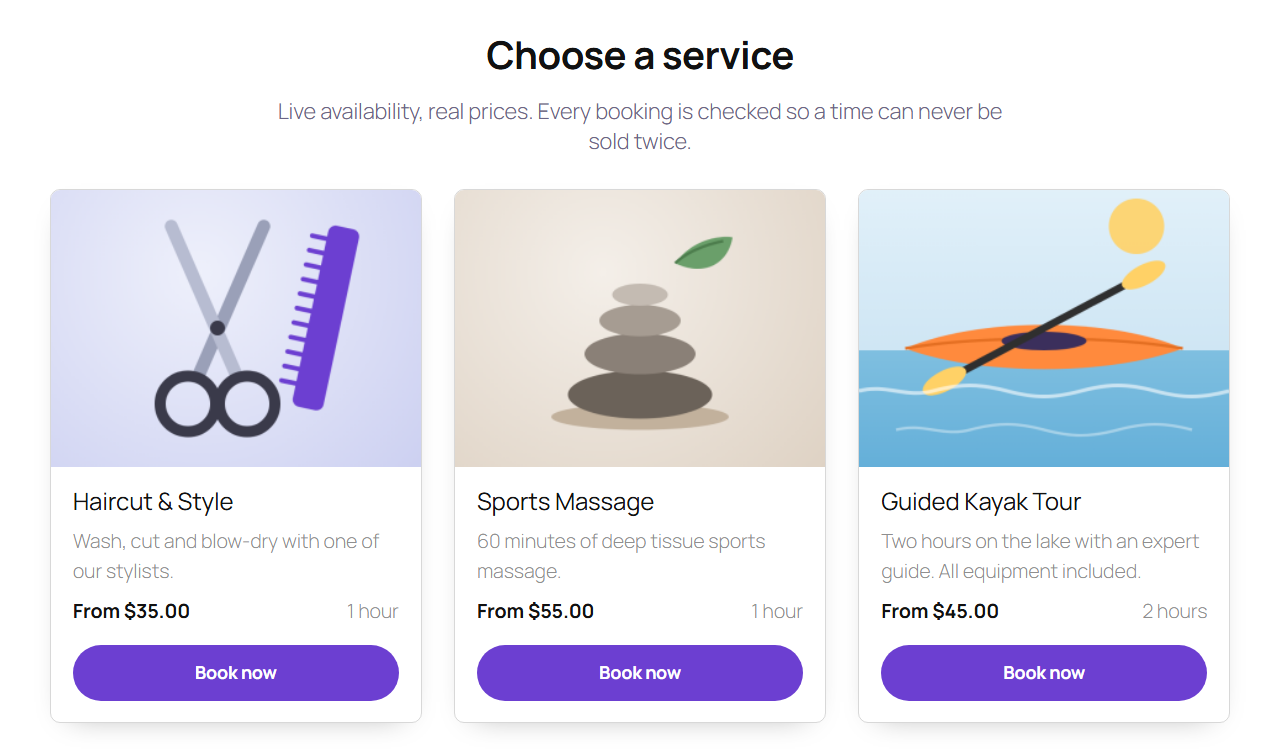
Screenshots


Changelog
1.0.3
- Fixed: if the bookings already made can’t be read when a time is checked (a database error), the time is no longer treated as free. Adding to the cart, moving or reactivating a booking and late payments are refused with a “please try again” message and nothing is booked or changed. A late payment is retried every hour instead of being restored or cancelled, and the booking calendar shows the error instead of free times.
- Fixed: when updating from an older version, the copying of order billing names and emails onto existing bookings (used by the bookings search) no longer skips bookings if a database read or write fails. It stops at the booking that failed and carries on from there on a later page load, and the update is only marked complete once every booking has been filled in.
- Added: “Move my Lite data to Pro” on the Plugins screen when The Yeti Dev Bookings Pro is active. It moves bookings, products and settings across, and updates the shortcodes, blocks and Elementor widgets on your pages.
- Added: a Bookings > Go Pro screen comparing Lite and Pro, and links to The Yeti Dev Bookings Pro on WPBay on the Plugins screen, under Bookings > Settings and on the product Price tab. A notice on the bookings list and calendar can be hidden for good.
- Fixed: activating Lite while Pro is active no longer moves Pro’s bookings and settings away from it.
- Fixed: moving data between Pro and Lite now keeps booking forms on pages working and empties carts holding a booking from the other plugin, which could otherwise be paid for with no booking made.
1.0.2
- Fixed: a payment is now decided and saved under the booking lock on the booking as it is at that moment. If its pay deadline has passed, it only gets its time back if it is still free; if another customer has taken the time, or the booking was cancelled meanwhile, it stays cancelled and the shop is told to rebook or refund.
- Fixed: the admin calendar shows whole-day bookings on their last date across the spring clock change.
- Fixed: the admin calendar shows long bookings (more than 62 days) on every date they cover, in the month, week and day views.
- Fixed: searching the bookings list by the customer’s name or email now finds bookings made through the classic and block checkouts, for guests and customers with accounts. Bookings keep a copy of their order’s billing name and email, kept up to date and removed when WooCommerce erases the order’s personal data; existing bookings are filled in automatically. Search by booking number accepts #123.
1.0.1
- Fixed: calendar files (the confirmation email attachment and the My Account .ics download) no longer need PHP’s mbstring extension. Long lines are folded at 75 bytes without splitting accented letters, other scripts or emoji.
1.0.0
- Initial release.