


Description
Travel Engine System
Tripzzy is a powerful, feature-rich WordPress plugin designed for travel agencies, tour operators, and adventure businesses to create and manage their online booking platform. Built with flexibility and ease of use in mind, Tripzzy provides everything you need to showcase tours, manage bookings, and grow your travel business.
View Documentation | View Demo | View Backend Demo
Features
- Unlimited Tours & Packages – Create and manage unlimited tour packages with detailed itineraries, flexible pricing options, departure dates, and availability management for your travel booking website.
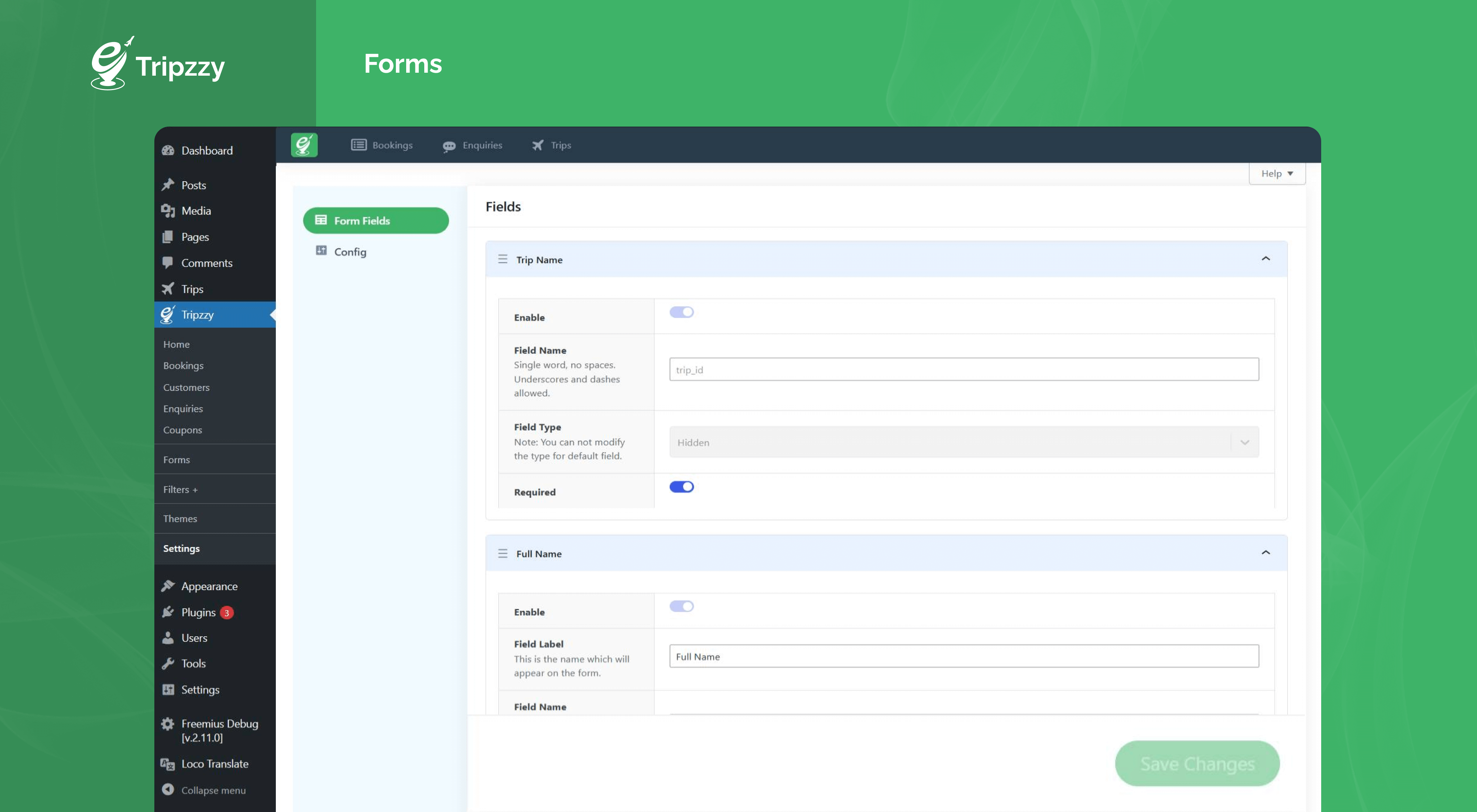
- Advanced Booking System – Accept online tour bookings with customizable booking forms, instant confirmations, booking management, and automated email notifications for admins and customers.
- Fixed & Recurring Trip Dates – Create fixed departure dates or recurring schedules with cut-off times, inventory control, and availability calendars.
- 25 Elementor Widgets & 20+ Gutenberg Blocks – Design single-trip pages, archive templates, and booking flows visually with drag-and-drop widgets and native blocks sharing the same templates, including Theme Builder and full-site-editing support.
- AI Assistant – Built-in AI REST API with memory to power smart travel assistance features.
- Flexible Pricing – Per-person and per-group pricing with seasonal pricing, group discounts, extra services, and discount coupons.
- Partial Payments – Accept partial or deposit payments at checkout with support for PayPal, bank transfer, and book-now-pay-later gateways.
- Trip Itineraries – Build detailed day-by-day itineraries with images, times, descriptions, and expandable layouts.
- Image Gallery with Video – Showcase trips with responsive galleries, sliders, masonry layouts, lightbox, and video support.
- Trip Maps – Display Google Maps or iframe maps with trip locations for every tour.
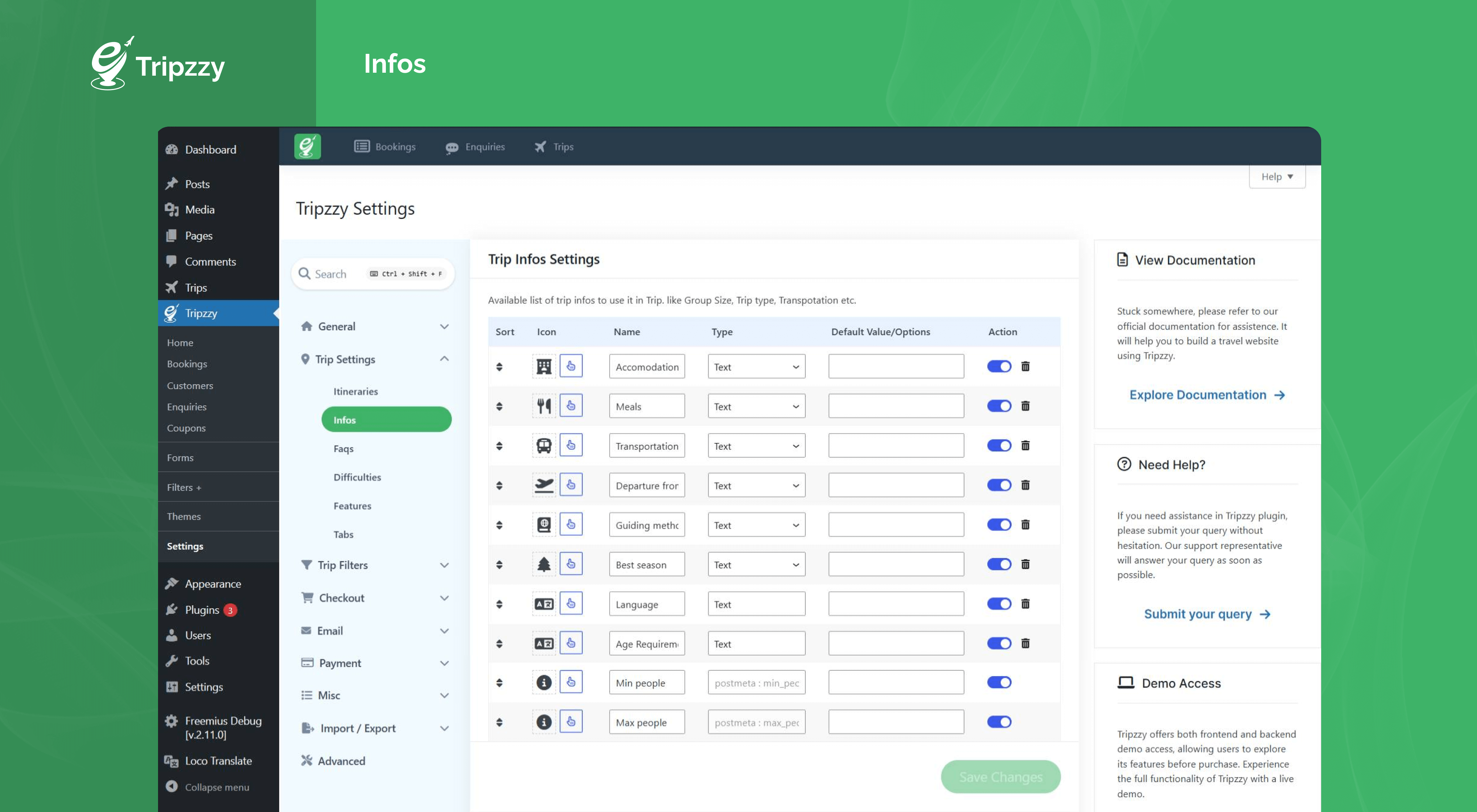
- Trip Infos & Highlights – Display key facts (accommodation, meals, transport, best season, language) and highlight bullets with icons.
- Trip Overview, FAQs & Difficulty Levels – Rich overview content, accordion FAQs, and configurable difficulty levels help travelers choose the right tour.
- Reviews & Ratings – Build trust with star ratings, review counts, threaded customer reviews, and a review submission form with rating input.
- Wishlist – Let travelers save favorite trips and manage them from their dashboard.
- Enquiry Forms & Drawer – Slide-in enquiry forms on every trip turn browsers into leads with admin email alerts.
- Sticky Trip Navigation – Auto-generated sticky anchor menu linking Highlights, Map, Itinerary, Gallery, Availability, FAQs, and Reviews sections.
- Advanced Search & Filters – Search forms, taxonomy filters (destination, type, activities), price/date/duration filters, sorting, and grid/list views for tour archive pages.
- Shortcodes – Trips, search, taxonomies, gallery, checkout, dashboard, and thank-you shortcodes for classic editors and page builders.
- Customer Dashboard – Travelers manage bookings, wishlists, and reviews from a front-end dashboard.
- Booking Management – Admin booking list with statuses, booking notes, cancellation, refund flows, and coupon management.
- Email Notifications – Booking confirmation, on-hold, cancellation, refund, and enquiry emails for admins and customers.
- Analytics – Booking and revenue reports with charts in the admin dashboard.
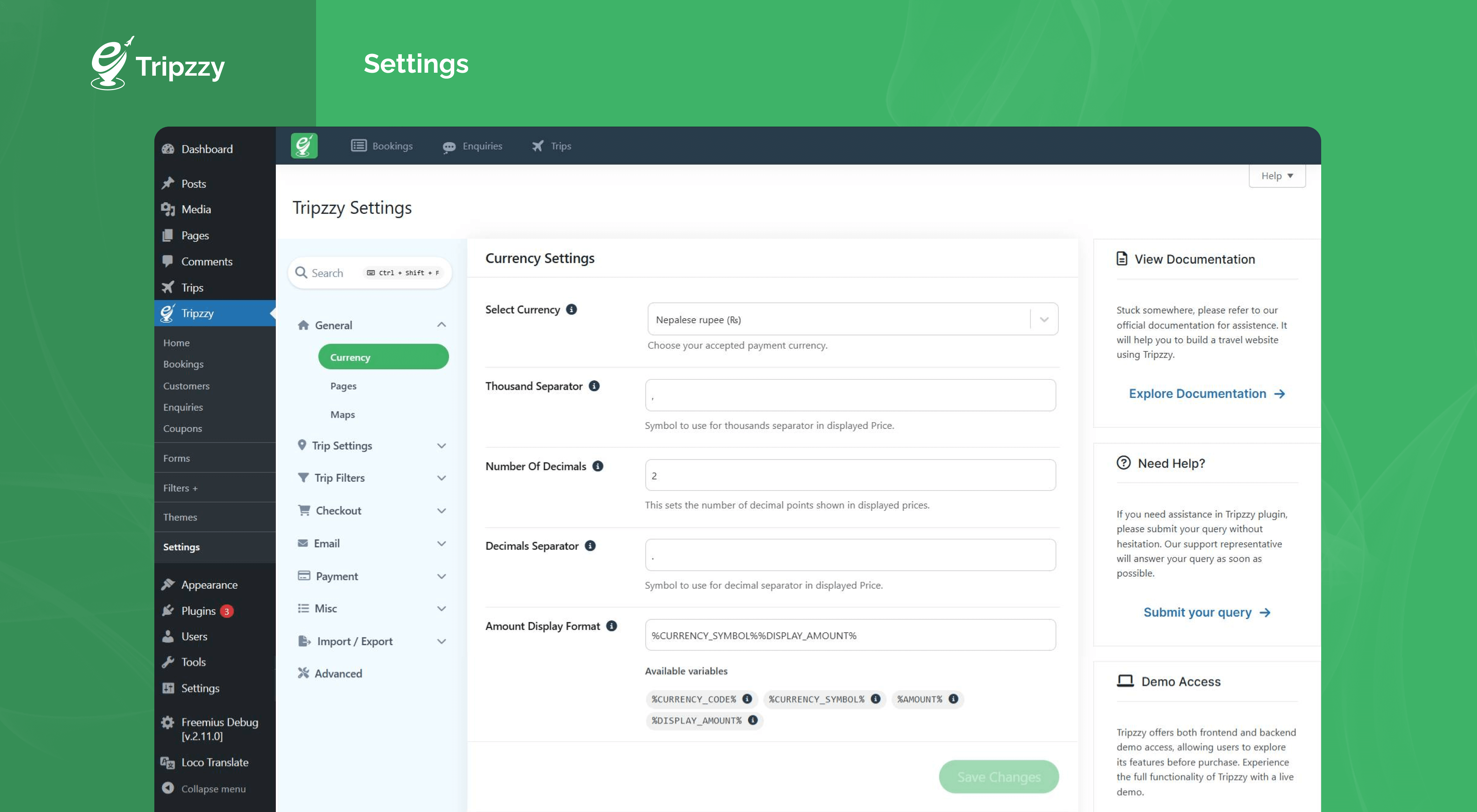
- Multi-Currency & Translation Ready – Configurable currency with code display, fully translatable strings, GDPR tools, and reCAPTCHA spam protection.
- Payment Gateway Integration – Accept payments through PayPal, bank transfer, and book-now-pay-later options.
If you need help with the Tripzzy plugin, please visit our support forum on the WordPress plugin repository or the official website. We’re always happy to help!
Travel Booking Themes Compatible With Tripzzy
- Tripzzy Verse by Refresh Themes
- Travel Me by Refresh Themes
Contribute
Tripzzy is developed and maintained by Refresh Themes.
Shortcodes
Tripzzy ships with ready-to-use shortcodes for classic editors, Gutenberg, Elementor, and any page builder that accepts shortcodes. Every trip-specific shortcode works on single trip templates and accepts an optional trip_id attribute to pull a section from any other trip. All attributes are optional.
You can browse every shortcode, its attributes, and copy-ready examples from Tripzzy > Shortcodes in your WordPress dashboard.
General
[TRIPZZY_TRIPS]– Display a list of trips with optional filters for destination, type and featured trips. Attributes:posts_per_page,orderby,order,featured,trip_destination,trip_type,view_mode.[TRIPZZY_TRIP_SEARCH]– Display the trip search form anywhere on the site. Attributes:search_text,hide_price,hide_destination,hide_trip_type,hide_trip_activities.[TRIPZZY_TRIP_TAXONOMIES]– Display trip destinations, types or activities as cards. Attributes:taxonomy,number,orderby,order,enable_overlay,hide_empty.
Single Trip
These shortcodes display a section of one trip. Use trip_id to target a specific trip; leave it empty to use the current trip on a single trip template. Section shortcodes also support title (custom heading, empty uses the trip setting) and show_title (true or false).
* [TRIPZZY_TRIP_OVERVIEW] – Display the overview (main content) of a single trip.
[TRIPZZY_TRIP_INFOS]– Display the key trip facts (duration, group size, etc.) of a single trip.[TRIPZZY_TRIP_HIGHLIGHTS]– Display the highlights section of a single trip.[TRIPZZY_TRIP_ITINERARY]– Display the day-by-day itinerary of a single trip.[TRIPZZY_TRIP_INCLUDES_EXCLUDES]– Display the includes and excludes section of a single trip.[TRIPZZY_TRIP_FAQS]– Display the FAQs section of a single trip.[TRIPZZY_GALLERY]– Display the image / video gallery of a single trip. Also supportstitle_tag.[TRIPZZY_TRIP_MAP]– Display the map section of a single trip.[TRIPZZY_TRIP_REVIEWS]– Display the reviews list and review form of a single trip.[TRIPZZY_TRIP_CODE]– Display the trip code of a single trip.
Pages & Account
[TRIPZZY_CHECKOUT]– Renders the checkout form. Used on the checkout page.[TRIPZZY_THANKYOU]– Renders the booking confirmation. Used on the thank you page.[TRIPZZY_TRIP_SEARCH_RESULT]– Renders search results. Used on the search result page.[TRIPZZY_DASHBOARD]– Renders the customer dashboard (login form for guests). Used on the dashboard page.
Third Party Libraries
Font Awesome – Toolkit to display icons.
Copyright 2025 Fonticons, Inc.
Version: 7.1.0
License: https://fontawesome.com/license/free (Icons: CC BY 4.0, Fonts: SIL OFL 1.1, Code: MIT License)
Source: https://fontawesome.com
React Google Maps API – Library to display Google Maps.
Copyright (c) 2020 Alexey Lyakhov
Version: 2.20.7
License: Licensed under the MIT license – https://github.com/JustFly1984/react-google-maps-api/blob/develop/LICENSE
Source: https://github.com/JustFly1984/react-google-maps-api
Google Maps JavaScript API
Copyright (c) Google LLC
License: Licensed under the Google Maps Platform Terms of Service.
International Telephone Input
Copyright (c) Jack O’Connor
License: Licensed under the MIT license – https://github.com/jackocnr/intl-tel-input?tab=MIT-1-ov-file
React Date Picker – UI component that allows you to select a date or a range of dates.
Copyright (c) 2014-2025 HackerOne Inc. and individual contributors
Version: 8.0.0
License: Licensed under the MIT license – https://github.com/Hacker0x01/react-datepicker/blob/main/LICENSE
Source: https://github.com/Hacker0x01/react-datepicker
React Select – Library for building custom, accessible, and flexible select inputs for React applications.
Copyright (c) 2022 Jed Watson
Version: 5.10.0
License: Licensed under the MIT license – https://github.com/JedWatson/react-select/blob/master/LICENSE
Source: https://github.com/JedWatson/react-select
Rrule – It is used to define recurring events or schedules in a calendar.
Copyright 2010, Jakub Roztocil jakub@roztocil.name and Lars Schöning
Version: 2.8.1
License: Licensed under the BSD-3-Clause – https://github.com/jkbrzt/rrule/blob/master/LICENCE
Source: https://github.com/jkbrzt/rrule
Paypal js – Render Paypal Payment button to checkout.
Copyright 2020 PayPal
License: Apache License – https://github.com/paypal/paypal-js/blob/main/LICENSE
Source: https://github.com/paypal/paypal-js
React Sortablejs – Library to sort HTML elements.
Copyright (c) 2020 All contributors to react-sortablejs
Version: 6.1.4
License: Licensed under the MIT license – https://github.com/SortableJS/react-sortablejs/blob/master/LICENSE
Source: https://github.com/SortableJS/react-sortablejs
Flatpickr – lightweight, powerful javascript datetimepicker with no dependencies.
Copyright (c) 2017 Gregory Petrosyan
Version: 4.6.13
License: Licensed under the MIT license – https://github.com/flatpickr/flatpickr/blob/master/LICENSE.md
Source: https://github.com/flatpickr/flatpickr
Chartjs – Simple HTML5 Charts using the canvas tag
Copyright (c) 2025 Chart.js Contributors
Version: 4.5.1
License: Licensed under the MIT license – https://github.com/chartjs/Chart.js/blob/master/LICENSE.md
Source: https://github.com/chartjs/Chart.js
Tripzzy Themes API – This API is used to fetch Tripzzy compatible themes.
Copyright Tripzzy
License: Licensed under the GNU General Public License v2 or later – https://wptripzzy.com/terms-of-services
Source: https://wptripzzy.com/wp-json/wp/v2/tripzzy-themes
Images
https://pxhere.com/en/photo/675325
https://pxhere.com/en/photo/1250151
https://pxhere.com/en/photo/910019
https://pxhere.com/en/photo/1122255
https://pxhere.com/en/photo/1200073
https://pxhere.com/en/photo/956893
https://pxhere.com/en/photo/1160853
https://pxhere.com/en/photo/780366
https://pxhere.com/en/photo/932224
https://pxhere.com/en/photo/675349
https://pxhere.com/en/photo/701261
https://pxhere.com/en/photo/794319
Installation
Using The WordPress Dashboard
- Navigate to the ‘Add New’ on the plugins dashboard page.
- Search for “Tripzzy”.
- Click Install Now.
- Activate the plugin on the Plugin dashboard page.
Uploading in WordPress Dashboard
- Download tripzzy.zip
- Navigate to the ‘Add New’ on the plugins dashboard page.
- Navigate to the ‘Upload’ section.
- Select tripzzy.zip from your computer.
- Click ‘Install Now’.
- Activate the plugin on the Plugin dashboard page.
Using FTP
- Download tripzzy.zip
- Extract the tripzzy directory to your computer
- Upload the tripzzy directory to the /wp-content/plugins/ directory
- Activate the plugin in the Plugin dashboard.
FAQ
Where can I get support?
If you get stuck and need assistance, you can ask for help in the Tripzzy Support Forum.
Do I need to have coding knowledge to use Tripzzy?
No. To utilize Tripzzy, you don’t need to know how to code. Alternatively, you can make a travel booking website by following our documentation step-by-step.
Does Tripzzy work with Elementor?
Yes. Tripzzy includes 25 Elementor widgets for single-trip pages, archive listings, search, sliders, pricing, reviews, and booking flows. It works with Elementor Free, and Theme Builder templates are supported for full single-trip and archive designs.
Does Tripzzy work with the block editor and full site editing?
Yes. Tripzzy ships 20+ native Gutenberg blocks that share the same templates as the widgets, so you can build single-trip templates, archive pages, and booking sections in the Site Editor.
Do you have Tripzzy-supported themes?
Yes, We have recently added Tripzzy Supported Themes which is Tripzzy compatible. Additionally, Tripzzy is tested with most WordPress themes. So, it should work perfectly with any theme.
Do you have a Payment gateway integrated into Tripzzy?
Yes. Tripzzy integrates PayPal, bank transfer, and book-now-pay-later gateways, including partial and deposit payments at checkout. For additional payment gateways please contact Tripzzy Support Forum.
Can I create fixed and recurring departure dates?
Yes. Tripzzy supports both fixed departure dates and recurring schedules with cut-off times, inventory control, seasonal pricing, and group discounts.
Does Tripzzy include an AI assistant?
Yes. Tripzzy ships a built-in AI REST API with memory to power smart travel assistance features on your booking website.
I have further questions. Where can I contact you?
Please send us an email via support ticket, and we will be happy to help you.
Screenshots

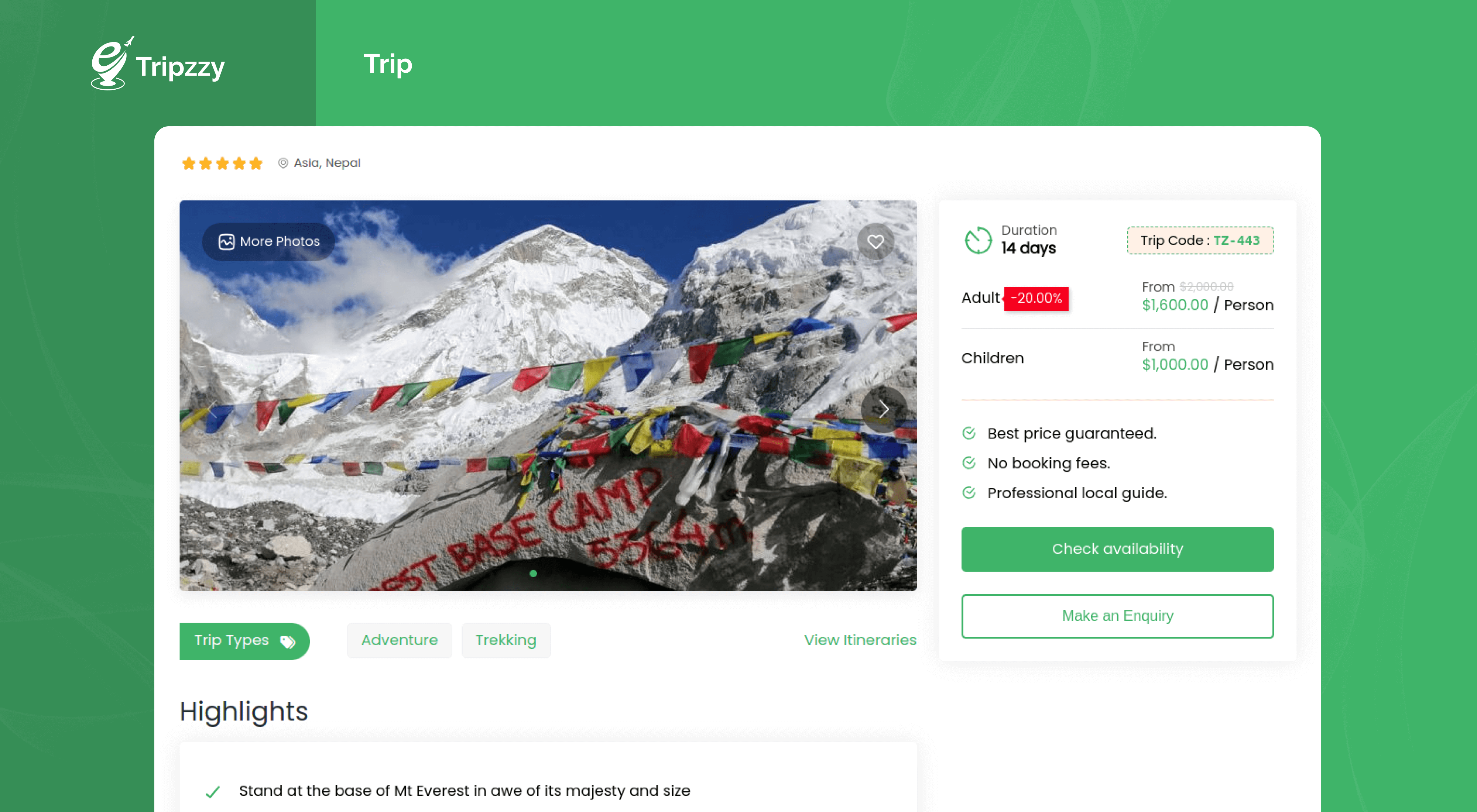
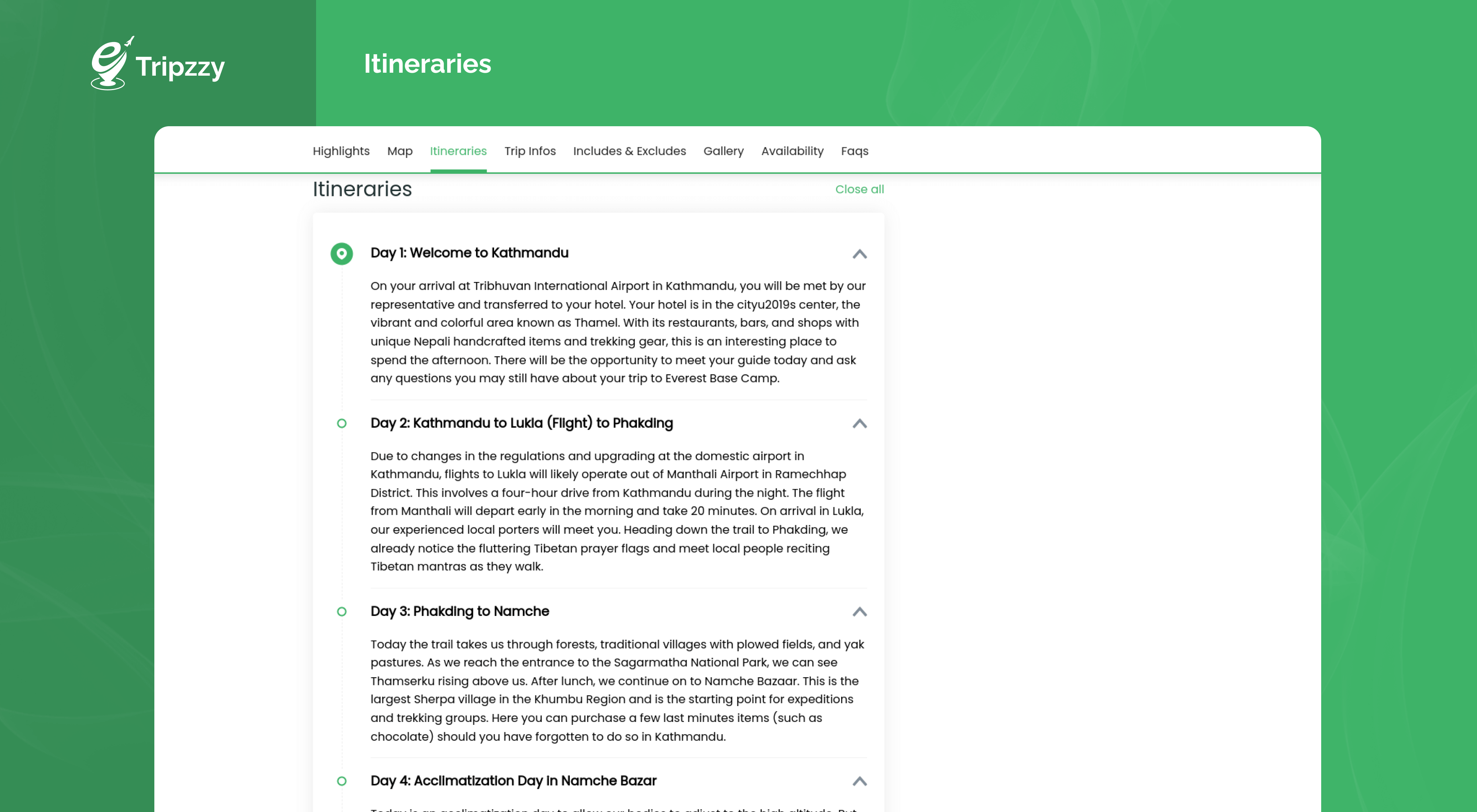
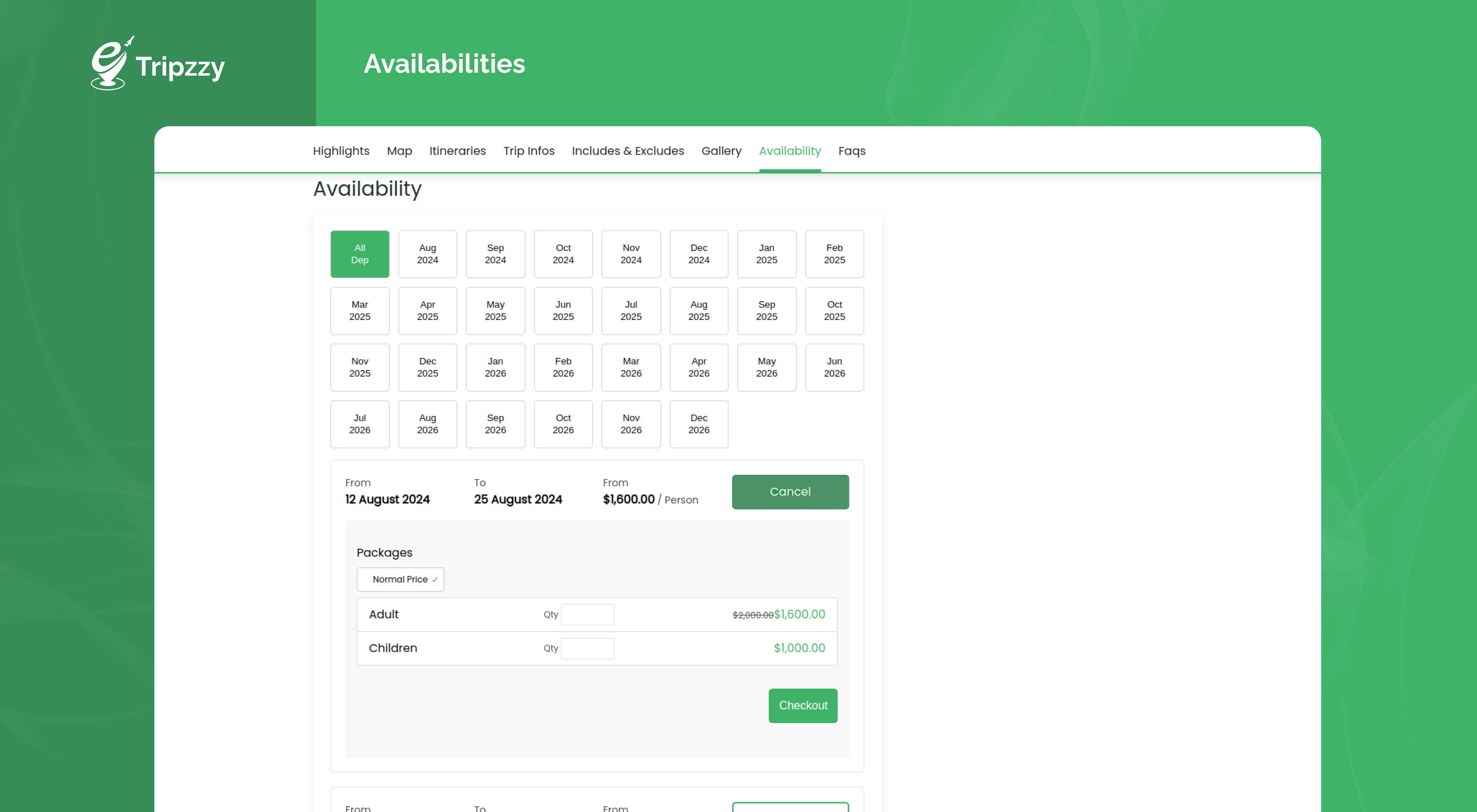
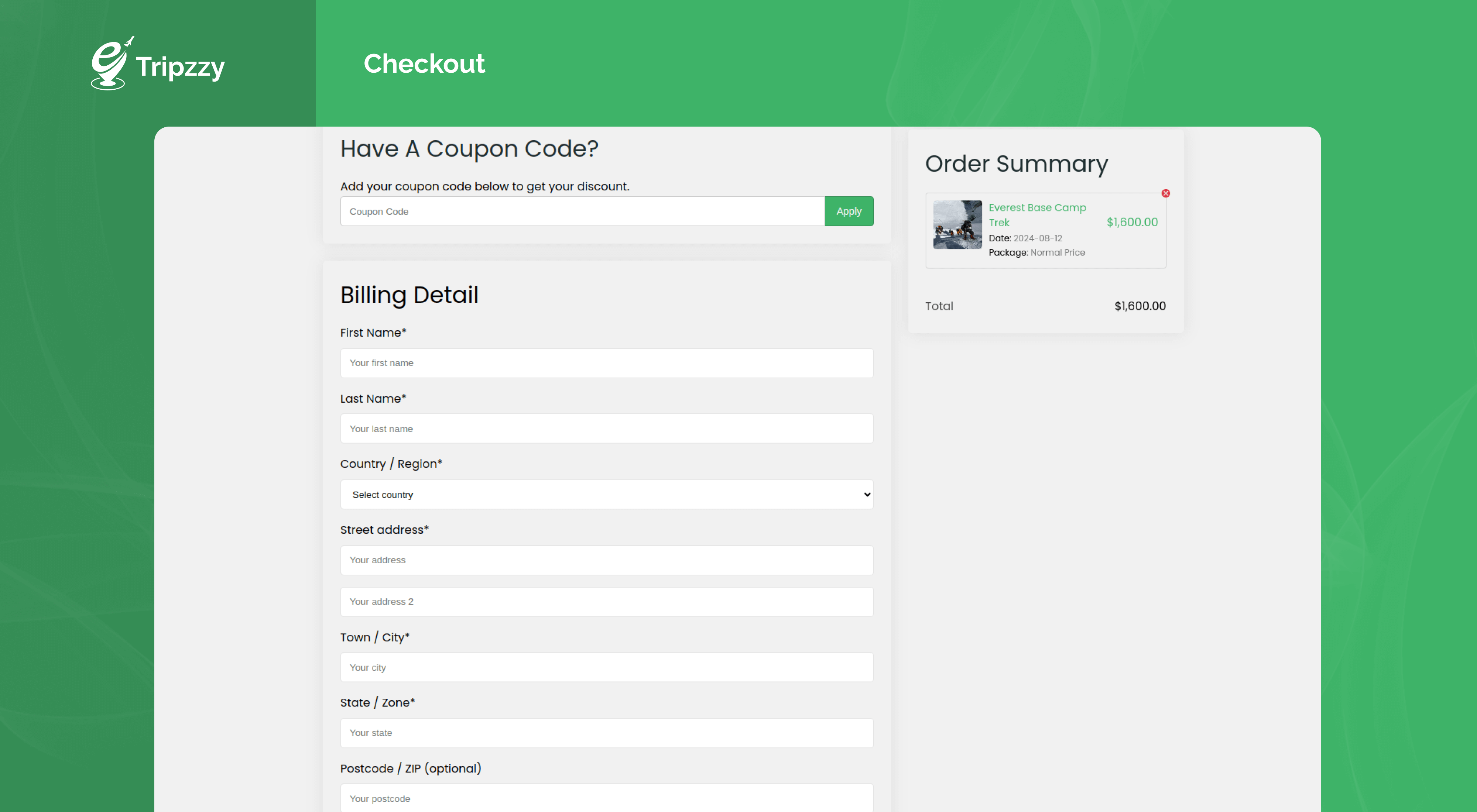

Changelog
1.6.0 – 26th October 2026
- New: Added Elementor widgets.
- New: Added Shortcodes page.
- New: Added Input type phone number field.
- New: Added enquiry and upcoming tours count for remaining enquiries and tours.
- New: Added Shortcodes: Trip FAQ’s, Trip Highlights, Trip Includes, Trip Itineraries, Trip Map, and Trip Reviews
- New: Added Trip Faqs, Gallery, Includes excludes, Itinerary, Map, Price, Enquiry Button blocks for trip single page template.
- Enhancement: Added Video option in gallery.
- Tweaks: Close enquiry form after enquiry submit complete.
- Fixes: Fixed showing average review on trip single and archive page even it is disabled from tab settings.
- Fixes: Fixed search input width not showing full in grid layout.
- Fixes: Fixed upcoming tours count if multiple items is added in the checkout.
1.5.1 – 17th September 2026
- Enhancement: Added Layout, border radius, image size, and caption layout options in trip taxonomies block.
- Enhancement: Added input background color, gradient option in search block.
- Fixes: Fixed forced Setup Wizard blocking admin page until skip/complete wizard.
- Security: Fixed security vulnerabilities affecting booking and booking-note AJAX actions that could allow unauthorized users to modify booking data or delete comments. Special thanks to Pablo González Pérez, Francisco José Ramírez Vicente, and Iñigo Sánchez Enciso for responsibly reporting these security issues.
1.5.0 – 4th September 2026
- New: Added AI Trip builder and Assistant.
- New: Set up wizard for initial configuration.
- New: Added text and background along with hover color option added for buttons under Settings > Display > Appearance.
- Enhancement: Includes excludes in editor option instead of taxonomy.
- Fixes: Updated Admin menu and Tripzzy settings tab order.
- Fixes: Fixed Trip Taxonomies block issue with cache.