
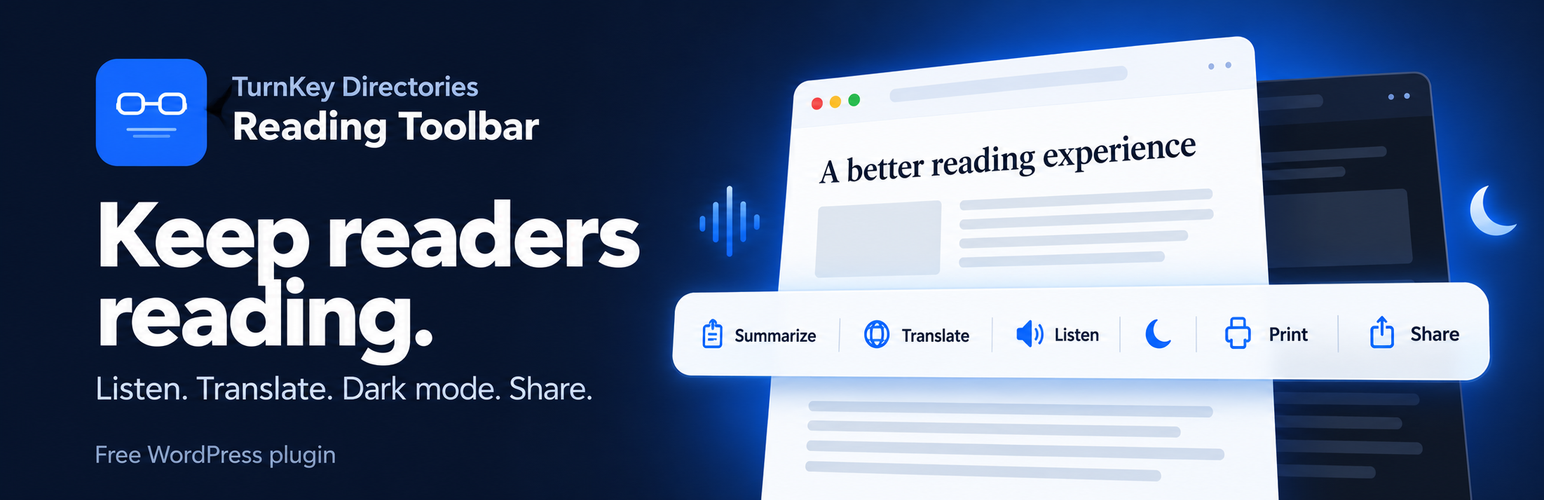

Description
Turnkey Directories Reading Toolbar (“TKD Toolbar”) adds a clean toolbar to your blog posts: a lightweight set of reader tools that make your articles nicer to read, listen to, share, and print. It works with any theme and loads only on the post types you choose. It is private by design: it collects no visitor data, creates no database tables, and makes no requests to outside services.
Features:
- Text-to-Speech – Readers can listen to your article through their browser’s built-in speech engine. No API key and no account needed.
- Article Dark Mode – One click darkens the reading area (title, text, and comments) without touching your header, footer, or sidebars. Optionally follow the visitor’s system dark-mode setting.
- Print View – A clean print stylesheet that keeps the title and article and drops the site clutter.
- Summarize Link – A button that opens the article in ChatGPT for a quick summary.
- Translate Links – Language links that open a Google-translated copy of the article in a new tab.
- Share Buttons – Share to X, Facebook, LinkedIn, or Gmail, or copy the link.
- Sticky Toolbar – The toolbar sits above the article and docks to the bottom of the screen while the reader scrolls through it. On phones it becomes a compact speed-dial button.
- Accessible – Every control has a label, works from the keyboard, and shows a visible focus ring. The plugin respects reduced-motion settings and right-to-left languages.
- Your Placement, Your Rules – Place the toolbar yourself with the
[tktk_toolbar]shortcode or thetktk_render_toolbar()template tag, or hide it on a single post with one checkbox. - Theme Compatibility Profiles – Dedicated tuning for Kadence, Astra, GeneratePress, Blocksy, Neve, OceanWP, Divi, Avada, Storefront, and block themes.
The plugin is lightweight, uses plain JavaScript with no libraries, and only loads on the post types you enable (posts only by default).
From the makers of TurnKey Directories – Business Directory Plugin (also free on WordPress.org).
Pro add-on
A separate, paid Pro add-on adds a table-of-contents sidebar, a sticky call-to-action with click analytics and A/B testing, AI summaries, and engagement analytics. It is sold at toolbar.turnkeydirectories.com and is included with TurnKey Directories Pro and Agency licenses. This free plugin is complete on its own and never limits any feature.
Third-party services
The plugin itself makes no requests to outside services, from your server or from your visitors’ browsers. The toolbar contains ordinary links that, only when a visitor chooses to click them, open a third-party site in a new tab. The links carry the article’s title and/or URL, prefilled, so the visitor doesn’t have to type them:
- ChatGPT (chatgpt.com): the Summarize link opens the article URL in ChatGPT with a request for a summary. Terms / Privacy
- Google Translate (translate.google.com): the Translate links open a translated copy of the article URL. Terms / Privacy
- X (x.com; the link uses the twitter.com/intent share endpoint): shares the article title and URL. Terms / Privacy
- Facebook (facebook.com, Meta): shares the article URL. Terms / Privacy
- LinkedIn (linkedin.com): shares the article URL. Terms / Privacy
- Gmail (mail.google.com): the email share button opens Gmail’s web compose window with the article title and link prefilled, so it works without a desktop mail app. Terms / Privacy
These links are only shown on public posts. In every case the visitor starts the navigation by clicking; the plugin sends no data in the background.
Text-to-speech: Listen uses the visitor’s own browser speech engine. The plugin sends nothing, but some browsers use their maker’s online voices (for example Google or Microsoft) to speak the text.
Installation
- Upload the
turnkey-directories-reading-toolbarfolder to/wp-content/plugins/, or install it from the Plugins screen. - Activate the plugin through the ‘Plugins’ menu in WordPress.
- Go to TKD Toolbar in the admin menu (or click Settings under the plugin’s name on the Plugins screen) to choose your tools.
- Visit any blog post to see the toolbar in action.
FAQ
Does the toolbar work with my theme?
It is designed to work with any WordPress theme, and includes compatibility profiles for popular themes including Twenty Twenty-Five, Kadence, Astra, GeneratePress, Blocksy, Neve, OceanWP, Divi, Avada, and Storefront.
Can I choose where the toolbar appears?
Yes. By default it is added at the top of the article. To place it yourself, put the [tktk_toolbar] shortcode (or a Shortcode block) in the post, or call <?php tktk_render_toolbar(); ?> in your theme template. The toolbar is shown once per page, and Listen always reads the article text, wherever you put it.
Can I hide the toolbar on one post?
Yes. In the post editor, tick Hide reading tools on this post in the side panel and update the post. If you use the Pro add-on (version 1.0.4 or newer), this also hides its table of contents, call to action, and feedback widget on that post.
Why are Summarize, Translate, and the share buttons missing on some posts?
These links send the article’s address to ChatGPT, Google Translate, or a social network, which can only open pages that are public. So they are left out on drafts, previews, private posts, and password-protected posts. Copy link, Listen, Dark mode, and Print still work there. Password-protected posts show no toolbar until the password is entered.
Sites behind a login wall or a bot blocker (for example Cloudflare’s “Block AI bots”) may also stop ChatGPT or Google Translate from reading the article.
I use a caching or optimization plugin. Anything to set up?
The plugin automatically keeps its styles and its small head script safe from “Remove unused CSS” and “Delay JavaScript” features in WP Rocket, Perfmatters, and LiteSpeed Cache, and its head script safe from “Delay JavaScript” in FlyingPress. With FlyingPress’s “Remove Unused CSS”, add tktk- to its Include CSS Selectors setting. With another optimizer, exclude CSS selectors containing tktk- from unused-CSS removal, and exclude the inline script tktk-head-js from delay or defer.
Does the plugin slow down my site?
No. It only loads its files on the posts where the toolbar is shown, uses plain JavaScript with no libraries, and adds no database queries on the front end.
Does the plugin collect any visitor data?
No. The plugin sends nothing in the background and registers no REST endpoints of its own. In your database it stores only:
- your settings,
- the activation time (used to show a review reminder after a week),
- a “dismissed” flag for each administrator who closes that reminder, and
- the per-post “Hide reading tools” flag.
A visitor’s dark-mode choice is kept in their own browser’s storage. All of it can be removed on uninstall (see Advanced Settings).
This covers the free plugin. If you add the separate Pro add-on, its optional analytics and AI features are described in its own privacy notes.
How does Listen (text-to-speech) work?
It uses the speech engine built into the visitor’s browser. The plugin itself sends nothing anywhere, and it prefers voices installed on the visitor’s device. If a browser has only online voices for a language, that browser may use its maker’s online speech service (for example Google or Microsoft) to speak the text.
How does the Translate feature work?
The Translate button shows a list of language links. Clicking one opens a Google-translated copy of the article at translate.google.com in a new tab. No translation script is loaded on your site.
How does the Summarize feature work?
The Summarize button is a plain link that opens chatgpt.com in a new tab with a prompt asking for a summary of the article’s URL. Nothing is sent from your server, and no API key is needed.
Is it accessible?
Every button and link has an accessible name, the panels and the mobile menu can be used from the keyboard (Esc closes them and returns focus), focus is always visible, status changes are announced to screen readers, and animations stop when the visitor prefers reduced motion.
Are there hooks for developers?
Yes. Filters include tktk_should_render (show or hide the toolbar on a request), tktk_enabled_post_types, tktk_content_selectors, tktk_header_selectors, tktk_summarize_button_html, tktk_summarize_prompt, tktk_translate_languages, tktk_toolbar_allowed_html, tktk_is_builder_preview, tktk_needs_compat_stylesheet, and tktk_toolbar_js_fallback_enabled. Each one is documented at the top of the main plugin file.
Screenshots


Changelog
1.0.3
A large quality, accessibility, and reliability release. Everything you set up keeps working; no action is needed after updating.
New:
[tktk_toolbar]shortcode andtktk_render_toolbar()template tag to place the toolbar yourself.- “Hide reading tools on this post” checkbox in the post editor.
- Optional “Follow visitor’s system dark mode” setting.
- Print and Copy link in the mobile speed-dial menu.
- Settings link on the Plugins screen.
Improved:
- Dark mode now darkens only the article (title, text, comments), so heavily styled themes and page-builder layouts keep their own look around it. No white flash when a page loads in dark mode.
- Listen no longer skips the end of sections on phones or cuts out after a few seconds in Chrome, reads the article instead of menus or captions, prefers voices on the visitor’s device, and on desktop keeps playing when you close its panel.
- The sticky toolbar no longer makes the page jump, stops docking after the article ends, and no longer covers the footer.
- The mobile speed-dial now appears after rotating or resizing a phone, and never fades to an untappable state.
- Tooltips and the “Link copied” confirmation are visible again, and Copy link now works on sites without HTTPS.
- Print keeps the post title and no longer prints link addresses after buttons and images.
- Accessibility: labels on every control, visible keyboard focus, Esc closes panels and returns focus, screen-reader announcements, better contrast, reduced-motion support, larger tap targets, and right-to-left language support.
- All front-end text (the mobile menu, Listen statuses, copy messages) and the ChatGPT prompt can now be translated.
- Translate shows language names in their own language, adds English, and skips your site’s language.
- Works with “Remove unused CSS” and “Delay JavaScript” in WP Rocket, Perfmatters, and LiteSpeed Cache, and with “Delay JavaScript” in FlyingPress.
- The toolbar no longer disappears when a post shows an excerpt (for example a Latest Posts block) before its own text.
- Paginated posts translate and summarize the page being read.
- Share titles no longer show HTML codes such as
’. - The automatic placement fallback now works on Kadence and on themes without a dedicated profile.
Security and privacy:
- Summarize, Translate, and share links are no longer shown on drafts, previews, private posts, or password-protected posts, so non-public addresses are never sent to outside services.
- The toolbar is not shown on password-protected posts until the password is entered.
- Late escaping for add-on toolbar markup, stricter validation of saved settings, and a working settings form when JavaScript is off.
Admin:
- Saving with no post type selected now shows a clear message, instead of showing the toolbar on every kind of page.
- Clearer error messages when a save fails, and no double saves.
- The Upgrade tab links to the pricing page, shows the correct plan names, and notes that Pro is included with TurnKey Directories Pro and Agency licenses.
- Admin styles load only on the plugin’s own screen.
Under the hood:
- Multisite: new sites are set up automatically, and uninstall cleans up every site.
- Uninstall (when “Delete all data” is on) removes settings, the review-reminder data, and the per-post flags. If the Pro add-on is still installed, a one-line marker is kept so Pro’s own uninstaller knows to clean up too.
1.0.2
- WordPress 7.1 compatibility: tested against the 7.1 release candidate. No functional changes.
1.0.1
- Fixed: the plugin logo in the admin header was rendered too small to read. The artwork carried a large transparent margin, so most of its height was empty space; it is now trimmed and sized so the wordmark is legible, and it scales down cleanly on narrow screens.
1.0.0
- Initial release.