

Description
UniSignIn is the login and audience platform for publishers. It gives your site a complete authentication and login system, access walls and subscriptions, newsletters, and a first-party data DMP that turns every registered visitor into a known, segmentable audience you own.
This plugin connects your WordPress site to UniSignIn, so the features your audience and editors use every day work on your posts in a few clicks.
A login system built for publishers
Sign-up and login. Give your audience one account across your site, with sign-up and login, profiles and account management, ready out of the box. No custom auth to build or maintain.
WordPress logins. If your audience already logs in to WordPress, they are logged in to UniSignIn too, so their profile, segments and newsletters follow their account. WordPress can also be the login page for every UniSignIn sign-up and login button.
Own your first-party data
UniSignIn is a first-party data DMP. Every sign-up, login and interaction builds a profile you own, ready to segment for newsletters, targeting and advertising, without relying on third-party cookies.
Grow registered audiences and subscribers
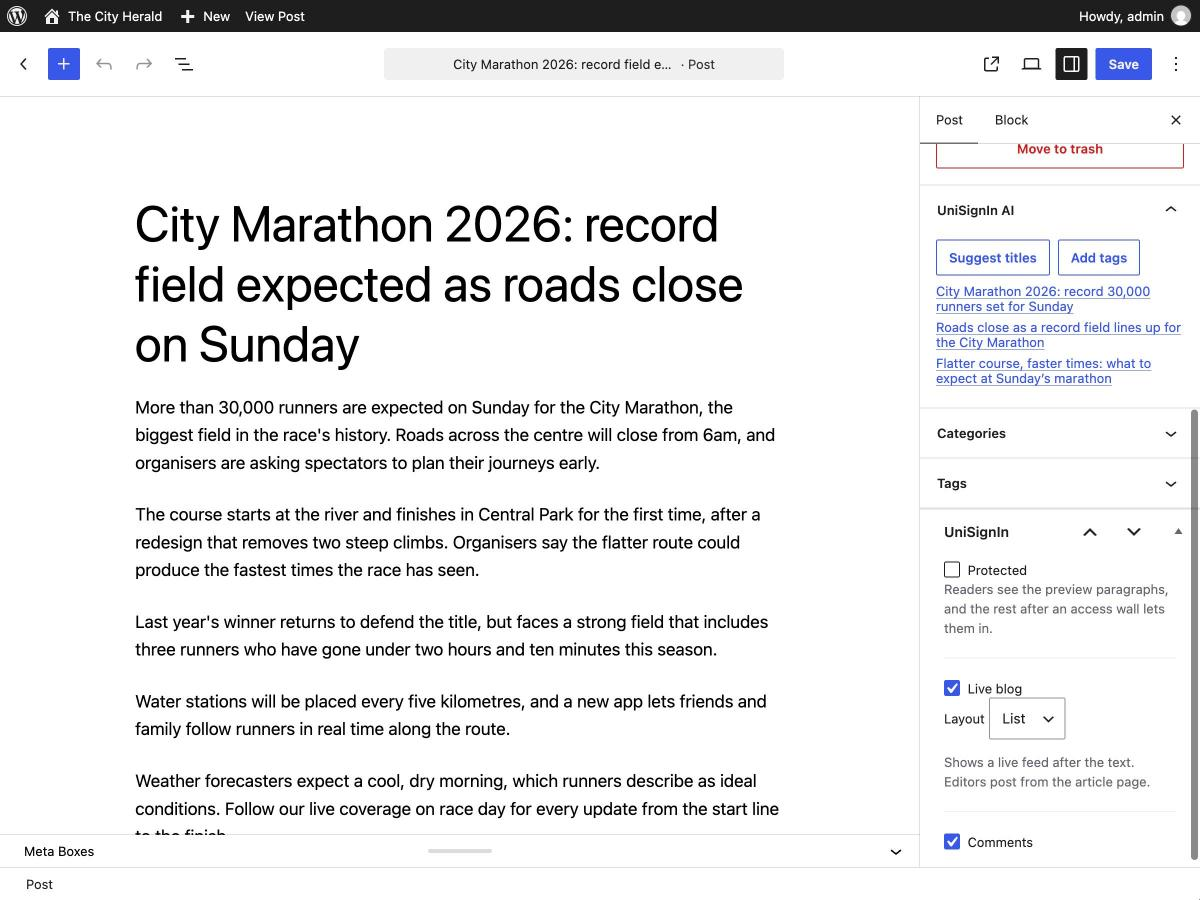
Protected posts. Tick Protected on a post and your audience sees the first paragraphs, then your UniSignIn Access Wall: sign-up, a subscription or a meter. The full article is only sent to readers with access, so it can’t be copied from the page or your feeds.
Keep your audience engaged
Live blogs. Turn any post into a live blog for breaking news, matches and events. Editors post updates from the article page, and your audience sees them appear without reloading, reacts and votes in polls.
Comments. Replace WordPress comments with comments posted from a UniSignIn account, with reactions, replies and moderation tools. Turn them off for any post.
Recommended articles. A compact list of articles picked for each visitor, so they keep reading.
Save editors time
AI titles and tags. Get title and tag suggestions while you write, in the classic and the block editor.
Newsletters. Send a newsletter straight from WordPress, now or at a set time. Pick a template, add your intro and articles, choose who gets it and send yourself a test first.
Then go further in UniSignIn
The plugin’s Home page takes you straight to access walls and paywalls, newsletters, content lists and audience segments in your UniSignIn dashboard.
External services
This plugin connects your site to UniSignIn to run sign-up and login, access walls, live blogs, comments, recommended articles and audience accounts.
- The UniSignIn script. When your site is connected, every public page loads the UniSignIn script. It sends page views and the visitor’s interactions with UniSignIn features to UniSignIn, as described in its privacy policy. Nothing is loaded without a licence.
- WordPress logins. When turned on, the email address, first name, last name and registration date of a logged-in WordPress user are sent to UniSignIn, securely, to log them in to UniSignIn.
- Protected posts. Access is checked on your own server, so no post text is sent to UniSignIn.
- AI titles and tags. When an editor asks for suggestions, the post’s title and text are sent securely to UniSignIn.
- Newsletters. When turned on, the Newsletter page loads your email templates, content lists, articles and segments from UniSignIn, and sends the subject, the text and choices an editor enters, the articles they put in a content list, the chosen audience and time, the editor’s name with each newsletter, and their email address for test emails, securely to UniSignIn.
- Recommended articles. Article titles, addresses, images, dates, categories and tags are read from your public pages by UniSignIn, when recommendations are turned on for your project.
Service provider: UniSignIn. Terms of service and privacy policy.
Installation
- Install and activate the plugin from Plugins > Add New.
- Create a UniSignIn account and add your site as a project.
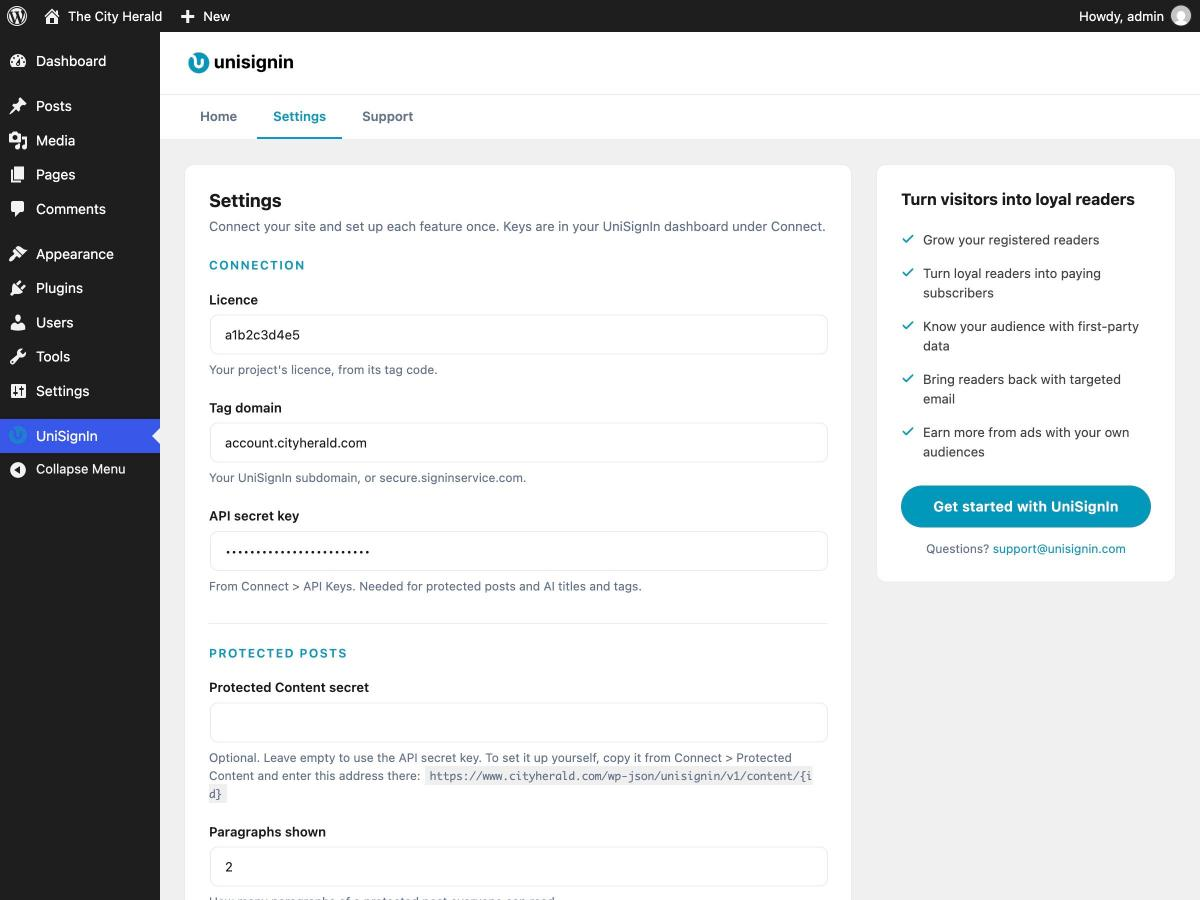
- Open UniSignIn in the admin menu, and on the Settings tab enter the connection details from your UniSignIn dashboard.
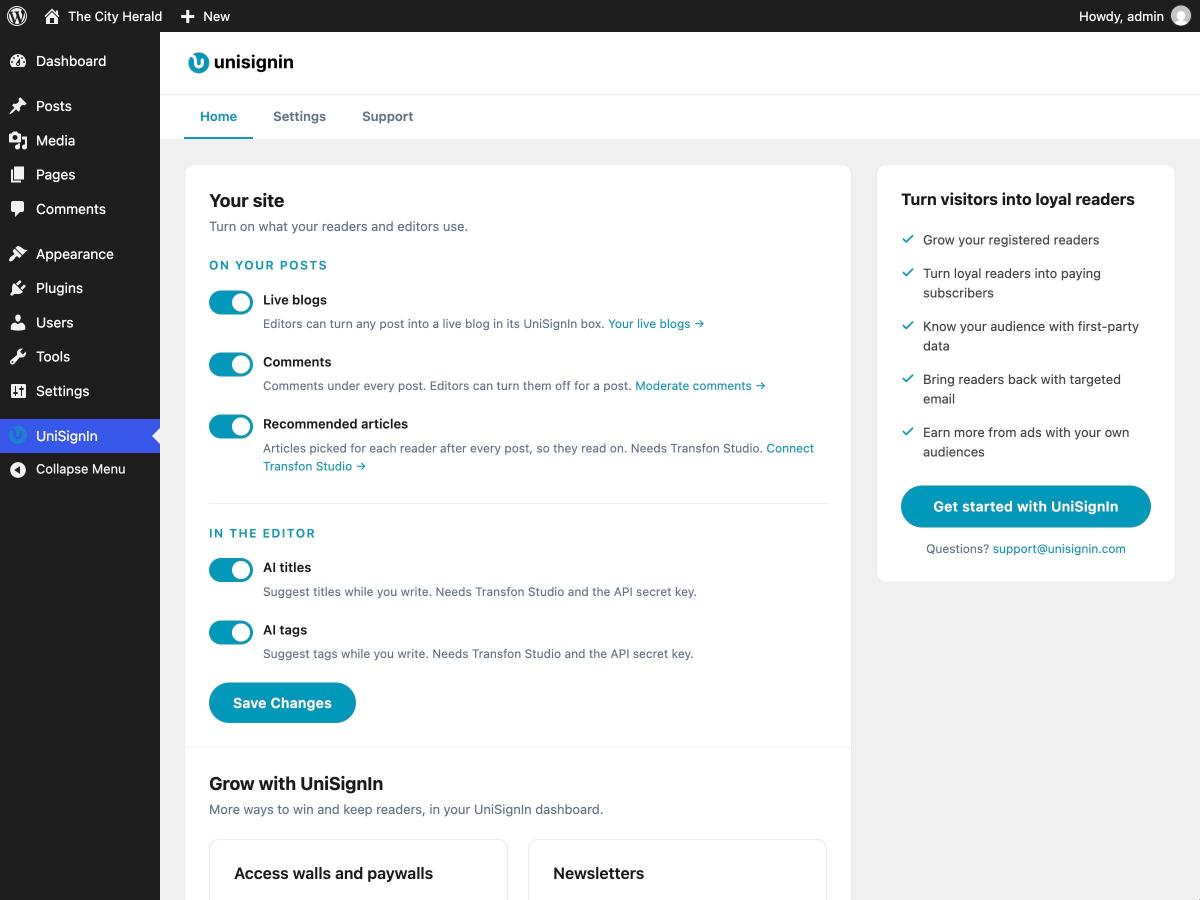
- On the Home tab, turn on the features you want: live blogs, comments, recommended articles, AI tools and newsletters.
- When editing a post, use the UniSignIn box to protect it, turn it into a live blog or turn its comments off.
FAQ
Do I need a UniSignIn account?
Yes. The plugin connects your site to UniSignIn, which runs the login system, walls, live blogs, comments and audience accounts. Create an account to get your licence.
What is a first-party data DMP?
A data management platform built on data your audience gives you directly: sign-ups, logins, preferences and on-site behaviour. UniSignIn keeps these profiles for you and lets you build segments for newsletters, personalisation and advertising, without third-party cookies.
How do protected posts keep the text safe?
Visitors without access only receive the preview paragraphs. The rest of the article is shown only after UniSignIn confirms they have signed up, logged in or subscribed.
What do protected posts need in UniSignIn?
An access wall in your UniSignIn dashboard for protected posts. The documentation walks you through it step by step, or our team can set it up for you.
Can I place the live blog or recommended articles inside the post?
Yes. Put [unisignin_liveblog] or [unisignin_recommendations] where you want them, with a Shortcode block in the block editor. The post then shows them only there. The live blog still needs Live blog ticked on the post. On protected posts, keep them in the paragraphs everyone can read.
Will the comments replace my existing WordPress comments?
On posts where UniSignIn comments are on, they take the place of your theme’s comments area, and WordPress comments are hidden. Turn them off for a post to bring its WordPress comments back.
Do recommended articles need anything else?
Just turn on recommendations for your project in UniSignIn. Posts with a featured image look best in the list.
Does it work with my theme and SEO plugin?
Yes. The plugin places its features in your theme’s own content and comments areas, in block and classic themes, and works alongside Yoast SEO, Rank Math, All in One SEO, SEOPress, The SEO Framework and Jetpack.
Where can I get help?
See the documentation or email support@unisignin.com.
Screenshots


Changelog
1.1.3
- Fixed: saving a newsletter content list twice no longer fails on sites that cache REST API answers.
1.1.2
- Improved: a clearer plugin description and setup guide.
1.1.1
- New: a default audience for newsletters in Settings, next to the default email template.
- Fix: an email template made editable in UniSignIn shows in WordPress straight away.
- Fix: readers with access can open protected posts on some hosting setups.
1.1.0
- New: Posts > Newsletter sends a newsletter from WordPress, now or at a set time, with a UniSignIn email template. Fill in the parts the template lets you change, update its content lists, preview it on desktop and mobile, and send yourself a test first.
- New: a log of newsletters sent from WordPress, where a scheduled newsletter can be cancelled.
- New: a setting for sites whose theme or tag manager already loads UniSignIn, so it loads only once.
1.0.0
- Initial release.
- Protected posts with the text kept on your server.
- Live blogs on the posts you choose.
- UniSignIn comments in your theme’s comments area.
- Recommended articles above the comments.
[unisignin_liveblog]and[unisignin_recommendations]shortcodes.- WordPress users logged in to UniSignIn, and WordPress as UniSignIn’s login page.
- AI titles and tags in the block and classic editors.