

Description
ValidateCertify: Authenticity and trust in certificate validation
With ValidateCertify, you ensure the reliability of your certificates and offer an efficient solution for their validation. Its configuration is quick and easy:
- Upload your database with key information (name, surname, course, date and certificate code).
- Allow your users to validate certificates using a shortcode or widget, without complications.
ValidateCertify Features – Free
- Manual certificate management:
- Add new certificates individually.
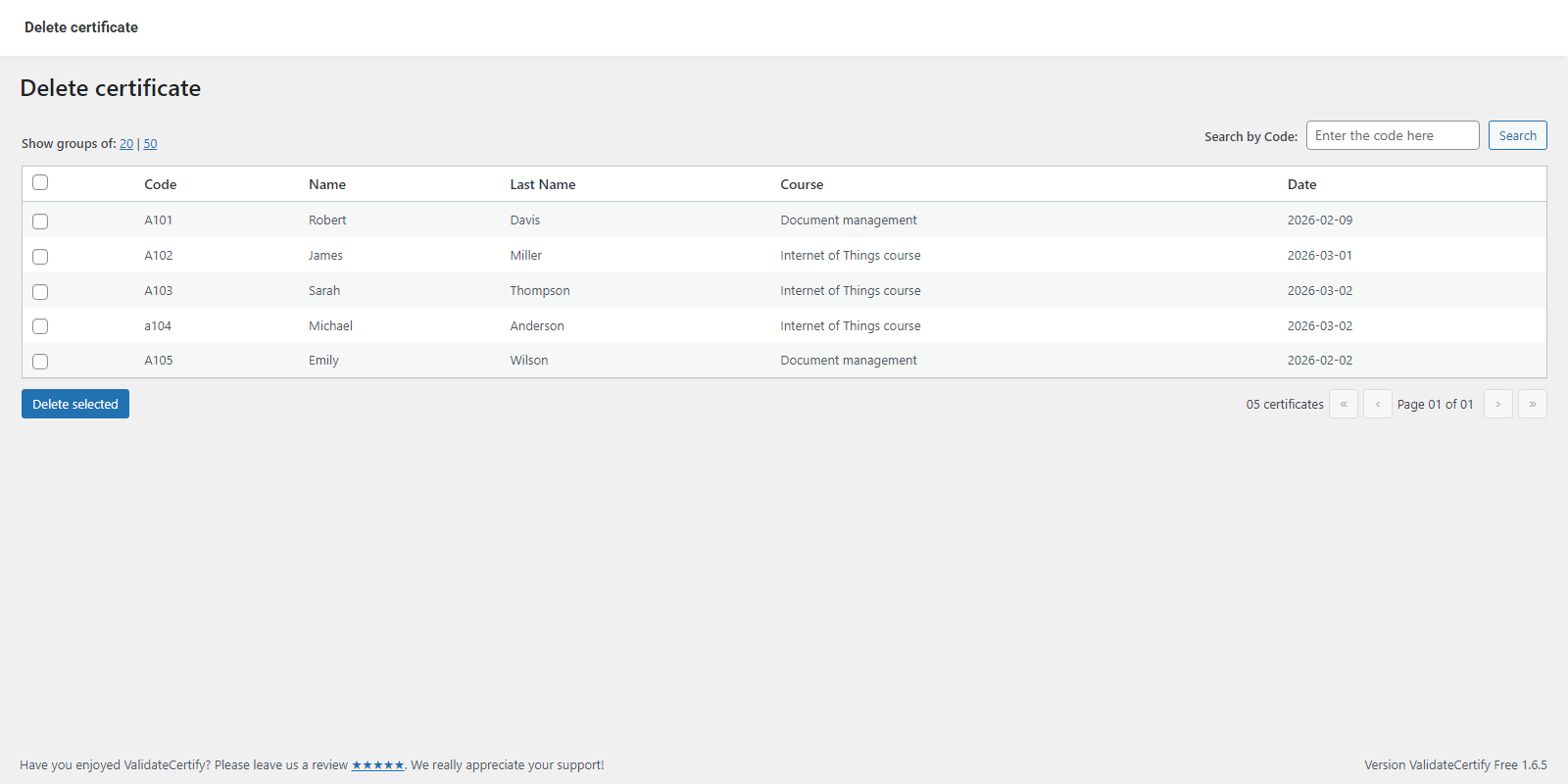
- Edit or delete existing certificates using their unique code.
- View and manage your entire database from an intuitive interface.
- Simplified validation:
- Integrate a shortcode to display the validation option on any page or post.
- Display key certificate information: first name, last name, course, date, and code.
Elevate your Experience with ValidateCertify Pro
Enhanced Features of ValidateCertify – Pro
Unlock advanced features to manage certificates in bulk and streamline your workflow:
- Bulk Upload: Upload up to 1000 certificates in one step.
- Smart Detection: Automatically identify and exclude duplicate codes in batches.
- Flexible Export: Download your database at any time.
- Customizable Options:
- Delete entire databases if needed.
- Customize the shortcode button design to fit your style.
- Integrate the ValidateCertify widget for Elementor.
Take your Validation to the Next Level with ValidateCertify ProPlus
Advanced Features of ValidateCertify – ProPlus
Access advanced features that maximize efficiency and accuracy:
- Automatic code generation: Generate unique codes when uploading certificates.
- Renowned field: Display additional information, such as the “certificate” field (previously known as “course”).
- All-in-one: Includes all the features of the Pro version plus these new, enhanced tools.
- Custom Fields: Starting with this version, you can request customization by contacting our team.
Multi-Language Support
ValidateCertify is fully compatible with WPML, TranslatePress and other translation plugins, making it easy to use in any language. You can help by adding a new language intranslate.wordpress.org.
With ValidateCertify, transform your WordPress site into a professional and reliable system for validating certificates.
Installation
Minimum Requirements
- WordPress 6.3 or greater
- PHP version 7.4 or greater
- MySQL version 5.0 or greater
Installation
- Install using the WordPress built-in Plugin installer, or Extract the zip file and drop the contents in the
wp-content/plugins/directory of your WordPress installation. - Activate the plugin through the ‘Plugins’ menu in WordPress.
- Go to ValidateCertify> Add New Certificate
FAQ
How do I install ValidateCertify
To install the free version of ValidateCertify, follow the steps below:
From your WordPress dashboard -> Go to Plugins -> Click on ‘Add new’-> In the Search field, enter ValidateCertify.
Press install -> After installation, click Activate.
Is ValidateCertify compatible with Gutenberg?
ValidateCertify and Gutenberg work seamlessly together. As a user, you can easily decide which editor to use at every point while editing your site.
How to add shortcode to verify certificates
It’s as easy as using the [ValidateCertify] shortcode.
How many fields do you have
Have five parameters, Name, Last name, course, date and certificate code.
Can I request customization of the fields?
You can request customization from the ProPlus version and add the fields you need. Please contact our support team for a quote.
Available languages
English (United States) and Spanish.
Screenshots




Changelog
1.6.5 – 2026-03-14
- Tweak: Improve compatibility with version 6.9
- New: Date control and validation
- New: Date validation, supports dates from 2000 to 2099
- Fix: Internal optimization
1.6.4 – 2025-09-02
- Fix: Internal optimization
1.6.3 – 2025-06-10
- Fix: Compatibility with WordPress version 6.8
1.6.2 – 2025-03-06
- Security Fix: Cross-Site Request Forgery (CSRF) vulnerability patched
- Security Fix: Vulnerability bugs are fixed
- Fix: Query Cache
- New: Date control and validation
1.6.1 – 2025-01-05
- Tweak: Improve compatibility with version 6.7.1
- Tweak: CSS callout
- Tweak: Improve compatibility with Elementor
1.6.0 – 2024-11-19
- New: Compatible with version 6.7
- Tweak: Plugin footer
- Fix: Fixes translation error
1.5.5 – 2024-09-03
- New: Error message when entering an invalid code
- Fix: Fix error in the shortcode that caused crossover with other forms
- Tweak: Certificate Basis Section
- Tweak: Shortcode button
1.5.4 – 2024-07-30
- Fix: Certificate Basis Section
- New: Compatible with version 6.5
1.5.3 – 2024-05-27
- Fix: Fix error in the Tools section that does not allow our brand to be displayed
- Fix: We improve the translation process
- New: Now supports more translations from the community
1.5.2 – 2024-05-19
- New: Improvement in navigation buttons
- New: Internal optimization
1.5.1 – 2024-04-10
- New: Compatible with version 6.5
1.5.0 – 2024-03-13
- Tweak: Improved interface
- New: DashBoard Home Box
- New: Translation in Portuguese
- Fix: Shortcode form set to left, now center
- Fix: Updated translation upload
1.4.2 – 2024-02-03
- Fix: Translations
1.4.1 – 2024-01-22
- New: Translations updated
1.4.0 – 2023-01-03
- New: Compatible with version 6.4
1.3.0 – 2023-08-14
- New: Add delete option.
- New: Added internal search option
- New: Improved the update process
1.2.0 – 2023-07-12
- New: Translations in English
1.1.0
2023-06-14
- New: Add a view in groups of 20 or 50 certificates from the database.
- New: Adds the pages option for the certificate groups in the database.
1.0.3
2023-06-14
- New: Full code sanitization.
1.0.2
2023-06-13
- New: Improved the copy function. Pro
1.0.1 – 2023-06-12
- New: Improved the plugin structure
1.0.0 – 2023-06-12
- New: Generate a backup.
- New: Allows bulk upload. Pro
- New: Allows you to remove the base. Pro
- New: Allows Editing the Certificate.
0.9.1
2023-04-24
- The first beta release.