

Description
Course and semester access controls with contributor restrictions and administrator moderation.
Purpose
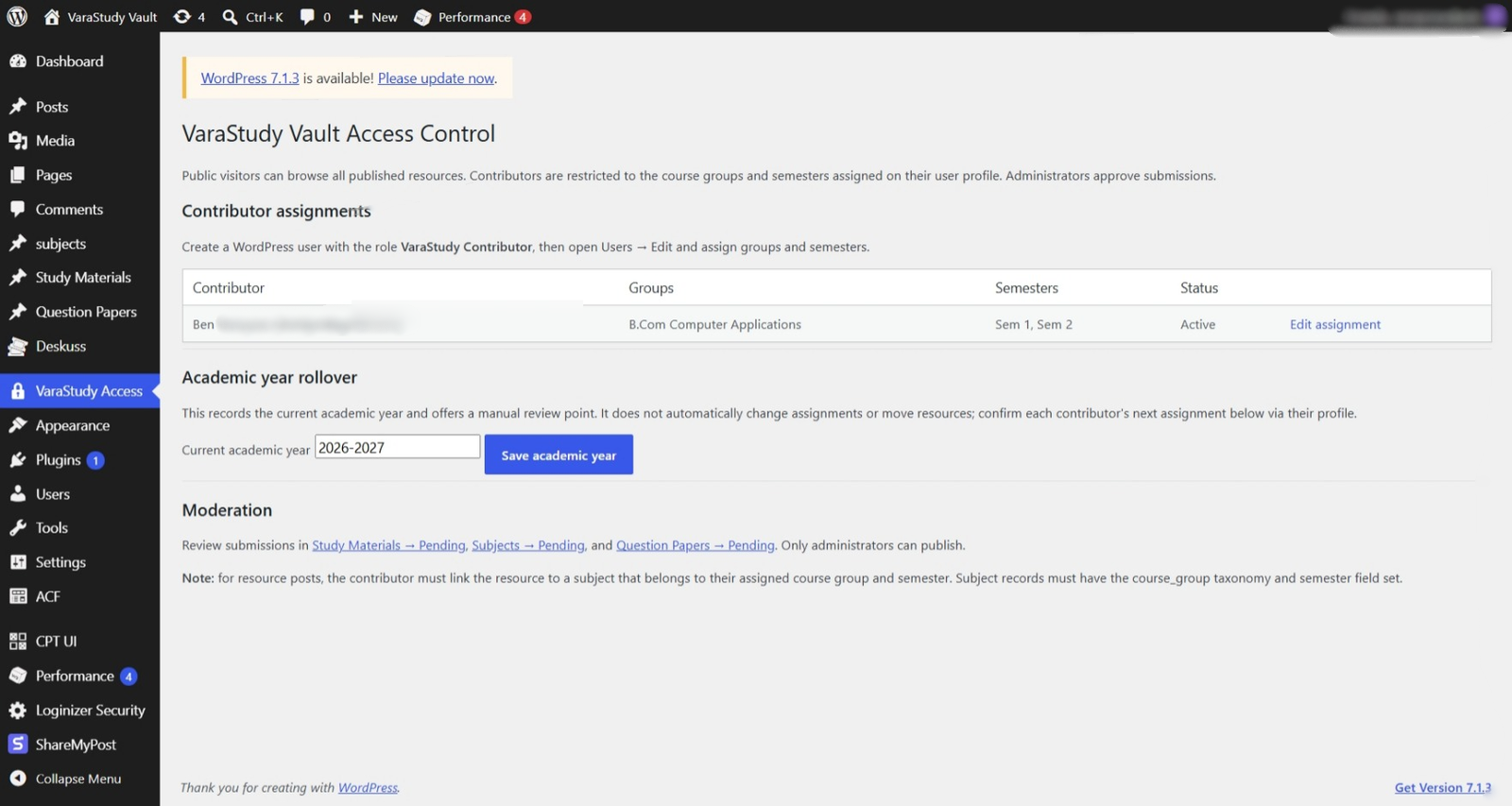
- Public visitors can view published resources across all courses and semesters.
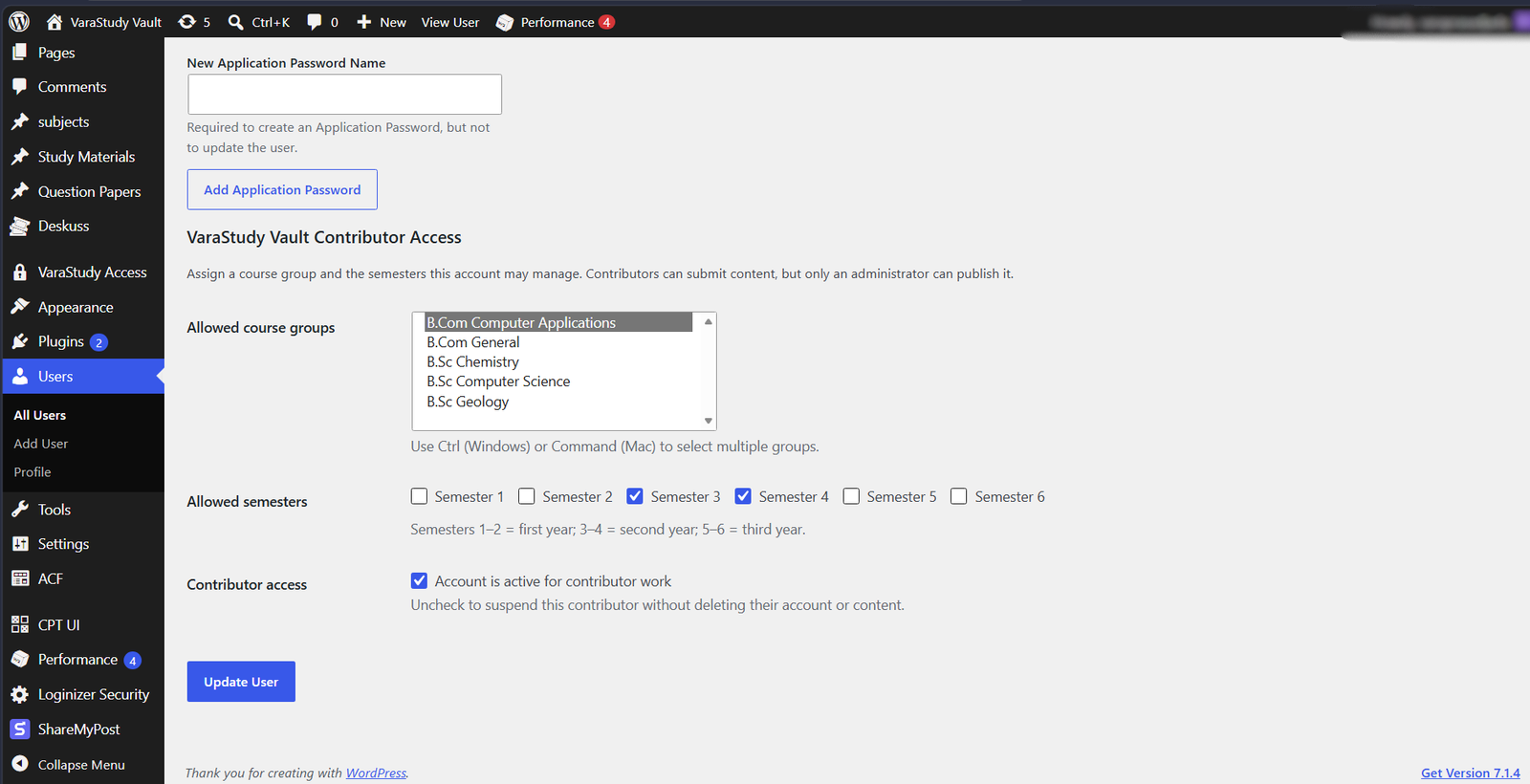
- Contributors can submit and manage only content in their assigned course groups and semesters.
- Contributor submissions are sent to Pending Review; only administrators can publish.
- Administrators assign course groups and semesters under Users -> Edit User.
- Administrators can record the current academic year from VaraStudy Access; academic year rollover is manual.
Existing-Site Assumptions
- Course taxonomy slug: course_group
- Custom post types: subjects, study-materials, question-papers
- Subject semester stored in ACF field/meta key: semester
- Resource-to-subject relationship stored in ACF field/meta key: subject
- ACF Question Paper semester field key: field_6ad34225ddea5
- ACF Subject semester field key: field_6ad33bd28e7e0
- ACF Question Paper subject field key: field_6ad3405a22db5
- ACF Study Material subject field key: field_6ad33d167a5ce
- The course_group taxonomy is expected to be assigned to Subject posts.
Installation / Update
- Back up the WordPress site and database first.
- Test on a staging site or backup before production.
- Upload the plugin ZIP via Plugins -> Add New -> Upload Plugin, replacing/updating the existing plugin.
- Test with a separate contributor account and an administrator account.
Test Cases
- A contributor with one assigned group and semesters 1-2 sees only semesters 1-2 in Subject and Question Paper fields.
- Subject selectors show only Subjects in the assigned course group and allowed semesters.
- Contributors can select only their assigned course group in the native Course Groups taxonomy panel.
- A crafted save with an unauthorized semester or subject is moved to Draft and flagged.
- Administrators can still select all semesters and subjects.
Validation Status
The plugin has been tested in the author’s WordPress/ACF installation. The author reports that assigned-semester filtering, subject-selector filtering, editing own Draft/Pending content, and administrator access behaved as expected.
The tests cover the scenarios listed above but do not guarantee that every possible unauthorized request path has been tested. Back up the site and use staging before production updates.
Screenshots
Changelog
1.0.6
- Locks contributors to their assigned course group in the native Course Groups taxonomy panel.
- Excludes Draft and Pending Review Subjects from contributor subject selectors; administrators retain unrestricted choices.
1.0.5
- Excludes Draft and Pending Review Subjects from contributor subject selectors; administrators retain unrestricted choices.
1.0.4
- Filters the Subject semester dropdown to the active contributor’s assigned semesters.
- Filters Question Paper semester choices to assigned semesters.
- Filters Subject Post Object selectors for Question Papers and Study Materials by assigned course groups and semesters.
- Adds post-save validation after ACF field saving; invalid submissions are kept as drafts and flagged with an error meta value.
- Question Paper semester must match both the contributor assignment and the linked Subject semester.
- Administrators retain unrestricted choices and access.