


Description
When a plugin is closed on WordPress.org, WordPress does not tell you. The plugin keeps running on your site, it simply stops receiving updates, including security fixes. The same goes for a plugin whose author walked away years ago.
Once you allow it, Deadwood checks every installed plugin and theme against the WordPress.org directory once a day and tells you which ones need attention. Nothing is sent before you do.
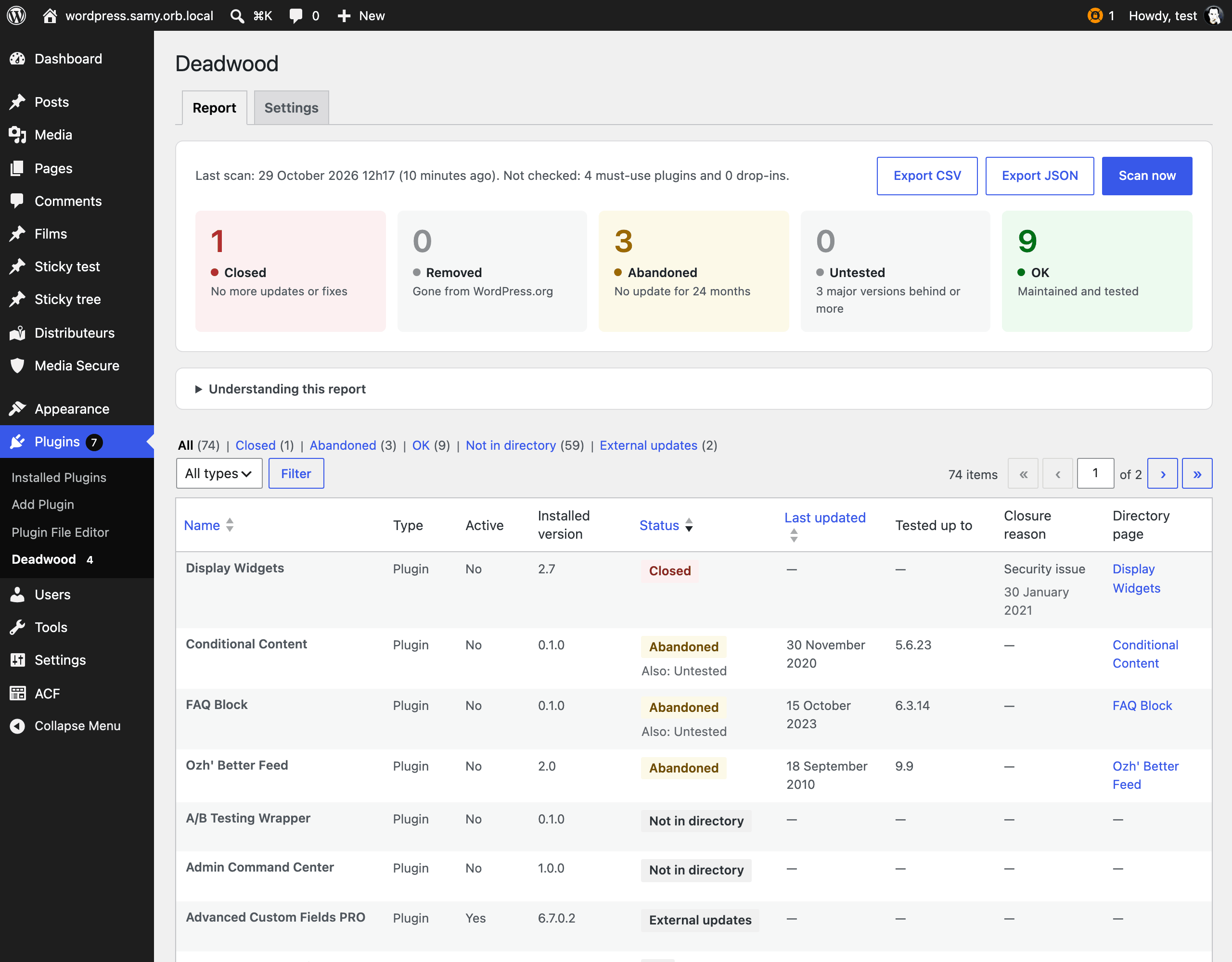
What it detects
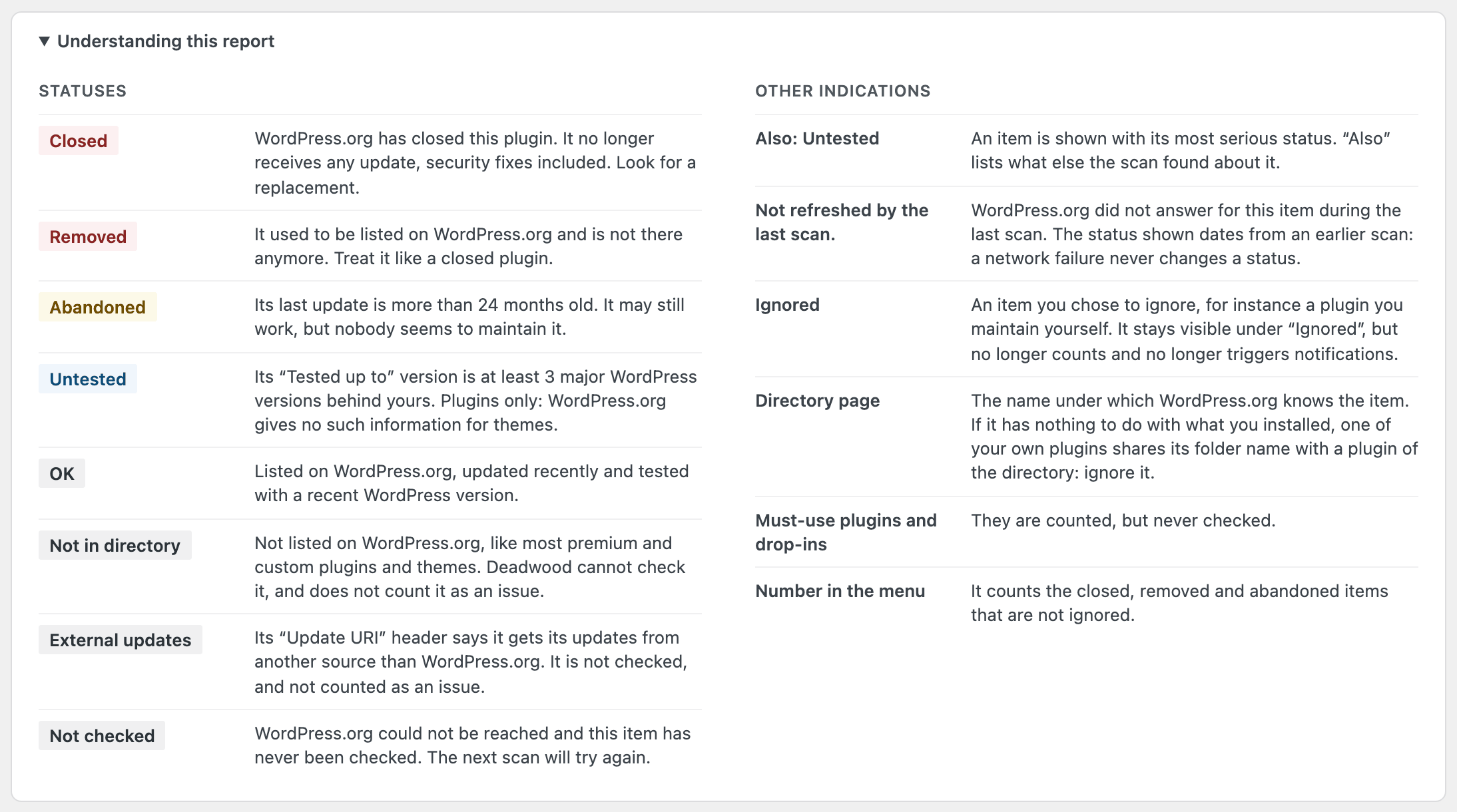
- Closed: the directory says the plugin is closed. The closure date and reason are shown when WordPress.org provides them.
- Removed: the plugin or theme used to be listed on WordPress.org and is no longer there.
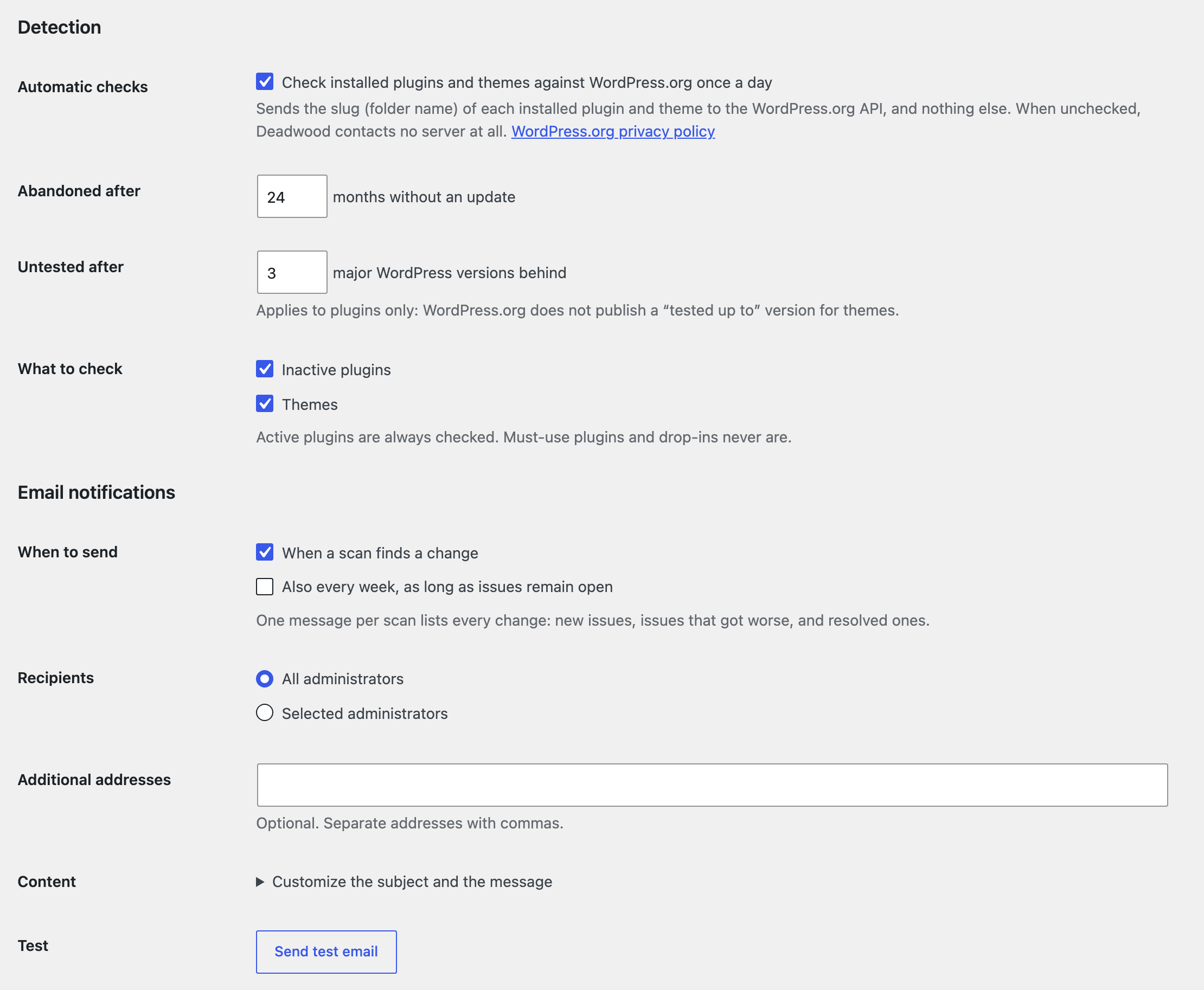
- Abandoned: no update for a long time (24 months by default).
- Untested: its “Tested up to” version is several major WordPress versions behind yours (3 by default). Plugins only: WordPress.org does not publish this information for themes.
Plugins and themes that are not hosted on WordPress.org (premium, custom, or updated from another source) are listed as such and never reported as a problem.
Where you see it
- A report under Plugins > Deadwood, with filters by status and type, sorting, and CSV and JSON exports.
- A warning under each affected plugin on the Plugins screen.
- A badge on the menu entry with the number of serious issues.
- A Site Health test, and a section in the Site Health debug information.
- An email when something changes: a new issue, an issue that got worse, or one that was resolved. One message per scan, and none when nothing changed. An optional weekly summary is available while issues remain open, and you can rewrite the subject and the message.
- A generic JSON webhook, optionally signed with HMAC SHA-256, for Slack, n8n, Zapier or your own monitoring.
Built for people who manage sites
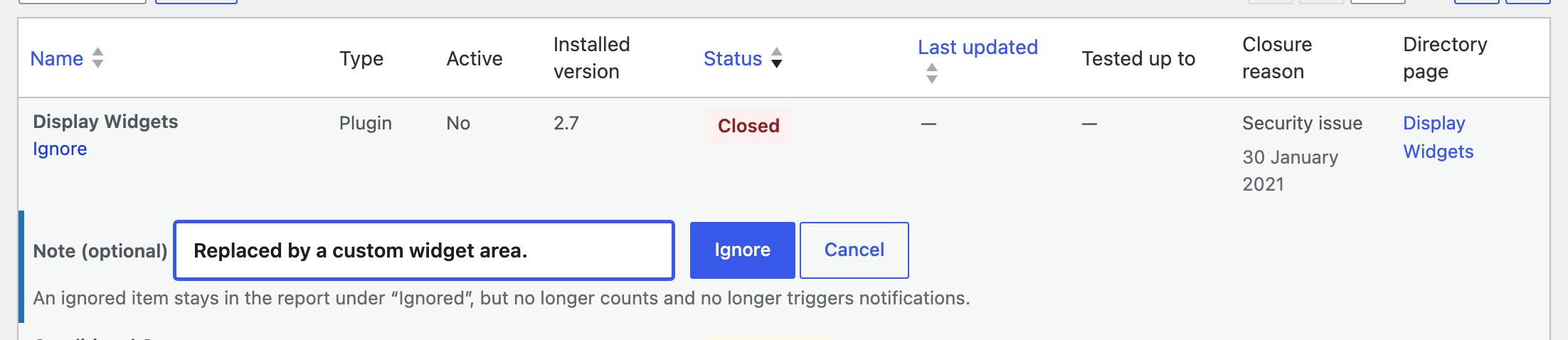
- Ignore what you have decided to keep, with an optional note. Ignored items stay visible in their own view but no longer count and no longer trigger notifications.
- WP-CLI:
wp vexalyn-deadwood scan,wp vexalyn-deadwood reportandwp vexalyn-deadwood webhook test. The--fail-on=<status>option returns a non-zero exit code, for CI and monitoring. - REST API: read the report or start a scan from your own tools.
- Multisite: network-activated, one scan and one report for the whole network, in the network admin.
- Hooks to change thresholds, override a status, or adjust emails and webhook requests.
Safe by design
- A network error never changes a status. If WordPress.org cannot be reached, the last known status is kept and marked as not refreshed.
- Scans run in small batches in the background, so they do not slow your site down.
- Nothing is deactivated, deleted or updated for you. Deadwood only reports.
There is no Pro version: every feature is included, with no upsell and no telemetry.
External services
This plugin connects to two external services.
WordPress.org API
To know whether a plugin or theme is still available and maintained, Deadwood asks the WordPress.org API (https://api.wordpress.org/plugins/info/1.2/ and https://api.wordpress.org/themes/info/1.2/). It is the same service WordPress itself uses to check for updates.
- What is sent: the slug (folder name) of each installed plugin and theme, one request per item. The requests identify themselves as
Vexalyn-Deadwood/<version>: they carry neither your site address nor any personal data. - When: only after an administrator has allowed it, by clicking “Allow checks and scan now” on the Deadwood screen or by ticking “Automatic checks” in the settings. From then on, once a day, and each time an administrator starts a scan. Activating the plugin sends nothing. Unticking “Automatic checks” stops every request. With WP-CLI,
wp vexalyn-deadwood scanasks for--yesas long as checks are not allowed. Plugins and themes whoseUpdate URIheader points to another host are never sent.
This service is provided by WordPress.org: privacy policy.
Your webhook URL (optional)
Deadwood sends a JSON request to the URL you entered in the settings, in two cases only: when you have enabled the webhook, and when you click “Send test” (which works as soon as a URL is saved, even before the webhook is enabled). Without a saved URL, nothing is ever sent.
- What is sent: your site name, its address, its WordPress version, and the list of plugins and themes concerned with their name, slug, installed version, status and dates.
- When: once the webhook is enabled, after a scan that found changes, or after every scan if you chose that option; and each time you click “Send test”.
That URL is chosen by you, and the service behind it is yours or one you selected. Its own terms and privacy policy apply.
Installation
- Install the plugin from the Plugins screen, or upload the
vexalyn-deadwoodfolder to/wp-content/plugins/. - Activate it. On a multisite network, it is activated for the whole network.
- Open Plugins > Deadwood and click “Allow checks and scan now”. Deadwood contacts no server before that.
The default settings work as they are. The Settings tab lets you change the thresholds, choose who receives the emails and set up the webhook.
FAQ
Does Deadwood deactivate or remove anything?
No. It only reports. What to do with a closed or abandoned plugin is your decision.
What does “Not in directory” mean?
The plugin or theme is not listed on WordPress.org, which is normal for premium and custom ones. Deadwood cannot check them, so it does not report them as a problem.
One of my own plugins is reported as abandoned. Why?
Its folder has the same name as a plugin hosted on WordPress.org, so the directory answers for that other plugin. WordPress has the same limitation for updates. Use “Ignore” on that line, or add an Update URI header to your plugin, which also stops WordPress from offering it the wrong updates.
Why is a theme never “Untested” or “Closed”?
WordPress.org does not publish a “Tested up to” version or a closed state for themes. A theme taken out of the directory is reported as “Removed”, provided Deadwood saw it there in an earlier scan.
Does Deadwood send anything when I activate it?
No. It contacts no server until an administrator allows it from the Deadwood screen or the settings, and it stops as soon as “Automatic checks” is unticked.
What happens if WordPress.org is unreachable?
Nothing changes. Each item keeps its last known status, marked as not refreshed, and no notification is sent.
Who receives the emails?
All administrators by default. You can select specific administrators and add other addresses in the settings. On a multisite network, administrators are the super admins.
How do I verify the webhook signature?
When a secret is saved, each request carries an X-Vexalyn-Deadwood-Signature header: the HMAC SHA-256 of the raw request body, in hexadecimal. Compute the same value with your secret and compare. The docs/hooks.md file shipped with the plugin has an example and describes the payload.
My webhook URL is on my internal network and is refused.
WordPress blocks requests to private and local addresses, and to ports other than 80, 443 and 8080. Allow your host with the http_request_host_is_external filter, and a custom port with http_allowed_safe_ports. docs/hooks.md has an example.
Can I use it in CI or monitoring?
Yes. wp vexalyn-deadwood scan --yes --fail-on=abandoned exits with code 1 when a plugin is abandoned, removed or closed. wp vexalyn-deadwood report does the same on the last report, without scanning again. Both support --format=json and --format=csv.
Are must-use plugins and drop-ins checked?
No. They are counted and mentioned in the report as not checked.
Does it work on multisite?
Yes. The plugin is network-activated, runs one scan for the whole network and shows its screen in the network admin. A plugin or theme counts as active when it is active on at least one site.
Screenshots



Changelog
1.0.0
- Initial release.