
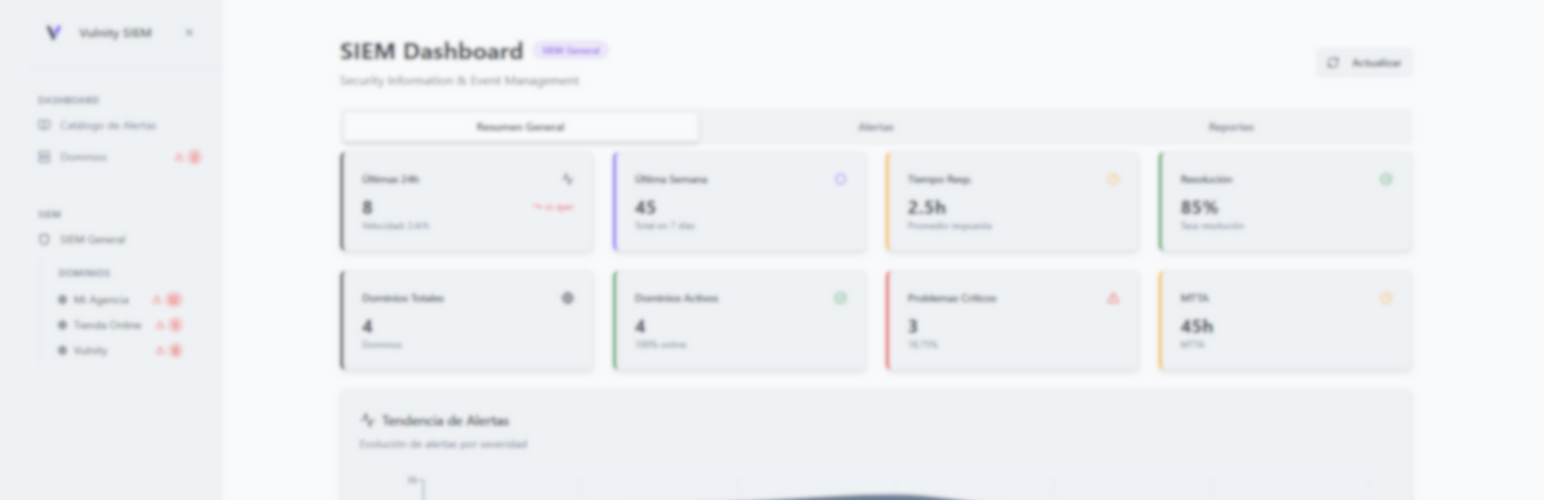

Description
Vulnity Security brings enterprise-grade threat detection to WordPress. It connects your site to Vulnity’s SIEM platform, correlates events, and alerts you before issues become incidents.
Features
- Real-time security event collection and forwarding to Vulnity SIEM.
- Dashboard widgets that highlight critical findings and remediation steps.
- Scheduled security scans for core files, plugins, and themes.
- Centralized logging compatible with major SOC workflows.
Integration Requirements
To receive alerts, configure an API token and endpoint URL provided by your Vulnity SIEM account. Detailed configuration instructions are displayed after activating the plugin under Vulnity > Settings.
WordPress Multisite is not supported in Vulnity Security 1.4.0. Network activation and subsite activation are blocked to avoid mixing configuration, firewall storage, cron jobs, or uninstall cleanup between subsites.
Vulnity Security 1.4.0 requires WordPress 6.2 or newer. Older WordPress versions are blocked fail-safe so the plugin stays inactive instead of registering security, firewall, cron, REST, or SIEM behavior on an unsupported runtime.
External Services
This plugin connects to Vulnity’s external API hosted on Supabase Edge Functions (domain: euxnoekqasvzwfcbybkg.supabase.co, base URL https://euxnoekqasvzwfcbybkg.supabase.co/functions/v1) to power SIEM alerts, inventory sync, and mitigation updates.
- What the service is and what it is used for:
- Vulnity SIEM API for pairing/unpairing, heartbeat checks, sending alerts, testing connectivity, syncing inventory, and receiving mitigation policies.
- Endpoints used:
/pair-plugin,/unpair-plugin(pairing and disconnecting the site)./heartbeat(periodic health check)./connection-test(manual connection test)./scan-site-info(inventory sync)./generic-alert,/brute-force-alert,/file-security-alert,/manage-user,/user-management-alert,/permission-change-alert,/file-editor-alert,/plugin-change-alert,/theme-change-alert,/core-update-alert,/suspicious-query-alert,/scanner-detected-alert(security alerts)./mitigation-config,/mitigation-update(mitigation policy sync and block/unblock updates)./delegated-login-callback(audit confirmation of a delegated wp-admin login, signed with the reinforced v2 scheme).
- Assisted connection (linking token):
- From the Vulnity panel you can start an assisted connection instead of copying a Site ID and Pairing Code. The panel issues a single-use, short-lived (15 minute) linking token and hands it to this site with a server-side POST to wp-admin; the plugin stores it in a transient tied to your user account and renders a confirmation card that names the organization and the registered domain. The bearer is never placed in the URL, the fragment, the DOM, the page HTML or any browser JavaScript. Confirming requires a valid nonce and re-authentication with your current WordPress password; only then does the plugin exchange the token for the site credentials against
/pair-pluginover HTTPS, server-side. The exchange only succeeds when this site’s URL matches the domain registered in the panel, the pending token is discarded after three failed confirmations, and redirects are never followed for these requests.
- From the Vulnity panel you can start an assisted connection instead of copying a Site ID and Pairing Code. The panel issues a single-use, short-lived (15 minute) linking token and hands it to this site with a server-side POST to wp-admin; the plugin stores it in a transient tied to your user account and renders a confirmation card that names the organization and the registered domain. The bearer is never placed in the URL, the fragment, the DOM, the page HTML or any browser JavaScript. Confirming requires a valid nonce and re-authentication with your current WordPress password; only then does the plugin exchange the token for the site credentials against
- What data is sent and when:
- Pairing/unpairing: site ID and pair code (manual mode) or the single-use linking token (assisted mode), the site URL and home URL, plugin/WordPress/PHP versions, and timestamp when pairing or disconnecting occurs.
- Heartbeat: site ID, URLs, site metadata (name, language, timezone, theme), and runtime info (plugin/WordPress/PHP versions, latency) on a scheduled interval.
- Alerts: site ID, alert type/severity, timestamps, and event details (such as IP address, user/action metadata, or file change context) whenever a security event is detected.
- Inventory sync: site inventory details (installed plugins/themes/core metadata) when inventory sync runs.
- Mitigation: site ID, block/unblock actions, IP address, reason, duration, and rule metadata when mitigation rules are synced or enforcement actions occur.
- Why the data is sent:
- To associate the site with your Vulnity account, deliver security alerts to the SIEM, validate connectivity, synchronize inventory and mitigation policies, and keep firewall enforcement consistent.
- Policies: See the Vulnity Terms of Service and Privacy Policy for details on how data is handled.
License
This plugin is licensed under the GNU General Public License v2.0 or later. You are free to redistribute and/or modify it under the terms of the GPL as published by the Free Software Foundation. The complete license text is included in the bundled license.txt file and is also available online at https://www.gnu.org/licenses/gpl-2.0.html.
Installation
- Upload the plugin files to the
/wp-content/plugins/vulnitydirectory or install from the WordPress plugin repository. - Activate the plugin through the Plugins screen in WordPress.
- Navigate to Vulnity > Settings, enter your Vulnity SIEM credentials, and save.
- (Optional) Enable scheduled scans on the Monitoring tab to receive weekly reports.
FAQ
Do I need a Vulnity SIEM subscription?
Yes. The plugin requires an active Vulnity SIEM account to collect and analyze events.
Will the plugin slow down my site?
No. Event collection runs asynchronously and offloads processing to the Vulnity cloud platform.
Can I disable certain alerts?
Absolutely. Use the Alert Policies section within the plugin settings to mute or reclassify events.
How do Vulnity updates interact with WordPress automatic updates?
Vulnity’s remote update settings and exclusions control updates requested by the Vulnity service. WordPress keeps its own automatic-update preferences for plugins and themes. Disabling an update or excluding a component in Vulnity does not disable native WordPress updates; manage those separately in WordPress. From 1.4.4, pairing no longer overrides previously saved WordPress preferences. Remote updates continue through WordPress’s own upgrader and return a retryable failure while a native background update is running.
How does delegated login decide a request really came over HTTPS? (trust model)
The /sso gate and the plugin’s HTTPS shim only believe forwarded headers (X-Forwarded-Proto, X-Forwarded-SSL) when the immediate network hop (REMOTE_ADDR) is a trusted proxy. Trusted means: an entry you configured in the vulnity_trusted_proxies option (IPs or CIDRs — recommended, keep it to the minimal real ranges of your proxy/CDN), or a private/reserved address, which is auto-trusted by default for compatibility with same-host reverse proxies. X-Forwarded-Proto is authoritative and fail-closed: any non-https segment rejects the request and X-Forwarded-SSL: on cannot override it. If a client could reach your origin directly from the private network, disable the automatic trust by returning false from the vulnity_trust_private_proxies filter (e.g. in a mu-plugin) and declare your proxies explicitly. Direct internet connections must satisfy is_ssl(). Cloudflare detection and the proxies declared in the Vulnity panel (see the next question) only affect which client IP is used; they never make the HTTPS shim or the /sso gate trust forwarded headers.
How does Vulnity find the real visitor IP behind Cloudflare?
By default (mode “Automatic”), when the connecting address (REMOTE_ADDR) is in Cloudflare’s published IP ranges, the client IP is taken only from CF-Connecting-IP (or CF-Connecting-IPv6 when Cloudflare sends a pseudo-IPv4 address); X-Forwarded-For, X-Real-IP and Forwarded are ignored, and Cloudflare Worker subrequests (CF-Worker header) keep the connecting address. Separately, the plugin samples public requests (about one per minute) and marks the site as behind Cloudflare once at least 20 of them in 24 hours arrive through Cloudflare with a visitor CF-Connecting-IP (Worker subrequests are not counted) and the site’s own host name (the WordPress address stored in the database) resolves in public DNS only to Cloudflare addresses. The DNS check runs in WP-Cron, at most once a day and only on sites that see Cloudflare traffic, and keeps someone else’s traffic from switching this on or off. If the host name cannot be resolved (no outbound DNS, or WP-Cron disabled), the site is never marked automatically: use “Always Cloudflare” in the panel. It returns to normal when the host name stops resolving to Cloudflare or after 7 days without Cloudflare traffic. On a site marked behind Cloudflare, Cloudflare edge addresses and the proxies declared in the panel are never auto-blocked. Residual risk: a Cloudflare Worker or Snippet in a zone that points at your origin can set CF-Connecting-IP; Worker subrequests are excluded through the CF-Worker header, and if the site does not use Cloudflare you can switch detection off from the panel. From the Vulnity panel you can force the mode on (“Always Cloudflare”), switch it off (1.4.6 behaviour) and declare your own proxies (up to 32 IPs or CIDRs). The read-only “IP detection” card in Vulnity > Mitigation shows the current mode, whether Cloudflare was detected and the IP the plugin sees for you. HTTPS detection is not affected.
What is the HTTPS proxy shim and how do I disable it?
When TLS terminates at a trusted proxy and the origin receives plain HTTP, WordPress’ is_ssl() is false, and session cookies would be written (and later read) with the wrong scheme. On load, the plugin applies the standard WordPress reverse-proxy shim — setting $_SERVER['HTTPS'] — but only after the same fail-closed validation as the SSO gate (trusted hop + all-https forwarded chain; never from an untrusted direct client). This keeps is_ssl() consistent site-wide so delegated-login cookies always carry the Secure attribute and remain readable in wp-admin. To disable it, set the option vulnity_https_proxy_shim to 0 or return false from the vulnity_https_proxy_shim filter; the canonical X-Forwarded-Proto shim in wp-config.php remains a valid alternative. Deliberate fail-closed: with the shim disabled and TLS only at the proxy, /sso answers 400 rather than ever issuing a non-Secure admin cookie.
One-time note: on a site behind a TLS-terminating proxy that did not already have an is_ssl() shim, activating or updating to this version flips is_ssl() to true, so WordPress starts using the secure auth cookie. Any admin sessions established before the update are invalidated once and those users are asked to log in again — a single expected re-login, not a recurring one. If you already run the X-Forwarded-Proto shim in wp-config.php, nothing changes.
What does the renamed login hide, and how do I make an exception?
With the renamed login enabled, anonymous visitors get a 404 from wp-login.php and wp-admin, and WordPress no longer sends them to the renamed URL. Logged-in users still see it (for example in the log-out link), and so does anyone you show a “Log in” link to. Valid password-reset and personal-data links that point at wp-login.php still work. If a single sign-on or social login plugin needs to reach wp-login.php directly, return true from the vulnity_allow_direct_wp_login filter (arguments: the action WordPress will run and the request method) in a mu-plugin or early plugin code; it is evaluated on init priority 10. To send wp-admin pages that ask to log in again to the renamed URL as before, return true from vulnity_reveal_login_on_auth_redirect. The password form of protected posts and the confirmation link of personal-data requests use wp-login.php, so if your server, firewall or host blocks wp-login.php, let ?action=postpass (POST) and ?action=confirmaction (GET) through.
How do I disable delegated login on my site? (kill switch)
Set the option vulnity_delegated_login_enabled to 0, or return false from the vulnity_delegated_login_enabled filter from code you control (a mu-plugin or your theme). The filter is the last-resort guarantee: it works locally even if the central panel were compromised, so it will never be removed. While disabled, /sso answers 403 and no session can be created.
How is the /sso rate limit enforced?
Each redemption attempt atomically reserves one slot for the real client identity (resolved through the trusted proxy chain; IPv6 grouped by /64, IPv4 per host) in a fixed 300-second window, with a hard cap of 10 admitted attempts per identity and window — a concurrent burst cannot exceed it. A successful login refunds its slot, so only failures consume budget. The number of live rate-limit rows in wp_options is capped (oldest buckets are evicted deterministically, never merged into a shared bucket), and closed windows are swept hourly.
Screenshots


Changelog
1.4.7
- Fixed: on sites behind Cloudflare, alerts, blocks and login lockouts now use the real visitor IP from
CF-Connecting-IPinstead of the Cloudflare edge address. This is automatic for requests that come from Cloudflare’s published ranges and can be switched off (or the site forced as behind Cloudflare) from the Vulnity panel. - Fixed: on a site detected behind Cloudflare (or behind proxies declared in the panel), the plugin no longer auto-blocks a Cloudflare edge or proxy address, which could deny access to every visitor routed through it. Manual blocks are unchanged.
- Security: Cloudflare headers are trusted only when the connection really comes from Cloudflare’s published ranges and is not a Cloudflare Worker subrequest;
X-Forwarded-For,X-Real-IPandForwardedare never used to pick the client IP in that case. HTTPS detection (is_ssl(), the HTTPS proxy shim and the delegated-login/ssogate) is unchanged. - New: read-only “IP detection” card in Vulnity > Mitigation showing the mode, whether Cloudflare was detected and the IP the plugin sees for the current administrator. The heartbeat reports the same information to the panel, and rule pushes acknowledge when they were applied.
- Fixed: with the renamed login enabled, the password reset link in the email no longer contains
&instead of&. The link now opens the form to choose a new password instead of the normal login screen. - Fixed: after requesting a password reset (or registering) from the renamed login, WordPress now shows the “Check your email” confirmation at the renamed login URL instead of a 404 at the wp-login.php address under the renamed login. Requests made directly to wp-login.php are not redirected, so the renamed login URL stays hidden.
- Fixed: on WordPress installed in a subdirectory (for example /blog), the renamed login no longer returns 404 (locking the administrator out) once its rewrite rule is written to .htaccess.
- Fixed: posts and pages whose address starts with “wp-admin” (for example /wp-admin-tips/) no longer return 404 to visitors when the renamed login is enabled.
- Security: the renamed login URL is no longer revealed to anonymous visitors through wp-login.php with an invented reset key, error screens of forms posted to wp-login.php, /login, /wp-signup.php, /wp-register.php, wp-admin pages that ask to log in again (customize.php and others), WordPress installed in its own directory, nor the password form of protected posts. Valid reset links that point at wp-login.php now open the reset form; invalid ones answer 404.
- Security: forms that post to wp-login.php by hand keep working (a correct login, a lost-password email and a registration go through), and failed attempts still count for the login lockout and the brute-force alerts. Two filters,
vulnity_allow_direct_wp_loginandvulnity_reveal_login_on_auth_redirect, restore the previous behaviour where a site needs it. - Fixed: the recovery-mode email link (sent after a fatal error) and the confirmation link of personal-data requests work with the renamed login, and their emails no longer carry the renamed login URL.
- Fixed: the login screen served at the renamed URL behaves like the original (no PHP warnings, and the “session expired” pop-up in wp-admin closes after logging in again). Without pretty permalinks, the language selector of the login screen keeps the compatibility URL.
- Fixed: uninstalling removes the firewall state kept in uploads/vulnity-data/firewall.
- Performance: sites not behind Cloudflare no longer run an extra database query on every page view.
1.4.6
- Security: Vulnity can replace the credentials that connect the site to the panel, silently and without disconnecting it. The change is only accepted when signed by Vulnity Core, so a copy of the old credentials (such as a pairing backup exposed before 1.4.4) stops working and cannot be used to take over the connection.
1.4.5
- Security: blocked IPs can no longer reach wp-login.php, xmlrpc.php or the front-end by appending “/wp-admin” or similar segments to the URL. Route exemptions are now decided by the executed script and anchored paths in both firewall layers; wp-admin, admin-ajax and the REST API are exempt only for a valid session of a user who works in wp-admin (edit_posts, filterable via vulnity_blocked_ip_session_capability). The Vulnity control channel and wp-cron keep working for blocked IPs.
- Security: the renamed login URL is no longer revealed by /?vulnity-login=1. Sites without pretty permalinks get a per-site tokenized compatibility URL, shown in the hardening screen and in every login link WordPress generates.
- Security: behind a trusted proxy, block and whitelist decisions consider every plausible client IP from the forwarded headers: a spoofed X-Forwarded-For can no longer dodge an IP block nor borrow a whitelisted IP, and an existing login lockout applies to every identity of the request. Sites with consistent proxy headers see no change.
- Security: the login URL slug rejects “..” segments and the login entry file is always created inside the WordPress root.
- Security: the SIEM channel requires non-empty credentials; the HMAC-only method is accepted only on connection-health and each health challenge nonce is single-use.
- Security: the assisted-connection handoff only accepts POSTs whose Origin (or Referer) is the Vulnity panel; add extra origins with the VULNITY_PANEL_ORIGINS constant or the vulnity_panel_origins filter.
- Security: request header values are sanitized before being written to the Vulnity log.
- Fixed: the early (auto_prepend_file) firewall layer now finds the firewall state written in disk mode, so blocked IPs are stopped before WordPress loads.
- Fixed: request-rule recovery exemptions are anchored to the site root instead of matching anywhere in the path.
- Fixed: on nginx, IP blocks and unblocks sent from the Vulnity panel no longer fail when .htaccess cannot be written (nginx ignores .htaccess; the PHP firewall enforces the block). Apache keeps requiring the .htaccess bootstrap.
- Fixed: the “firewall storage not writable” warning is no longer shown on every admin screen when the firewall state is safely stored through the fallback; it remains on the Storage page and in the SIEM health warnings.
1.4.4
- Security: keep pairing credentials exclusively in the WordPress database, independently of the firewall storage mode.
- Migrate existing pairing backups out of public uploads storage and remove legacy credential files on upgrade.
- Correct Nginx and PHP protections for the actual uploads URL, including custom content directories and subdirectory installations.
- Preserve pairing recovery across normal reinstallation and keep firewall persistence unchanged.
- Respect native WordPress automatic-update preferences while retaining independent Vulnity remote updates and monitoring. Remote requests report a retryable failure if an update is already running.
1.4.3
- Inherit organization trusted IPs automatically while preserving site-specific exceptions. Requires the matching Vulnity backend update.
- Answer authenticated external connection checks to distinguish delayed WP-Cron from an unavailable plugin.
- Classify unresolved JavaScript template paths using available evidence instead of treating the template alone as confirmed code execution.
- Apply automatic GitFinder request protection using the existing scanner policy, including its threshold and disabled state.
- Support IPv4/IPv6 CIDR blocks and preserve exact block durations, including permanent blocks.
- Confirm mitigation application only after persistence has succeeded.
1.4.2
- Fixed whitelist commands rejecting valid IPv6 addresses, including the full and compressed forms used by dual-stack hosts.
- IPv4-mapped IPv6 addresses now share one canonical identity with their native IPv4 address, preventing duplicate or bypassed whitelist and firewall entries.
- Remote firewall changes are only acknowledged as applied after the firewall state has persisted successfully; failed writes remain retryable instead of producing a false success.
1.4.1
- Fixed the Disconnect button in the plugin settings: it persisted the local disconnected state only when the Vulnity panel answered with HTTP 200. If the panel was unreachable (DNS, TLS, host egress firewall, timeout) the plugin stayed “Connected” after the page reloaded, even though hardening and the blocked-IP list had already been switched off. The disconnection is now local and authoritative, the panel is notified best-effort, and the screen reports what actually happened instead of failing silently.
- Vulnity no longer blocks its own automatic updates. The auto-update filter returned false for every plugin once the site was paired, including Vulnity itself, so security fixes to the agent could not reach a paired site without a manual click. It also made WordPress show “Auto-updates disabled” with no enable link on every plugin in the list; that is fixed too.
- Added a version anchor and an upgrade routine. Until now the plugin only ran code on activation and deactivation, and the native WordPress updater runs neither, so nothing happened “because I was updated”: no data migrations, no re-sync of the firewall or hardening artifacts, no notice to the panel. Updating now re-runs the idempotent install steps once per version.
- The panel learns the new version immediately after an update instead of up to 6.5 hours later, so features gated on the plugin version (such as delegated login) stop being hidden right after installing the release that adds them.
- An update no longer looks like a disconnection. Hosting managers, multisite managers and WP-CLI do fire the deactivation hook while replacing files; the plugin now detects a self-update in progress and skips the offline notice and the teardown, so the domain no longer turns red in the panel with a high-severity alert for a routine update.
- Activation now restores the hardening artifacts on disk. The custom login entrypoint file was removed on deactivation and never recreated, so after a deactivate/activate cycle the panel reported “Rename login: ON” while the custom URL 404’d or wp-login.php quietly became reachable again.
- Vulnity no longer reports itself in its own plugin-change and update alerts. Updating the agent produced noise in the customer’s SIEM and, in the ZIP route, a misleading “a new plugin was installed” event with no name. Those alerts were also sent blocking, inside the updater request, running old code against new files.
- The firewall no longer blocks the Vulnity control channel. When an egress IP of the Vulnity edge functions ended up in the blocklist, /vulnity/v1/ answered 403 and the panel lost every way to reach the site — including the one that would have unblocked it.
1.4.0
- Added assisted connection (“Connect automatically”) from the Vulnity panel: a single-use, 15-minute linking token is exchanged for the site credentials, so connecting a site no longer requires copying a Site ID and Pairing Code by hand. The manual pairing form remains available as a fallback and is unchanged.
- The linking token never reaches the browser: the panel hands it to WordPress with a server-side POST, the plugin keeps it in a transient tied to the logged-in operator, and the exchange runs entirely server-side, so the bearer never appears in the URL, the fragment, the DOM, the page HTML or any browser JavaScript. Confirming the connection requires a valid nonce and re-authentication with your current WordPress password, and the pending token is discarded after three failed confirmations. The confirmation card names the organization and registered domain (fetched from the panel), and the exchange only succeeds when this site’s URL matches the registered domain — a link opened on a different site connects nothing.
- Fixed the admin feedback for Test Connection, alert retries (single and bulk) and IP unblocking: the AJAX callbacks failed silently and left the screen with no result. They now show the outcome the server reports. Test Connection additionally reports a failed request instead of staying on “Testing…”, and no longer stays blank when it is run a second time.
- The assisted exchange is idempotent: if the network response is lost after the token was already redeemed, the plugin can safely retry and recover the same credentials instead of failing with an “already used” error. The plugin also verifies that the pairing configuration actually persisted to the database (busting any object cache) before reporting success, and never follows HTTP redirects for pairing requests.
- The assisted flow now sends both
site_urlandhome_url, so WordPress installed in a subdirectory (where they differ) pairs correctly instead of being rejected. - Added per-site health telemetry surfaced in the Vulnity panel (storage mode, WP-Cron heartbeat health, and related warnings), plus self-healing of the WP-Cron heartbeat warning via a confirmatory runner.
- Hardened the pairing endpoint contract: an ambiguous or mode-less request body returns a stable 400 instead of a 500.
1.3.9
- Added delegated wp-admin login (SSO from the Vulnity panel) using one-time, single-use signed tokens. No WordPress password is stored or transmitted; the opaque token is consumed atomically and every access is audited in the SIEM.
- Added three REST endpoints (
/delegated-admins,/delegated-login,/sso) protected by a reinforced v2 signature (HMAC over method+route+timestamp+nonce+body, with anti-replay). The existing endpoints are unchanged. - The
/ssoendpoint returns a distinct status per token state: 404 unknown link, 409 already used (raising a high-severity replay alert in the SIEM), 410 expired. Consumed tokens leave a short-lived tombstone so reuse is always distinguishable from an invalid link, and every SSO response carries no-store cache headers. - The
/ssoHTTPS requirement only trustsX-Forwarded-Proto/X-Forwarded-SSLwhen the immediate network hop is a trusted proxy (configuredvulnity_trusted_proxiesentries or private/reserved ranges); direct internet connections must satisfyis_ssl(), and the post-login redirect is always issued over HTTPS. - The
/ssorate limiter now keys on the real client IP resolved through the trusted proxy chain (IPv6 grouped per /64 so address rotation cannot evade the limit), counts only failed attempts, and increments atomically — bulk garbage requests behind a shared reverse proxy can no longer lock every visitor out of delegated login. Stale rate-limit buckets are swept by the hourly maintenance cron, not only on token registration, so a probed/ssocannot growwp_optionswithout bound. - An explicit
X-Forwarded-Protois authoritative for the/ssoHTTPS gate: a proxy-declaredhttp(or a mixed chain) is rejected fail-closed and cannot be overridden by a residualX-Forwarded-SSL: on. For the strongest posture behind a TLS-terminating proxy, configurevulnity_trusted_proxieswith the proxy IP/CIDR (or add the standardX-Forwarded-ProtoHTTPS shim towp-config.php); without it, private/reserved immediate hops are auto-trusted for compatibility with common localhost reverse-proxy setups. - Delegated-login audit callbacks now require a 2xx response from the SIEM and are queued for retry (hourly, deduplicated server-side) when delivery fails. Each pending callback is stored as its own option row so a concurrent redemption during a retry pass can never drop an audit event.
- Deactivating the plugin revokes pending delegated-login tokens, and expired or revoked tokens keep answering 410 instead of 404 — including when a redemption races the revoke/sweep, which no longer raises a false replay alert.
- Admin session cookies created by delegated login always carry the
Secureattribute (both the auth and thelogged_incookie). Behind a TLS-terminating trusted proxy the plugin applies a hardened, fail-closed HTTPS shim on load sois_ssl()is consistent when writing and reading the cookie (option/filtervulnity_https_proxy_shimto disable; with the shim off and TLS only at the proxy,/ssoanswers 400 rather than issuing a non-Secure cookie). - The audit callback queue is loss-proof under pressure: deduplication happens before any eviction (a duplicate can no longer cost an unrelated pending event), the cap evicts deterministically oldest-first with every eviction logged, retries claim rows via compare-and-swap so two cron workers cannot double-deliver or lose attempt counts, redirects are never followed (3xx counts as failure), and events without a correlation id get a stable generated identity instead of being dropped.
- Revocation now covers every pending token (batched, not just the first 200), runs defensively on activation too, and a redemption that wins the delete race against an in-flight revocation re-checks the tombstone — a revoked token can never complete a login (410, no false replay alert).
- The
/ssorate limiter enforces a hard admission cap per identity and window (atomic reserve-then-refund: a concurrent burst cannot exceed the limit and successful logins refund their slot), and the number of live rate-limit rows inwp_optionsis bounded with deterministic oldest-first eviction — identity floods can no longer grow the table without limit. - New
vulnity_trust_private_proxiesfilter to disable the automatic trust of private/reserved hops for forwarded headers and IP resolution (see the trust-model FAQ).
1.3.5
- Added WP-Cron diagnostics in the WordPress admin when scheduled Vulnity heartbeats appear disabled, missing, stale, or only recover through site activity.
- Added a throttled runtime heartbeat fallback from admin/site traffic for hosts where WP-Cron is disabled or unreliable.
- Added a WP-Cron setup documentation link to guide users toward a stable external cron configuration when needed.
1.3.4
- Hardened hidden login URL handling so direct unauthenticated access to wp-login.php and wp-admin returns 404 while the configured custom login slug remains usable.
- Reduced malicious upload false positives so normal media such as PNG files do not trigger PHP upload alerts.
1.3.2
- Added WP-CLI bulk pairing support for agency and VPS environments.
- Added safe dry-run validation before connecting a site from the command line.
- Added pairing-key support so new WordPress installs can connect to Vulnity without copying per-site pair codes manually.
1.3.1
- Version bump to 1.3.1.
- WordPress Multisite activation is blocked explicitly in 1.3.1 to avoid unsafe cross-blog configuration, storage, cron, or uninstall behavior.
- Minimum supported WordPress version is now 6.2; older versions are blocked fail-safe during activation/runtime.
1.2.3
- Fixed firewall bootstrap blocking wp-login.php, wp-cron.php, admin-ajax.php, and xmlrpc.php for blocked IPs — admins can now recover access.
- Fixed firewall bootstrap returning HTML instead of JSON for REST API requests from blocked IPs.
- Fixed uninstall leaving broken .htaccess when file is read-only — now creates safe stub to prevent HTTP 500.
- Fixed early IP blocking (plugins_loaded:0) intercepting AJAX and REST requests, breaking admin panel functionality.
- Reduced SIEM alert timeout from 10s to 3s to prevent page hangs during attacks.
- Reduced inventory sync timeout from 30s to 8s to prevent random slow page loads via pseudo-cron.
- Improved file detection in Protect Common Paths — now handles query strings, trailing slashes, and dotted directory names correctly.
- Added PHP execution blocking rule for uploads directory in generated Nginx configuration snippet.
- Expanded REST API public route whitelist: added WooCommerce v3, UpdraftPlus, BackWPup, Elementor, Forminator, FluentForms, SureCart, MailPoet, and block editor endpoints.
- Added
Options -Indexesto Protect Common Paths .htaccess rules as defense-in-depth measure. - Updated Stable tag from 1.2.2 to 1.2.3.
1.2.2
- Fixed anti-collapse dedup system blocking subsequent auto-update state toggle events due to identical hash.
- Fixed wrong authentication headers for
/real-time-alertsendpoint (now uses HMAC-SHA256 signature instead of token). - Fixed missing
remediationfield in auto-update state events sent to the SIEM. - Fixed
version_oldnot captured in auto-update events; now recorded viaupgrader_pre_installhook before files are replaced. - Fixed auto-update trigger running on disable; updates now only fire for newly enabled component types.
- Fixed auto-update event detection using
instanceof WP_Automatic_Updaterinstead ofwp_doing_cron()for broader compatibility. - Fixed single-file plugin slug resolving to
.(e.g. hello-dolly) in update event payloads. - Added
triggered_byfield to update events:siem_manual,siem_auto_update, orwp_auto_updater. - Auto-update toggles in the admin panel are now read-only; changes must be made from the SIEM.
- Replaced
parse_url()withwp_parse_url()for WordPress coding standards compliance.
1.2.1
- Plugin Check compatibility improvements for filesystem and nonce-related warnings.
- Runtime validation improvements for scanner detection, file editor monitoring, and firewall state serialization.
1.2.0
- Fixed login URL rename validation against existing pages/posts and reserved WordPress routes.
- Fixed uninstall cron cleanup to use
wp_unschedule_hook()for complete removal. - Fixed heartbeat, mitigation sync, and alert buffer crons not cancelled on plugin disconnect.
1.1.9
- Send whitelist IPs (user public IP + localhost) to the SIEM during pairing so the whitelist persists after synchronization.
1.1.8
- Fixed Nginx warning notice appearing repeatedly on every admin page load; it now displays only once.
- Improved notice format: each protected path is shown on its own line for better readability.
- Added link to solution documentation for Nginx .htaccess compatibility.
1.1.7
- Fixed deactivation not clearing all cron jobs (4 missing hooks, plus events re-scheduled by late-firing alert hooks).
- Added
final_deactivation_cleanupat priority 9999 to ensure complete cron and .htaccess cleanup after all hooks fire. - Replaced
wp_clear_scheduled_hookwithwp_unschedule_hookto clear single events with arguments. - Added native PHP fallback for .htaccess marker removal when WP_Filesystem is unavailable.
- Fixed Plugin Check error: replaced direct
is_writable()withvulnity_path_is_writable()andWP_Filesystem_Direct.
1.1.5
- Fix uninstall multisite cleanup query when
sitemetatable is not available to prevent SQL warnings in debug.log.
1.1.4
- Ensure uninstall removes Vulnity firewall/log folders recursively so no plugin-owned folders are left behind.
1.1.3
- Ensure uninstall removes Vulnity firewall/log folders even when permissions are restrictive by attempting safe chmod before cleanup.
1.1.2
- Added a dedicated Vulnity log with line-based rotation and safe fallbacks when uploads are not writable.
- Added admin warning when firewall storage cannot be written, with clear remediation guidance.
- Expanded uninstall cleanup to remove Vulnity log files and firewall artifacts across fallback paths.
1.1.1
- Fixed deactivation cleanup so Vulnity hardening marker blocks are removed fully from
.htaccesswithout modifying user-defined rules. - Improved deactivation safety in shared hosting environments with conservative, marker-only rollback behavior.
1.1.0
- Improved admin UI consistency across Dashboard, Synchronization, Mitigation, Hardening, and Setup screens.
- Hardened plugin lifecycle behavior for shared hosting compatibility and safer deactivation/uninstall flows.
- Added conservative server integration safeguards to reduce side effects in Apache/Nginx environments.
1.0.5
- Version bump to 1.0.5.
1.0.4
- Version bump to 1.0.4.
1.0.3
- Standardized admin asset enqueues and AJAX URL localization for compliant loading.
- Hardened nonce and capability checks across alerts and admin handlers.
- Improved path resolution using WordPress APIs for non-default installs.
- Documented external Supabase services used for alerts and mitigation updates.
1.0.2
- Initial release.