
Description
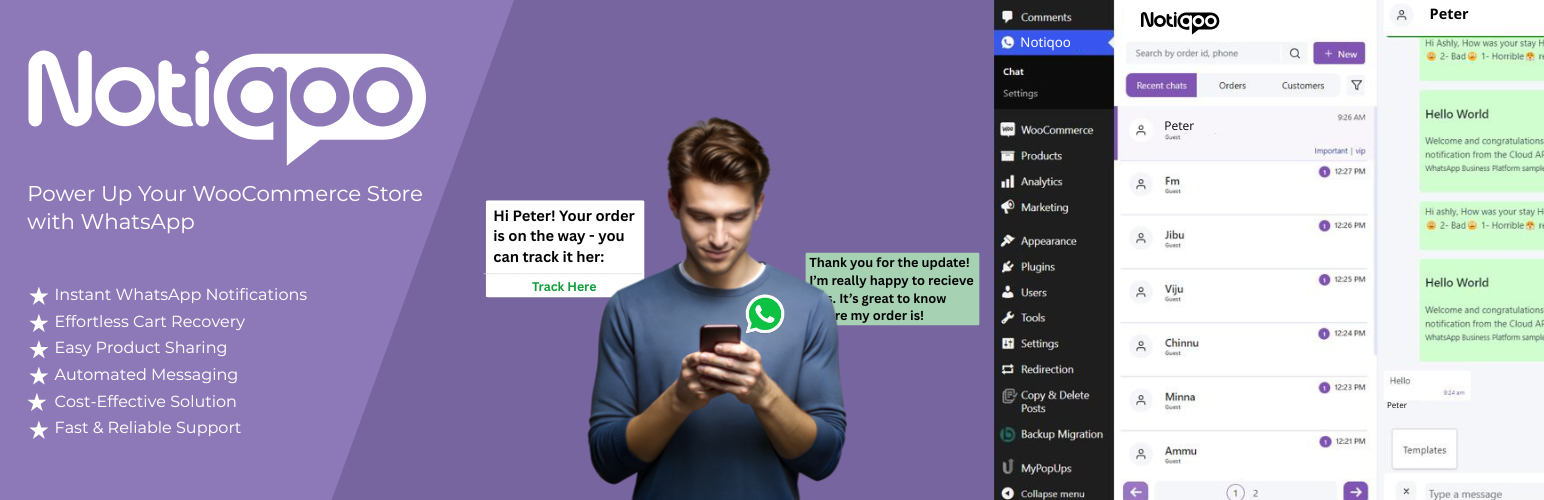
Notiqoo is a powerful WooCommerce WhatsApp automation plugin that connects your store with the official WhatsApp Cloud API. Send automated order notifications, recovery messages, support updates, and marketing campaigns while keeping customers engaged on the messaging platform they use every day.
👉 Notiqoo Pro
👉 Documentation
👉 Live Demo
👉 Video Guides
👉 Support
Important: Dedicated phone number required
The standard setup requires a dedicated phone number registered with the WhatsApp Business Platform and not connected to the WhatsApp mobile apps. Calls and SMS may still work. Number coexistence depends on Meta eligibility and integration support.
Read WhatsApp Cloud API phone number requirements.
Want to test Notiqoo without using your production WhatsApp number? Try a virtual phone number for WhatsApp Business.
Notiqoo Free features
Notiqoo Free supports WooCommerce order notifications, status updates, manual message triggers, configurable templates, and supported abandoned cart messaging.
Feature availability depends on your configuration and WhatsApp requirements.
Notiqoo Pro — 10 powerful features
Automate WooCommerce WhatsApp messaging, recover abandoned carts, verify orders, and improve customer engagement.
1. Recover Abandoned Carts
Send automated cart reminders with configurable delays and supported coupon workflows.
2. Order & Shipping Notifications
Send WooCommerce order status, shipping, and delivery updates using WhatsApp templates.
3. WhatsApp Login & Signup
Enable customer login and registration with WhatsApp OTP verification.
4. COD Order Verification
Verify Cash on Delivery orders using WhatsApp OTP to help reduce fake orders and return-to-origin costs.
5. Broadcast Promotions & Offers
Send approved template campaigns for promotions, offers, launches, and restock alerts, with audience selection and scheduling.
6. Collect Product Reviews
Request product reviews through WhatsApp, including supported photo and video submissions.
7. WhatsApp Customer Support
Manage two-way conversations, shared inboxes, quick replies, labels, and notes from WordPress.
8. Lead Generation on WhatsApp
Generate leads with Click-to-Chat links, QR codes, chat widgets, and supported checkout opt-ins.
9. Catalog & Product Sharing
Share WooCommerce products and supported catalog items through WhatsApp.
10. Forms → WhatsApp
Receive form notifications from Contact Form 7, WPForms, Fluent Forms, and Gravity Forms.
Explore all Notiqoo Pro features
Official WhatsApp Business Platform
Configure your own Meta business assets, WhatsApp Business Account, phone number, credentials, and message templates. Messaging is subject to Meta policies, approval requirements, account eligibility, limits, and applicable charges.
Extend Notiqoo Pro with add-ons like Notiqoo Teams for shared WhatsApp inboxes and team collaboration, and Notiqoo Automator for automated WooCommerce WhatsApp notifications.
Disclaimer: All trademarks and brand names belong to their respective owners. Notiqoo is not affiliated with or endorsed by WhatsApp
Installation
- Install and activate WooCommerce if it is not already installed.
- Navigate to Plugins → Add New Plugin in your WordPress dashboard.
- Search for Notiqoo and install the plugin, or upload the plugin ZIP file.
- Activate Notiqoo.
- Open the Notiqoo settings in your WordPress dashboard.
- Configure your WhatsApp Business Platform credentials and phone number details.
- Set up the required message templates and notification options.
- Enable the notification events you want to use.
- Place a test order and verify that the expected WhatsApp notification is delivered.
You may need to configure a Meta app and complete the required WhatsApp Business Platform setup before sending messages.
For setup instructions, visit the Notiqoo documentation.
FAQ
Is Notiqoo free?
Yes. Notiqoo offers a free version with essential WooCommerce WhatsApp notifications. Notiqoo Pro adds advanced features for customer support, marketing, authentication, and automation.
Does Notiqoo use the official WhatsApp API?
Yes. Notiqoo integrates with the official WhatsApp Business Platform using the WhatsApp Cloud API. You configure your own Meta and WhatsApp Business Platform assets.
Do I need a dedicated phone number to use Notiqoo?
Yes. The standard setup requires a number registered with the WhatsApp Business Platform. Eligibility for existing numbers depends on Meta’s requirements and integration support.
Read WhatsApp Cloud API phone number requirements
Can I send WooCommerce order notifications for free?
Yes. The free version supports WooCommerce order notifications through your configured WhatsApp integration. Meta’s messaging policies and any applicable charges still apply.
Can customers reply to my WhatsApp notifications?
Two-way customer messaging is available with Notiqoo Pro. Customers can reply through WhatsApp, and supported incoming messages can be managed from your WordPress dashboard.
Can I automate abandoned cart recovery?
Yes. Notiqoo supports abandoned cart messaging workflows. Notiqoo Pro extends these capabilities with configurable recovery reminders and supported coupon workflows.
Learn more WooCommerce abandoned cart recovery
Can customers log in using WhatsApp?
Yes. Notiqoo Pro supports WhatsApp OTP login and signup for WooCommerce customers.Learn WhatsApp Login and Signup for WooCommerce
Can I verify Cash on Delivery orders using WhatsApp?
Yes. Notiqoo Pro supports COD order verification using WhatsApp OTP.Learn more WooCommerce COD order verification
Can I send WhatsApp broadcast campaigns?
Yes. Notiqoo Pro supports broadcasts using approved WhatsApp templates, with audience selection and scheduling options.Learn WhatsApp broadcast messaging for WooCommerce
Can I collect product reviews through WhatsApp?
Yes. Notiqoo Pro supports WhatsApp review requests and customer submissions, including supported review photos and videos.Explore Notiqoo features
Can I receive contact form submissions on WhatsApp?
Yes. Notiqoo Pro supports WhatsApp notifications for submissions from compatible WordPress form plugins. Read WhatsApp form integration for WooCommerce
Where can I get support?
Free-version users can request community support through the Notiqoo WordPress.org support forum.
For documentation, premium support, and information about Notiqoo Pro, visit notiqoo.com.
Screenshots


Changelog
Love using this plugin?
Please leaving a Review. Your support helps us keep the plugin free and continue providing updates and maintenance.
Thank you for supporting open-source ❤️
1.4.17 – 28 OCT 2026
- Improvement: Added a sidebar to the General setting page
- Improvement: Added a virtual phone number guide card to the existing Support and Premium tabs