

Description
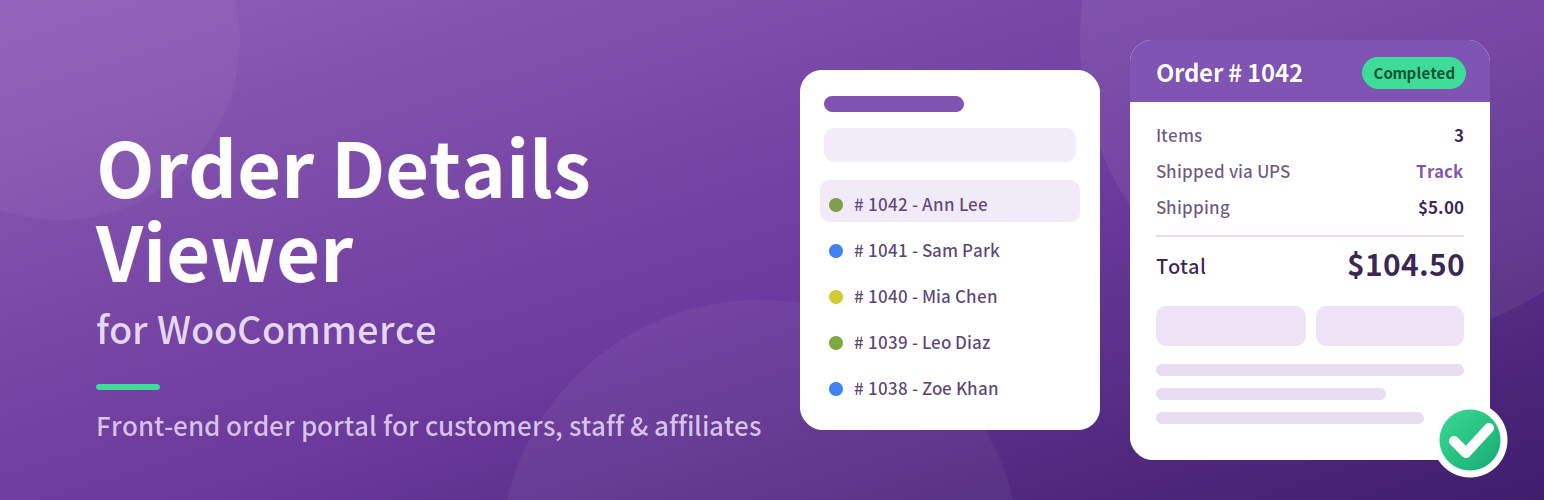
Order Details Viewer for WooCommerce (formerly Extended Order Details for WooCommerce) adds a front-end order portal to your shop. Place the [WC-ORDER-DETAILS] shortcode on any page and logged-in users see a filterable list of their orders with all the details on one screen: items, amounts, shipment tracking, order notes, customer and shipping details.
- Customers see their own orders only.
- Shop managers (users who can manage WooCommerce) see every order.
- Affiliate WP affiliates see the orders they referred, so they can follow up with their customers.
- Role based access: choose which user roles may use the page.
- Choose what is shown: switch the Order Details, Item Details, Order Activity, Customer Details, Shipping Details, Affiliate and Meta sections on or off.
- Shipment tracking: tracking numbers found in order notes (for example from ShipStation) become tracking links for UPS, USPS and FedEx. Add more carriers with a filter.
- Order search by customer name, e-mail or order number (premium).
- Works with HPOS: fully compatible with WooCommerce High-Performance Order Storage.
- Multilingual: English, German, Spanish, French and Italian are bundled.
- Developer friendly: hooks, filters and theme-overridable templates.
Who sees what
- Visitors who are not logged in never see any order data.
- Private staff notes on an order are shown to shop managers only. Customers see the notes that were sent to them.
- The raw order Meta section is shown to administrators only.
Shortcode
[WC-ORDER-DETAILS]

[WC-ORDER-DETAILS logout-link="yes" home-link="yes"]
The login-required attribute from older versions is still accepted but no longer has any effect: guests are never shown orders.
Page template
A page template called WC Order Details is available in the page editor automatically. You do not have to copy a file into your theme. To customise it, copy templates/page-template.php from the plugin to your theme as wcod-template.php.
For developers
Filters: wcod_orders_limit, wcod_search_scan_limit, wcod_carriers, wcod_default_carrier, wcod_status_colors, wcod_user_can_view_order, wcod_affiliate_orders_limit, wcod_settings_pages_limit, wcod-after-shipping-information, wcod-after-product-name-filter.
Actions: wcod_order_details_extra_rows (add rows to the order summary), wcod-after-product-name.
Templates can be overridden by copying any file from the plugin’s templates folder to your-theme/wc-order-details/.
Affiliate WP
Compatible with Affiliate WP. Affiliates see the orders they referred, and the Affiliate section shows the referral amount and status.
License
This WordPress plugin is free software: you can redistribute it and/or modify
it under the terms of the GNU General Public License as published by
the Free Software Foundation, either version 2 of the License, or
any later version.
This WordPress plugin is distributed in the hope that it will be useful,
but WITHOUT ANY WARRANTY; without even the implied warranty of
MERCHANTABILITY or FITNESS FOR A PARTICULAR PURPOSE. See the
GNU General Public License for more details.
You should have received a copy of the GNU General Public License
along with this WordPress plugin. If not, see http://www.gnu.org/licenses/gpl-2.0.html.
Installation
- Upload the plugin files to the
/wp-content/plugins/wc-order-detailsdirectory, or install the plugin through the WordPress plugins screen directly. - Activate the plugin through the ‘Plugins’ screen in WordPress. WooCommerce must be active.
- Go to WooCommerce > Order Details and tick the user roles that may use the page.
- Create a page and add the
[WC-ORDER-DETAILS]shortcode, or choose the “WC Order Details” page template.
FAQ
What can I do with this plugin?
You can list the orders related to a customer account on the front end, with login and user role restrictions, and show the details that normally are only available in the admin area on one single page.
Which orders does a user see?
Customers see their own orders. Users who can manage WooCommerce see all orders. Affiliate WP affiliates see the orders they referred. Visitors who are not logged in see nothing.
Do I need to create a template file in my theme?
No. The “WC Order Details” page template is built in. You only need a file in your theme if you want to customise the template.
Is it compatible with HPOS (High-Performance Order Storage)?
Yes. The plugin declares compatibility and only uses WooCommerce order functions.
Is it compatible with Affiliate WP?
Yes. Affiliates see the orders they referred, and the Affiliate section lists the referral details.
My tracking numbers are not shown as links
The plugin reads order notes that contain “tracking number” followed by the number, and recognises “via UPS”, “via USPS” and “via FedEx”. Add other carriers with the wcod_carriers filter. Use wcod_default_carrier if all your notes belong to one carrier.
Can I search orders by customer name?
Yes, with the “Search By Customer Name or Order ID” box. This feature is available in the Premium version.
How many orders are listed?
The newest 200 orders the user may see. Change this with the wcod_orders_limit filter.
Screenshots


Changelog
3.0.0
- Renamed to “Order Details Viewer for WooCommerce”. Tested up to WordPress 7.1. Requires WordPress 6.0, PHP 7.4 and WooCommerce 8.2. – 27/10/2026
- Security: the pro “switch back” feature trusted an unsigned cookie. It now uses a signed, expiring token and a nonce, and “log in as customer” also needs a nonce and never targets administrators or shop managers.
- Security: guests could be shown every order when “login-required” was “no”, and users without orders could see all orders when Affiliate WP was active. Orders are now limited to the logged-in user’s own orders, their affiliate referrals, or all orders for shop managers.
- Security: the AJAX order search now checks the user’s access, and search results are rendered as text, which fixes an XSS risk with customer names.
- Security: all database queries are prepared and use the real table prefix. Order notes are read with WooCommerce functions instead of raw SQL.
- Security: private order notes are no longer shown to customers.
- Security: all output is escaped. The settings page uses the Settings API with nonces and capability checks, and the template file is no longer created through an unprotected link.
- New: full HPOS (High-Performance Order Storage) compatibility. Orders are read with wc_get_orders() and order objects.
- New: built-in “WC Order Details” page template, so no file has to be copied to your theme.
- New: admin notice when WooCommerce is not active, and “Requires Plugins” header.
- New: carriers and tracking links can be extended with the wcod_carriers filter. Orders list limit, status colours and access checks have filters too.
- New: templates are split into small files and can be overridden from your theme.
- New: uninstall.php removes the plugin options.
- Improved: amounts use the order currency and WooCommerce price formatting. Item prices come from the order, not the current product price.
- Improved: dates use the site’s date and time format. Deleted products no longer cause errors.
- Improved: Bootstrap JavaScript and FontAwesome (about 4 MB) are removed. Assets load only on pages that use the viewer and are versioned instead of using time().
- Improved: the settings page no longer loads Bootstrap into wp-admin, the YouTube embed is now a link, and the plugin no longer reads its own file on every request.
- Improved: text domain is loaded on init, search and filter fields have labels, and the debug output (?debug) is removed.
- Changed: order totals show Subtotal, Shipping, Fees, Tax and Total so the rows add up.
- Changed: tracking notes without a recognised carrier are no longer assumed to be UPS (use the wcod_default_carrier filter to restore this).
- Changed: shop managers always have access to the viewer. The default “tabs” selection is now shown correctly on the settings page.
- Removed: unused code, the unused order action button and the unused image.
2.0.0
- Updated version for WordPress. – 02/05/2023
1.9.9
- Updated version with extra product meta displayed. – 20/09/2022 [Thanks to Niels Brinch Feldberg]
1.9.8
- Updated version for WordPress. – 07/09/2022
1.9.7
- Improved shortcodes. – 28/10/2021 [Thanks to Raffaele Bonadies]
1.9.6
- Updated deprecated PHP functions. – 27/10/2021
1.9.5
- Updated CSS styles and a couple of JavaScript functions. – 21/10/2021
1.9.4
- Updated Bootstrap version and toggleClass related improvements. – 21/10/2021 [Thanks to Bruno Tommaso]
1.9.3
- Updated version for WordPress. – 11/09/2021
1.9.2
- Switch to back functionality linked with WooCommerce logout link(s). – 29/10/2019 [Thanks to Jim]
1.9.1
- Switch to back functionality added. – 29/10/2019 [Thanks to Jim]
1.9
- Another improved version after extensive user-experience. – 26/10/2019 [Thanks to Jim Fulford & Bryan Honaker]
1.8
- A few PHP notices are handled with if conditions. – 14/08/2019
1.7
- A few important options added on settings page. – 13/08/2019
1.6
- Searched orders listed in DESC order. – 10/08/2019
1.5
- Bootstrap scripts and styles restricted to the template file only. – 10/08/2019
1.4
- Updated with UPS – 10/08/2019
1.3
- Orders search feature added – 07/08/2019
1.2
- Orders filter feature added – 06/08/2019
1.1
- First updated after review – 05/08/2019
1.0
- First release.