

Description
The Web357 Cookie Consent Manager shows your visitors a cookie banner and remembers what they chose.
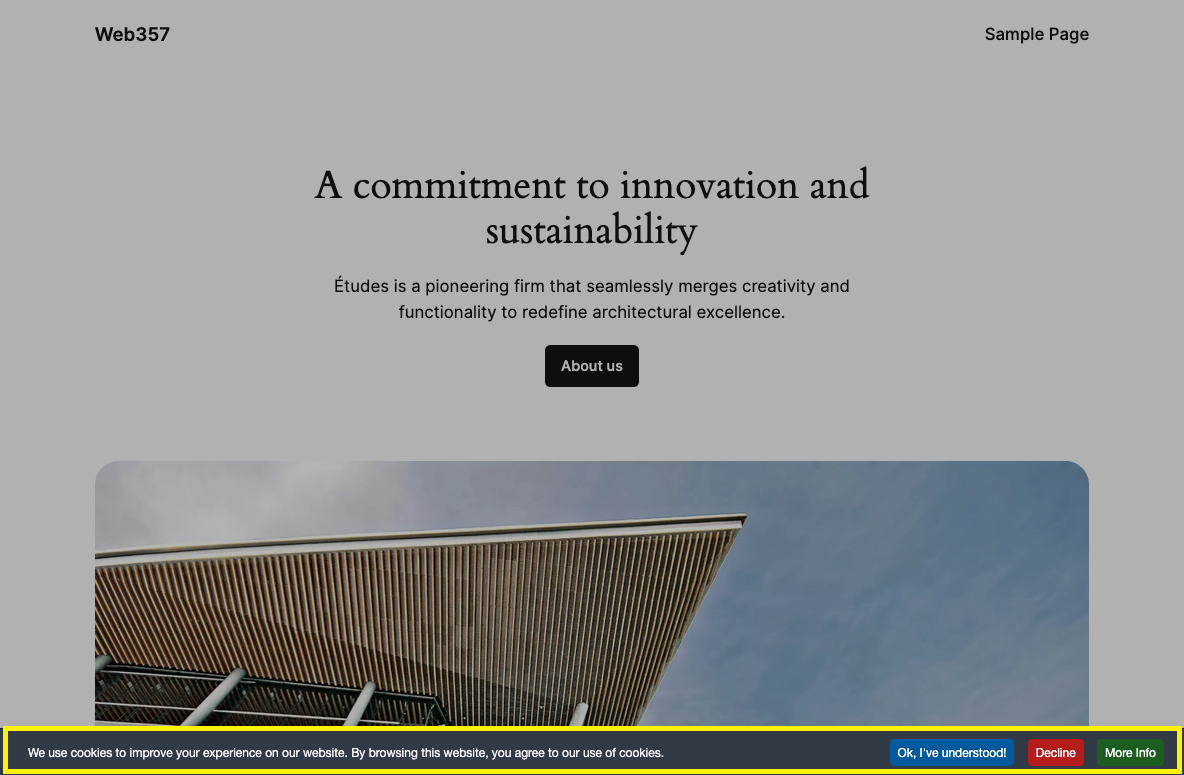
A visitor lands on your site. A bar at the bottom says you use cookies, with Accept and Decline buttons. They click one, the bar goes away, and their choice is stored in their browser. Turn on the Cookie Manager and a Settings button lets them choose by category instead.
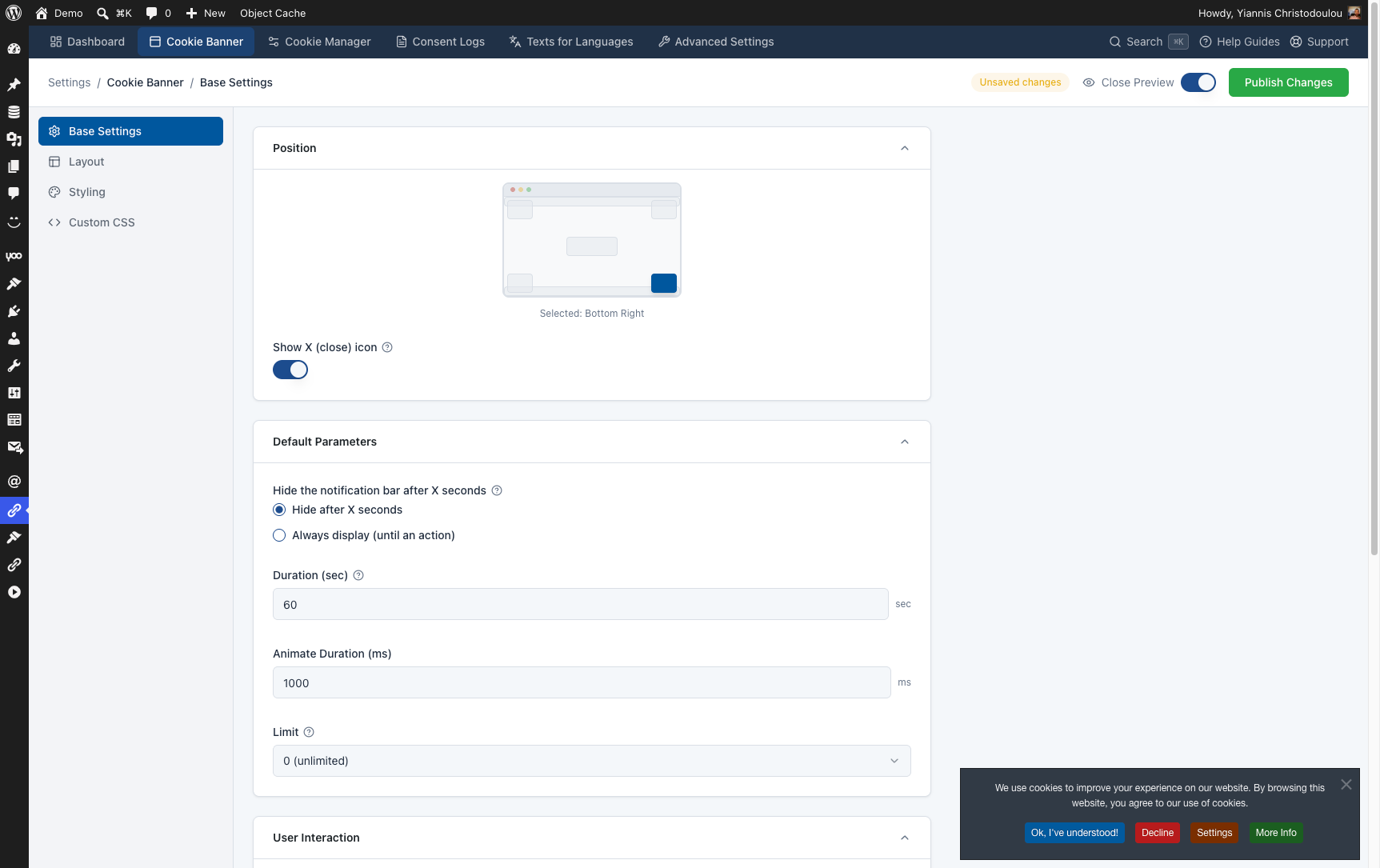
You set everything up under Cookie Consent in the WordPress menu, with a live preview of the bar while you work.
Full setup, every setting, and the guides are in the official documentation.
How it works
- Open Cookie Consent → Cookie Banner and pick the position and colours of the bar.
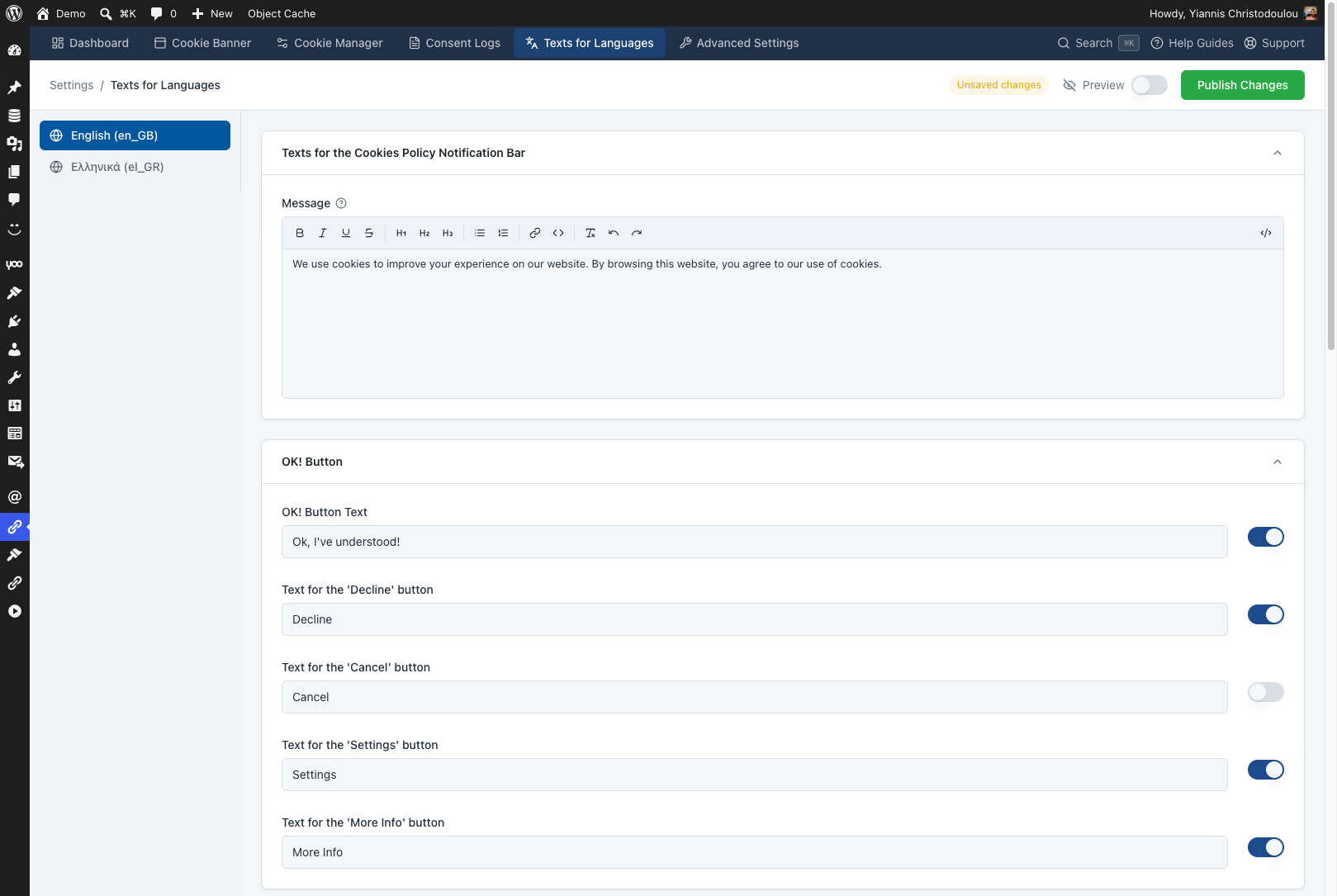
- Open Cookie Consent → Texts for Languages, write your message, choose which buttons to show, then click Publish Changes.
- Visit your site. The bar appears, and it does not come back once a visitor has accepted or declined.
Nothing is saved until you click Publish Changes. See Accessing the Settings.
Free features
- Cookie bar in seven positions: top, bottom, centre, or any corner of the page. Position »
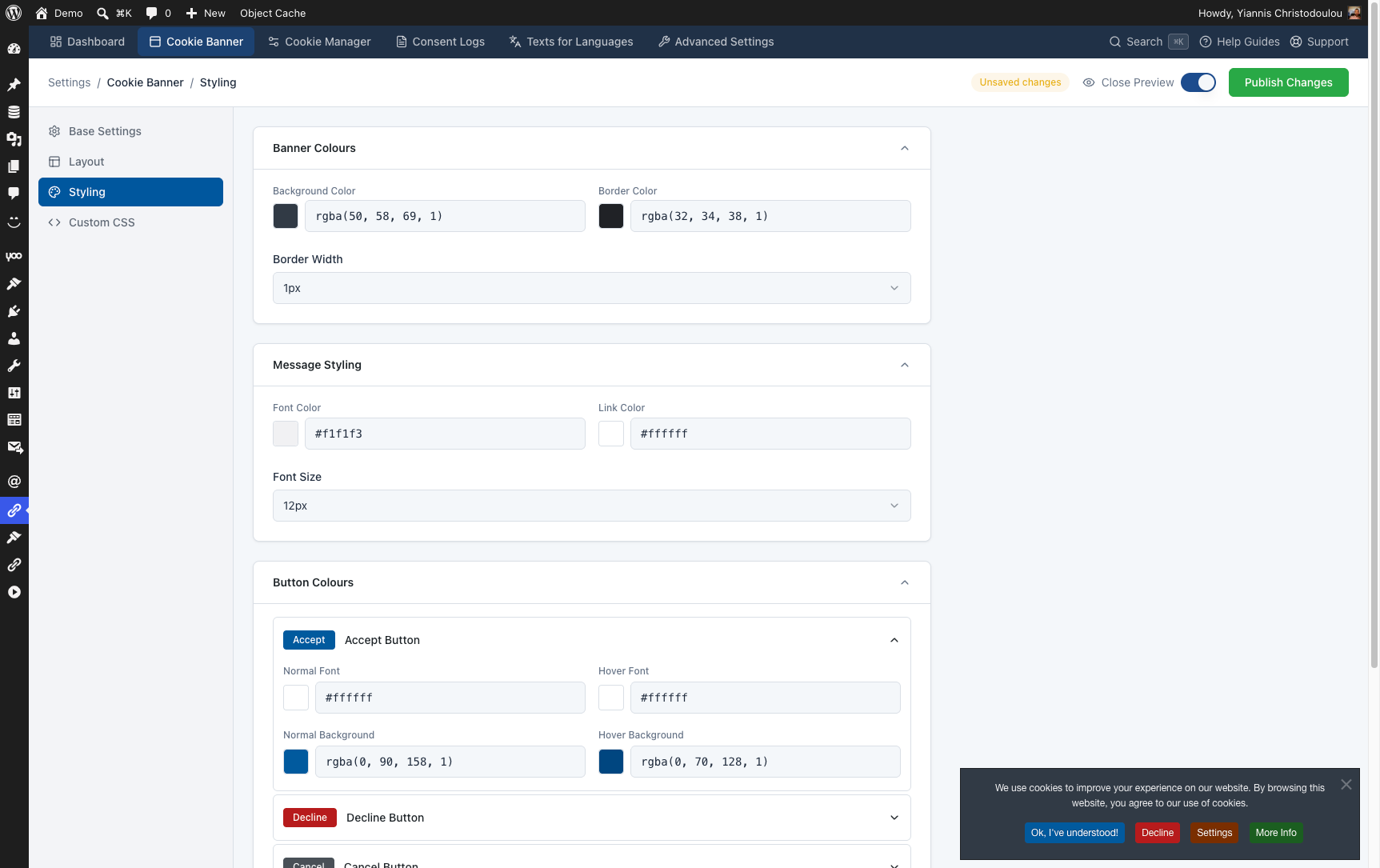
- Your colours: background, border, message text and link colours, plus the font size. Styling »
- Live preview: see the bar inside the admin while you change it, before visitors do. Live preview »
- Your message and buttons: write the message and the labels, and show or hide the Accept, Decline, Cancel, Settings and More Info buttons. Texts for Languages »
- Cookie Manager window: the Settings button opens a window where visitors switch each cookie category on or off. The free version has up to 2 categories. Cookie Manager »
- A link that reopens the choices: link to
#cookiesfrom your privacy page or footer, so visitors can change their mind later. Hash link » - Delete cookies on decline: turn on Block Cookies Functionality and the plugin deletes the visitor’s cookies when they decline, except the ones WordPress needs. Block Cookies »
- Cookie information table: list the cookies your site uses on your privacy page with a shortcode. Shortcode »
- How long a choice lasts: set the number of days before the bar asks again, and rename the plugin’s cookies. Cookie expiration »
- Page caching and CDNs: no visitor’s choice is stored in the page itself, so a cached page never shows one visitor’s choice to another. Caching »
- Strict Content Security Policy: the bar and the Cookie Manager run under
script-src 'self', without'unsafe-inline'. CSP guide » - Testing tools: show the bar on every page load while you test, and restore the default settings in one click. Debugging »
PRO features
Upgrade to Web357 Cookie Consent Manager PRO when you need to hold scripts back until the visitor agrees, keep proof of consent, or use more than 2 cookie categories. Plans cover 1, 3, 5 or unlimited sites and include 1 year of updates and support, with a 30-day money-back guarantee.
- Block scripts until consent: Google Analytics, Meta Pixel and other scripts load only after the visitor accepts their category. Block a script by its code or by its URL.
- Block elements with a placeholder: a YouTube video or a map is replaced by a message until the visitor accepts, with an accept link inside the message.
- Google Consent Mode v2: send the default, granted and denied signals to your Google tags, following the step-by-step guide.
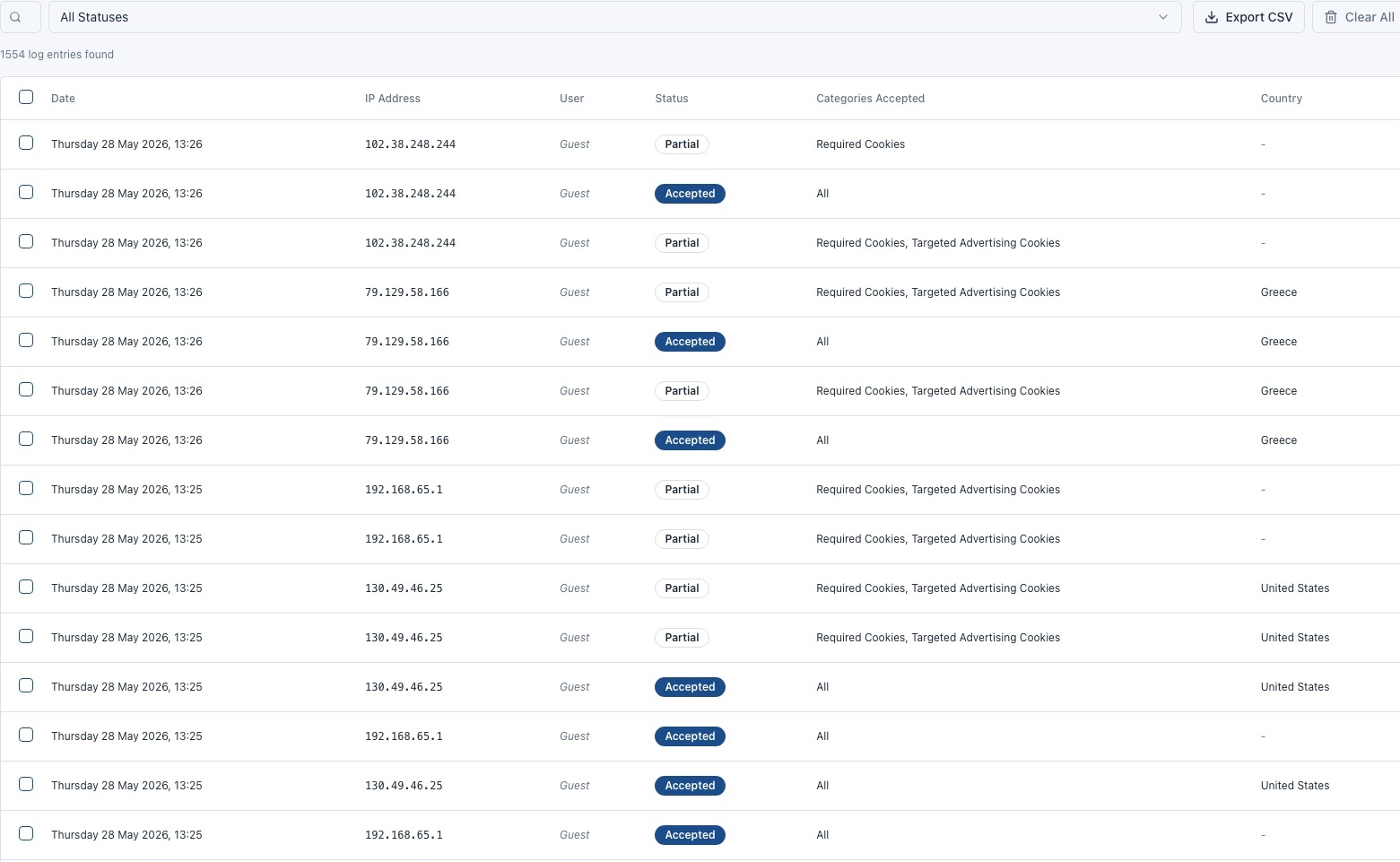
- Consent logs: every Accept and Decline is saved in your database with its date and, if you choose, the IP address. Search the list and export it as CSV.
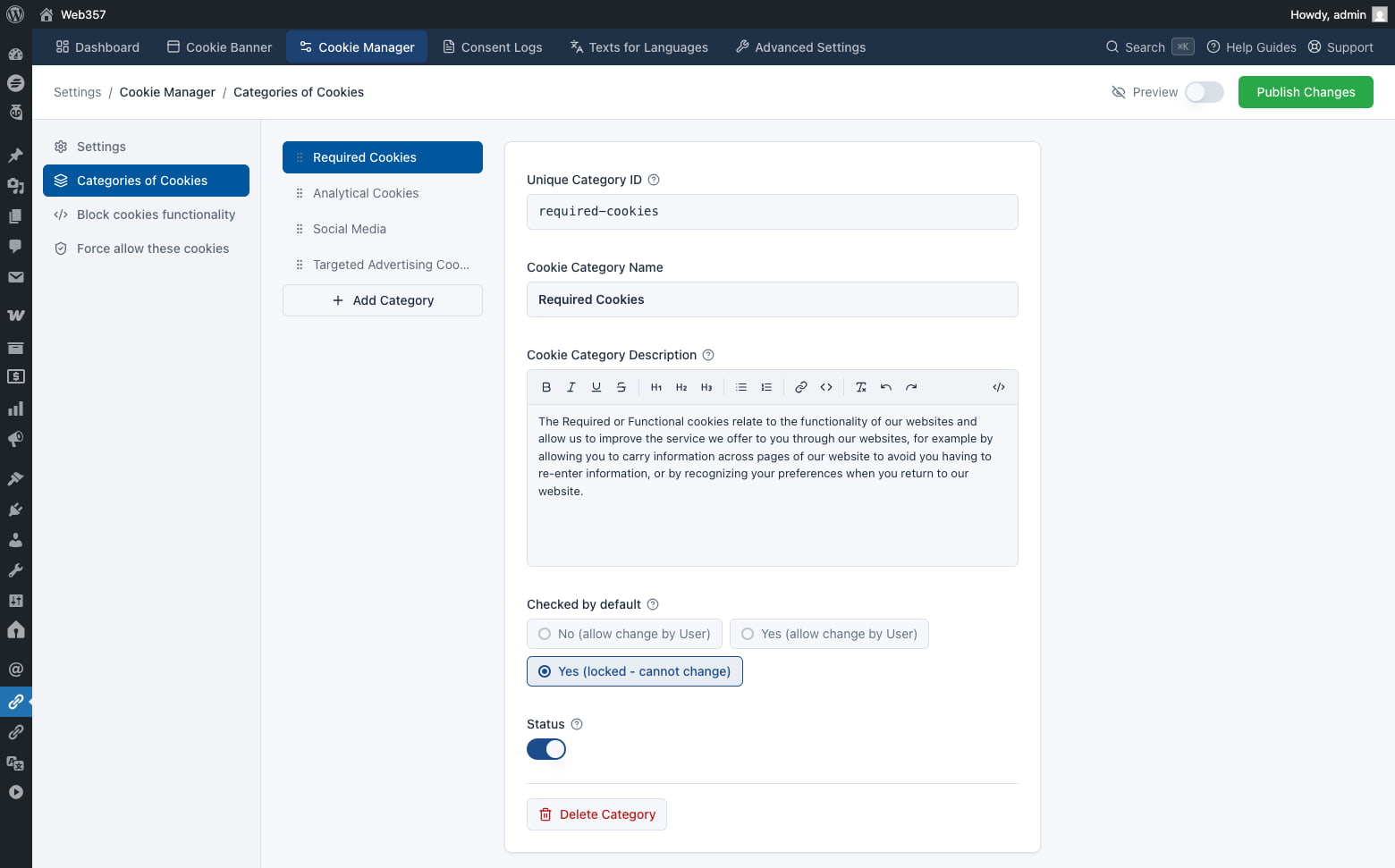
- Unlimited cookie categories: Required, Analytical, Social Media, Targeted Advertising, and as many of your own as you need.
- Geo targeting: show the bar only to visitors from the continents and countries you pick.
- Texts for every language: a separate message and separate button labels for each language of a WPML or Polylang site.
- Floating settings button: a small button in a bottom corner of the site that reopens the Cookie Manager at any time, with your own icon.
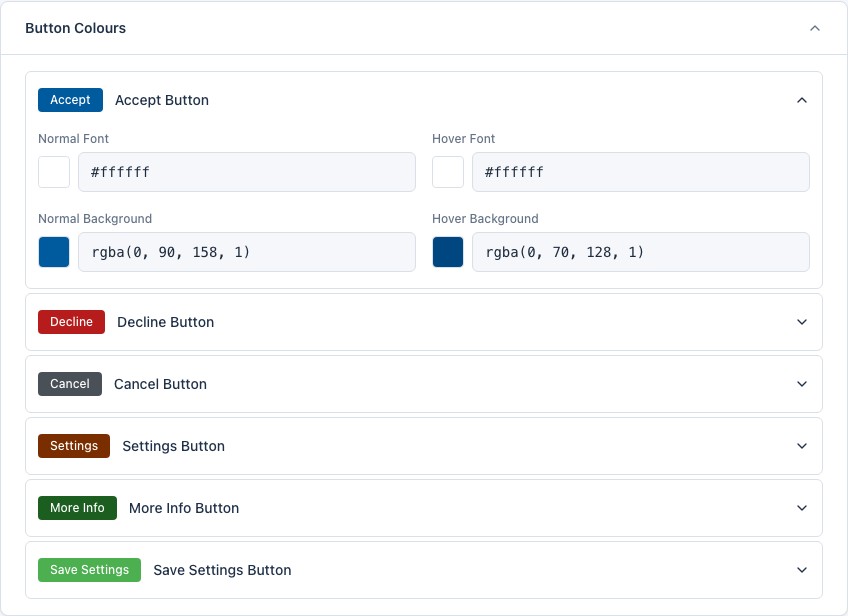
- Button colours: normal and hover colours for each button separately.
- Button order and page overlay: drag the buttons into the order you want and dim the page behind the bar.
- Custom CSS: style the bar, the buttons and the Cookie Manager with your own CSS and class names.
- Auto-accept, iframes and confirmation alerts: accept after the visitor scrolls, show the bar inside iframes, and ask the visitor to confirm before a choice is saved.
- Force Allow Cookies: name the cookies the plugin must never delete, such as the one your captcha needs.
- Page visibility: show the bar only on the pages and post types you choose, or hide it from them.
- Cookie security: add the Secure and HttpOnly flags to the plugin’s own cookies.
- Consent across subdomains: a visitor who accepts on your main site is not asked again on your shop subdomain.
- Custom JavaScript: add your own JavaScript next to the bar, for example to react when a visitor accepts or declines.
- Import and export: move all your settings from one site to another as a JSON file.
Documentation
- Introduction
- Installation
- Accessing the settings
- Cookie Banner: general settings
- Cookie Banner: layout
- Cookie Banner: styling
- Cookie Manager: settings
- Cookie Manager: cookie categories
- Cookie Manager: Block Scripts
- Cookie Manager: Block Cookies
- Consent Logs
- Texts for Languages
- Shortcode
- Google Consent Mode v2
- Content Security Policy
- FAQ
- Get support
External Services
The free version sends no visitor data anywhere. Your settings are stored in your WordPress database, and each visitor’s choice is stored in cookies in their own browser.
One request leaves your server. When an administrator opens the plugin’s admin screens, the plugin asks the WordPress.org plugin API (https://api.wordpress.org/plugins/info/1.0/web357-cookie-consent-manager.json) for the latest version number, so the Dashboard can say whether an update is available. The request names this plugin and, like every request WordPress makes, carries your site’s address in its user agent. No visitor data is in it, and the answer is kept for 12 hours. WordPress.org’s privacy policy applies.
Installation
From the WordPress dashboard
- Go to Plugins → Add Plugin.
- Search for Web357 Cookie Consent Manager.
- Click Install Now, then Activate.
- Open Cookie Consent in the WordPress menu. The bar is already showing at the bottom of your site.
Manual upload
- Download
web357-cookie-consent-manager.zipfrom the product page. - Go to Plugins → Add Plugin → Upload Plugin and install it.
- Activate it, then open Cookie Consent.
Step-by-step screenshots: Installation guide.
FAQ
What is free, and what is PRO?
Free: the cookie bar in seven positions, its colours, message and buttons, the live preview, the Cookie Manager window with up to 2 categories, the #cookies link, deleting cookies on decline, the cookie information shortcode, cookie expiration, and the testing tools. PRO: blocking scripts and elements until consent, consent logs with CSV export, unlimited categories, geo targeting, texts for every language, the floating settings button, button colours and order, Custom CSS, page visibility, cookie security, consent across subdomains, Custom JavaScript, import and export, and 1 year of updates and support. Compare plans »
What does this plugin do, in one sentence?
It shows a cookie bar, lets each visitor accept or decline cookies, by category if you want, and remembers the choice in their browser.
Does the free version stop Google Analytics until the visitor accepts?
No. Holding scripts back until consent is the Block Scripts feature, and it is in PRO. The free version shows the bar, stores the visitor’s choice, and can delete their cookies when they decline. How Block Scripts works »
Is this plugin GDPR compliant?
The plugin gives you the tools for cookie consent: a clear choice, consent by category, deleting cookies on decline and, in PRO, script blocking and consent logs. Whether your site complies depends on how you set it up and on the rest of your data handling, so ask a legal professional about your own case. More in the FAQ »
Which WordPress versions are supported?
WordPress 5.3 or newer, tested up to 7.1, with PHP 7.4 or newer.
Does it work with page caching plugins and CDNs?
Yes. The bar is drawn in the visitor’s browser and no visitor’s choice is written into the page, so a cached page is the same for everyone. When you save the settings or update the plugin, it clears the cache of the common caching plugins for you. Caching details »
Does it work with a strict Content Security Policy?
Yes. The bar, the More Info window and the Cookie Manager work with script-src 'self', without 'unsafe-inline'. A policy that restricts style-src needs 'unsafe-inline' there, because your colours are written as inline CSS. CSP guide »
Does it work on a multilingual site?
Yes. In the free version you write the texts for your site’s language. In PRO every language of a WPML or Polylang site gets its own message and button labels under Texts for Languages. Texts for Languages »
How can a visitor change their choice later?
Add a link to #cookies on your privacy page or in your footer. A click opens the Cookie Manager window. In PRO you can also show a floating settings button on every page. Hash link »
The bar does not appear on my site. What should I check?
- The plugin is active under Plugins → Installed Plugins.
- You have not already accepted or declined. Clear your browser cookies, or turn on Always Display under Advanced Settings while you test.
- In PRO, your country is not excluded by geo targeting, and Show in iFrames is on if you view the site inside an iframe.
See the troubleshooting FAQ.
Can I use PRO on more than one site?
Yes. There are plans for 1, 3, 5 and unlimited sites. Compare plans »
Where is the full documentation?
Start here: Cookie Consent Manager docs. For help, contact support.
Screenshots
Changelog
20-Oct-2026 : v1.0.6
- Added support for full-page caching, CDNs, and strict CSP.
- Added independent Block Scripts and Block Cookies settings pages.
- Added support for using the Cookie Manager and Block Scripts without Block Cookies.
- Added an
[accept]link to unlock blocked content without reloading the page. - Added background image and opacity options for blocked content placeholders.
- Added more floating button icon options, including Font Awesome and Media Library icons.
- Added automatic cache clearing for supported cache plugins.
- Added Greek translation and updated admin translations.
- Fixed colour saving, cookie category conflicts, Cookie Manager reload settings, and the floating button icon preview.
20-Aug-2026 : v1.0.5
- Compatibility with WordPress 7.1
- Improved Block Elements functionality
11-Aug-2026 : v1.0.4
- Fixed an issue with custom CSS that could prevent styles from being applied correctly
04-Aug-2026 : v1.0.3
- License key activation did not work in the PRO version
28-Jul-2026 : v1.0.2
- Minor fixes and improvements
25-Jul-2026 : v1.0.1
- Updated plugin codebase to align with current WordPress Plugin Directory guidelines and best practices.
- Fix: The Cookies Manager floating icon image now loads correctly on the frontend.
- Fix: The consent logs table is much faster on sites with thousands of records (optimized pagination).
- Fix: The Cookies Manager floating button now properly respects its on/off setting and saved state.
- Fix: Several small UI and translation issues across the settings panel were polished.
- New: The cookies info table (shortcode output) is now loaded with AJAX for a smoother page load.
- Change: Updated the “Read changelog” link to the correct documentation URL.
- Misc: Added missing copyright headers to source files.
- Misc: Internal release & CI workflow improvements (no user-facing impact).
25-May-2026 : v1.0.0
- First release